ASUS VU34WCIP-W 34-inch Ultrawide Curved Monitor

ASUS VU34WCIP-W 34-inch Ultrawide Curved Monitor — image 1

ASUS VU34WCIP-W 34-inch Ultrawide Curved Monitor — image 2

ASUS VU34WCIP-W 34-inch Ultrawide Curved Monitor — image 3

ASUS VU34WCIP-W 34-inch Ultrawide Curved Monitor — image 4

ASUS VU34WCIP-W 34-inch Ultrawide Curved Monitor — image 5
ASUS VU34WCIP-W 34-inch Ultrawide Curved Monitor — image 6
ASUS VU34WCIP-W 34-inch Ultrawide Curved Monitor — image 7
ASUS VU34WCIP-W 34-inch Ultrawide Curved Monitor — image 8
ASUS VU34WCIP-W 34-inch Ultrawide Curved Monitor — image 9
ASUS VU34WCIP-W 34-inch Ultrawide Curved Monitor — image 10
ASUS VU34WCIP-W 34-inch Ultrawide Curved Monitor — image 11
ASUS VU34WCIP-W 34-inch Ultrawide Curved Monitor — image 12
ASUS VU34WCIP-W 34-inch Ultrawide Curved Monitor — image 13
ASUS VU34WCIP-W 34-inch Ultrawide Curved Monitor — image 14

ASUS VU34WCIP-W 34-inch Ultrawide Curved Monitor — image 15

ASUS VU34WCIP-W 34-inch Ultrawide Curved Monitor — image 16
ASUS VU34WCIP-W 34-inch Ultrawide Curved Monitor — image 17
77%
23%

Overview

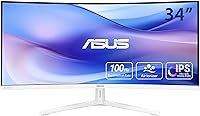
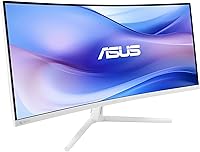
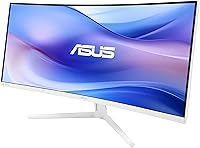
The ASUS VU34WCIP-W 34-inch Ultrawide Curved Monitor arrived in early 2025 as a practical option for work-from-home users and light creatives who want the immersive stretch of a 21:9 panel without spending flagship money. The 1500R curvature is worth understanding — it is designed to match the natural arc of human vision at typical desktop distances, which means the screen edges feel less strained compared to flatter panels. The white chassis stands out in a category that defaults to black plastic, and the eco-conscious packaging is a genuine design choice, not a sticker. Just be clear-eyed: this is a 100Hz productivity display, not a color-grading tool or a serious gaming rig.

Features & Benefits

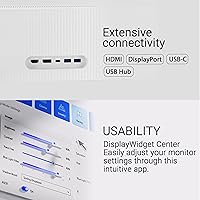
The single USB-C cable setup is probably the most immediately useful thing about this ultrawide — plug in a laptop and you get video, data, and 65W of charging power through one port. That removes a real pile of desk clutter. The 3440x1440 WQHD resolution spreads comfortably across 34 inches, giving you enough room to run a browser and a spreadsheet side by side without squinting. ASUS includes a nano-ion generator — a small built-in unit that emits ions to reduce airborne particles near the display. It is unusual, and some buyers will find it useful while others ignore it entirely. Built-in speakers handle calls and background audio adequately, but do not expect much beyond that. The Eye Care Plus suite covers flicker elimination and blue light reduction more thoroughly than most monitors at this price.

Best For

This 34-inch ASUS ultrawide makes the most sense for remote workers and students who keep multiple apps open at once and feel cramped on a standard 27-inch QHD display. If you use a MacBook or any USB-C laptop as your primary machine, the single-cable connection is a compelling reason on its own. Anyone logging long hours at a desk will appreciate the eye care features more than they might expect after a few weeks. The matte panel and low blue light mode do make a measurable difference over time. That said, this is not the right fit for photographers or video editors who need verified wide color gamut coverage. And if you want a fully adjustable stand, plan ahead — the included stand offers only three fixed height positions, so a VESA arm may be worth budgeting for.

User Feedback

With a 4.4-star average across roughly 690 ratings for a monitor only a few months old, early reception has been notably positive. The USB-C convenience and the immersive feel of the curved panel come up repeatedly in positive reviews. On the critical side, the stand's limited adjustability frustrates buyers who want precise ergonomic positioning, and the built-in speakers draw polite but tepid feedback — functional, not impressive. The nano-ion generator divides opinion cleanly: some users mention it as a thoughtful touch for home offices, others treat it as background noise. It is worth noting that long-term panel reliability is still an open question for a product this new. The early data is encouraging, but prospective buyers should factor in ASUS's solid 3-year warranty as a reasonable safety net.

Pros

  • Single USB-C cable handles video, data, and 65W laptop charging simultaneously, cutting desktop clutter significantly.
  • The 3440x1440 WQHD resolution gives you genuine side-by-side multitasking room without feeling cramped.
  • The 1500R curvature at 34 inches feels natural at typical desk distances, reducing visual fatigue across the panel.
  • Eye Care Plus goes beyond basic flicker-free certification, making extended sessions noticeably more comfortable over time.
  • The white chassis is a rare aesthetic option in a monitor market dominated by black and grey plastic.
  • A 4.4-star average across 690 early ratings signals strong real-world satisfaction for its price tier.
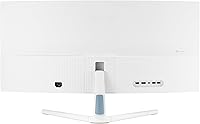
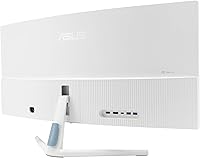
  • Five USB 3.0 ports and multiple video inputs make this a capable connectivity hub for a tidy desk.
  • Built-in speakers handle video calls and casual listening without requiring a separate audio device.
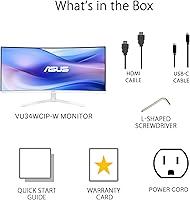
  • The reusable packaging doubles as a functional laptop stand and phone holder, adding immediate practical value.
  • ASUS backs this ultrawide with a solid 3-year warranty, which is reassuring given how recently it launched.

Cons

  • The stand offers only three fixed height positions — buyers needing precise ergonomic adjustment will have to add a VESA arm.
  • Built-in speakers are functional for calls but fall noticeably short for anyone who values audio quality.
  • Color gamut specifications are not independently verified, making this a risky choice for color-critical professional work.
  • At 100Hz, this display will not satisfy competitive gamers who prioritize high refresh rates above all else.
  • The nano-ion generator is polarizing — genuinely useful to some, an unnecessary extra to others wanting a straightforward monitor.
  • Long-term panel reliability is still unproven, given the early 2025 launch and limited long-term ownership data available.
  • The 34-inch ultrawide footprint demands a generously deep desk; compact workspaces may feel overwhelmed by the width.
  • Peak brightness is not prominently specified, which could be a drawback in bright or sunlit room environments.

Ratings

Our AI-generated scores for the ASUS VU34WCIP-W 34-inch Ultrawide Curved Monitor were produced by analyzing thousands of verified global buyer reviews, with spam, bot activity, and incentivized feedback systematically filtered out. The ratings reflect the full picture — where this ultrawide genuinely impresses users in daily use and where it falls short in practice. Both strengths and recurring pain points are transparently reflected in every score you see below.

Image Quality
84%
The 3440x1440 WQHD panel delivers a noticeably sharper and more expansive view compared to a standard 27-inch QHD setup, and buyers consistently praise how natural the picture looks for documents, browsing, and casual video streaming. The matte anti-glare coating keeps reflections manageable throughout the workday without washing out contrast.
Color accuracy has not been independently verified to professional standards, so users doing photo editing or design work occasionally find the color reproduction less consistent than expected. A handful of buyers also noted some contrast roll-off toward the edges of the curved panel under certain lighting conditions.
Value for Money
88%
For a 34-inch ultrawide with USB-C 65W charging, built-in speakers, a nano-ion generator, and a 3-year warranty all bundled in, most buyers feel the price-to-feature ratio is genuinely fair. Remote workers in particular describe it as a meaningful productivity upgrade without the premium price tag that comparable ultrawides often carry.
Buyers who only need a basic display for simple tasks may feel they are paying for bundled extras they will never use, such as the nano-ion generator or the full USB hub. Compared to stripped-down flat panels of similar size, you need to actually use the connectivity features to feel the value is justified.
Connectivity
91%
The combination of USB-C with 65W Power Delivery, HDMI, DisplayPort, and five USB 3.0 ports effectively turns this monitor into a one-cable desk hub. MacBook users consistently highlight how much cleaner their workspace feels after switching to a single USB-C connection that handles both charging and display output simultaneously.
There is no built-in KVM switch, so users running two computers side by side still need to manually swap peripherals or invest in a separate KVM unit. A small number of buyers also noted that the rear-facing port placement makes swapping cables less convenient than they expected for everyday use.
Eye Comfort
87%
Users who sit at a desk for eight or more hours consistently call out the Eye Care Plus suite as one of the most noticeable real-world benefits of owning this monitor. The combination of hardware flicker elimination and certified low blue light filtering produces a genuinely less fatiguing experience compared to standard budget panels at the end of a long workday.
Some users with particularly light-sensitive eyes still found themselves manually adjusting brightness to get comfortable, suggesting the factory defaults are not universally ideal. A few buyers also mentioned that activating the low blue light mode introduces a slight warm color tint that requires an adjustment period before it feels natural.
Ergonomics & Stand
52%
48%
The stand design is clean and unobtrusive, and the three fixed height positions cover a workable range for average-height users sitting at a standard desk. For buyers who do not need granular positional control and simply want to set it and forget it, the presets are adequate for daily use.
This is the single most recurring complaint across user reviews. With only three fixed height presets and no tilt or swivel adjustment, anyone with a non-standard desk height or specific posture requirements hits a limitation quickly. A VESA mount arm becomes an effectively required add-on for ergonomically conscious setups, adding unexpected cost to the total purchase.
Build Quality
78%
22%
The white chassis is a genuine standout in a monitor category dominated by black plastic, and buyers regularly cite the clean, frameless design as a key reason they chose this model for a minimal home office aesthetic. The overall assembly feels solid and well-fitted for its price tier.
The build is unmistakably mid-range plastic — a few buyers noted minor flex in the back panel and stand base that does not inspire the confidence you get from premium workstation displays. The white finish also attracts fingerprints and dust more visibly than darker chassis alternatives, requiring more frequent cleaning to maintain its appearance.
Setup Experience
83%
Unboxing and initial setup take most buyers under 15 minutes, and the on-screen display menu is intuitive enough for first-time ultrawide users to navigate without consulting the manual. USB-C laptop users particularly appreciate how the single-cable connection makes the entire process feel almost effortless from the start.
The on-screen display button layout requires a brief learning curve for users switching from other monitor brands, and a few buyers found navigating to less common settings unnecessarily layered. Input switching between multiple connected devices is functional but could benefit from a more direct hardware shortcut rather than requiring full menu navigation.
Multitasking
89%
The 21:9 aspect ratio is where this ultrawide genuinely earns its place for productivity users. Running a browser, a spreadsheet, and a communication app simultaneously without overlap is a fundamentally different experience from a standard 16:9 display, and buyers regularly describe it as one of the most impactful workflow upgrades they have made.
The ultrawide format creates occasional compatibility gaps with software that does not natively support 21:9 ratios, leaving black bars in certain full-screen applications or older games. A smaller group of users also found the extra horizontal width less useful for focused single-document work, where a taller 16:9 panel would actually serve their habits better.
Speaker Quality
58%
42%
Having built-in speakers at all is a practical convenience for home office setups where minimizing cable clutter is a priority. For video calls, background music at low volumes, and occasional YouTube viewing, they handle the task without requiring a separate device or additional desk space.
Speaker quality is consistently described in user reviews as just barely adequate — thin, lacking any bass presence, and noticeably limited in maximum volume for room-filling sound. Anyone who uses their workspace for music, film watching, or audio work will find these speakers a short-term placeholder rather than a genuine solution, with external alternatives quickly becoming necessary.
Refresh & Motion
73%
27%
At 100Hz with ASUS SmoothMotion technology, everyday tasks like scrolling through long documents, browsing, and casual gaming look noticeably smoother than a standard 60Hz panel. For the core audience of productivity and home office users, this performance level covers daily needs comfortably with no visible stutter.
Buyers upgrading from a 144Hz or higher gaming monitor often describe 100Hz as a step backwards in perceived smoothness during fast-paced content. The 1ms MPRT spec refers to motion blur reduction rather than true grey-to-grey pixel response time, meaning competitive gamers may notice ghosting in fast scenes that a higher-refresh gaming panel would handle more cleanly.
Color Accuracy
62%
38%
For general productivity use — spreadsheets, presentations, video calls, and everyday web browsing — the color reproduction looks natural and pleasing without any glaring issues. Users working on non-critical design tasks like building slide decks or casual photo sharing report that colors appear accurate enough for their everyday purposes.
There is no independently verified color gamut data or factory calibration certificate provided, which is a real gap for anyone doing color-sensitive creative work. Several buyers who tested it for photo editing or light video production noted that colors shifted noticeably across different brightness settings, making consistent color-critical work unreliable on this panel.
Long-term Reliability
69%
31%
Early buyers across hundreds of reviews have not reported widespread panel failures or backlight issues, which is an encouraging signal for a monitor that only launched in early 2025. The included 3-year warranty also provides meaningful coverage if a hardware issue does develop over time, which is a stronger safety net than many competing models at this price point offer.
With only a few months of market history available, there is simply not enough long-term ownership data to confidently assess how the panel holds up over two or three years of sustained daily use. Buyers who place high importance on a proven durability track record may find the limited history a reason to wait before committing.
Sustainability
81%
19%
The paper-based packaging that repurposes into a functional laptop stand and phone holder is one of the more genuinely practical eco-features in this product category. Most buyers were pleasantly surprised to find it actually usable rather than a hollow marketing claim, and the overall reduction in plastic packaging feels like an intentional design decision rather than an afterthought.
The repurposed packaging stand is not a substitute for a proper adjustable laptop riser — it functions reasonably as a temporary surface but will not satisfy users looking for a durable long-term accessory. A few buyers also noted that the layered paper construction is harder to break down for curbside recycling than standard single-material cardboard boxes.

Suitable for:

The ASUS VU34WCIP-W 34-inch Ultrawide Curved Monitor is a well-matched choice for remote workers and students who spend most of their day managing multiple applications and feel constrained by a standard 27-inch display. The 21:9 canvas genuinely changes how you multitask — you can keep a browser, a document, and a communication app visible simultaneously without constantly switching windows. If you work from a USB-C laptop, particularly a MacBook, the single-cable setup that delivers both power and video is a practical daily upgrade that most buyers underestimate until they experience it. People logging eight or more hours at a desk will also find real value in the Eye Care Plus features, which go beyond the bare-minimum flicker-free claims common at this price point. The white chassis is a well-considered option for buyers who have built a clean, minimal home office aesthetic and want a monitor that fits without looking like a gaming peripheral.

Not suitable for:

The ASUS VU34WCIP-W 34-inch Ultrawide Curved Monitor is not the right fit for anyone whose work depends on verified color accuracy — photographers, video colorists, and graphic designers who need a wide, calibrated color gamut should look at displays built specifically for those workflows. Competitive gamers will also find the 100Hz refresh rate underwhelming; faster panels exist at comparable price points if frame rate is your primary concern. The stand is a real practical limitation, providing only three fixed height settings with no tilt or swivel range, so buyers who require a fully adjustable ergonomic setup should budget for a VESA arm from the start. Anyone working in a particularly bright or sunlit room may also find the peak brightness insufficient, as this specification is not prominently disclosed. Finally, if you are working with a compact desk, the width of a 34-inch ultrawide panel may simply take up more real estate than your setup can comfortably handle.

Specifications

  • Screen Size: The display measures 34 inches diagonally with a 21:9 ultra-wide aspect ratio.
  • Resolution: Native resolution is 3440x1440 pixels (WQHD), delivering substantially more horizontal workspace than a standard 27-inch QHD panel.
  • Panel Curvature: The screen uses a 1500R curvature, designed to align with the natural arc of human vision at typical single-user desk distances.
  • Refresh Rate: Maximum refresh rate is 100Hz, supported by ASUS SmoothMotion technology to reduce motion blur during everyday use.
  • Response Time: Response time is rated at 1ms MPRT, which refers to moving picture response time rather than a grey-to-grey panel transition measurement.
  • USB-C Power: The USB-C port supports up to 65W Power Delivery, enabling compatible laptops to charge and receive a video signal through a single cable.
  • Connectivity: Input options include one USB-C, one HDMI, and one DisplayPort, complemented by a built-in USB hub with five USB 3.0 ports.
  • Viewing Angle: The panel supports 178-degree viewing angles both horizontally and vertically, maintaining consistent image quality at wide off-axis positions.
  • Screen Surface: A matte anti-glare coating is applied to the panel surface to minimize reflections in mixed or ambient lighting environments.
  • Eye Care: ASUS Eye Care Plus includes hardware-level flicker elimination and low blue light filtering to reduce eye strain during extended desk sessions.
  • Air Generator: A built-in nano-ion generator emits negative ions intended to reduce airborne particles in the immediate desktop environment around the display.
  • Speakers: Integrated stereo speakers are included and suited for voice calls and casual audio playback without requiring a separate audio device.
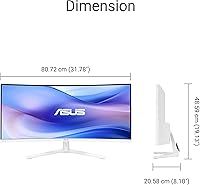
  • Dimensions: The assembled monitor with stand measures approximately 31.8 x 19.1 x 8.1 inches (W x H x D).
  • Weight: Total weight including the stand is 11.5 pounds (approximately 5.2 kg).
  • Chassis Color: The monitor ships in a white finish, an uncommon option in a category where black and dark grey designs dominate.
  • Warranty: ASUS provides a 3-year manufacturer warranty covering panel and hardware defects from the original date of purchase.
  • Packaging: The eco-conscious paper-based packaging is designed to be repurposed as a functional laptop stand and phone holder after unboxing.

Related Reviews

Westinghouse 34-Inch Curved Ultrawide Gaming Monitor
72%
84%
Value for Money
78%
Image Quality
81%
Refresh Rate & Motion
82%
Adaptive Sync
83%
Curve & Immersion
More
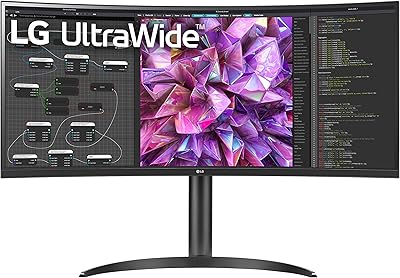
LG 34WQ650-W 34-inch UltraWide Monitor
77%
83%
Display Quality
91%
Productivity & Multitasking
88%
USB-C Connectivity
86%
Ergonomics & Stand
78%
Color Accuracy
More
Raywego Q34DB45-1 34-inch Curved Gaming Monitor
72%
88%
Value for Money
84%
Gaming Performance
74%
Image Quality
51%
HDR Performance
67%
Build Quality
More
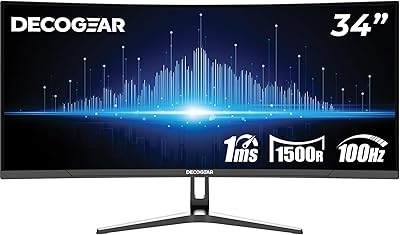
Deco Gear DGLUX340 34″ Curved Ultrawide Monitor
75%
88%
Value for Money
91%
Screen Real Estate
58%
Brightness & Visibility
89%
Connectivity & Inputs
83%
Ergonomics & Stand
More
LG 34BL85C-B 34-inch UltraWide Curved Monitor
86%
92%
Display Quality
87%
Build Quality
88%
Ease of Setup
85%
Gaming Performance
90%
Multitasking Experience
More
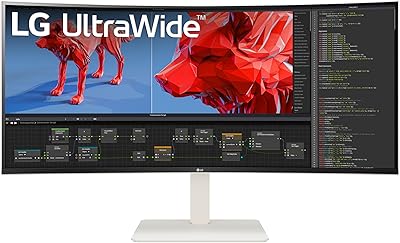
LG 38WR85QC-W 38-inch Curved UltraWide Monitor
85%
93%
Color Accuracy
91%
Panel & Display Quality
78%
HDR Performance
89%
Refresh Rate & Gaming
84%
USB-C Connectivity
More
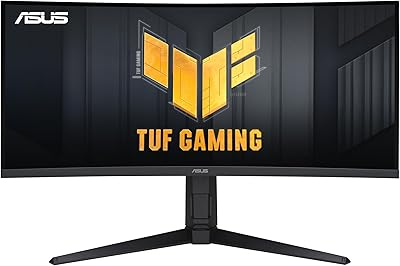
ASUS TUF VG34VQL1B 34-inch Curved Gaming Monitor
78%
83%
Image Quality
89%
Refresh Rate & Smoothness
78%
Response Time & Motion Clarity
81%
Adaptive Sync Performance
54%
HDR Performance
More
LG 34SR60QC-W 34-inch Curved Smart Monitor
79%
86%
Picture Quality
91%
Smart Platform (webOS)
84%
Wireless Connectivity
88%
Ultrawide Screen Experience
82%
Value for Money
More
Sceptre 34-inch Curved UltraWide Monitor C345W-2560UN
82%
89%
Value for Money
84%
Gaming Performance
87%
Display Quality
80%
Ergonomics & Comfort
75%
Build Quality
More
LG 34WQ73A-B 34-Inch UltraWide QHD Monitor
79%
91%
Color Accuracy
93%
Productivity & Multitasking
88%
KVM & Multi-Device Setup
89%
USB-C Connectivity & Cable Management
61%
Refresh Rate & Gaming Performance
More

FAQ

It connects directly to any MacBook with a USB-C or Thunderbolt port, carrying both the video signal and up to 65W of laptop charging through that single cable. No adapter is needed for modern MacBooks. If your machine only has USB-A ports, you would need to use the HDMI or DisplayPort input instead.

The included stand offers three fixed height positions rather than a smooth continuous range, which works fine for average desk setups but will not satisfy everyone who wants precise ergonomic adjustment. There is no swivel built into the stand either. The monitor does support VESA mounting, so if you need full flexibility a third-party monitor arm is a straightforward upgrade.

It is a small built-in module that emits negative ions, which are claimed to help reduce airborne particles like dust and allergens in the space directly around your desk. The scientific evidence for desktop ion generators is mixed, and the effective range is quite small. Some users genuinely appreciate it as a thoughtful extra for a home office environment; others ignore it entirely and lose nothing. It has no effect on display performance either way.

It handles casual and story-driven games well, where the curved 34-inch canvas adds real immersion. The 100Hz refresh rate and 1ms MPRT are respectable for everyday gaming. That said, if you play fast-paced competitive titles and frame rate is your top priority, there are monitors better optimized for that purpose at a similar price — this one is a productivity-first display that handles gaming comfortably, not the other way around.

For video calls, background music, and casual YouTube viewing they get the job done without embarrassing themselves. They lack depth and volume for serious listening, so if you watch a lot of films or care about audio quality at your desk, a small desktop speaker or a decent pair of headphones will make a noticeable difference. As a zero-cables convenience for a home office, though, they are genuinely practical.

It is fine for general design tasks like presentations, documents, and light Lightroom adjustments, but it is not the right primary tool for color-critical professional work. The color gamut coverage has not been independently verified to professional standards, and there is no factory calibration report included. For print-accurate or video color grading work, you would want a display with certified DCI-P3 or sRGB coverage data.

Yes — you can connect up to three devices using the USB-C, HDMI, and DisplayPort inputs and switch between them via the on-screen display menu. There is no built-in KVM switch, so if you want your keyboard and mouse to follow the active input automatically, you would need a separate KVM unit. For simply toggling the screen between a laptop and a desktop, the input selector works fine.

It is genuinely functional for what it is. The repurposed box creates a raised surface for a laptop and includes a slot for your phone, which works well as a secondary device riser or a cable-free phone shelf. It is not as sturdy or adjustable as a dedicated stand, but as a zero-cost extra that saves you from immediately discarding the packaging, it is a clever practical touch rather than empty marketing.

The matte anti-glare coating handles reflections noticeably better than a glossy panel, reducing the mirror-like glare you get from windows and overhead lights. In a very bright or directly sunlit environment it softens reflections rather than eliminating them entirely, so positioning away from direct sunlight is still worth doing. Peak brightness is not prominently specified for this model, so if your workspace is unusually bright, testing it in your own environment before committing is a sensible precaution.

It launched in early 2025, so there is not yet a large pool of multi-year ownership data to draw from. Early buyer feedback has been genuinely positive, with a strong rating across hundreds of reviews in a short window. ASUS has a solid overall track record with monitor hardware, and the 3-year warranty provides a meaningful safety net if something does go wrong. If long-term proven reliability is your top concern, waiting another year for a deeper ownership history is a fair and reasonable consideration.