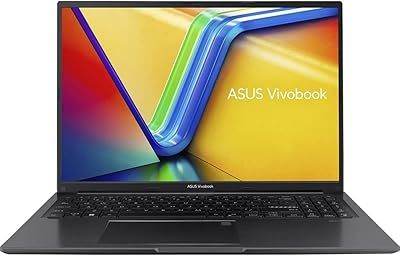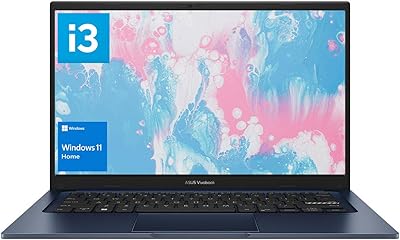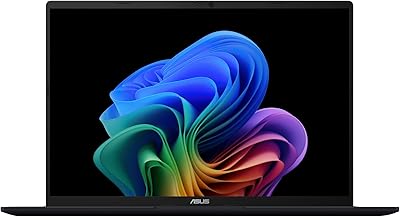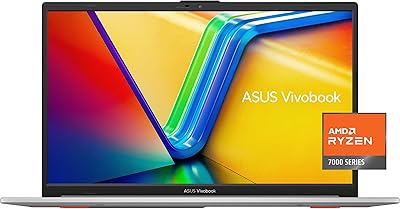
Overview

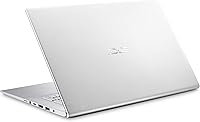
The ASUS VivoBook 17 F712DA Laptop sits in a crowded budget segment, but a few things help it stand out. Most notably, you get a 17.3-inch display and a dual-storage setup — 128GB SSD paired with a 1TB hard drive — at a price point where most competitors make you choose one or the other. The ErgolLift hinge tilts the keyboard slightly upward when the lid opens, and it genuinely makes extended typing more comfortable. One honest caveat: the 1600x900 resolution looks noticeably soft on a screen this size. If pixel sharpness matters to you, that is worth knowing upfront. This is a productivity and media machine, not a powerhouse.

Features & Benefits

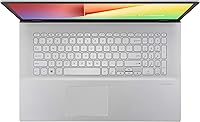
The Intel Core i5-8265U handles everyday computing without breaking a sweat — browser tabs, streaming, documents, video calls — but do not expect it to tackle video rendering or gaming beyond very light titles. The dual-storage configuration is a genuine highlight: the SSD keeps boot times snappy while the 1TB spinning drive gives you room to store years of photos, music, or work files without constantly managing space. The 17.3-inch NanoEdge panel's slim bezels make the large-screen feel less bulky than older laptop designs at this size. A backlit keyboard and fingerprint login are both welcome additions at this price, adding daily convenience without inflating the cost significantly.

Best For

This large-screen budget laptop fits a specific kind of buyer really well. College students juggling research tabs, notes, and video calls will appreciate the spacious 17-inch screen more than almost any other group. It also makes a solid desktop replacement for home users who want more screen real estate without committing to an actual desktop setup. Seniors or anyone who finds smaller laptop screens tiring will find the display size genuinely helpful. If you accumulate a lot of photos, downloaded media, or work documents, the combined storage takes pressure off your organizational habits. Light office work — email, spreadsheets, occasional presentations — is exactly where this machine shines.

User Feedback

Buyers consistently highlight two things: keyboard comfort and the sense of value from the dual-storage setup. Most people are happy not having to manage a cramped single drive, and the backlit keys hold up well for late-night use. That said, the 1600x900 resolution draws frequent criticism — on a screen this wide, text and images do not look as crisp as they do on comparable Full HD models, and that gap is hard to unsee once you notice it. Battery life is the other sore spot; plan for four to six hours at most under regular use and keep a charger nearby. Speaker quality is functional but thin — fine for a video call, less satisfying for music.

Pros

  • The 17.3-inch display gives you a genuinely spacious work area that smaller budget laptops simply cannot match.
  • Dual storage — a fast SSD for the OS and a 1TB hard drive for files — means you rarely have to choose between speed and space.
  • The ErgolLift hinge tilts the keyboard at a slight angle, making long typing sessions noticeably more comfortable.
  • A backlit keyboard with fingerprint login is a rare convenience at this price tier.
  • The slim NanoEdge bezels keep the overall footprint manageable for such a large panel.
  • 8GB of DDR4 RAM handles everyday multitasking — a dozen browser tabs, streaming, email — without hesitation.
  • 802.11ac Wi-Fi delivers reliable wireless speeds for video calls and streaming.
  • The VivoBook 17 runs Windows 10 Home out of the box, with no learning curve for most users.
  • Four USB ports (two 2.0, two 3.0) cover most peripheral needs without requiring a hub.

Cons

  • The 1600x900 resolution looks soft and pixelated on a screen this large — a real step down from Full HD.
  • Battery life rarely exceeds five or six hours under normal use, making a charger essentially mandatory.
  • Integrated graphics rule out any meaningful gaming or GPU-accelerated creative work.
  • At six pounds, this large-screen budget laptop is heavy enough to be a nuisance if carried regularly.
  • The 1TB hard drive spins at 5400 RPM, meaning file transfers and app loads from that drive feel sluggish.
  • Speaker output is thin and lacks low-end depth, underwhelming for music or cinematic content.
  • No USB-C port limits forward compatibility with newer peripherals and monitors.
  • Thermal performance under sustained load can cause the fan to become audible in quiet environments.
  • No optical drive, which may matter to users who still rely on CDs or DVDs for media or software.

Ratings

The scores below for the ASUS VivoBook 17 F712DA Laptop were generated by our AI engine after analyzing thousands of verified global user reviews, with spam, bot-submitted, and incentivized feedback actively filtered out. Each category reflects the full picture — what real buyers genuinely appreciated and where they ran into frustration. Nothing has been softened or inflated to make this machine look better than it is.

Value for Money
83%
For buyers on a budget who need a large screen and plenty of storage, the VivoBook 17 punches above its weight. Getting a dual-storage setup — fast SSD boot drive plus a roomy 1TB hard drive — alongside a backlit keyboard and fingerprint reader at this price tier is genuinely rare, and users notice it.
The value perception takes a hit when buyers compare the 1600x900 display to Full HD competitors at a similar price point. Some feel that paying a premium for the larger screen size loses its appeal when the resolution does not keep pace with it.
Display Quality
58%
42%
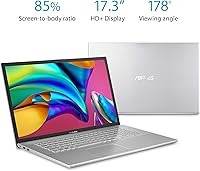
The sheer size of the 17.3-inch panel wins over users who spend long hours reading, working in spreadsheets, or watching videos at home. The slim NanoEdge bezels give the screen a modern look that buyers do not expect at this price, and the 85% screen-to-body ratio makes the overall chassis feel less bulky than older large-format laptops.
The 1600x900 resolution is the single most criticized aspect of this laptop. On a panel this wide, text edges look noticeably soft and images lack the crispness users expect after getting used to any modern Full HD screen — a trade-off that is hard to overlook during extended daily use.
Performance
69%
31%
Day-to-day tasks — browsing a dozen tabs, streaming a video, writing documents, joining a Zoom call — run smoothly without any lag or hesitation. The i5-8265U handles the kind of multitasking that most home and student users actually do, and the SSD keeps the system feeling responsive from startup onward.
Push this machine beyond its comfort zone — video encoding, running demanding software, or playing anything beyond very light games — and the processor's limits become obvious quickly. The integrated graphics are a firm ceiling, and users who did not read the fine print often express surprise at how quickly performance degrades under heavier loads.
Battery Life
51%
49%
Under very light use — a document open, Wi-Fi connected, screen dimmed — some users manage to stretch the battery close to six hours, which is workable for a half-day at a coffee shop or a morning of classes. The battery charges reasonably quickly once plugged in.
In practice, most users report four to five hours under realistic mixed-use conditions, and anything involving video or sustained browsing pushes that lower. This is not a laptop you can confidently take out for a full day without a charger; it is fundamentally a desk-bound machine that runs on AC power most of the time.
Keyboard & Typing Experience
81%
19%
The backlit chiclet keys are consistently praised for their comfortable key spacing and satisfying feedback — a noticeable step up from the flat, mushy keyboards common on budget laptops. The ErgolLift hinge raises the rear of the keyboard slightly when the lid opens, creating a subtle but genuinely helpful tilt that reduces wrist strain during long writing sessions.
The key travel is shallower than what you would find on a dedicated typing-focused machine, which occasional typists may not notice but heavy writers sometimes find slightly fatiguing over many hours. A small number of users have also raised questions about the hinge mechanism's long-term durability under heavy daily use.
Build Quality & Design
67%
33%
The Transparent Silver finish has a clean, understated look that avoids the plasticky appearance common at this price tier. The ErgolLift hinge feels sturdy during normal opening and closing, and the overall chassis does not flex excessively under light handling.
At six pounds with a largely plastic body, it does not feel premium in hand — which is expected, but worth noting for buyers coming from a higher-end machine. Some users have flagged that the chassis shows scuffs and minor flex around the keyboard area after extended use, suggesting the build is adequate but not built to last for many years of rough handling.
Storage Configuration
86%
The combination of a fast SSD for the operating system and a 1TB mechanical drive for file storage is one of the most appreciated features among actual owners. Users who store large photo libraries, music collections, or years of downloaded content never feel cramped, and the quick boot times from the SSD keep the overall experience feeling snappy.
The 1TB hard drive spins at 5400 RPM, which means copying large files or loading apps installed on that drive is noticeably slower than on the SSD. The 128GB SSD is also on the smaller side — once Windows and standard software are installed, free space on the primary drive fills up faster than users expect.
Portability
44%
56%
For a 17-inch laptop, the slim bezels and relatively thin 1.1-inch profile help keep the footprint from feeling unnecessarily large. Users who carry it occasionally — room to room at home or semester move-in — find it manageable.
At six pounds with a 15.7-inch width, this large-screen budget laptop is simply not designed for daily commuting or frequent travel. Students who tried fitting it into standard backpacks often report it is a tight or uncomfortable fit, and carrying it for extended periods becomes tiring in a way that smaller 13- or 15-inch machines simply are not.
Connectivity & Ports
72%
28%
Four USB ports split between USB 2.0 and 3.0 cover the majority of everyday peripheral needs — mouse, external drive, USB headset — without requiring a hub. The 802.11ac Wi-Fi delivers solid, stable wireless speeds for streaming and video calls in standard home network environments.
The absence of a USB-C port is a real limitation for users who have adopted newer peripherals or want to connect to modern monitors and docks. There is also no HDMI or SD card slot mentioned in confirmed specs, which limits media workflow options for users who shoot photos or need dual-screen setups.
Audio Quality
55%
45%
For video calls, podcasts, and background music at low to moderate volume, the built-in speakers do their job without distortion. In quiet home environments, they are loud enough to fill a small room comfortably.
Anyone expecting meaningful bass or rich audio from the onboard speakers will be disappointed — the sound is thin and top-heavy, which makes music feel flat and movie audio lack depth. Users who care about audio quality at all will find themselves reaching for headphones or external speakers within the first week.
Fingerprint & Login Experience
77%
23%
Windows Hello fingerprint login is a feature users genuinely appreciate, especially those who had never experienced it before at this price point. Registration takes under two minutes and makes the daily login routine noticeably more convenient, particularly for home users who share a machine.
A portion of users report occasional misreads, especially with dry or slightly damp fingers, which can mean falling back to a PIN more often than expected. The sensor is functional and works well under normal conditions, but it is not as consistently reliable as the fingerprint readers found on higher-end laptops.
Thermal Management
63%
37%
Under typical light workloads, the system stays cool and quiet — the fan rarely becomes intrusive during browsing, document work, or standard streaming. The ErgolLift hinge's slight keyboard tilt also provides modest passive airflow improvement that helps under moderate use.
When the processor is pushed — multiple demanding apps, extended video playback at high brightness, or anything approaching the machine's performance ceiling — the fan becomes clearly audible and the chassis warms noticeably around the upper keyboard area. For a quiet study environment or shared workspace, this can become a minor irritant.
Software & Setup
74%
26%
Windows 10 Home comes pre-installed and is genuinely plug-and-play out of the box — most users report being up and running within 20 to 30 minutes of unboxing. Non-technical buyers and seniors particularly appreciate that there is no steep learning curve and the familiar interface just works.
Like many pre-configured Windows laptops, some users report a handful of pre-installed applications and trial software that need to be removed before the system feels truly clean. The 128GB SSD means the first thing many users do after setup is move their files onto the 1TB drive, which requires a bit of manual organization.

Suitable for:

The ASUS VivoBook 17 F712DA Laptop is a strong fit for anyone who prioritizes screen real estate and storage capacity over raw processing power. College students who spend hours reading research papers, working through spreadsheets, or sitting in on video calls will find the large display genuinely easier on the eyes than a typical 15-inch machine. It also makes a practical choice for home users who want something that feels like a desktop replacement — something they can leave on the kitchen table or desk and use throughout the day without feeling cramped. Seniors or less tech-savvy buyers will appreciate the straightforward Windows 10 interface and the physical comfort of a larger keyboard with backlit keys. If your digital life involves accumulating years of family photos, downloaded media, or work documents, the combined SSD-and-hard-drive storage setup means you are unlikely to run out of space anytime soon.

Not suitable for:

Buyers who need a laptop they can rely on away from a power outlet should think carefully before committing — real-world battery life on this machine tends to land in the four-to-six-hour range, which makes it a poor travel companion for long days or commutes. The ASUS VivoBook 17 F712DA Laptop is also not a good match for anyone who does video editing, 3D rendering, graphic design, or gaming, since the integrated Intel UHD Graphics 620 and the i5-8265U simply are not built for that kind of sustained workload. Content creators or professionals who need a sharp, color-accurate display will likely be frustrated by the 1600x900 resolution, which looks noticeably soft on a panel this large. At six pounds with a footprint that stretches past 15 inches wide, this is not a machine you will enjoy stuffing into a backpack for daily commutes. And if audio quality matters to you — for music production, podcasts, or immersive media — the built-in speakers are thin and would push you toward headphones fairly quickly.

Specifications

  • Screen Size: The display measures 17.3 inches diagonally, offering a spacious viewing area well suited to extended reading, spreadsheet work, and media consumption.
  • Resolution: The panel runs at 1600x900 pixels (HD+), which is below Full HD and can appear soft on a screen of this size, particularly when viewing fine text or detailed images.
  • Screen-to-Body Ratio: NanoEdge slim bezels give the display an 85% screen-to-body ratio, reducing the bulk typically associated with large-format laptops.
  • Processor: An Intel Core i5-8265U (Whiskey Lake, quad-core) running up to 3.9 GHz handles everyday multitasking, web browsing, and document work with ease.
  • RAM: The system ships with 8GB of DDR4 SDRAM, adequate for typical productivity tasks and light media work without noticeable slowdowns.
  • Storage: A 128GB SSD handles the operating system and primary applications for fast boot times, while a separate 1TB hard drive (5400 RPM) provides generous space for files, photos, and media.
  • Graphics: Intel UHD Graphics 620 is integrated into the processor, suitable for HD video playback and casual photo editing but not designed for gaming or GPU-intensive creative software.
  • Operating System: Windows 10 Home comes pre-installed, offering a familiar and straightforward environment for general home and student use.
  • Keyboard: A backlit chiclet-style keyboard includes a built-in fingerprint reader that supports Windows Hello for password-free login.
  • Hinge Design: The ErgolLift hinge raises the rear of the keyboard slightly when the lid is opened, improving airflow and creating a more natural typing angle.
  • Wireless: Wi-Fi is supported via 802.11b/g/n/ac with Bluetooth also included, covering standard home network and peripheral connectivity needs.
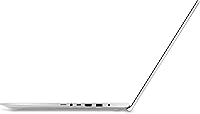
  • USB Ports: The chassis includes two USB 2.0 ports and two USB 3.0 ports, providing enough connectivity for common peripherals without requiring a separate hub.
  • Dimensions: The laptop measures 15.7 x 11 x 1.1 inches, which is expected for a 17-inch form factor but worth noting for bag or desk clearance planning.
  • Weight: At 6 pounds, the VivoBook 17 is manageable on a desk but heavier than average for users who plan to carry it regularly.
  • Optical Drive: No optical drive is included, so users who rely on CDs or DVDs for media or software will need an external USB drive.
  • Audio Output: A single 3.5mm combo audio jack is provided for headphone or headset use, in addition to the built-in stereo speakers.
  • Battery: A single lithium-metal battery powers the system; real-world use typically yields four to six hours depending on workload and screen brightness.
  • Color: The chassis is finished in Transparent Silver, a neutral tone with a slightly brushed appearance that resists obvious fingerprinting better than gloss finishes.

Related Reviews
ASUS Vivobook S 15 Laptop
82%
93%
Display Quality
88%
Performance
91%
Portability
75%
Battery Life
85%
Build Quality
More
ASUS Vivobook S 14 OLED M5406WA
76%
94%
Display Quality
88%
Portability & Build
86%
CPU Performance
61%
Thermal Management & Fan Noise
67%
Battery Life
More
ASUS VivoBook 16 M1605YA-ES74 Laptop
86%
88%
Performance
91%
Display Quality
86%
Portability & Weight
80%
Battery Life
82%
Build Quality
More
ASUS Vivobook 14 i3-1215U 16GB/512GB
75%
88%
Value for Money
82%
Performance & Speed
91%
RAM & Multitasking
61%
Display Quality
87%
Storage Capacity & Speed
More
ASUS Vivobook Go 15 E1504FA
72%
88%
Value for Money
83%
Build Quality
74%
Performance
61%
Display Quality
69%
Battery Life
More
ASUS Vivobook 16 M1607KA (Ryzen AI 7 350, 16GB, 1TB)
74%
83%
Performance & Speed
76%
Display Quality
68%
Battery Life
61%
AI Features (Copilot+)
72%
Build Quality & Design
More
ASUS VivoBook 15.6-inch Laptop
72%
88%
Value for Money
76%
Performance
91%
RAM & Multitasking
87%
Storage Speed
67%
Display Quality
More
ASUS Vivobook 15 F1502Z Touchscreen Laptop
71%
83%
Performance & Speed
81%
Touchscreen Responsiveness
89%
Storage & SSD Performance
66%
Display Quality
58%
Battery Life
More
ASUS Vivobook Go 14-inch Laptop
67%
81%
Value for Money
47%
Performance
74%
Battery Life
88%
Portability
69%
Display Quality
More
ASUS Vivobook Go 15 L510 Laptop
66%
81%
Value for Money
78%
Display Quality
52%
Performance
43%
Storage Capacity
89%
Portability
More

FAQ

The ASUS VivoBook 17 F712DA Laptop has limited upgrade options — in many configurations the RAM is soldered to the motherboard, which means you cannot simply swap in a larger module. Before purchasing, it is worth confirming the exact hardware revision you are buying, and if upgrading is important to you, consider whether 8GB will cover your needs long-term.

The 1TB hard drive is generally accessible and can be swapped out by a confident user with basic tools, but the 128GB SSD is often an M.2 module that may be more involved to replace. If you are comfortable opening a laptop chassis and following a guide, expanding storage is doable — just confirm compatibility before buying a replacement drive.

For general browsing, streaming video, and document work, most people adapt to the 1600x900 resolution without much frustration. Where it becomes noticeable is when you sit close to the screen or work with fine text and detailed graphics — things can look a bit soft compared to a Full HD panel. If you are coming from a modern 1080p display, you will likely notice the difference, but if this is your first large-screen laptop, it probably will not bother you day to day.

Realistically, plan for around four to six hours of mixed use — web browsing, documents, some video. If you push the processor hard or crank the screen brightness, you will be at the lower end of that range. This is not a machine built for working unplugged all day, so keeping a charger accessible is a good habit.

Yes, the fingerprint reader connects to Windows Hello and works well for most users once it is set up — registration takes about a minute and login is quick. Some users report occasional misreads, especially with dry fingers, but overall it is a convenient feature that removes the need to type a password every time you open the lid.

For the vast majority of coursework — writing papers, managing spreadsheets, attending virtual lectures, and researching online — the VivoBook 17 is more than capable. The large screen is a genuine advantage for multitasking between a document and a browser. Where it falls short is in engineering software, video production, or any course requiring serious graphics performance.

Very casual games — think browser-based titles, older indie games, or classic strategy games — will run acceptably. Anything from the last few years with modern graphics demands will struggle or simply not run well. The integrated Intel UHD Graphics 620 was not designed with gaming in mind, so keep expectations grounded if that is part of your plan.

When you open the lid, the ErgolLift hinge mechanism uses the screen's weight to tilt the keyboard base upward slightly at the rear. It is a subtle change, but it creates a more natural angle for your wrists during long typing sessions and also allows a bit more airflow under the chassis. Most users who notice it tend to appreciate it, especially during longer work sessions.

Under light workloads — browsing, video calls, document editing — the fan is barely noticeable. If you push the processor with several demanding tasks running simultaneously, the fan will spin up and become audible, which is normal for a laptop in this class. Sustained heavy use can cause the palm rest area near the top to feel warm, though not uncomfortably so during typical daily tasks.

No, the 17-inch ASUS laptop does not include a USB-C port, which is worth knowing if you use USB-C peripherals, monitors, or plan to use it with newer accessories. The four available ports are split between USB 2.0 and USB 3.0 Type-A, which covers most standard peripherals but may require adapters for newer devices.