
Overview

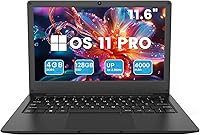
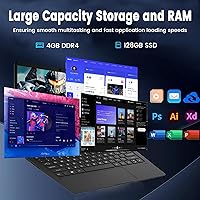
The Azeyou CG11Q6-US 11.6-inch Laptop is a no-frills ultraportable built for people who need a reliable computer without spending much. At roughly 2.2 pounds, it is genuinely easy to slip into a backpack and forget it is there. The Intel Celeron N4020 processor sits at the budget end of the spectrum — this is not a powerhouse, and you should not expect it to be. What is surprising is the inclusion of Windows 11 Pro at this price point, which is a nice and practical touch. The overall package suits students, casual users, and anyone who simply needs a capable machine for basic daily tasks.

Features & Benefits

The dual-core Celeron N4020 handles web browsing, word processing, and video calls without much trouble — just do not ask it to run heavy software simultaneously. The 4GB of DDR4 RAM keeps things moving for everyday tasks, but opening a dozen browser tabs alongside a streaming video will test its limits noticeably. Storage is 128GB eMMC, which boots fast but is not a traditional SSD — pairing this notebook with Google Drive or OneDrive is practically a necessity. The port selection is genuinely useful for the size: USB 3.0, USB 2.0, mini HDMI, a TF card slot, and Type-C all fit into a chassis under three-quarters of an inch thick.

Best For

This mini laptop finds its best audience among students who need something light and dependable for class — note-taking, research, and typing papers are firmly within its comfort zone. Seniors and first-time laptop users will also appreciate how approachable it feels right out of the box; there is nothing intimidating about getting started. It works well as a secondary travel device for remote workers who want to handle email and video calls without lugging their main machine everywhere. Households shopping for a shared browsing and casual streaming device will find it fits that role quietly and without demanding much from the budget.

User Feedback

Buyers tend to highlight the out-of-box setup as a genuine win — most report that the Azeyou 11.6-inch arrived ready to use with minimal fuss, and the Windows 11 Pro license draws consistent appreciation. On the downside, multitaskers quickly run into the RAM ceiling; too many open apps at once leads to noticeable slowdowns. Some users mention the display loses visibility in bright outdoor light. Keyboard feel earns mixed marks — workable for light typing but not satisfying during long sessions. Hinge durability has not emerged as a widespread complaint yet, though the review pool is still relatively small, so long-term build impressions are still developing.

Pros

  • Genuinely lightweight at around 2.2 pounds, making it easy to carry all day without fatigue.
  • Windows 11 Pro comes pre-installed, which is a meaningful inclusion at this price tier.
  • Setup out of the box is clean and fast — most users are up and running within minutes.
  • The port selection is surprisingly complete: USB 3.0, USB 2.0, mini HDMI, TF card slot, and Type-C.
  • Dual-band Wi-Fi and Bluetooth 4.2 cover all the wireless basics without any add-ons needed.
  • The compact chassis is slim enough to slip into almost any bag without adding noticeable bulk.
  • eMMC storage delivers quick boot times, so the machine feels snappy when starting up.
  • The variety of ports reduces the need for a separate hub for most everyday connection scenarios.
  • Battery life holds up reasonably well through a standard workday of light tasks.

Cons

  • Four gigabytes of RAM becomes a real bottleneck the moment you open more than a few apps at once.
  • The 128GB eMMC fills up faster than expected, especially after Windows updates claim their share.
  • Display brightness drops noticeably outdoors, making it hard to use in sunlight.
  • The keyboard feel is merely adequate — extended typing sessions can become tiring.
  • eMMC storage is slower than a traditional SSD under sustained file transfers or larger workloads.
  • Long-term durability data on the hinge and chassis is still limited due to a relatively small review pool.
  • The 1366x768 resolution looks soft compared to the sharper screens now common even at budget price points.
  • No RAM upgrade path means the 4GB ceiling is permanent — there is no growing into it later.
  • The 4000mAh battery rarely achieves the upper end of the advertised runtime under real-world mixed use.

Ratings

The scores below were generated by our AI review engine after analyzing verified buyer feedback from global markets, with spam, incentivized reviews, and bot activity actively filtered out before scoring. The Azeyou CG11Q6-US 11.6-inch Laptop earns ratings that honestly reflect where it punches above its weight class — and where its budget-tier roots show. Both the genuine strengths and the real frustrations buyers have reported are transparently baked into every number you see here.

Value for Money
83%
For buyers who genuinely need a bare-bones, portable Windows machine on a tight budget, the price-to-utility ratio is hard to argue with. Getting Windows 11 Pro included — rather than the stripped Home edition — adds tangible software value that buyers consistently call out as a pleasant surprise.
The value calculation shifts if you need to immediately buy a larger external drive or a USB hub to compensate for the storage and port limitations. A few buyers feel the hardware ceiling makes the machine age out of usefulness faster than they expected.
Portability
91%
At roughly 2.2 pounds and under three-quarters of an inch thick, this student notebook genuinely disappears in a backpack. Students and commuters consistently praise how easy it is to carry between classes or meetings without any shoulder strain after a long day.
The compact size does mean the keyboard layout is slightly cramped, which users with larger hands notice during longer typing sessions. The small chassis also limits cooling, so the machine can feel warm to the touch during extended use.
Performance
54%
46%
For single-task workflows — typing a paper, browsing a handful of tabs, or joining a video call — the Celeron N4020 does what it needs to do without obvious stuttering. Boot times are genuinely quick thanks to the eMMC storage, which helps the machine feel more responsive than the specs might suggest.
Open a few more apps simultaneously and the cracks show fast — the processor and 4GB RAM ceiling create real slowdowns that users describe as frustrating during any kind of multitasking. Heavier web apps, browser extensions, and background sync processes all compete for limited resources and the machine loses that battle regularly.
Display Quality
61%
39%
The 11.6-inch screen at 1366x768 is adequate for document work and standard web browsing, and colors look decent enough for casual YouTube or Netflix viewing in a dim room. Text is readable and the screen size feels appropriate for the portable use cases this machine targets.
Outdoor use and brightly lit rooms expose the display's brightness limitations quickly, with glare becoming a genuine problem near windows. The resolution also looks noticeably soft next to even modestly priced competing laptops, which is something buyers upgrading from older machines tend to comment on.
Battery Life
67%
33%
Under light conditions — moderate brightness, a couple of browser tabs, and occasional document editing — the Azeyou 11.6-inch comfortably gets through a half-day without reaching for the charger. For students with a few hours between classes or a short commute, the battery usually holds up without drama.
The 6 to 8 hour marketing claim is achievable only under controlled, minimal-use conditions that do not reflect how most people actually work. Real-world mixed usage — streaming, multiple tabs, and video calls — tends to land users closer to 4 to 5 hours, which makes the charger a daily carry necessity.
Storage Capacity
48%
52%
The eMMC storage does contribute to fast startup times, and for users who rely on cloud services like Google Drive or OneDrive for their files, the 128GB can stretch further than it might seem at first glance. Light users who store mostly documents and use streaming services rarely feel an immediate pinch.
After Windows 11 Pro, system files, and recovery partitions take their share, usable space drops to around 80 to 90GB — and that shrinks further with every major Windows update. Anyone storing local media files, offline software, or larger project folders will hit the ceiling quickly and frustratingly.
Setup Experience
84%
Buyers consistently describe the out-of-box experience as clean and fast, with Windows 11 Pro arriving pre-activated and ready to configure. Most users report being productive within fifteen to twenty minutes of first opening the box, which is a practical win for less tech-savvy buyers.
A small number of users report that the initial Windows update process after setup can take a surprisingly long time given the eMMC storage speed, which can feel alarming for first-time laptop owners. The update queue on a fresh install is worth getting through before expecting peak responsiveness.
Keyboard & Typing Feel
57%
43%
For brief note-taking sessions and occasional email replies, the keyboard gets the job done without major complaints from casual users. The key layout covers all the essentials and the travel feels acceptable for a machine this thin.
Writers or students who type for hours on end regularly describe the keyboard as fatiguing — the key travel is shallow and the feedback is soft in a way that feels imprecise over time. Users with larger hands also note the compact layout leads to frequent typos while adjusting.
Build & Durability
59%
41%
The chassis feels solid enough for careful daily use and the slim plastic body does not feel obviously flimsy right out of the box. For students who handle their gear with reasonable care, the build quality holds up acceptably in short-term use.
The plastic construction does not inspire confidence for rougher everyday environments like a busy school backpack, and the hinge has drawn some early concern from users who open and close the lid frequently. Long-term durability data is still thin given the product's relatively short time on the market.
Connectivity & Ports
78%
22%
The port lineup is genuinely practical for an 11.6-inch machine — having USB 3.0, USB 2.0, mini HDMI, a TF card slot, and Type-C all built in covers most everyday peripheral needs without requiring an immediate hub purchase. Dual-band Wi-Fi keeps connections stable across different environments.
The mini HDMI port requires an adapter cable that does not come in the box, which catches some buyers off guard when they try to connect to an external display on day one. Bluetooth 4.2 is functional but trails behind the newer standards found on slightly pricier competing machines.
Software & OS
81%
19%
Shipping with a genuine Windows 11 Pro license — rather than a Home edition or a lightweight alternative OS — is a meaningful differentiator at this price point. Buyers appreciate having access to features like Remote Desktop and BitLocker without paying extra.
Windows 11 Pro is a heavier operating system than this hardware was really designed to carry, and the RAM and processor combination means background system processes occasionally compete noticeably with foreground tasks. Some users would prefer a leaner OS configuration out of the box.
Wireless Performance
73%
27%
Dual-band 802.11ac Wi-Fi performs reliably for web browsing, video calls, and cloud syncing in standard home and office environments. Most users report stable connections without the dropouts that occasionally plague cheaper single-band implementations.
In environments with heavy network congestion or at longer distances from the router, connection speeds dip more than users expect. A handful of buyers have noted that the Wi-Fi antenna placement inside the slim chassis limits signal strength compared to thicker, better-shielded laptops.
Display Brightness
52%
48%
In controlled indoor conditions — an office, a dorm room, or a home study area with managed lighting — the screen brightness is workable and does not cause immediate eye strain during moderate use sessions. The auto-dimming behavior at night is a minor but appreciated touch.
Buyers who use their laptop near windows or in cafes with natural light regularly comment that the screen becomes washed out and difficult to read. This is probably the most consistent real-world complaint tied directly to display hardware limitations rather than software settings.
Multitasking Capability
43%
57%
For truly single-task use — one app, one purpose — this mini laptop handles the job without visible complaints. Students who work in one window at a time and switch apps deliberately rather than juggling them will find the experience tolerable.
Running more than three or four applications simultaneously pushes the Celeron N4020 and 4GB RAM combination to its practical limit, resulting in sluggish responses and occasional brief freezes. This is arguably the most honest limitation of the entire machine and the one most likely to frustrate buyers who underestimate how much they actually multitask.

Suitable for:

The Azeyou CG11Q6-US 11.6-inch Laptop is a practical pick for students from middle school through college who need a dedicated machine for note-taking, essay writing, and basic research without straining a tight budget. Its featherlight build makes it easy to carry between classes, and the clean Windows 11 Pro installation means there is no learning curve for anyone already familiar with Windows. Seniors or first-time computer users will find it approachable and refreshingly uncomplicated — there is no bloatware maze to navigate before getting started. It also works well as a secondary travel device for remote workers who just need to handle email, video calls, and light document editing on the road. Households shopping for a shared browsing and casual streaming machine will find this student notebook fills that role quietly and without any drama.

Not suitable for:

The Azeyou CG11Q6-US 11.6-inch Laptop is not the right tool for anyone whose workflow depends on speed, multitasking, or creative software. The Celeron N4020 processor and 4GB of RAM will struggle visibly once you push beyond a handful of browser tabs or try to run productivity suites alongside other applications. The 128GB eMMC storage boots fast but fills up quickly and is slower under sustained read and write loads compared to a real SSD — anyone working with large files locally will hit that wall fast. Content creators, graphic designers, video editors, and even enthusiastic gamers should look elsewhere entirely. Students pursuing engineering, architecture, or data-heavy coursework will also find this machine underpowered for the software their programs typically require.

Specifications

  • Processor: Powered by an Intel Celeron N4020 dual-core chip with a maximum clock speed of 2.8 GHz and Intel UHD integrated graphics.
  • RAM: Equipped with 4GB of DDR4 system memory, which handles basic everyday computing tasks at a functional pace.
  • Storage: Includes 128GB of eMMC flash storage, which offers faster boot times than a traditional hard drive but is slower than a conventional SSD under sustained workloads.
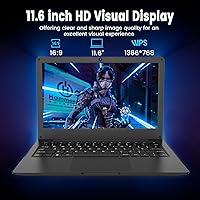
  • Display: Features an 11.6-inch screen with a 1366x768 pixel resolution, suitable for documents, browsing, and casual video viewing.
  • Operating System: Ships with a genuine Windows 11 Pro license pre-installed, providing access to the full Windows 11 Pro feature set out of the box.
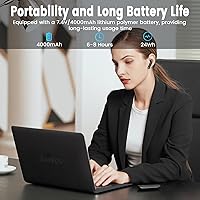
  • Battery: Runs on a built-in 4000mAh Lithium Polymer battery rated for approximately 6 to 8 hours of use under light workloads.
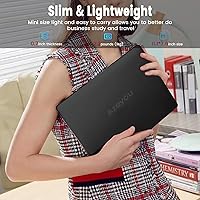
  • Weight: Weighs approximately 2.2 pounds (1 kg), making it one of the lighter options in the 11.6-inch laptop category.
  • Dimensions: Measures 11.16 x 7.59 x 0.73 inches, keeping the overall footprint compact and bag-friendly.
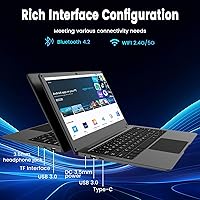
  • Ports: Includes one USB 3.0 port, one USB 2.0 port, a mini HDMI output, a TF card slot, and a Type-C port for broad peripheral compatibility.
  • Wireless: Supports 802.11ac dual-band Wi-Fi (2.4GHz and 5GHz) and Bluetooth 4.2 for standard wireless connectivity.
  • Graphics: Uses Intel integrated graphics built into the Celeron N4020 processor, suitable for light display tasks but not hardware-intensive visuals.
  • Processor Cores: The Celeron N4020 is a dual-core processor without Hyper-Threading, meaning it handles two processing threads at a time.
  • Display Resolution: The maximum supported screen resolution is 1366x768 pixels, which is a standard HD resolution for small-format laptops.
  • Input Voltage: The device operates on a 12-volt power input, compatible with the included charging adapter.
  • Color: Available in a single Black finish with a matte-style chassis designed to resist casual fingerprint smudging.
  • Model Identifier: The official model number is CG11Q6-US, also listed under item model number AL142UGN for reference during warranty or support inquiries.
  • Memory Type: Uses DDR4 SDRAM, a standard and energy-efficient memory format appropriate for the low-power Celeron platform.
  • Wireless Standard: Supports 802.11a/b/g/n/ac Wi-Fi standards, ensuring compatibility with most modern home and office routers.

Related Reviews

Samsung Chromebook 2 XE500C12-K01US 11.6-inch Laptop
81%
89%
Value for Money
85%
Battery Life
93%
Portability & Weight
80%
Build Quality
78%
Display Quality
More
HP Stream 11 11.6-Inch Laptop
66%
83%
Value for Money
91%
Portability
88%
Battery Life
79%
Display Quality
58%
Performance
More
HP Chromebook 11a 11.6-inch Laptop
73%
91%
Battery Life
83%
Value for Money
62%
Performance
49%
Storage Capacity
67%
Display Quality
More
Lenovo Thinkpad 11e 2-in-1 Laptop, 11.6-inch, Intel Celeron, 4GB RAM, 128GB SSD
80%
88%
Value for Money
75%
Performance
93%
Portability/Size/Weight
70%
Display Quality
80%
Battery Life
More
NAIKLULU VenBook Laptop, 15.6-Inch, 8GB RAM, 512GB SSD, Celeron N4000, Windows 11 Pro
80%
89%
Value for Money
84%
Battery Life
82%
Display Quality
87%
Performance for Everyday Tasks
78%
Build Quality
More
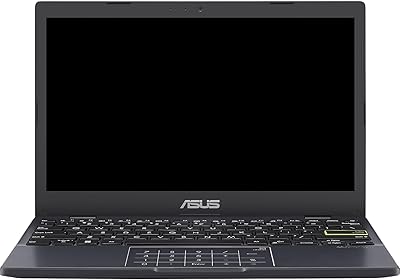
ASUS Vivobook L210 11.6-inch Laptop
70%
91%
Portability & Weight
87%
Battery Life
48%
Performance
73%
Value for Money
56%
Display Quality
More
Thinlerain HD-116 11.6-inch Portable Monitor
68%
88%
Portability & Form Factor
62%
Display Quality
47%
Color Accuracy
53%
Viewing Angles
61%
Brightness
More
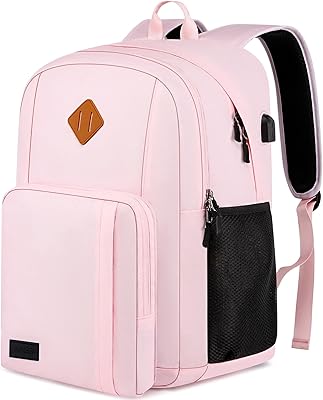
Vonxury 16L Water-Resistant Laptop Backpack
79%
93%
Value for Money
91%
Organization Layout
88%
Laptop Protection
89%
Weight & Portability
74%
Water Resistance
More
Bluboon 15.6 Inch Laptop Backpack
84%
89%
Organization & Storage
84%
Comfort & Ergonomics
90%
Portability & Weight
78%
USB Charging Port Convenience
85%
Laptop Protection
More
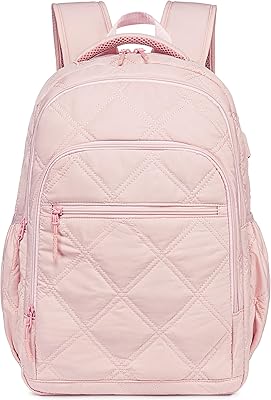
Liokesa 15.6-Inch Laptop Backpack
86%
89%
Value for Money
87%
Comfort and Ergonomics
84%
Durability and Build Quality
92%
Storage and Organization
90%
Water Resistance
More

FAQ

Yes, both work fine for standard use. Microsoft 365 runs acceptably for word processing and spreadsheets, and Google Docs in a browser is actually a better fit given the hardware. Just avoid having too many other tabs or apps open at the same time, and you will not run into trouble.

eMMC and SSD are related but not the same thing. Both store data on flash memory chips, but eMMC is a more integrated, lower-cost format that is slower under heavy file transfers or large installs. For day-to-day use — booting up, opening apps, browsing — the difference is not dramatic. Where you will notice the gap is during big Windows updates or when moving large files around.

One-on-one and small group video calls work reasonably well, especially over a stable Wi-Fi connection. Large meetings with lots of participants and shared screens can push the processor harder, so keeping background apps closed during calls is a good habit. The dual-band Wi-Fi helps with connection stability.

Windows 11 Pro takes up a significant chunk right away, so you are effectively working with around 80 to 90GB of usable space after the system and recovery files are factored in. For light users who store documents and use streaming services, that is manageable. Anyone who stores lots of photos, videos, or software locally will want to rely on cloud storage or an external drive from day one.

No, unfortunately not. On this mini laptop, the RAM is soldered directly onto the motherboard, which is standard practice for budget ultraportables in this size class. The 4GB is the permanent ceiling, so it is worth factoring that into your buying decision upfront.

Indoors under normal lighting it is perfectly usable for documents, web browsing, and light media. Outdoors or in very bright rooms near windows, the brightness can feel limiting and glare may become an issue. This is common at this screen tier and is worth knowing if you plan to use the laptop regularly in sunlit spaces.

It comes with Windows 11 Pro pre-installed and pre-activated. Most buyers report being able to get through the initial setup in under fifteen minutes without any extra steps needed for activation.

Yes, the mini HDMI port lets you connect to most modern monitors and TVs. You will need a mini HDMI to standard HDMI cable, which is inexpensive and widely available. This is a practical way to extend the workspace if the 11.6-inch screen feels too small for extended sessions.

It is actually one of the more approachable options for that use case. The Azeyou 11.6-inch is light enough to move around the house easily, and Windows 11 Pro has a fairly familiar layout for anyone used to older versions of Windows. The setup process is straightforward, and the lower-power processor means the machine runs quietly without fans spinning loudly.

The 6 to 8 hour figure is achievable under light use — think browsing a few tabs, writing documents, and keeping screen brightness at a moderate level. Streaming video continuously or using the machine more intensively will bring that figure closer to 4 to 5 hours. Carrying the charger in your bag is still a sensible habit for a full day away from home.