Overview

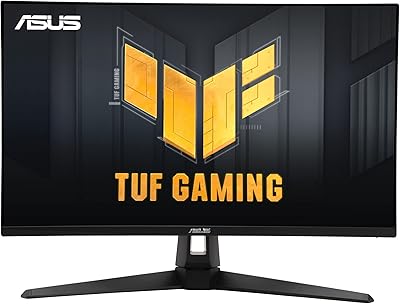
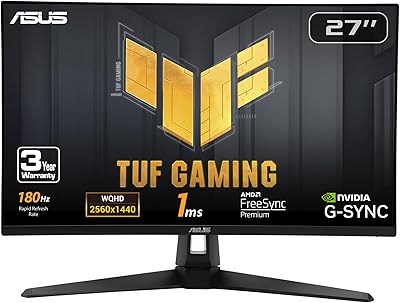
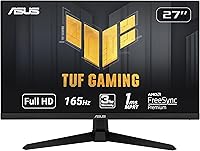
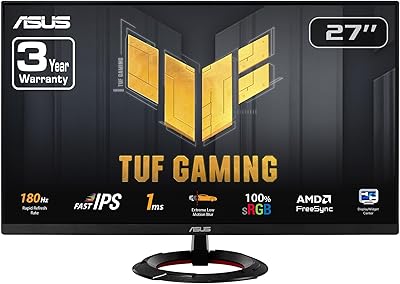
The ASUS TUF Gaming VG277Q1A 27″ Gaming Monitor arrived in late 2021 and has quietly held its ground as one of the more practical picks in the crowded budget 1080p space. At 27 inches, the screen hits a comfortable middle ground — big enough to feel immersive in open-world titles, compact enough that fast motion doesn’t smear into chaos. ASUS built the TUF line around reliable everyday performance, not cutting-edge specs, and that philosophy shows here. Don’t expect reference-grade colors or creative work accuracy. Buy it if you want a smooth, fast display that doesn’t ask much of your wallet.
Features & Benefits

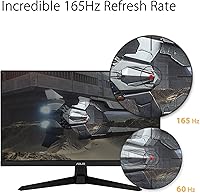
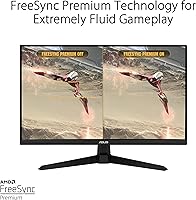
The headline spec is 165Hz refresh rate, and in practice, the difference between this and a standard 60Hz display is immediately obvious — enemies in fast-paced shooters stay sharp instead of smearing across the screen. The 1ms response time listed here is MPRT, not GtG, which means it’s measured during active motion with ELMB engaged rather than a static pixel switch. Both matter, but MPRT is the one you actually feel. FreeSync Premium keeps things tear-free on AMD setups, and NVIDIA Adaptive-Sync support means GeForce users aren’t excluded. Shadow Boost is a subtle but genuinely useful touch for anyone playing tactical games where dark corners hide real threats.

Best For

This TUF Gaming monitor makes the most sense for competitive FPS players — think Counter-Strike, Valorant, or Apex Legends — where raw speed consistently matters more than color depth or contrast ratio. It’s also a strong upgrade for anyone still on a 60Hz or 75Hz panel; the jump to 165Hz is the kind of difference you feel immediately and struggle to go back from. Console gamers with mid-generation hardware will find it a practical, spacious choice. Where it falls short: color-sensitive work, height-adjustable ergonomics, and setups where 1440p resolution would be a worthwhile investment.

User Feedback

Over 8,600 ratings and a 4.7-star average is hard to argue with, and digging into the reviews, the satisfaction feels earned. The most consistent praise is for out-of-box color quality that outperforms what buyers expect at this price tier, alongside a setup process that’s quick and straightforward. Users jumping from slower panels consistently highlight the smoothness as an immediate, noticeable win. On the flip side, the tilt-only stand draws steady complaints from anyone managing a dual-monitor desk or dealing with posture concerns. The glossy panel creates glare in bright rooms, and a small number of buyers have flagged minor cosmetic inconsistencies on arrival — worth checking your unit when it lands.

Pros

  • 165Hz refresh rate delivers a smooth, fluid gaming experience that is immediately noticeable coming from slower displays.
  • Compatible with both AMD FreeSync and NVIDIA Adaptive-Sync, so it works tear-free regardless of your GPU brand.
  • Shadow Boost genuinely helps reveal detail in dark game environments without blowing out brighter areas.
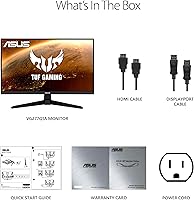
  • Both HDMI and DisplayPort cables are included in the box, so there is nothing extra to buy on day one.
  • The VG277Q1A ships with better out-of-box color calibration than most buyers expect at this price tier.
  • Flicker-free backlight reduces eye fatigue during extended gaming or late-night sessions.
  • ASUS TUF build quality feels solid and well-assembled, with long-term durability that matches the brand’s reputation.
  • Setup is fast and straightforward, with a logical OSD menu that does not require a manual to navigate.
  • The 27-inch size hits a practical sweet spot between immersion and desk footprint for most gaming setups.

Cons

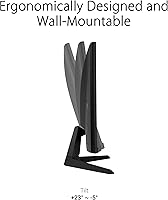
  • The stand only tilts, with no height adjustment or swivel, which is a real inconvenience for ergonomic desk setups.
  • The glossy panel surface creates distracting reflections in rooms with overhead lighting or nearby windows.
  • 1080p resolution on a 27-inch screen produces lower pixel density than smaller panels at the same resolution, which some buyers notice.
  • No USB hub means peripheral connections must be managed at the PC rather than through the monitor.
  • Reaching the full 165Hz requires a DisplayPort connection; HDMI users are capped at 144Hz.
  • A small but consistent number of buyers have reported minor cosmetic defects or backlight bleed on arrival.
  • The 1ms response time figure is MPRT, not GtG, which requires ELMB to be active and may not reflect all usage conditions.
  • The OSD control button is located on the rear of the panel, making it awkward to reach on a cluttered or shallow desk.

Ratings

The ASUS TUF Gaming VG277Q1A 27″ Gaming Monitor earns its strong reputation through consistent real-world performance, and the scores below reflect exactly that — generated by AI after analyzing thousands of verified global buyer reviews, with spam, bot activity, and incentivized feedback actively filtered out. This TUF Gaming monitor lands well above average for its class, though a few recurring pain points keep it from a clean sweep across every category. Both the genuine strengths and the honest frustrations are captured here.
Refresh Rate Performance
93%
The jump to 165Hz is one of the first things buyers mention, especially those upgrading from 60Hz or 75Hz panels. In fast-paced shooters and battle royale titles, on-screen motion stays sharp and readable in a way that lower-refresh displays simply cannot match. Most users describe it as immediately noticeable from the first gaming session.
A small number of users noted that hitting the full 165Hz requires a DisplayPort connection rather than HDMI, which tops out at 144Hz on this panel. For buyers who default to HDMI, the maximum rated refresh rate is technically out of reach without switching cables.
Motion Clarity & Response Time
88%
With ELMB active, fast-moving objects in games like Apex Legends or Valorant stay clean with minimal trailing. Reviewers consistently praise how well ghosting is controlled during high-action sequences, and competitive players appreciate that targets remain readable even during rapid tracking movements.
It is worth understanding that the advertised 1ms figure is MPRT, not GtG pixel switching time, and the two are not the same. With ELMB disabled, some users noticed slightly more visible trailing in particularly demanding motion scenarios, suggesting the feature should stay on for best results.
Adaptive Sync & Tear-Free Gaming
91%
FreeSync Premium works reliably across the supported frame rate range, and the broad NVIDIA Adaptive-Sync compatibility is a genuine plus for GeForce users who no longer need to hunt for G-Sync certified panels. Buyers on both AMD and NVIDIA setups report clean, tear-free gameplay without needing to fuss with driver settings.
A handful of NVIDIA users reported needing to manually enable Adaptive-Sync in their GPU control panel before it worked correctly, which was a minor hurdle for less experienced buyers. The supported variable refresh rate range could also be wider for users with lower-powered systems dropping below 48fps.
Out-of-Box Color Quality
74%
26%
For a monitor in this price tier, most buyers are pleasantly surprised by how usable the default color calibration is. Everyday gaming and video content look reasonably vibrant without requiring manual adjustments, and casual users rarely feel the need to dig into the OSD settings at all.
This is not a monitor for color-accurate work. Reviewers doing photo editing or creative tasks note that color reproduction is inconsistent compared to IPS or OLED panels, and the glossy surface introduces unwanted reflections in brightly lit rooms. Those expectations need to be set clearly before purchase.
Shadow Boost & Dark Scene Visibility
82%
18%
Shadow Boost earns real appreciation from players who spend time in dark-environment games like Escape from Tarkov or horror titles. It brightens shadowed areas enough to reveal hidden details without washing out the rest of the image, which translates to a genuine tactical advantage in competitive play.
At higher Shadow Boost intensity settings, some reviewers noted that the effect starts to look artificial, flattening contrast in ways that reduce visual atmosphere in story-driven games. Finding the right setting takes a bit of trial and adjustment, and a middle intensity tends to be the sweet spot most users settle on.
Stand & Ergonomics
52%
48%
The stand is sturdy enough for day-to-day use and does not wobble under normal desk conditions. Tilt adjustment is smooth and holds its position reliably, which at minimum means the panel won’t drift once you have found a comfortable viewing angle.
Tilt-only adjustment is a recurring frustration, particularly for users with multi-monitor setups or those working long sessions. There is no height adjustment, no swivel, and no pivot, which limits ergonomic flexibility. Buyers with existing VESA mounts often bypass the stand entirely, which is a practical but added-cost workaround.
Build Quality & Durability
83%
The TUF branding carries real weight here — the chassis feels solid and well-assembled for the price, with no obvious flex in the panel housing. Long-term owners across 1–2 years of use rarely report structural issues, and the overall construction inspires more confidence than competing budget options.
The plastic finish picks up scratches and fingerprints with moderate use, and a few buyers reported minor cosmetic inconsistencies on arrival, such as faint backlight bleed at the panel edges. None of these affected functionality, but for buyers who care about a pristine appearance, it is worth inspecting the unit carefully on unboxing.
Setup & Ease of Use
89%
Assembly from box to first image takes under 15 minutes for most buyers, with no special tools required. Both HDMI and DisplayPort cables are included, so there is nothing extra to purchase just to get started. The OSD menu is logically laid out and straightforward to navigate.
The OSD joystick placement on the rear of the panel can feel awkward to reach on a crowded desk, and a small number of users found the button labeling less intuitive than expected during their first setup. It is a minor inconvenience rather than a real barrier, but worth noting.
Pixel Density & Sharpness
67%
33%
For gaming and streaming video at standard distances, the 1080p image looks perfectly acceptable and rarely draws complaints from casual to mid-level gamers. The 27-inch size makes the panel feel spacious without requiring a 1440p upgrade, especially in fast-paced game genres where resolution is less critical than speed.
At 27 inches, 1920x1080 produces a noticeably lower pixel density than the same resolution on a 24-inch display. Text-heavy applications and fine UI details can look slightly soft, which bothers buyers who also use their monitor for productivity tasks or notice pixel-level sharpness in still images.
Connectivity & Port Selection
71%
29%
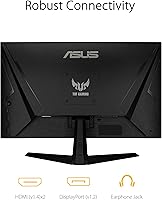
Having both HDMI and DisplayPort covered out of the box with cables included is a practical touch that saves buyers an immediate extra purchase. The port layout covers the needs of most single-GPU desktop setups and even allows connecting a console alongside a PC without swapping cables.
There is no USB hub on this monitor, which is a feature some competing panels in the same price range do include. Buyers expecting to plug in peripherals directly through the display will need to manage those connections at the PC instead, adding minor cable clutter to the desk.
Eye Care & Long Session Comfort
79%
21%
The flicker-free backlight is one of those features that is easy to overlook until you have used a display without it for extended periods. Users who regularly put in 4–6 hour sessions report less eye strain compared to older monitors, and the low blue light modes help during late-night gaming without heavily distorting colors.
The glossy panel surface creates reflections in rooms with overhead lighting or windows behind the user, which counteracts some of the eye care benefits during daytime use. An anti-glare matte coating would have been a more practical choice for users gaming in mixed-lighting environments.
Value for Money
86%
At its price point, this 27-inch ASUS panel delivers a combination of specs — 165Hz, adaptive sync, ELMB, and a reputable brand behind it — that is difficult to match dollar for dollar. Buyers consistently describe it as punching above its weight, particularly for a first high-refresh-rate monitor purchase.
The value case weakens slightly if the buyer also needs to purchase a VESA arm to compensate for the limited stand, or if they expected USB hub functionality. Adding those costs narrows the gap between this monitor and slightly pricier options that include those features natively.
Glare & Reflections
58%
42%
In controlled lighting conditions — a dim room or a setup with no direct light sources facing the screen — the glossy panel actually produces slightly punchier-looking colors than a matte alternative, and some users prefer the visual quality under those conditions.
Reviewers in bright offices or rooms with natural daylight behind them consistently flag reflections as a practical issue. The glossy surface acts almost like a mirror under overhead lighting, which is fatiguing over long sessions and essentially forces buyers to use the monitor in low-light environments for comfortable use.
Packaging & Unboxing Experience
77%
23%
The monitor arrives well-protected with adequate foam padding, and the included accessories — both cables, power cord, and documentation — are neatly organized inside the box. Most buyers report their unit arriving in perfect condition with no shipping-related damage.
A recurring minority of reviews mention units arriving with minor cosmetic damage or faint dead pixels, which suggests some inconsistency in quality control at the manufacturing or fulfillment stage. Returns and replacements appear to be handled reasonably well, but it is an unnecessary friction point for any buyer.

Suitable for:

The ASUS TUF Gaming VG277Q1A 27″ Gaming Monitor is built for PC gamers who want a meaningful performance upgrade without committing to a premium price tag. If you spend most of your gaming hours in competitive FPS titles like Valorant, Counter-Strike, or Apex Legends, the 165Hz refresh rate and low-motion-blur performance will make a tangible difference in how readable and responsive the screen feels during fast engagements. It is also a smart pick for first-time high-refresh-rate buyers stepping up from a 60Hz or 75Hz display, where the improvement is dramatic enough to feel like a hardware upgrade in itself. Console gamers with mid-generation hardware who want a larger, smoother screen than a typical entry-level display will find the 27-inch size and adaptive sync support genuinely useful. Budget-conscious builders who would rather put their remaining funds toward a better GPU or peripherals will appreciate that this panel covers the basics well without demanding a premium.
Not suitable for:

The ASUS TUF Gaming VG277Q1A 27″ Gaming Monitor is the wrong tool for anyone who needs color accuracy as a priority. Photographers, video editors, and digital artists will find the color reproduction falls noticeably short of IPS or OLED panels, and the glossy surface makes precise color evaluation even harder in rooms with ambient lighting. At 27 inches with a 1080p resolution, pixel density is lower than on a 24-inch 1080p display, so buyers who are sensitive to soft-looking text or fine UI detail in productivity apps may find it frustrating during non-gaming use. The tilt-only stand is a real ergonomic limitation for anyone managing a dual-monitor setup, working long desk sessions, or dealing with posture or neck strain concerns. Users who want USB passthrough to reduce desk cable clutter will also be left wanting, as there is no hub built into this panel.
Specifications

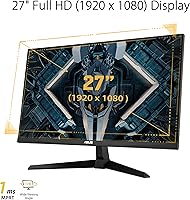
  • Screen Size: The panel measures 27 inches diagonally, providing an immersive viewing area suited to gaming at typical desktop distances.
  • Resolution: Native resolution is 1920x1080 (Full HD), delivering a standard 1080p image across the full 27-inch panel.
  • Refresh Rate: The display runs at up to 165Hz natively and also officially supports 144Hz for systems or consoles that cap at that rate.
  • Response Time: Rated at 1ms MPRT (Moving Picture Response Time) when ASUS ELMB technology is active, reducing perceived motion blur during fast gameplay.
  • Panel Surface: The screen uses a glossy surface coating, which can enhance color vibrancy in controlled lighting but may produce reflections in bright rooms.
  • Aspect Ratio: Standard 16:9 widescreen aspect ratio, compatible with virtually all modern gaming resolutions and video content formats.
  • Adaptive Sync: Supports AMD FreeSync Premium and NVIDIA Adaptive-Sync, enabling variable refresh rate output to eliminate screen tearing on both GPU platforms.
  • Motion Blur Tech: ASUS ELMB (Extreme Low Motion Blur) technology works in conjunction with Adaptive-Sync to maintain sharp visuals at high frame rates.
  • Dark Enhancement: Shadow Boost technology selectively brightens shadowed areas in the image without overexposing already-lit regions of the scene.
  • Ports: Connectivity includes one HDMI port and one DisplayPort input, covering the two most common display connection standards for modern PCs and consoles.
  • Included Cables: The package includes one HDMI cable, one DisplayPort cable, and a power cord, so no additional cables are required for initial setup.
  • Stand Adjustment: The bundled stand supports tilt adjustment only, with no height, swivel, or pivot range provided.
  • VESA Compatibility: The panel is VESA mount compatible, allowing buyers to replace the stock stand with a third-party arm for expanded ergonomic positioning.
  • Eye Care: A flicker-free backlight is built in, designed to reduce eye strain during extended viewing sessions compared to PWM-dimmed displays.
  • Dimensions: With the stand attached, the monitor measures approximately 24.21 inches wide, 17.83 inches tall, and 7.64 inches deep.
  • Weight: The full unit including the stand weighs 9.85 pounds, making it manageable for solo desk setup without assistance.
  • Color: Available in black with a matte-finish plastic chassis and subtle TUF Gaming design accents.
  • Power Supply: The monitor operates at 19.9 volts via the included power cord, with no external power brick required for most regional configurations.
  • Warranty: ASUS provides a standard limited warranty with this monitor; buyers should confirm regional warranty terms at the time of purchase.
  • Release Date: The VG277Q1A was first made available in September 2021, and remains an active product in ASUS’s TUF Gaming monitor lineup.

Related Reviews
ASUS TUF Gaming 27” 4K HDR Monitor VG27UQ1A
88%
94%
Gaming Performance
92%
Color Accuracy
89%
Build Quality
85%
Ease of Use
93%
Display Quality
More
ASUS VG27AQ3A 27-inch QHD Gaming Monitor
76%
91%
Image Sharpness & Clarity
88%
Refresh Rate Performance
86%
Motion Clarity & ELMB Sync
83%
Color Accuracy & Coverage
54%
HDR Performance
More
ASUS VG27VH1B 27-inch Curved Gaming Monitor
78%
93%
Refresh Rate Performance
88%
Motion Clarity & Response Time
91%
Adaptive Sync & Tear-Free Output
67%
Image Sharpness & Resolution
62%
Color Accuracy & Calibration
More
ASUS TUF Gaming VG279Q3R 27-inch 1080p Monitor
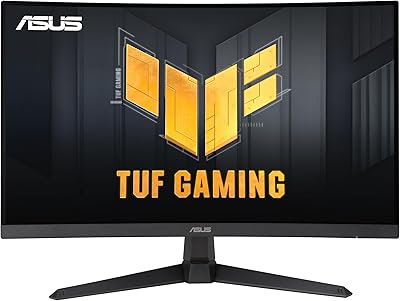
84%
91%
Gaming Performance
88%
Visual Quality
83%
Ergonomics & Comfort
87%
Color Accuracy
82%
Build Quality
More
ASUS TUF Gaming VG27VQ3B 27” 1080P Curved Monitor
88%
89%
Display Quality
92%
Gaming Performance
91%
Ease of Setup
86%
Build Quality
88%
Color Accuracy
More
ASUS TUF Gaming VG27AQM1A 27-inch Gaming Monitor
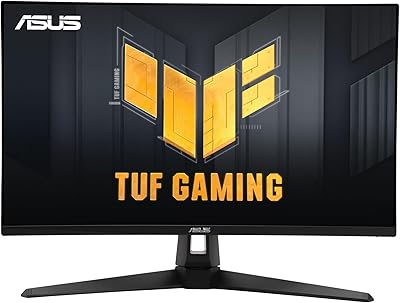
78%
93%
Motion Clarity
89%
Refresh Rate Performance
91%
Image Sharpness
78%
Color Accuracy & Vibrancy
52%
HDR Quality
More
ASUS TUF Gaming VG279QM1A 27-inch 1080P HDR Monitor
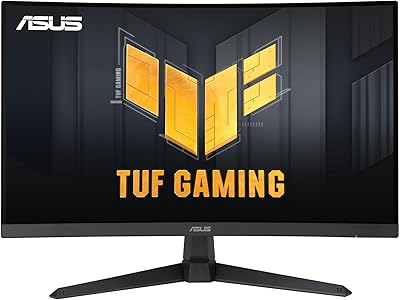
86%
91%
Display Quality
94%
Refresh Rate Performance
89%
Color Accuracy
90%
G-SYNC/FreeSync Compatibility
84%
Build Quality
More
ASUS TUF Gaming VG27WQ3B 27-inch Gaming Monitor
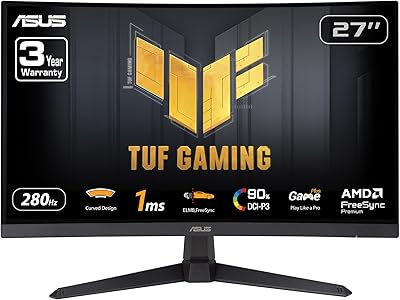
80%
88%
Image Quality
93%
Refresh Rate & Smoothness
91%
Response Time & Motion Clarity
84%
Curved Panel Experience
82%
Color Accuracy & Vibrancy
More
ASUS TUF Gaming VG27VQM1B 27″
89%
97%
Refresh Rate Performance
95%
Response Time Accuracy
88%
Image Clarity
85%
Color Accuracy
91%
Screen Curvature Comfort
More
ASUS VZ279QG1R 27-inch 1080P Gaming Monitor
83%
88%
Gaming Performance
91%
Smooth Visuals (Motion Blur Reduction)
93%
Value for Money
80%
Build Quality
85%
Display Quality (Color Accuracy, Brightness)
More

FAQ

It genuinely runs at 165Hz, but there is one condition: you need to connect it via DisplayPort to hit that maximum. If you use the HDMI port, the refresh rate is capped at 144Hz. Both cables are included in the box, so just make sure you plug in the right one during setup.

It works with NVIDIA as well. The VG277Q1A supports NVIDIA Adaptive-Sync, which means GeForce GTX 10 series and newer cards can take advantage of variable refresh rate without screen tearing. You may need to enable it manually through the NVIDIA Control Panel under the display settings tab.

The 1ms figure is MPRT, which stands for Moving Picture Response Time. It measures how long a pixel appears to persist during motion rather than the raw pixel switching speed. To get that result, you need to have ELMB mode turned on in the OSD. With it enabled, fast-moving objects in games look noticeably cleaner and less smeared — so it is a real benefit, just with a specific condition attached.

The stand only supports tilt adjustment — there is no height raise or lower, no swivel, and no portrait pivot. If ergonomics matter to you, the panel is VESA compatible, so swapping in a third-party monitor arm is a straightforward option. A lot of buyers go that route and find it well worth the extra investment.

Yes, it works well with consoles. HDMI connectivity covers both PlayStation and Xbox, and the 27-inch screen size gives a noticeably more cinematic feel than a typical smaller gaming display. The PS5 and Xbox Series S top out at 1080p 120Hz over HDMI in many titles, which this monitor handles comfortably.

It can, depending on your room setup. In a dim or controlled lighting environment, the glossy coating actually makes colors look slightly richer and more vibrant. But if you have a window behind you or bright overhead lighting, reflections become genuinely distracting. If your desk space gets a lot of natural light during the day, it is worth factoring that in before buying.

It depends on what you are doing and how closely you sit. For gaming, the image looks perfectly fine and most players will not notice anything off. Where it becomes more apparent is in productivity tasks — reading text, browsing, or working with detailed UI. If you sit close to your monitor or regularly do text-heavy work, a 24-inch 1080p display would look sharper. For gaming-first use at normal desk distances, it is not a real problem.

No, the VG277Q1A does not include built-in speakers. Audio output will need to come from your PC, headset, or a separate speaker system. This is consistent with most gaming monitors in this category, so it is worth pairing it with a headset or external audio setup from the start.

Setup is genuinely easy and requires no tools. The stand attaches to the panel base with a simple click mechanism, and both the HDMI and DisplayPort cables are already in the box. Most buyers have it on their desk and displaying an image within 10 to 15 minutes. The OSD menu is navigated with a small joystick on the rear of the panel, which takes a little getting used to but is not complicated.

Shadow Boost selectively lifts the brightness in darker areas of the image without blowing out the brighter parts. In practice, it helps you spot enemies or details hiding in shadows during games like Tarkov, Dark Souls, or tactical shooters. Whether to keep it on depends on the game — for competitive titles with lots of dark corners, it is a useful edge. For story games where visual atmosphere matters, you may want to tone it down or turn it off so the intended contrast is preserved.