Overview

The ASUS VA24ECPSN 24-inch Docking Monitor entered the market in late 2022 with a clear purpose: give laptop users a clean, single-cable desk setup without forcing them to choose between connectivity and affordability. At 24 inches with a Full HD IPS panel and a frameless design, it fits naturally in both home offices and corporate environments. What separates it from a standard external display is the USB-C power delivery — plug in one cable and your laptop charges at up to 65W while the screen receives video and data simultaneously. It sits at a mid-range price that feels honest given the feature set on offer.

Features & Benefits

The single-cable USB-C connection is the headline here — one cable handles video output, USB data, and up to 65W of laptop charging, which genuinely cuts desk clutter. Beyond that, the port lineup is unusually thorough: HDMI, a built-in RJ45 LAN port, a USB hub, and a 3.5mm audio jack cover nearly every connection scenario. The 75Hz refresh rate with Adaptive-Sync keeps motion smooth enough for spreadsheets and casual gaming alike. The ergonomic stand supports tilt, swivel, pivot, and height adjustment, which matters during long work sessions. TÜV Rheinland certification for Flicker-Free and Low Blue Light rounds out a thoughtful set of features for anyone logging serious screen hours.

Best For

This docking monitor is a natural fit for remote and hybrid workers who plug in a laptop every morning and want one cable to handle everything. If your role requires a stable wired connection — video calls, VPNs, or large file transfers — the built-in RJ45 port is a quiet but practical advantage most monitors skip entirely. Writers, analysts, and anyone spending long hours reading or on calls will appreciate the eye care certifications. It also suits minimalist workstations where cable sprawl is the enemy. Casual gamers will find the 75Hz panel adequate; anyone chasing high frame rates or a competitive edge should look at dedicated gaming displays instead.

User Feedback

With over 1,200 ratings and a 4.6-star average, this USB-C office monitor has earned its standing through consistent real-world use. Buyers regularly highlight the docking convenience and solid build quality as the two strongest points. The honest critiques are worth considering: several users feel 1080p resolution starts to show its limits on a 24-inch panel, particularly for photo editing or dense spreadsheets — a fair concern if QHD alternatives are within budget. The built-in speakers are serviceable for a quick call but fall short for media. A handful of reviewers note minor stand wobble and slight color inconsistency near panel edges, though neither issue appears widespread enough to be a serious concern.

Pros

  • Single USB-C cable handles video, data transfer, and 65W laptop charging simultaneously — no extra power brick needed.
  • Built-in RJ45 LAN port provides a stable wired connection without requiring a separate Ethernet adapter.
  • The fully adjustable stand — tilt, swivel, pivot, and height — covers almost every ergonomic preference out of the box.
  • TÜV Rheinland-certified eye care features make a real difference during long daily screen sessions.
  • Both a USB-C and HDMI cable are included in the box, so the monitor is ready to use immediately.
  • Frameless design and VESA compatibility make dual-monitor setups clean and straightforward.
  • 75Hz with Adaptive-Sync handles casual gaming and fast document scrolling noticeably better than standard 60Hz panels.
  • Strong 4.6-star average across more than 1,200 real buyers signals consistent, reliable performance in everyday use.
  • The matte screen surface manages reflections well in brightly lit home office and open-plan environments.

Cons

  • Full HD resolution starts to feel limiting on a 24-inch panel when working with detailed visuals or multiple open windows.
  • Stand wobble is a recurring complaint — noticeable when typing firmly, especially on desks that transmit vibration.
  • The built-in speakers are adequate for calls but fall short for media; most users end up buying external audio anyway.
  • Color accuracy drops near the panel edges, which is a real problem for anyone doing color-sensitive creative work.
  • The USB hub ports are USB-A only, missing an opportunity to include faster USB-C downstream connectivity.
  • OSD navigation via rear physical buttons is fiddly and less intuitive than the joystick controls found on some competing monitors.
  • Laptops requiring more than 65W under heavy load may still lose battery charge slowly even while connected.
  • The RJ45 passthrough stops functioning if the USB-C connection is interrupted, which has caused unexpected network drops for some users.
  • The stand base feels noticeably lighter than the panel, which contributes to the wobble issue and slightly undermines the overall build impression.

Ratings

The ASUS VA24ECPSN 24-inch Docking Monitor earns its strong standing through a large and diverse pool of verified buyer reviews — our AI has analyzed thousands of real-world ratings globally, filtering out incentivized and bot-generated feedback to surface what genuine users actually experience day to day. The scores below reflect both what this USB-C office monitor consistently gets right and where it falls short, with no softening of the honest critiques.

USB-C Docking Performance
93%
For most users, plugging in a single USB-C cable and having their laptop charge at 65W while simultaneously mirroring the display is the defining reason they bought this monitor. MacBook and Windows laptop users alike report that daily docking becomes genuinely effortless, with no adapters or extra power bricks cluttering the desk.
A small subset of users with older laptops or non-standard USB-C implementations report inconsistent charging speeds or the need to reseat the cable occasionally. The 65W ceiling also means power-hungry gaming laptops may still drain slowly under heavy load even while connected.
Connectivity & Port Selection
91%
The port lineup on this docking monitor punches well above what most displays in its category offer. Having HDMI, RJ45, a USB hub, and a 3.5mm jack alongside USB-C means users rarely need a separate dock, which is a genuine cost and space saving for anyone building a lean workstation.
A few users noted the absence of a full-size DisplayPort output on the rear as a minor frustration when trying to daisy-chain a second monitor. The USB hub ports are also USB-A rather than the faster USB-C variant, which feels like a missed opportunity given the overall connectivity ambition of this display.
Image Quality & Color Accuracy
74%
26%
For everyday office work — documents, spreadsheets, video calls, and web browsing — the IPS panel delivers clean, consistent colors with decent viewing angles. The matte screen surface handles reflections well in brightly lit rooms, which is something glossy panels in this range cannot claim.
Users doing photo editing or graphic design consistently flag that color accuracy near the panel edges drops noticeably, and the 1080p resolution starts to feel cramped on a 24-inch screen when multiple windows are open. Those comparing against QHD alternatives find the pixel density underwhelming for detail-heavy work.
Resolution & Sharpness
67%
33%
For standard productivity tasks — emails, browser tabs, video conferencing — Full HD at 24 inches is entirely adequate, and text renders cleanly without any obvious softness at normal viewing distances. Casual users upgrading from an older or smaller display will notice a real improvement in screen real estate.
This is the most commonly cited limitation in user reviews. At 24 inches, 1080p delivers a pixel density that feels noticeably behind QHD panels at a similar price, and users who work with dense data tables, code, or detailed imagery regularly mention wishing they had stepped up. It is a real trade-off to consider before buying.
Eye Comfort & Flicker-Free Performance
88%
The TÜV Rheinland certification for both Flicker-Free and Low Blue Light is not just a badge here — users who spend six to eight hours daily in front of this monitor report noticeably less eye fatigue compared to uncertified displays they previously used. It is a standout feature for writers, analysts, and anyone on long video calls.
Some users who keep the Low Blue Light mode active at its stronger settings find that the warm color shift becomes distracting for color-sensitive tasks. Turning it off restores more natural tones but removes the eye protection benefit, so finding the right balance takes a few adjustments.
Ergonomics & Stand Adjustability
82%
18%
Having tilt, swivel, pivot, and height adjustment on a monitor at this price is genuinely useful rather than just a spec bullet. Users who switch between sitting and standing desks, or who share the monitor with another person at a different height, appreciate not needing an aftermarket arm to get a comfortable position.
A recurring complaint across reviews is mild stand wobble, particularly noticeable when typing firmly on a keyboard placed close to the monitor base. It does not affect image quality during normal use, but the wobble undercuts the otherwise solid build impression and has frustrated users on vibration-prone desks.
Build Quality & Durability
83%
The frameless design and matte black finish give this docking monitor a clean, professional look that holds up well in both home and corporate office settings. Users consistently describe the materials as feeling premium relative to the price, with no reports of premature cracking or hinge degradation after extended daily use.
The stand base, while functional, feels slightly hollow and lightweight compared to the panel itself, creating a minor imbalance in the overall quality feel. A handful of buyers also noted that the plastic around the rear port cluster has a slightly cheaper finish than the front-facing surfaces.
Wired Network (RJ45) Reliability
89%
For users who rely on stable wired connections — corporate VPNs, large cloud file syncs, or simply avoiding Wi-Fi dead zones — the built-in RJ45 port via USB-C passthrough works reliably and eliminates the need for a separate Ethernet adapter. IT professionals and remote workers in particular call this out as a deciding factor.
The Ethernet passthrough depends entirely on the USB-C connection being active, meaning if the cable is disconnected or the host laptop does not fully support the protocol, the LAN port stops functioning. This has caught a small number of users off guard when troubleshooting network drops.
Refresh Rate & Adaptive-Sync
78%
22%
At 75Hz with Adaptive-Sync, this USB-C office monitor handles casual gaming and fast-scrolling documents noticeably better than standard 60Hz displays. Users who game in the evenings after work find it smooth enough for titles that do not demand high frame rates, and tearing is well controlled with compatible NVIDIA and AMD cards.
Dedicated gamers or anyone coming from a 144Hz or higher display will find 75Hz a significant step down. It is honest to say this is a work monitor with a usable gaming mode, not the reverse, and buyers expecting competitive gaming performance at this refresh rate will be disappointed.
Built-in Speakers
54%
46%
The integrated speakers handle video calls and occasional background music at acceptable volume levels, which is enough to remove the need for external speakers in a pinch. For users in quiet offices who just need audio for Teams or Zoom calls, they do the job without any additional purchase.
Users consistently describe the audio as thin and lacking bass, and most who use this monitor for media consumption end up plugging in external speakers or headphones within a few weeks. The speakers are a convenience feature at best and should not factor into the buying decision as a genuine audio solution.
VESA & Multi-Monitor Flexibility
86%
VESA compatibility means this monitor slides onto most standard monitor arms without any hassle, which is valuable for users who want to free up desk space or build a dual-monitor setup. The frameless panel design also makes side-by-side arrangements look clean with minimal visual gap between screens.
The stock stand needs to be removed before mounting, and a small number of users found the VESA hole alignment slightly awkward with certain third-party arms. Nothing deal-breaking, but worth verifying arm compatibility before committing to a wall or desk mount setup.
Setup & Out-of-Box Experience
87%
Unboxing and setup takes most users under fifteen minutes. Both a USB-C cable and an HDMI cable are included in the box, which means the monitor is genuinely usable immediately without an extra trip to order accessories. The included quick-start guide is clear enough that manual hunting is rarely needed.
The on-screen display menu navigation using the rear physical buttons takes some getting used to, and a few users found adjusting brightness and input sources less intuitive than expected. There is no on-screen joystick control, which some competing monitors at this price level now offer.
Value for Money
84%
When the full connectivity package is factored in — USB-C docking, RJ45, USB hub, ergonomic stand, and eye care certification — the asking price represents strong value compared to buying a basic monitor plus a separate dock. For the target user, this consolidation justifies the cost without much debate.
Buyers comparing purely on display specifications — resolution, color gamut, contrast — can find alternatives at a similar price that outperform the ASUS VA24ECPSN on panel quality alone. The value argument hinges entirely on needing the docking functionality; without that use case, the value proposition weakens noticeably.

Suitable for:

The ASUS VA24ECPSN 24-inch Docking Monitor is purpose-built for laptop users who want a no-fuss, single-cable desk setup — plug in one USB-C cable and your laptop is charging, connected to the display, and linked to a wired network all at once. Remote workers and hybrid professionals who dock a laptop every morning will find that this monitor quietly eliminates the adapter clutter that plagues most home office desks. Anyone whose job keeps them in front of a screen for six or more hours a day will appreciate the certified flicker-free and low blue light performance, which genuinely reduces eye fatigue over time. The built-in RJ45 port is a practical advantage for people in roles where Wi-Fi is not reliable enough — think finance professionals, IT staff, or anyone running a corporate VPN from home. The fully adjustable stand also makes it a comfortable long-term companion for users who alternate between sitting and standing, or who share a workstation with a colleague at a different height.

Not suitable for:

The ASUS VA24ECPSN 24-inch Docking Monitor is not the right choice for anyone whose work depends heavily on color precision or fine detail — graphic designers, video editors, and photographers will likely find the 1080p resolution and edge color inconsistency frustrating at this screen size. If you are comparing this against QHD or 4K alternatives at a similar price, the display panel itself does not win that contest; the value here comes entirely from the connectivity package, and buyers who already own a dock or do not need USB-C charging will not get enough out of the premium over a simpler IPS display. Dedicated gamers should also look elsewhere — 75Hz is perfectly fine for casual play, but anyone chasing high frame rates or competitive responsiveness will hit a ceiling quickly. Those who rely on built-in audio for media, music, or immersive content will almost certainly want to budget for external speakers, as the onboard audio is best described as functional rather than enjoyable. Finally, users with power-hungry laptops that require more than 65W to maintain charge under load may find that the battery still drains slowly during intensive tasks even while connected.

Specifications

  • Screen Size: The panel measures 24 inches diagonally, offering a practical working area suited to single-monitor home office and corporate desk setups.
  • Resolution: Native resolution is 1920x1080 Full HD, delivering standard 1080p image output across the IPS panel.
  • Panel Type: IPS (In-Plane Switching) technology provides consistent color reproduction and wide viewing angles compared to TN alternatives.
  • Refresh Rate: The display runs at up to 75Hz, with Adaptive-Sync support compatible with both NVIDIA GeForce and AMD Radeon graphics cards.
  • USB-C Power Delivery: The USB-C port supports up to 65W of power delivery, allowing compatible laptops to charge while receiving video and data through a single cable.
  • Ports & Connectivity: Connectivity includes one USB-C, one HDMI, one DisplayPort, one RJ45 LAN port, a USB hub (USB-A), and a 3.5mm audio jack.
  • Eye Care: The monitor carries TÜV Rheinland certification for both Flicker-Free backlight and Low Blue Light output, validated for extended daily use.
  • Ergonomic Range: The stand supports tilt, swivel, pivot (portrait mode), and height adjustment, covering the full range of ergonomic positioning needs.
  • VESA Support: Standard VESA mount holes are present on the rear panel, allowing compatibility with most third-party monitor arms and wall mounts.
  • Screen Surface: The panel features a matte anti-glare coating that reduces reflections in brightly lit environments without introducing significant haze.
  • Design: The monitor uses a frameless (near-borderless) panel design in black, making it well-suited for dual or multi-monitor arrangements with minimal visible bezel gap.
  • Dimensions: With the stand attached, the unit measures 1.9″ deep, 21.2″ wide, and 12.7″ tall, occupying a compact footprint on standard desks.
  • Weight: The complete unit including stand weighs 11.79 pounds, which is typical for a 24″ monitor and manageable for desk repositioning.
  • Built-in Audio: Integrated speakers are included and are functional for voice calls and basic system audio, though they are not rated for high-fidelity output.
  • Aspect Ratio: The panel uses a standard 16:9 widescreen aspect ratio, compatible with all modern video formats and operating system desktop layouts.
  • In-Box Contents: The package includes a USB-C cable, an HDMI cable, a power cord, a quick start guide, and a warranty card, providing everything needed for immediate setup.
  • Adaptive-Sync: Adaptive-Sync is supported natively and is compatible with NVIDIA GeForce GTX 10 series and newer, as well as AMD FreeSync-enabled Radeon cards.
  • Color: The monitor is offered in black with a uniform matte finish across both the panel frame and the stand assembly.

Related Reviews
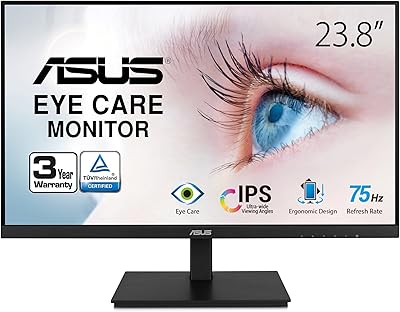
ASUS VA24DQSB 24-inch IPS Monitor
78%
93%
Ergonomic Adjustability
88%
IPS Panel Color Accuracy
61%
Brightness & Glare Handling
91%
Eye Comfort & Fatigue
84%
Build Quality & Stability
More
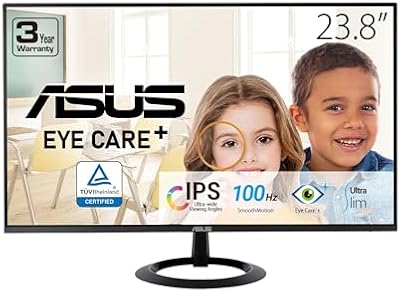
ASUS VZ24EHF 24-inch Eye Care Monitor
86%
91%
Value for Money
88%
Display Quality
93%
Eye Care Technology
86%
Refresh Rate & Performance
85%
Build Quality
More
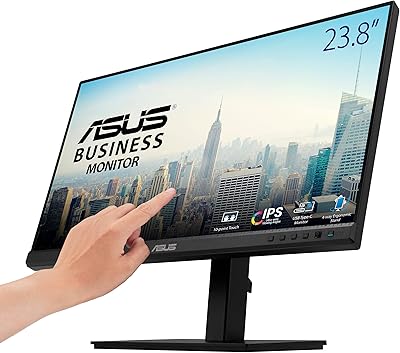
ASUS BE24ECSBT 24-inch 1080P Touch Monitor
83%
79%
Touchscreen Accuracy
88%
Display Quality
85%
Ergonomics & Adjustability
81%
Connectivity & Ports
84%
Build Quality
More
ASUS VG249QE5A 24-inch Gaming Monitor

76%
88%
Image Quality
91%
Refresh Rate Performance
86%
Motion Clarity
93%
Value for Money
47%
Ergonomics & Stand
More
ASUS ProArt Display PA24ACRV 24-inch QHD Monitor
86%
94%
Color Accuracy
89%
Ergonomics & Adjustability
90%
Connectivity (USB-C & Ports)
88%
Build Quality
75%
HDR Performance
More
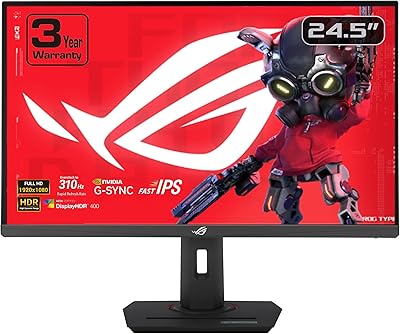
ASUS ROG Strix XG259QNS 24.5-inch Gaming Monitor
80%
93%
Motion Clarity
91%
Input Responsiveness
78%
Refresh Rate Value
67%
Image Quality
88%
Build Quality
More
ASUS ROG Strix XG259CMS 24.5-inch 310Hz Gaming Monitor
87%
94%
Gaming Performance
98%
Refresh Rate
91%
Color Accuracy
86%
Build Quality
85%
Ergonomics
More
CRUA 24-Inch Curved Monitor
84%
88%
Display Quality
91%
Value for Money
84%
Ease of Setup
80%
Gaming Performance
79%
Build Quality
More
ViewSonic VG2456A 24-Inch Monitor
85%
92%
Build Quality
91%
Display Clarity
88%
Ergonomics & Comfort
85%
Connectivity Options
83%
Ease of Setup
More
ViewSonic VG2455 24-inch Monitor
83%
91%
Ergonomic Comfort
88%
Display Quality
94%
USB-C Connectivity
89%
Eye Care Features
75%
Build Quality
More

FAQ

Yes, as long as your MacBook Pro supports USB-C Power Delivery, the monitor will charge it at up to 65W through the same cable carrying video and data. Most modern MacBook Pro models are compatible, though very high-end configurations with demanding processors may charge more slowly under heavy load than with a dedicated charger.

The RJ45 LAN port functions as part of the USB-C docking chain, meaning it requires an active USB-C connection to your laptop to pass through network traffic. If you disconnect the USB-C cable or use the monitor via HDMI only, the Ethernet port will not be active.

It works with both. Any laptop with a USB-C port that supports DisplayPort Alt Mode and Power Delivery will get the full single-cable docking experience, whether it runs macOS or Windows. If your laptop only has USB-C for charging and not video output, you can still connect via the included HDMI cable instead.

Yes, the stand supports pivot rotation, so you can flip the panel into portrait orientation. You will need to update the display rotation settings in your operating system to match, but the hardware fully supports it and the IPS panel maintains good color consistency in that orientation.

For typical office tasks like emails, documents, web browsing, and video calls, 1080p at 24 inches is perfectly usable and most people will not find it distracting. Where it starts to feel limited is when you are working with detailed imagery, dense code with small fonts, or complex spreadsheets — in those scenarios, the lower pixel density compared to a QHD panel becomes more apparent. If your work involves any of those tasks regularly, it is worth considering a QHD alternative at a similar price.

They are fine for quick video calls and the occasional system notification, but most users who try them for music or video find them thin and flat. If audio matters to you at all beyond basic call functionality, budget for a small external speaker or a decent pair of headphones — you will likely end up there anyway within a few weeks.

It is VESA compatible and works with standard monitor arms right out of the box — no adapter needed. You will need to remove the stock stand first, but the process is straightforward and the hardware is standard enough that most popular arms on the market will fit without issues.

You control it manually through the on-screen display menu. There are typically multiple intensity levels to choose from, so you can dial in the warmth that feels right for your eyes. The trade-off is that stronger settings shift the white balance toward a noticeably warm tone, which can affect how colors look if you are doing anything visually precise.

It is real but context-dependent. If you type with a light touch and your desk is stable, you likely will not notice it. Where it becomes more annoying is on thinner desks that vibrate when you type, or if you tend to type firmly — in those cases the panel sways slightly. It does not affect image quality during normal use, but if it bothers you, mounting the monitor on a sturdy third-party arm eliminates the issue entirely.

The box includes a USB-C cable, an HDMI cable, and a power cord, so you have everything you need to get started with either connection type immediately. The only thing not included is a DisplayPort cable, so if you specifically want to use that input you will need to source one separately.