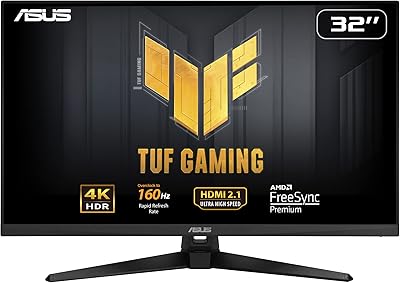
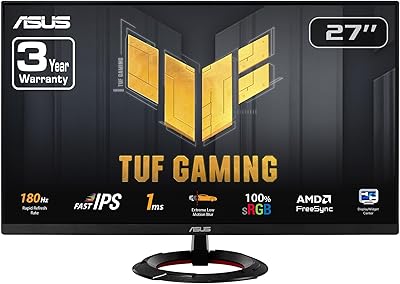
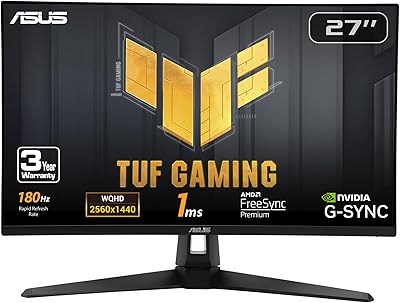
Overview

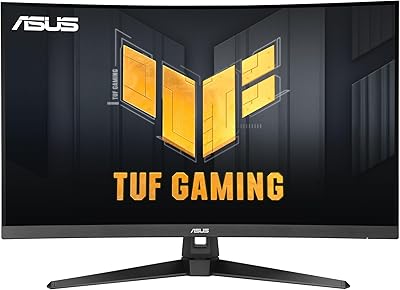
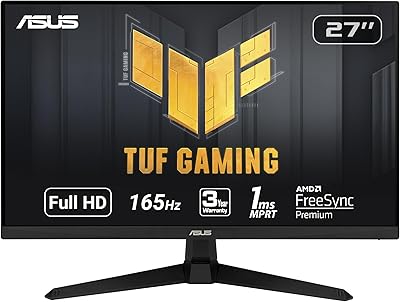
The ASUS TUF Gaming VG32VQR 31.5-inch Monitor sits in an interesting spot — it is not the flashy ROG flagship, and it is not a bare-bones budget pick either. The TUF Gaming line has always been ASUS's answer for gamers who want solid, reliable hardware without paying extra for RGB excess or enthusiast branding. Build quality reflects that ethos: the matte black chassis feels sturdy, the stand resists wobble, and the design is understated enough to suit a clean desk setup. This review examines whether real-world gaming performance justifies the asking price for someone ready to leave 1080p behind.
Features & Benefits

The 31.5-inch VA panel running at QHD resolution is where this curved QHD gaming monitor earns its keep. At 1440p, text and game detail are noticeably sharper than 1080p without demanding a top-tier GPU to hit decent frame rates. The 1500R curve wraps the image naturally into your field of view — it feels purposeful rather than gimmicky at this size. Worth clarifying on response time: the advertised 1ms is MPRT, a backlight-strobing measurement, not actual pixel transition speed, so real GtG response is higher. FreeSync Premium Pro delivers smooth adaptive sync for AMD users, while Nvidia owners should verify G-Sync compatibility mode works on their specific card before committing.

Best For

This 31.5-inch TUF display makes the most sense for gamers stepping up from 1080p who want a meaningful visual upgrade without committing to a 4K setup. The large curved VA panel pays real dividends in story-driven single-player games where contrast depth and immersion matter more than raw response speed. It also works well as a dual-purpose work monitor — QHD at this size is comfortable for documents and multitasking. AMD GPU users get the full benefit of FreeSync Premium Pro, though Nvidia users on compatible cards can still access adaptive sync. Where it falls short: competitive esports players chasing maximum frame rates will likely prefer a faster IPS alternative.

User Feedback

Owners of the TUF VG32VQR consistently praise its deep blacks and contrast, which VA panels handle better than most IPS screens at a comparable price point. The curved form factor earns frequent positive mentions for immersion in open-world and atmospheric titles. On the downside, some users flag ghosting in dark, fast-motion scenes — a known characteristic of VA technology broadly, not a defect specific to this model. Out-of-box calibration is generally acceptable, though color-conscious users tend to adjust gamma and color temperature slightly. A recurring complaint involves the limited port selection for multi-device setups. Long-term reliability feedback has been mostly reassuring, with no widespread hardware failure patterns reported across user communities.

Pros

  • QHD resolution at 31.5 inches delivers a sharp, spacious image that makes 1080p feel cramped by comparison.
  • The VA panel produces deep, rich blacks and contrast levels that IPS screens in this price range simply cannot match.
  • A 1500R curve adds genuine immersion at this screen size without feeling forced or disorienting.
  • FreeSync Premium Pro provides tear-free, stutter-free gaming for AMD users right out of the box.
  • The matte anti-glare surface handles ambient lighting well, reducing eye strain during long sessions.
  • Build quality feels solid and well-supported; the stand resists wobble even with energetic mouse movements.
  • Stand ergonomics cover tilt, swivel, and height adjustment, making it easy to find a comfortable viewing angle.
  • At 31.5 inches and QHD, the TUF VG32VQR works just as well for productivity tasks as it does for gaming.
  • The understated matte black design fits cleanly into both gaming and professional desk setups.

Cons

  • VA panel ghosting is noticeable in dark, fast-motion scenes — a real issue for horror or action titles played at night.
  • The 1ms response time is MPRT, not GtG; actual pixel transitions are slower than the headline figure implies.
  • Nvidia users face uncertainty around G-Sync compatibility, with no official certification to guarantee smooth adaptive sync.
  • Off-angle color accuracy degrades noticeably, which matters if multiple people view the screen simultaneously.
  • Port selection is limited and there is no built-in USB hub, making cable management trickier for multi-device users.
  • Out-of-box color calibration is adequate but not precise; users who care about accuracy will need to dial in settings manually.
  • At over 20 pounds, the monitor is heavy and not easy to reposition frequently.
  • The 31.5-inch footprint requires a reasonably deep desk; smaller workspaces may feel crowded at normal viewing distances.

Ratings

The scores below for the ASUS TUF Gaming VG32VQR 31.5-inch Monitor were generated by our AI engine after analyzing thousands of verified global user reviews, with spam, bot-submitted, and incentivized feedback actively filtered out. Each category reflects the real distribution of buyer sentiment — strengths are credited where earned, and recurring pain points are never glossed over. The result is a transparent, balanced picture of what living with this curved QHD gaming monitor actually looks like.
Image Quality
88%
The VA panel's contrast performance is the first thing most owners mention positively — dark scenes in games like open-world RPGs or atmospheric horror titles look noticeably richer than on comparably priced IPS screens. Colors are vibrant and punchy straight out of the box, and QHD resolution at 31.5 inches keeps text and game detail crisp without feeling oversaturated.
Off-angle color accuracy drops meaningfully, so anyone sitting slightly to the side of center — common in shared viewing setups or wide desk arrangements — will notice a visible shift in tone and brightness. Users who came from high-end IPS monitors also flagged that color consistency across the full panel is not perfectly uniform.
Contrast & Black Levels
91%
This is where the TUF VG32VQR genuinely outperforms its IPS rivals at the same price tier. Deep blacks in night-time gaming sequences, dark cinema content, and moody game environments come across with real depth rather than the washed-out grey that IPS panels typically produce. Owners playing horror or atmospheric games consistently single this out as a standout strength.
VA panels can exhibit black crush — subtle shadow detail that gets lost in very dark scenes — and some users noticed this when exploring unlit areas in games where fine environmental texture matters. It is not a dealbreaker for most, but pixel-peepers and content creators who need accurate shadow rendering will feel the limitation.
Motion Performance
67%
33%
For most game genres — open-world, strategy, action-adventure — motion handling is perfectly adequate, and the high refresh rate keeps gameplay feeling fluid and smooth during normal play. Enabling the monitor's overdrive setting helps reduce trailing in moderately fast scenes, and many casual-to-intermediate players report no issues at all during standard use.
Ghosting in dark, fast-motion scenes is the most repeated criticism across user reviews, and it is a real issue rather than an outlier complaint. Fast-paced competitive shooters or games with lots of movement against dark backgrounds expose the VA panel's slower actual GtG transition times, and the 1ms MPRT marketing figure does not reflect real-world pixel response accurately.
Refresh Rate & Smoothness
84%
At its supported high refresh rate, gameplay in action-heavy titles feels noticeably smoother than a standard 60Hz display, and the step up from typical entry-level monitors is immediately apparent. Paired with FreeSync Premium Pro and a compatible AMD GPU, the experience is consistently tear-free and stutter-free during regular gaming sessions.
Users running Nvidia GPUs cannot be certain of consistent adaptive sync behavior, since G-Sync compatibility is not officially certified on this panel, and real-world results vary by card and driver version. At maximum refresh rate without adaptive sync enabled, some Nvidia users reported intermittent tearing that undermined an otherwise smooth experience.
Adaptive Sync (FreeSync)
86%
For AMD Radeon GPU owners, FreeSync Premium Pro works exactly as advertised — frame rate drops and surges during demanding game sequences are handled cleanly, and the low-framerate compensation feature keeps things watchable even when performance dips. Users upgrading from non-sync monitors consistently describe this as one of the more impactful improvements in their setup.
The certification gap for Nvidia users is a legitimate frustration that comes up regularly in feedback. While some Nvidia GPU owners report functional G-Sync Compatible operation, others find it unreliable enough to disable entirely and run without adaptive sync, which partially defeats the purpose of the feature for a significant portion of the PC gaming market.
Build Quality
83%
The chassis and stand feel solid and well-assembled for a mid-range gaming monitor. The stand resists flex and wobble during active use — relevant when mouse movements or desk vibrations are part of the picture — and the matte plastic finish holds up well to daily handling without scuffing easily. The overall construction does not feel budget-grade.
At over 20 pounds, the monitor is noticeably heavy, which makes repositioning or tilting adjustments less casual than some users expected. A small number of reviewers also noted minor backlight bleed at screen corners under very dark or black content, which is a tolerable but real imperfection for a panel at this price point.
Ergonomics & Adjustability
79%
21%
The bundled stand covers tilt, swivel, and height adjustment — a more complete ergonomic package than many monitors in this segment bother to include. Most users found it straightforward to dial in a comfortable viewing position without needing to invest in a separate monitor arm, which is a genuine value-add at this size and weight.
The height adjustment range is adequate but not generous, and taller users or those with non-standard desk setups occasionally found the upper limit insufficient for their preferred eye-level positioning. Pivot (portrait mode rotation) is not supported, which limits flexibility for niche use cases like vertical document reading or coding layouts.
Curve & Immersion
82%
18%
The 1500R curvature at 31.5 inches strikes a balance that most users describe as immersive without feeling exaggerated. In wide open-world environments and cinematic titles, the screen wraps naturally into peripheral vision in a way that genuinely adds presence to the experience. Owners who switched from flat panels frequently cited the curve as a welcome change they would not want to reverse.
Users who use the monitor primarily for productivity work — especially those handling spreadsheets, CAD layouts, or code with long horizontal lines — occasionally find the curve subtly distracting on straight reference lines near the screen edges. It is a minor concern rather than a major flaw, but it is worth noting for buyers who plan heavy non-gaming use.
Color Accuracy
71%
29%
For gaming and general media consumption, the out-of-box color presentation is engaging and visually appealing — saturation levels are well-tuned for game art and streaming content. Users who applied a basic color temperature and gamma adjustment through the OSD menu reported a noticeably improved and more accurate result without needing professional calibration tools.
Creative professionals and anyone using this display for photo editing or color-sensitive design work will find the VA panel's off-angle shift and default calibration insufficiently precise for serious workflow use. The panel does not cover a wide color gamut comprehensively enough to serve as a professional reference monitor, and this is not a use case it was designed for.
Connectivity
63%
37%
The available DisplayPort and HDMI inputs cover the essential connection needs for a typical single-PC or console gaming setup without any awkward adapters or workarounds. Switching between two devices is functional and the port placement is reasonably accessible at the rear of the monitor without requiring users to reach blindly.
The absence of a USB hub is a recurring frustration across user feedback, particularly for users who rely on their monitor as a peripheral connectivity point for keyboards, mice, or charging cables. Port count is also lean for users managing multiple source devices simultaneously, and the 240V rating requires attention from buyers in North American markets.
Setup & Out-of-Box Experience
81%
19%
Physical assembly is straightforward and most users report having the monitor up and running within fifteen minutes of opening the box. The stand attaches without tools in most configurations, and the included cable selection covers the basics for getting connected immediately. Default display settings are usable right away for gaming without mandatory recalibration.
The OSD (on-screen display) menu navigation drew mild criticism for feeling dated and slightly unintuitive compared to competitors that have updated their menu systems more recently. Users looking to fine-tune settings like overdrive, HDR, or refresh rate modes sometimes had to consult the manual or online guides to locate the relevant options efficiently.
Productivity & Dual Use
78%
22%
QHD resolution at 31.5 inches provides comfortable pixel density for reading documents, managing browser tabs, and running multiple windows side by side — a meaningful advantage over 1080p displays for anyone using the same screen for work and play. Text rendering is clean and sharp enough for sustained reading sessions without eye fatigue.
The lack of a USB hub limits the monitor's utility as a true workstation dock for users who connect multiple peripherals. The gamer-oriented aesthetic, while understated by gaming monitor standards, can feel slightly out of place in a minimalist home office environment where a more neutral design might be preferred.
Value for Money
76%
24%
For buyers coming from a 1080p flat panel, the jump in screen size, resolution, and contrast this curved QHD gaming monitor delivers represents a meaningful and tangible upgrade across both gaming and everyday use. The build quality, stand adjustability, and FreeSync Premium Pro support together add up to a package that feels more complete than many rivals at a similar asking price.
At its price point, buyers are increasingly entering range of competing IPS-based QHD monitors that trade the VA contrast advantage for better motion clarity and more reliable color consistency. Users who discover the MPRT versus GtG distinction after purchase occasionally feel the response time marketing overstated what the panel actually delivers in practice.
Long-Term Reliability
80%
20%
The broader pattern of user feedback across owners who have had the 31.5-inch TUF display for a year or more is generally positive — no widespread reports of panel degradation, backlight failure, or stand mechanism issues have surfaced at a statistically concerning rate. ASUS's TUF line has a reasonable track record for durability at this segment.
A small but notable subset of long-term owners reported isolated issues with backlight uniformity developing over time, and warranty service experience varies significantly by region. Users outside major markets occasionally mentioned difficulty accessing timely ASUS support, which tempers confidence slightly for buyers in less-served locations.

Suitable for:

The ASUS TUF Gaming VG32VQR 31.5-inch Monitor is a strong fit for gamers who have outgrown 1080p and want a genuinely large, sharp display without the GPU overhead that 4K demands. If you primarily play immersive single-player titles — open-world RPGs, atmospheric horror, story-driven adventures — the VA panel's deep contrast and 1500R curve create a noticeably more involving experience than a flat IPS screen at a similar price. AMD GPU owners get the best deal here, since FreeSync Premium Pro works natively and without compromise. It also doubles effectively as a productivity monitor; QHD resolution at 31.5 inches gives you comfortable reading space for documents, spreadsheets, and browser tabs without constant window shuffling. For anyone building a work-from-home setup that moonlights as a gaming rig, this curved QHD gaming monitor hits a practical sweet spot.
Not suitable for:

The ASUS TUF Gaming VG32VQR 31.5-inch Monitor is not the right call for competitive multiplayer players who prioritize reaction-speed performance above all else. The advertised 1ms figure is MPRT — a backlight-strobing metric — and actual pixel transition times are slower, which can produce trailing or ghosting in very fast, dark scenes that a high-refresh IPS panel handles more cleanly. Nvidia GPU users should also proceed carefully: while G-Sync compatibility mode may work on supported cards, it is not certified, and results can vary by system configuration. Color professionals or photographers will find VA off-angle color shift a frustrating limitation for precision work. Anyone needing a rich USB hub for multi-device connectivity will be disappointed, and buyers in smaller desk setups may find 31.5 inches harder to manage at typical close viewing distances.
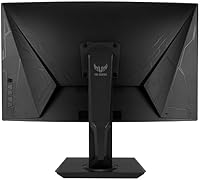
Specifications

  • Screen Size: The display measures 31.5 inches diagonally, offering a large viewing area well-suited to immersive gaming and multitasking.
  • Resolution: Native resolution is 2560x1440 pixels (QHD / 1440p), delivering noticeably sharper detail than 1080p without the rendering load of 4K.
  • Panel Type: Uses a VA (Vertical Alignment) panel, which provides higher contrast ratios and deeper blacks compared to typical IPS panels at this price point.
  • Curvature: The screen features a 1500R curvature, meaning the curve radius is 1500mm — a moderate, natural curve that adds immersion at 31.5 inches without distortion.
  • Response Time: Rated at 1ms MPRT (Moving Picture Response Time), a backlight-strobing measurement; actual GtG pixel transition time is higher and typical of VA technology.
  • Aspect Ratio: Standard 16:9 widescreen aspect ratio, compatible with all modern gaming and productivity content without letterboxing.
  • Adaptive Sync: Supports FreeSync Premium Pro for certified tear-free, low-latency adaptive sync on compatible AMD GPUs; G-Sync compatibility mode may function on select Nvidia cards.
  • Screen Surface: Matte anti-glare coating reduces reflections from ambient light sources, making the display comfortable for use in varied lighting environments.
  • Brightness: Rated image brightness of approximately 1370 lm, providing adequate luminance for typical indoor gaming and office environments.
  • Stand Adjustments: The bundled stand supports tilt, swivel, and height adjustment, allowing users to dial in a comfortable ergonomic viewing position without a third-party arm.
  • Connectivity: Input options include DisplayPort and HDMI ports, covering the standard connection needs for modern PCs, consoles, and laptops.
  • Item Weight: The monitor weighs 20.1 pounds (approximately 9.1 kg) with stand attached, which is typical for a 31.5-inch panel of this class.
  • Dimensions: Product dimensions are listed as 11.81 x 11.81 x 11.81 inches (30 x 30 x 30 cm) for the packaged unit; desk footprint will vary with stand extension.
  • Voltage: Rated at 240 volts; buyers in North America should confirm power supply compatibility or use an appropriate adapter.
  • Color: The chassis and stand are finished in matte black, consistent with the understated aesthetic of the TUF Gaming product line.
  • Brand Line: Produced under ASUS's TUF Gaming sub-brand, positioned between the budget ProArt and entry lines and the premium ROG (Republic of Gamers) family.
  • Model Number: Official model identifier is VG32VQR, which should be used when searching for compatible accessories, VESA mounts, or firmware updates.
  • Availability Date: This monitor was first made available in November 2021, placing it in a generation of displays that predate the wider adoption of HDMI 2.1 on PC monitors.

Related Reviews

ASUS VG32WQ3B 32-inch Curved Gaming Monitor
79%
88%
Image Clarity
91%
Refresh Rate Performance
86%
Color Accuracy
89%
Motion Blur & Ghosting
74%
Shadow Boost Effectiveness
More
ASUS VP228HE 21.5-inch Gaming Monitor
71%
83%
Value for Money
74%
Image Quality
71%
Gaming Performance
86%
Eye Care & Comfort
44%
Ergonomics & Stand
More
ASUS TUF Gaming VG259QM 24.5″ Gaming Monitor
76%
93%
Refresh Rate Performance
88%
Response Time & Motion Clarity
81%
Color Accuracy & Image Quality
86%
Adaptive Sync & Compatibility
52%
Stand & Ergonomics
More
ASUS TUF Gaming VG277Q1A 27″ Gaming Monitor
78%
93%
Refresh Rate Performance
88%
Motion Clarity & Response Time
91%
Adaptive Sync & Tear-Free Gaming
74%
Out-of-Box Color Quality
82%
Shadow Boost & Dark Scene Visibility
More
ASUS TUF Gaming VG28UQL1A 28-inch Gaming Monitor
78%
91%
Image Clarity
88%
Motion Performance
93%
Console Compatibility
83%
Color Accuracy
58%
HDR Performance
More
ASUS VG27AQ3A 27-inch QHD Gaming Monitor
76%
91%
Image Sharpness & Clarity
88%
Refresh Rate Performance
86%
Motion Clarity & ELMB Sync
83%
Color Accuracy & Coverage
54%
HDR Performance
More
ASUS TUF Gaming VG32UQA1A 32-inch Gaming Monitor
74%
88%
Image Clarity
83%
Refresh Rate Performance
91%
Console Compatibility
54%
HDR Quality
84%
Motion Handling
More
ASUS TUF Gaming VG279Q3R 27-inch 1080p Monitor
84%
91%
Gaming Performance
88%
Visual Quality
83%
Ergonomics & Comfort
87%
Color Accuracy
82%
Build Quality
More
ASUS VG249QE5A 24-inch Gaming Monitor
76%
88%
Image Quality
91%
Refresh Rate Performance
86%
Motion Clarity
93%
Value for Money
47%
Ergonomics & Stand
More
ASUS VG27VH1B 27-inch Curved Gaming Monitor
78%
93%
Refresh Rate Performance
88%
Motion Clarity & Response Time
91%
Adaptive Sync & Tear-Free Output
67%
Image Sharpness & Resolution
62%
Color Accuracy & Calibration
More

FAQ

The TUF VG32VQR is officially certified for FreeSync Premium Pro, which is AMD's adaptive sync standard. That said, many Nvidia GPUs support G-Sync Compatible mode, which can work with FreeSync monitors — but it is not guaranteed on this specific panel. If you are running an Nvidia card, it is worth checking community reports for your exact GPU model before assuming adaptive sync will work flawlessly.

The 1ms figure refers to MPRT — Moving Picture Response Time — which measures how long a pixel appears to stay on screen using backlight strobing, not how fast the pixel itself transitions between colors. Actual GtG (gray-to-gray) pixel transition on VA panels is typically slower than 1ms. In practice this means the monitor handles most gaming scenarios well, but in very fast, dark scenes you may notice some trailing — this is a VA characteristic, not a defect unique to this model.

The 1500R curve is subtle enough that it does not cause visible distortion for standard desktop use or gaming. At 31.5 inches it adds a natural sense of depth, particularly in panoramic game environments. Most users sitting at a normal desk distance find it comfortable, though people who work heavily with straight-line graphics or spreadsheets may occasionally notice the curve on horizontal lines near the screen edges.

Out of the box, the ASUS TUF Gaming VG32VQR 31.5-inch Monitor is usable without any adjustments for general gaming and everyday tasks. However, users who care about color precision — especially for photo editing or creative work — typically recommend adjusting gamma and color temperature through the OSD menu. The VA panel skews slightly warm by default, and a quick manual calibration or a downloaded ICC profile can make a noticeable difference.

Yes, the TUF VG32VQR supports standard VESA mounting, which means you can detach the included stand and attach it to a compatible monitor arm or wall bracket. Just confirm the VESA pattern (100x100mm is standard for this class) when shopping for a third-party arm.

Ghosting on this curved QHD gaming monitor is a genuine consideration, particularly in scenes with fast movement against dark backgrounds — a scenario common in horror games or night-time combat sequences. It is not severe enough to ruin gaming in most genres, but it is more noticeable than what you would experience on a comparable IPS display. If you play a lot of dark, fast-paced competitive titles, it is worth factoring in.

No, the TUF VG32VQR does not include a USB hub. If you rely on a monitor to act as a dock for peripherals or charging devices, you will need to plan for a separate USB hub or connect directly to your PC.

It handles productivity surprisingly well. QHD resolution at 31.5 inches gives you enough pixel density to keep text sharp, and the screen real estate is generous for side-by-side windows or reference documents. The matte finish reduces glare in typical home office lighting. It is not optimized for color-accurate design work, but for general office tasks alongside gaming it is a practical dual-purpose choice.

The stand offers tilt, swivel, and height adjustment, which covers the essential ergonomic needs for most users. You can raise or lower the panel to match your eye level and angle it without needing an aftermarket arm. One thing to account for: at 31.5 inches and over 20 pounds, this display needs a desk with adequate depth and a stable surface.

The main trade-off is GPU demand versus visual sharpness. A 4K display at 31.5 inches offers higher pixel density, but you need a substantially more powerful graphics card to push high frame rates at that resolution. The 31.5-inch TUF display at QHD hits a middle ground where you get a clear improvement over 1080p without needing top-end hardware. For most mid-range gaming rigs, QHD is the more practical upgrade path right now.