Overview

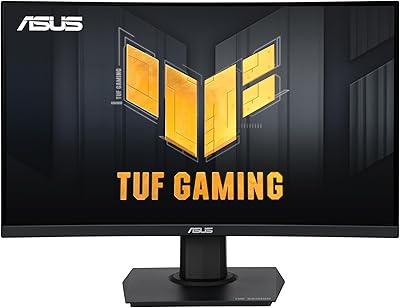
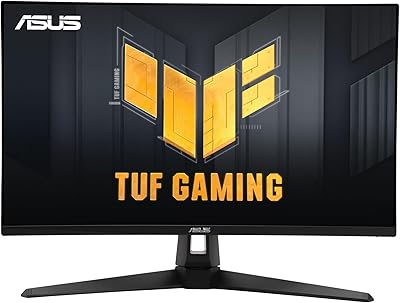
The ASUS TUF Gaming VG27VQ3B 27-inch Curved Monitor sits in a comfortable spot for gamers who want a genuinely immersive experience without spending a fortune. The 1500R curved panel draws you into the screen in a way flat displays simply don't, and at 27 inches, the curve feels purposeful rather than gimmicky. ASUS built this under the TUF banner, which has always prioritized reliability over flashy extras, and the 3-year warranty backs that up in a way that's rare at this price tier. This is a display aimed squarely at casual to mid-level gamers who want a meaningful upgrade without overthinking the decision.
Features & Benefits

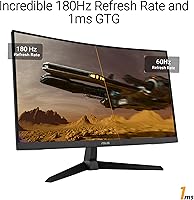
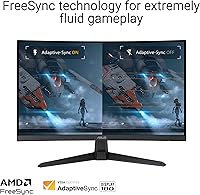
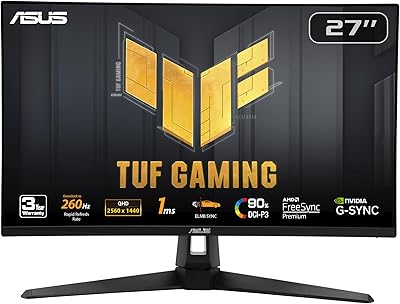
The 180Hz refresh rate is the headline here, and it genuinely shows during gameplay — scrolling through a fast-paced shooter feels noticeably crisper than on a typical 144Hz panel, let alone a 60Hz one. The 1ms GTG response time keeps ghosting in check during quick camera turns and frantic firefights. What makes this TUF Gaming display stand out is that ELMB Sync runs alongside FreeSync simultaneously, meaning you get both adaptive sync and active motion blur reduction at the same time — a combination you don't often see without paying more. Shadow Boost is a quiet but useful addition, lifting details out of dark corners without blowing out the rest of the image. The 90% DCI-P3 coverage is solid for gaming, though not a substitute for a proper color-calibrated panel.

Best For

This curved gaming monitor is a natural fit for competitive FPS gamers and anyone who plays racing or action titles where fluidity matters more than raw pixel count. If you're running a mid-tier GPU — AMD or NVIDIA — the FreeSync support means you get adaptive sync without compatibility headaches. It works well in standard desk setups where a 27-inch curve adds immersion without the footprint of an ultrawide. Anyone moving up from a 60Hz flat panel will likely feel the difference almost immediately. It's also a practical choice for first-time PC builders who want solid performance without pushing their hardware toward a more demanding high-resolution panel.

User Feedback

With over 6,000 ratings averaging 4.5 stars, the VG27VQ3B has earned genuine goodwill, but the feedback is worth reading carefully. Buyers consistently praise how smooth gameplay feels at 180Hz and how straightforward the out-of-box setup is — colors are frequently called vibrant and punchy for the price. Where opinions split is on pixel density: at 27 inches, Full HD can look softer than some buyers expected, especially for productivity or desktop work outside of gaming. The stand gets recurring mentions as limited in adjustability, with tilt available but minimal height or swivel options. A handful of users also noted real-world brightness fell slightly below spec sheet expectations. Buyers who set realistic expectations tend to walk away satisfied.

Pros

  • 180Hz refresh rate produces genuinely smoother motion than 144Hz panels, especially noticeable in fast-paced games.
  • ELMB Sync and FreeSync can run simultaneously, a combination rarely found at this price point.
  • Shadow Boost lifts dark in-game areas without creating distracting overexposure in bright regions.
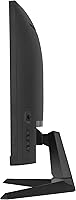
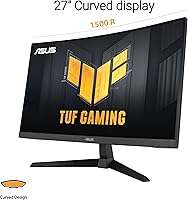
  • The 1500R curve feels purposeful at 27 inches, adding immersion without the footprint of an ultrawide.
  • Matte anti-glare coating handles ambient light well, reducing eye strain during longer sessions.
  • 90% DCI-P3 color coverage produces rich, punchy visuals that punch above the price tier for gaming.
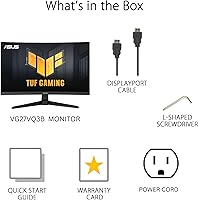
  • The included DisplayPort cable means you can get up and running without hunting for accessories.
  • A 3-year warranty provides meaningful long-term coverage that many competing monitors skip at this price.
  • Setup is consistently reported as quick and straightforward, even for first-time monitor buyers.
  • FreeSync support works across both AMD and NVIDIA GPUs, broadening compatibility without extra cost.

Cons

  • Full HD resolution at 27 inches can look noticeably soft, especially for desktop productivity outside of gaming.
  • The stand offers tilt only — no height adjustment, swivel, or portrait pivot out of the box.
  • Real-world brightness has been reported by some buyers as falling slightly short of the advertised peak.
  • No G-Sync Exclusive support limits compatibility for users invested in certain NVIDIA configurations.
  • Port selection is minimal, which may require additional adapters depending on your setup.
  • The monitor is on the heavier side at nearly 14 pounds, making repositioning on a desk less convenient.
  • Color accuracy is not consistent enough for professional creative work or serious photo editing.
  • Some buyers noted that stand rigidity could be improved, with minor wobble during desk vibrations.
  • The 1080p ceiling means the display offers limited headroom if you plan to upgrade your GPU significantly.
  • No built-in USB hub, which is a missed convenience at this size and price category.

Ratings

The scores below reflect an AI-driven analysis of thousands of verified global buyer reviews for the ASUS TUF Gaming VG27VQ3B 27-inch Curved Monitor, with spam, bot activity, and incentivized feedback actively filtered out before scoring. Each category is graded on real user experiences — not manufacturer claims — so both the genuine strengths and the honest frustrations are reflected in the numbers. If a score is lower than expected, there is a real pattern of buyer complaints behind it.

Refresh Rate Performance
93%
Buyers upgrading from 60Hz or 144Hz panels consistently describe the jump to 180Hz as immediately noticeable — particularly in fast shooters and racing games where fluid motion directly affects aim tracking and reaction time. The smoothness holds up well even at sustained high frame rates.
To fully exploit 180Hz, your GPU needs to reliably push frame rates above 144fps in your target games, which rules out weaker hardware. Users with mid-range GPUs running more demanding titles sometimes find themselves capped well below the panel's ceiling.
Motion Clarity
88%
The combination of 1ms GTG response time and ELMB Sync running alongside FreeSync means ghosting is kept in tight check during chaotic in-game sequences. Players in competitive FPS games specifically called out how clean fast camera pans feel compared to their previous displays.
ELMB Sync can introduce minor brightness reduction when active, which a handful of users noticed in darker gaming environments. It is also worth noting that GTG response times are measured under ideal conditions, and real-world performance in certain color transitions can vary slightly.
Adaptive Sync
91%
FreeSync working reliably across both AMD and NVIDIA setups was a recurring highlight in buyer feedback — many users were relieved to avoid the usual compatibility guesswork. Tear-free gameplay at varying frame rates landed well with mid-tier GPU owners who cannot lock 180fps consistently.
G-Sync Exclusive is not supported, which matters to a small subset of NVIDIA users who specifically want that implementation. A few buyers also noted that enabling FreeSync required manual activation in the GPU driver panel rather than working automatically out of the box.
Image Quality
74%
26%
Colors are frequently described as punchy and vibrant for a display in this price range, with the 90% DCI-P3 coverage giving games a warmer, more saturated look that many buyers found genuinely pleasing. The matte coating also handles ambient light without the washed-out effect common on glossy panels.
This is a gaming panel first, and color accuracy without manual calibration is inconsistent enough that creative professionals noticed. Some users also reported that peak brightness fell short of advertised levels in real-world use, making the image feel slightly flat in very bright rooms.
Resolution Sharpness
63%
37%
For pure gaming at typical desk distances, the majority of buyers found 1080p on a 27-inch screen acceptable, especially given that high frame rates were their priority. Fast-paced gameplay masks pixel density limitations in ways that static content does not.
This is the most polarizing aspect of the VG27VQ3B across buyer reviews. Users who split screen time between gaming and productivity work — browsing, documents, or spreadsheets — frequently flagged that text and fine UI elements look noticeably softer than on a 1440p panel of the same size.
Panel Curvature
86%
The 1500R curve draws consistent praise from buyers who had never used a curved monitor before — the wrap of the image feels natural rather than distorted, and it adds a sense of depth to game environments that flat panels simply do not replicate at this size.
A small number of buyers noted the curve makes the display less ideal for multi-monitor setups where the adjacent screens are flat, creating a slight visual mismatch. It also means wall-mounting flush is not straightforward without careful planning.
Stand & Ergonomics
47%
53%
The stand is stable enough for standard desktop use and does not introduce significant wobble during normal typing or gaming sessions. Assembly is quick and requires minimal effort, which first-time monitor buyers appreciated.
Tilt is the only adjustment available, and buyers who prefer raising, lowering, or swiveling their screen were left frustrated. Several reviewers specifically mentioned neck strain from being unable to raise the panel to eye level without resorting to a monitor arm or stacking the stand on a riser.
Build Quality
82%
18%
The TUF lineup has a reputation for solid construction, and this display largely lives up to it — the chassis feels substantial and the plastic finish does not creak under light pressure. Long-term owners reported no significant structural issues after months of use.
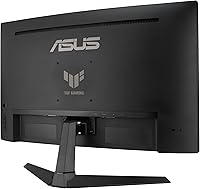
The back panel design is purely functional with no premium feel, which matters less for most gaming setups but is noticeable up close. The stand base in particular feels lighter than the overall monitor weight suggests it should, creating a mild imbalance perception.
Shadow Boost Utility
78%
22%
Buyers who play dark-environment games — stealth titles, horror games, night-time maps in shooters — found Shadow Boost genuinely useful for picking out details that would otherwise be lost in unlit corners. It works at the display level, so no in-game settings need changing.
Shadow Boost applies a processing layer that some users found slightly artificial-looking in brighter game environments, and it is not universally helpful across all game genres. A few buyers also noted it can make HDR-style content look slightly washed out if left on during video streaming.
Setup & Connectivity
84%
Including a DisplayPort cable in the box was a recurring positive note — buyers could connect and game immediately without an accessory run. The physical setup process is straightforward, and most users reported having the monitor assembled and connected in under 15 minutes.
No HDMI cable is included, which surprised buyers expecting to connect via HDMI on day one. Port selection is also minimal, and there is no USB hub built into the display, which is a small but real inconvenience for desks with multiple peripherals to manage.
Value for Money
89%
Across thousands of reviews, the value assessment is overwhelmingly positive — buyers consistently feel they received 180Hz adaptive sync performance and a solid curved panel for a price that leaves room for other hardware upgrades. The 3-year warranty amplifies that sense of a fair deal.
The value proposition softens slightly for buyers who later realize the 1080p resolution limits future-proofing as GPU capabilities grow. A handful of users felt that minor spec gaps — like the stand limitations and missing HDMI cable — were small but unnecessary compromises at this price.
Eye Comfort
81%
19%
The matte anti-glare surface does meaningful work during long gaming sessions in rooms with overhead lighting, reducing the eye fatigue that reflective panels cause over time. Buyers who game for multiple hours reported noticeably less strain compared to their previous glossy displays.
There is no flicker-free certification prominently communicated, and a small number of users sensitive to backlight behavior mentioned discomfort during ELMB Sync operation at lower brightness settings. Those with significant light sensitivity should test the display personally if possible.
Out-of-Box Calibration
66%
34%
For gaming use, the default color profile is warm and visually pleasing without requiring any adjustment, and most buyers were happy with the image from the moment they powered it on. Casual users and gamers rarely felt the need to dig into the OSD at all.
Buyers with any interest in color-accurate work found the factory calibration inconsistent enough to require manual adjustment. The OSD interface for making those corrections is functional but not the most intuitive to navigate, particularly for users unfamiliar with monitor calibration terminology.
OSD & Controls
58%
42%
The physical button layout for navigating the on-screen display is straightforward once memorized, and commonly used settings like refresh rate and adaptive sync toggles are accessible without deep menu diving. First-time monitor owners generally found it manageable.
Navigating multi-level menus with physical buttons remains a friction point that multiple buyers flagged, especially when making fine adjustments to image settings mid-session. Competing monitors in this range have started including joystick navigation controls, which makes the button-based system feel dated by comparison.
Long-Term Reliability
83%
The 3-year warranty provides tangible reassurance, and buyers who had owned the display for six months or more reported no unexpected panel degradation, backlight issues, or input problems. The TUF brand association carries genuine weight for long-term reliability expectations.
The sample size of truly long-term buyers is still growing given the May 2024 release date, so multi-year durability data is limited. A small number of users did report minor backlight uniformity issues emerging after several months, which is worth monitoring.

Suitable for:

The ASUS TUF Gaming VG27VQ3B 27-inch Curved Monitor is a strong match for PC gamers who want a high-refresh-rate experience without stretching their budget into premium territory. If you spend most of your gaming hours in competitive shooters, racing sims, or fast action games where smoothness matters more than pixel density, this display delivers where it counts. It pairs especially well with mid-tier AMD or NVIDIA GPUs, since FreeSync works across both ecosystems, removing the need to overspend on GPU compatibility. First-time upgraders coming from a basic 60Hz flat panel will likely feel an immediate, tangible difference the moment they boot up a game. The 1500R curve and 27-inch size also hit a practical sweet spot — immersive enough to feel engaging, but compact enough to fit comfortably on most standard desks without dominating the space.
Not suitable for:

Buyers who prioritize sharpness and pixel density in their daily workflow should think carefully before committing to this TUF Gaming display, because Full HD at 27 inches is a legitimate trade-off that not everyone finds acceptable. If you split your screen time between gaming and detailed productivity work — spreadsheets, document editing, or any task where text clarity matters — the lower pixel density compared to a 1440p panel at the same size may feel noticeably soft over long sessions. Professional photographers, video editors, or anyone doing color-sensitive creative work should also look elsewhere, since the 90% DCI-P3 coverage, while decent for gaming, is not a replacement for a properly calibrated wide-gamut display. Users who need flexible ergonomics — height adjustment, portrait pivot, or meaningful swivel range — will find the stand frustratingly limited. And if G-Sync Exclusive support is on your must-have list, this curved gaming monitor does not offer it, sticking to FreeSync-based adaptive sync only.

Specifications

  • Panel Size: The screen measures 27 inches diagonally, offering a generous viewing area suited to immersive single-monitor gaming setups.
  • Resolution: Native resolution is 1920x1080 (Full HD), delivering sharp visuals for gaming at this panel size when viewed at typical desk distances.
  • Refresh Rate: The panel runs at up to 180Hz, producing noticeably smoother motion than standard 144Hz or 60Hz displays during fast gameplay.
  • Response Time: Rated at 1ms GTG, the panel transitions between pixel states quickly enough to minimize ghosting in fast-moving scenes.
  • Panel Curvature: The 1500R curvature radius matches the natural focal range of human vision, wrapping the image around the viewer at close desk distances.
  • Adaptive Sync: AMD FreeSync with Variable Refresh Rate (VRR) is enabled by default, eliminating screen tearing across compatible AMD and NVIDIA GPUs.
  • Motion Blur Tech: ASUS ELMB Sync technology actively reduces motion blur and can operate simultaneously with FreeSync, an uncommon combination at this price tier.
  • Color Gamut: The panel covers 90% of the DCI-P3 color space, producing rich, saturated colors well-suited to gaming and general media consumption.
  • Screen Surface: A matte anti-glare coating reduces reflections from ambient light sources, making the display more comfortable during extended sessions in mixed lighting.
  • Aspect Ratio: The standard 16:9 aspect ratio ensures full compatibility with virtually all games, video content, and desktop applications without letterboxing.
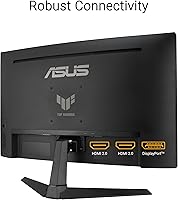
  • Connectivity: The monitor includes a DisplayPort input and comes with a DisplayPort cable in the box; an HDMI input is also available for additional source flexibility.
  • Shadow Boost: Shadow Boost is a built-in image enhancement mode that brightens dark in-game areas to reveal hidden details without overexposing brighter regions.
  • Weight: The assembled monitor weighs approximately 13.9 pounds, which is on the heavier side for a 27-inch panel and worth considering for desk mobility.
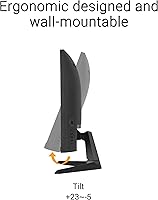
  • Stand Adjustability: The included stand supports tilt adjustment only; height, swivel, and portrait pivot adjustments are not available without a third-party VESA mount.
  • VESA Compatibility: The panel supports VESA mounting, allowing users to replace the stock stand with a compatible wall mount or monitor arm for more flexible positioning.
  • Warranty: ASUS covers this monitor with a 3-year warranty, which is notably generous relative to competing displays in the same price range.
  • OS Compatibility: The monitor is compatible with Windows-based systems and functions as a standard display with any OS that supports standard DisplayPort or HDMI output.
  • Release Date: The VG27VQ3B became available in May 2024, making it a relatively recent addition to the ASUS TUF gaming monitor lineup.
  • Box Contents: The package includes a DisplayPort cable, power cord, L-shaped screwdriver, quick start guide, and warranty card — no HDMI cable is included.
  • Bonus Inclusion: Each purchase includes a complimentary 3-month Adobe Creative Cloud subscription, a modest bonus perk for buyers who also do light creative work.

Related Reviews

ASUS VG27VH1B 27-inch Curved Gaming Monitor
78%
93%
Refresh Rate Performance
88%
Motion Clarity & Response Time
91%
Adaptive Sync & Tear-Free Output
67%
Image Sharpness & Resolution
62%
Color Accuracy & Calibration
More
ASUS TUF Gaming VG27WQ3B 27-inch Gaming Monitor
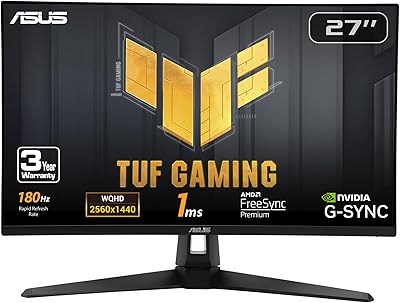
80%
88%
Image Quality
93%
Refresh Rate & Smoothness
91%
Response Time & Motion Clarity
84%
Curved Panel Experience
82%
Color Accuracy & Vibrancy
More
ASUS VG27AQ3A 27-inch QHD Gaming Monitor
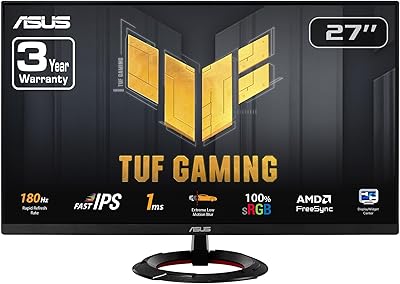
76%
91%
Image Sharpness & Clarity
88%
Refresh Rate Performance
86%
Motion Clarity & ELMB Sync
83%
Color Accuracy & Coverage
54%
HDR Performance
More
ASUS TUF Gaming VG277Q1A 27″ Gaming Monitor
78%
93%
Refresh Rate Performance
88%
Motion Clarity & Response Time
91%
Adaptive Sync & Tear-Free Gaming
74%
Out-of-Box Color Quality
82%
Shadow Boost & Dark Scene Visibility
More
ASUS TUF Gaming VG279Q3R 27-inch 1080p Monitor
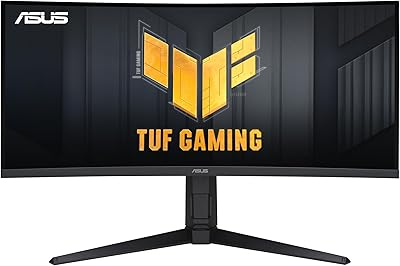
84%
91%
Gaming Performance
88%
Visual Quality
83%
Ergonomics & Comfort
87%
Color Accuracy
82%
Build Quality
More
ASUS TUF VG34VQL1B 34-inch Curved Gaming Monitor
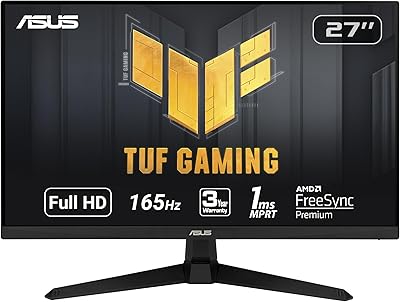
78%
83%
Image Quality
89%
Refresh Rate & Smoothness
78%
Response Time & Motion Clarity
81%
Adaptive Sync Performance
54%
HDR Performance
More
ASUS TUF Gaming VG279QM1A 27-inch 1080P HDR Monitor
86%
91%
Display Quality
94%
Refresh Rate Performance
89%
Color Accuracy
90%
G-SYNC/FreeSync Compatibility
84%
Build Quality
More
ASUS TUF Gaming VG27AQM1A 27-inch Gaming Monitor
78%
93%
Motion Clarity
89%
Refresh Rate Performance
91%
Image Sharpness
78%
Color Accuracy & Vibrancy
52%
HDR Quality
More
ASUS TUF Gaming VG24VQER 24-inch Curved Monitor

78%
91%
Motion Clarity
88%
Refresh Rate Value
83%
Panel Contrast & Blacks
67%
Color Accuracy
84%
Build Quality
More
Skytech Gaming Moonshadow 27-inch Curved Gaming Monitor
83%
88%
Image Quality
91%
Refresh Rate Performance
86%
Adaptive-Sync
83%
VA Panel Contrast
84%
Stand & Ergonomics
More

FAQ

FreeSync works with AMD GPUs natively, but NVIDIA has supported FreeSync-compatible displays through its G-Sync Compatible program for several years now. Most mid-range and recent NVIDIA cards will work with adaptive sync on this curved gaming monitor without any issue, though you should verify your specific GPU model supports G-Sync Compatible mode in the NVIDIA control panel.

This is the most honest question to ask before buying. At normal desk distances — roughly 2 to 3 feet — most people find 1080p acceptable for gaming, where fast motion and high frame rates matter more than static sharpness. For productivity work, reading lots of text, or detailed image editing, the pixel density can feel softer than a 1440p panel at the same size. If gaming is your primary use, it holds up well. If you split time between gaming and detailed desktop work, it is worth considering a step up in resolution.

Yes, and that combination is actually one of the more noteworthy things about the VG27VQ3B. Typically, motion blur reduction backlight strobing and adaptive sync conflict with each other, forcing you to choose one. ASUS engineered ELMB Sync to work alongside FreeSync simultaneously, which means you get both reduced screen tearing and reduced motion blur during gameplay without toggling between modes.

The monitor includes DisplayPort and HDMI inputs. A DisplayPort cable is included in the box, so if your GPU has a DisplayPort output — which most modern dedicated GPUs do — you can connect immediately without buying anything extra. If you need an HDMI connection instead, you will need to supply your own cable since one is not included.

Unfortunately, the stock stand only supports tilt adjustment. There is no height adjustment, swivel range, or option to pivot into portrait mode out of the box. If ergonomics matter to you, investing in a VESA-compatible monitor arm is the practical workaround, since the panel does support standard VESA mounting.

Shadow Boost is a display-level image processing feature that selectively brightens darker tonal ranges in the image while leaving brighter areas largely unchanged. In practice, it makes shadowed corners in game environments more visible without washing out the sky or well-lit areas. It is not magic — heavy shadows will still be dark — but it helps in games where enemies or hazards tend to hide in unlit areas.

Yes, it works fine with consoles via HDMI. The PS5 and Xbox Series X both output at up to 120Hz over HDMI, and while the monitor supports 180Hz over DisplayPort, you will still get a smooth 60Hz or 120Hz experience on consoles depending on the game. FreeSync via HDMI may also work depending on your console settings, particularly on Xbox.

It handles movies and streaming content well for a gaming-primary display. The 1500R curve and 27-inch panel make video content feel more enveloping than a flat screen, and the 90% DCI-P3 color coverage produces warm, saturated colors that suit most streaming content. Just keep in mind it is not color-calibrated out of the box, so those wanting accurate reproduction for film work should calibrate manually or look at a dedicated content creation display.

The VG27VQ3B does not include built-in speakers, which is standard for gaming monitors in this category. Audio will need to be routed through your PC speakers, headset, or external audio setup. This is rarely a limitation in practice for dedicated gamers, but worth knowing upfront if you were planning to rely on monitor audio.

ASUS covers manufacturing defects and panel issues under the warranty for 3 years from purchase, which is a longer coverage window than many competing monitors offer at this price point. Dead pixel policies and specific claim procedures can vary by region, so it is worth reviewing the warranty terms on the ASUS support site for your country before purchasing. Generally, ASUS has a functional support infrastructure for warranty claims in most major markets.

Where to Buy