Overview

The ASUS RT-ACRH13 AC1300 Dual Band Gigabit Router launched back in 2016, and while that might sound dated, it still makes a solid case for itself in smaller homes and apartments where Wi-Fi 6 feels like overkill. ASUS has built a dependable reputation in home networking over the years — not flashy, but consistent. This mid-range dual-band router sits in a comfortable price bracket, offering enough throughput for everyday households without drowning you in configuration menus. It's also compact and light, so it tucks neatly onto a shelf or desk corner without demanding much space. For non-power users who just want the internet to work, it delivers.
Features & Benefits

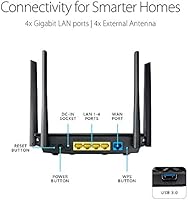
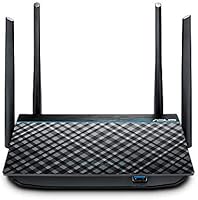
The RT-ACRH13 runs dual-band 802.11ac Wi-Fi, splitting traffic between a 5 GHz channel — better for bandwidth-heavy tasks like streaming HD video — and a steadier 2.4 GHz channel for devices that sit farther away or just need a background connection. The MU-MIMO technology is where things get practically useful: instead of serving devices one at a time, it pushes data to multiple devices simultaneously, which matters in a house where phones, tablets, and laptops are all active at once. Four external antennas push coverage further than you'd get from most budget routers with internal antennas. A USB 3.0 port lets you share a flash drive or external drive across the network, and four Gigabit LAN ports handle wired connections without being a bottleneck.

Best For

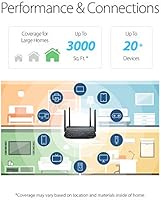
This ASUS router is a natural fit for renters and smaller-home owners — think one-story apartments or houses up to around 1,500 square feet — who want solid Wi-Fi without paying for specs they will never use. It handles a household with 5 to 10 devices well, whether that's streaming devices, a laptop or two, and a few phones all running at once. Parents will appreciate the parental controls via the ASUS Router app, which are actually functional without needing extra subscriptions. If you're still on an ISP-supplied router, the improvement in range and consistency will be noticeable. This isn't a fit for power users, large households, or anyone planning to run heavy NAS workloads through the USB port.

User Feedback

Across thousands of reviews, easy setup is the single most praised aspect — people are genuinely relieved that the ASUSWRT dashboard doesn't require a networking background to navigate. Long-term owners also report solid uptime, with many going months without a single reboot needed. The caveats are real though: users in multi-floor homes regularly mention signal drop-off on upper levels, as the coverage holds well on one floor but struggles with vertical distance. The USB file-sharing feature draws mixed reactions — it works fine for casual access, but anyone expecting NAS-grade speeds will be let down. A few buyers with 15-plus connected devices note the hardware starts to strain, which is fair given it was designed with a more modest household in mind.

Pros

  • Setup takes minutes, and the ASUSWRT dashboard is one of the clearest router interfaces available at this price point.
  • MU-MIMO support means the router serves multiple devices at the same time rather than cycling through them, reducing lag during busy household hours.
  • Four external antennas deliver noticeably better range and signal stability than budget routers that rely on internal antennas.
  • Four Gigabit LAN ports let you hard-wire desktops, smart TVs, or consoles without any speed penalty.
  • Long-term owners consistently report stable uptime, with many going months between reboots.
  • The ASUS Router mobile app gives you real control over parental settings and device management without needing to touch a web browser.
  • Compact dimensions mean this dual-band router fits on a shelf or desk corner without taking over the space.
  • The USB 3.0 port adds a handy option to share a flash drive or external hard drive across the local network.
  • ASUS brand reliability gives this router a trust edge over similarly priced no-name alternatives.

Cons

  • Signal drop-off on upper floors is a recurring complaint from users in two-story homes — coverage is largely single-floor territory.
  • The 2016 hardware shows its age when 15 or more devices are connected simultaneously, leading to noticeable slowdowns.
  • USB file-sharing speeds are too inconsistent for anyone who needs reliable, high-throughput network storage access.
  • No Wi-Fi 6 support means this router is already a generation behind current connectivity standards.
  • There is no tri-band option, which limits bandwidth headroom in households with heavy simultaneous streaming across many devices.
  • The RT-ACRH13 lacks advanced QoS customization that more demanding users or home office setups would want.
  • Firmware update cadence has slowed considerably given the product age, which is a consideration for security-conscious buyers.
  • Parental controls, while accessible, are not as granular or feature-rich as dedicated third-party solutions like Circle or router platforms with built-in threat intelligence.

Ratings

The scores below reflect an AI-driven analysis of thousands of verified buyer reviews for the ASUS RT-ACRH13 AC1300 Dual Band Gigabit Router, sourced from global marketplaces with spam, bot-generated, and incentivized feedback actively filtered out before scoring. Each category is calibrated to reflect real ownership experiences — not just first impressions — capturing both the genuine strengths and the frustrations that surface over months of daily use. The result is a transparent, balanced picture of where this dual-band router earns its reputation and where it falls short for different types of buyers.

Ease of Setup
91%
The setup experience is one of the most consistently praised aspects of this router, with the ASUSWRT interface guiding users through configuration in under fifteen minutes. Even buyers with no networking background report getting everything running without consulting the manual, which is a genuinely rare achievement at this price point.
A small number of users encountered friction when configuring more advanced features like VPN passthrough or manual DHCP reservations, finding the documentation sparse. The mobile app, while convenient, occasionally lags behind the web interface in terms of feature completeness and responsiveness.
Wi-Fi Range
72%
28%
On a single floor, the four external antennas deliver reliable, consistent coverage across most apartment and ranch-style home layouts. The 5 GHz signal in particular holds steady for streaming and video calls when devices are within a reasonable distance of the router.
Multi-story homes expose this router's most consistent weakness — signal strength drops noticeably on upper floors, and several owners in two-story houses say they needed a second access point to fill the gaps. No amount of antenna repositioning fully resolves the vertical distance problem.
Connection Stability
84%
Long-term owners are notably satisfied with how rarely this router demands attention once it is configured. Many report months of continuous uptime without dropped connections or unexplained reboots — the kind of set-it-and-forget-it reliability that renters and busy households genuinely depend on.
A minority of users report occasional disconnects during peak evening hours, particularly when multiple high-bandwidth streams overlap simultaneously. These are not universal experiences, but they appear frequently enough across reviews to be worth noting for households that cannot tolerate even brief interruptions.
Multi-Device Performance
67%
33%
MU-MIMO support gives this router a real advantage over non-MIMO budget alternatives — households running five to eight devices simultaneously report smooth everyday performance for streaming, browsing, and video calls without noticeable slowdowns affecting any single device.
Once connected device counts climb past twelve or fifteen, performance degradation becomes apparent, and several long-term owners describe sluggish behavior during busy evening hours. This is largely a hardware-era limitation from 2016, and it matters for buyers with growing smart-home or remote-work setups.
Value for Money
83%
For buyers upgrading from an ISP-supplied router on a tight budget, the improvement in performance, software depth, and reliability feels like strong value. The ASUS brand reputation adds weight here — you are getting proven hardware at a price that undercuts many comparably equipped competitors.
The value calculation shifts when you factor in the hardware age — newer routers at similar prices now offer Wi-Fi 6 and better multi-device headroom. Buyers planning to keep a router for five or more years may find the long-term return less compelling than it initially appears.
Wired Performance
88%
All four LAN ports are Gigabit-rated, meaning desktops, smart TVs, and gaming consoles receive full-speed wired connections without any bottleneck introduced by the router itself. Owners consistently report stable, fast wired performance with no packet loss under normal household loads.
Four ports is the limit, and in setups with a desktop, a television, a console, and one more device, all slots fill quickly. Adding a network switch solves the problem but represents an extra step and expense that some buyers do not anticipate at purchase.
USB & File Sharing
53%
47%
The USB 3.0 port is genuinely useful for light sharing tasks — plugging in a flash drive to distribute photos or documents across the home network works reliably and takes only a minute to configure through the ASUSWRT interface. For casual, occasional access it does the job.
Sustained file transfer speeds are inconsistent, and users attempting to run a basic media server or perform regular backups report frustratingly slow throughput. It functions adequately as a convenience feature, but presenting the USB port as a NAS solution gives it more credit than the performance warrants.
Parental Controls
79%
21%
Parents appreciate that internet schedules and per-device access restrictions are built in with no subscription required, and the ASUS Router app makes applying these settings quick enough to become part of a regular evening routine. For basic time management, it covers the essentials well.
Content filtering categories are limited compared to dedicated platforms or routers with integrated threat intelligence databases — granular content-level blocking is notably shallow. Families who need robust filtering beyond simple on-off scheduling will likely want a more capable solution.
Software Experience
86%
ASUSWRT is consistently cited as one of the cleaner router interfaces in its class, presenting advanced settings without overwhelming first-time users while still giving experienced buyers the controls they need. The mobile app mirrors the most-used functions well for routine daily adjustments.
Firmware update cadence has slowed as the product has aged, which raises a minor but real security concern for vigilant buyers. A subset of users also report the mobile app occasionally loses sync with the router and requires a force-close to reconnect properly.
Build Quality
74%
26%
The router feels solid for a device that lives on a shelf — the four fixed antennas stay firmly in position without wobble, and the matte black finish resists fingerprints reasonably well for a plastic-cased device. At under nine ounces, it is light without feeling hollow.
The plastic casing does not convey the premium feel of metal-chassised alternatives, and a handful of long-term owners have noted heat discoloration on the housing over time. This is not a functional concern, but it is noticeable if the router sits in a visible spot.
Signal Consistency
76%
24%
The four external antennas give this router a tangible signal advantage over similarly priced models with internal antennas, and the 5 GHz band holds up well for devices in adjacent rooms with clear line of sight to the unit. Open-plan layouts benefit the most.
Dense walls and concrete construction weaken the signal more than some owners expect, and the AC1300 class has inherent headroom limits that show in challenging building layouts. Users in older construction with thick internal walls consistently report less reliable coverage than those in modern apartments.
Security Features
81%
19%
The router covers all practical home network security needs, supporting WPA2-PSK alongside WPA Enterprise and offering guest network isolation — a useful layer for separating IoT devices or frequent visitors from the main network without requiring any technical expertise to enable.
Active security firmware updates have become less frequent as the product ages, meaning emerging vulnerabilities may not receive patches promptly. Advanced threat protection features now found on current-generation routers are absent here, which matters to buyers who prioritize a continuously hardened security posture.
Long-Term Reliability
82%
18%
For hardware launched in 2016, owner feedback on physical durability is reassuring — many units remain in daily use years after purchase with no reported hardware failures. ASUS has a solid track record of building routers that simply keep running, and this model reflects that consistency.
The long-term concern is less about hardware failure and more about software support tapering off, leaving the router without timely security patches over a multi-year horizon. Buyers planning to run this unit for another three to four years should factor reduced software longevity into their decision.

Suitable for:

The ASUS RT-ACRH13 AC1300 Dual Band Gigabit Router is a practical choice for renters, apartment dwellers, and small-home owners who need dependable Wi-Fi across a single floor without overspending on features they will never use. If your household runs somewhere between five and ten devices — a couple of phones, a streaming stick, a laptop, maybe a tablet — this dual-band router handles that load without breaking a sweat. It is especially well-matched for anyone still limping along on the router their internet provider handed them at install, as the jump in range and control will feel like a meaningful upgrade. Parents will find the built-in parental controls and QoS settings genuinely practical through the ASUS Router app, with no third-party subscriptions required. Budget-conscious buyers who trust established networking brands over no-name alternatives will also feel at home here, since ASUS has a long track record of delivering stable, low-maintenance hardware at accessible price points.
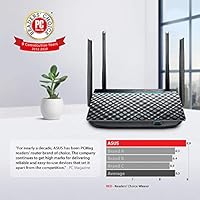
Not suitable for:

The ASUS RT-ACRH13 AC1300 Dual Band Gigabit Router starts to show its limits in scenarios it was never really designed for, and it is worth being honest about that before you buy. If your home spans multiple floors, expect real signal degradation on levels above where the router sits — several long-term owners have flagged this, and no amount of antenna positioning fully resolves it. Households with 15 or more active devices will likely find the 2016-era hardware struggling to keep up, particularly during peak usage when multiple streams and downloads overlap. Anyone hoping to use the USB port as a proper network-attached storage solution should temper their expectations; file transfer speeds are adequate for occasional access but fall well short of a dedicated NAS device. Power users who want Wi-Fi 6 throughput, tri-band flexibility, or advanced QoS customization will outgrow this router quickly and are better served by a more current platform.
Specifications

  • Wi-Fi Standard: This router uses 802.11ac (Wi-Fi 5), the generation preceding Wi-Fi 6, offering broad compatibility with virtually all modern wireless devices.
  • Speed Class: Rated AC1300, combining a 5 GHz channel and a 2.4 GHz channel for a theoretical combined throughput of up to 1,267 Mbps.
  • 5 GHz Band: The 5 GHz band delivers speeds up to 867 Mbps, best suited for short-range, bandwidth-intensive tasks like HD video streaming or video calls.
  • 2.4 GHz Band: The 2.4 GHz band offers speeds up to 400 Mbps, providing wider coverage for devices that are farther away or have lighter data needs.
  • MIMO Technology: Supports 2x2 MU-MIMO, allowing the router to transmit data to multiple devices simultaneously rather than cycling through them sequentially.
  • Antennas: Equipped with four external 5 dBi fixed antennas designed to extend wireless coverage and improve signal stability across the supported area.
  • LAN Ports: Includes four Gigabit Ethernet LAN ports for wired connections to desktops, smart TVs, gaming consoles, or other network devices.
  • USB Port: One USB 3.0 port supports basic network storage sharing by connecting a flash drive or external hard drive to the local network.
  • Dimensions: The unit measures 5.8 x 1.4 x 8.1 inches, making it compact enough to sit on a shelf or desk without occupying significant space.
  • Weight: Weighs 8.8 oz, making it one of the lighter routers in its class and easy to reposition or mount if needed.
  • Security Protocols: Supports WPA2-PSK, WPA-PSK, WPA Enterprise, 64-bit WEP, 128-bit WEP, and WPS for a range of network security configurations.
  • Operation Modes: Can be configured as a standard wireless router or switched to access point mode for use as a range extension node within a larger network.
  • Management: Managed via the ASUSWRT browser-based interface or the ASUS Router mobile app, both of which include parental controls and basic QoS settings.
  • OS Compatibility: Compatible with Windows 7, 8, 8.1, and 10, as well as Mac OS X versions 10.1 through 10.8, covering most common household operating systems.
  • Color: Available in black with a matte finish that blends into most home or office environments without drawing attention.

Related Reviews

Asus RT-AC1200 Wireless Dual-Band Router
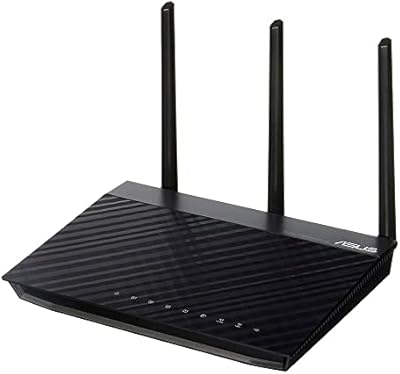
83%
85%
Wi-Fi Performance
91%
Ease of Setup
78%
Coverage Range
88%
Parental Controls
81%
Streaming & Gaming Performance
More
ASUS RT-N66R Dual-Band N900 Gigabit Router
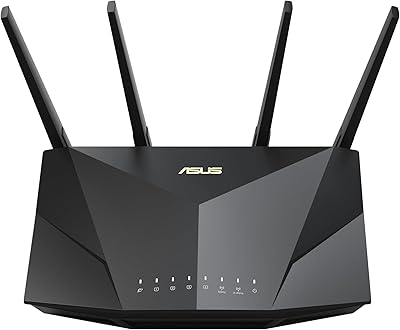
69%
63%
Wireless Performance
61%
Signal Range & Coverage
84%
Setup & Ease of Use
78%
Firmware & Software
91%
Wired Connection Quality
More
ASUS RT-AX1800S
ASUS RT-AX1800S
79%
88%
Value for Money
79%
WiFi Speed & Performance
74%
Coverage & Range
83%
Setup & Ease of Use
67%
Router App Experience
More
ASUS RT-AX5400 WiFi 6 Dual-Band Router

80%
84%
WiFi Speed & Throughput
71%
Coverage & Range
88%
Setup & Ease of Use
91%
Built-in Security (AiProtection)
83%
Parental Controls
More
ASUS RT-AX89X AX6000 Dual Band Wi-Fi Router
77%
91%
Wireless Performance
88%
Multi-Device Handling
86%
Build Quality
83%
10G Port Utility
84%
Security Suite
More
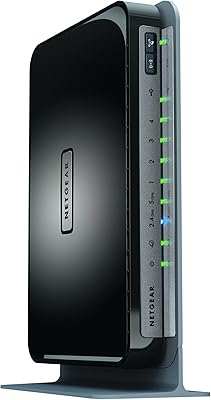
Netgear WNDR4300 N750 Dual Band Gigabit Router
73%
78%
Wi-Fi Range & Coverage
86%
Setup & Ease of Use
74%
Connection Stability
88%
Wired (Ethernet) Performance
57%
USB Sharing (ReadySHARE)
More
Asus TM-AC1900 Dual-Band Wi-Fi Router
69%
83%
Wi-Fi Range & Coverage
86%
Connection Stability
88%
Value for Money
79%
Built-in Security
31%
Carrier Compatibility
More
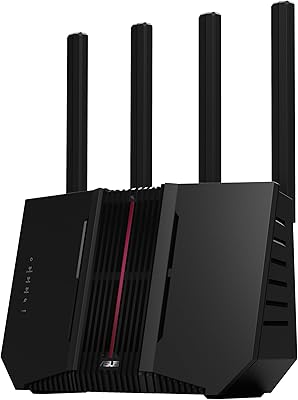
ASUS RT-BE92U WiFi 7 Router
81%
88%
Wireless Performance
83%
Coverage & Range
84%
Setup & Initial Configuration
91%
Network Security (AiProtection)
86%
Latency & Gaming Performance
More
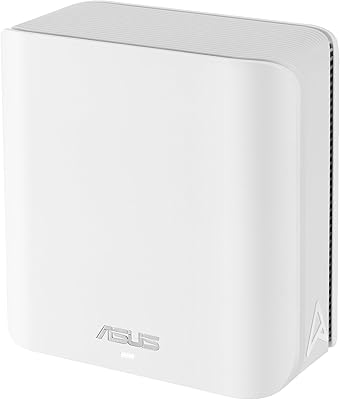
ASUS ZenWiFi BD4 Dual-Band WiFi 7 Mesh Router
86%
93%
Wi-Fi Performance
89%
Setup & Installation
91%
Security Features
88%
Gaming & Streaming Performance
84%
Value for Money
More
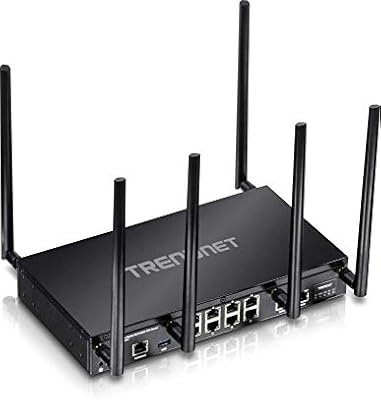
TRENDnet TEW-829DRU Tri-Band VPN Router
73%
88%
Dual-WAN Reliability
83%
VPN Performance
51%
Setup & Configuration
47%
Web Interface Usability
91%
Port Count & Connectivity
More

FAQ

Setup is genuinely straightforward with this router. You can use either the ASUSWRT web interface by typing an address into your browser, or the ASUS Router mobile app, which walks you through the process step by step. Most people have it running in under 15 minutes without needing to read a manual.

For a single-story home or apartment in the 1,000 to 1,500 square foot range, coverage is generally solid. If you have a two-story home, expect some signal weakening on the upper floor — multiple owners have reported this, and it's a real limitation to factor in before buying.

It handles light to moderate gaming fine — think casual online play on a console or PC without major issues. That said, this is not a dedicated gaming router, and you won't find features like aggressive gaming QoS or low-latency optimizations that gaming-focused models offer. For competitive online gaming, you might want to look at purpose-built options.

Yes, you can plug in a USB flash drive or external hard drive and access it from other devices on your network. It works well for occasional file sharing or light media access. Where it falls short is sustained throughput — if you are expecting NAS-level transfer speeds for large file libraries, the performance will likely disappoint.

Around five to ten devices is the comfortable range for everyday tasks like streaming, browsing, and video calls. Once you push past 15 devices with multiple active streams running at once, the hardware starts showing strain — something a number of long-term owners have noted in their feedback.

This router is fully unlocked and works with any ISP that uses a standard modem or gateway. You simply plug your ISP modem into the WAN port and configure your network. No ISP-specific restrictions apply.

If your needs align with its strengths — a smaller home, a manageable number of devices, and no requirement for Wi-Fi 6 speeds — it still holds up well as a reliable everyday router. Where it shows its age is in device capacity and future-proofing: it does not support Wi-Fi 6, and the hardware will not receive the same firmware attention as current-generation models. For light users on a budget who prioritize simplicity and brand reliability, it remains a reasonable pick; for anyone expecting longevity or planning to add many more devices, a newer model is the smarter investment.

The parental controls are practical and accessible through both the app and the web dashboard. You can set time limits and restrict internet access by device, which covers the basics well. They are not as sophisticated as dedicated parental control platforms, but for most parents managing a small household, they get the job done without extra cost or complexity.

Yes, it supports access point mode, which lets you connect it to an existing router via an Ethernet cable and use it purely as a wireless access point. This is useful for extending your network into a room or area that your main router does not reach well.

Based on long-term owner feedback, stability is one of its quiet strengths — many users report running it for months at a time without needing to restart it. Occasional firmware updates may prompt a reboot, but day-to-day it tends to stay up without much intervention.

Where to Buy