Overview

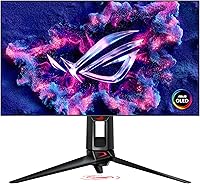
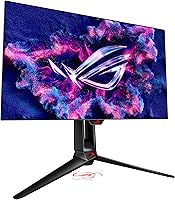
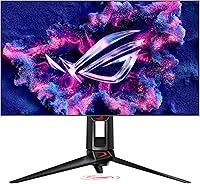
The ASUS ROG PG27AQDP 27-inch OLED Gaming Monitor represents a genuine technical milestone — the world's first 1440p panel running at 480Hz on a WOLED substrate. One quick note for buyers: the actual screen measures 26.5 inches, so don't be surprised when the box arrives. WOLED differs from traditional OLED in that it adds a white subpixel to the RGB cluster, which helps push brightness higher while keeping those characteristic deep blacks. This isn't a monitor chasing two audiences poorly — it's built squarely for competitive gamers who've been frustrated by having to choose between fast IPS panels and beautiful but slower OLED displays.
Features & Benefits

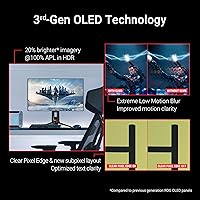
At 480Hz, this ROG OLED monitor doesn't just look smooth — it changes how cursor tracking and target acquisition feel in fast-paced shooters like CS2 or Valorant. Paired with a 0.03ms GtG response time, trailing and ghosting are essentially non-existent, a clear step above even the best IPS panels. ROG's OLED Anti-Flicker technology avoids the high-frequency PWM dimming that causes eye fatigue over long sessions, replacing it with a more comfortable solution. ELMB adds another layer of motion clarity on top of the high refresh rate. Color-wise, 99% DCI-P3 coverage and factory-calibrated Delta E under 2 mean it's legitimately usable for photo editing, not just gaming. The AI assistant, though, feels more like a bonus than a core feature — most users find it novelty-level useful at best.

Best For

The PG27AQDP is built for a specific type of buyer: the competitive PC gamer who games at 1440p and has the GPU horsepower to back it up. Sustaining 400-plus frames per second at QHD resolution demands something in the RTX 4080 or RX 7900 XTX tier — anything less and you're leaving a lot of that 480Hz headroom on the table. It's also a strong pick for the gamer-slash-creator who wants one display that pulls double duty without needing calibration. On the flip side, console players get no meaningful benefit here, and anyone on a mid-range GPU setup would be better served saving money on a quality 240Hz OLED instead.

User Feedback

With over 2,300 ratings averaging 4.2 out of 5, this high-refresh WOLED display earns its stars but not without caveats. Buyers consistently praise the contrast depth and the palpable difference 480Hz makes in competitive play — these aren't theoretical benefits, people notice them immediately. Burn-in anxiety comes up regularly in reviews, which is fair; OLED panels do carry long-term risk, especially with static HUD elements. The matte coating splits opinion: some appreciate the glare control, others feel it takes the edge off the otherwise vivid image. HDR performance, while technically certified, doesn't rival mini-LED panels in peak brightness — buyers expecting that should adjust expectations accordingly. The AI assistant barely gets a mention, and when it does, the consensus is underwhelming.

Pros

  • 480Hz on a WOLED panel delivers genuinely smoother, more responsive gameplay in fast-paced competitive titles.
  • True OLED blacks and infinite contrast make every game look dramatically better than even premium IPS alternatives.
  • Factory-calibrated color accuracy with Delta E under 2 means no extra calibration is needed out of the box.
  • ROG Anti-Flicker technology reduces eye fatigue during long sessions without resorting to harsh PWM dimming.
  • ELMB technology adds motion clarity on top of the high refresh rate for even crisper fast-motion visuals.
  • 99% DCI-P3 coverage makes the PG27AQDP a capable dual-use display for photo and video editors.
  • G-SYNC Compatible support ensures smooth, tear-free performance across a wide range of frame rates.
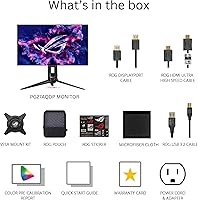
  • The included accessory kit is comprehensive, with DisplayPort, HDMI, and USB cables plus a VESA mount right in the box.
  • A 4.2-star average across more than 2,300 buyers reflects consistent real-world satisfaction from a demanding audience.

Cons

  • WOLED peak brightness falls noticeably short of mini-LED rivals in HDR content, which some buyers find disappointing.
  • Squeezing 400-plus fps at 1440p demands a flagship-tier GPU, making the total system cost significantly higher.
  • OLED burn-in risk is real and worth factoring in, especially for gamers who use static overlays or HUDs for hours daily.
  • The matte anti-glare coating softens image clarity for some users, taking the edge off OLED's natural vibrancy.
  • The AI gaming assistant feels more like a marketing checkbox than a genuinely useful feature in daily use.
  • Actual screen size is 26.5 inches, not 27 inches — a small but irritating discrepancy in product marketing.
  • The premium price of entry is steep, leaving limited room for buyers who want OLED without a flagship system to match.
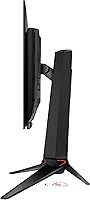
  • At 13.7 pounds, the stand assembly is on the heavier side, which matters if you frequently reconfigure your desk setup.

Ratings

The scores below reflect an AI-driven analysis of verified global buyer reviews for the ASUS ROG PG27AQDP 27-inch OLED Gaming Monitor, with spam, bot activity, and incentivized feedback actively filtered out before scoring. Each category is graded based on aggregated sentiment from real owners, balancing the enthusiasm of satisfied buyers against the frustrations raised by critical ones. Both the strengths that make this ROG OLED monitor exceptional and the trade-offs that give some buyers pause are transparently represented here.

Refresh Rate Performance
97%
Buyers who game competitively in titles like CS2 and Valorant consistently describe the 480Hz experience as a tangible upgrade — not a paper spec. The fluidity in cursor tracking and target acquisition at this refresh rate is something owners say they cannot un-see after switching from 240Hz panels.
The score reflects near-universal praise, but a small contingent of buyers note that the real-world benefit over a quality 240Hz OLED is perceivable mainly in highly practiced competitive players. Casual gamers may find the jump less dramatic than the spec difference implies.
Panel Contrast & Black Levels
96%
OLED's self-emissive pixel technology delivers true black that IPS monitors simply cannot replicate, and buyers upgrading from backlit panels consistently describe the contrast as striking. Dark scene gaming in titles like Elden Ring or Cyberpunk 2077 takes on a cinematic quality that reviewers frequently call out as the panel's most immediately impressive trait.
A small number of users running the display in very bright, sunlit rooms note that the WOLED panel's peak brightness makes it harder to leverage those deep blacks when ambient light is competing. The matte coating helps, but it does not fully compensate in particularly harsh lighting conditions.
Response Time & Motion Clarity
94%
The 0.03ms GtG response time paired with ELMB technology makes ghosting and trailing a non-issue in practice — even at high frame rates in fast-motion games, the image stays clean and defined. Owners switching from IPS frequently comment that they did not realize how much residual smearing their previous panel had until they made the switch.
ELMB and the high refresh rate are most impactful when the GPU can actually sustain near-maximum frame rates, and a subset of buyers on mid-range hardware report that they see limited real-world improvement over more affordable options because their systems bottleneck the display.
Color Accuracy
91%
Factory calibration with Delta E under 2 means the PG27AQDP arrives ready for color-critical work without the buyer needing to invest in a colorimeter or spend time profiling. Creative professionals who use the display for photo editing between gaming sessions repeatedly praise the accuracy and the wide DCI-P3 gamut as genuinely useful, not just a spec box to tick.
A handful of buyers engaged in professional video or print production note that a dedicated studio display still edges this ROG OLED monitor out in absolute calibration precision and workflow-specific color tools. For purely professional color grading at the highest level, the panel is capable but not purpose-built.
HDR Performance
63%
37%
The DisplayHDR 400 True Black certification is earned honestly through near-perfect black floor performance, and in dark scenes with localized contrast, HDR content does look visually richer than on a standard SDR display. Buyers who primarily play atmospheric, narrative-driven games tend to appreciate the contrast-driven HDR more than those who want blown-out specular highlights.
Peak brightness is a recurring disappointment in reviews from buyers who expected mini-LED-level HDR impact. Bright highlights in sunny outdoor game environments or HDR films do not have the same punch that competing high-brightness monitors deliver, and several reviewers explicitly call this out as the panel's most notable weakness.
Build Quality & Aesthetics
88%
The ROG stand feels solid and premium, with smooth height and swivel adjustments that hold position reliably. Most buyers appreciate the restrained design — the RGB accents are present but not garish, and the overall construction does not feel like it was assembled to a price point.
At 13.7 pounds, the assembled unit is on the heavier side, and a few buyers note the stand footprint is larger than ideal for compact desk setups. Some users also find the OSD navigation buttons slightly fiddly compared to joystick-based controls found on competing premium monitors.
Eye Comfort & Flicker Reduction
89%
ROG's OLED Anti-Flicker technology is consistently praised by buyers who game for multiple hours daily, with many noting reduced eye strain compared to their previous PWM-based displays. Users who are particularly sensitive to flicker on traditional monitors describe this as one of the more practically meaningful features on the display.
A small number of buyers who are highly sensitive to OLED flicker mechanisms report some discomfort during very low brightness settings, where even anti-flicker solutions have their limits. This is an edge case, but worth flagging for buyers who know they are unusually flicker-sensitive.
Value for Money
67%
33%
For the specific buyer this monitor is built for — a competitive PC gamer with a flagship GPU who also does color-sensitive creative work — the combination of 480Hz, OLED contrast, and accurate color in one display is genuinely hard to replicate with two cheaper monitors. Many owners describe it as the last monitor they expect to buy for several years.
Buyers who cannot push 400-plus fps at 1440p consistently report feeling like they are paying a significant premium for headroom they will never use. At this price point, the value calculation is highly dependent on your actual hardware, and several reviewers openly state they would have been better served by a less expensive OLED option.
Matte Coating Quality
72%
28%
The anti-glare matte surface handles office and desk lighting conditions well, reducing distracting reflections in ways that a glossy OLED panel cannot. Buyers in bright or uncontrolled lighting environments consistently appreciate the practical benefit during long sessions.
A noticeable segment of buyers feel the coating dulls the vivid, punchy image quality that makes OLED panels distinctive compared to IPS. For users in light-controlled rooms, the coating is seen as an unnecessary compromise, and a few buyers explicitly wish a glossy option were available.
Connectivity & Port Selection
81%
19%
The inclusion of DisplayPort, HDMI Ultra High-Speed, and USB 3.2 covers all the practical bases for a modern gaming desktop setup. The bundled cable kit is comprehensive enough that most buyers do not need to source additional accessories to get fully operational.
The port count is functional but not expansive — users running multiple peripherals or wanting to daisy-chain additional monitors will find the selection limiting. A second DisplayPort or a USB-C with video input would have made the connectivity story more complete at this price tier.
Software & AI Assistant
44%
56%
The DisplayWidget software is competent for basic monitor settings management, and some buyers appreciate having OSD control without reaching for physical buttons. The companion app works reliably for the functions it covers.
The AI gaming assistant is the weakest element of the software package, with the majority of buyers describing it as a gimmick they stopped using within days of setup. It adds marketing appeal on the spec sheet but delivers minimal practical value in real gaming sessions, and several reviewers explicitly flag it as underwhelming for a premium-tier product.
Setup & Out-of-Box Experience
86%
Assembly is straightforward, with the stand clicking together intuitively and the cable routing managed cleanly through the stand arm. The inclusion of a printed color calibration report is a small but meaningful touch that reinforces confidence in the factory accuracy claims.
A few buyers note the manual is minimal and that first-time OLED owners may feel under-informed about burn-in prevention settings and pixel-care features that should be configured at setup. A more thorough onboarding guide for new OLED users would genuinely reduce post-purchase anxiety at this price point.
VESA & Mount Compatibility
84%
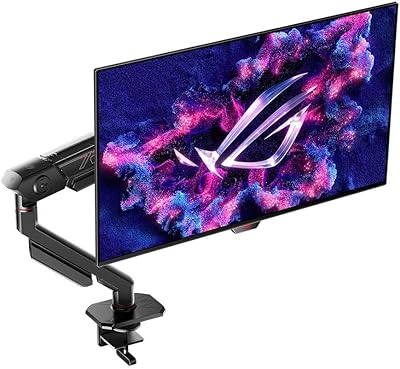
Bundling the VESA kit in the box is appreciated and removes an annoying extra purchase that some monitor brands force on buyers who prefer arms over the stock stand. The mount pattern is standard and broadly compatible with quality third-party arms.
Buyers using ultra-heavy or extended monitor arms note that the 13.7-pound total weight sits at the upper range of what many mid-tier arms can comfortably handle. Arm buyers should verify weight capacity before assuming their existing hardware will work without additional investment.

Suitable for:

The ASUS ROG PG27AQDP 27-inch OLED Gaming Monitor was built for a specific kind of buyer, and if you fit the profile, it's hard to argue against it. Competitive PC gamers who play fast-paced shooters like CS2, Valorant, or Apex Legends at high frame rates will notice an immediate, tangible difference over any 240Hz IPS panel they're coming from — the combination of 480Hz and true OLED pixel response is not subtle. You do need the GPU to back it up, though; think RTX 4080 or above to consistently push the kind of frame rates that justify the display's ceiling. It's also a genuinely strong pick for the dual-use crowd — anyone who games hard but also does color-sensitive creative work will appreciate the factory-calibrated accuracy and wide color gamut without needing a separate display. Upgraders coming from a 144Hz or 240Hz IPS setup will find the contrast difference alone worth the move, before even factoring in the refresh rate jump.
Not suitable for:

There are real scenarios where this ROG OLED monitor simply isn't the right call, and being honest about that matters at this price point. Console gamers get almost nothing from a 480Hz panel since current-gen consoles cap out well below that, making the premium largely wasted. Mid-range GPU owners face the same ceiling problem from the PC side — if your hardware tops out around 200fps at 1440p, a quality 240Hz OLED at a lower price would serve you better and leave headroom in your budget. Buyers who want dominant HDR brightness should also temper expectations: WOLED panels have inherent brightness limitations compared to high-end mini-LED monitors, so if punchy, eye-searing HDR highlights are your priority, this high-refresh WOLED display will disappoint. Finally, anyone with serious burn-in anxiety may find the ownership experience stressful — OLED panels do carry long-term static image risk, and at this price, that concern is completely reasonable.

Specifications

  • Panel Type: This monitor uses a WOLED (White OLED) panel, which adds a white subpixel to the standard RGB cluster to improve brightness output while retaining true per-pixel black levels.
  • Screen Size: The active display area measures 26.5 inches diagonally, though ASUS markets this unit under the 27-inch category.
  • Resolution: Native resolution is 2560x1440 (QHD), delivering a pixel density well-suited to the 26.5-inch panel size for sharp, detailed visuals.
  • Refresh Rate: The panel supports a maximum refresh rate of 480Hz, currently the highest available on any 1440p OLED gaming monitor.
  • Response Time: Gray-to-gray response time is rated at 0.03ms, which effectively eliminates trailing and ghosting in fast-motion content.
  • HDR Standard: Certified under DisplayHDR 400 True Black, which recognizes the panel's deep black performance rather than raw peak brightness.
  • Color Gamut: Covers 99% of the DCI-P3 color space, making it suitable for both gaming and professional color-sensitive workflows.
  • Color Accuracy: Factory calibrated to a Delta E of under 2, meaning colors are accurate enough for most creative work straight out of the box.
  • Bit Depth: The panel supports True 10-bit color output, enabling over one billion displayable colors for smooth gradients and accurate HDR rendering.
  • Aspect Ratio: Standard 16:9 widescreen aspect ratio, compatible with all modern gaming resolutions and content formats.
  • Surface Coating: The screen uses a matte anti-glare coating to reduce reflections in bright environments, though this softens the image slightly compared to a glossy finish.
  • Adaptive Sync: G-SYNC Compatible certified, ensuring tear-free performance with both NVIDIA and AMD GPUs across a wide variable refresh rate range.
  • Connectivity: Includes one DisplayPort and one HDMI Ultra High-Speed port for video input, plus USB 3.2 for peripheral connections.
  • Dimensions: With the stand attached, the monitor measures 10.8 x 23.8 x 21.6 inches (D x W x H).
  • Weight: Total weight with the stand is 13.7 pounds, which is typical for a monitor of this size and build quality.
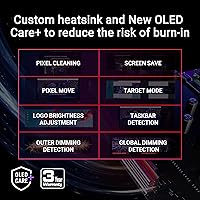
  • Special Features: Includes ROG OLED Anti-Flicker, Extreme Low Motion Blur (ELMB), a custom heatsink for panel longevity, and a built-in AI gaming assistant.
  • In the Box: Package includes a DisplayPort cable, HDMI Ultra High-Speed cable, USB 3.2 cable, power cord and adapter, VESA mount kit, microfiber cloth, ROG pouch, ROG sticker, and a color pre-calibration report.
  • VESA Compatibility: A VESA mount kit is included in the box, allowing the display to be mounted on compatible third-party arms and wall brackets.

Related Reviews

ASUS ROG Swift PG27AQDM-R 27-inch OLED Gaming Monitor

88%
94%
Display Quality
92%
Color Accuracy
91%
Refresh Rate and Response Time
88%
Build Quality
89%
Ease of Setup
More
ASUS ROG Swift PG27UCDM 27-inch Gaming Monitor
82%
96%
Image Quality
97%
Black Levels & Contrast
93%
Gaming Performance
91%
Color Accuracy
88%
Text Clarity
More
ASUS ROG Strix XG27ACS 27-inch Gaming Monitor
79%
91%
Image Clarity & Sharpness
89%
Motion Performance & Refresh Rate
86%
Color Accuracy & Vibrancy
47%
HDR Performance
88%
Adaptive Sync & G-Sync Compatibility
More
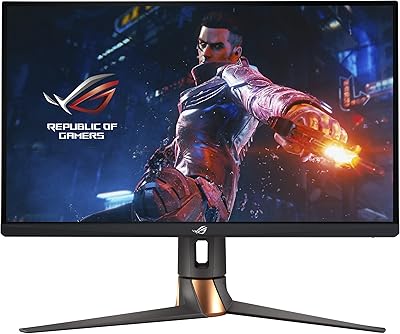
ASUS ROG Swift PG279QM 27-inch 1440p Gaming Monitor
86%
93%
Display Quality
95%
Performance for Gaming
89%
Build Quality
91%
Color Accuracy
72%
Ease of Setup
More
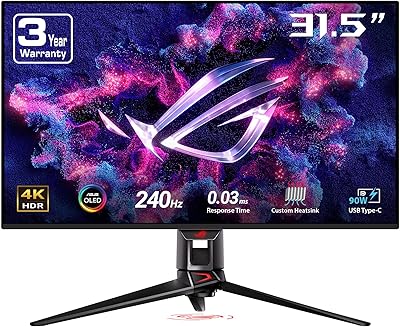
ASUS ROG Swift PG32UCDM 32-inch OLED Monitor
82%
96%
Image Quality
93%
Motion Performance
94%
Color Accuracy
78%
HDR Performance
74%
Burn-In Risk & Longevity
More
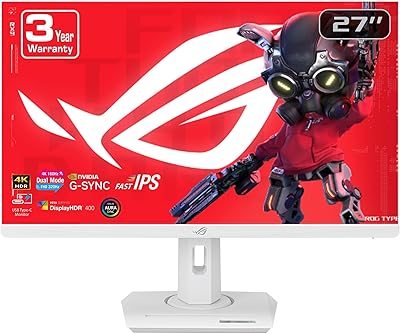
ASUS ROG Strix XG27UCG-W 27-inch Gaming Monitor

79%
91%
Display Clarity
88%
Dual Mode Versatility
89%
Response Time & Motion
87%
Color Accuracy
61%
HDR Performance
More
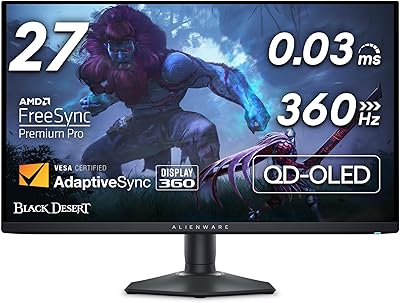
Alienware AW2725DF 27-inch OLED Gaming Monitor
89%
96%
Display Quality
94%
Gaming Performance
92%
Color Accuracy
90%
Build Quality
88%
Ease of Setup
More
ASUS VZ279QG1R 27-inch 1080P Gaming Monitor
83%
88%
Gaming Performance
91%
Smooth Visuals (Motion Blur Reduction)
93%
Value for Money
80%
Build Quality
85%
Display Quality (Color Accuracy, Brightness)
More
ASUS ROG Strix XG27AQMR 27” Gaming Monitor
87%
94%
Gaming Performance
91%
Visual Quality
88%
Build Quality
96%
Refresh Rate & Response Time
87%
Color Accuracy
More
LG 27GX790A-B 27-inch OLED Gaming Monitor
80%
94%
Motion Clarity
92%
Image Quality
88%
HDR Performance
89%
Connectivity
86%
Ergonomics & Stand
More

FAQ

It is genuinely 26.5 inches measured diagonally. ASUS rounds up and markets it as a 27-inch class monitor, which is a common industry practice. It will not look noticeably smaller in use, but if you were comparing it directly on a ruler to a true 27-inch panel, you would see the slight difference.

To consistently push 400-plus frames per second at 1440p in demanding titles, you realistically need something in the RTX 4080 or RTX 4090 tier on the NVIDIA side, or an RX 7900 XTX from AMD. In less demanding or older competitive titles like CS2 or Valorant, high frame rates are more attainable, but for AAA games at max settings, the 480Hz ceiling is genuinely hard to reach.

Burn-in on OLED panels is a real concern but tends to be overstated for typical gaming use. The main risk comes from leaving high-contrast static elements on screen for extended periods — think a persistent HUD, taskbar, or desktop wallpaper for hundreds of hours. ASUS includes a custom heatsink and pixel-care technologies to mitigate degradation. If you are someone who leaves a static screen on for long stretches, it is worth enabling screensavers or display timeouts as a habit.

It will connect and display an image from current-gen consoles via HDMI, but the benefits are limited. PS5 and Xbox Series X typically max out at 120fps, and most titles run at 60fps, so the 480Hz panel is almost entirely wasted in that setup. It will still look beautiful thanks to the OLED contrast, but you would be paying for a lot of capability you cannot use.

The matte coating does a solid job of controlling reflections in brighter rooms, which is genuinely useful for a desktop setup. The trade-off is a slight diffusion of the image — some users feel it takes the sharpness and punch out of what OLED panels can produce. If you have controlled lighting in your space, a glossy OLED would look more vivid, but the matte finish is a practical choice for most real-world desk environments.

The AI assistant is designed to provide contextual tips and performance suggestions during gameplay, essentially acting as an overlay advisor. In practice, the majority of users find it more of a novelty than a tool they rely on regularly. It is not a reason to buy or avoid this display — think of it as a bonus feature that some will find occasionally useful and most will ignore after the first week.

To reach 480Hz at 1440p, you need to use the DisplayPort connection. The included HDMI Ultra High-Speed cable supports high refresh rates but tops out at 144Hz for this resolution. Always use DisplayPort from a compatible GPU if hitting the panel's maximum refresh rate is your goal.

This is worth being straightforward about: WOLED panels are not brightness powerhouses. The DisplayHDR 400 True Black certification is earned through near-perfect black levels rather than high peak luminance. High-end mini-LED monitors can hit significantly brighter specular highlights in HDR content. If punchy, high-brightness HDR is your primary use case, this ROG OLED monitor is not the strongest option in the market — but for gaming where contrast depth matters more than raw brightness, it holds its own very well.

It works well for creative work, probably better than most buyers expect. The factory calibration brings Delta E under 2 out of the box, which is genuinely print-ready accuracy for most workflows, and 99% DCI-P3 coverage means color-critical editing is viable without additional calibration hardware. It is not a purpose-built studio monitor, but for someone who games most of the time and edits occasionally, it handles both roles competently.

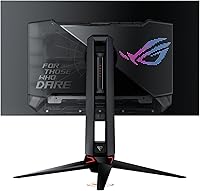
Yes, the included ROG stand offers height adjustment, tilt, and swivel adjustments to accommodate a wide range of desk setups and seating positions. If you prefer a third-party monitor arm, the included VESA mount kit makes that straightforward to set up without any extra purchases.

Where to Buy