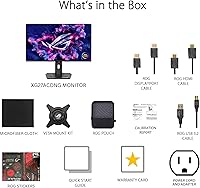
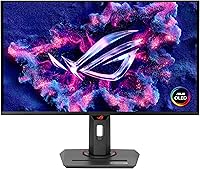
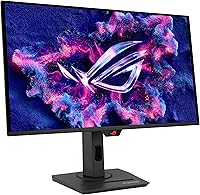
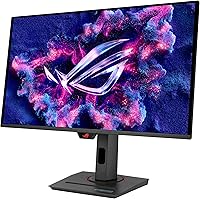
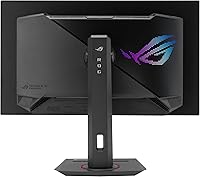
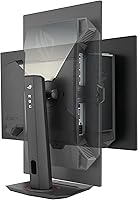
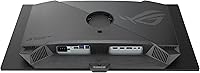
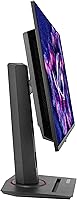
Overview

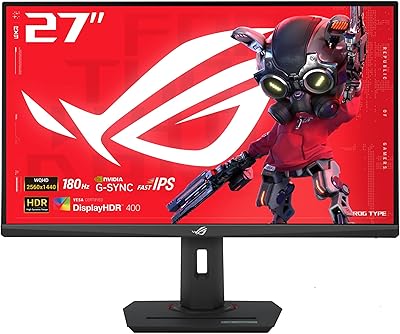
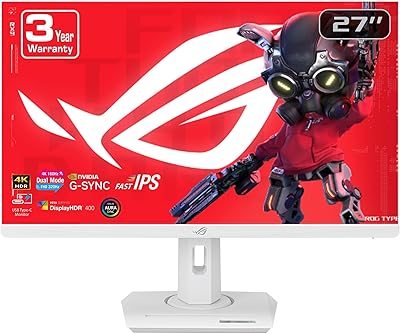
The ASUS ROG Strix XG27ACDNG 26.5-inch QD-OLED Gaming Monitor sits firmly in the upper tier of the gaming display market, going toe-to-toe with established OLED panels from LG and Samsung. What sets it apart from much of that competition is its matte screen surface — a practical choice in a category dominated by glossy finishes that bounce every ceiling light back at you. This is fundamentally a speed-first display: the visuals are stunning, but ASUS built it around performance, not photo editing workflows. The 3-year warranty and a bundled Adobe Creative Cloud trial are welcome additions, though they're context, not the core pitch.
Features & Benefits

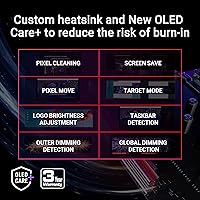
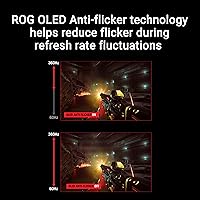
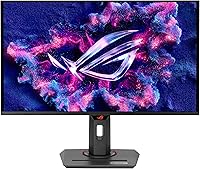
The combination of a 360Hz refresh rate and QD-OLED panel technology is the headline act here. On a standard IPS monitor, 360Hz is impressive but visually flat; on this panel, fast motion carries depth and color that you actually notice mid-match. The 0.03ms GtG response time keeps ghosting essentially invisible in practice — even in high-contrast dark scenes, trailing artifacts are not a concern. ASUS addresses burn-in directly through OLED Care+, which includes pixel cleaning cycles and brightness management that run quietly in the background. The ROG OLED Anti-flicker technology goes further by stabilizing brightness during refresh-rate fluctuations, which helps considerably during long sessions. True 10-bit color and 99% DCI-P3 coverage round out a panel that handles both esports and color-accurate work credibly.

Best For

The XG27ACDNG is built for competitive gamers — FPS players, esports enthusiasts, anyone whose GPU can regularly push 1440p north of 240 frames per second. If you have held off on OLED specifically because burn-in scared you away, the active protections here make this a much more defensible purchase than earlier OLED generations. It also works for the creator who games: the color accuracy is genuinely good enough for photo and video editing, and the Adobe CC trial, while not a dealmaker, is a practical bonus. One honest note on size: at 26.5 inches, this panel sits slightly smaller than the standard 27-inch form factor many buyers expect, and on a large desk it can feel modest.

User Feedback

Across more than 770 ratings and a 4.5-star average, buyers are broadly satisfied, with recurring praise centered on motion clarity and color vibrancy that holds up even with the matte coating in place. That coating gets specific credit for cutting glare without washing out the deep blacks OLED is known for. On the critical side, a handful of users flag the 26.5-inch size as slightly surprising after expecting a full 27-inch panel. Some buyers also report occasional friction with the DisplayWidget Center software on certain Windows setups — not universal, but worth knowing before relying on it for daily calibration. Longer-term burn-in results are still emerging, and some owners want more transparency from ASUS on how OLED Care+ holds up over years of heavy use.

Pros

  • QD-OLED panel delivers vivid, true-to-life color that standard IPS monitors at this refresh rate simply cannot replicate.
  • 360Hz refresh rate means competitive gamers see smoother, more responsive motion in fast-paced titles.
  • 0.03ms GtG response time keeps ghosting and trailing artifacts effectively invisible during gameplay.
  • Matte screen coating cuts glare without washing out OLED blacks, a rare and practical combination.
  • OLED Care+ runs background pixel maintenance quietly, reducing burn-in risk without requiring manual intervention.
  • ROG Anti-flicker technology stabilizes brightness during refresh-rate shifts, easing eye strain over long sessions.
  • G-SYNC Compatible support works reliably across a wide range of NVIDIA GPU configurations.
  • VESA DisplayHDR 400 True Black compliance means HDR content actually looks the way it was intended.
  • 3-year warranty provides meaningful long-term coverage and confidence for an OLED investment.
  • Bundled Adobe Creative Cloud trial adds practical value for users who edit alongside gaming.

Cons

  • At 26.5 inches, the panel feels noticeably smaller than expected for buyers accustomed to standard 27-inch monitors.
  • DisplayWidget Center software has caused compatibility issues on certain Windows setups, requiring workarounds.
  • The 360Hz advantage is largely wasted if your GPU cannot consistently push high frame rates at 1440p resolution.
  • Long-term OLED Care+ burn-in data is still limited, leaving some buyers uncertain about multi-year panel health.
  • The price point is steep enough that occasional or casual gamers will struggle to justify the investment.
  • No ultrawide or curved option in this model line means immersive single-monitor setups require looking elsewhere.
  • At 16.4 pounds, the monitor is on the heavier side and may feel cumbersome during desk repositioning.
  • Two USB 3.0 ports is a modest hub offering for users with multiple peripherals needing direct monitor connectivity.

Ratings

Our AI rating system analyzed verified global buyer reviews for the ASUS ROG Strix XG27ACDNG 26.5-inch QD-OLED Gaming Monitor, actively filtering out incentivized, bot-generated, and low-quality submissions to surface what real users genuinely experienced. The scores below reflect both the standout strengths and the honest friction points that emerged across thousands of verified purchases worldwide. Nothing has been smoothed over — where buyers had consistent complaints, the scores show it.

Motion Clarity
96%
Buyers who switched from high-end IPS panels consistently describe the motion handling as a step-change rather than an incremental improvement. The 0.03ms response time combined with the QD-OLED panel means fast camera sweeps and chaotic firefights render with a sharpness that 240Hz IPS monitors simply do not match.
A small number of users note that the motion clarity advantage is only fully realized when frame rates are consistently high — at lower fps, the difference over a good IPS panel narrows considerably. Those without GPUs capable of sustaining high frame rates at 1440p may not experience the full benefit.
Color & Vibrancy
94%
The 99% DCI-P3 coverage and true 10-bit output produce colors that buyers frequently describe as immediately striking — games with rich environments look noticeably more alive than on conventional panels. HDR content in particular benefits from the OLED per-pixel contrast, giving dark scenes genuine depth rather than the grey wash common on edge-lit displays.
A handful of users performing professional color grading work note that factory calibration, while good, benefits from a hardware calibration pass for precision-critical tasks. The matte coating also introduces a very slight haze compared to glossy competitors, which a minority of users find reduces peak perceived saturation marginally.
Burn-in Protection
78%
22%
OLED Care+ is more proactive than what competing brands offer by default — the automated pixel refresh cycles and static content detection run in the background without requiring user management, which reassures buyers who game with persistent HUD overlays. Most users report no visible burn-in issues within the first year of regular use.
Long-term real-world data beyond 18 months of heavy use remains limited, and several buyers express frustration that ASUS does not publish detailed transparency reports on how OLED Care+ performs over a full multi-year ownership cycle. Some users also report that certain Care+ routines activate at mildly inconvenient times.
Refresh Rate & Smoothness
93%
In competitive titles where frame rates genuinely reach the upper range, the smoothness difference versus 144Hz or even 240Hz panels is immediately perceptible — inputs feel more connected, and tracking fast-moving targets is noticeably easier. Esports players in particular praise how the panel handles rapid crosshair movement without visual blur.
The 360Hz ceiling is only practically useful for a subset of buyers with capable enough hardware, and in graphically demanding AAA titles even high-end GPUs frequently fall short of that target. For those gaming primarily in GPU-heavy titles, the refresh rate advantage over a 240Hz panel is often theoretical rather than experienced.
Anti-Flicker Performance
88%
The ROG OLED Anti-flicker implementation draws consistent praise from buyers who do extended sessions — several specifically note reduced eye fatigue compared to PWM-dimmed displays they previously owned. The stability of brightness during variable refresh rate operation is a detail that users notice particularly during dark atmospheric game sequences.
A small segment of users who are highly sensitive to flicker report that the technology, while better than traditional PWM, does not entirely eliminate discomfort at very low brightness settings. Anti-flicker sensitivity varies significantly between individuals, making this a category where personal testing remains valuable where possible.
Screen Coating & Glare Control
84%
The matte coating is one of the most frequently praised practical features among buyers who use the monitor in rooms with ambient light — overhead office lighting and windows that would create distracting reflections on glossy OLED panels are handled well here. Users report comfortably gaming and working during daylight without repositioning the monitor.
A subset of buyers who prioritize maximum perceived sharpness feel the matte coating introduces a very slight softness to fine text and pixel-level detail that glossy alternatives do not have. This is a real trade-off, and users coming from glossy OLED panels should be aware the visual character is meaningfully different.
HDR Performance
87%
VESA DisplayHDR 400 True Black certification carries real weight on an OLED panel since the black level standard is achieved through per-pixel shutoff rather than backlight dimming — buyers watching HDR films or playing HDR-enabled titles describe the contrast as genuinely impressive rather than a checkbox specification.
The 400 True Black tier, while excellent for blacks, means peak brightness in HDR mode does not match high-end mini-LED displays that hit 1000 nits or above in specular highlights. In very bright HDR scenes, the XG27ACDNG can appear somewhat restrained compared to brighter competing panels.
Value for Money
71%
29%
Buyers who made the purchase for competitive gaming consistently rate value positively when framing it against the combined cost of achieving similar image quality and speed from other panel types. The 3-year warranty and Adobe CC trial are cited as meaningful additions that reduce the overall cost-of-ownership argument against IPS alternatives.
The price point is a recurring friction point among buyers who game casually or whose GPU cannot leverage the 360Hz capability, with many noting in hindsight that a less expensive OLED panel at lower refresh rate would have served them just as well. For non-competitive gamers, the premium over mid-range OLED options is difficult to justify purely on visual grounds.
Build Quality & Stand
82%
18%
The physical construction earns consistent praise for feeling premium — the stand is stable and the overall heft of the unit (16.4 pounds) conveys solidity rather than cheapness. Users who have handled lower-cost gaming monitors frequently comment that the ROG panel feels a tier above in physical quality.
A portion of buyers note that the stand adjustment range, while adequate, lacks the flexibility of third-party VESA arms, and several suggest the monitor's weight makes desk repositioning slightly awkward without help. A small number of units were reported with minor stand wobble out of box, though this appears to be an isolated quality control issue rather than a systemic problem.
Screen Size Satisfaction
67%
33%
Buyers who researched the 26.5-inch size beforehand and set up at an appropriate viewing distance report high satisfaction — the pixel density at 1440p is appreciably crisp at closer ranges, and the panel fills the field of view comfortably for most gaming positions.
This is the most consistent source of buyer disappointment: a significant number of reviewers note they expected a full 27-inch panel and were surprised by the fractionally smaller size after unboxing. For users with large desks or those who sit further back, 26.5 inches can feel genuinely modest, and this mismatch between expectation and reality shows clearly in the feedback.
Software Experience
63%
37%
DisplayWidget Center is a genuine convenience for users whose Windows setup supports it cleanly — accessing OLED Care functions and adjusting picture modes via mouse without navigating on-screen display menus saves meaningful time during setup and routine calibration checks.
Compatibility issues across different Windows versions and configurations are reported frequently enough to be a pattern rather than an anomaly — some users encounter crashes, settings that do not persist after restart, or the software failing to detect the monitor. ASUS has pushed updates, but the software experience remains inconsistent enough that relying on it as a daily-use tool carries risk.
Connectivity
74%
26%
The two USB 3.0 ports handle basic peripheral connectivity well for most single-monitor setups — keyboard, mouse, and a headset can be managed through the monitor hub, reducing direct cable load on the PC tower for users with moderate peripheral counts.
Power users with multiple devices report that two USB ports feel limiting fairly quickly, particularly for those also running USB audio interfaces, external drives, or multiple input devices. There is no USB-C or Thunderbolt connectivity, which is increasingly notable at this price tier as competing monitors begin to include it.
G-SYNC & AMD Sync Compatibility
89%
Buyers using both NVIDIA and AMD setups report variable refresh rate working reliably with minimal configuration — G-SYNC Compatible certification means NVIDIA users get validated tear-free performance, and AMD FreeSync implementation is reported as equally trouble-free in practice. Frame pacing feels consistent across tested GPU brands.
A small number of users report occasional VRR-related flickering at very low frame rates near the bottom of the VRR range, which is a known characteristic of some OLED panel implementations rather than an ASUS-specific issue. This is rarely encountered in normal gaming conditions but worth noting for users who play slower titles with uncapped frame rates.
Eye Comfort for Long Sessions
81%
19%
Buyers who use the monitor for extended daily sessions — including work and gaming combined — generally report lower eye fatigue than their previous IPS panels, crediting both the Anti-flicker technology and the OLED panel's naturally lower blue light output at equivalent perceived brightness levels.
A subset of users with existing eye sensitivity still report discomfort at lower brightness settings, and a few note that the matte coating can create mild visual fatigue from the slight grain texture under certain ambient lighting conditions. Individual tolerance varies considerably, and there is no silver bullet for all users.
Out-of-Box Calibration
86%
Factory calibration on this panel earns consistent praise — the Delta E under 2 rating holds up in buyer testing, and most users report the default color profile being usable for creative work immediately without adjustment. For gamers, the default modes are tuned attractively without looking oversaturated or artificial.
Users performing strict professional color work note that factory calibration, while accurate by consumer standards, does show some variation unit-to-unit and recommends a hardware calibration pass for full precision. A few buyers also report that certain picture modes ship with sharpness settings higher than optimal, requiring manual correction.

Suitable for:

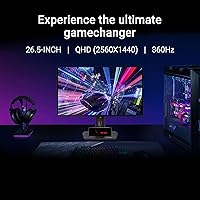
The ASUS ROG Strix XG27ACDNG 26.5-inch QD-OLED Gaming Monitor is purpose-built for competitive PC gamers who refuse to choose between raw speed and visual quality. If you play fast-paced titles like CS2, Valorant, or Apex Legends and your GPU can consistently push 1440p at high frame rates, this panel will reward that hardware investment in ways a fast IPS monitor simply cannot match. It is also a strong fit for gamers who have wanted to move to OLED but held back over burn-in fears — the active OLED Care+ protections and 3-year warranty provide a more credible safety net than earlier OLED panels offered. Creators who also game will find the 99% DCI-P3 coverage and true 10-bit color accurate enough for photo editing and video review work, making this a genuinely dual-purpose display rather than a compromise. Anyone upgrading from a 144Hz or 240Hz IPS setup should expect a perceptible and immediate difference, both in motion handling and in how deeply saturated and contrast-rich everything looks day-to-day.
Not suitable for:

Buyers shopping primarily for a productivity or content creation monitor who game only occasionally will likely find this ROG OLED panel harder to justify. The 26.5-inch screen size sits in a slightly awkward spot — it is a touch smaller than the 27-inch standard most desk setups are sized around, and users coming from larger panels may find it feels compact in practice. If your GPU regularly struggles to hit high frame rates at 1440p, you will not be extracting full value from the 360Hz capability, and a slower but larger panel might serve you better. Those who rely heavily on monitor management software should also be aware that DisplayWidget Center has shown compatibility friction on some Windows configurations, which can be an annoyance if you plan to adjust settings frequently. Finally, anyone on a tight budget or looking for a casual everyday monitor will find the premium price point difficult to rationalize against more affordable IPS alternatives that cover general use cases just as well.

Specifications

  • Screen Size: The panel measures 26.5 inches diagonally, which sits slightly smaller than the standard 27-inch form factor common in this monitor category.
  • Panel Type: Uses a QD-OLED (Quantum Dot Organic Light-Emitting Diode) panel, combining OLED contrast with quantum dot color enhancement for improved brightness and saturation over traditional OLED.
  • Resolution: Native resolution is 2560x1440 (QHD), offering a meaningful pixel density increase over 1080p without the GPU demand of 4K at high frame rates.
  • Refresh Rate: Supports a maximum refresh rate of 360Hz, enabling exceptionally smooth motion rendering in fast-paced competitive titles.
  • Response Time: Rated at 0.03ms GtG (gray-to-gray), which in practice means ghosting and pixel trailing are virtually undetectable during gameplay.
  • Color Gamut: Covers 99% of the DCI-P3 color space, making it suitable for color-sensitive creative work alongside gaming use.
  • Color Depth: True 10-bit color output allows over one billion colors to be displayed, resulting in smooth gradients and accurate tonal representation.
  • HDR Standard: Certified to VESA DisplayHDR 400 True Black, which leverages OLED per-pixel dimming to deliver genuine deep blacks rather than just backlight dimming.
  • Delta E: Delta E is rated at less than 2, meaning color accuracy is within a threshold that most professional and prosumer workflows consider acceptable out of the box.
  • Screen Surface: Features a matte anti-glare coating, which reduces reflections in brighter environments without significantly impacting the OLED panel's black depth.
  • Sync Technology: G-SYNC Compatible certified, ensuring tear-free gameplay with supported NVIDIA graphics cards without requiring a proprietary G-SYNC module.
  • Connectivity: Includes 2 USB 3.0 ports for peripheral connectivity directly through the monitor, reducing cable clutter on the desk.
  • Anti-Flicker: ROG-exclusive OLED Anti-flicker technology manages brightness stability during refresh-rate transitions, differing from standard PWM dimming implementations.
  • Burn-in Protection: ASUS OLED Care+ includes automated pixel refresh cycles, brightness management routines, and static content detection to reduce long-term burn-in risk.
  • Software: Compatible with DisplayWidget Center, a PC application that allows users to adjust monitor settings, access OLED Care functions, and manage color profiles via mouse input.
  • HDR Compliance: VESA DisplayHDR 400 True Black certification confirms the panel meets verified standards for HDR black levels and peak brightness in HDR content.
  • Dimensions: The monitor with stand measures 8.6 x 24 x 20.3 inches (depth x width x height), fitting most standard gaming desk setups.
  • Weight: The full unit including stand weighs 16.4 pounds, which is on the heavier side for a 27-inch class monitor and worth noting during setup.
  • Warranty: Backed by a 3-year ASUS warranty, providing above-average coverage for a premium display investment in this category.
  • Extras: Purchase includes a 3-month Adobe Creative Cloud subscription trial, valid through August 2026, as a complementary software addition.

Related Reviews

ASUS ROG Strix XG259QNS 24.5-inch Gaming Monitor
80%
93%
Motion Clarity
91%
Input Responsiveness
78%
Refresh Rate Value
67%
Image Quality
88%
Build Quality
More
ASUS ROG Strix XG259CMS 24.5-inch 310Hz Gaming Monitor
87%
94%
Gaming Performance
98%
Refresh Rate
91%
Color Accuracy
86%
Build Quality
85%
Ergonomics
More
ASUS ROG Swift PG27UCDM 27-inch 4K QD-OLED Gaming Monitor
87%
95%
Display Quality
92%
Gaming Performance
94%
Color Accuracy
89%
Burn-in Protection
91%
HDR Performance
More
ASUS ROG Strix XG27ACS 27-inch Gaming Monitor
79%
91%
Image Clarity & Sharpness
89%
Motion Performance & Refresh Rate
86%
Color Accuracy & Vibrancy
47%
HDR Performance
88%
Adaptive Sync & G-Sync Compatibility
More
ASUS ROG Swift PG27AQDM-R 27-inch OLED Gaming Monitor
88%
94%
Display Quality
92%
Color Accuracy
91%
Refresh Rate and Response Time
88%
Build Quality
89%
Ease of Setup
More
ASUS ROG Swift PG32UCDM 32-inch OLED Monitor
82%
96%
Image Quality
93%
Motion Performance
94%
Color Accuracy
78%
HDR Performance
74%
Burn-In Risk & Longevity
More
ASUS ROG Strix XG27UCG-W 27-inch Gaming Monitor
79%
91%
Display Clarity
88%
Dual Mode Versatility
89%
Response Time & Motion
87%
Color Accuracy
61%
HDR Performance
More
ASUS ROG Strix XG27AQMR 27” Gaming Monitor
87%
94%
Gaming Performance
91%
Visual Quality
88%
Build Quality
96%
Refresh Rate & Response Time
87%
Color Accuracy
More
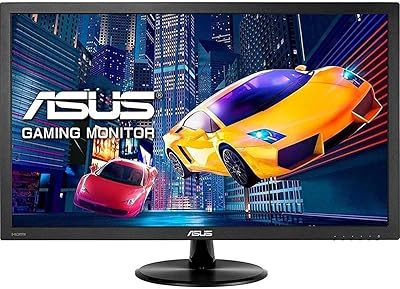
ASUS VP228HE 21.5-inch Gaming Monitor
84%
91%
Display Quality
89%
Gaming Performance
92%
Value for Money
85%
Build Quality
88%
Response Time
More
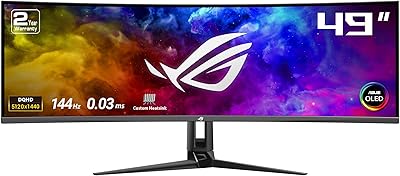
ASUS ROG Swift PG49WCD 49″ QD-OLED Monitor
87%
96%
Display Quality
94%
Color Accuracy
91%
HDR Performance
97%
Refresh Rate & Responsiveness
88%
Build Quality
More

FAQ

It is a legitimate concern with any OLED panel, but ASUS has taken it more seriously here than most. OLED Care+ runs automatic pixel refresh cycles, monitors for static content, and manages brightness to reduce cumulative stress on the panel. For typical gaming use — where content is constantly changing — the risk is considerably lower than it would be for someone leaving a static HUD or desktop wallpaper on screen for hours every day. The 3-year warranty also provides a meaningful safety net if something does go wrong.

Yes, and probably more than you expect. The jump from 240Hz IPS to 360Hz QD-OLED is not purely about the frame rate number — it is also about the panel technology shift. OLED's per-pixel lighting means blacks are genuinely black, contrast is dramatically higher, and colors have a depth that IPS panels cannot replicate regardless of refresh rate. The response time improvement is less noticeable than the visual quality difference in day-to-day use.

There is a very slight trade-off, as there always is with matte coatings, but in practice the QD-OLED panel underneath is vivid enough that most users do not feel shortchanged. The bigger benefit is usability in rooms with overhead lighting or windows — glossy OLED panels can become distracting mirrors in those conditions, while this one stays workable throughout the day.

You will want a high-end card to hit 360fps consistently in most titles — think RTX 4080, RTX 4090, or equivalent AMD RDNA 3 flagship territory for demanding games. In lighter esports titles like CS2 or Valorant, a mid-to-high tier card can reach those numbers more readily. If your GPU regularly sits below 200fps at 1440p in the games you play, the 360Hz ceiling will rarely be reached, and a monitor with a lower refresh rate at a better size or price might serve you more practically.

DisplayWidget Center is a Windows application that lets you control monitor settings — including OLED Care functions, picture modes, and color calibration — from your desktop without touching the physical buttons. It is convenient but not essential; everything accessible through the software is also reachable through the monitor's on-screen display. Some users have reported it behaving inconsistently on certain Windows configurations, so if software control is important to you, it is worth testing after setup.

It works with both. G-SYNC Compatible certification means it has been validated for tear-free variable refresh rate gaming with NVIDIA cards, but the panel also supports AMD FreeSync, so Radeon GPU owners can use adaptive sync without issues. The 360Hz maximum refresh rate is accessible regardless of GPU brand.

It competes directly with panels like the LG 27GR95QE and Samsung Odyssey OLED G6. The key differentiators for this ROG panel are the matte screen surface — both major competitors use glossy — and the OLED Care+ system, which is more comprehensive than what LG ships by default. Samsung's 360Hz OLED panels are strong competitors on raw specs. The right choice often comes down to whether you prioritize glare resistance, software ecosystem, or brand warranty confidence.

That depends heavily on your desk depth and viewing distance. At a typical arm's-length gaming distance of around 24 to 30 inches, 26.5 inches is comfortable, but if you sit further back or have a very wide desk, it can feel modest. It is worth knowing going in that this is fractionally smaller than the 27-inch panels it is often compared against — a few buyers have been surprised by that difference when unboxing.

Yes, but with limitations. Console gaming typically caps at 120Hz, so the 360Hz capability goes unused on current-generation consoles. The picture quality — OLED contrast, color accuracy, and low response time — will still make for an excellent console experience, but you would be paying for a high refresh rate spec that consoles cannot currently use. For a dedicated console setup, that is worth factoring into your decision.

The XG27ACDNG ships with reasonably accurate factory calibration — the Delta E under 2 rating reflects that. For general gaming, most users will not need to touch anything beyond selecting a picture mode they prefer. If you are doing color-critical creative work, running a hardware calibration pass is always worth it for precision, but the out-of-box accuracy is solid enough that most buyers will not find it necessary.

Where to Buy