Overview

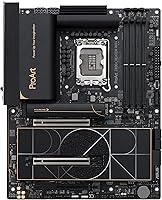
The ASUS ProArt Z890-CREATOR WIFI ATX Motherboard represents ASUS's creator-focused answer to Intel's Arrow Lake platform, landing squarely in enthusiast territory rather than chasing gaming glory. Where ROG courts overclockers and Prime targets budget builders, the ProArt line has always catered to professionals who treat their workstation as a production tool. Built around the LGA 1851 socket, this Z890 board supports Intel Core Ultra Series 2 processors and arrived alongside Intel's Arrow Lake launch in late 2024. Be clear-eyed going in: this creator motherboard is priced accordingly, and its feature set reflects that — dense, deliberate, and built for workloads that demand sustained reliability over flashy aesthetics.
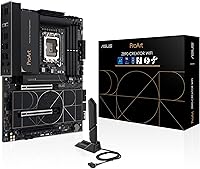
Features & Benefits

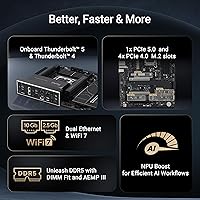
What sets the ProArt Z890-CREATOR apart is how its specs translate into practical advantages rather than just impressive on-paper numbers. The dual Thunderbolt 5 ports are the headline — if you regularly move 4K or 8K raw footage to external drives or run a Thunderbolt-connected display, the bandwidth jump over previous generations is genuinely felt. Pair that with 10 Gb wired Ethernet and WiFi 7 for a studio setup that never becomes a bottleneck. Five M.2 slots — including one PCIe 5.0 — handle multi-drive NVMe configurations without adapters. The 16+2+1+2 power stages keep sustained loads stable, and AI-assisted overclocking tools let less experienced builders extract performance without diving deep into manual BIOS tweaking. ProArt Creator Hub's Pantone integration rounds it out for color-critical work.

Best For

This Z890 board makes the most sense for a specific type of builder. Video editors, motion graphics artists, and photographers who live inside DaVinci Resolve or Premiere Pro will appreciate the combination of fast NVMe throughput and Thunderbolt 5 peripheral support. AI developers running local inference workloads stand to benefit from NPU Boost and the board's robust power delivery. It also suits professionals who rely on Thunderbolt-connected audio interfaces, external SSDs, or high-resolution displays daily. ASUS Control Center Express offers USB port management and software blacklisting — practical for shared workstations or controlled studio environments. If you are simply building a gaming rig, the price premium here buys features you may never actually touch.

User Feedback

Across 261 ratings, the ProArt Z890-CREATOR holds a 4.4-star average — strong, though not without reservations. Buyers consistently highlight build quality and connectivity breadth, with many noting the BIOS is more approachable than expected for a board at this level. Stable out-of-the-box performance earns repeated praise, particularly at standard DDR5 speeds. On the critical side, some users find Creator Hub software bloated, and a handful reported initial BIOS quirks when pairing with Arrow Lake CPUs — checking for a firmware update before first boot is a sensible precaution. Running DDR5 at the upper speed ceiling sometimes required manual tuning to stabilize. Overall, feedback reflects the positioning: a well-executed premium board with minor software friction.

Pros

  • Dual Thunderbolt 5 ports deliver real-world bandwidth gains for large file transfers and high-res external displays.
  • Five M.2 slots, including one PCIe 5.0, handle complex multi-drive NVMe storage configurations without adapters.
  • 10 Gb Ethernet and WiFi 7 together cover both wired studio and flexible wireless setups thoroughly.
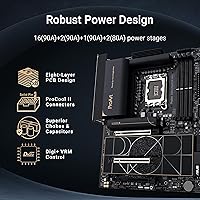
  • The 16+2+1+2 power stage design keeps CPU delivery stable even under long, sustained creative workloads.
  • AI Overclocking and AI Cooling tools make performance tuning approachable without deep manual BIOS expertise.
  • Pantone color management integration inside Creator Hub is a practical differentiator for display-sensitive professionals.
  • ASUS Control Center Express adds enterprise-lite USB management and software controls rarely seen at this price tier.
  • Build quality consistently earns praise from buyers, with solid component choices throughout.
  • BIOS is notably approachable for a board at this feature level, reducing setup friction.
  • NPU Boost support positions this Z890 board well for AI workloads tied to Intel Core Ultra Series 2.

Cons

  • Creator Hub software feels bloated to users who only want basic system control without the full suite.
  • Some Arrow Lake CPU pairings require a BIOS update before stable first boot, which can catch new builders off guard.
  • Hitting DDR5 speeds near the 9066 MHz ceiling often requires manual tuning rather than simple plug-and-play XMP.
  • The premium price is difficult to justify if Thunderbolt 5 and creator-focused features are not part of your actual workflow.
  • ATX form factor limits case compatibility compared to smaller board options on the same platform.
  • AI feature branding can feel more like marketing than meaningful automation for users with specific manual tuning preferences.
  • Limited appeal for pure gaming builds where most of the flagship connectivity goes completely unused.
  • Initial setup learning curve exists for less experienced builders despite the generally accessible BIOS.

Ratings

The scores below for the ASUS ProArt Z890-CREATOR WIFI ATX Motherboard were generated by our AI system after analyzing verified global buyer reviews, actively filtering out incentivized, duplicate, and bot-driven submissions to surface authentic experiences. Each category reflects both the genuine strengths users praised and the friction points they flagged — nothing has been smoothed over or inflated. Whether this creator motherboard fits your build or falls short depends heavily on your workflow, and these scores are designed to tell you exactly where it delivers and where it asks for patience.

Build Quality
91%
Buyers across multiple regions consistently highlight the physical construction as one of the board's strongest points. The reinforced PCIe slots, ProCool II power connectors, and solid capacitor choices give it a reassuring density that feels appropriate for a long-term workstation investment rather than a board you expect to swap out in two years.
A small number of users noted minor cosmetic inconsistencies on the I/O shield and backplate finish, which feels slightly at odds with the premium price tier. Nothing structural, but noticeable if you are particular about fit and finish in an open-frame or windowed case build.
Connectivity Breadth
94%
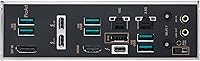
The combination of dual Thunderbolt 5, one Thunderbolt 4, 10 Gb and 2.5 Gb Ethernet, and WiFi 7 is genuinely difficult to match on any competing Z890 board at this price point. Professionals who daisy-chain Thunderbolt drives, run high-resolution external displays, and need wired 10 Gb throughput simultaneously find this board covers every base without requiring add-in cards.
The sheer density of rear I/O can make cable management a challenge in tighter cases, and a few users wished for more standard USB-A ports alongside the high-speed options. For builders whose peripherals are still largely USB-A based, the rear panel layout feels slightly future-forward at the expense of present-day convenience.
BIOS Experience
83%
Most buyers describe the BIOS as more approachable than expected for a board this feature-rich. Navigation is logical, the AI Overclocking profiles are easy to apply, and BIOS FlashBack removes the anxiety of first-boot firmware updates since you can flash without a working CPU installed.
A meaningful subset of early Arrow Lake adopters encountered stability quirks that required BIOS updates before the system posted cleanly. The issue is solvable, but it adds an unexpected step for builders who assumed plug-and-play readiness out of the box, particularly frustrating for first-time LGA 1851 builders.
DDR5 Stability
74%
26%
Running DDR5 at moderate XMP profiles — roughly 6400 to 7200 MHz — is reported as reliable and low-effort by the majority of users. For editors and AI workloads that benefit from higher memory bandwidth, this range delivers a tangible improvement over stock speeds with minimal BIOS intervention.
Pushing DDR5 toward the 9066 MHz ceiling is where the experience becomes inconsistent. Several users reported needing significant manual BIOS tuning to stabilize extreme speeds, and a few never achieved full rated speeds without accepting occasional instability — a notable caveat given the advertised maximum.
Value for Money
68%
32%
For creators who will genuinely use Thunderbolt 5, multi-drive NVMe setups, and 10 Gb networking as part of their daily workflow, the ProArt Z890-CREATOR justifies its price through feature density that would otherwise require expensive add-in cards or a full workstation platform. The long-term platform investment case is reasonable for professionals.
Buyers building general-purpose or gaming systems frequently note the price premium feels difficult to absorb when several competing Z890 boards offer similar CPU and GPU performance at a lower cost. The value equation only holds if the creator-specific features are actively used — otherwise, you are paying for connectivity that sits idle.
Thunderbolt 5 Performance
89%
Users working with Thunderbolt-connected external NVMe enclosures and high-refresh-rate displays report that Thunderbolt 5 delivers a noticeably faster file transfer experience compared to their previous Thunderbolt 4 setups. For 8K raw workflows and high-density project libraries, the bandwidth improvement translates directly into reduced wait times.
Thunderbolt 5 accessory availability was limited at launch, meaning some buyers purchased the board before their peripheral ecosystem could fully leverage it. The ports work perfectly as Thunderbolt 4 fallback connections, but the full generational benefit requires compatible drives and displays that were still emerging when this board launched.
AI & Overclocking Tools
77%
23%
AI Overclocking and AI Cooling II are appreciated by users who want improved performance without the time investment of manual BIOS tuning. For intermediate builders who know what they want to achieve but lack deep overclocking expertise, the automated profiles provide a practical shortcut that produces genuinely useful results.
Experienced overclockers tend to view the AI tools as a starting point rather than a replacement for fine-grained manual tuning, noting that the automated profiles occasionally prioritize stability conservatively at the cost of peak performance. The NPU Boost feature, while promising, was seen as more platform potential than immediately measurable real-world gain at launch.
Storage Configuration
92%
Five native M.2 slots — one PCIe 5.0 and four PCIe 4.0 — is an exceptional offering for a consumer ATX board, and users building multi-drive editing or AI training rigs consistently praise this as a standout practical feature. No bifurcation cards, no compromises — all five slots are usable simultaneously.
Some users noted that populating all five M.2 slots with drives in dense configurations can create thermal management challenges, particularly for the PCIe 5.0 slot which runs hot under sustained writes. Adequate case airflow planning becomes more important than it might be on boards with fewer slots.
Creator Hub Software
61%
39%
For users invested in the ProArt ecosystem, Creator Hub provides a genuinely unified control surface — managing fan curves, AI features, and Pantone color calibration from one place saves meaningful time in a professional workflow. Users with color-critical display setups specifically praise the Pantone integration as a real differentiator.
A significant portion of buyers find Creator Hub bloated and intrusive, particularly those who only want basic system monitoring rather than the full software suite. Several reviewers flagged that the application consumed more background resources than expected and that uninstalling individual components without breaking other functionality was not straightforward.
Networking Performance
88%
The 10 Gb Ethernet port is consistently praised by users on 10 Gb NAS or studio networking setups, delivering full throughput without needing a separate PCIe NIC. WiFi 7 performance on compatible routers is described as stable and fast, with noticeably better range and consistency than the WiFi 6E boards it replaced for several users.
The 2.5 Gb secondary LAN port, while a useful addition, occasionally confused users expecting dual 10 Gb ports given the board's price tier. A small number of WiFi 7 users reported driver stability quirks during initial Windows 11 setup that required a manual driver update to resolve.
PCIe 5.0 GPU Support
86%
Dual PCIe 5.0 x16 slots future-proof this Z890 board for next-generation GPU pairings, and current-generation GPUs run without issue at full bandwidth. Builders pairing the board with high-end discrete GPUs report clean, stable operation with no bandwidth bottlenecks even under sustained rendering or compute loads.
At the time of launch, full PCIe 5.0 GPU availability was limited, meaning most buyers were running PCIe 4.0 cards in PCIe 5.0 slots — functional but not yet realizing the slot's full potential. The benefit is real but somewhat forward-looking depending on when a buyer is reading this.
Ease of Assembly
82%
18%
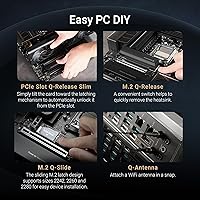
Q-Release Slim, M.2 Q-Latch, and Q-Connector are genuinely builder-friendly features that reduce the small frustrations of installing M.2 drives and front-panel connectors. Several users specifically mentioned the M.2 tool-free mechanisms as time-savers during both initial builds and subsequent drive swaps.
The board's feature density means the manual requires careful reading, particularly around M.2 slot bandwidth sharing rules and Thunderbolt port configuration. Builders who skip the documentation and rely on intuition have reported configuration surprises, especially when using multiple M.2 slots alongside specific PCIe expansion cards.
Thermal Management
79%
21%
AI Cooling II does a competent job of adjusting fan curves dynamically, and the board's VRM heatsink handles sustained workloads at stock and moderate overclock levels without thermal throttling concerns. Long rendering sessions and extended AI inference runs are reported as stable by the majority of buyers.
Under heavy simultaneous loads — CPU overclocked, multiple NVMe drives active, and PCIe 5.0 GPU under full draw — a subset of users observed higher-than-expected VRM temperatures in poorly ventilated cases. The board rewards good case airflow planning, and buyers in cramped setups should budget for additional cooling.
Security Features
81%
19%
ASUS Control Center Express covers the practical security needs of small studios and shared workstations — USB port lockdown, software blacklisting, and registry controls in a single interface. For environments where multiple people access the same machine, this is a meaningful layer of protection that most consumer motherboards simply do not offer.
The security toolset, while useful, is limited compared to genuine enterprise management platforms. IT administrators managing larger deployments found the controls adequate for basic protection but insufficient as a replacement for proper endpoint management solutions. It is studio-grade security, not enterprise-grade.

Suitable for:

The ASUS ProArt Z890-CREATOR WIFI ATX Motherboard is built for professionals who need their workstation to keep pace with genuinely demanding workflows, not just occasional heavy tasks. Video editors cutting 4K or 8K footage, motion graphics artists, and colorists will find the combination of fast NVMe storage, dual Thunderbolt 5 ports, and Pantone-integrated color management directly useful rather than theoretical. AI developers running local inference or building on Intel's NPU capabilities get robust power delivery and NPU Boost support baked in at the platform level. If your daily setup involves Thunderbolt-connected external drives, high-resolution displays, or professional audio interfaces, this Z890 board offers the kind of connectivity density that typically requires a much more expensive workstation platform. It also suits IT-conscious studio environments where USB port control and software blacklisting matter for security without the cost of a true enterprise board.
Not suitable for:

The ASUS ProArt Z890-CREATOR WIFI ATX Motherboard is a poor fit for anyone building primarily around gaming or chasing raw frame rates on a budget. Gamers get no meaningful advantage from Thunderbolt 5, 10 Gb Ethernet, or Pantone integration — those features simply go unused, making the price premium hard to justify. Budget-conscious builders upgrading to LGA 1851 will find competitive Z890 options at a lower cost that cover gaming and general use without the creator-specific overhead. Beginners who are not comfortable navigating BIOS updates should also be cautious, as some Arrow Lake CPU pairings have required firmware updates before stable first boot. Users who prefer a clean, minimal software environment may find Creator Hub more intrusive than helpful, and those running DDR5 at extreme speeds may need to invest time in manual tuning to hit the upper memory limits reliably.
Specifications

  • Socket: Uses the LGA 1851 socket, compatible with Intel Core Ultra Series 2 (generations 9, 7, and 5) desktop processors.
  • Chipset: Built on the Intel Z890 chipset, enabling full platform support for Arrow Lake CPUs and next-generation connectivity standards.
  • Form Factor: Standard ATX form factor measuring 14 x 11 x 3.4 inches, fitting most full-tower and mid-tower cases.
  • Memory Support: Supports DDR5 RAM with speeds up to 9066 MHz, providing headroom for high-bandwidth creative and AI workloads.
  • Power Delivery: Features a 16+2+1+2 teamed power stage configuration with ProCool II connectors, high-alloy chokes, and durable capacitors for stable sustained delivery.
  • Storage Slots: Includes five M.2 slots — one PCIe 5.0 and four PCIe 4.0 — supporting NVMe drives without requiring add-in adapters.
  • PCIe Slots: Provides two PCIe 5.0 x16 slots for full next-generation GPU support, with additional PCIe 4.0 expansion available.
  • Thunderbolt Ports: Equipped with two Thunderbolt 5 ports and one Thunderbolt 4 port for high-bandwidth peripheral and display connectivity.
  • Wired Networking: Dual LAN ports deliver 10 Gb and 2.5 Gb Ethernet simultaneously, covering both high-throughput studio and standard network connections.
  • Wireless: Integrated WiFi 7 provides next-generation wireless connectivity with improved throughput and reduced latency over WiFi 6E.
  • Front USB Header: Includes a USB 20Gbps front-panel header, enabling high-speed front-panel USB connectivity for compatible cases.
  • AI Features: Onboard AI tools include AI Overclocking, AI Cooling II, AI Networking II, AI Advisor, and NPU Boost for assisted system optimization.
  • Security Tools: ASUS Control Center Express provides USB port management, software blacklisting, and registry access controls for workstation-level security.
  • Creator Software: ProArt Creator Hub integrates Pantone color management utilities for one-stop control of display and creation-related system settings.
  • BIOS Features: Supports BIOS FlashBack for firmware updates without a CPU installed, along with Q-Connector and Q-Release slot mechanisms for easier builds.
  • Weight: The board weighs 5.94 pounds, consistent with a fully featured ATX motherboard at this tier.
  • Color: Ships in black, consistent with the ProArt line's professional, understated aesthetic.
  • Platform: Officially supported on Windows 11, aligning with Intel's Arrow Lake platform requirements and AI PC feature enablement.

Related Reviews
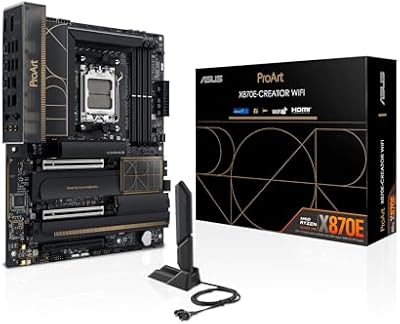
ASUS ProArt X870E-CREATOR WIFI Motherboard
87%
94%
Performance
92%
Compatibility with Ryzen Processors
91%
PCIe 5.0 and DDR5 Support
88%
Cooling Efficiency
90%
Expandability (M.2 slots, PCIe lanes)
More
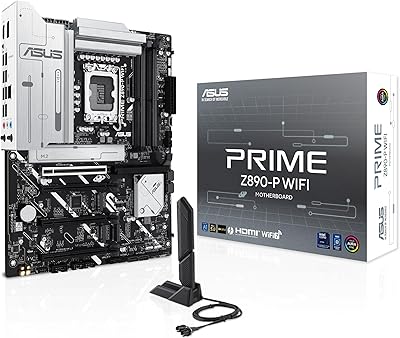
ASUS PRIME Z890-P WIFI Motherboard
87%
93%
Performance
89%
Build Quality
90%
Power Delivery Stability
91%
Connectivity (Wi-Fi 7, Thunderbolt 4)
68%
BIOS Interface Usability
More
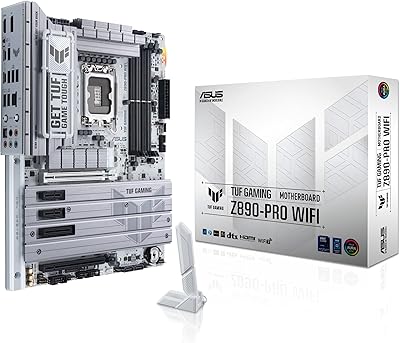
ASUS TUF Gaming Z890-PRO WiFi Motherboard
88%
94%
Performance
91%
Stability & Reliability
89%
Connectivity Options
90%
Thermal Management
72%
Ease of Setup
More
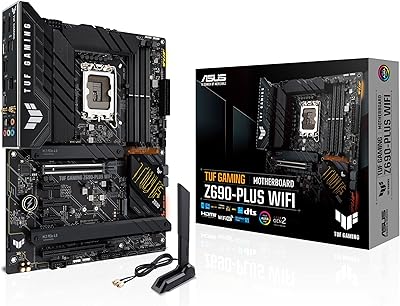
ASUS TUF Gaming Z690-Plus WiFi ATX Motherboard
86%
88%
Overall Performance
92%
Value for Money
90%
Build Quality
78%
Ease of Setup
91%
Networking Performance
More
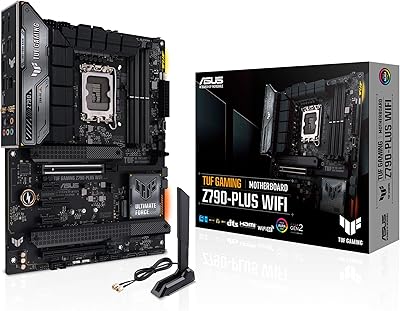
ASUS TUF Gaming Z790-Plus WiFi
89%
93%
Build Quality
91%
VRM Thermal Performance
88%
Installation Experience
94%
BIOS User Interface
86%
Storage Expandability
More
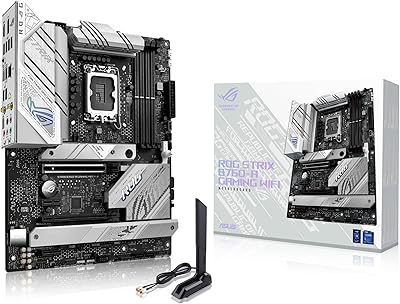
ASUS ROG Strix B760-A ATX Motherboard
82%
88%
VRM & Power Delivery
83%
DDR5 Compatibility
91%
Build & Installation Experience
86%
BIOS & Firmware
89%
Networking Performance
More
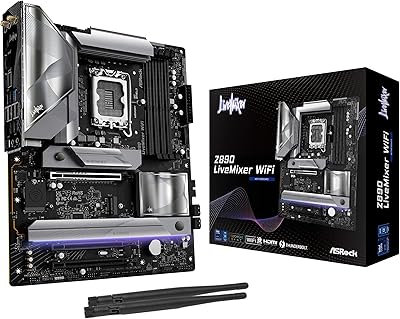
ASRock Z890 LiveMixer WiFi 7 DDR5 ATX Motherboard
87%
94%
Performance
92%
WiFi Connectivity
88%
Build Quality
89%
Overclocking Potential
91%
I/O and Port Availability
More
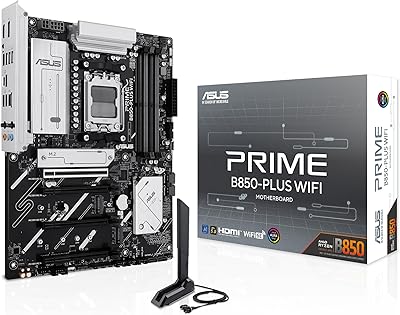
ASUS Prime B850-PLUS WiFi AMD AM5 ATX Motherboard
86%
91%
Wi-Fi Connectivity
88%
Cooling Performance
87%
Expansion Options (PCIe 5.0)
93%
Ease of Setup
89%
DDR5 Performance
More
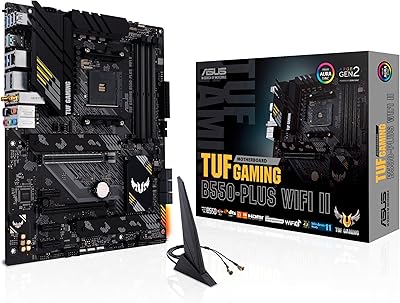
ASUS TUF Gaming B550-PLUS WiFi II ATX Motherboard
86%
88%
Overall Performance
91%
Gaming Performance
90%
WiFi & LAN Connectivity
86%
Thermal Management
89%
Build Quality & Durability
More
ASUS ROG STRIX Z890-A GAMING WIFI
91%
96%
Performance Stability
94%
Overclocking Capability
92%
Thermal Management
90%
Build Quality
88%
Ease of Installation
More

FAQ

It is strictly for Intel Core Ultra Series 2 processors on the LGA 1851 socket. LGA 1851 is a new socket and is not backward compatible with previous Intel generations like Alder Lake or Raptor Lake, so if you are upgrading from an older platform, you will need a new CPU as well.

It depends on when your board was manufactured and what firmware it shipped with. Some early units required a BIOS update for full Arrow Lake compatibility, and a handful of buyers flagged this during initial setup. If possible, check the ASUS support page for your board revision before your first boot — BIOS FlashBack lets you update without a working CPU installed, which is a useful safety net.

XMP profiles will get you a solid bump from default speeds, but pushing DDR5 to the upper ceiling near 9066 MHz often takes some manual tuning in the BIOS. Most users running DDR5 at moderate overclocked speeds — say, 6400 to 7200 MHz — report stable results without much fuss. The extreme headroom is there, but expect to spend some time dialing it in if you want to hit the maximum.

For the right workflows, it is genuinely useful. Thunderbolt 5 doubles the bandwidth of Thunderbolt 4, so if you are transferring large raw video files to an external NVMe enclosure, running a high-resolution Thunderbolt display, or daisy-chaining multiple peripherals, the difference is real and measurable. If your current setup uses USB-A drives and a DisplayPort monitor, you likely will not notice the upgrade.

Honestly, no. The board is engineered around creator and AI workloads, and most of its premium features — Thunderbolt 5, 10 Gb Ethernet, Pantone integration — add nothing to a gaming build. You would be paying a significant premium for connectivity that sits completely unused. There are strong Z890 alternatives designed specifically for gaming that deliver better value for that use case.

It is capable but polarizing. Users who actively work with color-managed displays and want one place to control fan curves, AI features, and display settings find it useful. On the other hand, several buyers describe it as bloated, especially if they only want basic system monitoring. You can run the board without it, but you lose access to some of the AI tuning features that make the ProArt platform distinctive.

You can install up to five NVMe M.2 drives natively — no adapters needed. One slot runs at PCIe 5.0 speeds, ideal for a primary OS or scratch drive, while the remaining four are PCIe 4.0, which is still very fast for secondary storage and project libraries. For editors or AI researchers who stack multiple high-speed drives, this is one of the more practical storage configurations available on a consumer board.

WiFi 7 is backward compatible, so the board will connect to your existing WiFi 6, WiFi 5, or older routers without issue. To actually take advantage of WiFi 7 speeds and improved latency, you would need a WiFi 7 router. If you are on a wired network, the 10 Gb Ethernet port is the more immediate upgrade for studio environments.

At standard ATX dimensions — 14 by 11 inches — it fits in any case rated for ATX, which covers the vast majority of mid-towers and all full towers. Just double-check your specific case specs if you are running a compact mid-tower, as some smaller cases only support Micro-ATX or Mini-ITX boards.

ASUS Control Center Express lets you disable or lock down specific USB ports, blacklist software from running, and control registry access — all from a centralized interface. It is not enterprise IT management, but for a small studio where you want to prevent unauthorized USB devices or restrict what software gets installed on a shared machine, it covers the basics without requiring a separate IT solution.

Where to Buy