Overview

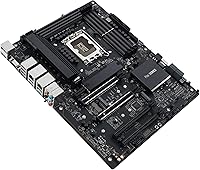
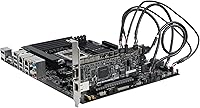
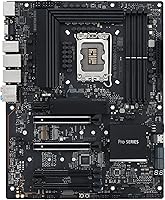
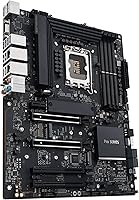
The ASUS Pro WS W680-ACE IPMI Workstation Motherboard sits in a narrow but genuinely useful category — professional workstation hardware that stops well short of full server territory. Built on Intel's W680 chipset with an LGA1700 socket, this ASUS workstation board supports 12th and 13th Gen Intel Core processors, giving buyers a capable compute foundation. What separates it from consumer Z690 or Z790 options is the explicit focus on data integrity and manageability, including ECC memory support and a bundled IPMI card that many competitors charge extra for or skip entirely. It follows standard ATX dimensions with a clean black finish.
Features & Benefits

Two PCIe 5.0 x16 slots headline the spec sheet, and they matter when pairing bandwidth-hungry GPUs or running accelerator cards for AI or rendering workloads. ECC DDR5 memory support up to 4400 MHz is arguably the more critical feature for professional use — silent memory errors during a long simulation or render job can corrupt work, and ECC prevents that. Three M.2 PCIe 4.0 slots each carry dedicated heatsinks, keeping NVMe drives from throttling under sustained load. Dual Intel 2.5Gb Ethernet handles redundant or bonded networking, while a Thunderbolt 4 header and front USB 3.2 Gen2x2 Type-C keep modern peripherals well covered.

Best For

The W680-ACE IPMI suits 3D artists and video editors who run overnight renders and genuinely cannot risk a memory error corrupting hours of work. It is also a strong option for small IT teams wanting remote workstation access via IPMI without investing in dedicated server hardware — power cycling or KVM access from another room is more useful than it sounds until you actually need it. Dual-GPU workflows in scientific computing or AI inference benefit from the PCIe 5.0 bandwidth headroom, and anyone requiring a legacy LPT port alongside modern connectivity will find this pro-grade motherboard unusually accommodating.

User Feedback

With a 4.1-star average from around 59 ratings, this pro-grade motherboard earns consistent praise for build quality and BIOS stability, and the bundled IPMI card repeatedly comes up as a standout value add. The frustrations, though, are real. First-time workstation builders flag ECC configuration as a steeper learning curve than expected, and the BIOS depth can feel overwhelming coming from a simpler consumer platform. VRM thermals under sustained multi-core loads have drawn varied opinions — adequate for most workloads, but worth monitoring in warmer environments. Buyers who know what they need generally feel the workstation premium is justified over consumer alternatives.

Pros

  • ECC DDR5 memory support actively protects data integrity during long, uninterrupted professional workloads.
  • The bundled IPMI expansion card adds genuine remote management value that most competing boards simply do not include.
  • Dual PCIe 5.0 x16 slots handle the most bandwidth-intensive dual-GPU configurations available today.
  • Three M.2 PCIe 4.0 slots each have dedicated heatsinks, keeping storage performance stable under sustained load.
  • Dual Intel 2.5Gb Ethernet ports allow for redundant or bonded networking without adding a separate card.
  • Thunderbolt 4 header support and USB 3.2 Gen2x2 Type-C keep modern peripherals and docks fully covered.
  • Build quality draws consistent praise from buyers, with solid VRM components designed for stable sustained power delivery.
  • Legacy LPT and TPM headers make this pro-grade motherboard compatible with specialized professional peripherals other boards have dropped.
  • ASUS Control Center Express gives IT administrators meaningful USB port and software management controls.
  • BIOS stability under real workstation conditions has been a recurring positive in user feedback.

Cons

  • ECC memory configuration has a steep learning curve that can frustrate builders without prior workstation platform experience.
  • The BIOS is feature-rich to the point of being overwhelming for anyone accustomed to simpler consumer board firmware.
  • VRM thermals under sustained heavy multi-core loads have produced mixed reports — active monitoring is advisable in warm environments.
  • The price premium over consumer Z690 or Z790 boards is significant, and only justifiable if the professional features are actually needed.
  • The relatively small review pool means long-term reliability data is still limited compared to more established consumer platforms.
  • IPMI setup and network configuration can be confusing for users without prior experience managing out-of-band remote access systems.
  • PCIe 3.0 secondary slots may bottleneck add-in cards that expect at least PCIe 4.0 bandwidth.
  • No integrated Wi-Fi is included despite the board targeting professionals who may work in environments without convenient Ethernet drops.

Ratings

The scores below reflect AI-driven analysis of verified global buyer reviews for the ASUS Pro WS W680-ACE IPMI Workstation Motherboard, with spam, bot-generated, and incentivized feedback actively filtered out before scoring. Each category is rated independently to give professionals a transparent picture of where this board genuinely excels and where real frustrations exist. Both the praise and the pain points are represented as they appear in the actual buyer record.

Build Quality
91%
Users consistently describe the physical construction as reassuringly substantial — heavy-gauge PCIe SafeSlots, reinforced M.2 heatsink mounts, and a VRM section that looks and feels overbuilt in the best possible way. For professionals installing and uninstalling heavy GPUs regularly, the structural integrity of the expansion slots draws specific praise.
A small number of buyers noted that the heatsink retention clips on some M.2 slots required more force than expected during initial installation, which made a few users nervous about flexing the board. Not a widespread issue, but worth handling carefully during first assembly.
ECC Memory Support
88%
For engineers and artists running overnight simulations or multi-hour renders, ECC memory working reliably and transparently is the single most important reason to choose this board over any consumer alternative. Buyers who need true error correction confirm it functions exactly as advertised once properly enabled in the BIOS.
Getting ECC fully enabled requires navigating several BIOS sub-menus that are not immediately obvious, and some users spent considerable time troubleshooting before confirming ECC was actually active. A clearer on-screen indicator or setup guide from ASUS would reduce that friction significantly.
IPMI & Remote Management
86%
The bundled IPMI expansion card is repeatedly called out as a standout inclusion — IT administrators and solo professionals working across multiple locations genuinely value being able to reboot a hung system or check hardware health remotely without driving to the office. The web-based KVM interface works on standard browsers without proprietary plugins.
Initial IPMI network configuration is not particularly beginner-friendly, and users unfamiliar with dedicated management networks or VLAN setups reported spending more time on setup than anticipated. The interface itself is functional but dated-looking compared to modern server BMC dashboards.
PCIe 5.0 Slot Performance
84%
Dual PCIe 5.0 x16 slots running simultaneously is a legitimate differentiator for dual-GPU workloads in AI inference and scientific computing, where bandwidth saturation on PCIe 4.0 systems is a real bottleneck. Early adopters using high-end NVIDIA workstation cards report clean, stable multi-GPU detection and operation.
The secondary PCIe 3.0 slots feel notably behind the times on an otherwise forward-looking board, and users adding capture cards or high-throughput networking cards in those positions occasionally hit bandwidth ceilings. Lane-sharing interactions between populated M.2 slots and PCIe slots also require careful planning.
BIOS Depth & Usability
67%
33%
Experienced workstation builders appreciate the sheer configurability on offer — fine-grained control over ECC behavior, fan curves, PCIe lane allocation, and power delivery settings rewards users who know what they are doing. BIOS stability across firmware updates has been consistently praised, with no widespread reports of update-related instability.
The BIOS is genuinely complex, and first-time workstation builders frequently describe it as overwhelming relative to consumer Z-series boards they have used before. ECC configuration in particular lacks inline guidance, and several users spent hours consulting forums before getting memory running in the correct mode.
Thermal Management
74%
26%
Individual M.2 heatsinks on all three NVMe slots prevent the kind of thermal throttling that plagues boards with shared or absent heatsink coverage during sustained sequential writes. The large VRM heatsink handles mid-range sustained workloads on 12th Gen CPUs without notable temperature spikes.
Under sustained all-core loads with power-hungry 13th Gen CPUs in warm or restricted-airflow cases, VRM temperatures have been reported climbing to ranges that warrant active monitoring. Users running continuous workloads are advised to ensure at least one chassis fan is directed toward the VRM area rather than relying solely on passive cooling.
Networking
83%
Dual Intel 2.5Gb Ethernet is a practical inclusion for studio environments handling large file transfers or backing up directly to NAS devices — Intel-chipset NICs in particular are known for driver stability across both Windows and Linux workstation distributions. Link aggregation support adds genuine value for bandwidth-heavy workflows.
The absence of built-in Wi-Fi is a legitimate gap for users who work in locations where running Ethernet is impractical, requiring a separate PCIe or USB adapter. At this price point, an integrated Wi-Fi 6E module would have been a reasonable inclusion.
Storage Expandability
87%
Three M.2 PCIe 4.0 slots with heatsinks, a SlimSAS connector for additional SAS or SATA expansion, and standard SATA ports give this board more practical storage flexibility than most workstation competitors at a comparable price. Professionals archiving large project files or running tiered storage setups will find the options genuinely useful.
The SlimSAS connector, while valuable for users familiar with enterprise storage, requires an additional breakout cable and compatible backplane that most builders will not have on hand, adding unplanned cost and complexity to storage expansion.
Value for Money
72%
28%
Buyers who actually use ECC memory, IPMI remote management, and dual PCIe 5.0 slots in their daily workflows consistently feel the premium over a consumer Z690 or Z790 board is justified — the bundled IPMI card alone represents meaningful cost savings versus sourcing that capability separately.
For anyone whose workload does not specifically require ECC or remote management, the price differential versus a consumer platform is difficult to rationalize. The value proposition is genuinely strong, but only for the precise professional use cases the board targets — which are a narrower audience than the general enthusiast market.
Connectivity & I/O
79%
21%
The combination of a Thunderbolt 4 header, USB 3.2 Gen2x2 Type-C on the front panel, and legacy LPT support is an unusually broad connectivity range that covers modern docks, external NVMe enclosures, and older specialized professional peripherals within a single board. Few workstation boards at this tier retain LPT without compromise.
The rear I/O panel is functional rather than generous — users accustomed to consumer flagship boards with eight or more rear USB ports may find the workstation-oriented layout requires additional hubs or front-panel expansion. The Thunderbolt 4 implementation also requires a compatible add-in card rather than being natively integrated.
Linux Compatibility
81%
19%
A meaningful proportion of professional buyers run Linux-based workstation environments for engineering simulation, machine learning pipelines, or scientific computing, and report that kernel support for the W680 platform and dual Intel NICs is solid across major distributions. IPMI remote access also operates independently of the installed OS.
ASUS does not officially document Linux support, meaning users are relying on community experience rather than vendor-backed validation. Specific peripheral drivers or fan control utilities designed for Windows may require manual workarounds or third-party alternatives under Linux.
Setup & Documentation
61%
39%
The physical manual covers the board layout and port identification clearly, and the ASUS support website provides firmware downloads and update logs that are reasonably well maintained. Users who have worked with professional-grade hardware before generally found the setup process logical if time-consuming.
The documentation does not provide adequate step-by-step guidance for ECC memory enablement or IPMI network configuration, which are the two most important and differentiating features of the board. Multiple users reported relying on third-party forum threads to complete what should be a documented first-time setup process.
Power Delivery Stability
85%
The DrMOS power stages combined with ProCool connectors and high-grade capacitors deliver consistent, stable voltage to the CPU during demanding workloads — users running sustained multi-core workloads for extended periods report clean power delivery without the voltage droop sometimes seen on less robust consumer boards.
The power delivery system is well-engineered but not immune to thermal buildup in suboptimal case configurations, particularly with high TDP 13th Gen processors running at extended boost durations. Adequate case airflow is less optional here than it would be on a lower-power consumer platform.
Long-Term Reliability
76%
24%
Component choices — including alloy chokes, premium capacitors, and reinforced slot construction — suggest a board designed for continuous professional use rather than periodic consumer workloads. Early buyers who have used the W680-ACE IPMI for over a year in production workstation environments report no significant stability regressions.
With roughly 59 ratings at the time of analysis, the review pool is still relatively small for drawing strong long-term reliability conclusions. The platform is mature enough to trust for professional deployment, but buyers seeking multi-year validated longevity data may find the sample size limiting.

Suitable for:

The ASUS Pro WS W680-ACE IPMI Workstation Motherboard is built for professionals who cannot afford to treat their workstation as a casual consumer machine. 3D artists and simulation engineers running multi-hour jobs will genuinely benefit from ECC DDR5 memory, which silently corrects memory errors that would otherwise corrupt renders or crash calculations without warning. Video editors and AI researchers who need dual high-end GPUs will appreciate the dual PCIe 5.0 x16 slots, which provide the raw bandwidth headroom those workflows demand. Small IT teams or solo administrators managing a workstation remotely will find the bundled IPMI card surprisingly practical — being able to power cycle or access the system remotely without physically touching the machine saves real time. Anyone upgrading from an older platform who wants to future-proof their build against next-generation GPU and NVMe storage requirements will also find the feature set well worth the investment.
Not suitable for:

If your workload is gaming, general home computing, or standard creative work that does not specifically require ECC memory, the ASUS Pro WS W680-ACE IPMI Workstation Motherboard is likely more board than you need — and you will pay a noticeable premium for features you will never use. Builders coming from consumer Z690 or Z790 platforms expecting a familiar, approachable BIOS experience may find the depth and complexity of this board's firmware intimidating, particularly around ECC memory configuration. First-time PC builders or hobbyists should be especially cautious, as the learning curve for getting this board running optimally is steeper than most consumer alternatives. The W680-ACE IPMI is also not a replacement for a true server board if your application demands full-scale rack deployment, redundant PSU support, or server-grade RAID management. And if your chassis or build requires strict space constraints or a compact footprint, the standard ATX form factor offers no flexibility there.
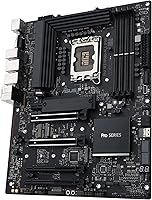
Specifications

  • CPU Socket: Uses the Intel LGA1700 socket, supporting 12th and 13th Gen Intel Core processors as well as Pentium Gold and Celeron options.
  • Chipset: Built on the Intel W680 chipset, which unlocks ECC memory support and workstation-class features not available on consumer Z-series chipsets.
  • Form Factor: Standard ATX form factor, measuring 8.9 x 7.17 inches, compatible with any full-size or mid-tower ATX chassis.
  • Memory: Supports DDR5 ECC DIMM modules at speeds up to 4400 MHz across multiple DIMM slots for error-correcting memory configurations.
  • PCIe Slots: Provides two PCIe 5.0 x16 SafeSlots for primary GPU or accelerator cards, plus two additional PCIe 3.0 slots for supplementary add-in cards.
  • M.2 Storage: Equipped with three M.2 PCIe 4.0 slots, each covered by an individual heatsink to manage thermal output during sustained NVMe workloads.
  • SATA / SAS: Includes a SlimSAS connector alongside standard SATA ports for flexible storage configurations beyond M.2.
  • Networking: Features dual Intel 2.5Gb Ethernet ports, enabling redundant connections or link aggregation in studio and small office environments.
  • Remote Management: Comes with an integrated BMC header and a bundled IPMI expansion card supporting out-of-band monitoring, power cycling, and KVM-over-IP access.
  • USB Connectivity: Includes a front panel USB 3.2 Gen2x2 Type-C header delivering up to 20Gbps, plus six USB 2.0 ports for legacy peripheral support.
  • Thunderbolt: Provides a Thunderbolt 4 header for connecting compatible add-in cards, enabling up to 40Gbps data transfer and daisy-chaining of Thunderbolt peripherals.
  • Security: Incorporates a TPM header, USB port management controls, and software blacklisting via ASUS Control Center Express for enterprise-grade endpoint security.
  • Legacy Ports: Retains an LPT (parallel port) header for compatibility with specialized professional equipment that still relies on legacy connectivity.
  • Power Design: Uses DrMOS power stages paired with ProCool connectors, alloy chokes, and durable capacitors to sustain stable voltage delivery under heavy multi-core loads.
  • Fan Control: Hybrid fan headers across the board are managed through ASUS Fan Xpert 4, allowing precise thermal curve customization for both chassis and CPU cooling.
  • Board Weight: Weighs approximately 4.19 pounds, consistent with a fully featured ATX workstation board carrying substantial VRM and heatsink hardware.
  • Color / Finish: Ships in an all-black finish with no RGB lighting, suited to professional workstation builds where visual restraint is preferred over aesthetics.
  • OS Support: Officially supports Windows 10 and Windows 11, with Linux compatibility widely reported by users running workstation-oriented distributions.

Related Reviews
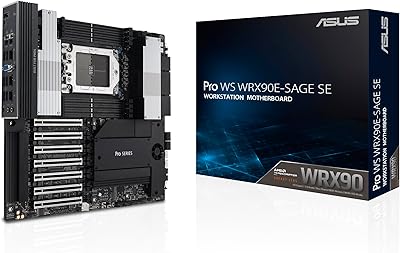
ASUS Pro WS WRX90E-SAGE SE Workstation Motherboard
85%
92%
Performance
94%
Expansion Options
88%
Thermal Management
91%
Stability in 24/7 Operations
63%
Ease of Setup
More
ASUS Prime X470-Pro ATX Motherboard
78%
88%
BIOS Usability
63%
VRM & Power Delivery
91%
Out-of-Box Stability
71%
RAM Compatibility
86%
Storage Expansion
More
ASUS TUF Gaming Z890-PRO WiFi Motherboard
82%
91%
Build Quality
93%
Power Delivery
84%
BIOS Experience
87%
Memory Compatibility
82%
Thermal Management
More
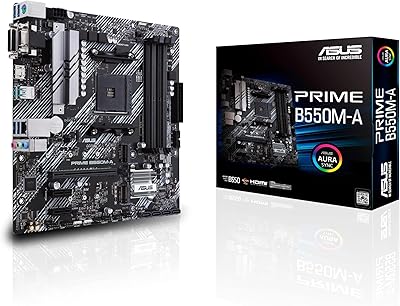
ASUS Prime B550M-A Motherboard
84%
91%
Value for Money
89%
Build Quality
85%
Performance (Gaming)
93%
Ease of Installation
88%
Compatibility with AMD Ryzen Processors
More
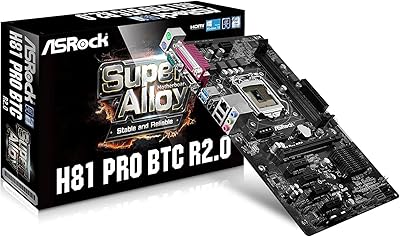
ASRock H81 PRO BTC Motherboard
77%
91%
Value for Money
88%
Performance in Mining Rigs
86%
Build Quality
85%
Ease of Setup
82%
Connectivity Options
More
MSI PRO A620M-E Motherboard
84%
91%
Value for Money
85%
Performance for Gaming
88%
Ease of Installation
93%
Memory Support
90%
Compatibility with AMD Ryzen 7000
More
ASRock B650 PRO RS ATX Motherboard
74%
88%
Value for Money
83%
Build Quality
84%
BIOS Experience
86%
Installation & Setup
71%
CPU Power Delivery
More
MSI PRO Z690-A DDR4 ATX Motherboard
79%
84%
Build Quality
88%
Value for Money
81%
BIOS Experience
79%
Thermal Management
83%
Storage Expandability
More
ASUS B660-PLUS D4 Motherboard
87%
88%
Performance
91%
Cooling Efficiency
89%
Setup & Installation
87%
Value for Money
92%
Compatibility with 12th Gen CPUs
More
ASUS Prime Z790-P ATX Motherboard
79%
91%
BIOS & Software Usability
86%
Build Quality & PCB
89%
Storage Expansion
84%
Connectivity & USB
83%
Network Performance
More

FAQ

It fully supports ECC DDR5 memory — not just in a passive, untested way. The Intel W680 chipset is specifically designed to enable ECC functionality, which means the board actively detects and corrects single-bit memory errors during operation. You will need ECC-rated DDR5 DIMMs, but once installed and enabled in the BIOS, ECC runs transparently in the background.

The IPMI card lets you access and control your workstation remotely over a network connection, even when the OS is unresponsive or the machine is powered off. You can power cycle it, view the display output via a browser-based KVM interface, and monitor hardware health — all without physically touching the system. Basic networking knowledge helps, but the setup mostly involves assigning a dedicated IP address to the IPMI port and accessing the web interface from another machine on the same network.

Yes, the dual PCIe 5.0 x16 SafeSlots are designed to support two discrete GPUs running concurrently, which is particularly useful for multi-GPU AI inference or compute workloads. Keep in mind that real-world bandwidth allocation can vary depending on the CPU and workload — verify the specific lane configuration in the ASUS documentation for your intended setup.

Noticeably steeper, especially around ECC memory settings and IPMI configuration. The BIOS itself is comprehensive and well-organized, but there are far more options exposed than on a typical Z690 or Z790 board. If you have built consumer PCs before, give yourself extra time during initial setup and keep the manual handy — it is a meaningful but manageable step up, not an impossible one.

Standard non-ECC DDR5 memory is generally compatible with W680-based boards, though the primary reason to choose this platform over a consumer Z-series board is ECC support. If you know you will never use ECC, a Z690 or Z790 board would give you a very similar experience at a lower cost. That said, if you want the option to add ECC later or need the other workstation features, non-ECC DDR5 will run fine.

No, the W680-ACE IPMI does not include integrated Wi-Fi. For a wired professional workstation environment this is rarely an issue, but if you need wireless connectivity you will need to add a PCIe Wi-Fi card or a USB adapter. Given the dual 2.5Gb Ethernet ports on board, wired networking is clearly the intended use case here.

The W680 chipset unlocks ECC memory support and is validated for workstation-class reliability, which Intel does not enable on Z-series consumer chipsets. It also includes the BMC interface required for IPMI remote management. For gaming or general productivity, Z690 or Z790 boards perform comparably and often support faster memory overclocking, but they cannot run ECC memory and lack out-of-band management capabilities.

In most configurations, yes — the M.2 slots draw their PCIe lanes from a combination of the chipset and CPU, so they generally remain operational with dual GPUs installed. However, lane-sharing rules can vary depending on which specific slots are populated, so it is worth reviewing the motherboard manual's bandwidth table before finalizing your build configuration.

Officially it supports Windows 10 and 11, but many users run it without issues on Linux distributions such as Ubuntu and Debian, which is common in engineering and AI research environments. IPMI remote management also works independently of the OS, which is part of what makes it attractive in Linux-based workstation setups. Driver support for specific add-in cards should still be verified separately.

User feedback on this point is mixed but generally positive. The DrMOS power stages and large VRM heatsink handle most workloads comfortably, but in poorly ventilated cases or during sustained all-core loads on power-hungry 13th Gen CPUs, temperatures can climb to levels worth monitoring. Adding a case fan directed at the VRM area is a sensible precaution if you plan to run intensive workloads continuously.