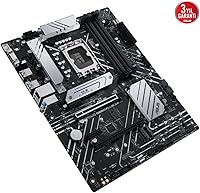
Overview

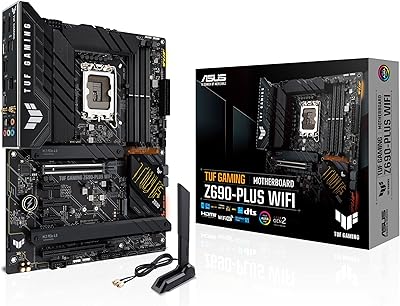
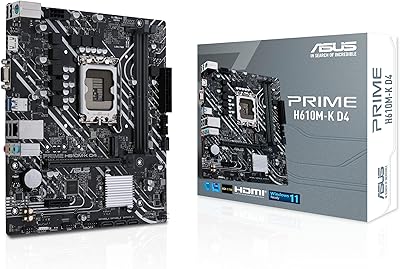
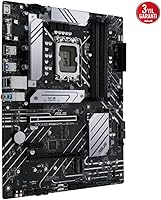
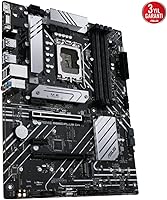
The ASUS B660-PLUS D4 ATX Motherboard arrived in early 2022 as a straightforward answer to a real question builders were asking: how do you get into Intel's 12th Gen platform without overspending? Built on the B660 chipset with a clean black finish, this mid-range Intel board occupies a sensible spot in the market — capable enough for serious builds, without the premium pricing of Z690 alternatives. DDR4 support is a genuine advantage here. If you already own a quality DDR4 kit, you can drop it straight in rather than buying new memory. ASUS has a strong track record in this segment, and the B660-PLUS D4 reflects that institutional knowledge well.

Features & Benefits

The LGA 1700 socket covers the full 12th Gen Intel lineup — Core i5, i7, and i9 all fit without adapter headaches. Where this board really stands out is storage flexibility: three M.2 slots with PCIe 4.0 support means you can run multiple fast NVMe drives without compromising bandwidth. The rear panel includes a USB 3.2 Gen 2x2 Type-C port running at 20Gbps, which is genuinely useful if you work with fast external SSDs or video capture hardware. Thunderbolt 4 header support is a relatively rare find at this price tier and opens up high-speed docking. The Realtek 2.5GbE LAN is a quiet but meaningful upgrade over standard gigabit, especially for home offices or NAS-connected workflows.

Best For

This B660 motherboard hits a sweet spot for a specific type of builder. If you are moving to 12th Gen Intel from an older platform and want to reuse your DDR4 memory, this makes the transition far less painful than going full DDR5. Content creators juggling multiple fast drives will appreciate the M.2 slots and Thunderbolt 4 header for high-bandwidth peripherals or displays. Small offices benefit from the 2.5GbE connection for quicker file transfers across a local network. One honest caveat: no built-in Wi-Fi means you will need a PCIe adapter or USB dongle if wireless is a requirement. For builders who want a full ATX layout with solid VRM cooling and room to expand, this fits the brief well.

User Feedback

Community reception for the ASUS B660-PLUS D4 has been largely positive, with builders consistently highlighting easy BIOS navigation and reliable out-of-box compatibility with 12th Gen processors. The heatsink coverage across VRM, M.2, and PCH zones gets specific praise given the price tier. That said, feedback is not without nuance. A recurring note from first-time builders is that certain newer CPUs may require a BIOS update before booting — which can be a stumbling block without a spare processor on hand. The absence of Wi-Fi draws the occasional complaint, particularly from buyers migrating from pre-built systems. Overall, this mid-range Intel board holds a strong reputation among builders who prioritize wired reliability and storage density over wireless convenience.

Pros

  • Three M.2 slots with PCIe 4.0 support give you serious NVMe storage flexibility without compromises.
  • DDR4 compatibility lets upgraders reuse existing memory kits and avoid unnecessary added cost.
  • Thunderbolt 4 header support is rare at this price tier and genuinely useful for docking setups.
  • Realtek 2.5GbE LAN delivers faster wired networking than the gigabit standard found on most competing boards.
  • BIOS setup is consistently praised by builders as intuitive and quick to configure out of the box.
  • Dedicated VRM, M.2, and PCH heatsinks provide solid thermal coverage across the board.
  • Fan Xpert 2+ allows detailed fan curve tuning directly in ASUS software without third-party tools.
  • The full ATX layout provides four DIMM slots and ample PCIe expansion room for multi-card builds.
  • Community feedback across hundreds of builds confirms reliable compatibility with 12th Gen Intel CPUs.
  • Clean black finish integrates well with most mid-tower cases without demanding RGB coordination.

Cons

  • No onboard Wi-Fi means wireless users must purchase and install a separate adapter.
  • B660 chipset does not support CPU multiplier overclocking, limiting performance tuning on K-series processors.
  • Some first-time builders have reported needing a BIOS update before newer 12th Gen CPUs are recognized.
  • Platform longevity is a concern — LGA 1700 with B660 does not support Intel 13th Gen overclocking either.
  • Only one rear Thunderbolt 4 header is present, which may not satisfy users running multiple TB4 devices.
  • USB 2.0 ports still appear on the rear panel, which feels dated compared to higher-tier competing boards.
  • No built-in POST code display or debug LEDs, making troubleshooting harder for less experienced builders.
  • Memory speeds above 4800MHz require XMP profiles and are not guaranteed stable on all DDR4 kits.

Ratings

The ASUS B660-PLUS D4 ATX Motherboard has been evaluated by our AI system after analyzing verified global user reviews, with spam, incentivized, and bot-generated feedback actively filtered out to ensure accuracy. Across hundreds of real builder experiences — from first-time desktop builds to small-office workstations — both genuine strengths and recurring frustrations are transparently reflected in the scores below. This mid-range Intel board earns high marks in several critical areas, while a few meaningful trade-offs keep it from a universal recommendation.

Value for Money
88%
Builders consistently point out that the ASUS B660-PLUS D4 punches well above what comparable boards in its price range offer. Features like three M.2 slots, Thunderbolt 4 header support, and 2.5GbE LAN are typically found on pricier alternatives, making the overall package feel genuinely well-priced for a 12th Gen Intel build.
A small segment of buyers feel the value equation is diluted by the absence of built-in Wi-Fi — something many boards at a similar tier now include as standard. For wireless-dependent setups, the extra cost of a Wi-Fi adapter effectively narrows the pricing advantage.
Build Quality
84%
The physical construction of this B660 motherboard draws consistent praise, particularly for its heatsink coverage across VRM, M.2, and PCH zones. Builders report that the board feels solid during installation, with reinforced PCIe slots and well-seated DIMM latches that hold memory kits firmly in place.
A few users noted that the black finish shows fingerprints during handling, which is mostly cosmetic but worth knowing during a clean build. Some also felt the rear I/O bracket fit was slightly loose compared to premium-tier ASUS boards, though this had no impact on functionality.
BIOS Experience
86%
The ASUS BIOS on this mid-range Intel board is widely praised for being approachable without sacrificing depth. First-time builders appreciate the clear layout and one-click XMP activation, while more experienced users find enough granularity in fan curve controls and boot settings to feel at home.
A recurring issue is that certain 12th Gen CPUs require a BIOS update before the system will post, which creates a frustrating catch-22 for builders without a spare processor. ASUS provides update tools, but the experience is not as smooth as boards that ship with a pre-updated firmware covering the full CPU lineup.
Connectivity
91%
The rear panel lineup is genuinely impressive for this chipset tier — the USB 3.2 Gen 2x2 Type-C port running at 20Gbps is a standout feature that content creators working with fast external drives immediately notice. The Thunderbolt 4 header adds another layer of high-bandwidth connectivity that most competing B660 boards simply do not offer.
Despite the strong high-speed port selection, the presence of USB 2.0 ports on the rear panel feels out of place in 2024 and draws criticism from builders who expect a fully modernized I/O layout. The front panel USB is limited to Gen 1 speeds, which can bottleneck certain front-panel peripherals.
Storage Capability
93%
Three M.2 slots with PCIe 4.0 support is a standout feature that video editors, photographers, and prosumers regularly call out as a deciding factor. Running separate drives for the OS, active projects, and archival storage simultaneously — all at full NVMe speeds — is a genuinely practical setup that this board handles without compromise.
The SATA port count is moderate, and builders coming from older platforms with multiple spinning hard drives may find the available SATA lanes limiting. There is also no U.2 port, which matters little to most buyers but is relevant for specific enterprise-adjacent storage workflows.
Networking Performance
87%
The Realtek 2.5GbE port is a tangible upgrade from the gigabit standard, and home-office users connecting to NAS devices or large local file shares notice the difference immediately. Latency under sustained network load is consistently reported as stable, which matters for remote workers and low-latency gaming setups.
The lack of any onboard Wi-Fi remains the single biggest networking complaint across user feedback. Builders who assumed wireless would be included — particularly those migrating from laptops or all-in-one systems — frequently flag this as a genuine oversight rather than an acceptable trade-off at this price point.
Thermal Management
82%
18%
VRM temperatures under sustained loads with mainstream i5 and i7 processors are well-managed, and the M.2 heatsink keeps NVMe drive temperatures in a healthy range during long write sessions. Fan Xpert 2+ gives builders real control over system temperatures without requiring third-party software.
Users running high-TDP i9 chips report that the VRM heatsink can get noticeably warm under full load, and adequate case airflow becomes more important in those scenarios. The thermal solution is well-matched to the target audience but shows its limits at the extreme end of the supported CPU range.
CPU Compatibility
79%
21%
The LGA 1700 socket covers the entire 12th Gen Intel Alder Lake lineup, giving builders flexibility across Core i5, i7, and i9 tiers without any adapter requirements. BIOS support for 13th Gen Raptor Lake processors has also been confirmed, extending the platform's useful lifespan.
The B660 chipset locks CPU multiplier overclocking, which frustrates buyers who purchase K-series processors expecting to push clock speeds. This is an architectural limitation, not a board flaw, but it does narrow the appeal for performance-focused builders who would be better served by a Z690 or Z690-equivalent board.
Memory Support
83%
DDR4 support across four DIMM slots is a genuine convenience for upgraders carrying memory kits over from previous Intel platforms. XMP profiles up to 4800MHz are recognized reliably, and the dual-channel configuration works without manual tuning in most standard kit configurations.
Higher-speed DDR4 kits above 4000MHz occasionally require manual BIOS tweaking for stable operation, and not all kits on ASUS's compatibility list behave identically at rated speeds. Builders using older DDR4 kits at 2133MHz or 2400MHz also leave significant potential bandwidth on the table.
Ease of Installation
85%
Builder feedback on the physical installation experience is largely positive — standoff alignment, clear silkscreen labeling on headers, and a well-organized manual make the process accessible even for first-time builders. The reinforced PCIe x16 slot is a small but appreciated detail when handling heavier graphics cards.
The M.2 screw standoffs, while functional, are fiddly to work with during initial SSD installation — a complaint that appears across multiple independent build logs. A tool-free M.2 retention system, as found on some competing boards, would make the experience noticeably smoother.
Software Ecosystem
74%
26%
Fan Xpert 2+ is a legitimately useful tool that delivers per-header fan curve customization without requiring premium software subscriptions. The ASUS Armoury Crate suite covers system monitoring and driver management in one interface, which most everyday users find sufficient.
Armoury Crate has a mixed reputation in the builder community — some users report it installing background services that affect boot times and system performance. A portion of experienced builders uninstall it immediately and rely on the BIOS alone, suggesting the software layer adds complexity without universal benefit.
Aesthetic Design
71%
29%
The clean all-black PCB and heatsink finish integrates naturally into most mid-tower cases without demanding RGB coordination. Builders going for a minimal, professional look appreciate the lack of flashy branding or garish accent colors that date some competing boards quickly.
The absence of any integrated RGB lighting is a deliberate choice, but it limits appeal for builders who want a visually dynamic system without adding separate lighting components. The overall aesthetic, while clean, lacks the premium visual identity seen on ASUS's ROG or TUF Gaming lines.
Long-Term Reliability
81%
19%
Having been available since early 2022, this B660 motherboard has accumulated a meaningful track record across a large installed base. Community forums and builder communities report low failure rates and consistent long-term stability under typical workloads, which adds real confidence for buyers planning a multi-year build.
A small number of users have reported capacitor and VRM degradation over extended high-load use cases, though these instances appear isolated rather than systemic. The board's longevity as a platform is also inherently capped by Intel's LGA 1700 lifecycle, which limits forward compatibility beyond the 12th and 13th Gen lineup.

Suitable for:

The ASUS B660-PLUS D4 ATX Motherboard is a strong fit for builders who want a capable 12th Gen Intel platform without committing to Z690 pricing. If you already own DDR4 memory from a previous build, this board lets you carry that investment forward rather than buying new kits — a practical advantage that many upgraders genuinely appreciate. Content creators who work with multiple fast NVMe drives will find the three M.2 slots and PCIe 4.0 support genuinely useful day-to-day, not just on paper. The Thunderbolt 4 header makes it a reasonable choice for anyone running high-speed docks or external displays in a home studio or small office. Builders who prioritize wired networking — whether for NAS access, large file transfers, or low-latency gaming — get real benefit from the 2.5GbE LAN that most competing boards at this tier do not include.

Not suitable for:

The ASUS B660-PLUS D4 ATX Motherboard is not the right call for builders who need Wi-Fi out of the box — there is no onboard wireless, and if your workspace does not have an Ethernet run nearby, you will need to budget for an add-in card or USB adapter. Enthusiasts chasing CPU overclocking should also look elsewhere: the B660 chipset locks CPU multiplier overclocking, so if squeezing extra performance from an unlocked Core i9 or i7-K chip is your goal, a Z690 board is the appropriate choice. This board is also not ideal for anyone planning a 13th Gen Raptor Lake build as a long-term investment, since platform longevity on LGA 1700 with B660 is limited compared to Z790. Builders working in very tight micro-ATX or ITX cases will find the full ATX footprint simply does not fit their chassis constraints.

Specifications

  • Chipset: Built on the Intel B660 chipset, supporting 12th Gen Intel Core processors on the LGA 1700 platform.
  • CPU Socket: Uses the Intel LGA 1700 socket, compatible with Alder Lake Core i5, i7, and i9 processors.
  • Form Factor: Standard ATX form factor measuring 12.01 x 9.61 inches, fitting most full-size and mid-tower cases.
  • Memory Type: Supports DDR4 memory across four DIMM slots with a maximum OC speed of 4800MHz using XMP profiles.
  • Storage Slots: Equipped with three M.2 slots supporting PCIe 4.0 NVMe drives for high-speed internal storage configurations.
  • PCIe Version: PCIe 4.0 support across primary expansion and M.2 slots provides double the bandwidth of PCIe 3.0.
  • Rear USB: Includes a USB 3.2 Gen 2x2 Type-C port on the rear panel delivering transfer speeds up to 20Gbps.
  • Front USB: Front panel header supports USB 3.2 Gen 1 Type-C for chassis with modern front-panel connectivity.
  • Networking: Realtek 2.5 Gigabit Ethernet provides wired network speeds up to 2.5Gbps, outpacing standard 1GbE implementations.
  • Thunderbolt 4: Includes a Thunderbolt 4 header supporting up to 40Gbps bandwidth for compatible docks, displays, and peripherals.
  • VRM Cooling: A dedicated VRM heatsink manages heat across the power delivery components during sustained CPU loads.
  • Fan Control: Hybrid fan headers combined with Fan Xpert 2+ software allow precise per-header fan curve customization.
  • USB 2.0 Ports: Four USB 2.0 ports are available on the rear panel for legacy peripherals and low-bandwidth devices.
  • Wi-Fi: No onboard wireless module is included; a separate PCIe Wi-Fi card or USB adapter is required for wireless connectivity.
  • Weight: The board weighs 2.2 pounds, typical for a fully heatsink-equipped ATX motherboard in this class.
  • OS Support: Officially supported on Windows 10 and Windows 11, with ASUS providing driver packages for both platforms.
  • Color: Ships in an all-black PCB and heatsink finish with no integrated RGB lighting on the board itself.
  • Memory Slots: Four DIMM slots support dual-channel DDR4 configurations, allowing for memory kit reuse from previous Intel builds.

Related Reviews
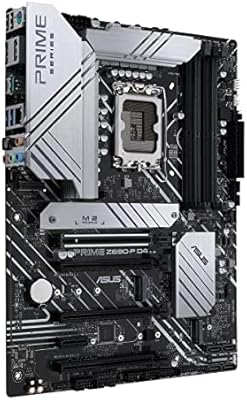
ASUS Prime Z690-P D4 ATX Motherboard
76%
78%
Value for Money
83%
Power Delivery & VRM
81%
BIOS Experience
74%
Memory Compatibility
87%
Storage Expansion
More
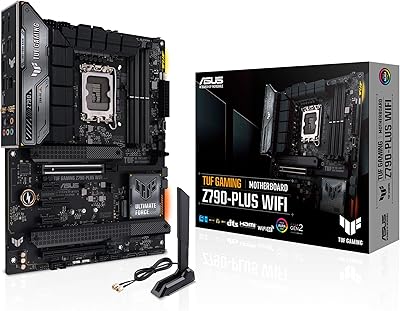
ASUS TUF Gaming Z790-Plus WiFi
89%
93%
Build Quality
91%
VRM Thermal Performance
88%
Installation Experience
94%
BIOS User Interface
86%
Storage Expandability
More
ASUS TUF Gaming Z690-Plus WiFi Motherboard
79%
88%
Build Quality
84%
BIOS & Firmware
67%
DDR5 Memory Compatibility
79%
Power Delivery & VRM
91%
Networking & Connectivity
More
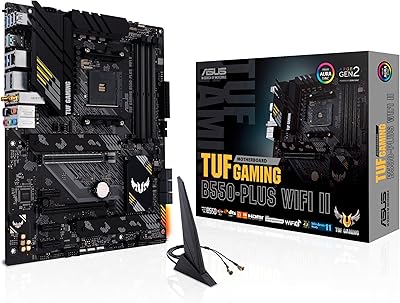
ASUS TUF Gaming B550-PLUS WiFi II ATX Motherboard
86%
88%
Overall Performance
91%
Gaming Performance
90%
WiFi & LAN Connectivity
86%
Thermal Management
89%
Build Quality & Durability
More
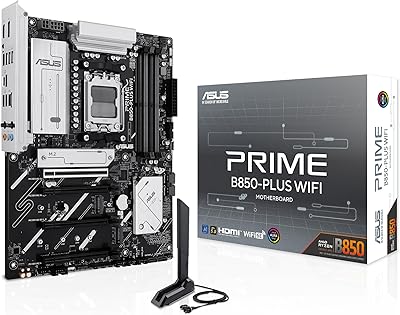
ASUS Prime B850-Plus WiFi ATX Motherboard
81%
88%
Build Quality
91%
Installation Experience
86%
BIOS & Firmware
89%
Connectivity & I/O
84%
PCIe 5.0 Readiness
More
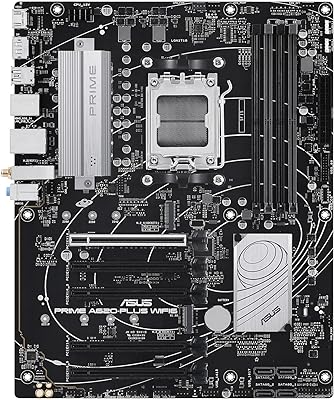
ASUS Prime A620-PLUS WiFi 6 ATX Motherboard
79%
91%
Value for Money
88%
Out-of-Box Compatibility
86%
Wireless Performance
84%
BIOS Usability
82%
Connectivity & I/O
More
ASUS Prime H610M-K D4 Motherboard
83%
90%
Value for Money
88%
Ease of Installation
85%
Build Quality
80%
Performance in Gaming
83%
Performance in Productivity Tasks
More
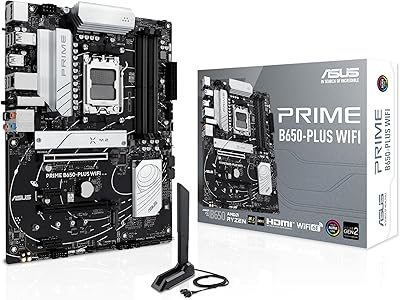
ASUS Prime B650-PLUS WiFi AM5 Motherboard
80%
86%
Value for Money
91%
Feature Set
67%
VRM & Power Delivery
89%
BIOS & Setup Experience
84%
WiFi Performance
More
ASUS Prime H610M-A D4-CSM Micro-ATX Motherboard
77%
83%
Build Quality
91%
Commercial Reliability
78%
BIOS Experience
76%
Value for Money
72%
Connectivity & I/O
More
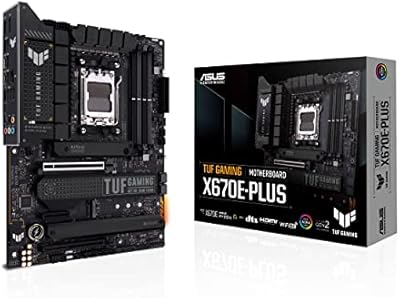
ASUS TUF Gaming X670E-PLUS ATX Motherboard
81%
91%
Build Quality
88%
BIOS & Software Experience
83%
VRM Performance
67%
DDR5 Compatibility
93%
Storage Expandability
More

FAQ

In most cases, yes — the ASUS B660-PLUS D4 ATX Motherboard ships with BIOS versions that cover the majority of 12th Gen Alder Lake CPUs. That said, a handful of users have reported needing a BIOS update before certain processors are recognized, so it is worth checking the ASUS support page for the latest firmware if your CPU is not booting as expected.

Yes, and this is one of the more practical advantages of this board. As long as your DDR4 kit is compatible with LGA 1700 platform speeds, it should work without issue. XMP profiles are supported up to 4800MHz, so higher-speed kits can also be enabled through the BIOS.

No, there is no built-in wireless on this board. If you need Wi-Fi, you will need to pick up a PCIe wireless card or a USB Wi-Fi adapter separately. It is a real trade-off worth factoring in before buying, especially if your desk is not near a router.

The board has three M.2 slots, all supporting NVMe drives. You can run three fast PCIe 4.0 SSDs simultaneously, which is excellent for content creation setups where scratch drives, project storage, and OS drives are kept separate.

CPU multiplier overclocking is not supported on B660 — that capability is locked to Z-series chipsets like Z690 or Z790. You can still enable XMP for memory overclocking, but if pushing your CPU beyond its base speeds is a priority, you would need a Z690 board instead.

Thunderbolt 4 runs at up to 40Gbps and supports daisy-chaining multiple devices, high-resolution displays, and ultra-fast external SSDs through a single cable. It is particularly useful if you use a docking station for a clean desk setup, or if you work with high-speed external storage for video editing.

Physically, 13th Gen Raptor Lake CPUs use the same LGA 1700 socket, and ASUS has confirmed BIOS support for 13th Gen on many B660 boards. However, keep in mind that the B660 chipset still restricts CPU overclocking even with Raptor Lake chips, so you would not get the full benefit of a 13th Gen K-series processor on this platform.

Builder feedback is positive here. The dedicated VRM heatsink handles sustained loads without throttling under typical 12th Gen i5 and i7 configurations. The M.2 and PCH heatsinks are also included, which keeps drive temperatures in check during long write sessions. For extreme workloads with a high-end i9, more active airflow in your case is always recommended.

No, the board itself does not have integrated RGB. It ships in a straightforward all-black finish. You can add RGB through headers on the board if your case fans or components support it, but there is no native light show from the PCB itself.

Most builders find the ASUS BIOS on this mid-range Intel board quite accessible. The interface is clean, XMP activation is a one-click operation, and boot order configuration is straightforward. The one area where first-timers sometimes get tripped up is needing to run a BIOS update for certain CPU compatibility — ASUS has a BIOS Flashback or EZ Flash feature that can help with this even without a bootable system.

Where to Buy