Overview

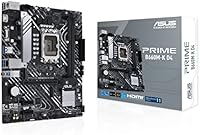
The ASUS Prime B660M-K D4 mATX Motherboard is ASUS's answer to builders who want a dependable Intel 12th Gen platform without paying a premium for features they'll rarely use. Built around the B660 chipset, this mATX board sits in a practical middle ground — compact enough for space-conscious desktops, capable enough for everyday computing. Choosing DDR4 over DDR5 here is a smart value call; DDR4 kits remain widely available and affordable, freeing budget for a better CPU or GPU. The ASUS Prime line has always leaned toward reliability over flash, and this board reflects that philosophy. Don't expect RGB extravagance or serious overclocking headroom — this is a solid foundation board built for people who just want their system to work.

Features & Benefits

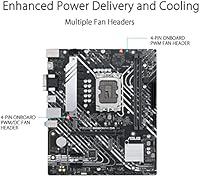
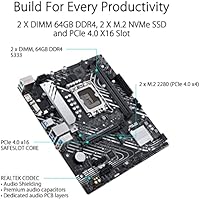
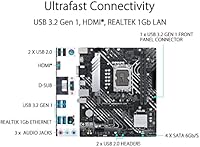
The Prime B660M-K D4 covers the essentials without wasting budget on overkill specs. Its dual M.2 slots both run at PCIe 4.0 speeds, meaning fast NVMe drives won't be bottlenecked — a genuinely useful inclusion at this price tier. The 8-pin ProCool connector, paired with alloy chokes and durable capacitors, keeps VRM delivery stable even under sustained CPU loads. Passive heatsinks on both the VRM and PCH handle thermals quietly, which matters in compact builds where airflow can be tight. Front panel USB 3.2 Gen 1 keeps connectivity compatible with modern cases, and the hybrid fan headers give enough control through Fan Xpert to manage temperatures without reaching for a separate fan controller.

Best For

This entry-level Intel motherboard makes the most sense for builders who value getting a stable system running over chasing every last performance percentage. If you're assembling your first Intel 12th Gen rig, the straightforward BIOS and broad component compatibility make the process far less intimidating. It also suits compact desktop builds where a full ATX board won't physically fit but you still need two M.2 slots and a discrete GPU lane. Builders upgrading from older platforms who already own DDR4 memory will find real cost savings here — no new RAM kit required. That said, anyone planning serious CPU overclocking should look at a Z690 board instead; the B660 chipset simply won't allow it.

User Feedback

Across its ratings, this mATX board holds a solid 4.3 stars, and that score reflects a genuine split in buyer experience. Most praise centers on reliable out-of-box performance — people appreciate that it works cleanly after installation, with a BIOS that doesn't intimidate newcomers. Build quality earns consistent nods given the price tier. On the downside, rear I/O options are on the thin side, which frustrates buyers expecting more USB variety. The B660 chipset's hard cap on overclocking surprises some reviewers who discovered the trade-off only after purchase. Worth flagging: a number of users needed a BIOS update before their CPU was recognized, so having a compatible processor on hand during initial setup is a reasonable precaution.

Pros

  • Reliable out-of-box compatibility with Intel 12th Gen Alder Lake processors makes initial setup straightforward.
  • Dual PCIe 4.0 M.2 slots let you run two fast NVMe drives without any lane compromises.
  • DDR4 support is a genuine cost advantage — existing RAM kits carry over, saving real money.
  • The 8-pin ProCool connector with alloy chokes delivers stable power under sustained workloads.
  • Passive VRM and PCH heatsinks keep thermals controlled without adding fan noise in tight cases.
  • The mATX form factor opens up a wide range of compact and mid-tower case options.
  • BIOS is clean and approachable, consistently praised by first-time builders in user reviews.
  • Build quality feels solid and well above what the price tier might suggest.
  • Fan Xpert support through hybrid fan headers gives basic but functional thermal control.
  • ASUS Prime brand reputation for stability means fewer unpleasant surprises post-build.

Cons

  • The B660 chipset blocks CPU multiplier overclocking entirely — a hard limitation with no workaround.
  • Rear I/O port selection is minimal, with limited USB variety that may frustrate peripheral-heavy users.
  • Some users reported needing a BIOS update before their CPU was recognized, which requires a compatible spare processor.
  • No onboard Wi-Fi or Bluetooth means adding wireless connectivity requires a separate adapter.
  • Memory base speed starts at 2133 MHz, and hitting higher XMP profiles depends on kit and CPU support.
  • Only four USB 2.0 ports on the rear panel, which feels restrictive for users with many legacy devices.
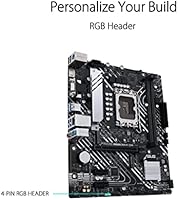
  • Virtually no RGB or visual customization, which matters to builders prioritizing case aesthetics.
  • Limited expansion beyond two M.2 slots and a single PCIe x16 slot may constrain future upgrades.
  • The Prime B660M-K D4 offers no onboard audio enhancements, so audiophiles will need a separate sound solution.
  • Long-term platform longevity is capped — LGA 1700 does not extend to Intel 13th Gen without chipset trade-offs on this tier.

Ratings

The scores below were generated by AI after analyzing verified buyer reviews for the ASUS Prime B660M-K D4 mATX Motherboard from multiple global sources, with spam, incentivized, and bot-flagged submissions actively filtered out. Each category reflects real patterns from builders ranging from first-time PC assemblers to experienced home lab users. Both genuine strengths and recurring frustrations are weighted transparently in every score.

Value for Money
88%
Builders consistently report that the Prime B660M-K D4 punches above its price tier, delivering a stable Intel 12th Gen platform without forcing unnecessary feature upgrades. The DDR4 compatibility is a particularly appreciated cost saver, since DDR4 kits are far cheaper than DDR5 equivalents right now.
A small portion of buyers feel the value equation weakens once you factor in the cost of adding a Wi-Fi adapter, which feels like an obvious omission at this price point. Those who needed to buy an older CPU just to perform a BIOS update also felt the hidden cost stung.
Build Quality
83%
The physical construction earns consistent praise across reviews — the PCB feels sturdy, connectors seat firmly, and nothing about the board suggests cost-cutting at the component level. Buyers upgrading from cheaper no-name boards frequently note the noticeably more substantial feel.
A few users flagged that the heatsink contact on the VRM block felt less secure than expected, with minor wobble noted during installation. Nothing catastrophic, but it does suggest ASUS trimmed some finishing details to meet the price target.
BIOS Experience
81%
19%
First-time builders specifically call out the UEFI BIOS as one of the most approachable they have used — clean layout, logical menu structure, and XMP activation that takes under a minute to configure. It removes a lot of anxiety from the initial boot process for newcomers.
The recurring issue of certain Alder Lake CPUs not being recognized without a prior BIOS update is a real friction point. Builders without a spare compatible CPU to perform that update found themselves stuck, and the workaround process is not intuitive for inexperienced users.
Connectivity & I/O
61%
39%
The front panel USB 3.2 Gen 1 header keeps the board compatible with modern cases, and the dual M.2 slots mean storage connectivity is genuinely strong for this tier. Gigabit Ethernet handles wired networking reliably without any reported dropout issues.
The rear I/O panel is where this entry-level Intel motherboard draws the most complaints — four USB 2.0 ports, a single USB 3.2 Gen 1 Type-A, and no Wi-Fi or Bluetooth. Users with multiple peripherals quickly run into port conflicts, and the absence of wireless feels like a real gap in 2024 builds.
Overclocking Capability
34%
66%
XMP memory profiles work reliably, allowing DDR4 kits rated above the 2133 MHz base to run at their advertised speeds without manual tuning. For builders who only care about RAM speed optimization, the experience is painless.
The B660 chipset categorically blocks CPU multiplier overclocking, and this is a hard wall — no BIOS trick or firmware update will change it. Buyers who purchased this board expecting any CPU frequency headroom were disappointed, and several reviews specifically warned others to upgrade to a Z-series board if overclocking is part of the plan.
Thermal Management
76%
24%
Passive VRM and PCH heatsinks do their job quietly during typical gaming and productivity workloads when paired with a mid-range CPU like the i5-12400. Builders running compact cases appreciate that no extra fan headers are consumed just to keep the board itself cool.
Under sustained all-core loads with higher-TDP processors, the VRM heatsink runs noticeably warm and a few users observed minor thermal throttling during extended rendering sessions. The thermal solution is well-matched for its intended use case but leaves little headroom for power-hungry chip pairings.
Installation Experience
79%
21%
The physical installation process is consistently described as smooth — standoff alignment is standard, the manual is clear, and component placement on the board makes cable routing relatively tidy. Builders reported going from unboxing to first POST in under an hour.
The BIOS update requirement before recognizing some CPUs is the single most cited installation obstacle. Without a compatible spare processor on hand, the setup process can come to a complete halt, which is a frustrating experience for buyers who assumed the board would work out of the box.
Storage Expandability
82%
18%
Having two PCIe 4.0 M.2 slots on a budget mATX board is a genuine highlight — it means builders can run a fast boot drive and a secondary high-speed storage drive without touching a single SATA cable. Users doing home NAS setups or content creation workflows particularly valued this.
SATA port count is limited to four, which constrains builders who still rely on multiple 2.5-inch or 3.5-inch drives. Anyone planning a storage-heavy build with more than two large hard drives will feel the pinch fairly quickly.
CPU Compatibility Range
74%
26%
The LGA 1700 socket covers the full Intel 12th Gen lineup from budget Celeron chips to the i9-12900K, giving builders flexibility to start modest and theoretically swap CPUs later. The broad compatibility list is well-documented and easy to verify on the ASUS support page.
Intel 13th Gen Raptor Lake support is not guaranteed and ASUS has not committed to long-term BIOS maintenance for this board at that level. Buyers hoping to extend the platform lifespan with a future CPU upgrade may find themselves hitting a compatibility ceiling sooner than expected.
Audio Performance
58%
42%
The onboard Realtek audio handles everyday tasks — video calls, casual music playback, and streaming — without any notable noise floor or dropout issues. For home office users, it is entirely adequate and one less card to budget for.
Audiophiles and music producers will find the integrated audio noticeably flat compared to even entry-level dedicated sound cards. There are no premium capacitors or noise isolation layers, so users on headphone amplifiers or studio monitors picked up interference during quiet passages.
Aesthetic Design
52%
48%
The clean black PCB is inoffensive and works in any case color scheme without clashing. Builders who prefer a no-fuss look over aggressive styling genuinely appreciate the understated appearance.
There is essentially no RGB integration and zero visual flair beyond the black board color. Builders assembling a showcase rig with a windowed case will find this mATX board a visual weak point compared to mid-range alternatives that include at least some addressable lighting.
Software & Utilities
69%
31%
ASUS Fan Xpert works reliably for automated fan curve management, and the AI Overclocking tool in the BIOS gives less experienced users a one-click way to optimize memory settings. Both utilities are lightweight and do not noticeably impact system resources.
The ASUS Armoury Crate software suite, which the board nudges users toward during setup, has a mixed reputation for being bloated and occasionally installing background services users did not opt into. Several reviewers specifically recommended skipping it in favor of manual BIOS control.
Long-Term Reliability
77%
23%
ASUS Prime boards have a well-established track record for staying stable over multi-year daily use, and the component choices here — alloy chokes, ProCool connectors, durable capacitors — suggest the board is engineered for longevity rather than just a low bill of materials.
With Intel moving to LGA 1851 for newer generations, the long-term platform lifespan of any LGA 1700 board is inherently limited. Buyers planning a five-plus year ownership cycle may find the upgrade path narrowing faster than they anticipated when they purchased.

Suitable for:

The ASUS Prime B660M-K D4 mATX Motherboard is a strong pick for builders who want a dependable Intel 12th Gen foundation without overspending on features they will never actually use. It fits particularly well in compact desktop builds where space is limited but performance requirements are real — the mATX form factor keeps the footprint small without gutting essential slots or connectivity. First-time builders will appreciate the straightforward BIOS experience and the broad compatibility with Alder Lake processors, which takes a lot of guesswork out of the assembly process. If you already own DDR4 memory from a previous build, this board lets you carry that investment forward instead of buying into a pricier DDR5 kit. Home users, students, and small office builders who need a stable everyday system — not an overclocking rig — will find this entry-level Intel motherboard hits the right balance of value and reliability.

Not suitable for:

The ASUS Prime B660M-K D4 mATX Motherboard is not the right choice for builders who want serious CPU overclocking headroom; the B660 chipset locks multiplier overclocking, full stop, and no amount of BIOS tweaking will change that. Enthusiasts who plan to push their processor to its limits should look at a Z690 or Z790 board where that flexibility actually exists. Power users who rely on a dense rear I/O setup — multiple USB-A ports, onboard Wi-Fi, or high-fidelity audio outputs — will likely find the back panel sparse and frustrating. This board also won't satisfy builders chasing a premium aesthetic; there is no meaningful RGB integration and the visual design is strictly utilitarian. Anyone planning a multi-GPU setup or needing more than two M.2 slots will outgrow this platform quickly and should budget for a more feature-complete option from the start.

Specifications

  • Form Factor: The board follows the mATX standard at 9.61 x 8.31 inches, fitting a wide range of mid-tower and compact cases.
  • CPU Socket: Uses Intel LGA 1700, compatible with Intel Core 12th Gen (Alder Lake) processors including Core i3, i5, i7, and i9 variants.
  • Chipset: Built on the Intel B660 chipset, which supports PCIe 4.0 and memory overclocking but does not allow CPU multiplier overclocking.
  • Memory Support: Accommodates DDR4 memory via DIMM slots with a base speed of 2133 MHz and support for higher XMP profiles depending on the kit.
  • M.2 Slots: Includes two M.2 slots both running at PCIe 4.0 speeds, enabling high-bandwidth NVMe SSD installations without bottlenecking.
  • PCIe Version: Supports PCIe 4.0 across the primary x16 slot and M.2 slots, doubling theoretical bandwidth over the previous PCIe 3.0 standard.
  • Power Connector: Features an 8-pin ProCool connector built with alloy chokes and durable capacitors to maintain stable voltage delivery under sustained CPU loads.
  • VRM Cooling: Passive VRM and PCH heatsinks manage thermal output without added fan noise, suitable for moderate workloads in compact cases.
  • Front USB: Provides a USB 3.2 Gen 1 front panel header, supporting up to 5 Gbps transfer speeds for compatible case front-panel ports.
  • Rear USB Ports: Offers four USB 2.0 ports on the rear I/O panel, with limited higher-speed USB options that may require a PCIe expansion card for heavy peripherals.
  • Fan Control: Hybrid fan headers and ASUS Fan Xpert software allow basic automated fan speed management based on system temperature readings.
  • Dimensions: Measures 9.61 x 8.31 x 1.42 inches (L x W x H), keeping the physical footprint aligned with standard mATX case compatibility.
  • Weight: Weighs approximately 1.08 pounds, which is typical for a board of this size and component density.
  • Audio: Includes integrated Realtek audio via the rear I/O panel with no premium audio capacitors or dedicated DAC, suited for basic sound output only.
  • Network: Provides a single Realtek Gigabit Ethernet port; there is no onboard Wi-Fi or Bluetooth, so wireless connectivity requires a separate adapter.
  • BIOS: Ships with ASUS UEFI BIOS with a straightforward interface, though a BIOS update may be required before certain Alder Lake CPUs are recognized.
  • Brand Line: Part of the ASUS Prime series, the brand's reliability-focused entry-level lineup designed for stable everyday builds rather than enthusiast-grade tuning.
  • Model Number: Official model identifier is 90MB1950-M1EAY0, which can be used to verify firmware downloads and warranty registration directly through ASUS.

Related Reviews
ASUS Prime H610M-K D4 Motherboard
83%
90%
Value for Money
88%
Ease of Installation
85%
Build Quality
80%
Performance in Gaming
83%
Performance in Productivity Tasks
More
ASUS Prime A520M-K MATX Motherboard
73%
88%
Value for Money
83%
Build Quality
91%
Ease of Installation
86%
BIOS Experience
79%
CPU Compatibility
More
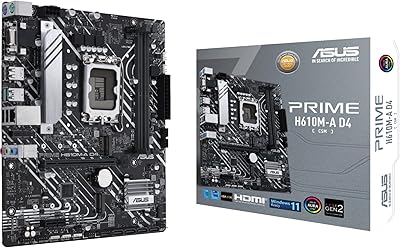
ASUS Prime H610M-A D4-CSM Micro-ATX Motherboard
77%
83%
Build Quality
91%
Commercial Reliability
78%
BIOS Experience
76%
Value for Money
72%
Connectivity & I/O
More
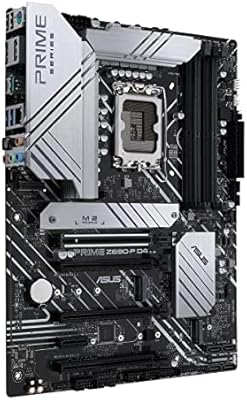
ASUS Prime Z690-P D4 ATX Motherboard
76%
78%
Value for Money
83%
Power Delivery & VRM
81%
BIOS Experience
74%
Memory Compatibility
87%
Storage Expansion
More
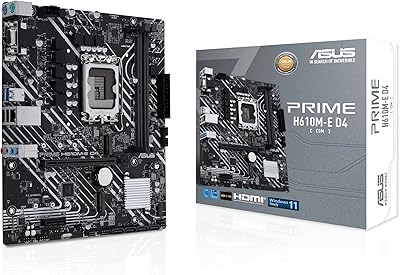
ASUS Prime H610M-E D4-CSM DDR4 Motherboard
78%
83%
Value for Money
78%
Build Quality
89%
Ease of Installation
86%
Compatibility
81%
BIOS Experience
More
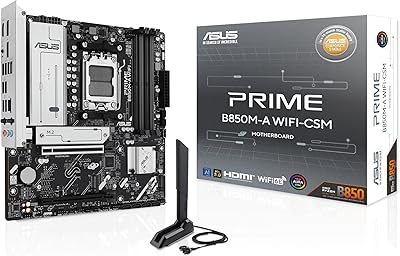
ASUS Prime B850M-A WiFi-CSM mATX Motherboard
82%
91%
Platform Stability
89%
Connectivity Options
83%
BIOS Experience
81%
Value for Money
86%
Remote IT Management
More
ASUS Prime B550M-K AM4 Micro-ATX Motherboard
75%
88%
Value for Money
71%
Compatibility & CPU Support
83%
Build Quality & Durability
84%
Storage Connectivity
67%
BIOS & Setup Experience
More
ASUS Prime B650M-K Micro-ATX Motherboard
77%
83%
Value for Money
79%
Build Quality
61%
VRM & Power Delivery
88%
BIOS Experience
91%
Networking
More
ASUS Prime B550M-A Micro ATX Motherboard
78%
91%
Value for Money
83%
Build Quality
93%
Ease of Installation
88%
BIOS & Software
79%
CPU Compatibility
More
ASUS Prime X470-Pro ATX Motherboard
78%
88%
BIOS Usability
63%
VRM & Power Delivery
91%
Out-of-Box Stability
71%
RAM Compatibility
86%
Storage Expansion
More

FAQ

Technically the LGA 1700 socket is physically compatible with 13th Gen Raptor Lake processors, but the B660 chipset was designed for 12th Gen and ASUS has not committed to full 13th Gen BIOS support on this board. If 13th Gen compatibility matters to you, a B760 or Z790 board is a safer long-term investment.

No — the B660 chipset hard-locks CPU multiplier overclocking, so there is no way around this limitation regardless of BIOS settings. You can enable XMP profiles to run your DDR4 RAM above the base 2133 MHz spec, but the processor clock is fixed. If overclocking is part of your plan, you need a Z-series board.

It depends on when the board was manufactured. Some early units shipped with a BIOS version that does not recognize all Alder Lake CPUs out of the box. If you can borrow a compatible older Intel processor to boot the system and run a BIOS update first, that eliminates the risk entirely. Check the ASUS support page for the latest firmware before your build day.

The ASUS Prime B660M-K D4 mATX Motherboard has two DDR4 DIMM slots. The maximum supported capacity is 64GB using two 32GB modules. For most home and office builds, two sticks of 16GB running in dual-channel configuration is a practical and cost-effective sweet spot.

No, there is no onboard Wi-Fi or Bluetooth on this board. If you need wireless connectivity, you will need to add a PCIe Wi-Fi adapter or a USB Wi-Fi dongle. This is a common trade-off on budget-tier motherboards, so factor the extra cost into your build plan if wireless matters.

Yes, both M.2 slots support PCIe 4.0 NVMe drives, so you can run two high-speed SSDs simultaneously without bandwidth penalties. This is one of the more genuinely useful features of this mATX board for users who want fast primary and secondary storage without adding SATA cables.

It can work well for an HTPC in a compact case, especially if paired with a processor that has integrated graphics like the Intel Core i5-12400. The mATX size fits many slim and cube-style cases, and the passive heatsinks keep things quiet. Just keep in mind there is no onboard Wi-Fi, so you may need an adapter if you want wireless connectivity from your living room.

The rear panel includes four USB 2.0 ports, a USB 3.2 Gen 1 Type-A port, HDMI and DisplayPort video outputs for use with integrated graphics, a Gigabit Ethernet jack, and standard 3.5mm audio jacks. The selection is functional but fairly lean — if you rely on multiple USB-A high-speed ports, you may want to plan for a PCIe hub or front-panel expansion.

The B660 chipset does technically support unbuffered ECC DDR4 memory when paired with a compatible Intel Xeon or certain Core processor SKUs, but it is not a commonly tested or officially prioritized feature on the Prime series. For a dedicated workstation or server build where ECC reliability is critical, a purpose-built workstation board is the more dependable choice.

For typical gaming and productivity workloads with a mid-range 12th Gen CPU, the VRM and PCH heatsinks handle thermals adequately without throttling. If you are running a power-hungry processor like the i9-12900K under sustained all-core loads, the VRM solution on this entry-level board may run hotter than ideal. Pairing it with a mid-range CPU like the i5-12400 is a much better thermal match and the intended use case for this tier of board.