Overview

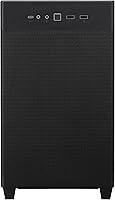
The ASUS Prime AP201 Micro ATX PC Case sits in an interesting spot in the mini-tower market — compact enough to free up desk space, yet surprisingly capable for builders who refuse to compromise on cooling or component choice. At 33 liters, this mini-tower case occupies less volume than most mid-towers while still accommodating hardware that many small form factor cases simply cannot handle. It holds a strong position among bestselling PC cases and has earned a 4.7-star rating from over a thousand verified buyers. This is not a starter case dressed up with mesh — it is built for enthusiasts who know exactly what they want inside.
Features & Benefits

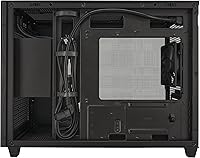
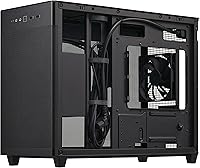
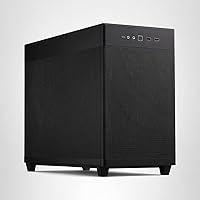
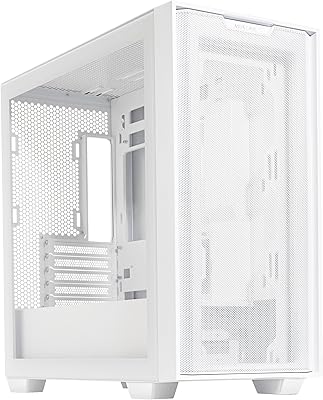
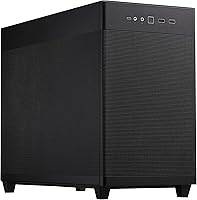
What makes the AP201 stand out starts with its quasi-filter mesh panels — over 57,000 precision-machined holes covering the exterior that allow air to move through the case with noticeably less restriction than a solid or tempered-glass design. In practice, this translates to lower component temperatures, not just better aesthetics. The tool-free side panels clip on and off securely without feeling flimsy, which is a genuine convenience if you build or tinker regularly. Cooling support is serious: 360mm radiators and up to six fans fit inside this 33-liter frame, and GPUs up to 338mm long are welcome too. The cable management tray has helpful cutouts, though the 32mm rear gap can get snug with thicker cable setups.

Best For

This compact Micro ATX chassis appeals most to builders who are done tolerating the bulk of a full mid-tower but are not willing to drop into truly tiny ITX territory. If you are running a high-end GPU in the 300mm+ range or planning a custom liquid cooling loop, the AP201 opens doors that most small cases close. It also suits home office builders who want something tidy on the desk and LAN-party regulars who appreciate a lighter, more portable rig. Those coming from an oversized case will likely be surprised by how much hardware fits here. It is less ideal if you need extensive storage bays or prefer glass over the open mesh aesthetic.

User Feedback

Buyers consistently praise the real-world airflow gains from the mesh exterior, with many noting measurable temperature drops compared to their previous cases — not a marginal difference. The tool-free panels also get repeated mentions as a feature that actually works as advertised rather than being a gimmick. On the critical side, a number of builders found cable management more challenging than expected; the 32mm gap is workable but leaves little breathing room for braided or thicker cables. Dust buildup is another recurring concern — the open mesh design pulls in more particles, so plan on regular cleaning. Despite this, most owners feel the overall build quality is solid, and first-time small form factor builders frequently highlight the approachable assembly experience.

Pros

  • Mesh panels deliver noticeably lower component temperatures compared to similarly sized solid or glass cases.
  • Supports 360mm radiators and up to six fans — rare capability for a 33-liter mini-tower.
  • Tool-free side panels clip on and off securely, making hardware access genuinely quick and easy.
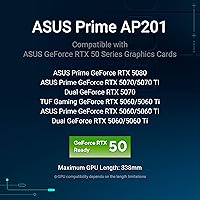
  • Fits GPUs up to 338mm long, which covers most high-end graphics cards on the market today.
  • Standard ATX PSUs up to 180mm long are supported, so you are not forced into expensive SFX power supplies.
  • The AP201 feels solid in hand, with the steel and plastic construction holding up well over time according to consistent user reports.
  • Front I/O includes four USB 3.0 ports, which is more than adequate for modern peripherals.
  • At 33 liters, this compact Micro ATX chassis occupies significantly less space than a typical mid-tower without gutting hardware compatibility.
  • Build-in cable management cutouts help keep the interior tidy, even if the rear gap is on the tighter side.
  • Strong community validation with a 4.7-star rating across over a thousand real buyer reviews.

Cons

  • The 32mm cable management gap gets tight quickly with thicker or braided cables, leaving little room for error.
  • Open mesh panels attract dust aggressively — regular cleaning is not optional, it is a maintenance commitment.
  • Limited internal storage bay options make this a poor fit for multi-drive or NAS-style builds.
  • No tempered glass panel option means you lose the traditional windowed side-panel look entirely.
  • The chassis only accommodates Micro ATX and smaller motherboards, ruling out full ATX builds outright.
  • Acoustic insulation is essentially nonexistent given the open mesh design, so fan noise travels freely.
  • Cable routing behind the motherboard tray can feel cramped for builders newer to tight layouts.
  • No included fans in the box means additional budget is needed to take full advantage of the cooling potential.

Ratings

The scores below reflect an AI-driven analysis of verified global buyer reviews for the ASUS Prime AP201 Micro ATX PC Case, with spam, bot-generated, and incentivized feedback actively filtered out to preserve accuracy. Ratings span everything from thermal performance and build quality to cable management and dust resistance, capturing both the strengths that make this mini-tower case stand out and the friction points that real builders have encountered. Nothing is glossed over — the numbers reflect what the community actually experienced.

Airflow Performance
93%
Buyers consistently report measurable temperature drops after switching to the AP201 from cases with solid or glass panels. The quasi-filter mesh exterior lets heat escape passively and efficiently, which builders running demanding GPUs and CPUs notice during extended gaming or rendering sessions.
The same openness that enables excellent airflow means ambient noise from fans travels outward with very little dampening. In quieter room environments, this can become noticeable under load, particularly with higher-RPM fans installed.
Cooling Compatibility
91%
Supporting 360mm radiators and up to six fans inside a 33-liter chassis is a genuine achievement, and builders taking advantage of custom liquid cooling loops have praised how well the AP201 accommodates their setups without forcing awkward compromises.
While the specs are impressive on paper, fitting a 360mm radiator alongside a large GPU and standard ATX PSU simultaneously requires careful planning. Some builders found the interior tighter than expected when pushing every limit at once.
Build Quality
84%
The steel frame feels solid for its weight class, and most users are pleasantly surprised by how rigid the chassis remains even after repeated panel removals. For a case at this price point, the construction holds up well over months of regular use.
The plastic elements — particularly around the front I/O panel and some interior clips — feel noticeably less premium than the steel frame. A small number of buyers reported minor flex or creaking at plastic junction points after extended use.
GPU Compatibility
92%
Fitting graphics cards up to 338mm long inside a compact mini-tower is a meaningful differentiator, and builders pairing the AP201 with flagship GPUs have confirmed that even large triple-fan coolers slot in without clearance issues in most configurations.
While GPU length is well-supported, card thickness and cooler width can become a secondary concern in tighter builds. Builders using especially bulky 3.5-slot GPUs should verify compatibility with their specific radiator and fan layout before committing.
Tool-Free Panel Access
89%
The clip mechanism on the side panels works reliably in daily use — builders who frequently swap components or clean their systems appreciate that access takes seconds rather than minutes. Unlike some tool-free designs that feel flimsy, these panels click into place with a satisfying firmness.
A small subset of users found the clips required more force than expected to release, particularly after the case had been in use for several months. Those with limited hand strength occasionally flagged this as a minor but real inconvenience.
Cable Management
63%
37%
The extended motherboard tray with dedicated cutouts gives builders a structured path for routing cables, and a modular power supply paired with slim cables can produce a tidy result that looks clean through the mesh exterior.
The 32mm rear gap is genuinely tight, and multiple buyers using thicker braided or sleeved cables reported significant frustration during the build process. This is not a spacious cable management system — it rewards careful planning and punishes bulkier wiring choices.
Dust Resistance
54%
46%
The mesh holes are small enough to block larger debris, and some builders in relatively clean environments have gone several weeks between cleaning sessions without major dust accumulation inside the chassis.
Dust ingress is a consistent and recurring complaint from buyers, particularly those in apartments or homes with pets or carpeting. The open mesh design that enables great airflow also acts as an effective particle collector, requiring compressed air cleanings more frequently than most closed or filtered cases.
Value for Money
88%
The AP201 punches above its price tier by offering cooling and component compatibility that typically requires spending significantly more. Buyers upgrading from budget cases frequently note how much they are getting — 360mm radiator support, ATX PSU compatibility, and a refined exterior — without stepping into premium pricing territory.
Competing cases at similar price points occasionally offer tempered glass side panels, more storage bays, or pre-installed fans. Builders who need those features may feel the AP201 leaves a few gaps that require additional spending to fill.
Compact Footprint
91%
Downsizing from a mid-tower to this compact Micro ATX chassis gives builders a noticeably cleaner desk setup without sacrificing the hardware options they care about. LAN-party regulars have specifically noted how much easier transport becomes with this case compared to their previous builds.
At 21 x 17 x 11 inches and 12.7 pounds, the AP201 is compact but not ultraportable — it is lighter than a mid-tower but still requires a proper carrying solution for frequent transport. The handle or grip situation is basic at best.
Storage Options
51%
49%
For SSD-primary builds — which describes the majority of modern gaming and office rigs — the available 2.5-inch mounting positions are sufficient and well-placed without occupying prime airflow real estate inside the chassis.
Builders who need multiple 3.5-inch hard drives will run into limitations quickly, as the AP201 is simply not designed for high-density storage configurations. NAS-style builds or workstations requiring several spinning drives are a poor fit for this chassis.
Aesthetics
82%
18%
The all-black mesh exterior has a restrained, utilitarian look that suits both gaming battlestations and professional home office desks equally well. Builders have noted that the uniform mesh texture gives the case a cohesive, intentional appearance rather than the busy look of some gaming-oriented designs.
Without a tempered glass panel option, the interior components are partially visible through the mesh but not displayed the way a traditional side window allows. RGB builds lose some of their visual impact compared to cases designed specifically to showcase internal lighting.
I/O Connectivity
76%
24%
Four USB 3.0 ports on the front panel is genuinely practical for modern peripherals, external drives, and charging — most competing cases in this size class offer fewer high-speed ports, making this a useful differentiator for productivity and gaming users alike.
The single USB 2.0 port feels dated by current standards, and the absence of a USB-C front port has been flagged by multiple buyers as an omission that becomes more relevant as newer devices increasingly rely on that connector.
Noise Levels
67%
33%
With low-RPM fans installed and a well-cooled build, the AP201 can run relatively quietly during light workloads. The open mesh design does not add any mechanical noise of its own, keeping the case acoustically neutral outside of fan contribution.
The complete absence of sound-dampening material means that fan noise, GPU coil whine, and mechanical vibrations transmit outward with nothing to soften them. Builders who prioritize a quiet environment will need to invest in specifically silent fans to compensate.
Build Process Experience
86%
First-time small form factor builders repeatedly comment on how approachable the AP201 is compared to true ITX cases. The layout is logical, the panel removal is straightforward, and the motherboard tray orientation follows conventions that builders familiar with mid-towers will recognize immediately.
Cable management remains the most cited pain point during the build process, especially for builders without prior experience in compact cases. Those expecting the same forgiving interior space of a mid-tower will need to adjust their expectations and technique.
ATX PSU Support
94%
The ability to use a standard ATX power supply in a 33-liter case is one of the AP201's most practical advantages. Builders reusing an existing PSU from a previous build have specifically called this out as a cost-saving feature that sets it apart from most compact cases that demand SFX units.
The front-mounted PSU position works well functionally, but it does influence how cable runs flow through the interior. Builders using non-modular ATX PSUs will face a more challenging routing situation compared to those with fully modular units.

Suitable for:

The ASUS Prime AP201 Micro ATX PC Case is a strong fit for builders who want to shrink their desk footprint without giving up the hardware headroom that serious gaming or content creation demands. If you are running a high-end GPU in the 300mm+ range, planning a 360mm liquid cooling setup, or simply tired of a hulking mid-tower dominating your workspace, this mini-tower case was designed with you in mind. It works especially well for LAN-party enthusiasts who need a portable chassis that can still house powerful components without thermal throttling. Home office builders who want something clean and visually tidy will appreciate the mesh aesthetic and the ease of access that tool-free panels provide. First-time small form factor builders also tend to do well here, since the layout is more forgiving than true ITX cases and the build process is relatively approachable.

Not suitable for:

The ASUS Prime AP201 Micro ATX PC Case has real limitations that make it the wrong choice for certain builders. If you rely on multiple internal storage drives — think NAS-style builds or workstations with several 3.5-inch HDDs — the AP201 simply does not offer the bay count to support that kind of setup. Builders who prefer a tempered glass side panel for a showpiece aesthetic will also need to look elsewhere, since the open mesh design prioritizes airflow over visibility in the traditional sense. The 32mm cable management gap, while functional, can become genuinely frustrating if you are working with thick, braided, or sleeved cables — it is not a roomy build environment by any stretch. Anyone who lives in a particularly dusty room and dreads regular maintenance should think twice, because the open mesh pulls in particles aggressively and requires consistent cleaning to stay effective. Full ATX motherboard users are simply out of luck, as this compact Micro ATX chassis does not support that form factor at all.
Specifications

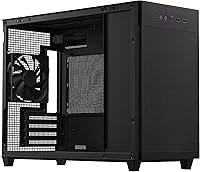
  • Form Factor: The AP201 is a Micro ATX mini-tower, compatible with Micro ATX and Mini-ITX motherboards only.
  • Volume: The chassis has a total internal volume of 33 liters, placing it in the compact end of the mini-tower segment.
  • Dimensions: External dimensions measure 21 x 17 x 11 inches (length x height x width).
  • Weight: The case weighs 12.7 pounds without any installed components.
  • Material: Construction uses a combination of alloy steel for the frame and plastic for select exterior elements.
  • GPU Clearance: Graphics cards up to 338mm in length are supported, covering the majority of current high-end consumer GPUs.
  • Radiator Support: The case accommodates radiators up to 360mm, as well as 280mm configurations, for robust liquid cooling builds.
  • PSU Compatibility: Standard ATX power supply units up to 180mm in length are supported, mounted at the front of the chassis.
  • Fan Support: Up to six 120mm fans can be installed across the available mounting positions throughout the case.
  • Mesh Panels: The quasi-filter mesh panels feature over 57,000 precision-machined holes, each measuring 1.5mm in diameter.
  • Side Panels: Both side panels use a tool-free clip mechanism that allows secure removal and reinstallation without screws.
  • Cable Management: A 32mm gap behind the motherboard tray provides space for routing cables, supported by strategically placed cutouts.
  • Front I/O Ports: The front panel includes one USB 2.0 port and four USB 3.0 ports for peripheral connectivity.
  • Cooling Methods: The AP201 supports both air cooling and water cooling configurations within the same chassis.
  • Color: This variant is finished in black and features the open mesh panel design throughout the exterior.
  • Storage Support: The case accommodates standard 2.5-inch SSDs and limited 3.5-inch HDD configurations; it is not designed for high-density storage builds.
  • Motherboard Socket: Compatible with standard Micro ATX and Mini-ITX motherboard form factors; full ATX boards are not supported.
  • Memory Type: The case is compatible with standard DIMM memory modules as determined by supported motherboard configurations.

Related Reviews

ASUS A21 Micro ATX Mid Tower Case
80%
91%
Value for Money
88%
Cable Management
86%
BTF Compatibility
93%
Component Clearance
89%
Ease of Assembly
More
AsiaHorse Pegasus MATX Mid-Tower PC Case
77%
93%
Aesthetics & Visual Design
81%
Build Quality & Materials
89%
Interior Space & Layout
74%
Cooling Potential
67%
AIO Radiator Compatibility
More
darkFlash DB330M Micro-ATX PC Case
71%
88%
Aesthetics & Design
67%
Build Quality
83%
Value for Money
72%
Airflow & Cooling
54%
Cable Management
More
Montech X5M Micro ATX PC Case
74%
86%
Value for Money
81%
Airflow Performance
88%
Fan Inclusion & Setup
91%
GPU Compatibility
43%
Front I/O
More
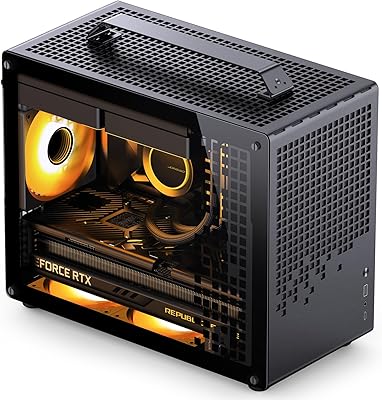
Jonsbo Z20 Micro-ATX Mini Tower Case
80%
93%
Build Quality & Materials
91%
Portability & Carrying Handle
78%
Internal Layout & Compatibility
89%
GPU Clearance & Large Component Support
87%
Cooling Support & Thermal Flexibility
More
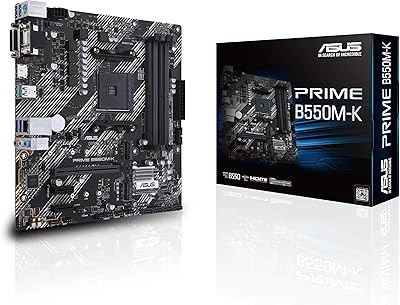
ASUS Prime B550M-K AM4 Micro-ATX Motherboard
75%
88%
Value for Money
71%
Compatibility & CPU Support
83%
Build Quality & Durability
84%
Storage Connectivity
67%
BIOS & Setup Experience
More
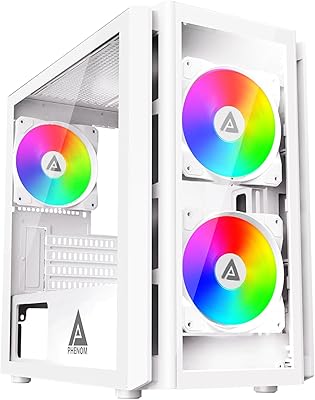
Apevia PHENOM-WH Phenom Micro ATX Gaming PC Case
84%
87%
Cooling Performance
92%
Build Quality
94%
Design & Aesthetics
88%
Ease of Cable Management
65%
Fan Support Options
More
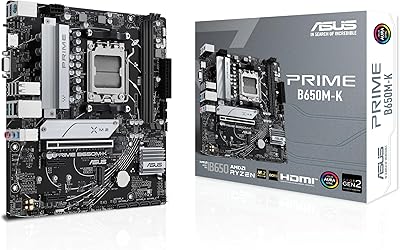
ASUS Prime B650M-K Micro-ATX Motherboard
77%
83%
Value for Money
79%
Build Quality
61%
VRM & Power Delivery
88%
BIOS Experience
91%
Networking
More
ASUS TUF GT502 Horizon Mid-Tower Case
80%
91%
Build Quality
83%
Thermal Performance
79%
Airflow Design
94%
Aesthetic Design
81%
Cable Management
More
Vetroo AL900 ATX Mid Tower PC Case
78%
93%
Aesthetic Design
78%
Build Quality
86%
Cooling Potential
63%
Cable Management
88%
GPU Compatibility
More

FAQ

No, the AP201 only supports Micro ATX and Mini-ITX motherboards. Full ATX boards are physically too large for this chassis, so double-check your motherboard size before purchasing.

Yes, the ASUS Prime AP201 Micro ATX PC Case officially supports 360mm radiators, which is genuinely uncommon for a 33-liter mini-tower. Just make sure to plan your radiator placement carefully during the build since the interior is compact.
A standard ATX power supply fits, provided it is no longer than 180mm. This is one of the AP201's more practical advantages — you can reuse an existing ATX PSU rather than spending extra on a smaller SFX unit.

It is a real trade-off. The mesh design allows excellent airflow, but it also lets more dust enter the case compared to filtered or tempered glass designs. Builders in dusty environments should plan on cleaning the interior every few weeks with compressed air to keep things running efficiently.

Most users find the clip mechanism sturdy enough for regular use — it holds the panels firmly in place during normal operation and does not rattle. That said, the panels are not as hefty as those on premium cases with thick tempered glass, so they have a lighter feel in hand.

It is workable but not spacious. The 32mm gap behind the motherboard tray is enough for most standard cables, but if you are using thick sleeved or braided cables, expect to spend extra time routing them. Thinner cables and a modular power supply will make your life noticeably easier here.

The case officially supports GPUs up to 338mm in length, which covers most high-end cards including many current-generation options. It is still wise to check your specific GPU model against that measurement before committing, especially if your card has a particularly large cooler shroud.

No, the AP201 does not come with pre-installed fans. You will need to purchase fans separately if you want active airflow, though the mesh design does allow decent passive airflow even without them during light workloads.

It is one of the more approachable compact cases available. The layout is less restrictive than true Mini-ITX builds, ATX power supplies are supported, and the tool-free panels make access easy. Many first-time small form factor builders report a smooth experience with this chassis.

It works well in both contexts. The compact footprint and clean exterior make it a good fit for a desk setup, and the cooling headroom means it can handle demanding workloads beyond gaming. Just keep in mind the limited storage bay options if your workstation needs multiple drives.