



Overview
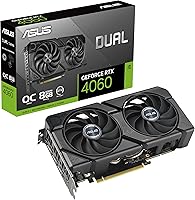
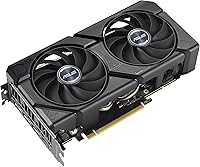
The ASUS Dual RTX 4060 EVO 8GB GPU sits squarely in the mid-range sweet spot, targeting 1080p and 1440p gaming builds without demanding a premium-tier budget. Built on NVIDIA’s Ada Lovelace architecture, it delivers noticeably better power efficiency than the Ampere generation that preceded it — you get more performance per watt, which matters for both your electricity bill and case thermals. The compact dual-fan design fits comfortably in mid-tower and even some smaller cases, and the OC Edition boost clock of 2535 MHz gives you a modest but real performance edge over reference-clocked alternatives. Among the crowded field of RTX 4060 AIB cards, this RTX 4060 card consistently earns its place through build quality and cooling refinement.
Features & Benefits
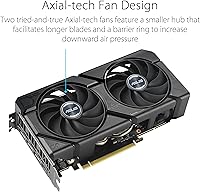
What makes this RTX 4060 card genuinely useful day-to-day is less about raw clock speeds and more about the software and hardware stack surrounding them. DLSS 3 Frame Generation is the headline feature — it uses AI to create additional frames between rendered ones, pushing perceived frame rates well beyond what the GPU alone could brute-force. In ray-traced titles like Cyberpunk 2077, the difference is tangible. The Axial-Tech fans use a barrier ring to increase downward airflow, running quieter under load than typical open-blade designs. 0dB fan-stop means total silence during web browsing or light tasks. A physical Dual BIOS switch lets you toggle between OC and standard modes without touching any software, and the HDMI 2.1a and DisplayPort 1.4a outputs cover everything from high-refresh 1440p monitors to 8K displays.
Best For
This mid-range GPU shines brightest for 1080p high-refresh gaming — if you’re chasing 144fps or higher in competitive titles, it handles that comfortably without the cost of a flagship card. Players upgrading from GTX 10-series or RTX 20-series cards will feel a substantial generational jump. At 1440p, it performs well at medium-to-high settings depending on the title, though demanding games at max settings will push its limits. The compact dual-slot footprint makes it an easy fit for mid-tower and smaller builds. Light content creators — those doing video cuts, Lightroom work, or basic 3D — will appreciate the CUDA core efficiency. Anyone sensitive to PC noise will also find the passive idle mode genuinely welcome.
User Feedback
With a 4.7-star average across more than 2,400 ratings and a top-5 ranking in Graphics Cards on Amazon, the ASUS Dual EVO has clearly earned broad trust — not cult enthusiasm from a niche crowd. Buyers consistently highlight near-silent operation and plug-and-play installation as standout experiences. Thermal performance under extended sessions draws repeated praise too. The honest counterpoint that surfaces regularly: 8GB of VRAM is starting to feel constrained in some recent titles at high or ultra settings, and that’s a real consideration for anyone buying with a multi-year horizon in mind. It’s not a dealbreaker for 1080p use, but it’s worth acknowledging rather than brushing aside.
Pros
- Handles 1080p gaming at high settings with consistent, smooth frame rates across most modern titles.
- DLSS 3 Frame Generation meaningfully boosts perceived performance in supported games beyond raw GPU output.
- Fans stop completely during light desktop use, making this card genuinely silent when it counts.
- Compact dual-slot design fits a wide variety of cases, including tighter mid-tower and smaller builds.
- Dual BIOS switch lets you flip between OC and default profiles without installing any extra software.
- Runs cool during extended gaming sessions thanks to the Axial-Tech fan design and barrier ring airflow.
- HDMI 2.1a and DisplayPort 1.4a outputs cover high-refresh monitors and future display upgrades without adapters.
- 4.7-star average from over 2,400 buyers signals consistently positive real-world ownership experiences.
- Ada Lovelace architecture delivers better performance-per-watt than prior Ampere generation cards.
- Installation is straightforward — buyers with no prior GPU upgrade experience report no issues getting it running.
Cons
- 8GB VRAM is already limiting in some graphically demanding 2024 titles at high or ultra settings.
- Not a meaningful upgrade for anyone already running an RTX 3060 Ti or higher from the last generation.
- Ray tracing performance, while improved, still comes with frame rate trade-offs in heavily RT-loaded scenes without DLSS assistance.
- DLSS 3 Frame Generation is only useful in supported titles — the library, while growing, is not universal.
- 1440p performance at maximum settings is inconsistent across demanding titles and may require quality compromises.
- The OC Edition boost over standard-clocked RTX 4060 variants is modest and unlikely to be felt in most gaming scenarios.
- No USB-C or VirtualLink output for users with mixed display setups or VR headsets that prefer that connection.
- Power connector requirements mean older PSUs without the right headers may need an adapter, adding minor setup friction.
Ratings
The ASUS Dual RTX 4060 EVO 8GB GPU earns a strong overall position in our AI-driven scorecard, which was built by analyzing thousands of verified global buyer reviews while actively filtering out incentivized, bot-generated, and duplicate feedback. Scores reflect genuine ownership experiences across a wide range of use cases — from competitive 1080p gaming rigs to quiet home office builds — and do not shy away from the real trade-offs that matter to buyers. Both the standout strengths and the recurring frustrations are represented transparently below.
Gaming Performance
Thermal Management
Noise Level
VRAM Adequacy
Build Quality
Installation Ease
Driver Stability
Value for Money
Compact Form Factor
Display Connectivity
Ray Tracing Performance
DLSS 3 Effectiveness
OC Headroom
Long-term Reliability
Suitable for:
The ASUS Dual RTX 4060 EVO 8GB GPU is a strong match for PC builders and gamers who want capable, efficient performance without spending flagship money. It's particularly well-suited to 1080p gamers chasing high refresh rates — think 144fps and above in competitive titles like Valorant, CS2, or Fortnite — where this card handles the workload with headroom to spare. Upgraders coming from GTX 1060, 1070, or RTX 2060-class hardware will feel a meaningful generational jump, especially with DLSS 3 adding perceived frame rate gains in supported games. The compact dual-slot footprint makes it a practical pick for mid-tower or smaller builds where physically larger cards simply won’t fit. It also works well in noise-sensitive environments like home offices or living room PCs, since the fans shut off entirely during light use and stay quiet under moderate gaming loads. Light creative professionals — video editors working in 1080p or basic 3D artists — will find the Ada Lovelace efficiency and CUDA performance a meaningful step up from older hardware without overspending on a workstation card.
Not suitable for:
Buyers with ambitions beyond 1080p, or those planning to hold onto their GPU for five-plus years, should think carefully before committing to this card. The 8GB VRAM limit is already causing texture and asset streaming issues in certain demanding 2024 titles at high or ultra settings, and that ceiling is unlikely to get more comfortable as games push further. Competitive 1440p gamers who refuse to drop settings will find the card occasionally struggles to deliver the smooth, consistent frame times they want in graphically intensive titles. Anyone hoping to drive a 4K display at high fidelity — beyond the occasional less-demanding title — will likely hit frustrating performance walls. This card is also not the right tool for serious 3D rendering, machine learning workflows, or video production pipelines that depend on large VRAM buffers; professionals with those needs should look at higher-tier options. If you’re already running an RTX 3060 Ti or RTX 3070, the real-world performance difference may not justify the expense of switching.
Specifications
- GPU Chip: Powered by the NVIDIA GeForce RTX 4060 graphics processor built on the Ada Lovelace architecture.
- VRAM: Equipped with 8GB of GDDR6 memory for handling textures, assets, and frame buffers in modern games.
- Memory Speed: The onboard GDDR6 memory operates at an effective speed of 2.54 GHz.
- Boost Clock: In OC Mode the card reaches a boost clock of 2535 MHz, with 2505 MHz in the default performance mode.
- PCIe Interface: Uses a PCIe 4.0 interface, fully backward compatible with PCIe 3.0 motherboard slots at reduced bandwidth.
- Display Outputs: Provides one HDMI 2.1a port and three DisplayPort 1.4a ports for connecting up to four displays simultaneously.
- Max Resolution: Supports display output up to 7680x4320 pixels, commonly referred to as 8K resolution.
- Cooling System: Features a dual Axial-Tech fan setup with a barrier ring design that increases static air pressure over the heatsink.
- 0dB Technology: Fans cease operation entirely when GPU temperatures remain low during idle or light workloads, enabling silent running.
- Dual BIOS: A physical switch on the card allows toggling between OC and default BIOS profiles without any software required.
- Card Length: The card measures 8.9 inches in length, making it compatible with most standard mid-tower and many compact cases.
- Slot Width: Occupies two expansion slots in a standard ATX or Micro-ATX motherboard layout.
- Card Weight: Weighs approximately 1.4 pounds, which is on the lighter end for a dual-fan AIB card in this class.
- Ray Tracing: Includes third-generation RT Cores that deliver up to twice the ray tracing throughput of the previous Ampere generation.
- AI Upscaling: Supports NVIDIA DLSS 3 including Frame Generation, which uses fourth-generation Tensor Cores to synthesize additional frames.
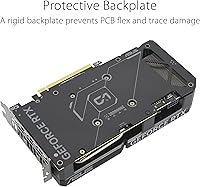
- Manufacturing: Built using ASUS Auto-Extreme Technology, an automated soldering process designed to improve long-term component reliability.
- Color: Ships in a black colorway with dark fan shroud and backplate suited to most build aesthetics.
- Power Connector: Requires a standard 8-pin PCIe power connector from the system power supply unit.
- Recommended PSU: NVIDIA recommends a minimum 550W power supply for stable system operation with this GPU installed.
- API Support: Fully supports DirectX 12 Ultimate, OpenGL 4.6, Vulkan 1.3, and OpenCL 3.0 for broad game and application compatibility.
Related Reviews
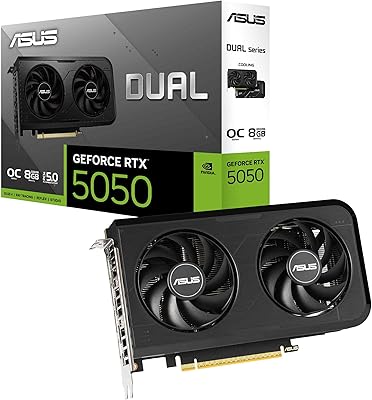
ASUS Dual RTX 5050 8GB Graphics Card
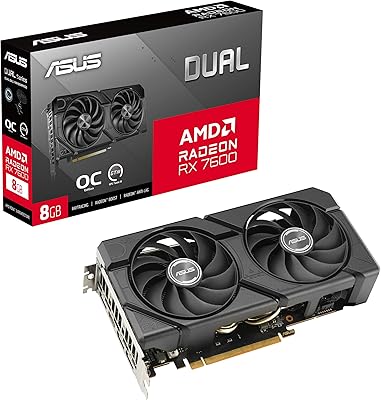
ASUS RX 7600 EVO 8GB Graphics Card
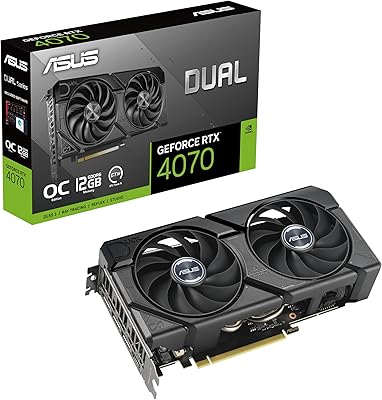
ASUS Dual RTX 4070 EVO Graphics Card
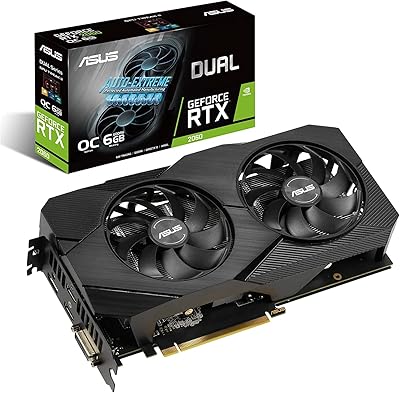
ASUS RTX 2060 Dual EVO 6GB Graphics Card
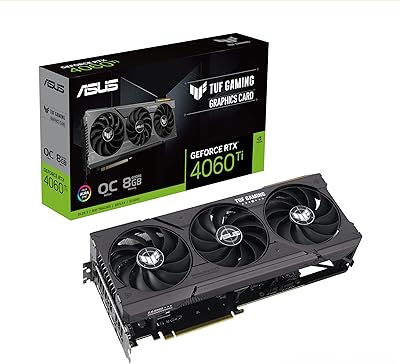
ASUS TUF Gaming RTX 4060 Ti GPU
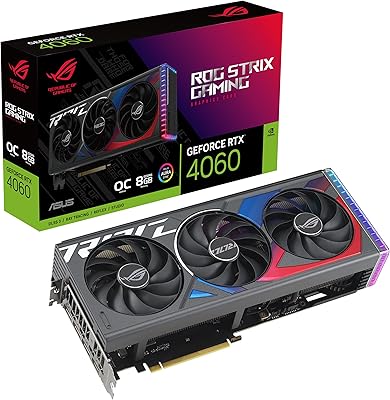
ASUS ROG Strix GeForce RTX 4060 OC Edition 8GB Graphics Card
ASUS Dual RTX 3060 12GB Graphics Card
PNY RTX 4060 Ti 8GB Graphics Card
ASUS Dual RTX 4070 Super OC Graphics Card