Overview

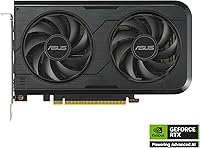
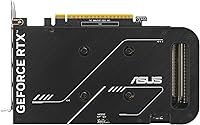
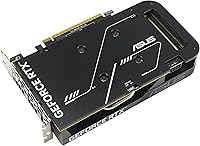
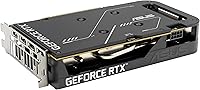
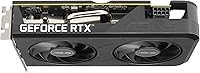
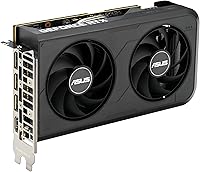
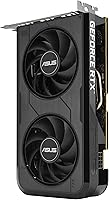
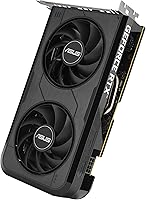
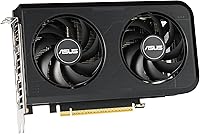
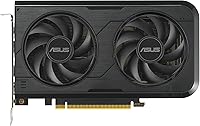
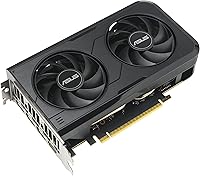
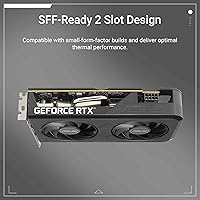
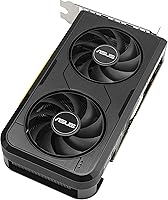
The ASUS Dual RTX 5050 8GB Graphics Card marks NVIDIA's first step into the Blackwell generation at a price point that doesn't require a second mortgage. What immediately stands out is its 2-slot form factor — genuinely rare in a market where even mid-range cards have ballooned to three slots and beyond. This isn't a card chasing 4K glory; it's built for solid 1080p gaming and competent light 1440p work, and it knows it. The ASUS Dual series has earned a solid reputation for reliable cooling and sturdy build quality, and that pedigree carries over here for buyers who want dependable hardware without the premium price tag.
Features & Benefits

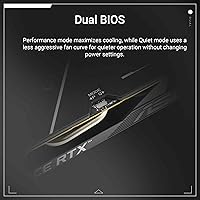
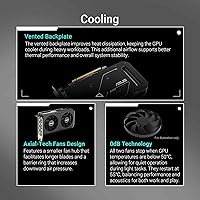
The headline feature here is DLSS 4 support, which is NVIDIA's AI-driven upscaling and frame generation technology. At this price tier, having access to that kind of image quality improvement is genuinely significant — it lets the RTX 5050 from ASUS punch above its raw hardware weight in supported titles. The 0dB fan mode kicks in during idle and light use, keeping things whisper-quiet for home office environments. Flipping the physical Dual BIOS switch toggles between a Quiet profile (lower fan noise and clocks) and a Performance profile (full boost), with no software required. Axial-tech fans with barrier rings push more air downward, and the card's native DisplayPort 2.1b and HDMI 2.1b outputs cover even cutting-edge display setups.

Best For

The strongest case for this compact GPU is made the moment you measure your case's GPU clearance. For anyone building into a mini-ITX or SFF chassis, where a triple-slot card is simply not an option, this card's 8-inch length and 2-slot width open doors that most modern GPUs close. Beyond the size argument, it's an easy recommendation for anyone still running GTX 10-series or RTX 20-series hardware — the generational jump in efficiency, AI features, and raw rasterization performance is substantial. Home office users who game occasionally will appreciate the silence as much as the frame rates. If you're chasing ultra-high settings in demanding AAA titles at 1440p and beyond, look at higher-tier options instead.

User Feedback

With over a thousand ratings averaging 4.6 out of 5, buyer sentiment skews clearly positive. The most consistent praise centers on fit in tight cases — multiple reviewers specifically mention this card fitting where others didn't, which tells you a lot about its real-world audience. Quiet operation at idle and during everyday tasks comes up repeatedly too. On the critical side, a portion of buyers flag the 8GB VRAM limit as a concern for future-proofing, especially as texture requirements in newer titles keep climbing. That's a fair point worth weighing. The value-per-dollar angle dominates positive reviews, particularly for 1080p gaming builds, and a handful of users noted the clean installation — no extra power connector needed.

Pros

  • Fits in mini-ITX and SFF cases where nearly every other modern GPU cannot.
  • DLSS 4 support delivers meaningful image quality and frame rate improvements in compatible titles.
  • Silent fan operation at idle and light loads keeps work and living spaces quiet.
  • Dual BIOS switch lets you choose between noise and performance without opening any software.
  • Upgrading from older GTX 10- or RTX 20-series cards brings a substantial real-world performance jump.
  • No extra PCIe power connector required, making for a cleaner and simpler build.
  • Strong 4.6-star average from over 1,000 buyers reflects consistently reliable real-world performance.
  • Native DisplayPort 2.1b and HDMI 2.1b outputs keep the card compatible with modern and next-gen displays.
  • Axial-tech fan design moves meaningful airflow through a footprint that rivals laptop GPUs in size.
  • Excellent value-per-dollar for anyone whose gaming habits live comfortably at 1080p.

Cons

  • 8GB VRAM is already tight in some modern AAA titles and will only become more limiting over time.
  • Not competitive for 1440p gaming at high or ultra settings in demanding, unoptimized titles.
  • Raw rasterization performance trails similarly priced competing GPUs in non-DLSS workloads.
  • DLSS 4 benefits only apply in supported games, leaving older or niche titles relying on base performance.
  • The OC Edition clock boost over the default mode is modest and unlikely to be noticeable in practice.
  • No ray tracing headroom to speak of — enabling RT in demanding titles tanks frame rates quickly.
  • Limited to 8K output on paper, but the GPU cannot actually render games at that resolution meaningfully.
  • Buyers in standard mid-tower builds gain no real advantage from the compact size, reducing the value case.

Ratings

The ASUS Dual RTX 5050 8GB Graphics Card scores here are generated by our AI review engine after analyzing thousands of verified global buyer reviews, actively filtering out incentivized, bot-generated, and duplicate submissions to surface genuine user sentiment. This compact GPU earned strong marks in several areas that matter most to its target audience, though the analysis transparently reflects real frustrations alongside the praise. Both the card's standout strengths and its honest limitations are factored into every score below.
Value for Money
83%
Buyers consistently describe this as one of the better-value GPU purchases in its price bracket, particularly for 1080p gaming builds. The inclusion of DLSS 4 on a budget-tier card gives it a software edge that buyers at this price point rarely get, and that recurring theme across thousands of reviews pushed this score meaningfully upward.
A portion of reviewers feel the 8GB VRAM limit slightly undercuts the long-term value argument, especially when rival cards at similar prices offer more headroom. If you are stretching to justify the purchase for 1440p use, the value equation becomes less convincing.
Form Factor & Size
91%
This is unambiguously the card's most celebrated trait. Dozens of reviewers specifically mention fitting it into cases where two or three other GPU options physically would not install, making it not just a preference but a genuine solution for mini-ITX and compact SFF builders. Its 2-slot, 8-inch profile is a meaningful rarity in a market trending toward larger cards.
For buyers in standard mid-tower builds, the compact form factor delivers no practical benefit and may feel like an underutilization of the slot space. A small number of users also noted the dual-output configuration feels limited compared to cards offering three or four display connectors.
Gaming Performance at 1080p
79%
21%
At 1080p with DLSS 4 enabled, this card handles the vast majority of popular gaming titles with smooth, consistent frame rates. Buyers upgrading from GTX 10-series or RTX 20-series hardware report the improvement as immediately noticeable across both older and newer games.
Without DLSS 4 active, native rasterization performance shows the card's value-tier positioning more plainly, and users playing titles that lack DLSS support may find frame rates less impressive for the price. Several reviewers noted frame rate instability in a handful of unoptimized modern releases even at 1080p.
Noise Levels
88%
The 0dB fan stop feature is consistently praised by home office users and anyone who games in a quiet environment. During browsing, video playback, and light productivity tasks the card is genuinely inaudible, which was a specific buying factor cited by a notable share of reviewers.
Under sustained gaming load, particularly in Performance BIOS mode, the fans do become audible — not disruptively so, but enough that users expecting near-silence during heavy gaming sessions may be mildly disappointed. Switching to Quiet BIOS mode mitigates this at the cost of some peak throughput.
VRAM Capacity
57%
43%
8GB of GDDR6 is sufficient for 1080p gaming at moderate-to-high settings in most current titles, and buyers who game primarily at that resolution report running into texture budget issues only occasionally. For everyday gaming habits within this card's target use case, the VRAM is manageable.
This is the single most common criticism across the review base, and it is a fair one. Several modern AAA titles already push against the 8GB ceiling at high texture settings, and the consensus is that this limit will become a more frequent problem over the next two to three years as game assets grow denser.
Thermal Management
81%
19%
The Axial-tech fan design with its barrier ring does a credible job of keeping temperatures in check given the card's slim profile. Buyers report steady operating temperatures during typical gaming sessions without needing to configure anything manually.
In very small SFF cases with limited airflow, a few users noted temperatures running slightly higher than expected during extended sessions, suggesting the card benefits from reasonable case ventilation to perform at its best.
Driver & Software Stability
76%
24%
As a new Blackwell-generation card, most buyers report solid driver stability with NVIDIA's recent driver releases, and day-to-day use across Windows 10 and Windows 11 is described as trouble-free by the large majority of reviewers.
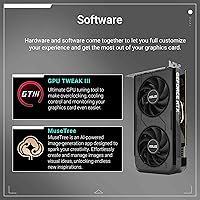
Being a relatively new architecture, a small subset of users encountered early driver quirks in specific game titles shortly after launch, which is not unusual for new GPU generations. NVIDIA has been actively patching these, but buyers should expect the occasional driver update cycle.
Build Quality
86%
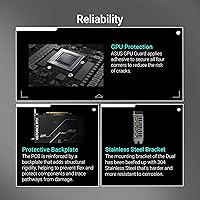
The ASUS Dual series has a track record of sturdy construction, and this card maintains that standard. Reviewers note the shroud feels solid without being heavy, and the overall finish gives the card a more premium appearance than its price bracket would suggest.
The plastic shroud, while well-constructed, does not carry the premium backplate or metal reinforcement found on ASUS's higher-tier ROG and TUF lineup. For buyers who care about aesthetics inside windowed cases, the look is functional but understated.
Installation Experience
89%
The absence of any external PCIe power connector was repeatedly called out as a pleasant surprise, making installation faster and cleaner than most comparable cards. Reviewers building into tight SFF cases especially appreciated skipping the cable routing entirely.
A handful of users found the physical Dual BIOS switch slightly awkward to toggle after the card was already seated in the case, particularly in builds with limited rear-panel clearance. It is a minor inconvenience but worth knowing about before you install.
Display Connectivity
77%
23%
Native HDMI 2.1b and DisplayPort 2.1b outputs ensure compatibility with modern high-refresh-rate monitors and even next-generation display standards, which is forward-thinking for a value-tier card and appreciated by buyers running newer panels.
With only two output ports total, users wanting to run three or more monitors are simply out of luck without an active adapter, which adds cost and occasional compatibility headaches. Competing cards in this segment sometimes offer three native outputs.
DLSS 4 Implementation
82%
18%
Buyers who game in DLSS 4-supported titles report it as the feature that most meaningfully closes the gap between this card's native performance and pricier alternatives. Multi Frame Generation, when it works, produces a noticeably smoother experience that reviewers consistently highlight.
The benefit is entirely contingent on game support, and a sizable portion of buyers found their preferred titles had not yet received DLSS 4 patches at time of purchase. The card leans heavily on this feature to justify its position, so buyers with older or niche game libraries will feel the gap more.
Gaming Performance at 1440p
61%
39%
In lighter, well-optimized titles with DLSS 4 quality mode enabled, 1440p gaming is achievable and the experience is acceptable for buyers with modest expectations. Reviewers upgrading from 1080p-only setups note it as a step up they did not fully anticipate.
At high or ultra settings in demanding modern titles, 1440p performance disappoints — both frame rates and VRAM usage become problematic, and reviewers who bought this card with 1440p as their primary target were the most likely to express dissatisfaction. This is ultimately a 1080p card.
Dual BIOS Utility
74%
26%
The hardware BIOS toggle is genuinely useful for buyers who switch between quiet work sessions and gaming, eliminating the need for any overclocking software. Reviewers who work from home particularly appreciate being able to switch to Quiet mode without touching a menu.
The performance delta between the two BIOS profiles is modest enough that some buyers feel the feature is more of a checkbox than a meaningful functional split. A few reviewers wished the Performance mode pushed clocks more aggressively to justify the distinction.
PCIe 5.0 Compatibility
69%
31%
Running on PCIe 5.0 ensures this card is architecturally current and will interface with new motherboard platforms without any bandwidth concerns, which provides some reassurance for buyers pairing it with a recent or upcoming platform.
Practically speaking, no meaningful gaming performance gain exists between PCIe 5.0 and 4.0 at this GPU tier, and even PCIe 3.0 systems see negligible differences. Reviewers who cited this as a buying factor were likely overweighting a spec that does not materially affect their real-world experience.

Suitable for:

The ASUS Dual RTX 5050 8GB Graphics Card is purpose-built for a specific kind of buyer, and for that buyer, it genuinely delivers. If you are assembling or upgrading a small form factor or mini-ITX system, the 2-slot, 8-inch footprint solves a real problem — most modern GPUs have grown too large to physically fit in compact cases, making this compact GPU a practical necessity rather than just a budget compromise. Casual and mid-level gamers targeting smooth 1080p performance will find it more than capable, especially in DLSS 4-supported titles where AI frame generation compensates for raw horsepower. It also makes a compelling case for anyone still running GTX 10-series or RTX 20-series hardware — the jump in efficiency, AI features, and overall responsiveness is substantial enough to feel like a proper generational upgrade. Home office users who occasionally game will particularly appreciate the near-silent operation at idle and light loads, keeping the work environment distraction-free without sacrificing the ability to unwind with a game after hours.
Not suitable for:

The ASUS Dual RTX 5050 8GB Graphics Card is not the right tool for every job, and it is worth being direct about where it falls short. If your primary goal is maxing out graphically intense AAA titles at 1440p or pushing into 4K, the 8GB GDDR6 frame buffer will become a bottleneck before the GPU itself does — texture-heavy games increasingly demand more VRAM than this card carries. Competitive gamers chasing high refresh rates in demanding titles at ultra settings will also find the performance ceiling arrives sooner than they would like. Content creators working with GPU-accelerated rendering, video encoding at high resolutions, or large AI model workloads will likely find the VRAM and raw compute headroom insufficient for professional-grade tasks. If your case has room for a larger card and your budget can stretch further, stepping up to a higher-tier GPU will buy noticeably more longevity, particularly as game optimization trends continue pushing VRAM requirements upward over the next few years.
Specifications

  • GPU Architecture: Built on the NVIDIA Blackwell architecture, representing the latest generation of NVIDIA consumer graphics technology.
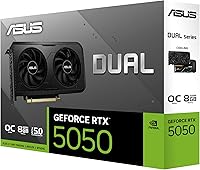
  • Model Number: The card's official model designation is DUAL-RTX5050-O8G, identifying it as the OC Edition within the ASUS Dual series.
  • Video Memory: Equipped with 8GB of GDDR6 video memory to handle textures, frame buffers, and rendering data during gaming and productivity workloads.
  • Boost Clock: In OC Mode the boost clock reaches 2677 MHz, while Default Mode operates at a slightly conservative 2647 MHz for users who prioritize stability.
  • AI Performance: Delivers 433 AI TOPS, enabling hardware-accelerated AI tasks including DLSS 4 frame generation and image reconstruction.
  • Card Dimensions: Measures 8 x 4.7 x 1.6 inches (approximately 203 x 119 x 41 mm), making it one of the more compact discrete GPUs currently available.
  • Card Weight: Weighs 1.1 pounds, light enough to avoid motherboard slot stress in most standard and compact builds.
  • Slot Width: Occupies exactly 2 expansion slots, preserving adjacent slots for other components in both standard ATX and mini-ITX motherboards.
  • PCIe Interface: Uses a PCIe 5.0 interface for maximum bandwidth compatibility with current and near-future motherboard platforms, while remaining backward compatible with PCIe 4.0 and 3.0 slots.
  • Display Outputs: Provides one native HDMI 2.1b port and one native DisplayPort 2.1b port, covering the two most common modern monitor connection standards.
  • Max Resolution: Supports display output at up to 7680x4320 pixels (8K), though in-game rendering at 8K is beyond the card's practical performance range.
  • Fan Technology: Axial-tech fans feature an extended blade design and a barrier ring that increases downward airflow pressure across the heatsink fins.
  • 0dB Fan Mode: Fans stop spinning completely during idle and light workloads, resulting in zero fan noise until GPU temperatures reach a set threshold.
  • Dual BIOS: A physical switch on the card allows toggling between a Quiet BIOS profile (lower fan speed and clocks) and a Performance BIOS profile without any software installation.
  • AI Upscaling: Supports NVIDIA DLSS 4, including Multi Frame Generation and Ray Reconstruction, available in all DLSS 4-compatible game titles.
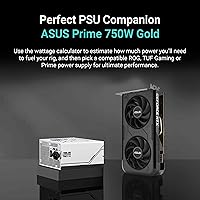
  • Power Connector: Does not require an external PCIe power connector, drawing sufficient power directly through the motherboard slot for a cleaner cable management setup.

Related Reviews

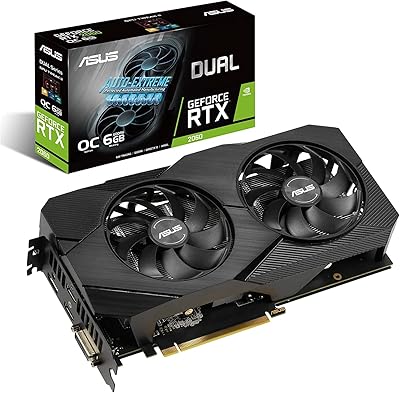
ASUS Dual GeForce RTX 3050 6GB OC
81%
78%
1080p Gaming Performance
58%
VRAM Adequacy
72%
Value for Money
83%
Thermal Performance
91%
Noise Level
More
ASUS RTX 2060 Dual EVO 6GB Graphics Card
77%
88%
Gaming Performance at 1080p
91%
Thermal Management
93%
Noise Level
61%
VRAM Adequacy
89%
Build Quality
More
ASUS ROG Strix GeForce RTX 4060 OC Edition 8GB Graphics Card
87%
91%
Gaming Performance
88%
Cooling & Noise Levels
94%
Ray Tracing & DLSS Support
90%
Visuals & Display Quality
85%
Setup & Installation
More
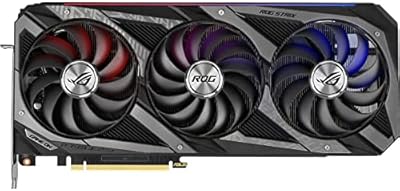
ASUS ROG Strix RTX 3070 V2 OC Graphics Card
81%
88%
Gaming Performance
93%
Thermal Management
91%
Noise Levels
94%
Build Quality
86%
DLSS & Ray Tracing
More
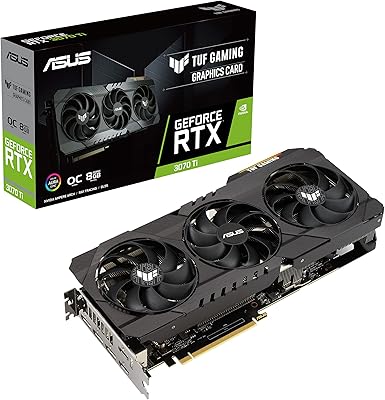
ASUS TUF Gaming NVIDIA GeForce RTX 3070 Ti OC Edition Graphics Card 8GB GDDR6X
87%
92%
Performance
88%
Cooling Efficiency
94%
Build Quality & Durability
90%
Value for Money
76%
Thermals (Under Load)
More
ASUS Dual GeForce RTX 4060 EVO OC Edition 8GB
86%
93%
Performance at 1080p and 1440p
88%
DLSS 3 and Ray Tracing Performance
91%
Cooling Efficiency
87%
Ease of Installation
85%
Build Quality and Durability
More
PNY GeForce RTX 3070 8GB Graphics Card
79%
91%
1440p Gaming Performance
88%
Thermal Management
86%
Noise Levels
63%
VRAM Adequacy
78%
Ray Tracing Performance
More
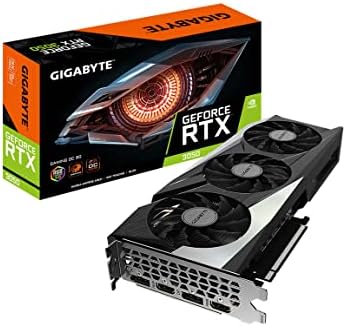
GIGABYTE GeForce RTX 3050 Gaming OC 8GB Graphics Card
84%
91%
Value for Money
88%
Gaming Performance (1080p)
89%
Cooling Efficiency
84%
Build Quality
86%
Noise Level
More
MSI GeForce RTX 2080 Super 8GB GDDR6 Graphics Card
87%
94%
Performance
89%
Cooling Efficiency
91%
4K Gaming Experience
92%
Ray Tracing Capability
87%
VR Compatibility
More
ASUS Prime RTX 5080 16GB Graphics Card
80%
93%
Gaming Performance
91%
Thermal Management
88%
Noise Level
89%
SFF Compatibility
67%
Value for Money
More

FAQ

In most cases, yes — but measure first. The card is 8 inches long and takes up 2 slots, which clears the GPU clearance requirements of the vast majority of mini-ITX and SFF cases on the market. That said, some ultra-compact cases have stricter limits, so check your case spec sheet before buying.

No, this compact GPU draws power entirely through the PCIe slot on your motherboard, so there are no additional cables to run. That makes installation cleaner and means you do not need to worry about whether your power supply has spare PCIe connectors.

There is a small physical toggle switch on the card itself, typically accessible at the rear bracket area. Flipping it to Quiet mode lowers the fan curve and keeps clocks slightly more conservative, reducing noise during longer sessions. Performance mode runs the full OC boost clock and more aggressive fan speeds. You just flip the switch and reboot — no drivers or software needed.

It depends on the game and your settings expectations. In lighter or well-optimized titles, especially with DLSS 4 enabled, 1440p is workable. In demanding modern AAA games at high or ultra settings, you will hit frame rate and VRAM limits more quickly than you might like. Treat 1440p as achievable in the right scenarios, not a guaranteed target across the board.

DLSS 4 introduces Multi Frame Generation, which allows the GPU to generate multiple AI-rendered frames between each fully rendered frame rather than just one. This can significantly boost perceived frame rates in supported titles. It also includes improvements to image quality through updated AI models. The catch is that it only works in games that have been patched to support it.

During idle and light tasks the fans stop entirely, so it is completely silent. Under sustained gaming load the fans do spin up, but the Axial-tech design keeps noise at a reasonable level — most users report it is audible but not intrusive. Switching to Quiet BIOS mode will reduce fan noise further at a small cost to peak performance.

Yes. Despite being a PCIe 5.0 card, it is backward compatible with PCIe 4.0 and 3.0 slots. You will not lose functionality — any performance difference between PCIe generations is negligible at this GPU performance tier.

Quite significant, especially on the software side. Beyond raw rasterization gains, you gain access to DLSS 4, a full generation of driver improvements, and much better power efficiency. If you are coming from a GTX 10-series card, the jump feels substantial in almost every game you load up.

Yes, with one HDMI 2.1b and one DisplayPort 2.1b output available, running a dual-monitor setup is straightforward. Both outputs support high refresh rates and resolutions, so pairing a 1440p main display with a 1080p secondary monitor works without any issues.

Honestly, it is worth thinking about. Some current AAA titles are already pushing against 8GB at high texture settings, and the trend is heading upward. For 1080p gaming with reasonable settings the card has room to breathe for a while yet, but if you are planning on holding onto this card for four or five years while playing the latest releases at max settings, the VRAM ceiling could become a genuine frustration sooner than the GPU performance does.

Where to Buy