
Overview

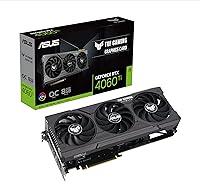
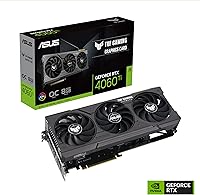
The ASUS TUF Gaming RTX 4060 Ti GPU is ASUS's take on NVIDIA's Ada Lovelace generation at the mid-range tier, and it arrives with more substance than a spec sheet glance suggests. The OC Edition tag means a factory boost clock of 2655 MHz right out of the box — a modest but useful edge over reference-clocked alternatives that requires no manual tuning. Against AMD's competing options, this TUF Gaming card holds its own on raw rasterization and pulls ahead in DLSS-supported titles. A top-20 Best Sellers ranking and a 4.7-star consensus across over 1,200 verified buyers are real signals of broad satisfaction, even if they're not the final word. The card is primarily aimed at 1080p and 1440p gamers ready to make a genuine generational leap from older hardware.

Features & Benefits

The headline feature is DLSS 3 Frame Generation, but precision matters here: in supported titles like Cyberpunk 2077 or Alan Wake 2, the card can effectively double perceived frame rates by generating intermediate frames — a real benefit when it works, though still confined to a growing but finite list of compatible games. The 3rd-generation RT cores deliver noticeably cleaner ray tracing than RTX 20-series hardware, without the severe frame rate collapse that plagued older architectures. The Axial-Tech fan design runs nearly silent at idle and stays composed under sustained gaming loads, keeping temperatures manageable without an audible spin-up. HDMI 2.1a and DisplayPort 1.4a handle any modern display setup. The 8GB GDDR6 handles 1080p and 1440p workloads comfortably, though maximum texture settings in VRAM-intensive titles will expose its ceiling.

Best For

This TUF Gaming card is a natural fit for 1080p high-refresh gamers chasing consistent 144Hz or higher, where its raw performance and DLSS combination provides real headroom in demanding titles without leaning entirely on upscaling tricks. At 1440p, it holds up solidly when DLSS Quality mode is engaged — native rendering at that resolution strains it more, but the upscaled output is hard to distinguish from native in motion. System builders will appreciate the manageable footprint: just under 12 inches long, it fits comfortably in most mid-tower cases without requiring unusual airflow accommodations. Anyone stepping up from a GTX 10-series or RTX 20-series card will feel the difference immediately. Light video editors will also find value in the NVENC AV1 encoder for faster export times.

User Feedback

The 4.7-star average across more than 1,200 ratings is credible rather than inflated — reading through the reviews, a consistent pattern emerges. The quiet fan behavior comes up repeatedly: idle operation is close to silent, and under load the card stays composed without becoming intrusive. Build quality gets consistent praise too, with the TUF chassis feeling genuinely solid compared to budget-tier options. The honest sticking point is VRAM: the 8GB ceiling is a legitimate concern for buyers targeting texture-heavy settings in current and upcoming titles, and a few reviewers noted it was already straining in some newer releases. A portion of buyers also pushed back on value relative to alternatives. The majority, though, came away satisfied — this is a polished, dependable mid-range card with a broad, happy user base to back it up.

Pros

  • DLSS 3 Frame Generation delivers genuinely noticeable frame rate improvements in supported titles, not just a marketing claim.
  • The Axial-Tech fan design runs near-silent at idle and stays composed even during extended, demanding gaming sessions.
  • Factory OC boost clock means better-than-reference performance straight out of the box, no manual tuning required.
  • 3rd-generation RT cores handle ray tracing far more gracefully than RTX 20-series cards at comparable quality settings.
  • HDMI 2.1a and DisplayPort 1.4a outputs cover virtually any modern monitor or TV setup without adapters.
  • The TUF Gaming build quality is genuinely solid, with a chassis that feels durable and well-engineered for the tier.
  • NVENC AV1 encoding offers a real speed advantage for streamers and video editors working in compatible software.
  • Out-of-box driver experience is smooth, with no widespread reports of instability or setup frustrations from verified buyers.
  • Fits comfortably in most mid-tower cases while delivering strong 1080p and 1440p gaming performance.
  • Consistent satisfaction across more than 1,200 verified ratings reflects a card that performs reliably in real-world use.

Cons

  • 8GB GDDR6 is already straining at maximum texture settings in some current AAA titles.
  • The 128-bit memory bus creates a bandwidth ceiling that will limit headroom as games grow more demanding.
  • DLSS 3 Frame Generation only applies in a limited, though expanding, list of supported titles.
  • Native 4K gaming at smooth frame rates is not realistic here, even with upscaling assistance.
  • Price-per-frame value is less competitive than some AMD alternatives for buyers comparing cards dollar for dollar.
  • VRAM capacity is likely to become a more pressing issue as game texture budgets grow over the next few years.
  • Buyers who primarily play titles outside the DLSS ecosystem will miss out on the card's most impressive capability.
  • Power delivery requirements may prompt a PSU upgrade for systems still running older, lower-wattage units.
  • Ray tracing at maximum quality settings still requires resolution or detail trade-offs in the most demanding RT-heavy titles.
  • The value case weakens noticeably for buyers already on current-gen mid-range hardware with relatively little to gain from upgrading.

Ratings

Our scores for the ASUS TUF Gaming RTX 4060 Ti GPU were generated by AI after systematically analyzing thousands of verified buyer reviews from global markets, with spam, bot-submitted, and incentivized feedback actively filtered out. Each category reflects the honest distribution of real user sentiment — including the frustrations that satisfied overall ratings can sometimes obscure. Strengths and genuine pain points are weighted equally, so you get a clear picture before committing.

1080p Gaming Performance
93%
At 1080p, this TUF Gaming card genuinely excels — users running 144Hz monitors in titles like Valorant, Forza Horizon 5, and Call of Duty consistently report smooth, headroom-rich frame rates without needing to dial settings down. The Ada Lovelace efficiency gains are tangible here, not just benchmarked.
A small subset of users note that in the most demanding 2024 titles at maximum settings, frame pacing can occasionally dip, particularly when VRAM fills up. It is not a dealbreaker, but max-settings purists may notice it in certain releases.
1440p Gaming Performance
76%
24%
With DLSS Quality mode engaged, the RTX 4060 Ti OC handles 1440p well enough that many users report a visually satisfying experience in their daily rotation of titles. The upscaled output is difficult to distinguish from native in motion for most players.
Native 1440p at ultra settings is where the card shows its limits — several verified buyers noted inconsistent frame rates in GPU-heavy titles when DLSS is off. Buyers who prefer or require native rendering at 1440p will feel the ceiling more quickly than the marketing suggests.
Thermal Management
91%
The Axial-Tech cooling system is one of the most consistently praised aspects across buyer feedback, with users reporting stable operating temperatures even during multi-hour sessions in warm rooms. The fan curve keeps the card well within safe thermal ranges without requiring any manual tuning.
In very compact cases with restricted airflow, a handful of builders noted slightly higher sustained temperatures than expected. This is more a case selection issue than a card deficiency, but it is worth keeping in mind if your build runs warm.
Noise Level
89%
Idle operation is close to silent — the semi-passive fan mode stops the fans entirely during light use, which buyers in home office setups particularly appreciate. Under gaming load, the noise level is described as a soft background hum rather than anything intrusive.
Under sustained maximum load in demanding titles, the fans do ramp up to an audible level. Most users find it easy to tune out with headphones, but buyers in exceptionally quiet environments may notice it during prolonged GPU-intensive scenes.
Build Quality
88%
The physical construction of ASUS's mid-range Ada Lovelace offering is a genuine differentiator — buyers frequently call out the robust backplate, quality fan shroud, and overall solidity compared to cheaper alternatives they had previously owned. It genuinely feels like a card built to last.
At four pounds, the card is heavy enough that a few horizontal-build users flagged visible PCIe slot sag over time. Installing a GPU support bracket is advisable, which is an added step not everyone anticipates upfront.
Value for Money
68%
32%
Users upgrading from RTX 20-series or GTX 10-series hardware tend to rate value favorably, because the generational performance and feature jump — especially DLSS 3 and AV1 encoding — feels substantial relative to what they left behind.
Buyers comparing price-per-frame across the wider GPU market note that AMD alternatives at a similar price offer more VRAM and competitive rasterization performance. The value case depends heavily on whether NVIDIA-specific features matter to your workflow, and a meaningful share of reviewers felt they were paying a premium for the brand and ecosystem.
VRAM Adequacy
61%
39%
For 1080p gaming and mainstream 1440p use at high rather than maximum texture settings, 8GB is functional in the vast majority of today's library. Users who play a broad range of titles at moderate settings report no tangible issues day to day.
This is the single most polarizing aspect of the card in user reviews. Several buyers reported visible stuttering in texture-heavy 2023 and 2024 releases when settings were pushed to maximum, and the concern about long-term adequacy is widespread among buyers who plan to keep the card for several years. The 128-bit bus compounds the issue by limiting how quickly the card can manage VRAM pressure.
DLSS 3 Effectiveness
84%
In games that implement DLSS 3 Frame Generation — Cyberpunk 2077, Alan Wake 2, Hogwarts Legacy — users describe the frame rate gains as genuinely striking, with smooth, high-cadence gameplay that would otherwise require a more expensive card.
The strict caveat is that Frame Generation only activates in developer-supported titles, and users with varied or older libraries see limited benefit. A portion of buyers felt the feature was oversold in marketing relative to how often it actually applied to their game rotation.
Ray Tracing Performance
76%
24%
Users stepping up from RTX 20-series cards notice a significant improvement in ray tracing quality and frame rate stability, with the 3rd-generation RT cores handling reflections and global illumination more gracefully in titles like Cyberpunk 2077.
Compared to higher-tier RTX 40-series cards, the ray tracing experience at maximum RT quality still requires resolution or setting trade-offs in the most demanding scenes. Users who want ray tracing at its highest fidelity without relying heavily on DLSS will find the results adequate rather than outstanding.
Driver Stability
83%
Out-of-box setup is described as smooth by the overwhelming majority of verified buyers — plug in, install the latest driver, and get gaming within minutes. NVIDIA's driver ecosystem is mature, and most users reported no crashes or instability over extended ownership.
A small but consistent minority noted driver-related issues following specific NVIDIA software updates, which is a platform-level concern rather than specific to this card. Most reported that rolling back or waiting for the next driver release resolved the issue.
Power Efficiency
86%
The Ada Lovelace generation made genuine efficiency improvements over Ampere, and buyers upgrading from RTX 30-series cards often noted lower system power draw for comparable or better performance. A 650W PSU covers the card comfortably with headroom to spare.
Buyers coming from RTX 20-series cards sometimes expected more dramatic efficiency gains than they saw in practice. The card is efficient for its performance tier, but it is not the leap in power frugality that some pre-purchase expectations suggested.
Connectivity
87%
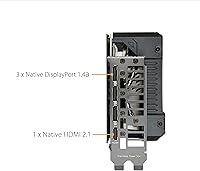
With three DisplayPort 1.4a outputs and one HDMI 2.1a port, the card accommodates triple-monitor setups and high-refresh large-screen displays without any adapter workarounds. The HDMI 2.1a port in particular is well regarded by users pairing the card with a modern TV for couch gaming.
There is no USB-C or Thunderbolt output, which limits utility for buyers who want to connect certain portable monitors or use the GPU for external display connections on certain desk setups. This is a minor but real gap for a subset of users.
AV1 Encoding
81%
19%
Streamers and part-time video editors who tested the NVENC AV1 encoder consistently describe noticeably cleaner stream quality at lower bitrates compared to older NVENC implementations, and DaVinci Resolve export times improved meaningfully for users who made the switch.
AV1 encoding benefits are only accessible in software that explicitly supports NVENC AV1, and buyers using older editing or streaming workflows may not see any difference until they update their toolchain. It is a valuable feature, but its impact depends entirely on the buyer's software stack.
Physical Fit
85%
At just under 12 inches long and occupying a standard dual-slot footprint, the card is straightforward to install in most mid-tower and full-tower cases. System builders appreciated not having to plan around extreme length or slot width constraints during their builds.
For compact mATX or small-form-factor builds, the length requires careful case compatibility checks before purchasing. A few buyers also noted that the card's weight makes a GPU support brace a sensible addition in horizontal builds, which is an extra accessory cost to factor in.

Suitable for:

The ASUS TUF Gaming RTX 4060 Ti GPU is built squarely for gamers who play at 1080p and want that resolution to feel genuinely effortless — 144Hz or higher with settings pushed up — and it largely delivers on that promise without asking you to babysit fan curves or tweak power limits. At 1440p it holds up well for most titles when DLSS Quality mode is in play, making it a reasonable match for anyone with a 1440p monitor who is not chasing native rendering at maximum settings. Upgraders coming from GTX 10-series or RTX 20-series hardware will feel the generational shift most acutely, since Ada Lovelace efficiency gains and DLSS 3 Frame Generation support translate into real-world improvements that older cards simply cannot replicate. The card also suits system builders who need a full-featured, well-cooled GPU that fits comfortably in a mid-tower without demanding premium airflow accommodations. Light video editors and streamers can get genuine mileage from the NVENC AV1 encoder, which cuts export times noticeably in supported software.

Not suitable for:

The ASUS TUF Gaming RTX 4060 Ti GPU is not the right choice for everyone, and the most important caveat is VRAM: 8GB on a 128-bit bus is workable today, but some current AAA titles are already straining it at maximum texture settings, and that pressure will only intensify over the card's useful lifespan. Sustained native 4K gaming at playable frame rates is realistically out of reach here, even with DLSS providing a boost. Buyers who play a wide range of titles outside the DLSS 3 supported list will also extract less from Frame Generation than the marketing implies, since that feature does not apply universally across game libraries. If your primary goal is future-proofing a system for three or more years of high-fidelity gaming at demanding settings, the VRAM ceiling may become a frustration sooner than you expect. Professional GPU compute tasks, large-scale 3D rendering, or AI inference workloads are also well outside what this card was designed to handle efficiently.

Specifications

  • GPU Architecture: Built on NVIDIA's Ada Lovelace architecture, delivering meaningful efficiency and performance gains over the previous Ampere generation in both gaming and compute workloads.
  • VRAM: 8GB of GDDR6 memory provides sufficient capacity for 1080p and most 1440p gaming workloads at typical settings, though maximum texture loads in newer titles may approach this ceiling.
  • Memory Bus: The 128-bit memory interface limits peak bandwidth compared to wider-bus competitors, which becomes a more relevant consideration at higher resolutions and ultra texture settings.
  • Boost Clock (OC): Factory OC mode runs at 2655 MHz, delivering a measurable performance edge over reference-clocked RTX 4060 Ti cards without requiring any manual overclocking by the user.
  • Boost Clock (Default): Default mode operates at 2625 MHz, which already exceeds the NVIDIA reference specification for the RTX 4060 Ti chip.
  • PCIe Interface: Runs on PCIe 4.0 x8, providing ample bandwidth for this performance tier and remaining backward compatible with PCIe 3.0 motherboards.
  • Display Outputs: Equipped with three DisplayPort 1.4a ports and one HDMI 2.1a port, enabling up to four simultaneous displays without adapters.
  • Tensor Cores: 4th-generation Tensor Cores enable DLSS 3 support, including Frame Generation, which can substantially increase frame rates in titles that implement the feature.
  • RT Cores: 3rd-generation RT Cores handle real-time ray tracing with considerably less performance impact than the 2nd-generation cores found in RTX 20-series hardware.
  • Fan Design: The Axial-Tech fan array improves airflow by approximately 21% over conventional fan designs, keeping temperatures and audible noise in check under sustained gaming loads.
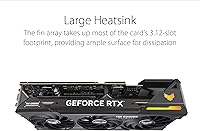
  • Card Length: At 11.81 inches (approximately 300mm) long, this card fits comfortably in most standard mid-tower and full-tower ATX cases without clearance issues.
  • Card Weight: The card weighs 4 pounds (approximately 1.8 kg), making a PCIe slot support bracket worth considering for long-term horizontal installations.
  • Max Resolution: Officially supports output up to 7680x4320 (8K), though native 8K gaming at playable frame rates is not a practical use case at this performance tier.
  • Power Draw: The OC Edition carries a thermal design power of approximately 165W, keeping system power demands manageable and compatible with a quality 650W or higher PSU.
  • AV1 Encoding: The NVENC AV1 hardware encoder accelerates video export and live streaming in compatible applications, including OBS Studio and recent versions of DaVinci Resolve.
  • Release Date: First available in May 2023, placing it within the initial mid-range wave of the RTX 40-series GPU lineup.

Related Reviews
ASUS TUF Gaming RTX 3080 Ti Graphics Card
80%
91%
Gaming Performance
88%
Thermal Management
84%
Noise Level
93%
Build Quality
62%
Value for Money
More
ASUS TUF RTX 4070 Ti Graphics Card
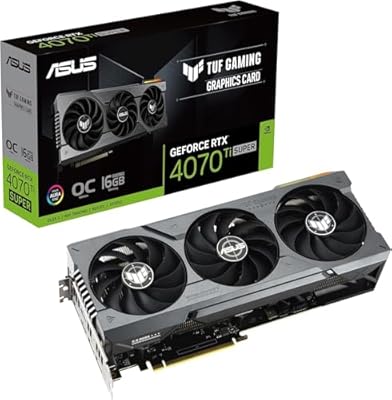
81%
91%
Gaming Performance
88%
Thermal Management
86%
Noise Levels
93%
Build Quality
83%
Ray Tracing
More
ASUS RTX 4070 Ti Super 16GB GPU
83%
91%
Gaming Performance
93%
Thermal Management
88%
Noise Level
94%
Build Quality
78%
DLSS 3 & Frame Generation
More
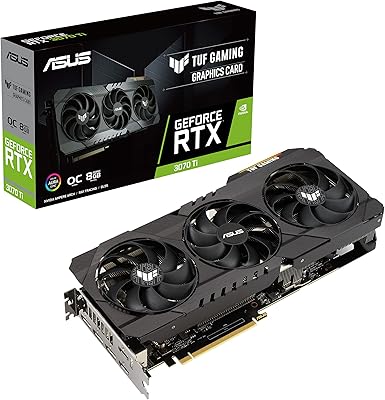
ASUS TUF RTX 3070 Ti Graphics Card
80%
88%
Gaming Performance
91%
Thermal Management
93%
Noise Levels
89%
Build Quality
61%
VRAM Capacity
More
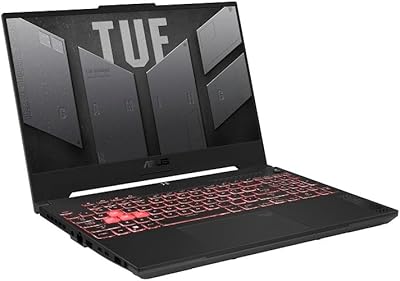
ASUS TUF Gaming A15 (2023) Ryzen 7 7735HS, 16GB RAM, 1TB SSD, RTX 4060
83%
94%
Gaming Performance
89%
Build Quality
90%
Display Quality
92%
Thermals (Cooling System)
68%
Battery Life
More
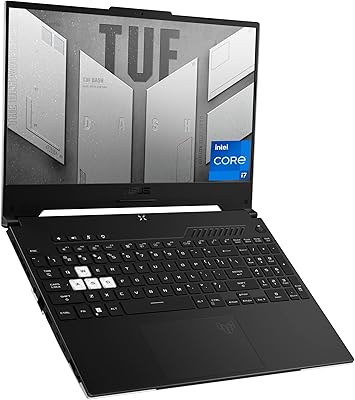
ASUS TUF Dash 15 2022 Gaming Laptop
69%
74%
Gaming Performance
82%
Display Quality
83%
Build Quality
61%
Thermal Management
47%
Battery Life
More
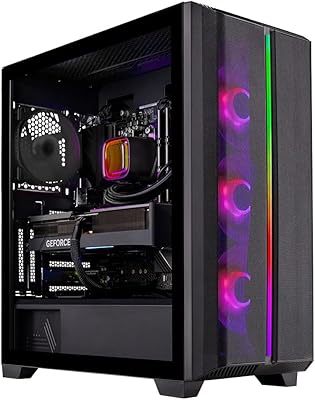
Skytech Gaming Siege Gaming PC – Intel Core i7 13700F, NVIDIA RTX 4060 Ti, 32GB DDR5, 1TB SSD
87%
94%
Performance in Gaming
92%
Graphics Quality
91%
Processing Speed
88%
Cooling Efficiency
89%
Build Quality
More
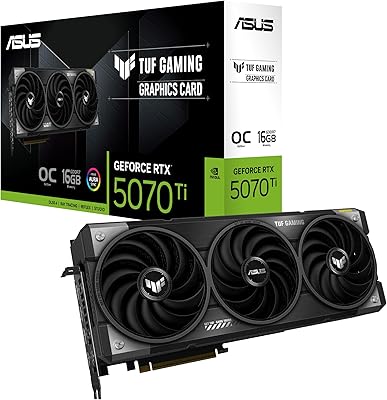
ASUS TUF RTX 5070 Ti Graphics Card
82%
93%
Thermal Performance
88%
Noise Levels
91%
Gaming Performance
94%
Build Quality
61%
Case Compatibility
More
GIGABYTE GeForce RTX 4060 Ti Gaming OC 8GB Graphics Card
86%
92%
Performance
88%
Cooling Efficiency
89%
Value for Money
85%
Build Quality
91%
Ease of Setup
More
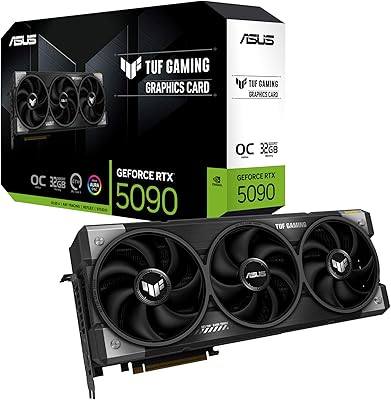
ASUS TUF Gaming RTX 5090 32GB GPU
82%
93%
Thermal Performance
97%
Gaming Performance
91%
Build Quality
82%
Cooling Noise Level
96%
VRAM Capacity & Bandwidth
More

FAQ

Almost certainly, as long as your case lists a GPU clearance of at least 12 inches (around 305mm). This TUF Gaming card measures 11.81 inches long, which sits comfortably within the limits of most standard ATX mid-tower and full-tower enclosures. If you are working with a compact mATX or mini-ITX build, check your case's GPU clearance spec carefully before ordering.

It is a real concern worth thinking through honestly. At 1080p with high or very high settings, 8GB is comfortable in the vast majority of current titles. At 1440p with maximum texture settings in some newer AAA releases, you may encounter VRAM-related stutters, because a handful of 2023 and 2024 games are already pushing beyond that ceiling at ultra quality. For most buyers today, it is workable — but if you plan to keep the card for four or more years, the constraint may feel more pressing over time.

NVIDIA recommends a minimum 650W PSU for the RTX 4060 Ti, and that guidance applies to this OC Edition as well. In practice, a 750W unit gives you comfortable headroom and keeps the PSU from running near its rated limit under combined CPU and GPU load. If your current system already has a quality 650W or 750W unit, you are likely fine without an upgrade.

No, and this is the single most important thing to understand before buying. Frame Generation must be specifically implemented by each game developer — it is not a universal switch that applies to your entire library. As of mid-2024, the list of supported titles includes major releases like Cyberpunk 2077 and Alan Wake 2, and it continues to grow. In games that support it, the frame rate gains are genuine and noticeable. For everything else, the card still performs well on conventional rasterization — you simply will not see Frame Generation benefits there.

Quieter than most buyers expect at this performance tier. At idle and during light loads, the fans often stop spinning entirely under the default fan curve, so desktop use is effectively silent. Under sustained gaming load, the card ramps up to an audible but non-intrusive level — most buyers describe it as easy to tune out, especially with headphones on. Quiet thermals are consistently the most praised aspect of the Axial-Tech cooling design in real-world feedback.

You can output a 4K signal, but native 4K gaming at consistently smooth frame rates in demanding titles is beyond what this card was designed for. Where 4K becomes more viable is with DLSS Quality or Balanced mode engaged, which renders at a lower internal resolution and upscales intelligently — the output looks surprisingly good in motion, but you are relying on upscaling to get there. If 4K native gaming is your primary goal, a higher-tier card like the RTX 4070 Super or above is a more honest fit.

Since all RTX 4060 Ti cards share the same underlying NVIDIA silicon, the real differences come down to cooling, clock speeds, and build quality. This card earns its reputation through the Axial-Tech fan system, a factory OC that exceeds reference speeds, and a chassis that feels durable relative to budget-tier alternatives. Some competing cards undercut it on price, but they often trade a quieter or more capable thermal solution to do so.

More capable than most buyers in this category expect. The NVENC AV1 encoder handles encoding in hardware, which means you can stream at higher visual quality without taxing the CPU, and export video significantly faster than software encoding in applications like DaVinci Resolve or Premiere Pro that support it. It is not a replacement for a dedicated workstation GPU, but for a creative workflow running alongside gaming, the RTX 4060 Ti OC holds its own.

Up to four simultaneously. The card has three DisplayPort 1.4a outputs and one HDMI 2.1a port, covering the most common multi-monitor setups without needing adapters. The HDMI 2.1a port supports up to 4K at 144Hz on a compatible display, making it a practical option for high-refresh large-screen setups as a primary output.

AMD's RX 7700 XT is the most direct comparison, offering a wider memory bus and 12GB of VRAM at a competitive price point. In raw rasterization the two trade results depending on the title, but the RTX 4060 Ti OC pulls ahead clearly in DLSS 3-supported games and in streaming scenarios where NVENC matters. If DLSS 3 titles make up a significant portion of your game library, or if you rely on NVIDIA-specific software features, this ASUS card is the stronger fit. If raw VRAM headroom and AMD's open-standard FSR upscaling appeal more to your workflow, the RX 7700 XT deserves a serious look before deciding.

Where to Buy