Overview

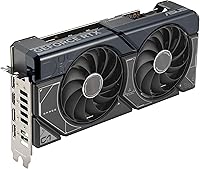
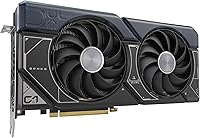
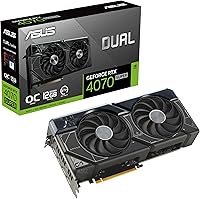
The ASUS Dual RTX 4070 Super OC Graphics Card sits in a genuinely compelling spot in the GPU market — capable enough for serious 1440p gaming, yet not so oversized or overpriced that it belongs only in enthusiast rigs. ASUS's Dual series has built a solid reputation for thermal reliability and build quality, and this card continues that tradition. The Ada Lovelace architecture underneath isn't just a minor refresh; it represents a real shift in how efficiently the silicon handles modern workloads. At 2.56 slots wide, it's also notably compact for a card of this caliber — a practical win for anyone building in a mid-tower or smaller case. Strong all-rounder, not a flagship, but it punches well above expectations.
Features & Benefits

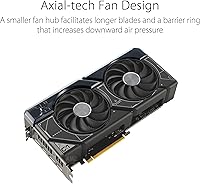
The most practical upgrade this RTX 4070 Super card brings to the table is DLSS 3 with frame generation — in supported titles, the FPS gains are substantial and immediately noticeable. It's worth being clear-eyed about that qualifier, though: frame generation only works in games that explicitly support it, so your mileage will vary by library. Beyond DLSS, the 3rd Gen RT Cores handle ray tracing noticeably better than older cards, making visually demanding scenes less of a tradeoff. The 12GB of GDDR6X memory handles high-resolution texture packs without breaking a sweat, and the factory boost clock of 2550 MHz means you get overclocked performance straight out of the box. The Axial-tech fan design, with its elongated blades and barrier ring, moves air efficiently without generating excessive noise.

Best For

This mid-to-high-end GPU is an ideal pick for anyone chasing high-refresh 1440p gaming — think 144Hz and above — where it delivers confidently without demanding a flagship budget. Gamers coming from a 30-series card or older will feel the jump immediately, both in raw frame rates and in how the card handles newer rendering techniques. It's also a practical choice for light content creation work: video editing timelines and moderate 3D rendering tasks benefit from the VRAM headroom and CUDA core count without needing a workstation-class card. The compact slot design makes it genuinely accessible for mid-tower and smaller builds where triple-fan cards simply won't fit. If quiet everyday computing matters to you, this card handles that too.

User Feedback

Across more than a thousand verified ratings, the ASUS Dual OC edition holds a 4.7-star average — and reading through the comments, that score feels earned. Buyers frequently highlight how cool and quiet the card runs under sustained gaming loads, with several noting temperatures that stay well within comfortable ranges. The slim profile gets specific praise from users who managed to fit it into cases where larger cards had failed. On the flip side, a handful of reviewers remind buyers to check PSU compatibility before ordering, as the card does carry meaningful power draw. The DLSS 3 dependency on supported titles comes up occasionally too, with a few users noting the real-world benefit varies noticeably by game. Overall, genuine satisfaction is the clear consensus.

Pros

  • Delivers strong, consistent 1440p gaming performance across a wide range of modern titles.
  • DLSS 3 frame generation provides a meaningful FPS boost in supported games without a hardware upgrade.
  • Factory overclocked out of the box — no manual tuning needed to get above-reference performance.
  • The 2.56-slot design fits mid-tower and smaller cases where bulkier cards would cause problems.
  • 12GB of GDDR6X memory handles high-resolution textures and modern game assets without stuttering.
  • Runs noticeably cool under sustained gaming loads, according to consistent buyer reports.
  • Near-silent at idle thanks to fan-stop technology — ideal for quiet home office or casual use environments.
  • Ray tracing performance is a genuine step up over previous-generation cards in supported titles.
  • ASUS Dual series has a strong track record for build quality and long-term reliability.
  • Buyers upgrading from a 30-series GPU will feel the performance difference immediately and substantially.

Cons

  • DLSS 3 frame generation only works in supported titles, so its benefit depends heavily on your game library.
  • Native 4K performance has real limits in demanding titles — upscaling is often needed to hit smooth frame rates.
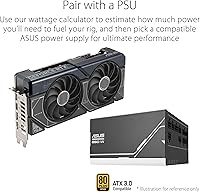
  • Power draw is meaningful, and buyers with older or lower-wattage PSUs may need an upgrade before installing.
  • Only two fans means thermal headroom is tighter than triple-fan models in poorly ventilated cases.
  • The Ada Lovelace platform offers the best value when paired with a modern CPU — older systems may bottleneck it.
  • No RGB lighting for buyers who care about aesthetics in windowed builds.
  • Ray tracing performance, while improved, still carries a frame rate cost in the most demanding RT scenarios.
  • At this price tier, competition from other AIB partners offering similar specs means value comparison shopping is worthwhile.

Ratings

The ASUS Dual RTX 4070 Super OC Graphics Card earns a strong overall reception across thousands of verified global reviews, and our AI-driven scoring system has analyzed that feedback while actively filtering out incentivized, bot-generated, and spam submissions to reflect what real buyers actually experience. Scores below capture both the genuine strengths that make this card a compelling mid-to-high-end pick and the honest friction points that informed buyers should weigh before purchasing.
1440p Gaming Performance
93%
Buyers upgrading from 30-series cards consistently describe a dramatic, immediately noticeable improvement at 1440p, particularly on high-refresh monitors running at 144Hz and above. In titles like Cyberpunk 2077 and Hogwarts Legacy, users report hitting smooth frame rates at high-to-ultra settings without needing to compromise significantly.
A small group of users pushing the absolute limits of 1440p — think 240Hz with ray tracing enabled in the most demanding titles — note that the card occasionally struggles to maintain rock-solid frame rates without some settings adjustments. It excels broadly, but the ceiling is real in the most punishing scenarios.
4K Gaming Capability
71%
29%
For less demanding or well-optimized titles, the ASUS Dual OC edition handles 4K respectably, especially when DLSS quality mode is engaged. Users playing games like Forza Horizon 5 or older AAA titles at 4K report genuinely enjoyable experiences without feeling like they are stretching the card beyond its comfort zone.
In graphically intensive modern games at native 4K with high settings, frame rates can feel inconsistent, and most experienced users acknowledge that DLSS upscaling is basically required to keep things smooth. Buyers whose primary goal is max-settings native 4K gaming will find this card falls short of that benchmark.
DLSS 3 & Frame Generation
82%
18%
In titles with full DLSS 3 support, frame generation delivers a noticeable and often impressive FPS uplift that genuinely changes the feel of gameplay at higher resolutions. Users playing supported titles like Cyberpunk 2077 or Alan Wake 2 describe the difference as substantial and worth having.
The dependency on game-specific support is a recurring frustration — buyers with libraries that skew toward older or indie titles often find the feature irrelevant to their actual day-to-day use. A vocal minority of reviewers feel the real-world benefit was oversold relative to how broadly applicable it is across their game collections.
Thermal Performance
89%
Real-world buyer feedback consistently points to temperatures staying comfortably in check during extended gaming sessions, with many users reporting GPU temps in the mid-60s to low-70s Celsius under sustained load — impressive for a two-fan design. This has made it a popular choice for users in warmer climates or cases with moderate airflow.
In very poorly ventilated cases or during prolonged summer sessions with high ambient temperatures, a subset of users notes that temperatures creep closer to the upper 70s under full load, which is still safe but leaves less headroom than a triple-fan alternative would. The two-fan setup has a thermal ceiling that the three-fan variants from competing AIBs don't share.
Noise Levels
91%
The 0dB fan-stop behavior at idle is one of the most frequently praised aspects across buyer reviews — users working at their desks, browsing, or doing light tasks report hearing nothing at all from the card. Even under moderate gaming load, the Axial-tech fan design keeps audible noise at a level most buyers describe as unobtrusive.
At sustained full load — particularly in long gaming sessions or during benchmarks — the fans do become audible, and users in quiet rooms may notice them. It is not loud by any standard, but buyers expecting near-silence under heavy GPU stress may be slightly surprised compared to the idle experience.
Form Factor & Fit
88%
The 2.56-slot design has earned specific praise from builders who tried and failed to fit triple-slot cards in their cases, with several reviewers explicitly mentioning it as the deciding factor in their purchase. At just over 10.5 inches in length, it also clears the GPU length limits of many compact mid-tower cases where longer cards hit drive cages.
While compact for its performance tier, it still requires a reasonable case depth, and a handful of users in very small ITX builds found the length tighter than expected. The card's physical size is genuinely manageable but should still be cross-referenced against your specific case specifications before ordering.
Ray Tracing Performance
76%
24%
The 3rd Gen RT Cores represent a meaningful step up from Ampere, and users playing ray-tracing-enabled titles at 1440p with DLSS enabled describe visually impressive results that feel worth the feature. Games like Control and Minecraft RTX showcase the card's ray tracing capabilities in a way that prior-generation card owners find noticeably improved.
Without DLSS assistance, enabling ray tracing at higher quality settings still carries a significant frame rate cost, and a portion of buyers feel the raw RT performance doesn't justify its billing as a major selling point at this tier. Buyers who prioritize heavy ray tracing without relying on upscaling will find the results more mixed than the marketing implies.
VRAM Adequacy
86%
The 12GB of GDDR6X memory has proven sufficient for modern gaming at 1440p and for light-to-moderate creative workloads, with users doing video editing and texture-heavy game modding reporting no VRAM-related issues in their day-to-day use. It also future-proofs the card better than the 8GB options at lower price points in the same generation.
A small number of users running very high-resolution texture packs in modded games, or working with larger video editing projects, report that 12GB can feel tight in specific edge cases. As game asset sizes continue to grow, there is some concern among technically informed buyers that 12GB may start showing strain in titles two to three years from now.
Value for Money
79%
21%
For buyers who prioritize 1440p gaming performance, the ASUS Dual OC edition delivers a strong return on investment, particularly compared to what the previous generation offered at similar price points. Users who researched the market thoroughly tend to feel confident that they got competitive performance without paying flagship-tier prices.
At its retail price, this card faces genuine competition from other AIB partners offering similar RTX 4070 Super performance with triple-fan cooling or added features, which makes some buyers feel the Dual edition is slightly harder to justify on pure value grounds. Shoppers on tighter budgets who compare carefully may find an equally capable card for less from a competing brand.
Driver Stability & Software
84%
The vast majority of buyers report a smooth out-of-the-box experience with NVIDIA drivers, and ASUS GPU Tweak III — the companion software — gets positive marks for being functional without being overwhelming for users who just want basic monitoring or minor tuning adjustments.
A small number of users report occasional driver-related instability after major NVIDIA driver updates, which is a broader NVIDIA ecosystem issue rather than specific to this card. A few buyers also find GPU Tweak III less intuitive than competing AIB software like MSI Afterburner, preferring to skip it entirely.
Build Quality
90%
ASUS's reputation for solid construction holds up here — buyers consistently remark on the card feeling premium and sturdy out of the box, with a backplate that adds rigidity and a PCIe connector that seats firmly. Several users specifically mention it as feeling more robustly built than similarly priced alternatives they considered.
There are no widespread structural complaints, though a handful of users note that the all-black plastic shroud shows fingerprints easily during installation. For builders who care deeply about aesthetics in an open-side case, the lack of any lighting or premium visual detailing may feel underwhelming relative to pricier competitors.
Compatibility & Setup
87%
Installation is described as straightforward by the vast majority of buyers, including first-time builders, with the card fitting standard PCIe 4.0 and 3.0 motherboards without issue. The dual-slot-plus footprint simplifies cable routing and clearance management compared to larger three-slot designs.
PSU compatibility comes up repeatedly as a genuine gotcha — users with older or lower-wattage power supplies have had to factor in a PSU upgrade as an unplanned additional cost. It's not a flaw in the card itself, but it's a real-world friction point that catches enough buyers off guard to be worth flagging prominently.
Content Creation Suitability
74%
26%
For users who game primarily but also do side work in video editing, motion graphics, or light 3D modeling, the ASUS Dual OC edition handles these tasks capably without needing a dedicated workstation card. The VRAM and CUDA core count make a practical difference in rendering timelines and export times compared to budget-tier alternatives.
Professional content creators working with large-format video, complex simulation, or machine learning pipelines will find this card hitting its limits relatively quickly. It's a capable multi-purpose card for the hybrid gamer-creator, but it should not be positioned as a workstation substitute for demanding professional workflows.

Suitable for:

The ASUS Dual RTX 4070 Super OC Graphics Card is an excellent match for PC builders who want serious 1440p gaming performance without committing to a top-tier flagship price. If you're running a high-refresh-rate monitor — 144Hz or above at 1440p — this card feeds it comfortably in most modern titles. It's also a strong fit for gamers upgrading from a 30-series or older GPU who want a meaningful, future-aware step up rather than a lateral move. The compact 2.56-slot footprint makes it genuinely practical for mid-tower and smaller cases where triple-fan designs simply won't fit without airflow compromises. Light content creators — those doing video editing timelines, moderate 3D rendering, or texture-heavy work — will also appreciate the 12GB of fast VRAM, which prevents the bottlenecks that frustrate users on cards with tighter memory budgets. And if you value a quiet desktop experience during everyday use or low-intensity sessions, the fan-stop behavior at idle delivers that without any configuration required.

Not suitable for:

The ASUS Dual RTX 4070 Super OC Graphics Card is not the right call if your primary goal is maxing out native 4K across all titles without leaning on upscaling technology. At native 4K in demanding games, this card will show its limits, and buyers chasing that level of performance should be looking at the RTX 4080 tier or above. If your game library doesn't overlap significantly with DLSS 3-supported titles, the frame generation advantage — one of the card's headline features — won't benefit you as much as the spec sheet implies, so it's worth checking compatibility with your most-played games beforehand. This card is also not ideal for heavy professional workloads like large-scale 3D rendering, machine learning training, or high-resolution video production at a professional level, where dedicated workstation GPUs with more VRAM would serve better. Finally, buyers running older or lower-wattage power supplies should verify headroom before purchasing, as this GPU has real power draw requirements that an underpowered PSU will struggle to support reliably.
Specifications

  • GPU Chip: Powered by the NVIDIA GeForce RTX 4070 SUPER, built on the Ada Lovelace architecture for improved efficiency and performance over the previous generation.
  • VRAM: 12GB of GDDR6X memory provides fast bandwidth suitable for high-resolution textures, modern game assets, and light creative workloads.
  • Boost Clock: Runs at 2550 MHz in OC Mode and 2520 MHz in Default Mode, both delivered as a factory overclock without requiring any manual tuning.
  • PCIe Interface: Uses a PCIe 4.0 interface, which is backward compatible with PCIe 3.0 motherboards, though with some bandwidth reduction.
  • Slot Width: The card occupies 2.56 slots, making it meaningfully more compact than typical triple-fan designs and easier to install in tighter cases.
  • Dimensions: Measures 10.51 inches in length and 5.27 inches in height, fitting comfortably in most mid-tower and select small-form-factor cases.
  • Weight: Weighs 2.1 pounds, which is relatively manageable for a card in this performance tier and reduces stress on the PCIe slot.
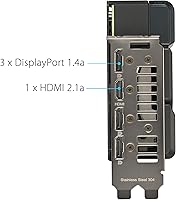
  • Display Outputs: Equipped with one HDMI 2.1 port and three DisplayPort 1.4a ports, supporting up to four simultaneous displays.
  • Max Resolution: Officially supports output up to 7680x4320 pixels (8K), though practical 8K gaming at playable frame rates requires DLSS assistance.
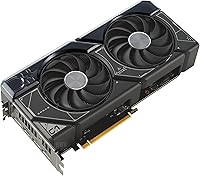
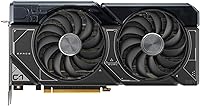
  • Fan Technology: Axial-tech fans feature elongated blades and a barrier ring that channels airflow downward more efficiently, improving the cooling-to-noise ratio.
  • Idle Fan Mode: 0dB fan-stop technology halts the fans entirely during idle and low-load conditions, keeping the system silent when full cooling is not needed.
  • DLSS Version: Supports DLSS 3, including Frame Generation, which can substantially increase frame rates in titles that explicitly support this feature.
  • Tensor Cores: Includes 4th Generation Tensor Cores, which are the hardware backbone behind DLSS 3 frame generation and AI-accelerated rendering features.
  • RT Cores: 3rd Generation RT Cores handle ray tracing calculations with improved throughput compared to Ampere-generation cards.
  • Color: Ships in a black finish with no RGB lighting, offering a clean, understated look suitable for most build aesthetics.
  • Series Model: The official model designation is DUAL-RTX4070S-O12G, which identifies this as the Dual OC edition within ASUS's product lineup.
  • Power Requirement: Requires an adequately rated power supply; buyers should verify their PSU has sufficient wattage and the correct PCIe power connectors before installing.
  • Architecture: Built on NVIDIA's Ada Lovelace architecture, which introduces meaningful efficiency gains and new hardware features over the previous Ampere generation.

Related Reviews
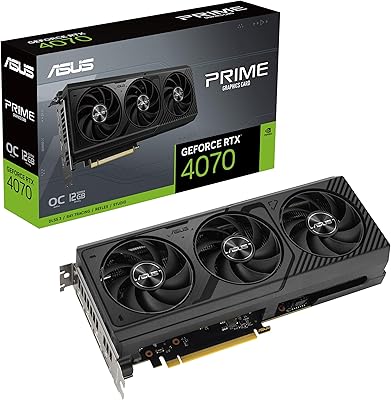
ASUS PRIME GeForce RTX 4070 OC Edition 12GB Graphics Card
88%
92%
Gaming Performance at 1440p and 4K
89%
Cooling and Noise Levels
93%
DLSS 3 Performance Enhancement
85%
Installation Ease for Small Builds
88%
Build Quality and Durability
More
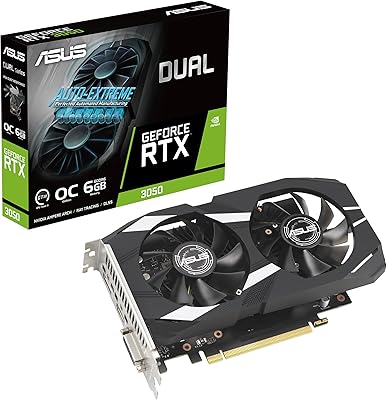
ASUS Dual GeForce RTX 3050 6GB OC
81%
78%
1080p Gaming Performance
58%
VRAM Adequacy
72%
Value for Money
83%
Thermal Performance
91%
Noise Level
More
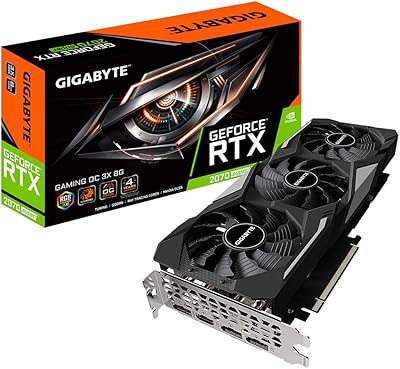
Gigabyte RTX 2070 Super Gaming OC Graphics Card
81%
91%
1440p Gaming Performance
93%
Thermal Management
88%
Noise Level
67%
Value for Money
62%
Ray Tracing Capability
More
ASUS Prime GeForce RTX 4070 Ti Super OC Edition 16GB
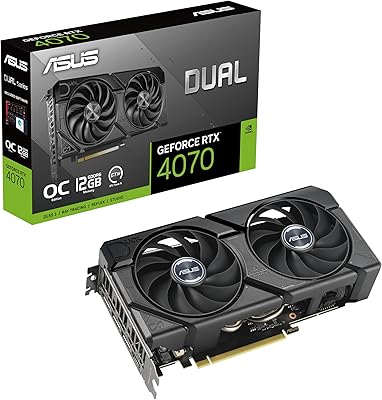
87%
94%
Performance
89%
Cooling Efficiency
93%
Gaming Performance at 4K
91%
Ray Tracing Support
92%
DLSS 3 Technology
More
ASUS Dual RTX 4070 EVO Graphics Card
85%
91%
1440p Gaming Performance
94%
Form Factor & Size
76%
Thermal Management
93%
Noise Levels
88%
DLSS 3 & AI Features
More
ASUS TUF RTX 3070 OC Graphics Card
78%
88%
Gaming Performance
92%
Thermal Management
94%
Build Quality
63%
Value for Money
57%
VRAM Adequacy
More
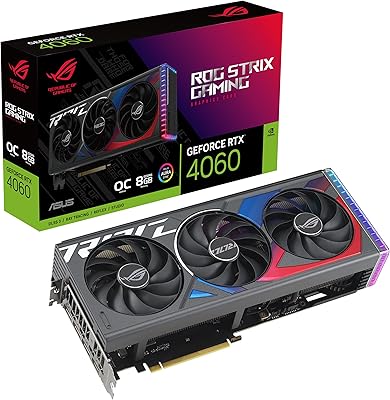
ASUS ROG Strix GeForce RTX 4060 OC Edition 8GB Graphics Card
87%
91%
Gaming Performance
88%
Cooling & Noise Levels
94%
Ray Tracing & DLSS Support
90%
Visuals & Display Quality
85%
Setup & Installation
More
MSI GeForce RTX 4080 SUPER 16GB VENTUS 3X OC Graphics Card
84%
96%
Gaming Performance
91%
Cooling Efficiency
65%
Power Consumption
89%
Build Quality
94%
4K/8K Gaming Compatibility
More
ASUS RTX 2060 Dual EVO 6GB Graphics Card
77%
88%
Gaming Performance at 1080p
91%
Thermal Management
93%
Noise Level
61%
VRAM Adequacy
89%
Build Quality
More
ASUS TUF RTX 3090 OC Graphics Card
80%
91%
Raw Gaming Performance
88%
Thermal Management
93%
Build Quality
94%
VRAM Capacity & Usefulness
83%
Noise Levels
More

FAQ

It genuinely is. The RTX 4070 Super sits in a sweet spot for 1440p — it handles most modern titles at high to ultra settings with strong frame rates, especially at 144Hz. You won't need to compromise much at that resolution in the vast majority of games.

It can run 4K, but with some nuance. In less demanding titles or with DLSS quality mode enabled, you'll get smooth results. In the most graphically intensive games at native 4K, you'll likely need to dial back settings or rely on upscaling to maintain comfortable frame rates. It's not the card to buy if native 4K at max settings across all titles is your specific goal.

Frame generation uses AI to create additional frames between rendered ones, boosting frame rates in supported titles noticeably. The key word is supported — it only works in games that have been updated to include it. Before banking on this feature, check whether your most-played games are on the DLSS 3 supported list.

NVIDIA recommends at least a 650W PSU for the RTX 4070 Super platform, but most builders targeting a balanced system should aim for 750W or higher to leave headroom. Make sure your PSU also has the correct PCIe power connectors — a quality unit from a reputable brand matters more than just hitting the wattage number.

Most likely yes. At just over 10.5 inches long and occupying 2.56 slots, this card is notably more compact than many competing models in the same performance tier. Check your case's GPU length clearance spec to confirm, but the vast majority of standard mid-tower cases will accommodate it without issue.

It handles both reasonably well for the right workloads. Video editing, color grading, and moderate 3D rendering benefit from the 12GB of fast VRAM and the CUDA core count. If your work involves very large scenes, 8K video pipelines, or machine learning training at scale, you'd want to look at higher-tier or workstation-class options — but for most creative side work alongside gaming, it's a solid choice.

Most buyers report it stays relatively quiet during normal gaming sessions. Under heavy sustained load, the fans do spin up, but the Axial-tech design moves air efficiently enough that noise stays at a reasonable level. At idle or during light desktop use, the fans stop entirely, so you won't hear it at all in those situations.

Technically yes, it'll work, but you'd likely see CPU bottlenecking in CPU-heavy games, which would limit how much of the GPU's performance you actually benefit from. For a card at this level, a Ryzen 5 5600 or Intel 12th Gen equivalent is a more sensible pairing. If your CPU is several generations old, it may be worth considering an upgrade alongside the GPU.

No, this model ships without RGB. The aesthetic is clean and functional — matte black with the ASUS Dual branding — which suits plenty of builds, but if you're building a light-show rig, you'll want to look at other AIB variants that include RGB.

The Dual OC edition trades the extra cooling headroom of triple-fan designs for a more compact footprint, which is a real advantage in tighter cases. Thermally it performs competently, though triple-fan cards from any brand will generally run a few degrees cooler under extreme sustained loads. If your case has good airflow and you're not planning to push the card with aggressive manual overclocking, the Dual OC edition is a very practical and well-balanced choice.