ASUS BE279QSK 27″ Video Conference Monitor
Overview
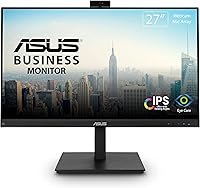
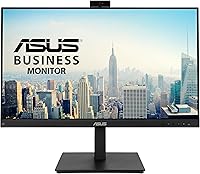
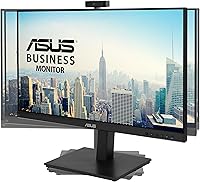
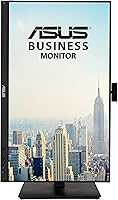
The ASUS BE279QSK 27″ Video Conference Monitor is built with a clear purpose: to handle the demands of daily video calls without forcing you to clutter your desk with a separate webcam, microphone, and speakers. This is not a gaming display or a creative workstation panel — it is a practical, business-focused tool aimed squarely at remote workers and small teams. The 27-inch IPS panel with a matte finish delivers solid, consistent color from nearly any angle, and the ergonomic stand offers a level of adjustability — tilt, swivel, pivot, and height — that you rarely find at this price point. Expectations set, this is a genuinely thoughtful all-in-one package.
Features & Benefits
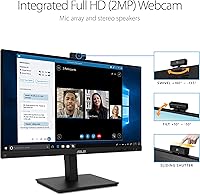
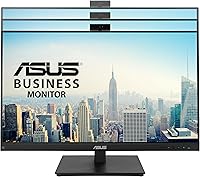
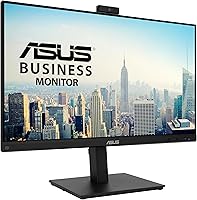
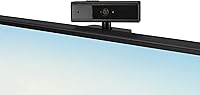
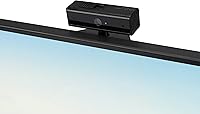
The built-in 2MP webcam is adjustable and connects via a single USB upstream cable, which keeps things tidy — but go in with calibrated expectations. It performs well for everyday Zoom or Teams calls, though it won't match the clarity or low-light performance of a dedicated mid-range webcam. The IPS panel handles long hours comfortably thanks to TÜV Rheinland-certified flicker-free and low blue light technology — not marketing language, but a measurable reduction in the kind of eye strain that builds up over an eight-hour workday. Port selection is impressively broad: DisplayPort, HDMI, and even VGA are all present, making this conference monitor easy to connect to practically any setup, old or new.
Best For
This all-in-one office display makes the most sense for remote and hybrid workers who want a clean desk without the peripheral sprawl. If you're a teacher running online classes, a small business owner setting up a conference room, or just someone who's tired of propping a laptop webcam on a stack of books, this monitor addresses all of those pain points in one purchase. The flexible ergonomic stand also makes it a smart pick for shared workspaces where multiple people adjust the display throughout the day. It's less ideal for those doing photo editing or anyone sensitive to 1080p pixel density on a 27-inch screen.
User Feedback
Across roughly 445 ratings, this conference monitor sits at a solid 4.2 stars — broadly positive, but not without fair criticism. Buyers consistently praise the easy plug-and-play setup, the image quality for document work and spreadsheets, and the convenience of having a webcam ready without hunting for drivers. The complaints worth noting: the built-in speakers are on the quieter side and won't fill a room, and several users flag that the webcam, while convenient, shows its limits in low-light conditions compared to standalone options. A handful also mention that 1080p can feel slightly soft at 27 inches when sitting close. Build quality and stand stability generally earn approval.
Pros
- Integrated webcam, mic, and speakers eliminate the need to buy and manage three separate peripherals.
- The adjustable webcam lets you fine-tune your camera angle, avoiding the unflattering upward shot common with fixed bezel cameras.
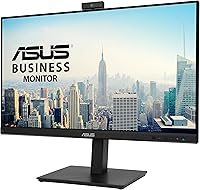
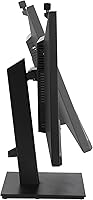
- Full ergonomic stand with tilt, swivel, pivot, and 150mm height adjustment is genuinely rare at this price tier.
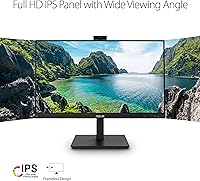
- IPS panel delivers consistent, accurate color from wide viewing angles — ideal for side-by-side office setups.
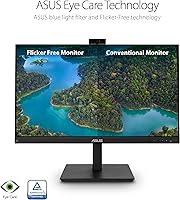
- TÜV Rheinland-certified flicker-free and low blue light technology makes long workdays noticeably easier on the eyes.
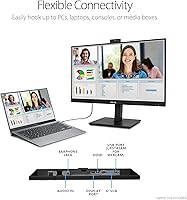
- Broad port selection — DisplayPort, HDMI, and VGA — connects cleanly to both modern and legacy hardware.
- Frameless front panel keeps the desk looking uncluttered and works well in dual-monitor configurations.
- Plug-and-play setup means the webcam is recognized immediately with no driver installation required.
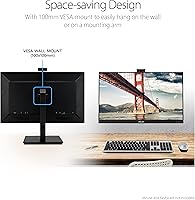
- VESA wall-mount compatibility offers flexible placement for standing desks or space-constrained offices.
- Matte screen finish controls glare effectively in bright rooms without adding distracting reflections.
Cons
- Built-in webcam struggles in low-light conditions compared to even a modestly priced dedicated USB webcam.
- Speaker volume tops out too low for open-plan spaces or rooms with any meaningful background noise.
- Only one USB 2.0 upstream port means no built-in hub — peripheral users will need a separate dock.
- The on-screen display menu uses dated button navigation that feels cumbersome when adjusting settings quickly.
- Some units show the webcam mount loosening slightly over time, causing the camera angle to drift from its set position.
- 1080p resolution on a 27-inch panel produces roughly 82 PPI — softer than 1440p alternatives at the same size.
- Rear casing and bezel use mid-grade plastics that flex slightly under pressure, undermining the otherwise solid front appearance.
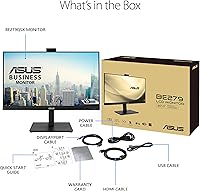
- No VESA mount adapter is included in the box despite wall mountability being listed as a feature.
- Built-in microphone picks up keyboard noise and ambient sound noticeably in anything other than a quiet room.
- Users who already own quality conferencing peripherals may find the all-in-one pricing less compelling for their situation.
Ratings
The ASUS BE279QSK 27″ Video Conference Monitor earns a broadly positive reception among remote workers and small business users, and the scores below reflect that reality without glossing over the friction points. These ratings were generated by AI after analyzing verified global buyer reviews, with spam, bot activity, and incentivized submissions actively filtered out. Both what this all-in-one office display does well and where it falls short are represented transparently.
Built-in Webcam Quality
Display Image Quality
Ergonomics & Stand Flexibility
Connectivity & Port Selection
Eye Comfort & Long-Session Usability
Built-in Speakers
Microphone Array
Build Quality & Materials
Setup & Plug-and-Play Experience
Frameless Design & Desk Aesthetics
Wall Mountability
Value for Money
Adjustable Webcam Mechanism
Suitable for:
The ASUS BE279QSK 27″ Video Conference Monitor is purpose-built for people whose workday revolves around video calls, and it shows. Remote workers and hybrid employees who want a cleaner desk — no separate webcam perched on top, no speaker bar taking up space, no mic stand in the corner — will find that this all-in-one office display genuinely simplifies the setup without requiring compromises on core display quality. Teachers running online classes are a natural fit, since the integrated mic array and adjustable webcam remove the need to troubleshoot third-party peripherals before every session. Small business owners equipping a home office or a small conference room on a sensible budget will also appreciate how much peripheral cost this single purchase absorbs. The full ergonomic stand — with real height, swivel, tilt, and pivot adjustment — makes it a strong choice for shared workspaces where multiple people use the same desk and need to reposition the screen throughout the day.
Not suitable for:
The ASUS BE279QSK 27″ Video Conference Monitor is not the right choice for everyone, and being clear about that matters. If image sharpness is a priority — whether for photo editing, detailed design work, or simply because you sit close to your screen — the 1080p resolution on a 27-inch panel will likely feel soft, and a 1440p monitor at the same size would serve you noticeably better. Gamers should look elsewhere entirely; there is no high refresh rate, no adaptive sync, and no focus on the response time metrics that matter for fast-paced content. Users who already own a quality USB webcam and a decent headset may find they are effectively paying a premium for built-in peripherals they will not rely on. The built-in speakers, while convenient, cannot realistically fill a room or cut through background noise in an open office, so anyone in a louder environment will still need a headset or external audio solution. If display versatility across multiple use cases — creative work, entertainment, gaming, productivity — is your goal, a more generalist monitor at a similar price would cover more ground.
Specifications
- Screen Size: The display measures 27 inches diagonally, offering a practical workspace footprint for single-monitor home office and small business setups.
- Panel Type: An IPS (In-Plane Switching) panel provides wide viewing angles and consistent color accuracy across the full screen, including from off-center positions.
- Resolution: Native resolution is 1920x1080 (Full HD), delivering a pixel density of approximately 82 PPI at 27 inches.
- Aspect Ratio: The standard 16:9 widescreen aspect ratio is optimized for video conferencing, document work, and general productivity applications.
- Screen Finish: A matte anti-glare surface coating reduces reflections from windows and overhead lighting without introducing significant haze or color shift.
- Built-in Webcam: An integrated 2MP webcam is physically adjustable for angle and connects to the host computer via the USB 2.0 upstream port.
- Microphone: A built-in array microphone captures voice audio for video calls without requiring a separate desktop or clip-on microphone in quiet environments.
- Speakers: Integrated stereo speakers provide audio output for calls and media playback in low-noise environments where headphones are not preferred.
- Ergonomic Range: The stand supports +35° to -5° tilt, ±180° swivel, ±90° pivot (portrait mode), and 150mm of height adjustment.
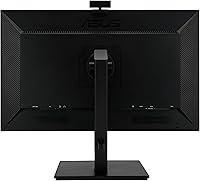
- Connectivity: Available ports include DisplayPort 1.2, HDMI 1.4, D-Sub (VGA), one USB 2.0 Type-B upstream, a 3.5mm audio-in jack, and a 3.5mm earphone jack.
- Eye Care Certification: The monitor is TÜV Rheinland-certified for both flicker-free backlight operation and low blue light output, reducing eye strain during extended use.
- Wall Mount Support: A standard VESA mount pattern is supported, allowing the monitor to be wall-mounted or placed on a third-party monitor arm (adapter not included).
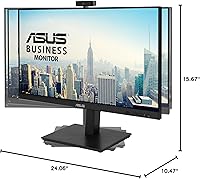
- Dimensions: With the stand attached, the monitor measures 15.67 inches (H) × 24.06 inches (W) × 10.47 inches (D).
- Weight: The complete unit including stand weighs 14.99 pounds, making repositioning manageable for a single person during setup.
- Color & Finish: The monitor ships in matte black with a frameless front panel design that minimizes bezel width on all four sides.
- Power Input: The monitor is rated for up to 240 volts input, making it compatible with standard international power supplies when used with the appropriate regional cable.
- USB Standard: The single upstream USB port operates at USB 2.0 speeds, sufficient for webcam data throughput but not designed to function as a peripheral hub.
- Date Available: This monitor was first made available for purchase in June 2021 and remains an active, non-discontinued product in the ASUS lineup.
Related Reviews
ASUS VA27EQSB 27-inch Monitor
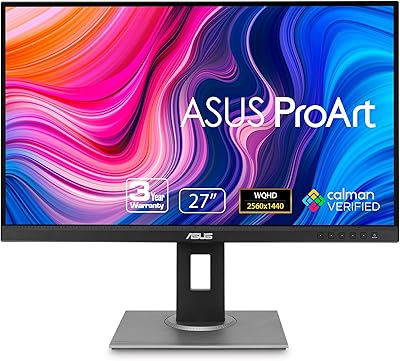
ASUS ProArt PA278QV 27-inch QHD Monitor
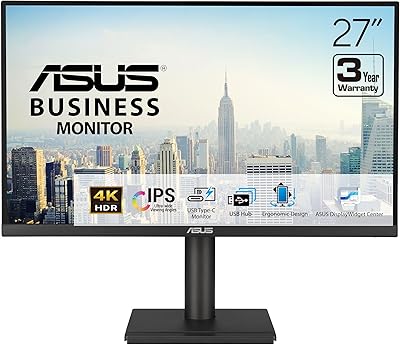
ASUS VA27UCPS 27-inch 4K Business Monitor
ASUS VA279QG 27-inch IPS Monitor
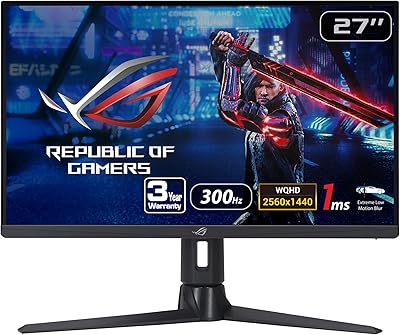
ASUS ROG Strix XG27AQMR 27” Gaming Monitor

ASUS VZ279QG1R 27-inch Gaming Monitor
ASUS VA27DQ 27-inch IPS Monitor
ASUS VY279HF-W 27″ FHD IPS Monitor
ASUS VA279HAE 27″ Full HD Monitor