
Overview
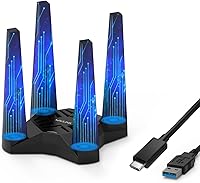
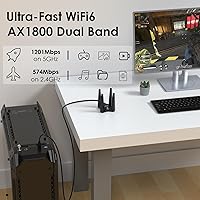
The WAVLINK AX1800 USB WiFi Adapter is a straightforward solution for desktop users who want wireless connectivity without cracking open their PC case. WAVLINK has been building networking accessories for years, and this dongle sits comfortably in the mid-range — not a bargain-bin throwaway, but not a premium splurge either. It runs on the WiFi 6 (802.11ax) standard, covering both 2.4GHz and 5GHz bands. One practical touch that stands out immediately: the magnetic base attached to a 3.28ft cable, which lets you position the antennas somewhere with a clear line of sight rather than stuck behind your tower.
Features & Benefits
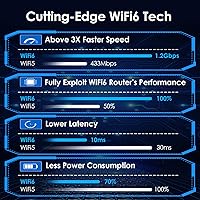
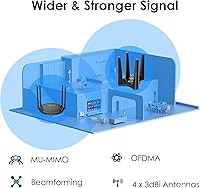
This USB WiFi adapter ships with four external 3dBi antennas and uses Beamforming to focus the signal toward your machine rather than broadcasting in all directions — a real difference in environments with walls or interference. On the 5GHz band, you are looking at speeds sufficient for multiple simultaneous 4K streams or low-latency gaming sessions. The inclusion of MU-MIMO and OFDMA means performance holds up even when your household's other devices are all online at once. Setup is handled through a built-in driver; just plug it in and Windows recognizes it. One-button WPS pairing handles the rest.
Best For
This desktop WiFi upgrade makes the most sense for Windows 10 or 11 users who want a wireless connection without installing a PCIe card. If you game or stream on the 5GHz band, the cleaner signal and reduced channel congestion compared to older Wi-Fi 5 adapters is tangible. It also suits small offices or shared living spaces where several devices are constantly online. The cable-mounted antenna design is genuinely useful if your tower sits under a desk or in a cabinet. Keep in mind, though: if you are on a Mac running anything newer than Catalina, or any Linux build, this adapter is not a fit.
User Feedback
Across over 340 verified ratings, the WAVLINK AX1800 dongle holds a 4.3-star average — solid, but with a spread that reveals a few consistent pain points. Most buyers report a clear and immediate speed bump coming from older AC adapters. The cable-mounted antenna gets consistent praise for being a practical, no-brainer addition. On the frustrating side, some users hit confusion during setup when no CD drive appears in Windows Explorer — this is normal behavior with the built-in driver, but WAVLINK could communicate it better upfront. A handful of Mac users discovered post-purchase that their OS version was not supported. A few also note the unit generates noticeable warmth under heavy load.
Pros
- Adds WiFi 6 speeds to any desktop PC without opening the case or touching internal hardware.
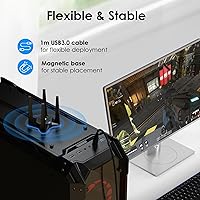
- The 3.28ft cable with magnetic base makes antenna placement genuinely flexible, not just a spec-sheet bullet.
- Dual-band support lets you shift between 2.4GHz range and 5GHz speed depending on what you are doing.
- MU-MIMO and OFDMA keep performance steady when multiple household devices are all connected at once.
- Built-in plug-and-play driver means setup on Windows 10 and 11 is quick with no disc hunting required.
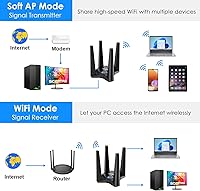
- Soft AP mode is a handy bonus for sharing a wired connection wirelessly in a pinch.
- WPS pairing with WPA2 encryption keeps the setup secure without requiring a trip into router settings.
- Four high-gain antennas give this desktop WiFi upgrade a real signal reception edge over single-antenna dongles.
- At its price point, getting WiFi 6 class performance is a reasonable value proposition for most Windows users.
- A 4.3-star average across hundreds of real buyers reflects broadly positive day-to-day experience.
Cons
- Mac users on macOS 11 or newer are completely out of luck — compatibility stops at macOS 10.15 Catalina.
- Linux support is absent, which the product listing mentions only in fine print and catches users off guard.
- During first install, the absence of a CD drive icon in Windows Explorer confuses many users unnecessarily.
- You only get full WiFi 6 benefits if your router also supports 802.11ax — otherwise it falls back to older standards.
- The adapter runs noticeably warm during extended high-throughput sessions, which may be a concern in tight spaces.
- Four protruding external antennas make this a bulky presence on a desk compared to slim dongle alternatives.
- The magnetic base, while useful, can shift position on metal surfaces near other components due to interference.
- Driver updates and long-term firmware support from WAVLINK are not well-documented, which is a concern for longevity.
Ratings
Our editorial team fed hundreds of verified purchase reviews for the WAVLINK AX1800 USB WiFi Adapter through an AI-assisted analysis pipeline that actively filters out incentivized, duplicate, and bot-generated feedback — leaving only genuine buyer experiences from Windows gamers, home office workers, and casual upgraders alike. The scores below reflect the full picture: where this desktop WiFi upgrade consistently delivers, and where real users hit friction. No score has been softened to protect the brand.
Wireless Speed
Signal Stability
Antenna Design & Placement
Setup & Installation
Multi-Device Performance
OS Compatibility
Build Quality
Thermal Management
Soft AP Functionality
Value for Money
Packaging & In-Box Contents
Long-Term Reliability
Suitable for:
The WAVLINK AX1800 USB WiFi Adapter is a practical pick for desktop PC owners running Windows 10 or 11 who want wireless connectivity without the hassle of installing an internal PCIe card. It makes particular sense if your tower sits in an awkward spot — under a desk, inside a cabinet, or far from a window — because the 3.28ft cable and magnetic base let you position the antennas wherever the signal is strongest rather than wherever your USB port happens to be. Gamers and streamers who need a reliable 5GHz connection will appreciate the dual-band flexibility, especially in homes where several devices compete for bandwidth simultaneously. The MU-MIMO and OFDMA support means the adapter holds up reasonably well in busier network environments rather than choking when the household is all online at once. If you occasionally need to share a wired internet connection wirelessly — say, in a hotel room or a wired-only office setup — the Soft AP feature handles that without any extra hardware.
Not suitable for:
The WAVLINK AX1800 USB WiFi Adapter is not the right tool for Mac users running macOS Big Sur or later, and Linux users should steer clear entirely — the driver simply does not support those environments, and this trips up a meaningful number of buyers who assume broad compatibility. If you are expecting the full theoretical speed ceiling of WiFi 6, keep in mind that your router also needs to support the 802.11ax standard; plugging this into a WiFi 5 or older network will not unlock any extra performance. Power users who run their connection at maximum throughput for hours at a time may find the adapter runs warmer than ideal, which could be a concern in poorly ventilated setups. Those who need a truly compact, low-profile dongle for a tidy desk aesthetic may also be disappointed — four external antennas on a cabled base is not a discreet form factor. Finally, anyone looking for a solution to add WiFi to a laptop should look elsewhere; this adapter is sized and designed with stationary desktop use in mind.
Specifications
- WiFi Standard: This adapter uses the WiFi 6 (802.11ax) standard, which also maintains backward compatibility with older 802.11a/b/g/n/ac networks.
- Max Speed: Combined dual-band throughput reaches up to 1800Mbps, split between 574Mbps on 2.4GHz and 1201Mbps on 5GHz.
- Frequency Bands: Operates on both the 2.4GHz band for broader range and the 5GHz band for higher-speed, lower-interference connections.
- Antennas: Equipped with four external 3dBi high-gain antennas designed to extend signal reception range beyond what a compact dongle typically offers.
- Interface: Connects to the host computer via USB 3.0 using the included USB-A to USB-C cable, requiring no internal installation.
- Cable & Base: A 3.28ft (1m) cable with a magnetic base allows the antenna unit to be positioned independently of the PC tower for optimal signal.
- Key Technologies: Supports MU-MIMO, OFDMA, and Beamforming to improve throughput efficiency and maintain stability in multi-device network environments.
- Soft AP Mode: Can rebroadcast a wired internet connection as a wireless hotspot using the Soft AP function, though this feature is available on Windows only.
- Security: Supports WPA, WPA2, WPA-PSK, and WPA2-PSK encryption protocols, with WPS one-button pairing for quick and secure network setup.
- OS Support: Fully compatible with Windows XP through Windows 11 (32-bit and 64-bit) and macOS versions 10.7 through 10.15; Linux and macOS 11 or later are not supported.
- Driver Setup: Ships with a built-in driver that installs automatically on compatible Windows systems, eliminating the need for a physical disc or separate download in most cases.
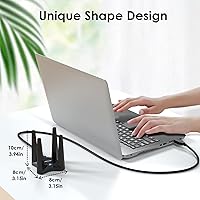
- Dimensions: The antenna unit measures 4.21″ x 5.43″ x 4.21″, making it a moderately sized peripheral rather than a discreet plug-in dongle.
- Weight: The complete adapter unit weighs 10.8 ounces, reflecting the multi-antenna housing and cabled base construction.
- In The Box: Package includes one AX1800 WiFi 6 USB adapter, one USB 3.0 USB-C cable, and one printed quick start guide.
- Data Transfer Rate: The USB 3.0 interface supports data transfer rates up to 5Gbps, ensuring the connection port itself is not a bottleneck for the adapter's wireless speeds.
Related Reviews
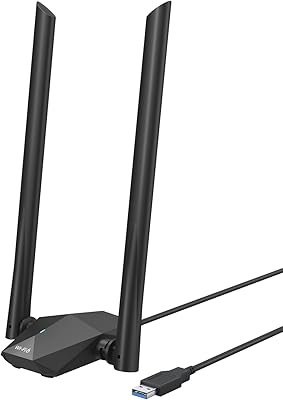
BrosTrend AX1800 WiFi 6 USB Adapter
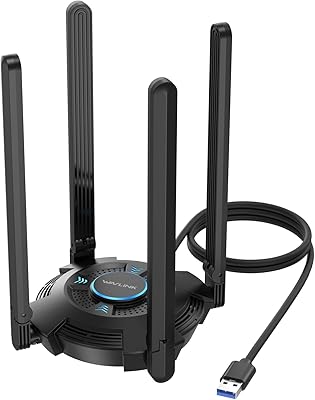
WAVLINK AX5400 WiFi 6E USB Adapter
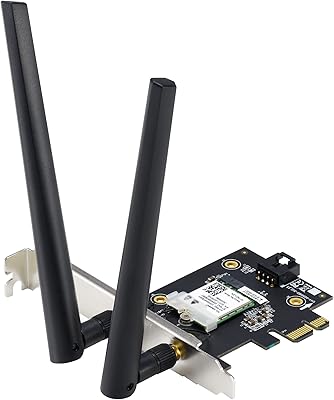
ASUS PCE-AX1800 WiFi 6 PCIe Adapter
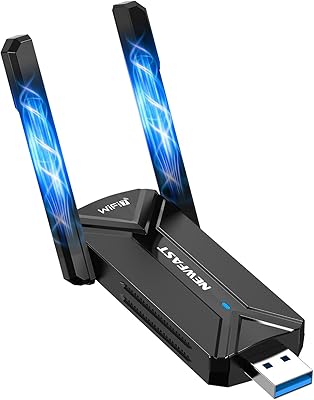
NEWFAST BE6500 USB WiFi 7 Adapter
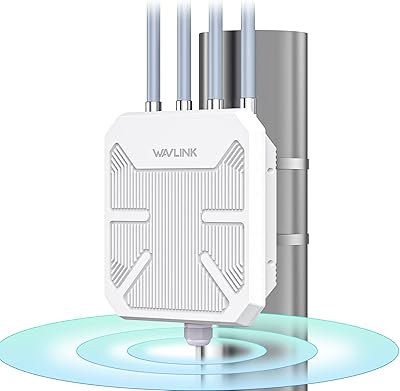
WAVLINK WN573HX1 AX1800 Outdoor WiFi 6 Access Point
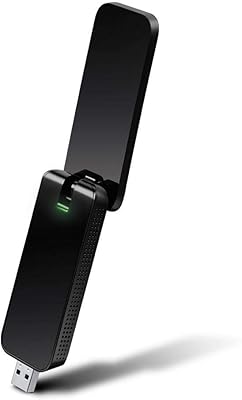
TP-Link Archer T4U AC1300 USB WiFi Adapter
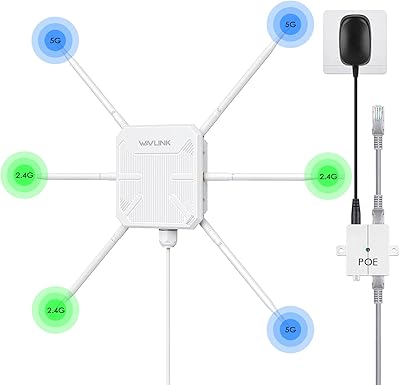
WAVLINK WN588HX3 WiFi 6 Outdoor Access Point

WAVLINK WL-ST334UA Dual-Bay USB 3.0 Hard Drive Docking Station
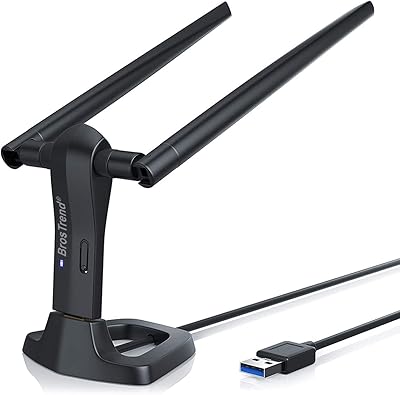
BrosTrend AC3L AC1200 Linux USB WiFi Adapter