Overview

The Arris DG3450 DOCSIS 3.1 Cable Modem Gateway is a mid-to-premium all-in-one unit built for cable internet subscribers who are tired of paying monthly rental fees for hardware they will never own. It supports DOCSIS 3.1, which means your equipment won't become obsolete when your ISP eventually rolls out multi-gigabit tiers — a useful hedge for the next several years. What sets it apart at this price point is MoCA 2.0 support, a feature you rarely see bundled into a combo gateway. That said, be clear about one thing upfront: this is strictly a cable modem. DSL and fiber customers cannot use it, and even cable subscribers need to confirm ISP compatibility before buying.

Features & Benefits

The DG3450's DOCSIS 3.1 backbone — with 32x8 channel bonding for its DOCSIS 3.0 fallback — means you're not leaving real-world speed on the table the way older modems do on congested cable nodes. The dual-band AC Wi-Fi with 4x4 MU-MIMO handles multiple devices reasonably well, though in sprawling homes it may not fully replace a dedicated mesh system. Where this modem-router combo really earns its keep is the MoCA 2.0 port: if your home already has coax runs in multiple rooms, you can use them as a wired backhaul for mesh nodes or IPTV boxes without pulling Ethernet cable. Four Gigabit LAN ports, built-in WPA2 security, a guest network, parental controls, and a solid web dashboard round out a well-equipped package.

Best For

This Arris gateway makes the most sense for households on cable plans of 500 Mbps or higher who have already done the math on rental fees and realized that owning their own equipment pays off within a year or two. If your home is wired with coax throughout, MoCA 2.0 opens up whole-home wired backhaul without the hassle of running new cable — that alone could make this worth it over competing combo units. Gamers and heavy streamers who need stable, low-latency connections on multiple devices simultaneously will get solid mileage out of it. That said, setup does require some comfort with ISP portals and basic router configuration, so it's not ideal for users who just want to plug in and forget about it.

User Feedback

On Amazon, the DG3450 sits at 3.8 out of 5 stars across 70 ratings — a solid but not outstanding score that reflects a real split in user experience. Satisfied owners consistently highlight strong wired throughput on high-speed cable tiers and praise MoCA 2.0 as a practical benefit that most competing gateways skip entirely. The friction shows up on the other end: several users hit ISP compatibility walls that weren't obvious before purchase, which is a frustrating and avoidable problem. Wi-Fi range complaints in large homes also appear with some regularity. A smaller number of reviewers flagged connectivity drops after firmware updates and concerns about heat buildup during extended use. These aren't universal experiences, but they're consistent enough to warrant attention before you buy.

Pros

  • DOCSIS 3.1 support future-proofs the hardware for multi-gigabit cable tiers without requiring a hardware upgrade.
  • MoCA 2.0 enables wired-quality backhaul over existing coax runs — a rare inclusion at this price tier.
  • Eliminates monthly modem rental fees, with most users recouping the purchase cost within twelve to eighteen months.
  • Four Gigabit LAN ports deliver stable, wired connectivity for gaming consoles, desktops, and smart TVs.
  • Dual-band MU-MIMO Wi-Fi handles multiple simultaneous device connections without significant throughput degradation.
  • Built-in security tools — WPA2 encryption, firewall, and guest SSID — reduce the need for separate software.
  • Parental controls come included out of the box with no additional subscription or app required.
  • The web dashboard setup process is intuitive and noticeably cleaner than typical ISP-issued modem interfaces.
  • A compact, two-pound form factor fits comfortably in tight equipment closets or behind entertainment centers.

Cons

  • Strictly cable-only; DSL and fiber customers cannot use this modem-router combo under any circumstances.
  • ISP compatibility is not universal — confirming provider support before purchase is essential to avoid a costly return.
  • Wi-Fi range can fall short in larger homes exceeding 3,000 square feet or those with thick interior walls.
  • Some users report connectivity instability following firmware updates, suggesting inconsistent software quality control.
  • Heat buildup during sustained heavy-load sessions has been noted by a portion of long-term owners.
  • The self-install process can frustrate less technical users unfamiliar with ISP activation portals and router dashboards.
  • The 802.11ac Wi-Fi standard is showing its age; buyers expecting Wi-Fi 6 speeds will need to look elsewhere.
  • With only 70 Amazon ratings, the long-term reliability track record is thinner than better-established competing units.

Ratings

The scores and analysis below reflect an AI-driven evaluation of verified buyer reviews for the Arris DG3450 DOCSIS 3.1 Cable Modem Gateway, with spam, bot-generated, and incentivized posts systematically filtered out to ensure the data reflects genuine real-world experience. Each category is scored to capture the full picture — not just what works well, but where consistent frustrations have emerged across the global review record. This balanced approach gives you a clear-eyed basis for your purchase decision, without the distortion of cherry-picked praise.

Wired Performance
88%
Users on gigabit and near-gigabit cable plans consistently report hitting close to their plan's advertised speeds through the Gigabit LAN ports. The DOCSIS 3.1 backbone with 32x8 channel bonding means wired connections don't bottleneck on congested cable nodes the way older modems often do during evening peak hours.
A subset of users noted wired throughput inconsistencies that surfaced after firmware updates rather than as a baseline hardware issue. Those findings suggest the wired performance is solid by design but can be undermined by software instability outside the user's direct control.
Wi-Fi Performance
71%
29%
The dual-band MU-MIMO radio handles mid-sized households well, letting phones, tablets, and laptops share the 5 GHz band without obvious speed degradation. Families in apartments or smaller single-story homes rarely flag coverage dead spots under normal multi-device usage patterns.
In homes exceeding 2,500 square feet — especially two-story layouts with thick interior walls — users report noticeably weaker signal at the edges. The 802.11ac standard is also showing its age against newer Wi-Fi 6 gateways that handle channel congestion and interference more efficiently.
MoCA 2.0 Utility
86%
Users with coax outlets in multiple rooms consistently describe MoCA 2.0 as the standout feature, using it to run wired-speed backhaul to mesh nodes and IPTV boxes without pulling new Ethernet cable. For homes already wired with coax, this capability alone sets it apart from most competing gateways at a similar price.
Users whose homes lack coax wiring beyond the main cable drop get no practical benefit from this feature, making it a non-factor for many apartment dwellers or newer builds with only Ethernet infrastructure. MoCA also requires compatible adapters at each additional coax outlet, adding a modest but real extra cost to the setup.
ISP Compatibility
58%
42%
On supported cable networks, the device provisions cleanly and performs as expected, with users on major cable providers reporting no ISP-level handshake issues once the hardware appears on their provider's approved list. For buyers who verify compatibility in advance, the activation process is reliable and straightforward.
ISP compatibility is the single most cited source of negative reviews — multiple buyers discovered their provider does not support this unit only after purchase, resulting in a costly return. Arris does not prominently publish a maintained approved-provider list, placing the burden of verification entirely on the buyer before committing.
Value for Money
79%
21%
For cable subscribers paying monthly rental fees, this combo typically recoups its purchase price within one to two years — making the long-term math compelling for anyone planning to stay with their ISP. The inclusion of MoCA 2.0 and a built-in security suite at this price point strengthens that value case further.
The value proposition weakens considerably if your ISP does not support the unit, since a return or exchange eats directly into projected savings. Buyers comparing this to newer Wi-Fi 6 gateway options at a similar price may also find that the aging wireless standard makes this a less durable long-term investment.
Long-term Reliability
63%
37%
Many users report months of stable operation under continuous use without needing to restart the unit or contact support — which is the baseline expectation for any home networking device. Wired performance in particular holds up well over extended periods for the clear majority of buyers.
A consistent thread in longer-term reviews involves connectivity drops that correlate with firmware updates rather than hardware wear, suggesting the update process itself introduces instability. Heat management during sustained heavy-load periods also surfaces as a concern, with some users noting the unit runs warm enough to warrant attention in poorly ventilated spots.
Security Features
82%
18%
The built-in package — WPA2 encryption, a hardware firewall, and a guest Wi-Fi SSID — covers the practical security needs of most households without requiring third-party firmware or a secondary device. Parents particularly appreciate the built-in parental controls for scheduling internet access by device, which works reliably for managing daily screen time routines.
Power users seeking granular controls — VPN server support, deep packet inspection, or advanced QoS rules — will find the security toolkit too limited for their needs. The web dashboard, while accessible for everyday tasks, lacks the depth of dedicated open-source firmware options that more technically inclined buyers tend to prefer.
Build Quality
74%
26%
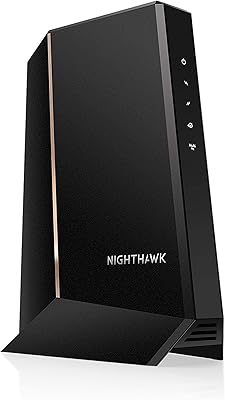
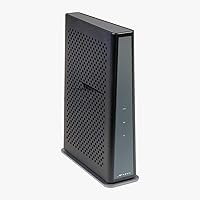
The unit feels appropriately solid for a consumer networking device, with a matte black finish that resists fingerprint smudges and fits discreetly into most home setups. At two pounds, it is light enough to reposition without fuss while still carrying enough physical substance to feel like a durable purchase.
The casing does not include ventilation cutouts on all sides, which contributes to heat buildup complaints during sustained heavy use. No mounting solution is included in the box, and the unit can shift or tip when nudged in vertical orientation without a dedicated bracket or surface grip.
Heat Management
56%
44%
Under light to moderate household loads — a handful of devices browsing and streaming to one TV — the unit operates at acceptable temperatures without becoming a practical concern. Users who place it in open, well-ventilated spots report no thermal issues during typical daily use patterns.
During sustained high-throughput periods — large file transfers or constant multi-device 4K streaming — reviewers describe the chassis getting notably warm to the touch, particularly on the top surface. A few long-term owners have linked excessive heat buildup to eventual connectivity instability, raising questions about thermal performance over the product's lifespan.
Firmware & Software
54%
46%
The web dashboard covers essentials cleanly — Wi-Fi credentials, guest network toggling, parental controls, and basic firewall rules are all accessible without technical training. For day-to-day network management, most users find the interface sufficient without needing to explore advanced settings.
Firmware updates have been the most frequently cited trigger for connectivity issues in the review pool, with several users noting post-update instability required a full factory reset to resolve. Arris does not appear to communicate firmware change logs clearly to end users, making it difficult to distinguish routine maintenance from the source of new problems.
Multi-device Performance
77%
23%
The 4x4 MU-MIMO radio lets the gateway serve multiple wireless clients simultaneously without forcing them to queue for bandwidth, which is noticeable in households where five to ten devices are actively in use during peak evening hours. Gaming while others stream and browse rarely causes visible lag for most users in smaller homes.
In larger households where fifteen or more devices compete simultaneously, users report the wireless network becoming less responsive — particularly on the 2.4 GHz band. A dedicated router with a more powerful chipset handles high-density device environments better than the built-in radio in this modem-router combo.
Feature Set
84%
For a single all-in-one unit, the DG3450 packs in an unusually dense feature list — DOCSIS 3.1, MoCA 2.0, dual-band MU-MIMO Wi-Fi, four Gigabit ports, WPA2, guest SSID, and parental controls — without requiring add-ons or subscriptions. Buyers consistently note that this feature density is difficult to match among competing products at a comparable price.
The feature set is anchored to 802.11ac Wi-Fi, so buyers won't benefit from the efficiency and range gains of Wi-Fi 6 — a meaningful gap for households with newer client devices. There is also no USB port for network-attached storage, a convenience that some competing gateways at this price tier do include.
Setup Experience
67%
33%
Tech-comfortable users report completing the hardware connection and ISP activation in under 20 minutes, describing the web dashboard as cleaner and more intuitive than the interfaces on typical ISP-provided rental modems. The unit's label clearly displays the MAC address and serial number needed for activation, reducing the most common stumbling block.
Less technical users have flagged meaningful friction during the ISP activation phase, with provider-specific portals varying widely in clarity and offering little guidance when the connection does not initialize immediately. A handful of reviewers spent hours troubleshooting what turned out to be ISP-side provisioning delays rather than any fault with the hardware itself.
Range Coverage
66%
34%
In apartments and smaller single-story homes under 1,500 square feet, most users report full-home coverage with no notable dead spots under typical usage conditions. Simultaneous dual-band operation allows devices to self-select between 2.4 GHz and 5 GHz bands based on distance, which improves practical coverage management without manual intervention.
Users in larger homes — particularly those with 2,500 square feet or more, brick walls, or multiple floors — frequently report signal falloff in back bedrooms, basements, and garages. The built-in antenna array cannot match the output of a purpose-built mesh system or a high-end standalone router when coverage distance is the primary concern.

Suitable for:

The Arris DG3450 DOCSIS 3.1 Cable Modem Gateway is best matched to cable internet subscribers on plans of 500 Mbps or faster who want to stop paying monthly modem rental fees once and for all. If your home already has coaxial cable runs in multiple rooms, the built-in MoCA 2.0 port turns those existing lines into a high-speed wired backhaul — a practical advantage that most competing combo units simply do not offer. Gamers and 4K streamers who need consistent, low-latency throughput across multiple devices will find the dual-band MU-MIMO Wi-Fi and four Gigabit LAN ports well-suited to their demands. Families sharing bandwidth across smartphones, smart TVs, laptops, and consoles simultaneously will also benefit from the MU-MIMO radio's ability to serve multiple clients at once without choking the connection. Setup is realistic for anyone comfortable logging into an ISP activation portal and a basic web dashboard, making this a sound pick for tech-comfortable households who prefer not to pay a technician.

Not suitable for:

The Arris DG3450 DOCSIS 3.1 Cable Modem Gateway is completely off the table for DSL and fiber internet customers — it works exclusively over cable infrastructure, full stop. Even among cable subscribers, compatibility is not guaranteed, as the device is not universally supported across all providers, and failing to verify this before purchase is the single most common source of avoidable frustration in its review record. Users in very large homes — think 3,000 square feet or more, especially across multiple floors — may find the built-in Wi-Fi coverage falls short and would be better served pairing a dedicated modem with a purpose-built mesh router system. Anyone expecting true plug-and-play simplicity without touching any configuration settings should also look elsewhere, since the activation process requires at least basic comfort with router interfaces. Finally, buyers who prioritize the latest wireless speeds should note that this unit tops out at 802.11ac, which is a meaningful step behind Wi-Fi 6 and Wi-Fi 6E devices now widely available at comparable price points.

Specifications

  • Modem Standard: Operates on DOCSIS 3.1, the current cable broadband standard built to support multi-gigabit download tiers as cable providers continue to expand their network capacity.
  • Channel Bonding: Supports 32x8 channel bonding under DOCSIS 3.0 and 2x2 OFDM channels under DOCSIS 3.1, maximizing both downstream throughput and upstream headroom on congested cable nodes.
  • Wi-Fi Standard: Runs 802.11ac Wave 2 dual-band Wi-Fi, broadcasting simultaneously on both 2.4 GHz and 5 GHz bands from a single integrated radio unit.
  • Wi-Fi Throughput: Combined wireless throughput reaches up to 2.3 Gbps across both bands under ideal, close-range conditions.
  • MIMO Type: Uses a 4x4 MU-MIMO antenna configuration, enabling the gateway to serve multiple wireless clients at the same time rather than taking turns between devices.
  • LAN Ports: Provides four rear-mounted Gigabit Ethernet ports for wired connections to desktops, gaming consoles, smart TVs, or network switches.
  • MoCA Support: Includes a MoCA 2.0 port that transmits network data over existing in-home coaxial cable wiring, enabling high-speed wired backhaul without running new Ethernet cables.
  • Security: Delivers WPA2 wireless encryption, an advanced built-in firewall, and a dedicated guest SSID to isolate visitor traffic from the primary home network.
  • Parental Controls: Built-in parental controls are accessible via the web dashboard, supporting per-device scheduling and content filtering without requiring third-party software or a subscription.
  • ISP Compatibility: Compatible exclusively with cable internet providers and will not function with DSL, fiber, or satellite internet connections under any configuration.
  • Dimensions: Measures 11.69 x 9.09 x 3.27 inches, sized for either horizontal or vertical placement in a home network or entertainment center setup.
  • Weight: Weighs approximately 2 pounds, light enough to reposition freely without additional mounting hardware.
  • Color: Ships in black with a matte finish that blends into most home office or entertainment equipment arrangements without drawing attention.
  • Setup Method: Activates through your cable provider's self-install portal using the MAC address and serial number printed on the unit, with all ongoing customization handled via a built-in web dashboard.
  • Manufacturer: Built by Arris, a company with an established track record of producing cable networking hardware for both residential and commercial deployments.
  • User Rating: Carries a 3.8 out of 5 star average on Amazon, based on 70 customer ratings at the time of this review.

Related Reviews
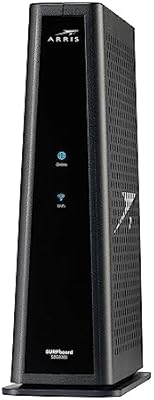
Arris CM8200A DOCSIS 3.1 Cable Modem
74%
88%
Internet Speed Performance
79%
Ease of Setup & Activation
74%
ISP Compatibility
83%
Build Quality & Durability
71%
Thermal Management
More
ARRIS SURFboard G36
ARRIS SURFboard G36
72%
83%
Setup & Activation
76%
Wi-Fi Speed & Throughput
61%
Wi-Fi Range & Coverage
58%
Connection Stability
88%
DOCSIS 3.1 Modem Performance
More
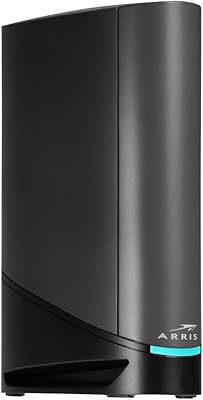
ARRIS SURFboard SBG8300 DOCSIS 3.1 Cable Modem Router Combo
84%
91%
Performance & Speed
88%
Wi-Fi Coverage & Stability
80%
Ease of Setup
84%
Compatibility with ISPs
92%
Value for Money
More
ARRIS CM820A DOCSIS 3.0 Cable Modem
74%
83%
Connection Stability
78%
Ease of Setup
74%
ISP Compatibility
81%
Long-Term Reliability
88%
Value for Money
More
Humax HGD310 DOCSIS 3.1 Cable Modem
76%
88%
Internet Speed Performance
83%
Setup & Installation
79%
ISP Compatibility
91%
Value for Money
67%
Build Quality & Durability
More
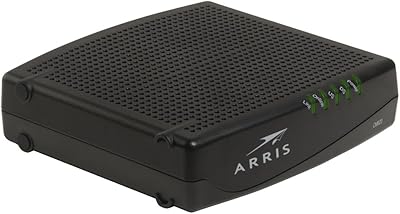
Hitron CODA DOCSIS 3.1 Cable Modem
76%
83%
Connection Stability
78%
Ease of Setup
74%
ISP Compatibility
86%
Value for Money
81%
Performance at Rated Speeds
More
NETGEAR Nighthawk 32x8 DOCSIS 3.1 Cable Modem
78%
88%
Internet Speed Performance
83%
Setup & Activation
79%
Build Quality & Durability
91%
Value for Money
74%
ISP Compatibility
More
NETGEAR CM2500 DOCSIS 3.1 Cable Modem
77%
83%
Setup & Provisioning
88%
Upload Speed Performance
81%
Download Speed Consistency
76%
ISP Compatibility
79%
Build Quality & Design
More
NETGEAR Nighthawk CM3000
79%
88%
Upload Speed Performance
91%
Download Speed Delivery
79%
ISP Compatibility
66%
Setup & Activation Experience
74%
Value for Money
More
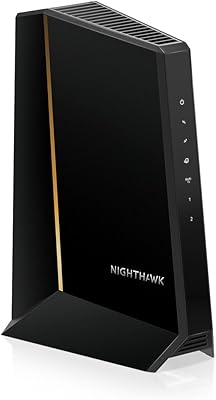
NETGEAR CM1000 DOCSIS 3.1 Cable Modem
76%
88%
Connection Stability
84%
Speed Performance
76%
Compatibility & ISP Support
61%
Setup & Provisioning Experience
82%
Value for Money
More

FAQ

It depends on your specific ISP. The DG3450 is compatible with a number of major U.S. cable providers, but not every provider supports it. Before purchasing, visit your ISP's website and search their approved modem list — most publish this publicly and it's searchable by model number. If it's not on the list, do not assume it will work; some providers simply won't provision unsupported hardware.

That depends on what your provider charges monthly, but most cable ISPs charge enough in rental fees that owning your own equipment pays for itself within one to two years. This modem-router combo eliminates both the modem and router rental in a single purchase, which can add up to a meaningful saving over time. Just make sure your provider supports the unit before you count on those savings.

MoCA stands for Multimedia over Coax Alliance — it lets you send network data over the same coaxial cable lines already running through your walls. If your home has coax outlets in multiple rooms, you can use MoCA adapters to create a wired-quality backhaul for mesh Wi-Fi nodes or IPTV boxes without running Ethernet cable. If your home isn't wired with coax throughout, you won't get much use out of it, but it's a practical advantage when the infrastructure is already there.

The hardware side is simple enough — plug in the coax cable and power, and the unit initializes on its own. The trickier part is the ISP activation step, which involves visiting your provider's portal and entering the modem's MAC address and serial number, both printed on a label on the unit. Most users with moderate tech comfort complete this in under 20 minutes. Where some non-technical users have hit friction is navigating ISP portals that vary significantly between providers, rather than anything the hardware itself causes.

For mid-sized homes — roughly up to 1,500 to 2,000 square feet on a single floor — the built-in AC Wi-Fi handles typical household demands reasonably well. In larger or multi-story homes, the signal can thin out at the edges, and several users have flagged this in their reviews. If coverage is a concern, a practical approach is to use this gateway as the modem and wired core, then layer a dedicated mesh Wi-Fi system on top for broader reach.

On plans under 200 Mbps, the difference between DOCSIS 3.0 and 3.1 is minimal in day-to-day browsing. Where it matters is on faster cable tiers — 500 Mbps and above — where DOCSIS 3.1's improved channel efficiency and higher ceiling become tangible, especially on congested cable nodes during peak hours. The other real benefit is future-proofing: if your ISP upgrades its network capacity, you won't need to swap the modem to take advantage.

The Arris DG3450 DOCSIS 3.1 Cable Modem Gateway includes WPA2 encryption, a built-in advanced firewall, a guest Wi-Fi network to keep visitors isolated from your main devices, and parental controls that let you manage internet access by device and time of day. For the typical household, these tools cover the essentials without needing third-party firmware or a separate security router. Power users looking for deep traffic inspection or VPN server capabilities will likely want a more advanced standalone router.

A consistent thread in the user reviews involves connectivity instability following firmware updates, which points to some unevenness in the software side of the product. A smaller number of long-term owners have also mentioned heat buildup during extended periods of heavy use. Neither issue appears to be universal, but they come up with enough regularity to be worth watching in the first several weeks after setup — particularly after any automatic firmware pushes.

Yes, and this is a common configuration for more demanding users. You can enable bridge mode — or IP passthrough, depending on how your ISP labels it — which disables the built-in router and Wi-Fi and passes the public IP directly to an external router of your choice. This lets you keep the DG3450 handling the modem functions while a dedicated router manages the wireless network with more advanced controls or better coverage hardware.

The clearest differentiator for this modem-router combo is the MoCA 2.0 port — most competing gateway units at a similar price point don't include it, making it a meaningful advantage for anyone with coax wiring throughout their home. On the wireless side, the 802.11ac standard is functional but showing its age compared to newer Wi-Fi 6 gateways now available at comparable prices. The 3.8-star average with a relatively small review base suggests a device that works well for the right user but hasn't built the kind of broad, enthusiastic following that the top-rated options in this category typically carry.

Where to Buy