Overview

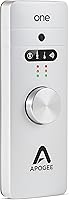
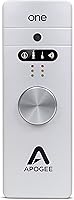
The Apogee One USB Audio Interface is a compact, American-made recording device that packs real professional-grade capability into something small enough to fit in a jacket pocket. Apogee has earned serious credibility in pro audio for decades, and this compact audio interface reflects that heritage without requiring a full studio setup to use it. It also functions as a dedicated headphone DAC, which sets it apart from most interfaces in this size category. It works with Mac, Windows PC, and Lightning-equipped iPhones and iPads — though if you have a USB-C iPad, it will not work, and that limitation deserves to be stated plainly.
Features & Benefits

What makes the Apogee One genuinely interesting is that it bundles a built-in condenser microphone directly into the unit — so you can record vocals or acoustic instruments without plugging in anything extra. The converter runs at 24-bit/96kHz, which is the kind of spec that produces clean, detailed recordings rather than just technically adequate ones. The 2-in/2-out layout supports simultaneous input from a mic or instrument alongside direct monitoring output with very low latency, so what you hear while recording stays honest. Apogee's Maestro software handles gain staging and routing on Mac and PC, and the die-cast aluminum body feels substantial despite weighing under a pound.

Best For

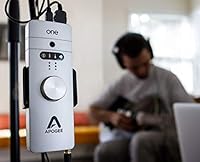
This interface-and-mic combo works best for people who want quality without complexity. Singer-songwriters who record at home or on the road will appreciate having a single device that handles mic input, instrument input, and headphone monitoring without a bag full of cables. Podcasters with a taste for clean audio quality will find it more capable than a basic USB mic, though they should know the built-in microphone is a convenience feature, not a replacement for a dedicated large-diaphragm condenser. It also suits audiophiles who want a portable headphone DAC with proper converter quality, and Mac users will get the most from Maestro's deeper software controls.

User Feedback

Across 124 ratings, the Apogee One holds a solid 4-out-of-5-star average, and the pattern in buyer comments is fairly consistent. People who use it for home recording regularly mention that the audio sounds noticeably cleaner than what they were getting from lower-tier interfaces, and the build quality gets called out as genuinely premium for something this portable. The sticking points are real, though. The built-in mic draws mixed reactions — useful for quick captures, but owners doing serious vocal work tend to add a dedicated microphone eventually. A few reviewers note that Maestro software feels behind the times, and the USB-C iPad incompatibility catches buyers off guard who did not read the fine print before purchasing.

Pros

  • Audio quality is noticeably cleaner and warmer than most interfaces in the compact category.
  • The built-in condenser microphone removes the need for extra gear in casual or mobile recording sessions.
  • 24-bit/96kHz conversion delivers professional-grade fidelity for both recording and playback.
  • Die-cast aluminum build feels genuinely solid and holds up well to regular travel and daily use.
  • Direct monitoring keeps latency low enough that tracking performances stays comfortable and natural.
  • Functions as a high-quality headphone DAC, making it useful even when you are not actively recording.
  • Weighing just 12.8 ounces, this interface-and-mic combo is easy to carry anywhere without a second thought.
  • Made in the USA, which matters to buyers who factor manufacturing origin into premium purchase decisions.
  • Maestro software gives Mac users precise input and output control without opening a full DAW.
  • Compatible with Lightning iPhones and iPads, making it a practical choice for on-location mobile recording.

Cons

  • USB-C iPad owners are completely locked out, and this limitation is not always clearly communicated at the point of sale.
  • The built-in microphone is a step below a dedicated condenser for serious vocal tracking or voice-over work.
  • Maestro software feels dated compared to modern DAW integration tools and has not kept pace with current interfaces.
  • Only 2-in/2-out means this compact audio interface cannot handle multi-source or band recording scenarios.
  • Windows users get a noticeably thinner software experience compared to the macOS-optimized Maestro workflow.
  • With just 124 total ratings, the long-term reliability picture is less established than higher-volume alternatives.
  • No MIDI connectivity, which limits usefulness for producers who work with hardware synthesizers or controllers.
  • Power draw through USB means performance can vary depending on the host port quality and cable used.

Ratings

Our AI-generated scores for the Apogee One USB Audio Interface reflect a systematic analysis of verified buyer reviews from around the world, with spam, bot activity, and incentivized feedback actively filtered out before scoring. The ratings below cover every major dimension real users care about — from converter quality and portability to software experience and compatibility — and both the strengths and the frustrations are reflected transparently in each score.
Audio Conversion Quality
93%
Buyers upgrading from consumer-grade interfaces consistently describe the 24-bit/96kHz conversion as a clear, audible improvement — recordings come back cleaner, with more depth and less noise floor. For home studio tracking and podcast production, the fidelity holds up well even under critical listening.
A small number of more experienced users note that while the converters are excellent for the size, high-end standalone interfaces at a higher price point still outperform them in controlled A/B comparisons. The gap is narrow but detectable to trained ears.
Built-in Microphone
67%
33%
For a microphone that requires zero setup and zero extra gear, the built-in condenser performs better than most buyers expect. Singer-songwriters capturing quick ideas on the road or podcasters recording casual conversations find it genuinely usable without any post-processing embarrassment.
Users doing serious vocal tracking or voice-over work quickly bump into its ceiling — it lacks the warmth and proximity character of a dedicated large-diaphragm condenser. Several reviewers ended up adding an external mic within a few months, which makes the built-in feel more like a bonus than a core feature.
Portability & Form Factor
91%
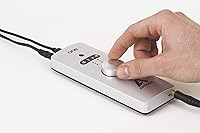
At 12.8 ounces and roughly the size of a television remote, this compact audio interface disappears into a laptop bag without effort. Musicians who record in hotel rooms, coffee shops, or backstage consistently cite its size as a genuine advantage over tabletop interfaces.
The compact chassis means there is no room for more than two simultaneous inputs, and the single knob control scheme requires software to handle anything beyond basic gain adjustment. Users who want a more hands-on, hardware-first workflow may find the physical controls limiting.
Build Quality
88%
The die-cast aluminum chassis communicates quality the moment you pick it up — it does not flex, rattle, or creak under normal handling. Owners who travel with it regularly report that it shows minimal wear even after extended use in bags and backpacks.
The single control knob, while sturdy, has drawn occasional comments about feeling slightly loose over time with heavy daily use. There are no rubber feet on the base, which means it can shift around on a desk during use unless the user keeps a hand on it.
Mac Software Integration
82%
18%
Maestro runs cleanly on macOS and gives users direct access to input selection, gain staging, and routing without opening a DAW. Mac users appreciate being able to switch between the built-in mic and an external input with a few clicks, keeping the workflow lean.
The interface of Maestro has not kept pace with modern DAW design conventions, and several users describe it as feeling dated compared to control panels from competing brands. Occasional compatibility hiccups after major macOS updates have also been reported, requiring driver reinstalls.
Windows Compatibility
61%
39%
The interface does function on Windows machines via USB, and basic recording and playback work without major issues for most users. For Windows-based podcasters or bedroom producers who just need clean audio in and out, it covers the fundamentals adequately.
The Windows version of Maestro is noticeably thinner in features compared to the macOS build, and several Windows users report that the software feels like an afterthought. Driver stability has been flagged as inconsistent across different Windows versions, which adds friction to an otherwise straightforward setup.
iOS Compatibility
71%
29%
For users with Lightning iPhones or older Lightning iPads, the connection works reliably and opens up genuine on-location recording without a laptop. Musicians who track ideas directly into GarageBand on an iPhone find this pairing practical and stable.
The hard cutoff at Lightning means any user who has moved to a USB-C iPad is completely excluded, and this has generated significant frustration in reviews from buyers who discovered the incompatibility after purchase. Apogee has not released an updated version that addresses USB-C, which is increasingly relevant as Apple transitions its device lineup.
Headphone Output
86%
Audiophiles using this interface purely as a headphone DAC report a noticeably cleaner output than a standard laptop jack, with better imaging and less background hiss. It handles high-impedance headphones with more authority than most portable DACs in a similar size class.
There is only one headphone output with no individual level control beyond the master knob, which limits its usefulness in collaborative monitoring scenarios. Users looking for a dedicated, feature-rich headphone amplifier may find the output section too simple for extended critical listening sessions.
Direct Monitoring
84%
Latency during direct monitoring is low enough that tracking vocals or guitar feels natural without the distracting smearing that plagues interfaces relying entirely on software monitoring. Live performers and home studio users alike find it reliable for real-time performance work.
Blend control between the monitored input and DAW playback requires going through Maestro software rather than a dedicated hardware knob, which some users find disruptive to a recording flow. There is no hardware-based mix control, so adjustments mid-session require touching a screen.
Value for Money
72%
28%
For users who genuinely need the combination of a quality interface, a portable condenser microphone, and a headphone DAC in a single device, the consolidated value is real. Buying those three capabilities separately from comparable brands would cost considerably more.
For buyers who only need one or two of those features, the pricing feels harder to justify — especially when capable standalone interfaces with better software ecosystems exist at lower price points. The premium is substantial, and it demands that the user actually exploit the all-in-one design to feel worthwhile.
Setup & Ease of Use
79%
21%
Plugging in and getting audio routed is straightforward for most Mac users, and Maestro walks through the basics without requiring manual reading. Beginners who have never used an audio interface report getting up and running within minutes on macOS.
Windows users face a steeper learning curve, and the single-knob hardware design means software must always be open for anything beyond the simplest use case. Users who switch frequently between input sources — mic to instrument to iOS device — find the switching process less intuitive than it should be at this price point.
Compatibility Transparency
44%
56%
When the device works with the intended setup — Mac, Lightning iOS, or a Windows machine — it operates without meaningful compatibility complaints. The range of supported platforms is reasonably broad for a device this small.
The USB-C iPad incompatibility has become one of the most cited frustrations across reviews, and many buyers feel it was not disclosed clearly enough at the point of sale. Given how rapidly Apple has transitioned its lineup to USB-C, this limitation is aging poorly and continues to catch buyers off guard.
Durability Over Time
77%
23%
The aluminum chassis protects the internals well against the bumps of daily travel, and most long-term owners report no hardware failures or degradation in audio quality after extended use. The unit holds its value reasonably well in the second-hand market, which speaks to its perceived longevity.
A subset of users have reported intermittent connection issues after a year or more of regular use, potentially related to the USB connector experiencing wear. Software-side longevity is less predictable, as Maestro updates are not always guaranteed to keep pace with new OS releases.

Suitable for:

The Apogee One USB Audio Interface is a strong match for singer-songwriters, solo podcasters, and mobile creators who want genuinely good audio quality without hauling a bag full of gear. If your workflow involves recording vocals or an acoustic instrument at a desk, in a hotel room, or on the go, this compact audio interface delivers the kind of clean, detailed sound that makes a real difference in the final result. Mac users will get the most out of it, since Maestro software integrates tightly with macOS and gives you precise control over gain, routing, and monitoring without diving into your DAW settings. It also works well as a dedicated headphone DAC for audiophiles who want better playback quality than a laptop headphone jack can provide. Anyone upgrading from a basic USB microphone who wants proper converter quality and instrument input capability will find this interface-and-mic combo a meaningful step forward.
Not suitable for:

Buyers who own a USB-C iPad should stop here — the Apogee One USB Audio Interface does not support USB-C connections, and that incompatibility has frustrated enough users that it is worth treating as a hard requirement check before purchasing. This compact audio interface is also not the right tool for producers who need more than two simultaneous inputs, since the 2-in/2-out layout is genuinely limiting for band recordings or multi-source setups. If you are a vocalist who takes microphone quality seriously, the built-in condenser is a convenience feature rather than a serious recording mic, and you would likely end up adding a dedicated large-diaphragm condenser anyway — which raises the question of whether a simpler interface at a lower price point might serve you better. Windows users may also find the software experience more limited, since Maestro is clearly built around the macOS ecosystem first. And if you are expecting a budget-friendly entry point into audio interfaces, this one is priced as a premium product and should be evaluated on those terms.
Specifications

  • Model Number: The unit is sold under model number ONE-MAC, designed primarily for Mac-first workflows with Windows compatibility included.
  • Dimensions: The chassis measures 6.4″ x 0.8″ x 2.2″, making it genuinely pocketable for a device with this level of functionality.
  • Weight: At 12.8 ounces, this compact audio interface is light enough to carry daily without adding meaningful bulk to a bag.
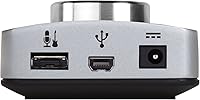
  • Connectivity: Connection to a host computer or iOS device is handled via USB 2.0, which covers the bandwidth needed for 24-bit/96kHz operation.
  • Audio Resolution: The AD/DA converters operate at up to 24-bit/96kHz, delivering professional-grade fidelity for both recording and playback.
  • I/O Configuration: The unit provides a 2-in/2-out layout supporting simultaneous microphone or instrument input alongside headphone and line-level output.
  • Built-in Mic: A studio-quality condenser microphone is integrated directly into the chassis, allowing basic recording without any external microphone attached.
  • Channels: The interface supports up to 4 channels of audio routing within the Maestro software environment on compatible systems.
  • Power Draw: The interface draws 3.9 watts and is entirely bus-powered via USB, requiring no external power adapter under normal operating conditions.
  • Chassis Material: The outer shell is constructed from die-cast aluminum, which contributes to both the premium feel and the unit's resistance to everyday wear.
  • OS Compatibility: Full functionality is supported on macOS and Windows operating systems when used alongside Apogee's Maestro control software.
  • iOS Compatibility: The interface is compatible with Lightning-equipped iPhones and iPads only; USB-C iPad models are not supported.
  • Control Software: Apogee Maestro software handles gain staging, input selection, direct monitoring, and full routing control on Mac and PC.
  • Monitoring: Direct monitoring is available with low latency, allowing performers to hear themselves in real time without noticeable delay during tracking.
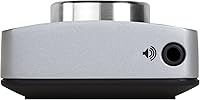
  • Headphone Output: A dedicated headphone output doubles as a high-quality DAC for audiophile listening, not just monitoring during recording sessions.
  • Country of Origin: The Apogee One is manufactured in the United States, which is uncommon at this size and price tier in the audio interface category.
  • ASIN: The Amazon Standard Identification Number for this unit is B01DGJ9S0E, useful for confirming you are purchasing the correct variant.
  • Availability Status: As of the most recent listing data, this product has not been discontinued by the manufacturer and remains in active distribution.

Related Reviews

Apogee Duet 3
Apogee Duet 3
86%
94%
Preamp Performance
91%
Build Quality
88%
Hardware DSP Utility
56%
Cable Management
96%
Conversion Quality
More
M-Audio M-Track 2X2 USB Audio Interface
76%
84%
Build Quality
76%
Preamp Performance
82%
Ease of Setup
58%
Driver Stability
79%
Value for Money
More
Black Lion Audio Revolution 2x2 Audio Interface
75%
88%
Preamp Quality
91%
Audio Transparency
86%
Clocking Performance
87%
Build Quality
73%
Value for Money
More
M-Audio M-Track Duo
M-Audio M-Track Duo
83%
88%
Preamp Clarity
93%
Value for Money
62%
Build Quality
91%
Ease of Installation
87%
Portability
More
Antelope Audio Zen Go Synergy Core Interface
76%
93%
Preamp Quality
88%
Onboard Effects
54%
Software Experience
57%
Windows Stability
91%
Portability
More
MOTU 8pre USB Audio Interface
80%
86%
Preamp Quality
91%
Build Quality
88%
Channel Count & I/O
79%
Value for Money
61%
CueMix DSP Software
More
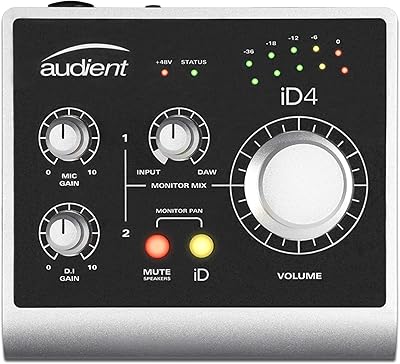
Audient iD4 USB Audio Interface
80%
93%
Preamp Quality
88%
Build Quality
71%
Value for Money
91%
Ease of Setup
84%
Headphone Performance
More
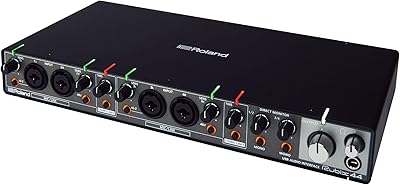
Roland Rubix44 4-In/4-Out USB Audio Interface
80%
91%
Preamp Quality
94%
Build Quality
88%
Noise Performance
58%
Windows Driver Experience
74%
Value for Money
More
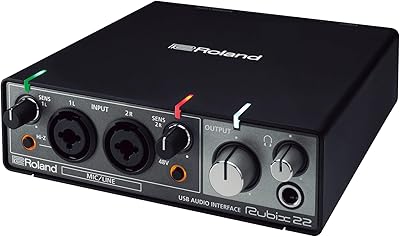
Roland Rubix22 USB Audio Interface
81%
93%
Build Quality
84%
Preamp Performance
81%
Noise Floor
88%
MIDI Functionality
91%
Ease of Setup
More
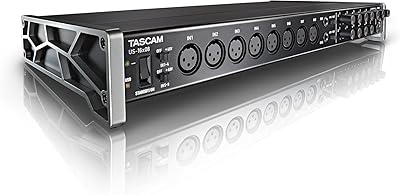
Tascam US-16x08
Tascam US-16x08
86%
96%
Input Count & Versatility
88%
Preamp Clarity
92%
Build Durability
97%
Value for Money
89%
Desktop Ergonomics
More

FAQ

No, it does not. The Apogee One USB Audio Interface is only compatible with Lightning-equipped iPhones and iPads. If your iPad uses a USB-C port, this interface will not connect to it, and you should factor that in before purchasing.
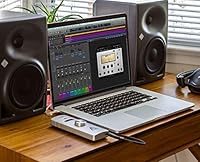
On Mac, Apogee strongly recommends installing their Maestro software to get full control over gain, input selection, and routing. Basic audio functionality may work without it, but you will be missing most of the control options that make this interface worth using. On Windows, Maestro is also available but the experience is somewhat more limited.

You can plug in a guitar or other instrument directly using the instrument input. The interface handles both mic-level and instrument-level signals, so you do not need a separate DI box for a standard electric guitar or bass.

It is genuinely useful for casual recording, voice memos, podcasting scratch tracks, and quick song ideas when you do not want to set up a separate mic. That said, it is a compact condenser built into a small chassis, so it is not going to match the performance of a dedicated large-diaphragm condenser microphone. Think of it as a capable convenience feature, not the main event.

It is fully bus-powered via USB, drawing 3.9 watts from your computer or iOS device. There is no external power adapter required, which is part of what makes it practical for mobile use.

It does work on Windows with USB connectivity and Maestro software support, but the integration is noticeably more polished on macOS. If you are a Windows-first user, it is functional but you may not get the same depth of software control that Mac users enjoy.

Yes, direct monitoring is built in, which lets you listen to your input in real time without routing through your DAW. The latency is low enough that most people find tracking comfortable without any distracting echo or lag.

Absolutely, and this is one of the more underrated aspects of the Apogee One. The headphone output uses the same high-quality converters as the recording path, so plugging in a good pair of headphones gives you noticeably cleaner playback than a standard laptop headphone jack.

The die-cast aluminum chassis is solid for something this small and light. Owners who carry it regularly report that it holds up well to bag life. It is not ruggedized or waterproof, but it is clearly built with more care than plastic-bodied interfaces in lower price brackets.

It can be, with some caveats. The sound quality is genuinely excellent for the size, and having a built-in mic lowers the barrier to getting started. The learning curve for Maestro is manageable. Where beginners sometimes run into friction is the 2-in/2-out limit — if you eventually want to record multiple sources at once, you will outgrow it, but for solo recording it covers most needs comfortably.

Where to Buy