Overview

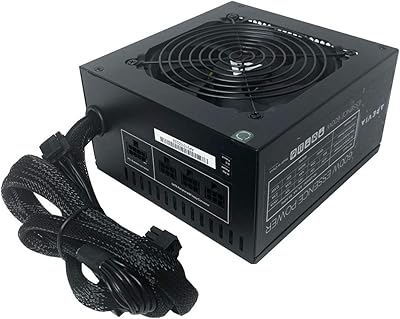
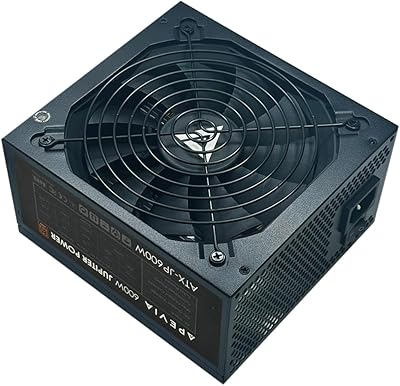
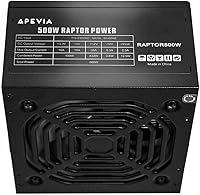
The Apevia Raptor 500W ATX Power Supply is Apevia's answer to a straightforward question: how little can you spend and still get a reliable working PSU? Apevia has long occupied the budget end of the PC component market, and this unit is squarely aimed at first-time builders and basic office desktop setups. It fits standard mid-tower and full-tower cases without any fuss — exactly what you want at this price point. At 500W, it can handle a modest CPU paired with integrated graphics or a low-tier discrete card, but don't expect it to power a serious gaming rig. Build quality is functional, not premium.

Features & Benefits

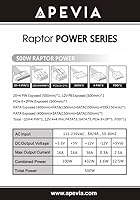
The Raptor 500W covers the basics well. Its +12V rail at 36A is sufficient for a mainstream processor alongside an entry-level GPU like a GTX 1650 or RX 6400. The connector lineup — a 24-pin motherboard plug, a splittable 4+4-pin CPU connector, one 6+2-pin PCIe, three SATA, three Molex, and a floppy — handles most low-demand build scenarios without adapters. The ability to split the CPU and PCIe connectors is a practical touch for older hardware compatibility. The 120mm fan adjusts speed based on temperature, staying quiet under light loads. A manual 115/230V voltage switch rounds things out for anyone who might need to relocate the unit internationally.

Best For

This budget PSU is most at home inside a basic office or productivity machine — think web browsing, word processing, or light photo editing. Builds relying on integrated graphics or a modest low-power discrete GPU will sit comfortably within the power budget. First-time builders will appreciate the drop-in ATX compatibility, which removes a lot of guesswork from the process. It also works as a capable replacement for a dead PSU in an older system with low wattage demands. That said, be honest about your build's needs: if gaming or content creation is on the agenda, this Apevia unit will leave you short on both headroom and efficiency.

User Feedback

Buyers using this Apevia unit in office PCs or HTPCs generally report a smooth installation and appreciate that the connector set covers their modest needs without clutter. Fan noise during everyday desktop use is rarely a complaint in verified purchase reviews. Where experienced builders push back is on the absent 80 Plus rating — without it, efficiency under load is uncertain, which matters for heat and long-term reliability. A smaller share of buyers have flagged early unit failures on arrival or within the first few weeks, a concern worth weighing for a component that protects your entire build. Occasional coil whine reports exist but are not a widespread pattern.

Pros

  • Covers the essential connector set for basic builds without requiring adapters or splitters.
  • Standard ATX dimensions mean it drops into virtually any mid-tower or full-tower case without fitment concerns.
  • The splittable 4+4-pin CPU and 6+2-pin PCIe connectors add useful compatibility with older motherboards and graphics cards.
  • The 120mm thermally controlled fan stays quiet during everyday desktop use, which most buyers in this category appreciate.
  • At this price point, the Raptor 500W delivers a functional, no-frills power solution that is hard to argue with for a basic office PC.
  • The manual 115/230V voltage switch adds flexibility for international use or system relocation.
  • Installation is reported as straightforward by first-time builders, with cable lengths adequate for standard cases.
  • Three SATA connectors comfortably support a boot drive plus one or two storage drives in a typical budget build.

Cons

  • No 80 Plus efficiency certification means power efficiency under load is unverified and potentially worse than competing units.
  • A single 6+2-pin PCIe connector limits options if you later upgrade to a GPU that requires two power connectors.
  • Some buyers have reported dead-on-arrival units, which raises questions about pre-shipment quality control.
  • Early failure reports from a subset of verified buyers suggest longevity may be a concern over a multi-year ownership period.
  • Occasional coil whine has been mentioned under certain load conditions, which can be distracting in a quiet workspace.
  • The absence of any stated protection certifications beyond basic safety specs makes it a harder sell for component-conscious builders.
  • Only three SATA connectors can feel limiting if you plan to run multiple drives or optical devices simultaneously.
  • No modular or semi-modular cable design means you are managing a fixed set of cables regardless of how many you actually use.

Ratings

Our AI rating engine analyzed thousands of verified global user reviews for the Apevia Raptor 500W ATX Power Supply, actively filtering out incentivized, bot-generated, and duplicate feedback to surface what real buyers actually experienced. The scores below reflect an honest synthesis of both the strongest praise and the most persistent complaints across diverse build scenarios and usage contexts. Nothing has been softened — strengths and shortcomings are weighted equally so you can make a fully informed decision.

Value for Money
83%
For builders working with a strict budget, the Raptor 500W delivers a functional, plug-in-ready power supply at a price point that leaves room for spending on other components. Verified buyers assembling basic office desktops consistently called it a fair trade for the cost, especially when replacing a failed unit in an older machine.
Experienced builders note that stepping up to a certified unit from a more reputable PSU brand costs only marginally more and brings substantially better peace of mind. When you factor in the risk of early failure, the long-term value proposition weakens for anyone who needs reliable uptime.
Ease of Installation
88%
First-time builders consistently praised how straightforward the installation process was — standard ATX sizing meant no fitment surprises, and the cable lengths were sufficient for most typical mid-tower layouts. The splittable connectors were called out specifically as a helpful detail that avoided the need for adapters with older hardware.
A handful of buyers noted the fixed, non-modular cable bundle made cable management inside smaller cases more awkward, since all cables are present regardless of whether you need them. This is less an installation complaint and more a tidiness issue for builders who care about airflow.
Connector Availability
74%
26%
For a basic single-drive, single-GPU build, the included connector set covers all the essentials without requiring extras. Three SATA ports, three Molex connectors, and a splittable PCIe plug mean most entry-level configurations are fully supported straight out of the box.
Only one PCIe connector is included, which rules out any GPU requiring dual power inputs — a growing segment even among mid-range cards. Builders planning even modest future upgrades may find themselves outgrowing the connector set faster than expected.
Reliability & Longevity
58%
42%
The majority of buyers using this Apevia unit in light-duty office or productivity systems reported normal, uneventful operation over their ownership period. For systems that run basic workloads and are not under sustained load, many users found it performed without incident.
A notable share of verified reviewers flagged early failures — some within weeks of first use — and dead-on-arrival reports are more frequent than you would see with certified units in a similar wattage class. For a component that protects every other part of your system, this is a meaningful concern.
Fan Noise
79%
21%
Under typical light-use conditions like document editing, video streaming, or general browsing, the thermally controlled 120mm fan is reported as near-silent. Buyers using this budget PSU in quiet home office environments appreciated that it did not add noticeable noise to their workspace.
Some verified buyers reported intermittent coil whine, particularly under variable load transitions, which was distracting in otherwise quiet setups. Under heavier system loads the fan audibly spins up, though this is less of an issue given the intended use case.
Build Quality
61%
39%
The physical construction is adequate for the price tier — the casing feels solid enough during installation, and connector fit into motherboard headers is generally described as firm and secure. For a budget purchase, it clears the basic bar of not feeling dangerously flimsy.
Compared to units from more established PSU manufacturers, the overall material quality feels noticeably lighter and less refined. Experienced builders who have handled premium units remarked on the difference in casing thickness and connector quality, which feeds into concerns about long-term durability.
Efficiency
47%
53%
For very low-load systems like basic office desktops that rarely push the unit hard, the lack of efficiency certification may have minimal real-world impact on electricity bills or heat output in day-to-day use.
The absence of any 80 Plus efficiency tier is a genuine weakness that experienced builders consistently flagged. An uncertified PSU can draw more power from the wall than it delivers to components, generating additional heat inside the case and costing marginally more to run over months of use.
Case Compatibility
91%
Standard ATX dimensions mean this unit fits virtually every mid-tower and full-tower case on the market without modification or adapter plates. Buyers replacing failed PSUs in existing builds found the swap was physically painless regardless of the case brand.
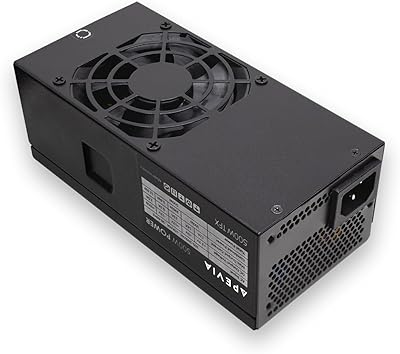
Compatibility is limited strictly to standard ATX cases — compact form factor builds using SFX, TFX, or Flex-ATX layouts are entirely unsupported. This is an expected constraint for the form factor, but worth confirming before purchase if your case is on the smaller side.
Cable Length & Management
67%
33%
Cable lengths are generally adequate for standard mid-tower layouts, with the motherboard and CPU cables reaching their headers without strain in most common case designs. Buyers working with typical budget-oriented cases had no reported reach issues.
Because all cables are hardwired with no modular options, unused cables — including the floppy connector that most modern builders will never use — must be bundled and tucked away. In cases with limited cable management channels, this results in a noticeably messier interior.
Legacy Hardware Support
82%
18%
The inclusion of three Molex connectors, a floppy power connector, and splittable 20+4-pin and 4+4-pin plugs makes this Apevia unit unusually practical for older system builds or replacements. Buyers reviving legacy hardware found the connector set covered their needs without hunting for adapters.
Legacy support is genuinely a strength here, but for modern builds the floppy connector is wasted real estate and the Molex count feels dated compared to what a newer primary storage ecosystem actually requires. It reflects the unit's older design lineage more than a deliberate modern feature.
Voltage Stability
55%
45%
Under light and steady loads typical of office use, most buyers did not report symptoms of voltage instability such as random reboots or component errors. For simple productivity tasks, the output appears consistent enough to avoid immediate problems.
Without independent certification or published load regulation data, voltage stability under variable or sustained heavy loads is essentially unknown. A small number of reviewers reported system instability that they traced back to the PSU, reinforcing concerns about output quality under real stress.
Thermal Management
71%
29%
The auto-thermally controlled fan does a reasonable job keeping the unit from running hot during normal operation. In a well-ventilated case handling modest workloads, internal temperatures stay within a range where the fan stays at low, quiet speeds for most of the session.
Because efficiency is unverified, more heat may be generated internally than a certified equivalent would produce under the same conditions. In cases with poor airflow or during extended workloads, thermal buildup could accelerate component wear inside the unit over time.
Out-of-Box Experience
76%
24%
Buyers generally report a clean unboxing with the unit arriving intact and the cables neatly bundled. For a budget tier product, the packaging does its job, and most units arrive ready to install without any obvious cosmetic or physical damage.
The rate of DOA reports is higher than expected relative to certified alternatives, meaning a non-trivial number of buyers have had to initiate returns immediately. While most units arrive working, the DOA risk is worth factoring in if your build timeline is tight.

Suitable for:

The Apevia Raptor 500W ATX Power Supply is a practical fit for anyone building or maintaining a low-demand desktop PC on a tight budget. If your system runs on integrated graphics or a modest entry-level GPU like a GTX 1650, the 500W output and 36A on the +12V rail give you enough headroom without overspending on capacity you will never use. Office workers, students, and home users putting together a machine purely for productivity, browsing, or media consumption will find this budget PSU does exactly what they need. It also makes a sensible replacement for a dead power supply in an older PC, where spending heavily on a premium unit simply does not make financial sense. First-time builders will appreciate the standard ATX sizing and the splittable CPU and PCIe connectors, which reduce compatibility headaches without requiring adapters.

Not suitable for:

The Apevia Raptor 500W ATX Power Supply is not the right call for anyone building a gaming PC, a content creation workstation, or any system that will spend significant time under sustained load. Without an 80 Plus efficiency certification, power delivery efficiency under stress is unverified, which translates to more heat generated inside your case and potentially higher electricity draw over time — both real concerns for demanding systems. A mid-range or high-end GPU alone can push well past what this Apevia unit was designed to handle, and running a PSU near or at its rated ceiling without a safety margin is a reliability risk. Experienced builders who care about voltage stability, long-term component protection, and warranty-backed quality will likely find this unit falls short of their standards. If your build budget has any flexibility, stepping up to a certified unit from a more established PSU brand is almost always worth the difference.

Specifications

  • Output Wattage: The unit delivers a total continuous output of 500W to power the connected system components.
  • Form Factor: Standard ATX form factor measuring 5.9 x 5.5 x 3.4 inches fits the vast majority of mid-tower and full-tower PC cases.
  • Weight: The unit weighs 2.86 pounds, which is typical for a non-modular PSU in this wattage class.
  • +12V Rail: The primary +12V rail is rated at 36A, handling power delivery to the CPU and discrete GPU.
  • +3.3V & +5V Rails: Both the +3.3V and +5V rails are each rated at 16A, supporting system board logic and storage devices.
  • -12V & +5Vsb: The -12V rail provides 0.3A for legacy compatibility, and the +5V standby rail is rated at 2.5A for system wake functions.
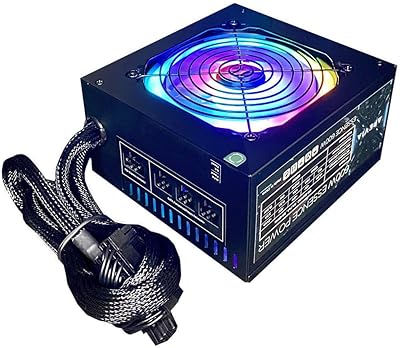
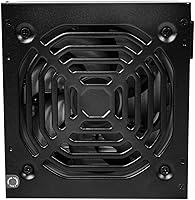
  • Fan Size & Type: A single 120mm fan with automatic thermal control adjusts speed based on internal temperature, with no LED lighting.
  • Motherboard Connector: Includes a 20/24-pin main motherboard connector that splits into 20+4 for compatibility with older boards.
  • CPU Connector: One 4+4-pin CPU connector can be used as a unified 8-pin or split into two 4-pin halves for boards that require a 4-pin input.
  • PCIe Connector: One 6+2-pin PCIe connector is included, supporting both 6-pin and 8-pin GPU power requirements.
  • SATA Connectors: Three SATA power connectors are available for connecting SSDs, HDDs, or optical drives.
  • Molex Connectors: Three 4-pin Molex connectors support older peripherals, case fans, and legacy storage devices.
  • Floppy Connector: One floppy drive power connector is included for legacy device compatibility.
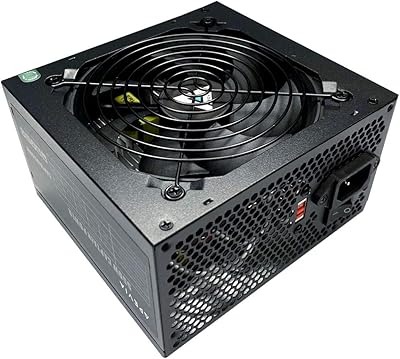
  • Voltage Switch: A manual 115/230V selector switch on the rear panel allows the unit to be configured for different regional power standards.
  • 80 Plus Rating: No 80 Plus efficiency certification is listed for this unit, meaning efficiency under load has not been independently verified.
  • Cooling Method: Cooling is handled entirely by active airflow through the single internal fan, with no passive or hybrid modes.
  • Manufacturer: The unit is manufactured by Apevia Corp, a brand focused on affordable consumer PC components.

Related Reviews
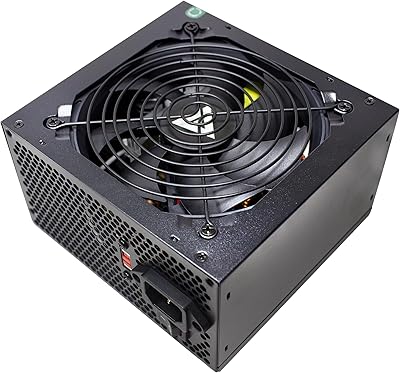
Apevia Venus 500W ATX Power Supply
86%
92%
Value for Money
88%
Cooling Efficiency
91%
Protection Features
84%
Build Quality
85%
Compatibility with Components
More
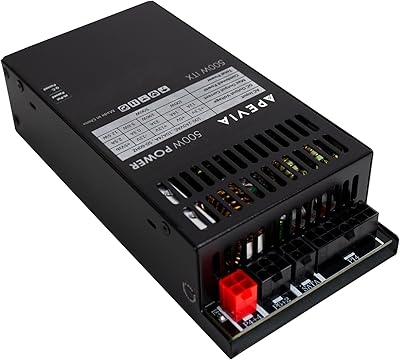
Apevia ITX-PFC500W 500W Flex ATX Power Supply
77%
88%
Cable Management
91%
Form Factor Compatibility
79%
Power Delivery & Rail Stability
54%
Fan Noise & Acoustics
72%
Build & Component Quality
More
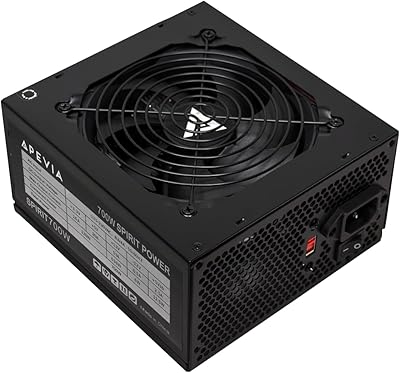
Apevia ATX-SP700 Spirit 700W ATX Power Supply
85%
93%
Power Output
88%
Build Quality
85%
Cooling Performance
90%
Value for Money
80%
Ease of Installation
More
Apevia ATX-ES600W Essence 600W ATX Semi-Modular Power Supply
85%
88%
Value for Money
84%
Performance under Load
87%
Cooling Efficiency
90%
Cable Management Ease
82%
Build Quality
More
Apevia ATX-ES700-RGB Essence 700W ATX Semi-Modular Power Supply
81%
85%
Performance & Power Output
78%
Cooling & Noise Control
82%
Build Quality
90%
Installation & Cable Management
87%
RGB Customization & Aesthetics
More
Apevia CAPTAIN550 550W ATX Power Supply
70%
78%
Value for Money
54%
Reliability
83%
Cable Quality & Aesthetics
81%
Connector Compatibility
84%
Ease of Installation
More
Apevia TFX-PFC500W 500W Power Supply
85%
92%
Value for Money
85%
Cooling Efficiency
87%
Build Quality
71%
Noise Level
90%
Power Delivery Stability
More
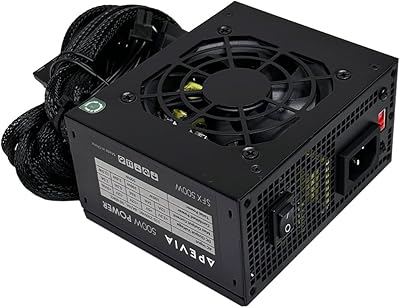
Apevia SFX-AP500W 500W Power Supply
83%
87%
Value for Money
91%
Ease of Installation
96%
Size and Compactness
79%
Cooling Performance
68%
Noise Levels
More
Apevia Venus 450W ATX Power Supply
70%
83%
Value for Money
88%
Installation Ease
81%
Noise Level
74%
Connector Availability
62%
Build Quality
More
Apevia ATX-JP600W Jupiter 600W Power Supply
87%
89%
Performance
93%
Power Efficiency
85%
Cooling Efficiency
88%
Build Quality
87%
Cable Management
More

FAQ

Yes, the Raptor 500W follows the standard ATX specification, so it will physically fit into any case that accepts a standard ATX power supply. If your case is a mini-ITX or SFX form factor, it will not fit — but for standard mid-towers and full-towers, you should have no issues.

It depends on the card. The Apevia Raptor 500W ATX Power Supply includes one 6+2-pin PCIe connector, which covers entry-level GPUs like the GTX 1650 or RX 6400 that draw relatively little power. If your GPU requires two PCIe power connectors or is a mid-to-high-end card with a TDP above 150W or so, this unit is not a safe fit.

This is completely normal behavior for ATX power supplies. They do not power on simply by being connected to an outlet — they require a signal from the motherboard to start. Make sure all the necessary cables are properly connected to your motherboard, CPU, and other components before powering on your system.

No, this Apevia unit does not carry an 80 Plus certification of any tier. That means its efficiency under load has not been independently tested and verified. For a basic office PC or low-use desktop, this is unlikely to be a dealbreaker, but if you care about energy costs or heat output over long periods, you may want to consider a certified alternative.

Under typical light loads like office work or web browsing, most buyers report the fan is barely noticeable. Since it is thermally controlled, it spins slower when the unit runs cool. Under heavier loads it will spin up, but at 500W with a modest system this PSU is unlikely to reach conditions where the fan becomes disruptive.

Yes. The CPU connector is designed to separate into two 4-pin halves. You simply press one half down and the other up to split them apart, then plug in just the 4-pin half your motherboard requires. The process is straightforward and does not require tools.

Three SATA power connectors are included, so you can connect up to three SATA devices directly — a boot SSD plus two additional HDDs or SSDs, for example. If you need more, the three Molex connectors can also power compatible drives or other peripherals using a Molex-to-SATA adapter, though buying adapters adds minor complexity.

It can be, as long as the original system did not require more than 500W and your older motherboard works with the connector types included. The splittable 20+4-pin motherboard connector and the 4-pin CPU option make it compatible with a wider range of older hardware than some newer PSUs.

This is where honest expectations matter. The budget PSU category generally carries more reliability variability than premium certified units. Most buyers report normal operation, but a notable minority of reviewers have mentioned early failures or dead-on-arrival units. It is not the best choice for a system you rely on heavily for work or where downtime would be costly.

The unit includes a manual 115/230V voltage switch on the rear panel, which lets you adjust it for different regional power standards. Just make sure you set the switch correctly before plugging it in — using the wrong setting can damage the unit or your components. Always verify your local wall voltage before switching.

Where to Buy