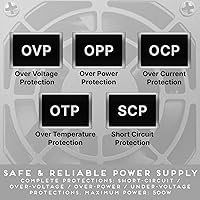
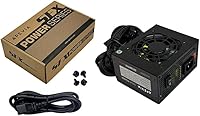
Overview

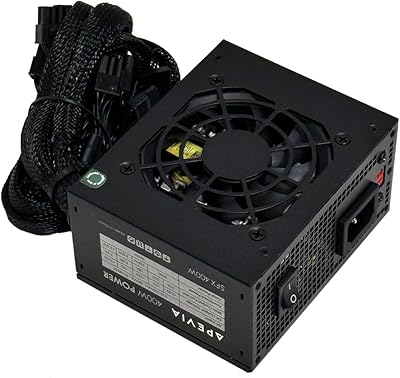
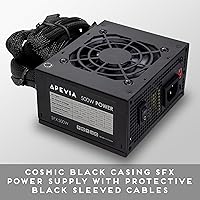
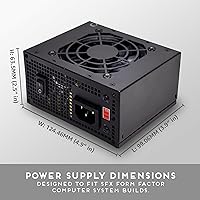
The Apevia SFX-AP500W 500W SFX Power Supply is a no-frills option aimed at compact PC builders who want to keep costs down without sacrificing basic functionality. The SFX form factor is what makes it genuinely useful — at just 125mm x 100mm x 63.5mm, it physically fits in Mini-ITX and Micro-ATX cases where a standard ATX unit never would. The 500W output is adequate for mainstream builds, though it won't cover high-end discrete GPUs. Apevia sits firmly in the budget tier, and this compact PSU is priced to reflect that. It's non-modular, meaning all cables are permanently attached — a detail that matters a lot when you're working inside a cramped enclosure.

Features & Benefits

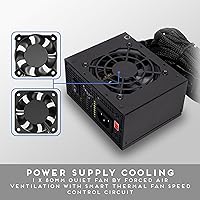
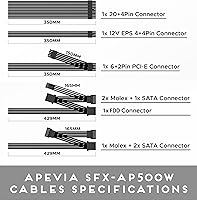
The connector set covers the essentials without extras: a 24-pin motherboard cable, an 8-pin CPU cable, a 6+2-pin PCIe connector, three SATA ports, two Molex connectors, and a floppy header. One genuinely practical detail is the split-connector design — the CPU, PCIe, and ATX cables can each be physically separated into their component halves, letting the Apevia SFX-AP500W work with older boards that need a 4-pin CPU connection or a 20-pin ATX header. The internal fan handles cooling through active airflow, and noise stays manageable at idle, though it becomes noticeable under sustained load. Cable lengths are fixed, so think through your routing before committing to the build.

Best For

This SFX power supply makes practical sense for home office PCs, HTPCs, and budget gaming rigs built around compact cases. Pairing it with an entry-level discrete GPU — something like an RX 6500 XT or GTX 1650 — keeps total system draw comfortably within the 500W output alongside a mainstream CPU. It's also a sensible emergency replacement when an older SFX unit gives out and you need something that ships quickly without a high price tag. That said, anyone planning to run a high-end graphics card drawing 200W or more should budget for a more capable unit. Tight cable management inside small cases is also harder with a fully non-modular harness.

User Feedback

Across more than 500 ratings, this compact PSU sits at a 4.1-star average — respectable, but not without its caveats. The most common praise focuses on how straightforward the installation is and the fact that it actually fits in the small cases it's marketed for, which isn't a given in this category. Noise under load comes up frequently as a negative, with some buyers noting the fan becomes audible during intensive tasks. There are also enough reports of quality control inconsistencies — including a handful of DOA units and occasional connector fit issues — to warrant buying from a seller with a clear return policy. For casual everyday use, most buyers describe long-term operation as stable and uneventful.

Pros

  • Fits Mini-ITX and Micro-ATX cases that cannot accommodate a standard ATX power supply.
  • Covers all the essential connectors needed for a mainstream compact build in one affordable package.
  • The split-connector design on ATX, CPU, and PCIe cables adds genuine compatibility with older motherboards.
  • Straightforward installation — most buyers report getting it seated and running without any surprises.
  • At this price point, the Apevia SFX-AP500W delivers reliable output for everyday computing and light gaming.
  • 500W is sufficient headroom for a budget build with an entry-level discrete GPU and a mainstream CPU.
  • Lightweight at just over two pounds, which simplifies handling inside compact cases.
  • Consistently ranks among the top-selling SFX units, suggesting broad real-world acceptance at this price tier.

Cons

  • Non-modular cabling means unused wires must be stuffed somewhere inside an already cramped case.
  • Fan noise increases noticeably under load, which may bother users in quiet environments.
  • A small number of buyers have received units that were dead on arrival, pointing to inconsistent quality control.
  • Cable lengths are fixed and can fall short in certain Mini-ITX cases with unconventional layouts.
  • Apevia does not carry the same reliability reputation as established PSU brands, which matters for long-term peace of mind.
  • Connector fit on some units has been reported as loose or slightly misaligned, requiring extra care during installation.
  • No modular option exists in this product line, limiting flexibility for cleaner or more customized builds.
  • Limited to one 6+2-pin PCIe connector, which rules out any GPU requiring dual power connectors.

Ratings

The ratings below for the Apevia SFX-AP500W 500W SFX Power Supply were generated by our AI system after analyzing verified buyer reviews from multiple global sources, with spam, bot-generated, and incentivized feedback actively filtered out. Each score reflects the honest consensus across hundreds of real-world build experiences, giving equal weight to what users loved and what genuinely frustrated them. Both the strengths and the recurring pain points are represented transparently so you can make a fully informed decision.

Value for Money
83%
For builders on a tight budget who just need a working SFX unit to power a home office PC or HTPC, the price-to-functionality ratio is hard to argue with. Most buyers feel they got exactly what they paid for, and several noted it was the most affordable SFX option available at the time of their build.
The value proposition weakens if you factor in the risk of receiving a DOA unit and the hassle of returning it. A small but consistent group of buyers felt the savings were not worth the quality control uncertainty, especially when building around moderately expensive components.
Form Factor Fit
89%
This is where the Apevia SFX-AP500W genuinely earns its keep. Builders using compact Mini-ITX cases with strict SFX mounting requirements found it dropped in cleanly without adapter plates or modifications, which is not always guaranteed at this price point.
A handful of users building in cases with non-standard SFX mounting orientations ran into minor fitment issues, though these were case-specific rather than a flaw in the unit itself. Cable routing to distant connectors can also be tight depending on case layout.
Ease of Installation
81%
19%
The split-connector design on the ATX, CPU, and PCIe cables made the installation process noticeably friendlier for builders working with older or budget motherboards that use legacy pin configurations. Most first-time builders reported getting the unit installed and running without needing additional guides.
The lack of any labeling on individual cable bundles can slow down the process for less experienced builders who have to cross-reference which connector goes where. A few users also reported that some connectors required firm pressure to seat fully, which caused brief concern during first installation.
Cable Management
52%
48%
The cable lengths are adequate for standard SFX case layouts, and the connectors themselves are functional and reach their intended ports without extreme strain in most popular compact cases.
As a non-modular unit, every cable is permanently attached whether you use it or not, and that becomes a real problem inside tight Mini-ITX enclosures. Unused Molex, floppy, and spare SATA cables end up stuffed behind the motherboard tray or bundled awkwardly, which can restrict airflow and makes the interior look messy even after careful routing.
Noise Level
61%
39%
Under light loads — browsing, streaming, or basic office work — most users describe the fan as inaudible or barely noticeable, which is perfectly acceptable for a living room HTPC or a desk-side work machine during low-demand tasks.
Under sustained load, the fan ramps up meaningfully and becomes one of the more audible components in the system. Users running extended gaming sessions or CPU-heavy workloads flagged fan noise as a consistent annoyance, and a few described it as louder than expected compared to similarly priced alternatives.
Build Quality
63%
37%
The unit feels reasonably solid for its price tier and weight class, and the casing shows no obvious flex or rattling right out of the box. Most users handling it for the first time described it as acceptable quality for a budget component.
Up close, the fit and finish shows cost-cutting — connector tolerances are inconsistent across units, and some buyers noted that plastic housing seams are less refined than what you would find from an established PSU brand. Long-term durability beyond a couple of years is an open question given the brand tier.
Connector Variety
74%
26%
The included connector set covers everything a typical compact build needs: SATA for drives, a PCIe connector for a discrete GPU, Molex for legacy peripherals or fan controllers, and a floppy header for niche adapters. For a single-GPU, single-drive Mini-ITX build, nothing is missing.
Only one PCIe connector is included, which immediately rules out any GPU that requires two power inputs. Builders with three or more storage drives will also need a SATA splitter, since three native SATA ports is on the lower end for a PSU in this wattage class.
Compatibility
86%
The physical split connectors on the ATX and CPU cables add genuine backward compatibility, allowing the unit to work with older motherboards that predate the 24-pin and 8-pin standards without requiring separate adapters. That flexibility is genuinely useful for builders repurposing older hardware in a new compact case.
Compatibility with non-standard SFX variants — such as SFX-L, which is used in some higher-end compact cases — is not guaranteed, and users with those cases should verify dimensions carefully before ordering. There is no ATX compatibility, so it cannot be used in full-size cases.
Power Delivery Stability
71%
29%
For everyday computing, light gaming, and streaming workloads, the vast majority of buyers reported stable, uneventful operation over extended periods. Systems running integrated graphics or entry-level discrete GPUs showed no instability or unexpected shutdowns in normal use.
Under heavier sustained loads — particularly with discrete GPUs pushing toward the upper range of what 500W supports — a subset of users reported occasional system instability. Without third-party efficiency certification, voltage regulation under peak load is harder to independently verify, which adds a layer of uncertainty for more demanding builds.
Quality Control
58%
42%
The majority of units arrive fully functional and pass basic power-on testing without issue, and many buyers have used their units for a year or more without any problems. For buyers who receive a working unit, the out-of-box experience is generally positive.
A statistically notable number of buyers across verified reviews reported receiving dead-on-arrival units or units with loose connector tolerances that required troubleshooting. This level of QC variability is higher than what you would accept from a premium brand, and it makes having a clear return or exchange policy genuinely important before purchasing.
Thermal Performance
67%
33%
Under typical loads in a well-ventilated SFX case, the internal fan keeps temperatures in check and the unit does not generate noticeable heat on the exterior casing. Builders using it in office environments reported no heat-related concerns during regular workday use.
In cases with limited airflow or during sustained high-load tasks in warmer ambient environments, the fan audibly struggles to keep up, which raises questions about long-term thermal wear on internal components. No thermal protection specifications are publicly documented, making it hard to assess worst-case scenarios.
Long-Term Reliability
66%
34%
A meaningful portion of buyers have reported trouble-free operation stretching across one to two years of regular use, particularly in light-duty systems. For low-stakes builds where the PSU is not under consistent heavy stress, the reliability track record is reasonable.
Apevia does not have the long-term reliability data behind it that established PSU brands carry, and the absence of efficiency certification or published MTBF figures makes it difficult to assess lifespan with confidence. Users running demanding workloads continuously should factor in a higher replacement probability over a three-to-five-year horizon.
Documentation & Setup Guidance
59%
41%
The product listing does explain the split-connector mechanics in enough detail for most users to understand how to adapt the cables for different board types, which prevented confusion for several buyers encountering this design for the first time.
Included physical documentation is minimal, and there is no dedicated setup guide for first-time builders who might not know that the PSU requires full system connections before it will power on. Several buyers reported confusion at this step, suggesting clearer out-of-box instructions would prevent unnecessary troubleshooting.

Suitable for:

The Apevia SFX-AP500W 500W SFX Power Supply is a practical pick for builders assembling compact systems where the physical size of the PSU is just as important as the price. It fits Mini-ITX and Micro-ATX cases that reject standard ATX units outright, making it a genuine solution rather than just a cheaper alternative. Home office PC builders, HTPC enthusiasts, and anyone putting together a light-duty workstation on a tight budget will find it covers all the essentials without unnecessary complexity. It also works well as a quick replacement when an older SFX unit fails and you need a compatible unit that ships fast and installs without hassle. Pair it with a mainstream CPU and an entry-level discrete GPU — think GTX 1650 or RX 6500 XT territory — and this compact PSU handles the load without complaint under typical everyday conditions.

Not suitable for:

The Apevia SFX-AP500W 500W SFX Power Supply is not the right call for anyone building a performance-focused rig around a power-hungry GPU. Modern high-end graphics cards can draw 200W to 300W on their own, and stacking that alongside a demanding CPU leaves no headroom on a 500W unit — that is a recipe for instability or premature hardware failure. Builders who care about cable aesthetics or airflow optimization inside tight cases will also find the non-modular harness genuinely frustrating, since you are stuck routing every cable whether you need it or not. Users in noise-sensitive environments, like a bedroom or quiet studio, should know that the fan becomes audible under sustained load. Finally, anyone with a history of receiving DOA hardware through online retail would be wise to either buy locally or confirm the return policy before ordering, given the occasional quality control inconsistencies reported by buyers.

Specifications

  • Form Factor: SFX form factor, compatible with Mini-ITX, Micro-ATX, and SFX-standard cases.
  • Output Wattage: Delivers a continuous 500W of total output power for mainstream compact builds.
  • Dimensions: Measures 125mm x 100mm x 63.5mm (approximately 4.92″ x 3.94″ x 2.5″), fitting standard SFX mounting points.
  • Weight: Weighs 2.16 pounds, keeping the overall system weight low in portable or compact enclosures.
  • Modular Design: Non-modular configuration with all cables permanently attached to the PSU housing.
  • Cooling: Air-cooled via an internal fan that adjusts speed based on thermal load.
  • ATX Connector: Includes a 24-pin motherboard connector that physically splits into a 20+4 configuration for older boards.
  • CPU Connector: Ships with one 8-pin CPU power connector that separates into two 4-pin halves for boards requiring a single 4-pin input.
  • PCIe Connector: Provides one 6+2-pin PCIe connector, supporting graphics cards that need either a 6-pin or 8-pin power input.
  • SATA Connectors: Includes three SATA power connectors for drives, SSDs, or other SATA-powered devices.
  • Molex Connectors: Two 4-pin Molex connectors are included for older peripherals, fans, or adapters that require legacy power.
  • Floppy Connector: One 4-pin floppy connector is provided for legacy devices or specialty adapters that still use this format.
  • Brand: Manufactured by Apevia Corp, a budget-tier PC component brand based in the United States.
  • Model Number: Official model designation is SFX-AP500W, matching the product series name.
  • BSR Ranking: Holds a top-200 position in the Computer Power Supplies category on Amazon at time of listing.

Related Reviews
Apevia Raptor 500W ATX Power Supply
72%
83%
Value for Money
88%
Ease of Installation
74%
Connector Availability
58%
Reliability & Longevity
79%
Fan Noise
More
Apevia TFX-PFC500W 500W TFX Power Supply
67%
91%
Form Factor Fit
78%
Value for Money
83%
Connector Coverage
61%
Reliability
58%
Noise Level
More
Apevia Venus 500W ATX Power Supply
86%
92%
Value for Money
88%
Cooling Efficiency
91%
Protection Features
84%
Build Quality
85%
Compatibility with Components
More
Apevia SFX-AP400W 400W SFX Power Supply
67%
81%
Value for Money
76%
Form Factor Fit
67%
Power Delivery
58%
Noise Level
78%
Cable Quality
More
SilverStone EX500-B 500W SFX Power Supply
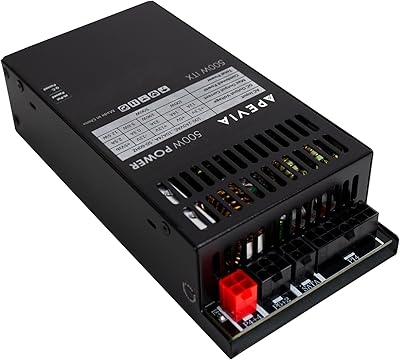
78%
88%
Noise Level
83%
Build Quality
76%
Value for Money
86%
Installation & Setup
59%
Wattage Headroom
More
Apevia ITX-PFC500W 500W Flex ATX Power Supply
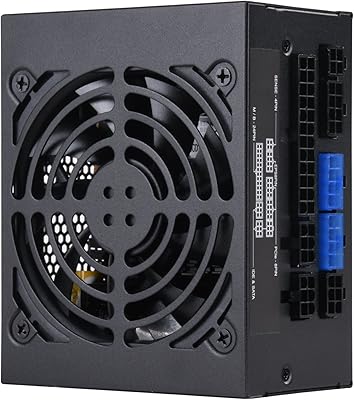
77%
88%
Cable Management
91%
Form Factor Compatibility
79%
Power Delivery & Rail Stability
54%
Fan Noise & Acoustics
72%
Build & Component Quality
More
SilverStone SX500-G 500W SFX Fully Modular 80 Plus Gold Power Supply
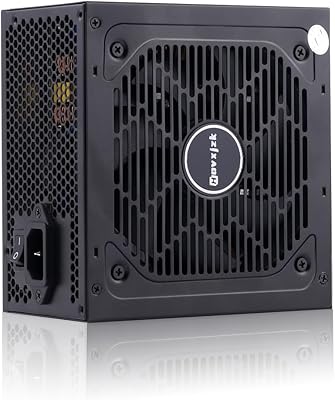
88%
94%
Quiet Performance
92%
Energy Efficiency
89%
Build Quality
85%
Ease of Installation
88%
Cable Management
More
Hovxjzk PS500WF 500W ATX Power Supply
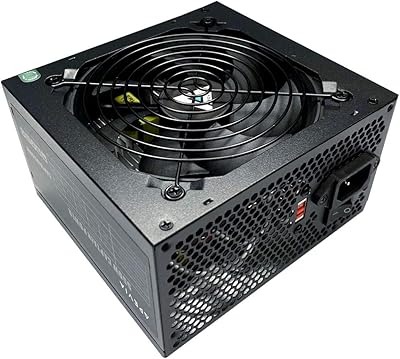
69%
83%
Value for Money
79%
Efficiency Rating
76%
Voltage Stability
58%
Cable Quality
74%
Noise Level
More
Apevia CAPTAIN550 550W ATX Power Supply
70%
78%
Value for Money
54%
Reliability
83%
Cable Quality & Aesthetics
81%
Connector Compatibility
84%
Ease of Installation
More
CHANNEL WELL 650W SFX Power Supply
88%
93%
Performance & Efficiency
88%
Noise Level
90%
Build Quality & Durability
85%
Ease of Installation
92%
Cable Management & Modularity
More

FAQ

As long as your case supports the SFX standard, it should fit without issue. The unit measures 125mm x 100mm x 63.5mm, which aligns with the SFX specification that most compact cases are built around. If your case lists SFX compatibility in its specs, you are good to go — just double-check the mounting orientation your case requires.

Yes, but keep realistic expectations about which GPUs are a sensible match. Cards in the GTX 1650, RX 6500 XT, or similarly low-power range are a comfortable fit alongside a mainstream CPU. If you are eyeing anything more power-hungry — an RTX 4070 or RX 7800 XT, for example — this compact PSU does not have enough headroom and you should look at a higher-wattage option.

This is a common point of confusion. The PSU will not power on just by plugging it into the wall — it needs to be fully connected to your motherboard and have the case power button wired correctly before it activates. Make sure the 24-pin ATX cable and the CPU power connector are fully seated, and that your front-panel power header is attached to the correct motherboard pins.

Completely normal, and actually a useful design choice. The 8-pin CPU connector is built to physically split into two 4-pin halves. If your motherboard only has a 4-pin CPU socket — common on older or budget boards — just use one half and tuck the other out of the way. For boards with an 8-pin socket, snap both halves together and plug in the full connector.

At idle or under light load, most users describe the fan as quiet enough to ignore. Under sustained heavy load — gaming, encoding, or other CPU-plus-GPU intensive tasks — the fan ramps up and becomes audible. It is not unusually loud for a budget SFX unit, but if you are building a near-silent system this is worth factoring in.

Apevia does not list an 80 Plus efficiency rating for this unit, and it does not appear in the official 80 Plus database. That is not uncommon in this price range, but it does mean efficiency under load is unverified by a third party. For a light-duty or home office build, this is unlikely to be a dealbreaker, but high-efficiency builders may want to look elsewhere.

Honestly, it can be. Because all cables are permanently attached, you have to deal with every wire whether you use it or not. In a roomy Micro-ATX case, this is manageable. Inside a truly tight Mini-ITX enclosure, the unused Molex, floppy, and extra SATA cables add clutter that takes some patience to tuck away cleanly. Velcro ties or cable clips help significantly.

First, run through the full connection checklist — make sure every required cable is seated properly and the power button header is correctly attached. If everything checks out and there is still no response, it is likely a DOA unit. A small but consistent percentage of buyers have reported this issue, so contact the seller promptly and initiate a return or exchange. Buying from a seller with a clear return policy makes this much less stressful.

The unit ships with three SATA power connectors, which covers three SATA-based drives or SSDs. If you need more, a SATA power splitter cable can expand that count, though adding significant drive load while also running a discrete GPU is worth factoring into your total power budget.

For most people in that situation, yes. The split-connector design on the ATX and CPU cables means it can adapt to older motherboards that use a 20-pin or 4-pin power configuration, which is a practical advantage over some newer PSUs that dropped that backward compatibility. As long as your old case uses SFX mounting, swapping in this unit is straightforward and does not require any case modification.

Where to Buy