Overview

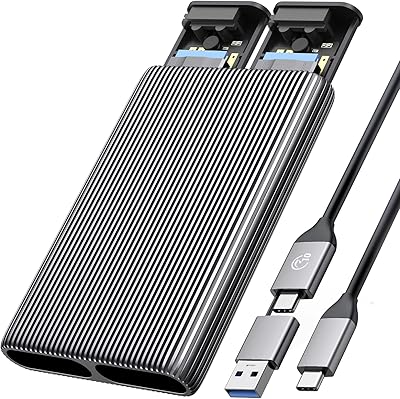
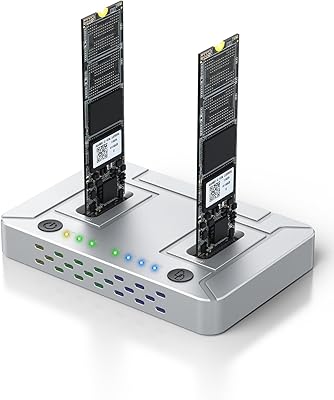
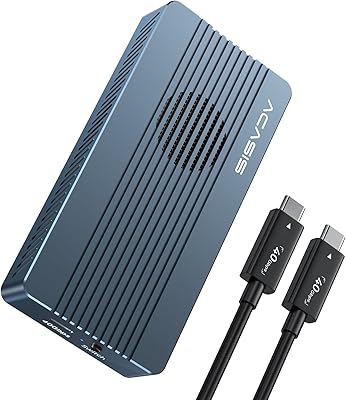
The ACASIS M03 NVMe M.2 Dual-Bay Duplicator is a standalone cloning device built for one specific job: copying NVMe SSDs without touching a computer. No software to install, no drivers to hunt down — just plug in two drives, press a button, and the duplication runs entirely on its own. The aluminum alloy chassis keeps it compact enough to toss in a laptop bag, and the build feels noticeably more solid than plastic enclosures at a similar price. One critical point before buying: this NVMe duplicator only works with M-key NVMe drives. SATA M.2 drives are not supported, full stop. At a mid-range price, you are getting a purpose-built cloner rather than a generic multipurpose dock.

Features & Benefits

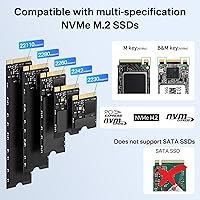
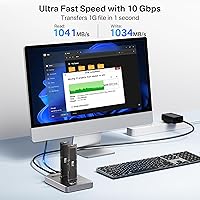
The ACASIS cloner dock runs on a USB-C connection rated for 10Gbps, which translates to real-world read/write speeds approaching 992 MB/s under ideal conditions — though actual results will vary based on drive performance. It handles M-key NVMe drives in four standard form factors: 2230, 2242, 2260, and 2280, covering virtually every modern NVMe drive you are likely to encounter. Drive insertion is tool-free and screwless, making swaps between cloning jobs fast and painless. Both slots support drives up to 8TB, which gives plenty of headroom for high-capacity storage. The aluminum shell doubles as a passive heatsink, but for cloning large drives, having an active cooling fan nearby is a smart precaution — the unit will get warm, and that is completely normal behavior.

Best For

This dual-bay cloning station is a natural fit for IT techs and power users who regularly migrate OS drives to larger NVMe SSDs — the kind of task where reinstalling an entire operating system is a time sink nobody wants. PC builders upgrading storage mid-build will also appreciate having a reliable sector-by-sector clone ready before swapping hardware. It works well for home users too, especially those who want a repeatable, no-fuss backup process without relying on cloning software that breaks with OS updates. Compact enough to carry between machines at under 2 oz, it suits anyone juggling multiple systems. One firm boundary though: if your M.2 drive runs on a SATA interface, this unit will not recognize it.

User Feedback

Buyers broadly agree on a few things. The offline, no-software workflow is the most consistently praised aspect — people genuinely appreciate not having to troubleshoot driver conflicts on older machines. Clone success rates for drives in the 256GB to 1TB range come back as reliable from the majority of users. Go above that capacity and heat management becomes a recurring topic: a handful of buyers reported incomplete clones on very large drives when no supplemental cooling was present. On the accessory side, the included USB-C cable drew some criticism for its quality, with several users swapping it out immediately. Compatibility issues with certain older or less-common NVMe controllers have also surfaced occasionally — not a widespread problem, but worth verifying if your drive uses an uncommon controller.

Pros

  • One-click offline cloning works without any computer, software, or driver installation whatsoever.
  • Supports all four standard M-key NVMe form factors: 2230, 2242, 2260, and 2280.
  • Tool-free, screwless drive insertion makes swapping between jobs genuinely fast.
  • Aluminum alloy build feels noticeably more solid than plastic docks in the same price range.
  • Clones drives up to 8TB per slot, covering both current and near-future NVMe capacities.
  • Compact enough at under 2 oz to carry in a laptop bag between job sites.
  • Real-world transfer speeds approach advertised figures when paired with fast NVMe drives.
  • Straightforward enough for non-technical home users to complete a storage upgrade independently.
  • No subscription, no activation, no internet connection required — ever.

Cons

  • The bundled USB-C cable is widely considered below par and often needs immediate replacement.
  • No progress indicator beyond a basic LED — cloning a large drive feels like flying blind.
  • Passive cooling is insufficient for sustained high-capacity cloning without an external fan nearby.
  • Clone reliability on drives above 1TB drops in warm ambient conditions without active airflow.
  • Certain less-common NVMe controllers are not reliably detected, with no documented compatibility list provided.
  • No companion software means zero ability to verify clone integrity or review error logs after the fact.
  • Shorter 2230 and 2242 form factor drives can feel loosely seated in the bays without screw retention.
  • Warranty support responsiveness from the manufacturer is not well-documented, adding post-purchase risk.
  • For one-time users, the mid-range price is harder to justify compared to a single professional migration service.

Ratings

The ACASIS M03 NVMe M.2 Dual-Bay Duplicator has been evaluated by our AI rating engine after processing verified buyer reviews from global marketplaces, with spam, bot-generated, and incentivized feedback actively filtered out. Scores reflect the honest distribution of user sentiment — not just the loudest praise — so both the genuine strengths and the real friction points are accounted for transparently in every category below.

Ease of Use
93%
The offline, one-click clone workflow is where this NVMe duplicator earns its reputation. Users consistently report completing full drive migrations with zero software interaction — insert both drives, press the button, walk away. For non-technical home users upgrading storage, that simplicity is the whole reason to buy this over a software-based solution.
A small subset of users found the lack of status detail during cloning mildly nerve-wracking — a single LED indicator does not tell you much about progress on a 2TB job. Those accustomed to progress bars and estimated completion times may find the minimal feedback loop uncomfortable for longer sessions.
Clone Reliability
84%
For drives in the 128GB to 1TB range, the success rate reported by buyers is consistently high, with most users describing clean, bootable clones on the first attempt. IT technicians handling routine OS drive migrations found the process dependable enough to incorporate into regular workflow.
Reliability drops off in user reports when cloning drives above 1TB, particularly without supplemental cooling. A handful of buyers documented failed or incomplete clones on large NVMe drives during extended sessions, suggesting heat throttling may be an underlying factor rather than a firmware issue.
Transfer Speed
81%
19%
In real-world tests under favorable conditions, the ACASIS cloner dock delivers throughput that genuinely approaches its advertised ceiling, making 256GB clones a matter of minutes rather than hours. For users upgrading from smaller boot drives, the time savings compared to a fresh OS install are substantial.
Speeds are heavily dependent on the NVMe drives inserted — if either drive has a slower controller, the overall clone rate is capped at that ceiling. The advertised figures represent best-case scenarios, and buyers using budget NVMe drives have reported noticeably lower real-world throughput.
Build Quality
78%
22%
The aluminum alloy enclosure feels premium relative to the price bracket, and the overall rigidity of the chassis holds up well to repeated use across multiple cloning jobs. Users who carry it between work sites appreciate that it does not feel fragile or hollow the way some plastic docks do.
The drive slot tolerances drew some criticism — a few buyers noted that shorter 2230 and 2242 drives feel slightly loose in the bays without screws to secure them. Cosmetically, the unit shows fingerprints and minor scratches with regular handling, which bothers users who keep organized workbenches.
Heat Management
62%
38%
The aluminum shell does a reasonable job of dispersing heat passively during shorter cloning tasks. Users cloning drives under 500GB rarely reported any concern, and the warm-to-the-touch sensation of the chassis is a sign the thermal design is functioning as intended rather than trapping heat internally.
For sustained high-capacity cloning — think 2TB or larger drives running continuously — the passive cooling simply is not enough without airflow assistance. Multiple buyers reported automatic throttling or aborted clones in warm ambient environments, and the recommendation to use an external fan should probably be treated as mandatory rather than optional for heavy use.
NVMe Compatibility
77%
23%
Coverage across all four standard M-key NVMe form factors — 2230, 2242, 2260, and 2280 — means this dual-bay cloning station handles virtually every modern M.2 NVMe drive without any adapter required. Buyers running mixed fleets of laptop and desktop NVMe drives found this breadth particularly practical.
Compatibility with less common or older NVMe controllers is not guaranteed, and a small but recurring cluster of user reports flags specific drives that are detected inconsistently. The unit also offers zero support for SATA M.2 drives, which has caught buyers off guard when upgrading older laptops that happen to use SATA-based M.2 storage.
Included Accessories
58%
42%
The box includes the essentials needed to get started immediately, and the USB-C cable provided works adequately for basic use. Buyers who were prepared to supply their own premium cable appreciated that the dock itself delivered on its core promise regardless of what cable was used.
The bundled USB-C cable attracted a disproportionate share of criticism — multiple buyers replaced it right out of the box after experiencing unstable connections or speeds that did not match expectations. For a mid-range device, the accessory quality feels like an afterthought that undermines an otherwise solid first impression.
Portability
89%
Weighing under 2 oz and measuring roughly the size of a deck of cards, this NVMe duplicator slips into a laptop bag without adding any meaningful weight. Field technicians and IT consultants who move between offices found it a practical addition to a travel kit, especially compared to bulkier desktop docking alternatives.
There is no carrying case or protective pouch included, which means the bare aluminum chassis is exposed to scratches and debris in a bag. The USB-C port is also somewhat exposed at the end of the unit, and users who toss it into a bag with other hardware have noted minor port wear over time.
Value for Money
74%
26%
Compared to generic dual-bay enclosures that lack dedicated clone modes, this ACASIS cloner dock justifies its mid-range price through a genuinely functional offline cloning workflow that saves real time. For users who clone drives more than once a year, the price-per-use math tends to work in its favor quickly.
At the same price point, a few competing units offer slightly better thermal management or include a bundled cooling fan, making the value proposition feel less clear-cut than it could be. Users who only need the device for a single one-time clone have also questioned whether the cost is warranted versus a one-time professional migration service.
Software Independence
96%
Not needing a host computer is genuinely useful in real situations — cloning a drive during a PC teardown, working in a server room without a spare laptop, or helping a non-technical family member upgrade storage without walking them through software setup. Buyers in all three scenarios praised this aspect without qualification.
The total absence of companion software means there is no way to monitor clone integrity, verify the output drive, or handle error logging. Advanced users who want checksum validation or clone diagnostics will need to run those checks separately with third-party tools after the fact.
Drive Capacity Support
88%
Supporting drives up to 8TB per slot positions this dual-bay cloning station well for the current high-capacity NVMe market. Power users archiving large data sets or migrating enterprise-grade storage found the headroom reassuring, particularly as high-capacity NVMe drives become more affordable and mainstream.
While the 8TB ceiling is generous on paper, buyer feedback on cloning very large drives is thinner and less consistent than feedback on mainstream capacities. Users pushing the upper limits of the supported range have fewer peer experiences to draw on, which makes it harder to assess long-term reliability at those capacities.
Setup Experience
91%
Unboxing to first completed clone in under five minutes is a realistic expectation based on buyer reports. The tool-free drive insertion means no screwdrivers, no fumbling with tiny mounting screws — just slide the drives in and start. For users who have wrestled with traditional M.2 installations, that experience is a genuine relief.
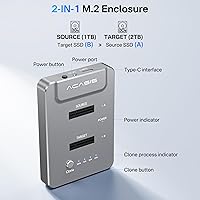
The instruction documentation included in the box is minimal and not particularly helpful for first-time NVMe users who may not know which drive to insert into which slot. The source-versus-target bay labeling could be clearer, and a few buyers admitted to briefly worrying they had inserted drives in the wrong order.
Cooling Fan Requirement
53%
47%
For users who already keep a small desk fan or actively cooled workstation nearby, the lack of a built-in fan is a non-issue — the aluminum shell performs adequately with any modest airflow directed at it. Light cloning tasks in a cool room complete without any thermal interruption for the majority of buyers.
The absence of a built-in fan feels like a genuine omission at this price point given how frequently heat is cited as a problem. Having to source and position an external fan adds friction to what is otherwise a streamlined process, and buyers who did not read the advisory carefully have run into preventable clone failures.
Long-Term Durability
69%
31%
Users who have owned this NVMe duplicator for more than a year generally report it still functioning reliably for periodic cloning tasks. The aluminum construction holds up better than plastic alternatives over time, and the tool-free mechanism does not appear to wear out quickly under normal usage frequency.
Heavy professional users who run multiple cloning cycles daily have noted inconsistency in drive detection after extended periods, suggesting the connectors may degrade with high-frequency use. There is also limited information available on warranty support or manufacturer responsiveness should hardware issues arise after the return window closes.

Suitable for:

The ACASIS M03 NVMe M.2 Dual-Bay Duplicator is purpose-built for anyone who needs to migrate NVMe storage without the overhead of a computer, software, or technical setup. IT technicians handling bulk drive replacements across multiple machines will find the offline one-click workflow a genuine time-saver, cutting out driver conflicts and OS-dependent cloning tools entirely. PC builders upgrading their boot drive to a larger NVMe SSD are another strong fit — the ability to clone directly from old to new before even reassembling the machine means no reinstalling Windows, no reconfiguring applications. Home users who keep a spare NVMe drive for periodic backups will also appreciate how straightforward the process is: insert, press, done. Its compact aluminum form factor makes it easy to keep in a tech kit or laptop bag, so it earns its place for anyone managing storage across more than one system on a regular basis.

Not suitable for:

Buyers with M.2 SATA drives should stop here — the ACASIS M03 NVMe M.2 Dual-Bay Duplicator offers zero support for SATA-based M.2 storage, and this is the single most common source of buyer disappointment in user feedback. If you are unsure whether your drive is NVMe or SATA, check the specifications before purchasing, because there is no workaround. Users who need to clone very large drives — 2TB and above — in a warm or poorly ventilated environment should also be cautious, as passive cooling alone may not be sufficient to complete long sessions without throttling or interruption. Those who require progress monitoring, clone verification, or any form of error logging will find this NVMe duplicator frustratingly bare: there is no companion software and no detailed status feedback during operation. Finally, buyers expecting a premium accessory kit will likely be disappointed by the bundled USB-C cable, which multiple users have replaced immediately with a higher-quality alternative.

Specifications

  • Model Number: This unit is designated as model M03, manufactured and sold under the ACASIS and FREEGENE brand names.
  • Interface: Connects to a host system via USB Type-C at a rated speed of 10Gbps for data transfer and enclosure use.
  • Drive Type: Compatible exclusively with M-key NVMe M.2 solid-state drives; SATA-based M.2 drives are not supported under any configuration.
  • Form Factors: Accepts NVMe M.2 drives in all four standard lengths: 2230, 2242, 2260, and 2280.
  • Max Capacity: Each of the two drive bays supports NVMe SSDs with storage capacities of up to 8TB per slot.
  • Transfer Speed: Advertised peak read/write throughput reaches approximately 992 MB/s under optimal conditions with compatible high-speed NVMe drives.
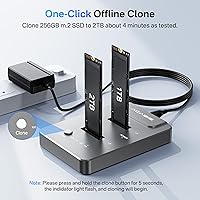
  • Clone Mode: Features a dedicated offline clone function that operates entirely without a host computer, software installation, or driver configuration.
  • Drive Bays: Houses two M.2 NVMe drives simultaneously, supporting one source and one target drive for direct duplication.
  • Shell Material: The enclosure is constructed from aluminum alloy, which provides passive heat dissipation and structural rigidity during operation.
  • Dimensions: The unit measures 3.31″ in length, 1.93″ in width, and 0.63″ in height, making it highly portable.
  • Weight: The complete unit weighs 1.98 oz (56g), light enough to carry in a laptop bag or tool kit without added burden.
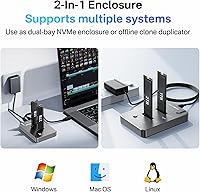
  • Compatible Platforms: Designed for use with personal computers and laptops running standard operating systems that recognize USB-attached storage devices.
  • Drive Installation: Both drive bays use a tool-free, screwless insertion mechanism that requires no mounting hardware for standard 2280 and similar form factors.
  • Cooling Advisory: The manufacturer recommends using an active cooling fan when cloning large-capacity drives or running extended duplication sessions to prevent thermal throttling.
  • Power Source: The device draws power through its USB Type-C connection and does not require a separate power adapter for standard operation.
  • First Available: The M03 model was first listed for sale in March 2020, giving it several years of verified field use across consumer and professional environments.

Related Reviews
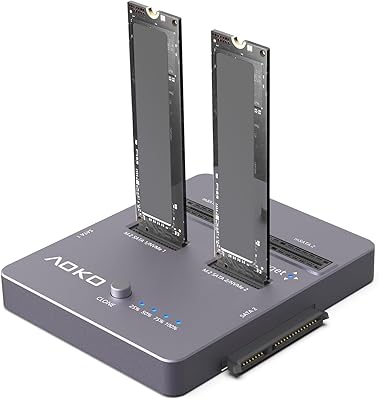
AOKO 4-in-1 M.2 NVMe Hard Drive Duplicator

76%
88%
Ease of Use
83%
Drive Compatibility
86%
Cloning Speed
74%
Offline Cloning Reliability
81%
Build Quality
More
IO CREST SY-ENC50127 USB 3.2 Type-C Dual Bay HDD + M.2 NVMe External Enclosure
83%
88%
Performance
93%
Ease of Setup
91%
Build Quality
87%
Data Transfer Speed
90%
Cooling/Heat Management
More
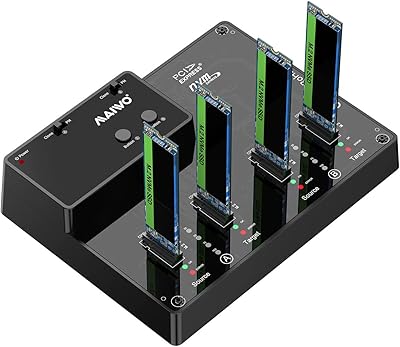
MAIWO M.2 NVMe 4-Bay SSD Cloner Dock

72%
88%
Offline Clone Functionality
61%
Clone Architecture Clarity
83%
Build Quality
69%
Clone Speed
81%
Compatibility Range
More
WAVLINK Dual-Bay NVMe M.2 SSD Cloner
75%
83%
Offline Cloning Reliability
78%
Transfer Speed
71%
Compatibility Range
76%
Build Quality
86%
Ease of Setup
More
ORICO Dual M.2 NVMe SSD Enclosure
79%
88%
Build Quality
84%
Thermal Management
82%
Transfer Speed
71%
Drive Compatibility
91%
Ease of Installation
More
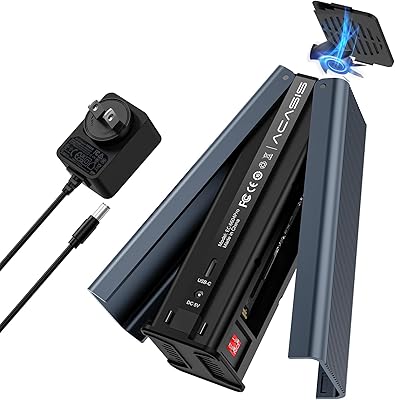
Coolpie CR220 Dual-Bay M.2 NVMe SSD Cloner
82%
93%
Ease of Use
88%
Offline Cloning Reliability
76%
Transfer Speed (NVMe)
61%
Protocol Compatibility
91%
Form Factor Support
More
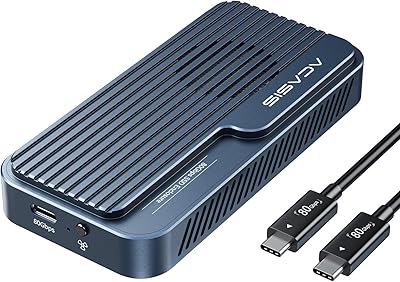
ACASIS EC-6604 M.2 NVMe SSD Duplicator
78%
83%
Cloning Reliability
88%
Build Quality
71%
Cooling Performance
77%
Drive Compatibility
74%
Transfer Speed
More
ACASIS TB501 Pro M.2 NVMe SSD Enclosure
80%
91%
Transfer Speed Performance
88%
Build Quality & Materials
79%
Thermal Management & Cooling Fan
67%
Compatibility & Host Port Requirements
93%
Setup & Ease of Use
More
ACASIS TBU405 Pro M.2 NVMe SSD Enclosure

72%
83%
Transfer Speed
78%
Thermal Management
71%
Build Quality
67%
Compatibility
91%
Portability
More
dockteck DH0002 M.2 NVMe/SATA SSD Enclosure
84%
88%
Transfer Speed (NVMe)
76%
SATA Drive Performance
83%
Build Quality
93%
Ease of Setup
79%
Thermal Management
More

FAQ

It only works with NVMe M.2 drives using the M-key interface. SATA-based M.2 drives — even though they use the same physical slot on a motherboard — are not compatible with this NVMe duplicator. If you are unsure which type you have, check your drive or laptop specifications before buying, because there is no workaround.

No, that is the whole point. The ACASIS M03 NVMe M.2 Dual-Bay Duplicator runs its clone function completely offline — no laptop, no desktop, no software. You insert the source drive and the target drive, press the clone button, and the unit handles the rest on its own.

The target drive must be equal to or larger in capacity than the source drive. Cloning from a 512GB drive to a 256GB drive will not work. Cloning from a 256GB drive to a 2TB drive is perfectly fine, and the cloned partition will reflect the original data without filling the extra space automatically.

The aluminum shell will get noticeably warm during a cloning session, especially for larger drives — that is normal and is actually the enclosure doing its job by conducting heat away from the drives. For quick clones under 500GB, passive cooling is generally fine. For drives 1TB and above, or if you are in a warm room, placing a small desk fan nearby is strongly recommended to avoid thermal throttling or a failed clone.

Under favorable conditions with fast NVMe drives, a 256GB clone takes roughly 4 to 5 minutes. A 1TB clone typically falls in the range of 15 to 20 minutes, though actual timing varies depending on the read and write speeds of the specific drives you are using. The slowest drive in the pair always sets the ceiling for overall transfer speed.

Yes, the dual-bay cloning station also functions as a USB-C NVMe enclosure when connected to a computer, so you can use it to read or transfer files from an installed drive. Keep in mind it is primarily designed for cloning, so the workflow for regular file access is more basic compared to a dedicated single-bay enclosure.

In most cases, yes — a sector-by-sector clone of a Windows or Linux NVMe boot drive should produce a directly bootable result on the target drive. That said, some systems with strict secure boot or OEM partition configurations may require a one-time boot repair afterward. This is not unique to this cloner dock and applies to most hardware cloning solutions.

The unit will not warn you in advance — it simply will not complete the clone if the target drive does not have enough capacity to accommodate the source data. There is no on-screen display or error message, so you will need to verify drive sizes yourself before starting. Always double-check capacity before inserting drives.

Honestly, the bundled cable works, but it is one of the more criticized parts of the package. A fair number of buyers have swapped it out immediately for a higher-quality USB-C cable and reported more consistent speeds as a result. If you have a reliable USB-C 10Gbps cable on hand, using that instead is a reasonable precaution.

Yes, the 2230 form factor is officially supported alongside 2242, 2260, and 2280. That said, without screw retention, shorter drives like the 2230 can feel a bit loose in the bays during insertion. They still make electrical contact and clone normally, but you may want to handle the unit carefully to avoid jostling a short drive mid-session.