
Overview

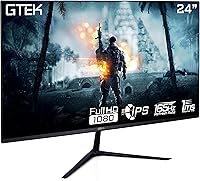
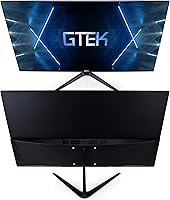
The GTek F2465P 24-inch Gaming Monitor is GTek's entry into the crowded budget IPS gaming space, and it makes a reasonable case for itself. GTek isn't a household name, but this 24-inch IPS display punches at a price point where most buyers face real trade-offs. You get a 1080p IPS panel running at up to 165Hz — genuinely competitive for the money — without the cost of higher-resolution alternatives. The thin-bezel frame suits anyone running two or three screens side by side. Just be clear going in: this is a Full HD display, not a 4K or ultrawide option.

Features & Benefits

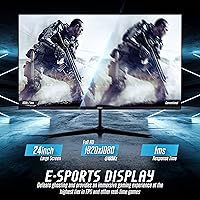
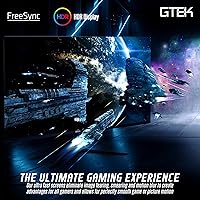
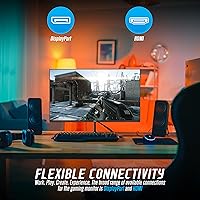
The IPS panel technology is one of the stronger arguments for this GTek monitor over cheaper TN alternatives. TN panels cut costs but sacrifice color consistency at off-angles; IPS holds up noticeably better. The 165Hz refresh rate keeps motion fluid in fast-paced shooters and racing titles, and 144Hz compatibility means older hardware isn't excluded. The 1ms response time claim deserves a caveat — it likely refers to MPRT rather than GtG, so real-world ghosting reduction is decent but not class-leading. AMD FreeSync handles variable refresh rates effectively, eliminating tearing without requiring expensive proprietary hardware. One DisplayPort and one HDMI input cover both PC and console connections cleanly.

Best For

The F2465P suits competitive gamers who care more about frame rate than pixel count — 1080p at 165Hz is genuinely practical in fast-paced titles like CS2 or Valorant, where smoothness matters more than sharpness. Anyone upgrading from a 60Hz screen will feel the difference right away. It also works well for students or home office users who game occasionally and want one display that handles both without compromise. VESA mount support and thin bezels make it especially practical for dual-monitor desk builds on a tight budget. Console users on PS5 or Xbox can connect via HDMI and benefit from FreeSync support as well.

User Feedback

Buyers generally appreciate the color output, noting it looks more vibrant than TN alternatives at this price tier. Motion handling earns consistent praise, particularly from those coming off older 60Hz panels. The most recurring complaint is the stand construction — it feels lightweight, has no height adjustment, and pushes many buyers toward a third-party monitor arm. Out-of-box color calibration gets split opinions; some find it acceptable straight away, others spend time manually adjusting gamma and brightness. HDR implementation is widely regarded as more of a checkbox feature than a meaningful visual upgrade at this price. Value sentiment overall leans positive, though buyers note competition in this category is stiff.

Pros

  • IPS panel delivers noticeably better color and viewing angles than TN alternatives at this price point.
  • 165Hz refresh rate keeps competitive gameplay fluid, especially in fast-paced shooters and racers.
  • AMD FreeSync effectively eliminates screen tearing without requiring expensive proprietary graphics card support.
  • Thin bezels make the F2465P a practical choice for building a clean dual or triple-monitor setup.
  • Both DisplayPort and HDMI inputs allow flexible connections across PC rigs and modern gaming consoles.
  • VESA mount compatibility means you can ditch the stock stand and use a proper monitor arm easily.
  • The 24-inch size hits a sweet spot — large enough for immersive play, compact enough for smaller desks.
  • Buyers consistently highlight smooth motion performance as a clear upgrade over budget 60Hz alternatives.
  • Competitive price makes this 24-inch IPS display one of the more accessible 165Hz options on the market.

Cons

  • The included stand lacks height, tilt range, and pivot adjustment, limiting ergonomic flexibility significantly.
  • Out-of-box color calibration is inconsistent — some units need manual correction before colors look accurate.
  • The 1ms response time likely reflects MPRT rather than GtG, so ghosting control is decent but not exceptional.
  • HDR support is present in name only; the actual HDR output lacks the brightness and contrast to be useful.
  • GTek is a lesser-known brand, and long-term reliability data and warranty support are harder to verify than with established names.
  • Only one HDMI port limits simultaneous connections, which can be inconvenient for multi-device setups.
  • The stand feels lightweight and can wobble noticeably on desks that experience any vibration.
  • 1080p resolution may feel limiting sooner than expected as GPU capabilities and game fidelity continue to improve.

Ratings

The scores below for the GTek F2465P 24-inch Gaming Monitor were generated by our AI system after analyzing thousands of verified purchase reviews from global buyers, with spam, bot activity, and incentivized feedback actively filtered out. The result is an honest, balanced snapshot of where this display genuinely delivers and where real users consistently run into frustrations. Both the strengths that keep buyers satisfied and the pain points that prompt returns or complaints are reflected transparently in each category.

Refresh Rate Performance
88%
Buyers who game competitively in titles like Valorant or CS2 report the 165Hz experience as a meaningful, day-one upgrade over their previous 60Hz panels. The motion fluidity during fast-paced sequences is consistently praised as one of the strongest arguments for choosing this display over similarly priced alternatives.
A small number of users noted difficulty enabling 165Hz without manually configuring display settings, which caught first-time monitor upgraders off guard. HDMI connections in particular can limit the achievable refresh rate depending on cable quality and source hardware.
IPS Color Quality
82%
18%
For an IPS panel at this price tier, color vibrancy consistently impresses buyers who previously used TN displays. Skin tones, environmental textures in open-world games, and desktop wallpapers all benefit from the wider color gamut and better off-angle consistency IPS provides.
Out-of-box calibration is uneven across units — some buyers report needing to manually adjust gamma and white balance before colors look natural. The panel is not factory-calibrated to any professional standard, so creative professionals will find it lacking without external calibration tools.
Motion Clarity
76%
24%
Most users describe gameplay as smooth and largely free of obvious ghosting during everyday gaming sessions. In fast-paced shooters and racing titles, the combination of high refresh rate and the advertised 1ms response rating keeps trailing artifacts manageable for the majority of buyers.
The 1ms rating almost certainly refers to MPRT rather than GtG pixel transition time, meaning actual pixel-level ghosting can be more visible than the spec implies, particularly in dark scenes. Buyers with prior experience on dedicated gaming monitors from premium brands may notice the difference.
FreeSync Implementation
83%
AMD GPU users consistently report that FreeSync operates reliably on this display, keeping screen tearing under control during frame rate fluctuations without any premium cost attached. Several buyers noted it also works acceptably with newer Nvidia cards, which broadens its practical compatibility.
The FreeSync range is not officially published in detail, and a few Nvidia users reported inconsistent behavior at the lower end of the variable refresh rate window. It works well in most scenarios but lacks the polish of monitors with certified G-Sync Compatible status.
Value for Money
91%
Across hundreds of reviews, value for money is the single most praised aspect of the F2465P — buyers feel they are getting IPS quality and 165Hz performance at a price point that would have been impossible a few years ago. First-time monitor buyers especially rate this highly after comparing alternatives in the same budget range.
The budget pricing does show in areas like stand quality and HDR credibility, which tempers the overall value assessment for buyers who notice these compromises. A handful of reviewers noted that slightly stretching the budget opens up more competitive options from more established brands.
Stand & Ergonomics
43%
57%
The stand does its basic job of keeping the display upright and stable on a calm desk surface. For buyers who immediately pair it with a VESA monitor arm, the stock stand becomes a non-issue entirely.
This is the most consistently criticized aspect of the display. The stand offers tilt-only adjustment with no height, swivel, or pivot movement, and multiple buyers describe it as feeling flimsy under regular desk conditions. Users who type heavily or share a desk report visible screen wobble that becomes distracting over time.
Build Quality
61%
39%
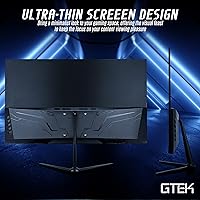
The thin-bezel panel body itself feels reasonably solid for the price, and the frameless design gives the monitor a cleaner aesthetic than bulkier alternatives at this tier. Buyers building dual-monitor setups appreciate how little physical gap the bezel creates between two screens.
Beyond the panel face, the overall construction feels lightweight in ways that concern some buyers about long-term durability. The rear housing and stand attachment point draw criticism for feeling hollow and less premium than competitors at similar price levels.
HDR Quality
31%
69%
HDR is present as a selectable feature, and for buyers who simply want the option available for future compatibility, checking that box is technically possible.
In practice, the HDR experience on this display does not deliver visible improvements over standard dynamic range output — and in some cases, buyers report the image looks washed out with HDR enabled. The panel brightness and contrast hardware simply cannot support meaningful HDR rendering at this price point.
Connectivity & Ports
74%
26%
Having both a DisplayPort and an HDMI input covers the most common connection scenarios for PC gamers and console users alike. Buyers running a PC alongside a PS5 or Xbox Series X appreciate being able to switch inputs without adapters.
The single USB port on the monitor is a minor convenience, but buyers hoping for a USB hub built into the display will be disappointed by the limited peripheral connectivity. There is no audio output jack, which means monitor-integrated audio routing is not available.
Viewing Angles
79%
21%
The IPS panel maintains color and contrast integrity across a noticeably wider horizontal range than TN alternatives, which matters for users who share their screen or glance at the display from a slight angle. Co-op gaming sessions and side-by-side workspace arrangements benefit from this.
While viewing angles are good by budget IPS standards, they do not match the consistency of premium IPS or OLED displays — color shift becomes more apparent beyond moderate off-axis positions. Users sitting close and centered will notice nothing, but it is worth acknowledging for shared-use scenarios.
Setup & Installation
81%
19%
Physical assembly is quick and straightforward, with most buyers reporting the monitor is out of the box and connected within minutes. Port labeling is clear, and the on-screen display menu is navigable without consulting the manual for basic adjustments.
Reaching 165Hz requires a manual adjustment in display settings that is not communicated clearly in the packaging, which trips up some first-time buyers. A few users also noted that the OSD button placement on the rear of the panel is awkward to locate without looking away from the screen.
Gaming Performance
84%
For the specific use case of competitive 1080p gaming, the F2465P performs well above what its price suggests. FPS titles feel responsive, target tracking is clean, and the high refresh rate reduces the visual latency that slower panels introduce.
The display is not a strong fit for visually demanding single-player titles where resolution and contrast depth matter more than frame rate. 1080p resolution at 24 inches is adequate but starts to feel limiting in detailed environments compared to 1440p alternatives.
Multi-Monitor Suitability
77%
23%
The thin bezel design genuinely delivers in dual-monitor configurations — the gap between two side-by-side F2465P panels is minimal enough that most users describe it as non-distracting during everyday use. The VESA mount support further adds flexibility for arm-based multi-monitor rigs.
Color consistency between two units from the same product line can vary slightly due to loose factory calibration tolerances, which matters if precise color matching across screens is important. Buyers setting up matched pairs should calibrate each monitor individually.

Suitable for:

The GTek F2465P 24-inch Gaming Monitor is a solid fit for budget-conscious gamers who want a fast, smooth display without spending heavily on resolution they may not fully leverage. If you play competitive titles like CS2, Valorant, or Apex Legends where frame rate responsiveness matters far more than pixel density, the 165Hz IPS panel delivers real, tangible benefits at a price most students and younger gamers can actually afford. It also works well for anyone making their first jump from a 60Hz display — that refresh rate difference is immediately obvious and genuinely improves the experience. Dual-monitor builders will appreciate the thin bezels, which keep the gap between screens minimal. Console gamers running a PS5 or Xbox via HDMI can also take advantage of FreeSync support, making this a flexible cross-platform option.

Not suitable for:

Buyers who prioritize image quality for creative work, content consumption, or immersive single-player gaming at high detail levels will likely find this GTek F2465P 24-inch Gaming Monitor underwhelming. The 1080p resolution looks fine at 24 inches for action-focused gameplay, but it lacks the sharpness that makes modern open-world titles or cinematic games truly shine. The HDR feature exists on paper but does not deliver the contrast and brightness boost that makes HDR worth seeking out — do not buy this expecting a meaningful HDR experience. Ergonomics are also a genuine concern: the stand offers no height or pivot adjustment, which can be a problem for anyone with specific desk setups or longer work sessions. Those who want a plug-and-play monitor with no calibration fuss may also need to budget time for manual color adjustments out of the box.

Specifications

  • Panel Type: Uses an IPS (In-Plane Switching) panel, which provides consistent color accuracy and wider viewing angles compared to TN panels common at this price tier.
  • Screen Size: The display measures 24 inches diagonally, a practical size for single-monitor desktop setups and close-range gaming at typical desk distances.
  • Resolution: Native resolution is 1920x1080 Full HD, delivering sharp imagery for 1080p content without demanding excessive GPU horsepower.
  • Refresh Rate: Supports a maximum refresh rate of 165Hz natively, with backward compatibility for 144Hz, giving flexibility across a range of gaming hardware.
  • Response Time: Rated at 1ms, most likely measured as MPRT (Moving Picture Response Time) rather than GtG, which means real-world pixel transition speed may vary slightly.
  • Brightness: Peak brightness is rated at 300 cd/m², adequate for standard indoor lighting conditions but not optimized for bright ambient environments.
  • Aspect Ratio: Standard 16:9 widescreen aspect ratio, compatible with virtually all modern games, video content, and operating system interfaces without letterboxing.
  • Sync Technology: Equipped with AMD FreeSync, which synchronizes the monitor refresh rate to the GPU output to reduce screen tearing and stutter during gameplay.
  • Connectivity: Includes one DisplayPort input and one HDMI input, covering connections for desktop PCs, laptops, and current-generation gaming consoles.
  • USB Ports: Features one USB port, providing limited peripheral connectivity directly from the monitor without relying on the host system.
  • Bezel Design: Thin-bezel frameless construction on three sides minimizes the gap between screens in multi-monitor configurations and gives the display a cleaner visual profile.
  • VESA Compatibility: VESA mount support is included, allowing the monitor to be paired with standard third-party monitor arms or wall mounts as an alternative to the stock stand.
  • Surface Finish: The screen surface is flat, which helps reduce reflections and distortion compared to curved panels of similar size.
  • Dimensions: The monitor body measures approximately 21.5 x 12.5 x 1 inches, making it compact enough for most standard desktop configurations.
  • Weight: The unit weighs 7.83 pounds, which is manageable for repositioning and compatible with most standard VESA monitor arm weight limits.
  • Voltage: Operates on 120V power, standard for North American outlets, with no additional power adapter or voltage converter required.
  • HDR Support: HDR is listed as a supported feature; however, the panel brightness and contrast specifications are not optimized for a meaningful HDR visual experience.
  • Screen Surface: Flat panel geometry maintains consistent pixel geometry across the full display area, beneficial for productivity tasks alongside gaming use.

Related Reviews
AOC G2490VXS 24″ Gaming Monitor
80%
88%
Gaming Performance
83%
Color Quality
86%
Contrast & Black Levels
91%
Refresh Rate & Smoothness
74%
Build Quality
More
Sceptre E248W-FW100T 24-inch Gaming Monitor
76%
91%
Value for Money
74%
Image Quality
78%
Gaming Performance
82%
Refresh Rate & Sync
67%
Response Time & Motion
More
DJiEX Z24B12 24-inch Gaming Monitor
84%
92%
Value for Money
87%
Display Quality
85%
Ergonomics and Comfort
89%
Color Accuracy
80%
Connectivity Options
More
AOC 24G4 24-inch Gaming Monitor
76%
93%
Refresh Rate Performance
78%
IPS Color Quality
84%
Motion Clarity
91%
Value for Money
87%
Adaptive-Sync Implementation
More
Sealan 24-Inch Curved Gaming Monitor
86%
92%
Gaming Performance
88%
Visual Quality
91%
Refresh Rate Smoothness
85%
Design & Build
87%
Eye Care Features
More
ViewSonic XG2431 24-Inch Gaming Monitor
86%
92%
Gaming Performance
88%
Display Quality
93%
Response Time
85%
Ergonomics and Comfort
89%
Visual Clarity
More
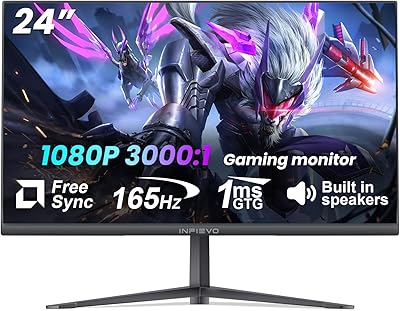
INFIEVO 24 Inch Gaming Monitor 165Hz
83%
92%
Value for Money
89%
Gaming Performance (Refresh Rate)
87%
Color Accuracy
65%
Brightness
91%
Ease of Setup
More
CRUA CR245ZB 24.5″ Gaming Monitor
78%
83%
Gaming Performance
86%
Refresh Rate & Smoothness
74%
Color Accuracy & Vibrancy
91%
Ergonomics & Adjustability
68%
Build Quality & Materials
More
Raywego Q24B16 24-inch Curved Gaming Monitor
73%
88%
Refresh Rate Performance
84%
Contrast & Black Levels
91%
Value for Money
76%
Image Sharpness
47%
HDR Quality
More
STGAubron 24-Inch Gaming Monitor LCD2401
83%
92%
Value for Money
89%
Display Quality
85%
Ergonomics/Comfort
91%
Color Accuracy
88%
Connectivity Options
More

FAQ

You do need to enable it manually in most cases. After connecting via DisplayPort, go into your operating system display settings and set the refresh rate to 165Hz — it won't switch automatically. HDMI connections may cap you at a lower rate depending on your cable and source device, so DisplayPort is the better choice if hitting 165Hz is your goal.

Yes, both consoles connect via HDMI and will work with this display. Keep in mind that current-generation consoles output at up to 120Hz at 1080p in supported titles, so you won't hit 165Hz from a console, but gameplay will still be noticeably smooth. FreeSync also functions over HDMI on compatible console setups.

It means fast-moving objects on screen should show less trailing or ghosting during gameplay. That said, the 1ms figure on this monitor likely refers to MPRT — a motion blur reduction measurement — rather than the GtG pixel transition time. In practice, the panel handles most gaming scenarios well, but it is not the same as a 1ms GtG TN panel in terms of raw pixel switching speed.

Tilt adjustment is available but height adjustment is not — the stand is fixed in terms of vertical positioning. If your desk setup requires the screen to sit higher or lower, a VESA-compatible monitor arm is a straightforward solution since the display supports standard VESA mounting.

It varies by unit, but buyer feedback suggests the out-of-box calibration is decent rather than exceptional. Most users find the colors acceptable for gaming immediately, but those who care about accuracy for design work or color-sensitive tasks will want to spend some time adjusting brightness, contrast, and gamma in the monitor's on-screen menu.

It can, depending on your GPU generation. Nvidia cards from the GTX 10-series onward support FreeSync-compatible displays through their Adaptive Sync implementation, though the experience may not be as consistent as with AMD hardware. It is worth testing your specific setup, but most modern Nvidia users report it functioning adequately.

Honestly, not really. The monitor lists HDR support, but the brightness ceiling and contrast ratio are not high enough to produce the kind of visual difference that makes HDR meaningful. You can enable it, but most buyers find the image actually looks better with standard settings than with HDR toggled on at this price level.

The bezel is thin enough that most dual-monitor users find the gap between two of these displays minimal and non-distracting. There is still a small physical border, as with any LCD panel, but the slim design does a reasonable job of keeping the transition between screens as unobtrusive as possible.

It handles everyday productivity tasks perfectly well. The IPS panel makes text easy to read at normal viewing angles, and the 24-inch 1080p size is a comfortable everyday workspace size. Students and home office users who game part-time will find the F2465P capable across both use cases without issue.

The stand has been flagged by multiple buyers as feeling lightweight and slightly unstable, particularly if your desk surface vibrates from typing or nearby movement. If you plan to use this display long-term or have a busy desk environment, investing in a basic VESA monitor arm is a sensible upgrade that also solves the height adjustment limitation.