Overview

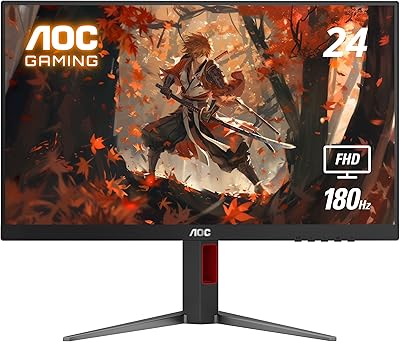
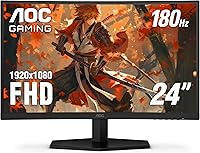
The AOC C24G42E 24-inch Curved Gaming Monitor arrived on the market in early 2025 and has already climbed to a top-15 ranking in computer monitors — which is not typical for something this new. AOC has built its name on delivering real hardware value without inflating the price, and this curved screen fits that approach well. The 1500R curvature wraps noticeably around your field of view in a way that flat monitors at the same price simply don't, and the 3-sided frameless design keeps the overall look sharp and desk-friendly. It's a 1080p display, and at 24 inches that resolution holds up nicely — just set realistic expectations if you're hoping for 4K sharpness or ultrawide coverage.
Features & Benefits

The C24G42E hits 180Hz via DisplayPort, which is genuinely quick for this price bracket and makes a real difference in competitive games where frame rate directly affects how well you track moving targets. One thing worth clarifying upfront: the 0.5ms spec refers to MPRT — a motion blur reduction metric — not the underlying pixel response time (GtG), which runs a bit slower. That's an industry-wide labeling convention, not a defect. AMD FreeSync Premium keeps screen tearing out of the picture, and it works across both AMD and Nvidia setups. The VA panel delivers noticeably deeper blacks and richer color coverage than comparably priced IPS screens, and two HDMI 2.0 inputs mean you can keep a PC and a console plugged in at the same time.

Best For

This 24-inch gaming display makes the most sense for a few distinct types of buyers. Competitive PC gamers who want every frame they can get, without paying for panel size or resolution they don't need, will find 180Hz at 1080p hits a real sweet spot here. Console players running a PS5 and Xbox can both stay connected at once, thanks to the dual HDMI inputs. The frameless edges make it a natural choice for side-by-side monitor setups, where thick bezels break visual continuity. And if your current screen tops out at 60Hz or 75Hz, the step up to this refresh rate is more dramatic than most people anticipate — it genuinely changes how motion-heavy content looks and feels.

User Feedback

With a 4.6-star average across nearly 8,000 ratings, this curved AOC monitor has earned genuine trust from a wide range of buyers. The most consistent praise lands on out-of-box color quality and how smooth fast gameplay feels right after assembly, which most reviewers describe as quick and straightforward. That said, a few recurring limitations are worth knowing. The stand has no height adjustment, which can be a real ergonomics issue for taller setups — an inexpensive monitor arm fixes it, but it's an added step. VA panels also have narrower off-axis viewing angles than IPS, noticeable when someone watches from the side. The HDR and speakers are both functional but entry-level — perfectly fine as secondary features, not reasons to buy.

Pros

  • 180Hz refresh rate makes fast-paced games feel noticeably smoother, especially when upgrading from a 60Hz or 75Hz screen.
  • The 1500R curved panel wraps noticeably around your field of view compared to flat budget monitors at the same price.
  • VA panel delivers deeper blacks and richer colors than comparable IPS budget options, making dark gaming environments look genuinely striking.
  • Dual HDMI 2.0 ports let PC and console users stay connected simultaneously without swapping cables.
  • AMD FreeSync Premium eliminates screen tearing and works reliably across both AMD and Nvidia GPU setups.
  • 3-sided frameless design keeps desk setups looking clean and reduces visual disruption in multi-monitor configurations.
  • Rated 4.6 stars across nearly 8,000 buyers — a strong signal of consistent, reliable satisfaction at this price tier.
  • Assembly is straightforward and fast, with most reviewers reporting a hassle-free out-of-box experience.
  • Color coverage surpasses 89% of the DCI-P3 gamut, which is notably broad for a display in this price range.
  • Compact 24-inch footprint suits smaller desks without sacrificing a capable, high-refresh-rate gaming experience.

Cons

  • The stand has no height adjustment, limiting ergonomic flexibility for taller users or unconventional desk setups.
  • VA panel viewing angles are narrower than IPS — image quality fades noticeably when viewed from off-center positions.
  • HDR support is entry-level; buyers expecting meaningful HDR performance comparable to premium displays will be disappointed.
  • Built-in speakers are low-powered and thin — fine for background audio, but not a substitute for headphones or external speakers.
  • The advertised 0.5ms figure refers to MPRT, not actual pixel response time (GtG), which runs slower and is rarely disclosed upfront.
  • Resolution is capped at 1080p, which may feel limiting down the line if you later upgrade to a more powerful GPU.
  • No USB hub is built in, a convenience feature some competing monitors now offer at a comparable price point.
  • Glossy screen surface can produce visible reflections in bright or well-lit rooms, which may distract some users.

Ratings

The AOC C24G42E 24-inch Curved Gaming Monitor earns a score profile built directly on real buyer data — our AI system analyzed thousands of verified global reviews, actively filtering out incentivized, bot-generated, and unverified feedback to surface what genuine owners actually experience. Each category spanning gaming performance, image quality, ergonomics, and overall value has been scored independently to highlight specific strengths and honest shortcomings. The ratings below are designed to give you a transparent, balanced picture of this display before you commit.

Value for Money
91%
For a curved gaming monitor with 180Hz and near-90% DCI-P3 color coverage, the price is genuinely difficult to argue with. Comparable flat panels at the same price rarely offer this combination of refresh rate and color depth, making this 24-inch gaming display one of the stronger spec-per-dollar propositions in its tier.
The trade-offs — limited stand adjustability, entry-level HDR, basic speakers — are areas where budget is clearly saved. Buyers who need a more complete out-of-box ergonomic setup or serious audio will likely spend extra on accessories, nudging the real total cost higher than the initial price tag suggests.
Gaming Performance
87%
Playing fast shooters or battle royales at 180Hz on this display feels noticeably different from a standard 60Hz or even 75Hz screen — opponents track more cleanly and the overall motion experience is less fatiguing during long sessions. Combined with AMD FreeSync Premium keeping tearing in check, competitive gaming feels consistently responsive.
The 0.5ms rating refers to MPRT rather than actual pixel switching speed (GtG), so the real pixel response is slower than the headline figure implies — something competitive players who scrutinize every link in the input chain should know upfront. At 1080p, the experience also has a resolution ceiling for those who prefer the visual fidelity of 1440p or higher.
Image Quality
82%
18%
The VA panel's contrast advantage shows immediately in darker game environments — shadow areas in horror titles or night-time maps look distinctly richer than what comparably priced IPS panels deliver, where blacks tend to wash out. Color coverage exceeding 89% of DCI-P3 means textures and environments arrive with genuine vibrancy right out of the box.
The 1080p resolution, while appropriate for 24 inches, does have a ceiling — highly detailed open-world games show its limits when placed side by side with a 1440p display. The VA panel's narrower off-axis viewing angles also affect image consistency when the screen is viewed from a wide angle, which matters in shared viewing setups.
Build Quality
78%
22%
Most buyers report that the C24G42E feels more substantial than its price bracket typically delivers — the panel housing has minimal flex and the stand base holds steady even during active keyboard and mouse gaming sessions. AOC's hardware reputation at this tier is generally well-earned, and reviewers rarely flag quality control issues out of the box.
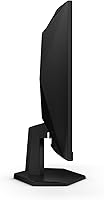
The stand is tilt-only with no height, swivel, or pivot adjustment, which is a common frustration among users who prefer more ergonomic flexibility. The overall construction is primarily plastic, which is expected at this price but becomes apparent when compared to higher-end metal-framed competitors — it reads as functional rather than premium.
Design & Aesthetics
84%
The 3-sided frameless design genuinely stands out on a desk — the near-borderless edges create a cleaner look than most monitors in this category and make multi-monitor configurations far less visually cluttered. The 1500R curve adds a premium feel that buyers consistently comment on, especially those arriving from inexpensive flat panels.
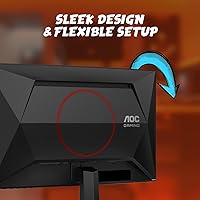
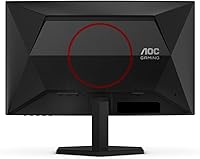
The rear of the unit is less refined, with visible cable routing that can look untidy from behind in open-desk setups. The stand base is also on the wider side, which can feel cramped on a narrow desk when positioned alongside a keyboard, mouse pad, and other peripherals.
Connectivity
81%
19%
Two HDMI 2.0 ports is a meaningful practical advantage — it means a gaming PC and a console can both stay plugged in without needing an HDMI switch. Having a dedicated DisplayPort alongside the HDMI inputs gives PC users the full 180Hz capability without compromising any other connected device.
There is no USB hub built in, a convenience feature some competing monitors now include at this price point. The port selection, while practical for gaming, lacks any USB-A pass-through, meaning peripheral management relies entirely on the PC rather than the monitor serving as a secondary connectivity hub.
Ergonomics
51%
49%
The stand provides reliable tilt adjustment, covering the most basic positional need and working fine for users who happen to sit at the right height for this particular screen position. For buyers planning to use a VESA monitor arm, the ergonomics ceiling is effectively removed since the panel is lightweight and easy to reposition.
The absence of height, swivel, and pivot adjustments makes this a poor fit for anyone with specific ergonomic requirements, or for shared setups where two people of different heights use the same monitor. It is one of the most consistently flagged frustrations in buyer reviews, and for users at a higher-than-average desk, it can be a daily irritant.
HDR Performance
48%
52%
HDR400 certification does provide a modest brightness headroom over SDR, and in compatible games with well-tuned HDR modes the experience is marginally improved compared to having no HDR support at all. For buyers who primarily use the display in SDR, the HDR badge at least causes no interference or downsides.
HDR400 is widely considered the entry-level floor of the HDR standard, and most buyers who activated it found the results underwhelming — particularly anyone who had previously experienced HDR on a higher-tier display. The brightness ceiling and absence of advanced local dimming mean this feature is largely cosmetic at this tier rather than a meaningful visual upgrade.
Built-in Audio
44%
56%
Having speakers built in at this price is genuinely useful for specific scenarios — video calls, casual YouTube viewing, or background listening without needing external audio equipment set up. They work as intended for non-critical use, and buyers who want a cleaner desk without extra speaker clutter will find them passable.
At 2W per channel, the speakers lack bass response almost entirely and will not produce volume levels that fill even a small room without distortion. For gaming where audio positioning or any sense of immersion matters, they are not a functional substitute for even a budget headset or a modest pair of desktop speakers.
Setup & Assembly
88%
Assembly is one of the most consistently praised aspects in user reviews — the stand attaches with a click, no tools are required, and most buyers report going from box to gaming in under ten minutes. The OSD menu and initial calibration are approachable enough that first-time monitor buyers handle it without any friction.
Some buyers note that the included cable selection is basic, and reaching the full 180Hz requires a DisplayPort cable that may not be included in every box. First-time buyers could sit down expecting maximum refresh rate and find themselves running lower until they source the correct cable separately.
Viewing Angles
63%
37%
For solo gaming at a centered viewing position, the 170-degree rated viewing angles are entirely adequate — the image looks accurate and consistent straight-on and mildly off-axis, covering the realistic range of positions a single seated user occupies. Most solo buyers who use this curved AOC monitor do not run into viewing angle problems in practice.
VA panels have a structural trade-off when it comes to off-axis performance — colors shift and contrast drops more noticeably than on IPS displays when someone views the screen from the side. This is a meaningful limitation for households where two people watch content together, or in setups where the monitor is regularly viewed at a significant lateral angle.
Motion Clarity
83%
The combination of 180Hz and MPRT-based motion blur reduction makes this display noticeably sharp during high-speed gameplay — fast character movement, scrolling environments, and particle-heavy scenes all render with less trailing than a standard 60Hz VA panel would produce. For budget gaming, this is a strong result.
MPRT settings can introduce a subtle brightness reduction or visual side effect depending on the scene and game content, and the underlying GtG pixel response is not as fast as the 0.5ms headline suggests. VA panels at this tier also carry some inherent dark-scene smearing on very fast motion, which becomes more apparent in darker game environments.
OSD & Controls
72%
28%
AOC's on-screen display is functional and reasonably organized — key settings like brightness, contrast, refresh rate confirmation, and color modes are accessible without digging through excessive menu layers. Most buyers are able to calibrate to their preferred settings within a few minutes of first use.
The OSD navigation relies on physical buttons on the rear of the unit, which can be awkward to locate and press by feel — a joystick-style navigator would be a more intuitive solution that competing monitors at similar prices sometimes offer. Some users also flag that the default brightness and color settings need adjustment out of the box for optimal image accuracy.
Multi-Monitor Fit
86%
The 3-sided frameless bezel makes this one of the more practical budget options for dual or triple monitor desk builds — the minimal borders between panels create a visually cohesive layout that would typically cost significantly more to achieve. The compact 24-inch footprint also fits most standard desk widths without overwhelming the layout.
The stand base is relatively wide, which becomes a space concern when placing two or three monitors side by side on a shallow desk. There is also no built-in cable management channel, so the rear cable situation can look disorganized in a multi-monitor setup when viewed from behind.
Warranty & Support
79%
21%
The 3-Year Zero-Bright-Dot warranty is a meaningful differentiator at this price — it commits AOC to covering stuck-on pixel defects, which are among the most common and frustrating monitor quality issues buyers encounter. Three years of structured pixel coverage on a budget display is above average for the category.
The warranty specifically targets bright-dot pixel defects, and other pixel anomalies such as dark or dead pixels may fall under different regional thresholds depending on AOC's local policies. Some buyers also report mixed experiences with support response times, which can vary considerably depending on the region and the nature of the claim.

Suitable for:

The AOC C24G42E 24-inch Curved Gaming Monitor is a strong fit for budget-conscious gamers who want a noticeably faster and more engaging display without stretching into mid-range pricing. If you play competitive shooters, battle royales, or fast-paced action games on a mid-tier PC, the 180Hz refresh rate at 1080p is genuinely impactful — and at 24 inches, 1080p still renders crisply without needing a powerful GPU to push frame rates high enough to take advantage. Console players running both a PS5 and an Xbox will appreciate the dual HDMI 2.0 ports, which let both devices stay connected at the same time without swapping cables. The 1500R curvature and frameless edges make this a practical choice for anyone building a multi-monitor desk setup, since the thin bezel creates a visually cleaner gap between panels. First-time monitor buyers upgrading from a standard 60Hz or 75Hz flat screen will likely be genuinely struck by how different motion-heavy games and content feel at this refresh rate.
Not suitable for:

If your priority is sharp, high-density visuals for photo editing, graphic design, or even just day-to-day desktop use where text clarity matters, the AOC C24G42E 24-inch Curved Gaming Monitor falls short — a 1440p or 4K screen will serve those needs far better. The stand provides no height adjustment, which is a meaningful ergonomic limitation for taller users or anyone with a non-standard desk setup; a monitor arm solves it, but that is an added purchase to factor in. VA panels trade off-axis viewing angle performance for contrast depth, so if you frequently share your screen with someone sitting beside you or watch content with a group, the image will degrade noticeably from off-center positions. Buyers drawn to the HDR label expecting rich, cinematic HDR performance comparable to OLED or premium IPS panels should temper their expectations significantly, as the implementation here is basic. Content creators or streamers who need reliable color accuracy for professional output will also find this display was not designed or calibrated for that type of work.
Specifications

  • Screen Size: The panel measures 24″ diagonally with a 16:9 aspect ratio.
  • Panel Type: Uses a VA (Vertical Alignment) curved panel with a 1500R curvature radius.
  • Resolution: Native resolution is 1920x1080 (Full HD 1080p).
  • Refresh Rate: Supports up to 180Hz refresh rate when connected via DisplayPort.
  • Response Time: Rated at 0.5ms MPRT (Moving Picture Response Time) for reduced motion blur during fast on-screen action.
  • Sync Technology: AMD FreeSync Premium adaptive sync minimizes screen tearing and stuttering across compatible graphics hardware.
  • Color Gamut: Covers 119.9% of the sRGB color space and 89.8% of the DCI-P3 gamut.
  • HDR Support: Supports HDR at an entry-level HDR400 tier, providing modest brightness and contrast improvements in compatible content.
  • Connectivity: Equipped with two HDMI 2.0 ports and one DisplayPort input for flexible multi-device connectivity.
  • Speakers: Includes two built-in 2W speakers suitable for basic audio output without a separate device.
  • Bezel Design: Features a 3-sided frameless design with minimal borders along the top and both sides of the display.
  • Viewing Angle: Rated at 170 degrees for both horizontal and vertical viewing angles.
  • Dimensions: With stand attached, the unit measures 21.1″ wide, 19.81″ tall, and 8.96″ deep.
  • Weight: Total unit weight is 11.53 pounds as configured with the included stand.
  • Warranty: Covered by AOC's 3-Year Zero-Bright-Dot warranty, which addresses stuck-on pixel defects for the full warranty term.
  • Release Date: First made available in March 2025 as part of AOC's G42 gaming monitor series.

Related Reviews

AOC 24G4 24-inch Gaming Monitor
76%
93%
Refresh Rate Performance
78%
IPS Color Quality
84%
Motion Clarity
91%
Value for Money
87%
Adaptive-Sync Implementation
More
AOC G2490VXS 24″ Gaming Monitor
80%
88%
Gaming Performance
83%
Color Quality
86%
Contrast & Black Levels
91%
Refresh Rate & Smoothness
74%
Build Quality
More
Sealan 24-Inch Curved Gaming Monitor
86%
92%
Gaming Performance
88%
Visual Quality
91%
Refresh Rate Smoothness
85%
Design & Build
87%
Eye Care Features
More
AOC C32G2 32″ Curved Gaming Monitor
76%
91%
Value for Money
84%
Gaming Performance
73%
Image Quality
88%
Refresh Rate & Smoothness
83%
Curvature & Immersion
More
Samsung CRG5 24-Inch Curved Gaming Monitor
78%
88%
Value for Money
83%
Image Quality
81%
Gaming Performance
86%
Curvature & Immersion
84%
FreeSync Performance
More
KTC 24-inch 1500R Curved Gaming Monitor
86%
94%
Gaming Performance
89%
Display Quality
92%
Value for Money
87%
Build Quality
83%
Ergonomics
More
Sceptre C248W-1920RN 24-inch Curved Gaming Monitor
76%
91%
Value for Money
78%
Display Quality
83%
Curvature & Immersion
74%
Refresh Rate & Motion Clarity
67%
Build Quality & Design
More
Samsung CF390 24-inch Curved Gaming Monitor
78%
88%
Value for Money
79%
Image Quality
71%
Gaming Performance
86%
Design & Aesthetics
43%
Ergonomics & Stand
More
Gawfolk GF245A 24.5-Inch Curved Gaming Monitor
72%
88%
Value for Money
79%
Image Quality
83%
Refresh Rate Performance
81%
Response Time
63%
Build Quality
More
Z-Edge UG24 24-inch Curved Gaming Monitor
85%
88%
Gaming Performance
85%
Display Quality
81%
Build Quality
92%
Value for Money
89%
Ease of Setup
More

FAQ

Yes — the AOC C24G42E 24-inch Curved Gaming Monitor has two HDMI 2.0 ports, so you can keep both consoles plugged in at the same time without swapping cables. Both the PS5 and Xbox Series X can output at up to 120Hz over HDMI, which is excellent for console gaming even though it falls short of the maximum 180Hz the panel supports via DisplayPort.
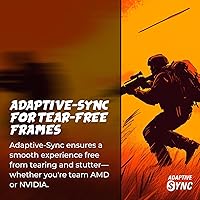
This trips up a lot of buyers, so it is worth being clear about. The 0.5ms figure is an MPRT (Moving Picture Response Time) rating, which measures how long a pixel appears to stay visible during motion — it is essentially a blur-reduction metric. The actual pixel-switching speed (called GtG, or gray-to-gray) is typically a slower number and less prominently advertised. Both are real measurements, but MPRT tends to produce the more impressive-looking spec, so keep that in mind when comparing monitors side by side.

No, you do not. While FreeSync is an AMD technology, Nvidia has supported it through their G-Sync Compatible program since the GTX 10 series. Most modern Nvidia GPUs will work with adaptive sync on this monitor, so you will get tear-free gameplay regardless of which brand of GPU you are running.

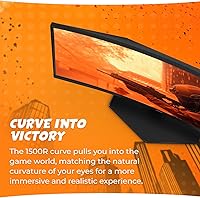
It is genuinely noticeable and most people find it comfortable. A 1500R curve at 24 inches is moderately aggressive — more pronounced than a 1800R panel, but nothing like an ultrawide. If you are coming from a flat monitor, the wrap-around feeling adds a sense of depth in games without being disorienting during desktop work or browsing. It is not just a cosmetic choice at this curvature level.

Unfortunately, no. The included stand only offers tilt adjustment, which is a real limitation if you care about ergonomics or sit at an unusually high or low desk. A third-party monitor arm is the most common fix buyers go for, and it opens up full positional freedom — just factor that into your overall budget if ergonomics matter to you.

It is a nice bonus rather than a standout feature. The display carries an HDR400 certification, which is the entry-level tier of HDR — you will see some improvement in brightness range and contrast in HDR-enabled games and video, but it is not the vivid, high-contrast HDR experience you would get from an OLED or premium mini-LED panel. Think of it as a modest enhancement rather than a core reason to buy.

No, not at a normal viewing distance. At 24 inches, 1080p sits at roughly 92 pixels per inch, which is comfortable for both gaming and everyday use. The issue of soft or pixelated-looking images at 1080p generally appears when you push that resolution to 27 inches or larger. At 24 inches, the match is solid and you are unlikely to notice any pixel structure unless you are very close to the screen.

They are adequate for casual background audio but not a serious option for gaming. At 2W per channel, the output is thin, particularly in the low end, and they will not fill a room. For competitive gaming where audio cues and positional sound matter, a decent headset will make a significant difference. The speakers are best treated as a convenience for video calls or occasional content rather than a primary audio solution.

You will need a DisplayPort cable — specifically a DP 1.4 cable is recommended to unlock the full 180Hz. The HDMI inputs may cap the refresh rate below the maximum, so if you are connecting a gaming PC and want every frame the panel can deliver, DisplayPort is the right port to use. Note that a DisplayPort cable is not always included in the box, so it is worth confirming before you set everything up.

It is AOC's guarantee that no stuck-on bright pixels will appear during the 3-year warranty period. A bright dot is a pixel that stays lit regardless of what is displayed on screen — it is more visually distracting than a dead (dark) pixel and has historically been a grey area for manufacturer coverage. With this warranty, AOC commits to handling those defects if they appear, which is a meaningful assurance for a display purchase.

Where to Buy