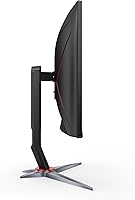
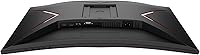
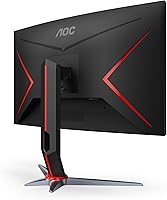
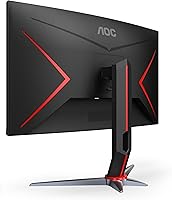
Overview

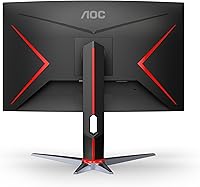
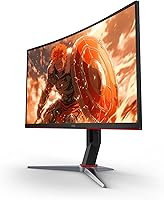
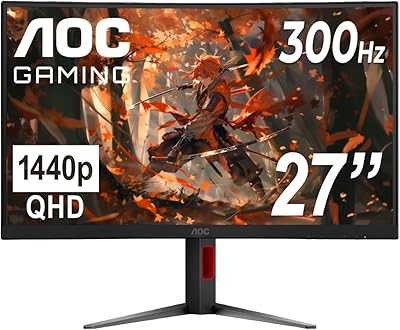
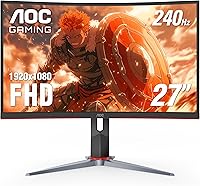
The AOC C27G2Z 27″ Curved Gaming Monitor entered the market in 2020 and has held its ground remarkably well among budget-friendly high-refresh displays. Its 1500R curved VA panel and three-sided frameless design give it a physical presence that feels above its price class. At 27 inches, the curve is subtle enough not to feel gimmicky but noticeable enough to draw you into the action. Whether you're connecting a gaming PC or a current-gen console, this AOC curved monitor handles both without fuss, making it one of the more versatile options in this competitive mid-range tier.
Features & Benefits

The 240Hz refresh rate — accessible only over DisplayPort — is where the C27G2Z earns its reputation among competitive players. Paired with a 0.5ms MPRT response time, fast opponents don't blur into smears during intense firefights. AMD FreeSync Premium handles adaptive sync duties, so you don't need a specific GPU brand to benefit from tear-free frames. Color output is a genuine surprise; the wide gamut coverage gives environments and characters more pop than you'd typically expect from a 1080p display. The height-adjustable stand and dual HDMI ports round things out, making device-switching between a PC and console unusually painless.

Best For

This 27-inch gaming display is most at home in the hands of competitive FPS players who prioritize reaction-time performance over pixel-dense imagery. Racing game fans will appreciate how the 1500R curve subtly pulls corners into view. Console players connecting a PS5 or Xbox via HDMI can push up to 120Hz — a meaningful step up from a standard TV — while Switch users get a clean, responsive experience. The frameless bezel makes it a natural fit for multi-monitor setups, and the adjustable stand accommodates a range of desk heights without requiring a separate arm purchase.

User Feedback

With over 7,900 ratings averaging 4.6 stars, this AOC curved monitor has built a track record that's hard to ignore. Buyers consistently praise the out-of-box color vibrancy and the noticeable smoothness upgrade when coming from a 60Hz or 144Hz panel. Two honest caveats surface regularly, though: pixel density at 27 inches can feel softer up close compared to a sharper-resolution screen, and some units show mild backlight bleed in dark scenes — a known tendency of VA panels. On the positive side, build quality and the adjustable stand earn consistent compliments, suggesting reliable construction for the price.

Pros

  • 240Hz over DisplayPort delivers buttery-smooth motion clarity that competitive players will feel immediately.
  • The 1500R curve adds genuine immersion in racing and action titles without feeling excessive on a 27-inch screen.
  • AMD FreeSync Premium works reliably with both AMD and compatible Nvidia GPUs out of the box.
  • Wide color gamut coverage makes games look richer and more vivid than most 1080p monitors at this price.
  • A height-adjustable stand is included — a feature many competing monitors quietly omit at this tier.
  • Dual HDMI 2.0 ports let you keep a console and a PC connected simultaneously without swapping cables.
  • The three-sided frameless design makes it one of the cleaner options for building a side-by-side multi-monitor setup.
  • This 27-inch gaming display has over 7,900 verified ratings averaging 4.6 stars — unusually consistent feedback for a mid-range panel.
  • Universal voltage support means it travels or relocates internationally without needing a power adapter.
  • Out-of-box color vibrancy is strong enough that most buyers report skipping calibration entirely.

Cons

  • 1080p across 27 inches produces noticeably soft pixel density — especially visible when reading small text up close.
  • Backlight bleed on dark scenes is a recurring quality-control issue, not an isolated complaint.
  • 240Hz is DisplayPort-only; HDMI connections cap out at a lower refresh rate that the box does not prominently disclose.
  • The OSD navigation uses rear buttons rather than a joystick, making adjustments in a dark room genuinely frustrating.
  • No USB hub, no USB-C input, and no audio pass-through limit how much desk cable clutter this display can eliminate.
  • The external power brick adds an extra cable to manage compared to monitors with internal power supplies.
  • VA panel viewing angles cause mild color shift when viewing from the sides, which affects shared-screen moments.
  • Grey-to-grey pixel response at maximum overdrive settings can introduce inverse ghosting that requires manual tuning to fix.
  • Build quality feels adequate rather than solid — rear panel flex is noticeable when repositioning the stand.
  • Console buyers who want 240Hz will never reach it via HDMI 2.0, making the headline spec partly irrelevant for that use case.

Ratings

The AOC C27G2Z 27″ Curved Gaming Monitor has accumulated thousands of verified purchases across global markets, and the scores below reflect an AI-driven analysis of that real-world buyer feedback — with spam, bot activity, and incentivized reviews actively filtered out. The result is an honest look at where this curved VA display genuinely delivers and where it falls short, so you can make a confident buying decision without wading through hundreds of individual opinions.
Refresh Rate Performance
93%
At 240Hz over DisplayPort, the motion clarity in fast-paced titles like Valorant or Apex Legends is immediately noticeable. Players upgrading from a 144Hz panel report that the jump feels meaningful, especially during rapid camera swipes and close-quarters combat where every frame counts.
The 240Hz ceiling is locked to DisplayPort only — HDMI tops out at a lower rate, which catches some console users off guard. Buyers expecting full 240Hz from an HDMI connection to their PC will need to double-check their cable setup before assuming the panel is underperforming.
Response Time & Motion Clarity
88%
The 0.5ms MPRT rating translates to genuinely clean motion in practice, with fast-moving objects staying crisp rather than trailing into ghosting artifacts. Racing game players in particular call out how cleanly the track edges hold during high-speed turns.
MPRT is a backlight-strobing metric rather than a pixel-transition measurement, so real-world grey-to-grey response is not quite as aggressive as the spec implies. A small number of users notice inverse ghosting at maximum overdrive settings, which requires dialing back the response time mode in the OSD.
Color Accuracy & Vibrancy
79%
21%
Out of the box, the wide color gamut coverage — exceeding 119% sRGB — gives environments and character models a richness that surprises buyers expecting flat 1080p visuals. Games with dense foliage or vibrant UI elements look noticeably more saturated than on budget IPS alternatives.
VA panels inherently trade some color consistency for contrast, and this one is no exception — colors can shift slightly when viewed from wider angles, which matters in multi-person desk setups. Users doing any light photo editing or color-sensitive creative work will find it falls short of a calibrated IPS display.
Contrast & Black Levels
86%
Deep blacks and strong native contrast are where VA technology genuinely earns its keep, and the C27G2Z delivers that well. Dark game environments like horror titles or space shooters look impressively rich, with shadow detail that IPS panels at this price tier simply cannot match.
Backlight bleed is a recurring quality-control complaint among a visible subset of buyers, particularly noticeable in dark full-screen scenes or during movie playback. It does not affect every unit, but it is common enough to be a real risk worth acknowledging before purchase.
Resolution & Pixel Density
62%
38%
For competitive gaming at 240Hz, 1080p keeps the GPU workload low, which means smoother sustained frame rates on mid-range graphics cards. Players who prioritize performance over visual fidelity — think esports titles rather than open-world exploration — will find this trade-off entirely worthwhile.
At 27 inches, 1080p works out to roughly 82 pixels per inch, which is noticeably soft compared to a 1440p panel of the same size. Users who sit closer than 80 centimetres to their screen, or who regularly read small text and browse the web, will likely find the lack of sharpness a persistent frustration.
Build Quality & Materials
81%
19%
The physical construction feels more considered than the price point might suggest — the stand base is stable without wobbling during desk vibrations, and the matte plastic finish resists fingerprints reasonably well. Multiple reviewers specifically call out the stand rigidity as a pleasant surprise.
The rear panel uses lighter plastic that produces some flex when adjusting the stand position, and the cable management routing is minimal at best. It does not feel premium in hand, and buyers coming from a metal-backed monitor may notice the material difference immediately.
Ergonomics & Adjustability
77%
23%
Height adjustment is a feature that disappears at this price tier more often than it should, so having it here is a genuine practical win. Users who share a desk or alternate between sitting and standing positions report that dialling in the right eye level takes only seconds.
Tilt range is adequate but not generous, and there is no native pivot or swivel beyond a limited horizontal rotation. Buyers who prefer a fully articulating arm setup may find the built-in stand redundant, though removing it for a VESA mount is straightforward.
Connectivity & Port Selection
74%
26%
Two HDMI 2.0 ports alongside a single DisplayPort input means leaving a console and a PC connected simultaneously without unplugging anything. For multi-device households, that dual-HDMI layout is a quiet but practical advantage that single-HDMI monitors cannot match.
There are no USB hub ports, no audio pass-through worth relying on, and no USB-C input — all of which have become common on competing panels. Buyers who want to reduce desk cable clutter through a monitor hub will need a separate solution entirely.
OSD & Software Controls
58%
42%
The on-screen display covers all the essential adjustments — brightness, contrast, overdrive modes, and colour presets — and the button placement on the rear-bottom edge is findable by touch after a short learning curve. Game Mode presets are a useful starting point for new owners.
Navigation feels dated compared to joystick-controlled OSD systems now standard on competing monitors. Reaching the right button in the dark during a gaming session requires more fumbling than it should, and the menu hierarchy is not intuitively laid out for quick adjustments.
FreeSync & Adaptive Sync
84%
AMD FreeSync Premium works reliably across a wide range of frame rates, and users with mid-range AMD and even compatible Nvidia GPUs report smooth, tear-free gameplay without noticeable flicker at the low end of the sync range. Setup requires no additional software beyond enabling it in the GPU driver panel.
The variable refresh range has a lower floor that means very low frame rate scenarios — below roughly 48fps — exit the sync window and can produce minor tearing. Users pushing demanding titles on older hardware may occasionally dip out of the optimal sync zone during heavy scenes.
Console Compatibility
71%
29%
PS5 and Xbox Series X users can push 1080p at 120Hz over HDMI 2.0, which is a meaningful upgrade over a standard television refresh rate. The display also works plug-and-play with a Nintendo Switch in docked mode, making it a practical single-screen solution for mixed gaming households.
Neither PS5 nor Xbox can reach 240Hz over HDMI 2.0, so the headline refresh rate remains a PC-exclusive benefit. Buyers purchasing this primarily for console use are effectively paying for a spec ceiling they will never reach without a dedicated PC in the setup.
Value for Money
91%
Relative to its category, the combination of 240Hz, a height-adjustable stand, FreeSync Premium, and wide color coverage at this price tier is genuinely difficult to match dollar-for-dollar. The sustained #12 ranking in Computer Monitors reflects real ongoing demand rather than a flash-sale spike.
The value case weakens slightly if 1080p sharpness or backlight bleed become personal dealbreakers — both are issues that require a higher spend to properly resolve. Buyers sensitive to those specific aspects may find that stretching the budget to a 1440p IPS option serves them better long-term.
Setup & Out-of-Box Experience
83%
Assembly is genuinely quick — the stand clicks into the monitor back without tools, and first-boot calibration requires minimal tweaking for most users. Color vibrancy is strong enough straight from the box that many buyers report never touching the OSD after initial brightness adjustment.
The included cable set is minimal, and buyers using DisplayPort for full 240Hz will need to confirm their cable supports the bandwidth — the included one has received mixed quality reports. Documentation is sparse, which leaves some users unaware of the refresh rate limitation tied to specific ports.
Noise & Heat
89%
There are no active cooling fans, so the display runs entirely silently — a non-trivial benefit for users in quiet office or bedroom environments where fan noise from a monitor would be immediately noticeable. Operating temperatures remain comfortable even during extended gaming sessions.
The power brick is external on this model, which adds a small cable management consideration that internal-PSU monitors avoid. A handful of users report the unit running noticeably warm around the top edge during prolonged high-brightness use, though it has not been reported as a reliability concern.

Suitable for:

The AOC C27G2Z 27″ Curved Gaming Monitor is built for players who want a genuine competitive edge without spending heavily on a flagship display. If you play fast-paced titles — think FPS games like CS2 or Valorant, or racing sims where split-second reactions matter — the 240Hz refresh rate over DisplayPort paired with a sub-millisecond response time will make an immediate, tangible difference coming from a 60Hz or 144Hz screen. Console gamers with a PS5 or Xbox Series X will also find real value here, since both consoles can drive 1080p at 120Hz over HDMI 2.0, a noticeable step up from a typical living room TV. The 1500R curve and frameless bezel make the C27G2Z particularly well-suited for multi-monitor rigs, where matched panels create a near-continuous viewing arc without distracting borders between screens. Budget-conscious buyers who want a height-adjustable stand included in the box — rather than buying a separate arm — will also appreciate that AOC did not cut that corner here.
Not suitable for:

The AOC C27G2Z 27″ Curved Gaming Monitor is a harder sell for anyone who sits close to their screen and values sharp, crisp text above all else. At 1080p stretched across 27 inches, pixel density lands around 82 ppi — noticeably softer than a 1440p panel of the same size, and that gap becomes obvious during web browsing, reading documents, or playing open-world games where fine detail matters. Creative professionals doing photo retouching or video color grading should also look elsewhere; VA panels shift color at wider angles and lack the calibration consistency of a purpose-built IPS display. Buyers who have had bad experiences with backlight bleed on VA screens in the past should know that it remains a genuine quality-control variable on this model — not every unit is affected, but enough are that it is a real consideration. If the headline 240Hz rate is the primary draw and you plan to use it exclusively via HDMI from a console, be aware that the ceiling drops well below that figure, which undercuts the core value proposition for that use case.
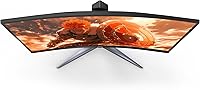
Specifications

  • Panel Type: This display uses a VA (Vertical Alignment) curved panel, which delivers stronger native contrast than IPS alternatives but with slightly narrower color consistency at wide viewing angles.
  • Screen Size: The viewable screen area measures 27 inches diagonally, housed in a three-sided frameless bezel design.
  • Curvature: The panel uses a 1500R curvature radius, meaning the screen curves to match a circle with a 1500mm radius for a moderate wraparound effect.
  • Resolution: Native resolution is 1920x1080 (Full HD), delivering approximately 82 pixels per inch at this screen size.
  • Refresh Rate: Maximum refresh rate is 240Hz, achievable exclusively via DisplayPort 1.4; HDMI connections support a lower maximum refresh rate.
  • Response Time: The rated response time is 0.5ms MPRT (Moving Picture Response Time), a backlight-strobing metric that reduces perceived motion blur in fast-action sequences.
  • Adaptive Sync: AMD FreeSync Premium is supported, providing variable refresh rate technology to eliminate screen tearing and reduce stuttering across a compatible frame rate range.
  • Color Gamut: The panel covers 119.9% of the sRGB color space and 89.8% of the DCI-P3 gamut, offering wider color reproduction than standard sRGB monitors.
  • Aspect Ratio: The display uses a standard 16:9 widescreen aspect ratio, compatible with all modern gaming platforms and operating systems without scaling adjustments.
  • Connectivity: Port selection includes two HDMI 2.0 inputs and one DisplayPort 1.4 input; there are no USB hub ports or USB-C connections on this model.
  • Stand Adjustment: The included stand supports height adjustment, allowing ergonomic positioning for different desk heights and user preferences without requiring a separate monitor arm.
  • VESA Compatibility: The monitor supports VESA wall-mount and arm compatibility, allowing the stand to be removed and replaced with a third-party mounting solution.
  • Dimensions: With the stand attached, the monitor measures 8.96 inches deep, 24.1 inches wide, and 20.81 inches tall.
  • Weight: Total unit weight with the stand is 9.02 pounds, making it manageable for a single-person setup or repositioning.
  • Power Supply: The monitor operates on a universal voltage range of 100–240V, making it compatible with power outlets across different countries without a separate voltage converter.
  • Warranty: AOC covers this monitor with a 3-year Zero-Bright-Dot warranty, which guarantees a replacement if any stuck bright pixels appear during the warranty period.
  • Surface Finish: The screen surface is listed as glossy, which can enhance color vibrancy but may introduce reflections in brightly lit rooms.
  • Release Date: The C27G2Z was first made available in August 2020 and remains in active production as of the current date.

Related Reviews
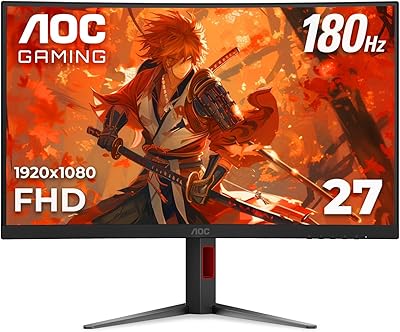
AOC CQ27G4ZH 27″ Curved Gaming Monitor

87%
95%
Gaming Performance
90%
Display Quality
85%
Build Quality
87%
Ergonomics
92%
Value for Money
More
AOC C27G4H 27″ Curved Gaming Monitor
89%
93%
Performance
95%
Display Quality
87%
Ergonomics/Adjustability
91%
Value for Money
89%
Compatibility (Console)
More
Skytech Gaming Moonshadow 27-inch Curved Gaming Monitor
83%
88%
Image Quality
91%
Refresh Rate Performance
86%
Adaptive-Sync
83%
VA Panel Contrast
84%
Stand & Ergonomics
More
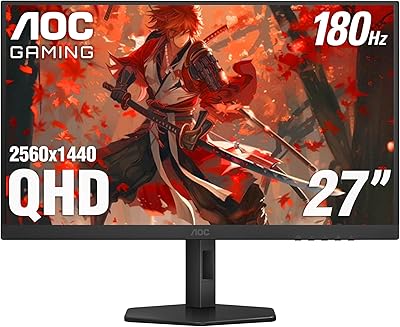
AOC Q27G4XN 27″ Gaming Monitor
79%
91%
Image Sharpness
88%
Motion Performance
83%
Refresh Rate Value
79%
Color Accuracy
52%
Glare & Reflections
More
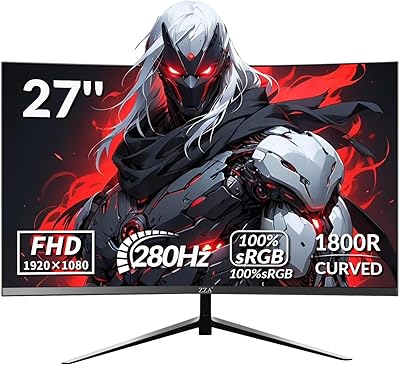
ZZA Z27H1K280HZ 27″ Curved Gaming Monitor
70%
88%
Refresh Rate Performance
84%
Value for Money
76%
Image Quality & Color Accuracy
67%
Motion Clarity & Response
89%
Contrast & Black Levels
More
Sealan 27-inch Curved Gaming Monitor
82%
85%
Display Quality
90%
Ease of Setup
91%
Value for Money
87%
Performance in Gaming
83%
Color Accuracy
More
AOC C24G42E 24″ Curved Gaming Monitor
86%
92%
Value for Money
95%
Gaming Performance
88%
Display Quality
84%
Design and Build
91%
Color Accuracy
More
GAMEPOWER F20 27-inch Curved Gaming Monitor
61%
83%
Value for Money
74%
Image Quality
69%
Gaming Performance
78%
Curve & Immersion
58%
Build Quality
More
FYHXele 27-inch Curved Gaming Monitor 165Hz
85%
91%
Gaming Performance
94%
Display Quality
88%
Value for Money
76%
Build Quality
89%
Ease of Setup
More
Great Voell 27-Inch Curved Gaming Monitor
86%
91%
Value for Money
89%
Display Quality
87%
Gaming Performance
84%
Eye Comfort
80%
Build Quality
More

FAQ

You do need DisplayPort for the full 240Hz experience — HDMI 2.0 on this monitor maxes out at 144Hz. It is one of the most commonly missed details in the setup process, so make sure you are using a DisplayPort 1.4 cable if hitting 240Hz is the main reason you bought this panel.

Yes, both consoles will run at 1080p 120Hz over HDMI 2.0, which is a solid upgrade over a standard TV. Just keep in mind that 240Hz is out of reach over HDMI regardless of the console — that ceiling is a PC-and-DisplayPort-only situation.

It depends heavily on how close you sit. At around 90 centimetres or further back, 1080p on 27 inches looks perfectly fine for gaming. Sit closer than that, and you will notice the lower pixel density compared to a 1440p panel — especially when reading text or playing games with fine environmental detail. For pure competitive gaming, most players find it a non-issue.

It does. Nvidia has supported FreeSync monitors through its G-Sync Compatible certification program for several years, and this panel works with compatible Nvidia GPUs in adaptive sync mode. You enable it through the Nvidia Control Panel rather than it being automatic, but setup is straightforward.

It is subtle rather than dramatic — you are aware of it, but it does not feel exaggerated the way a tighter 800R curve would on a wider ultrawide. Most users describe it as adding a gentle sense of depth rather than a fish-eye effect, which makes it comfortable for both gaming and general use.

It is a risk rather than a certainty — not every unit ships with visible bleed. That said, a consistent enough number of buyers report it to make it worth knowing about before you buy. If you receive a unit with noticeable bleed in dark scenes and it bothers you, AOC's warranty process is the appropriate route to explore a replacement.

Yes, the Switch in docked mode connects via HDMI and outputs up to 1080p 60Hz, which this monitor handles without any compatibility issues. It is a clean, sharp way to play Switch titles on a larger screen compared to a TV, and the low input lag makes action games feel responsive.

The stand provides height adjustment and tilt, which covers the most practical ergonomic needs for a fixed desk setup. Full swivel rotation is limited, and there is no pivot for portrait orientation. If you need more flexibility, the VESA mount option lets you attach a fully articulating third-party arm.

No, the C27G2Z does not include built-in speakers. You will need external speakers or a headset for audio, which is fairly standard for gaming monitors in this category where the space and component cost are typically redirected toward display performance instead.

It means AOC will replace the monitor if any pixels become permanently lit — appearing as bright white or colored dots on screen — within the three-year warranty period. Standard monitor warranties typically require a minimum number of dead pixels before a replacement is issued, so a zero-bright-dot policy is a more buyer-friendly commitment and is worth factoring into the value calculation.

Where to Buy