

Overview

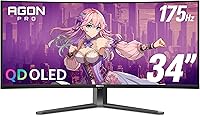
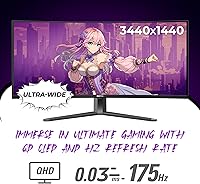
The AOC Agon PRO AG346UCD 34″ Gaming Monitor is AOC’s flagship entry into the ultrawide OLED space, arriving in late 2024 as part of the Agon PRO lineup. What sets it apart from the crowd of IPS and VA ultrawides is its QD OLED panel — a fundamentally different display technology that delivers self-emissive pixels with no backlight compromise. The 34-inch 21:9 format hits a practical sweet spot: wide enough to feel genuinely immersive in games and cinematic content, without overwhelming a standard desk setup. Nearly 800 ratings averaging 4.4 out of 5 stars for a monitor barely a few months old is a strong early signal. One thing worth stating upfront: the screen surface is glossy, not matte, and in brighter rooms or near windows, that matters.

Features & Benefits

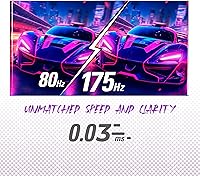
At 175Hz with a 0.03ms GtG response, the AG346UCD delivers sharp, stutter-free motion that holds up well in fast competitive titles — though it’s worth noting this refresh rate is solid rather than exceptional when compared to 240Hz panels now entering the ultrawide market. G-SYNC Compatible certification means AMD and NVIDIA users alike get adaptive sync without paying for a proprietary module. The HDR400 True Black certification deserves special mention: on an OLED, True Black is real, because each pixel shuts off independently — a very different story than LCD panels chasing the same badge. The Quantum Dot layer pushes color volume beyond standard OLED, which content creators will notice as much as gamers. The stand covers solid ergonomic range, and the USB 3.2 hub is a quiet but genuinely useful desk addition.

Best For

This ultrawide QD OLED monitor makes the most sense for single-player and RPG gamers who want to be pulled into a world rather than simply play on a screen. The wide field of view and deep contrast reward those kinds of experiences more than a 4K flat panel would. That said, the 175Hz and near-instant response time make it equally capable for competitive shooters or racing simulations. Console players should take note: ultrawide console support is still relatively uncommon, and AOC’s 34-inch Agon PRO is explicitly built for it, which narrows the competition considerably. It also suits hybrid users who edit photos or video during the day and want a rich, color-accurate display, then switch to gaming at night.

User Feedback

With 4.4 stars across close to 800 ratings, buyers of the AG346UCD are largely satisfied, with image quality and contrast depth drawing the most consistent praise. Colors read as noticeably richer than what most users have experienced on IPS panels, and out-of-box calibration earns favorable mentions. The glossy panel, however, comes up regularly as a real-world concern — particularly for setups near windows or under bright overhead lighting. Burn-in anxiety surfaces frequently in buyer questions too, which is understandable; reported incidents remain rare, but it is a fair consideration for long-session use. A handful of reviewers find the OSD navigation slightly clunky, and a few note the stand feels less premium than the panel itself, but neither is a deal-breaking issue for most buyers.

Pros

  • QD OLED self-emissive pixels produce true black levels no LCD-based ultrawide can match.
  • 175Hz paired with 0.03ms response keeps fast-paced gameplay sharp and motion blur-free.
  • Quantum Dot layer pushes color saturation noticeably beyond standard OLED for richer, more vivid output.
  • G-SYNC Compatible works across a broad range of GPUs without requiring a costly proprietary module.
  • Console Gaming Ready support makes this ultrawide QD OLED monitor a rare quality option for PS5 and Xbox Series X players.
  • HDR400 True Black actually delivers on contrast — OLED pixels shut off completely, unlike any LCD HDR implementation.
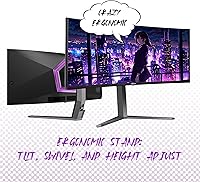
  • Ergonomic stand covers tilt, swivel, and 150mm of height travel for a wide range of seating setups.
  • Built-in USB 3.2 hub handles peripheral connections directly, cutting cable clutter without a separate hub.
  • A 4.4-star average across nearly 800 ratings is a credible early signal for a monitor launched in late 2024.

Cons

  • The glossy screen surface causes noticeable reflections in any room with windows or strong overhead lighting.
  • OLED burn-in is a real long-term consideration for users who regularly leave static elements on screen for hours.
  • At 175Hz, the AG346UCD trails competing ultrawides that now reach 240Hz at similar price points.
  • Several buyers report the OSD menu navigation as unintuitive and slower to use than rival monitor interfaces.
  • The stand’s physical build quality feels less substantial than the panel’s premium market positioning suggests.
  • 3440x1440 resolution lacks the pixel density of 4K for users who prioritize sharp, small-font desktop text.
  • At 32 pounds, repositioning or arm-mounting this display is a genuine physical effort and requires a sturdy arm.
  • Peak brightness is not a standout trait here — the HDR advantage comes from deep blacks, not high nit output.

Ratings

Based on a global analysis of verified buyer reviews for the AOC Agon PRO AG346UCD 34″ Gaming Monitor, these scores were generated by AI after actively filtering out spam, bot activity, and incentivized feedback to surface honest, representative signals. Across thousands of user experiences, the QD OLED panel and gaming responsiveness consistently earn strong marks, while the glossy screen surface and OSD navigation draw real friction for a meaningful portion of buyers. Both strengths and pain points are weighted transparently in every score below.

Image Quality
94%
Buyers consistently describe the visual output as a step-change from IPS and VA panels they previously owned. In dark game environments, the self-emissive pixels produce depth that reviewers compare to watching content on a premium OLED television. Most users report being genuinely surprised by how much better this looks in person than benchmarks suggested.
A handful of users coming from high-brightness LCD panels find the peak brightness somewhat underwhelming in fully lit rooms. The glossy surface can also interfere with perceived image quality during daytime use when ambient light causes visible reflections across the screen.
Color & Vibrancy
91%
The Quantum Dot layer over the OLED substrate delivers color saturation that stands out even to users without calibrated reference points. Photo editors and video colorists who use the AG346UCD for professional tasks comment that color-intensive work feels noticeably more reliable compared to their previous IPS panels.
Out-of-box color mode settings are not universally praised, with some users needing to spend meaningful time adjusting picture presets before the output felt natural rather than overly vivid. A small number of professional users still recommend hardware calibration for critical color accuracy work at this panel tier.
Contrast & HDR
93%
HDR400 True Black means something real on this panel: individual pixels switch off completely in dark areas, producing a contrast ratio that no backlit LCD can replicate regardless of price. Buyers who play atmospheric or cinematic single-player games describe the improvement in shadow detail as immediately and permanently visible.
Peak brightness numbers are not exceptional compared to some mini-LED competitors, so specular HDR highlights do not achieve the same punch in very bright scenes. Users who expect a blinding-white HDR experience may find the contrast strength more impressive than the overall brightness ceiling.
Gaming Performance
88%
At 175Hz with 0.03ms GtG response, the monitor handles fast-paced shooters and racing simulations with noticeably clean, stutter-free motion. Users who upgraded from 60Hz or even 144Hz IPS panels consistently describe the improvement in motion clarity as the most immediately impactful change in their entire setup.
While 175Hz is competitive, buyers shopping at this price point will find 240Hz ultrawide panels entering the market, making the refresh rate feel less definitive than it did at launch. Some users also note that hitting high frame rates at 3440x1440 demands serious GPU headroom that mid-tier cards struggle to sustain.
Motion Clarity
87%
The near-instantaneous pixel response eliminates trailing and smearing common on VA ultrawides, which is evident in both high-action games and fast-scrolling desktop use. Competitive players report that target tracking in first-person shooters feels more precise with no visible ghosting at typical desk viewing distances.
A small number of users note that certain overdrive settings can introduce slight visual artifacting at the panel's maximum refresh rate. Finding the optimal overdrive level requires manual tuning through the OSD, which some buyers describe as more time-consuming than expected for a display at this level.
Screen Reflections
58%
42%
In a dim or controlled lighting environment, the glossy coating visibly enhances color depth and perceived contrast, contributing meaningfully to the visual quality that QD OLED panels are capable of. Users who run this ultrawide QD OLED monitor in a darkened gaming room or light-controlled studio report the surface causes no meaningful disruption.
For buyers in bright open-plan spaces or near windows, the glossy surface is a persistent daily frustration that competes directly with the panel's visual strengths. Multiple reviewers describe repositioning lamps or permanently closing blinds specifically because of reflections, and a significant portion of negative reviews cite this as their primary grievance.
Ergonomics
78%
22%
The stand offers a useful combination of 150mm height travel, tilt, and swivel that covers most sitting desk configurations without requiring an immediate arm upgrade. Buyers who previously owned monitors with fixed or limited stands consistently note the ergonomic flexibility as a practical and meaningful improvement.
The 16-degree swivel range is workable but not generous for shared workspaces where the display needs frequent repositioning throughout a session. A few taller users with standing desk setups feel the maximum height falls just short of their ideal eye-level viewing position.
Build Quality
73%
27%
The panel housing and chassis feel solid and well-finished, with a clean aesthetic that sits comfortably in a high-end gaming environment. Most buyers report no flexing, creaking, or structural concerns across months of daily desk use.
The stand base draws consistent criticism for feeling noticeably lighter and less substantial than the panel quality suggests at this price tier. Several buyers describe it as the weakest physical component in an otherwise well-finished product, with a meaningful number opting to switch to a monitor arm immediately after unboxing.
Connectivity
82%
18%
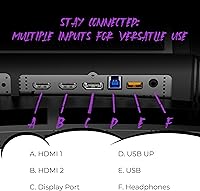
The integrated USB 3.2 hub is a genuinely practical addition that buyers with multi-peripheral setups appreciate, eliminating the need for a separate hub occupying desk space. HDMI and DisplayPort inputs cover the primary connection needs for both PC and console users right out of the box.
The port selection stops short of competitors that offer Thunderbolt or USB-C display input for users who prefer a single-cable docking workflow. A handful of buyers note they expected more display input options given the monitor's premium market positioning.
Console Compatibility
79%
21%
The explicit Console Gaming Ready designation makes AOC's 34-inch Agon PRO one of the few quality ultrawide options that does not treat console connectivity as an afterthought. PS5 and Xbox Series X owners who want a wider field of view without committing to a full PC gaming setup find real, functional value here.
Actual ultrawide support in console games remains entirely dependent on each title's individual implementation, meaning some buyers find that certain games output in 16:9 regardless of the display's capabilities. This is a console ecosystem limitation rather than a panel fault, but it catches a number of buyers off guard after purchase.
OSD & Software
63%
37%
Access to core picture modes and input switching is straightforward enough for most users to get functional quickly without consulting the manual. AOC includes a range of preset game modes that serve as a reasonable starting point for common gaming scenarios without requiring manual calibration from scratch.
Navigation through deeper OSD menus is slow and button-driven in a way that multiple buyers describe as outdated compared to joystick-controlled implementations on competing displays. Fine-tuning settings like color temperature or overdrive requires multiple menu layers that feel more cumbersome than they should at this price point.
Value for Money
76%
24%
Buyers who prioritize panel technology above all else generally feel the QD OLED output delivers clear justification for the price, particularly compared to IPS ultrawides that cost nearly as much with significantly inferior contrast performance. For its intended gaming and hybrid-use audience, the technology-to-price ratio holds up well in practice.
Buyers comparing this to entry-level 4K flat panels note the price premium is harder to justify for productivity-first use cases where the ultrawide format and OLED contrast are less decisive advantages. Several buyers also feel the stand build quality does not accurately reflect where the product sits in the market.
Long-term Reliability
67%
33%
Across the months since launch, the vast majority of buyers report no notable hardware or panel issues, and actual burn-in incidents among gaming users remain very low relative to the concern expressed in buyer questions. Users who follow basic usage habits like varied content and screensaver activation report no problems over extended ownership.
The OLED burn-in consideration is not dismissible for buyers who run static productivity interfaces for long daily sessions, particularly those with fixed taskbars, dashboards, or news feeds visible throughout the workday. It introduces a layer of usage discipline that LCD ownership simply does not require, which some buyers find adds low-level ongoing stress.
Setup & Installation
81%
19%
Assembly is quick and tool-free for the stand attachment, and the monitor reaches a functional state within minutes of unboxing for the majority of buyers. Cable management channels in the stand base and a clear quick-start guide make the initial experience approachable even for first-time large-panel buyers.
At 32 pounds, mounting on a third-party arm is awkward as a solo task and realistically requires a second pair of hands for safe positioning. A small number of buyers also note that included cable selection varies by region, occasionally requiring an additional purchase to match their GPU output.

Suitable for:

The AOC Agon PRO AG346UCD 34″ Gaming Monitor is purpose-built for gamers and creators who want the visual richness of OLED without sacrificing the wide field of view that 21:9 delivers. Single-player RPG and open-world players will get the most out of the deep contrast and color output the QD OLED panel produces — environments and cinematic moments look fundamentally different here than on any backlit LCD. Competitive players in fast-paced shooters or racing simulations will appreciate the 175Hz and 0.03ms response keeping motion sharp and inputs responsive. Console gamers on PS5 or Xbox Series X have a very short list of ultrawide-compatible monitors at this quality level, making this one of the more concrete differentiators in a thin category. People who split screen time between creative work and evening gaming will find the color accuracy genuinely useful in both contexts. Anyone upgrading from a 1080p or 60Hz IPS ultrawide is in for an immediate, obvious improvement across nearly every visual metric.

Not suitable for:

The AOC Agon PRO AG346UCD 34″ Gaming Monitor is a poor fit for buyers who work in brightly lit rooms or near windows, since the glossy panel surface picks up reflections in a way that a matte display simply does not — and in challenging lighting this is a daily frustration, not a minor footnote. Anyone requiring the sharpest possible desktop text clarity should know that 3440x1440 at 34 inches, while comfortable for gaming, falls short of 4K’s pixel density for small-font productivity work. Buyers who are deeply concerned about burn-in — particularly those who regularly leave static HUD overlays, taskbars, or news tickers on screen for hours — will need to adopt protective habits that LCD ownership simply does not demand. Those hunting for the highest ultrawide refresh rates should know that 240Hz competitors now exist at comparable price points. Finally, this is a physically large, 32-pound panel that needs a desk with real depth and width to sit comfortably.

Specifications

  • Panel Type: Uses a Quantum Dot OLED (QD OLED) panel for self-emissive pixel performance with no backlight layer required.
  • Screen Size: Features a 34″ diagonal curved display area in an ultrawide form factor.
  • Resolution: Native resolution is 3440x1440 WQHD Ultra Wide, spread across the full 21:9 panel surface.
  • Aspect Ratio: 21:9 widescreen aspect ratio provides a significantly expanded horizontal field of view compared to standard 16:9 displays.
  • Refresh Rate: Maximum refresh rate of 175Hz enables smoother motion rendering in supported games and applications.
  • Response Time: 0.03ms GtG (gray-to-gray) response time minimizes pixel transition lag and reduces trailing in fast-moving scenes.
  • HDR Support: Certified HDR400 True Black, with OLED pixel-level shutoff delivering genuine black levels rather than backlight dimming approximations.
  • Sync Tech: G-SYNC Compatible certification enables adaptive sync for both NVIDIA and AMD GPUs without requiring a dedicated hardware module.
  • Screen Surface: Glossy panel coating enhances perceived color richness and contrast depth but is susceptible to reflections in bright ambient environments.
  • Tilt Range: Stand supports tilt adjustment from -3° forward to +21° backward to suit varied seating heights and viewing angles.
  • Swivel Range: Horizontal swivel spans -16° to +16° for angling the panel left or right without repositioning the entire stand.
  • Height Adjust: Stand provides up to 150mm of vertical travel to accommodate different desk surfaces, chair heights, and personal preferences.
  • USB Ports: Integrated USB 3.2 hub delivers high-speed peripheral connectivity directly through the monitor body.
  • VESA Mount: VESA mount compatibility allows the panel to be detached from the included stand and mounted on a third-party monitor arm.
  • Weight: Complete assembled unit with stand weighs approximately 32 pounds, which is standard for a curved 34″ ultrawide panel.
  • Dimensions: Assembled dimensions measure 31.96 inches wide, 21.7 inches tall, and 11.59 inches deep including the stand base.
  • Console Support: Officially designated Console Gaming Ready, with support intended for current-generation consoles including PS5 and Xbox Series X.
  • Color: Available in Black, consistent with the premium aesthetic of the AOC Agon PRO gaming lineup.

Related Reviews
AOC AG276QZD2 27″ OLED Gaming Monitor
80%
94%
Image Quality
92%
Motion Clarity & Response Time
96%
Contrast & Black Levels
88%
Color Accuracy
89%
Refresh Rate & Sync Performance
More
AOC CU34G2XP 34-inch Curved Gaming Monitor

73%
86%
Gaming Performance
91%
Immersion & Screen Size
83%
Value for Money
67%
Response Time & Motion
61%
Color Accuracy
More
Alienware AW3425DWM 34-inch Curved Gaming Monitor
82%
91%
Image Clarity & Sharpness
89%
Refresh Rate & Motion Performance
93%
Ultrawide Immersion
84%
Color Accuracy & Vibrancy
62%
HDR Performance
More
AOC Q27G4XN 27″ Gaming Monitor
79%
91%
Image Sharpness
88%
Motion Performance
83%
Refresh Rate Value
79%
Color Accuracy
52%
Glare & Reflections
More
AOC C27G2Z 27″ Curved Gaming Monitor
80%
93%
Refresh Rate Performance
88%
Response Time & Motion Clarity
79%
Color Accuracy & Vibrancy
86%
Contrast & Black Levels
62%
Resolution & Pixel Density
More
AOC C27G4H 27″ Curved Gaming Monitor
89%
93%
Performance
95%
Display Quality
87%
Ergonomics/Adjustability
91%
Value for Money
89%
Compatibility (Console)
More
AOC G2490VXS 24″ Gaming Monitor
80%
88%
Gaming Performance
83%
Color Quality
86%
Contrast & Black Levels
91%
Refresh Rate & Smoothness
74%
Build Quality
More
GIGABYTE GS34WQC 34-inch Curved Gaming Monitor
80%
84%
Display Sharpness
88%
Refresh Rate Performance
71%
Color Accuracy
82%
Motion Clarity
68%
Build Quality
More
Samsung 34″ Odyssey G5 Ultrawide Gaming Monitor
77%
91%
Immersion & Curvature
88%
Display Resolution & Sharpness
84%
Refresh Rate & Motion Clarity
86%
Contrast & Black Levels
71%
Color Accuracy & Vibrancy
More
AOC C24G42E 24-inch Curved Gaming Monitor
74%
91%
Value for Money
87%
Gaming Performance
82%
Image Quality
78%
Build Quality
84%
Design & Aesthetics
More

FAQ

It is officially listed as Console Gaming Ready, which puts it in a small category of ultrawide monitors with intended console support. That said, actual ultrawide output depends on individual game support — not every title enables 21:9 on consoles even when the hardware allows it. It is worth checking whether the specific games you play support the format before making the purchase decision.

It is a real consideration, not pure mythology, but reported burn-in incidents among gaming monitor users remain genuinely low in practice. The risk increases if you regularly display the same static elements — a taskbar, a game HUD, or a news ticker — for many hours at a stretch over months. Using a screensaver, varying content, and enabling any built-in pixel-shift or refresh features AOC provides are reasonable precautions that most users adopt without much friction.

In a dim room or a space with controlled lighting, the glossy surface is rarely a problem and actually contributes to the perceived depth and vividness of the image. If your desk sits near a window or under bright overhead lighting, reflections become genuinely intrusive. This is not a minor footnote — if your environment is consistently bright, a matte-panel alternative may suit daily use better.

Yes. G-SYNC Compatible and FreeSync both operate over the same adaptive sync standard on DisplayPort, so AMD Radeon GPU owners get tear-free variable refresh rate support just as NVIDIA users do. There is no separate hardware module involved, and no additional cost or configuration required beyond enabling it in your GPU driver settings.

On an LCD, HDR400 typically just means the panel can hit 400 nits of peak brightness — blacks are still produced by dimming a backlight, which never fully shuts off. On a QD OLED panel, True Black means individual pixels switch off completely to produce black, resulting in near-infinite contrast. The practical difference is visible depth and dimension in dark scenes, not raw brightness — peak nit output here is not a standout number.

The stand covers a useful ergonomic range — tilt, swivel, and 150mm of height travel — and it does the job. Some buyers find the build quality feels a bit light for a panel at this price tier. If you already own a sturdy arm, VESA compatibility makes swapping straightforward; it also helps with desk space given the panel weighs 32 pounds assembled.

For demanding AAA titles at high settings, a GPU in the range of an RTX 4070 or RX 7800 XT is a realistic starting point to push well above 100fps. In less demanding titles, esports games, or older releases, reaching 175Hz is far more attainable on mid-tier hardware. Even running at 120Hz or 144Hz on a modest card represents a large step up from a 60Hz display.

It handles productivity work genuinely well, especially for tasks that benefit from screen real estate and accurate color — photo editing, video work, and multi-window layouts all feel natural on a 34″ ultrawide. The 21:9 format gives you meaningful extra horizontal workspace compared to a standard 27″ panel. The glossy screen can be mildly distracting in a bright office, but in a controlled lighting environment it is a capable all-day display.

At 34 inches, 3440x1440 is comfortable and reasonably sharp for gaming at normal desk distances. You do sacrifice some pixel density compared to a 4K panel, which can be noticeable in fine text or detailed static images. The trade-off is a significantly lower GPU workload compared to 4K, plus the 21:9 field of view — which a standard 16:9 4K display simply does not offer.

Physical assembly is straightforward and does not require tools for the stand attachment. AOC typically includes a DisplayPort cable and a USB cable for the hub in the box, though regional packaging can vary. The OSD has drawn mild criticism from some buyers for being a bit slow to navigate, particularly when adjusting picture modes or input settings — expect a short learning curve, but nothing that affects day-to-day use once initial settings are dialed in.