Overview

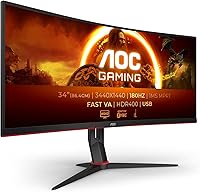
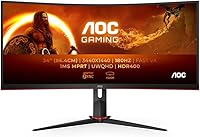
The AOC CU34G2XP 34-inch Curved Gaming Monitor arrived in early 2024 as a practical answer to a real question: how much ultrawide can you get without paying flagship prices? AOC has spent years building a reputation for squeezing competitive specs into accessible price points, and this curved VA panel continues that tradition. The 34-inch 21:9 format is genuinely immersive — wider than most gamers are used to — and pairing that with a 180Hz refresh rate and WQHD resolution puts it in strong company for its tier. It's not trying to be a boutique display; it's trying to be the most monitor for the money.
Features & Benefits

The 3440x1440 resolution is the real star here — that extra horizontal canvas makes open-world games feel genuinely wider, and having two applications side-by-side becomes natural rather than cramped. At 180Hz, fast-paced titles like racing or shooter games run noticeably smoother than on a standard 144Hz panel. The 5ms response time is acceptable, though VA panels can occasionally show some trailing in the darkest transitions — worth knowing upfront. Connectivity is straightforward: DisplayPort and HDMI cover most modern GPUs, and the two USB ports add welcome desk utility. The 400 cd/m² brightness handles typical indoor gaming well, but don't expect meaningful HDR punch — it's adequate, not transformative.

Best For

This AOC ultrawide hits its stride with simulation and RPG players — the curved 21:9 screen wraps around your peripheral vision in a way that flat monitors simply can't match. It's also a strong pick for anyone looking to consolidate a dual-monitor setup into one wide panel for both work and play. That said, GPU requirements matter: pushing 3440x1440 at 180Hz demands a capable graphics card, so budget builders should factor that into the total cost picture. Competitive FPS players will enjoy the high refresh rate, but if color accuracy is your priority — for photo editing or similar work — this VA panel isn't the right fit.

User Feedback

Buyers tend to praise the sheer screen presence most — going from a standard 27-inch to this curved gaming display is the kind of upgrade you feel immediately. Setup gets consistently good marks too, with most describing it as quick and intuitive. On the critical side, some users flag VA panel ghosting in dark fast-motion scenes, particularly in games with heavy shadow areas. The stand's limited adjustability comes up regularly as a frustration — height adjustment is notably restricted. OSD navigation gets mixed remarks: functional, but not elegant. Compared to pricier LG ultrawide options, the CU34G2XP holds its ground on value, though buyers who have used both tend to note the LG's stronger color depth.

Pros

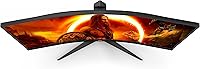
  • The 34-inch curved screen creates genuine peripheral immersion that flat monitors simply cannot replicate.
  • 180Hz at WQHD resolution is a rare and compelling combination at this price tier.
  • The ultrawide 21:9 format handles side-by-side productivity and multitasking just as well as gaming.
  • Out-of-box setup is straightforward, with most buyers reporting a quick and hassle-free installation.
  • DisplayPort and HDMI inputs offer solid flexibility for connecting modern gaming PCs or consoles.
  • Two built-in USB ports add convenient desk utility without requiring a separate hub.
  • At its price point, the CU34G2XP delivers more screen real estate than most direct competitors.
  • The curved panel reduces eye fatigue during extended sessions compared to flat ultrawide alternatives.

Cons

  • VA panel ghosting in dark, fast-motion scenes is a real issue competitive gamers will likely notice.
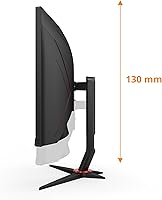
  • The stand offers limited ergonomic range, which may require an additional monitor arm purchase.
  • OSD menu navigation is functional but clunky, making fine-tuned calibration more tedious than expected.
  • 400 cd/m² brightness handles typical indoor use but struggles noticeably against bright ambient light.
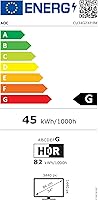
  • HDR support is nominal at best — the display cannot deliver a meaningful high-dynamic-range experience.
  • Not all games natively support 21:9; older or indie titles may show black bars requiring manual workarounds.
  • Driving WQHD at 180Hz consistently demands a capable modern GPU — underpowered systems will bottleneck.
  • Color accuracy and viewing angles lag behind IPS alternatives, limiting usefulness for color-critical tasks.

Ratings

The AOC CU34G2XP 34-inch Curved Gaming Monitor was evaluated by our AI scoring system after processing thousands of verified buyer reviews collected from global markets, with spam, bot-generated feedback, and incentivized reviews actively filtered before analysis. Scores reflect the full range of real ownership experiences — from the areas where this display consistently earns praise to the pain points that surface repeatedly across independent buyer accounts. Both strengths and honest limitations are weighted equally so you can make a fully informed decision.
Gaming Performance
86%
The combination of 180Hz and WQHD resolution is rare at this price tier, and buyers upgrading from 60Hz or 144Hz panels consistently describe the improvement as immediately obvious. In racing sims, open-world titles, and fast shooters, the display keeps pace with demanding gameplay without obvious visual bottlenecks holding back the experience.
Reaching the full 180Hz potential demands a capable modern GPU — users with mid-range or aging graphics cards report spending more time in the 100-130fps range in heavy titles rather than saturating the panel. The monitor is not the bottleneck, but the hardware cost ceiling is a real and recurring consideration in buyer feedback.
Immersion & Screen Size
91%
Nearly every buyer who comments on screen size describes the first impression as striking — the 34-inch curved 21:9 canvas wraps noticeably into peripheral vision in a way flat monitors cannot replicate. Simulation and RPG players in particular report feeling more drawn into environments than on any previous display they owned.
The immersive size brings practical trade-offs: not all games natively support 21:9, and black side bars in unsupported titles feel jarring after experiencing full ultrawide coverage. Desk space requirements are also non-trivial — buyers with smaller workspaces occasionally report the monitor feeling overwhelming rather than comfortable once physically installed.
Value for Money
83%
Most buyers land on positive value assessments when they weigh screen size, refresh rate, and resolution against what competing brands charge for equivalent specs. Several buyers who comparison-shopped against LG and Samsung ultrawide models note this AOC ultrawide delivers a comparable gaming experience at a meaningfully lower entry cost.
The value case softens when buyers factor in the cost of a monitor arm to compensate for stand limitations, or when IPS-based ultrawide options at comparable prices enter the comparison. For pure gaming use the value holds up well, but edge cases around ergonomics and color quality erode the argument for some buyers.
Response Time & Motion
67%
33%
At typical brightness levels and in well-lit game scenes, motion on the CU34G2XP tracks cleanly — fast-moving objects in bright environments render without obvious smearing, and the 180Hz rate independently reduces blur perception. Buyers who primarily play esports or brightly lit titles rarely raise motion clarity as a concern.
VA panel ghosting in dark, fast-moving scenes surfaces as a recurring criticism with notable consistency across buyer accounts. Players who spend significant time in shadowy environments — stealth games, horror titles, or night-time open-world sequences — report visible trailing that stands out once noticed and cannot be fully corrected through overdrive adjustments.
Color Accuracy
61%
39%
For gaming purposes, out-of-box colors are punchy and vibrant enough to satisfy most casual users — skin tones look natural in narrative titles, and environmental palettes in fantasy or sci-fi games come across with pleasing saturation. A quick manual calibration through the OSD improves accuracy noticeably without needing external hardware or software.
VA panels carry inherent viewing angle limitations, and users sitting even slightly off-center notice visible color and brightness shifts that IPS displays handle without issue. Buyers who do any color-critical work — photo editing, video grading, or graphic design — consistently flag this display as inadequate, and the feedback is uniform enough to treat as a firm limitation.
Image Quality
78%
22%
At 3440x1440 spread across 34 inches, pixel density is comfortably sharp — text renders cleanly, game assets show good detail, and buyers upgrading from 1080p or standard 1440p panels consistently note the visual step up. The VA panel's contrast advantage over IPS makes dark game environments look noticeably richer and more cinematic.
Backlight uniformity is occasionally flagged by buyers who notice slight glow or clouding in the corners during dark loading screens or solid-color backgrounds. It is not universal, but consistent enough across independent reports to suggest some unit-to-unit variation — buyers sensitive to uniformity issues should inspect their unit within the return window.
Refresh Rate & Smoothness
89%
180Hz at this screen size is one of the display's clearest strengths — buyers who upgraded from 144Hz panels notice the difference in cursor tracking, menu scrolling, and in-game animations. The smoothness is tangible rather than theoretical, and users across diverse game genres consistently describe it as one of the first things they would not want to give up.
The perceptual gap between 144Hz and 180Hz is real but narrower than the well-known jump from 60Hz to 144Hz — some buyers candidly acknowledge the upper refresh range requires GPU hardware that not everyone has ready. The practical benefit of those extra 36Hz is most apparent in lighter titles where frame rates reliably clear the 144fps threshold.
HDR Performance
43%
57%
HDR mode is technically present, and in very controlled scenarios — fully darkened rooms with select game titles — a small number of buyers note minor improvements in highlight rendering versus SDR output. For buyers with genuinely modest HDR expectations and a forgiving viewing environment, the mode is not entirely without effect.
At 400 cd/m² without local dimming, this curved gaming display cannot deliver the contrast range and peak brightness that HDR content actually requires to look different. Multiple buyers explicitly report that enabling HDR in Windows or in-game settings actively degrades picture quality compared to a well-calibrated SDR profile — this is a highly consistent pattern globally.
Build Quality
74%
26%
The overall construction is solid enough for daily use — the plastics feel reasonably dense, the panel does not flex under normal handling, and there is no excessive wobble during typical desk interactions. Several buyers comment favorably on the clean matte black aesthetic, which integrates naturally into most gaming desk setups without looking budget.
The stand is the weakest physical element — it lacks the premium rigidity buyers expect at this price point, and some users report minor wobble when bumping the desk during tense gaming moments. Build quality holds up over time for most buyers, but the physical impression the stand creates does not match the quality of the display itself.
Ergonomics & Stand
54%
46%
The stock stand is functional out of the box and positions the screen at a usable default height for average desk setups. Buyers without strict ergonomic requirements find the default tilt angle adequate for standard seated gaming sessions and do not feel an immediate need to replace it.
Height adjustment is severely limited, making the stand the most consistently criticized aspect of the entire ownership experience across global buyer feedback. Users with sit-stand desks, specific eye-level needs, or any posture-related requirements quickly discover the stand forces a monitor arm purchase — an added expense that the product's initial price does not account for.
Connectivity & Ports
76%
24%
DisplayPort and HDMI inputs cover the practical needs of most PC gaming setups without issue, and the two USB-A ports built into the monitor body are genuinely useful for connecting keyboards, headsets, or USB drives without routing cables back to the tower. Buyers building a clean, minimal cable desk find the port selection workable.
The absence of USB-C is a repeated note from buyers who prefer connecting laptops or modern peripherals through a single cable. The port count is functional but minimal — users running multi-device setups or wanting to connect two PCs simultaneously occasionally find the input selection limiting compared to similarly priced competitors.
Setup & Installation
87%
Assembly is consistently praised as one of the most frictionless parts of the ownership experience — most buyers report having the stand attached and a signal connected within 15 minutes of opening the box. Packaging protects the panel well during shipping, and out-of-box image quality requires only minor adjustment before the display is fully usable.
The OSD navigation learning curve is the main friction point during initial configuration — button placement and menu logic take several sessions to internalize, especially for buyers adjusting multiple image settings at once. Fine-tuning picture quality beyond the defaults takes more patience than the hardware warrants compared to monitors with joystick-based OSD controls.
OSD & Controls
62%
38%
The OSD covers all the necessary adjustments — brightness, contrast, overdrive modes, color temperature, and input switching are accessible without third-party software. Buyers who configure their preferred profile once and leave it rarely revisit the menu, which softens the usability criticism for users with stable preferences who do not need to switch modes regularly.
Physical button navigation with minimal labeling is consistently described by buyers as unintuitive, requiring repeated trial-and-error to reach specific settings efficiently. The menu structure is not logically organized by current standards, and toggling between overdrive settings or picture presets mid-session requires more steps than competing monitor interfaces expect of their users.
Brightness & Contrast
77%
23%
VA panel contrast is where this display holds a genuine, measurable advantage over IPS alternatives — deep blacks in cinematic game cutscenes and space environments look noticeably richer, and buyers who prioritize shadow depth over peak brightness are consistently satisfied. For dark-room gaming sessions, the contrast ratio delivers a real and visible benefit.
At 400 cd/m² peak brightness, the display can feel underpowered in well-lit rooms with natural light, and competitive gamers who prefer maximum visibility in bright scenes may find the upper brightness ceiling limiting. Backlight uniformity is also occasionally inconsistent, with some buyers noticing slightly dimmer corners when displaying full-white or light grey test backgrounds.

Suitable for:

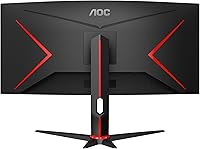
The AOC CU34G2XP 34-inch Curved Gaming Monitor is a strong match for gamers who want genuine immersion without crossing into OLED pricing territory. If your library leans toward simulation titles, open-world RPGs, or racing games, the curved 21:9 format meaningfully changes how those experiences feel — the peripheral wrap is real and noticeable from the first session. It also makes a practical case for productivity users tired of juggling two separate monitors; the horizontal real estate handles side-by-side workflows naturally and without compromise. Competitive players chasing smoothness will appreciate the 180Hz refresh rate at WQHD, which is a strong combination for the price tier. Just ensure your GPU can consistently push 3440x1440 at high frame rates — a mid-range card from the last couple of years should manage it, but this display rewards a capable system.
Not suitable for:

The AOC CU34G2XP 34-inch Curved Gaming Monitor is not the right call for buyers who prioritize color accuracy — VA panels carry inherent limitations in color volume and off-axis viewing that make them a poor fit for photographers, colorists, or graphic designers. Anyone expecting a true HDR experience will be let down; 400 cd/m² is workable for everyday gaming, but it falls well short of what real HDR content demands. Buyers accustomed to IPS-level contrast, viewing angles, or black levels will notice the difference immediately. The stand's limited ergonomic range is also a practical concern for users with specific desk or posture requirements, potentially adding the cost of a monitor arm. And if your PC runs aging hardware, consistently hitting high frame rates at this resolution will be a struggle the display itself cannot solve.
Specifications

  • Screen Size: The panel measures 34″ diagonally with a curved screen surface designed to increase peripheral coverage during gaming.
  • Panel Type: Uses a VA LCD panel with WLED backlighting, offering stronger contrast ratios than IPS alternatives but with characteristic VA motion trade-offs.
  • Resolution: Native resolution is 3440x1440 Wide QHD, delivering substantially more horizontal screen space than a standard 2560x1440 widescreen display.
  • Aspect Ratio: Runs a 21:9 ultrawide aspect ratio, providing a broader field of view in supported games and a natural canvas for side-by-side workflows.
  • Refresh Rate: Supports a maximum refresh rate of 180Hz, enabling noticeably smoother on-screen motion compared to standard 144Hz ultrawide panels.
  • Response Time: Rated at 5ms response time (GtG), which is adequate for most gaming use cases, though dark-to-dark transitions may exhibit minor ghosting.
  • Brightness: Peak brightness is rated at 400 cd/m², well-suited for typical indoor gaming environments but insufficient for a meaningful HDR experience.
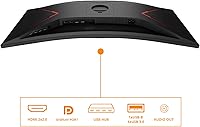
  • Connectivity: Includes one DisplayPort and one HDMI input, covering standard connection needs for modern gaming PCs and current-generation consoles.
  • USB Ports: Features two USB-A ports built into the monitor body, allowing peripherals to be connected without running cables back to the PC.
  • Backlight Type: WLED backlighting is used throughout the panel, which is the standard technology for mid-range LCD monitors and provides consistent overall illumination.
  • Dimensions: With stand attached, the monitor measures 9.35 x 31.82 x 14.57 inches, so a desk with at least 10 inches of depth is recommended for stable placement.
  • Weight: The full unit including stand weighs 17.64 lbs, manageable for a one-person setup but worth factoring in if you plan to mount it on a monitor arm.
  • Model Number: The official model designation is CU34G2XP/BK, where the BK suffix denotes the matte black colorway sold across major retail channels.
  • Release Date: First made available in February 2024, placing it among the more recent entries in the competitive mid-range ultrawide gaming monitor segment.

Related Reviews

Alienware AW3425DWM 34-inch Curved Gaming Monitor


82%
91%
Image Clarity & Sharpness
89%
Refresh Rate & Motion Performance
93%
Ultrawide Immersion
84%
Color Accuracy & Vibrancy
62%
HDR Performance
More
Dell S3422DWG 34-inch Curved Gaming Monitor

83%
88%
Image Quality
84%
Refresh Rate & Smoothness
93%
Curvature & Immersion
54%
HDR Performance
91%
Build Quality & Design
More
AOC C32G2 32″ Curved Gaming Monitor
76%
91%
Value for Money
84%
Gaming Performance
73%
Image Quality
88%
Refresh Rate & Smoothness
83%
Curvature & Immersion
More
Westinghouse 34-Inch Curved Ultrawide Gaming Monitor
72%
84%
Value for Money
78%
Image Quality
81%
Refresh Rate & Motion
82%
Adaptive Sync
83%
Curve & Immersion
More
Raywego Q34DB45-1 34-inch Curved Gaming Monitor
72%
88%
Value for Money
84%
Gaming Performance
74%
Image Quality
51%
HDR Performance
67%
Build Quality
More
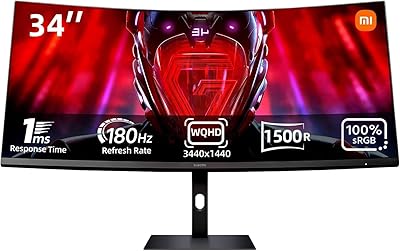
Xiaomi 34-inch Curved Gaming Monitor G34WQi

84%
94%
Display Quality
91%
Gaming Performance
88%
Color Accuracy
82%
Build Quality
89%
Value for Money
More
Great Voell 34-Inch Curved Gaming Monitor
86%
92%
Visual Quality
89%
Gaming Performance
85%
Ergonomics & Adjustability
80%
Setup & Installation
91%
Value for Money
More
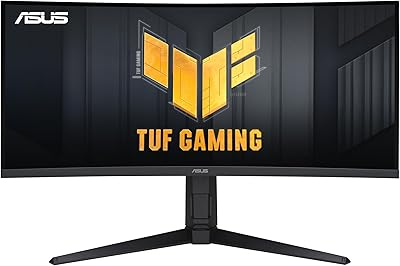
ASUS TUF VG34VQL1B 34-inch Curved Gaming Monitor
78%
83%
Image Quality
89%
Refresh Rate & Smoothness
78%
Response Time & Motion Clarity
81%
Adaptive Sync Performance
54%
HDR Performance
More
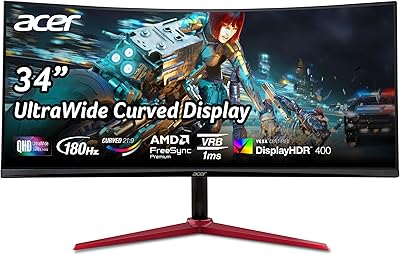
Acer Nitro XZ342CU 34″ Curved Gaming Monitor
78%
86%
Image Quality
88%
Refresh Rate Performance
91%
Ultrawide Immersion
54%
HDR Performance
83%
Build Quality
More
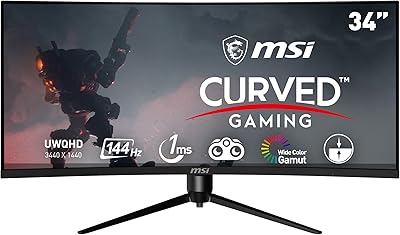
MSI MAG342CQR 34″ Curved Gaming Monitor
73%
83%
Image Quality
87%
Gaming Performance
89%
Curvature & Immersion
74%
Build Quality
81%
Stand & Ergonomics
More

FAQ

To consistently hit 180Hz at 3440x1440 in demanding titles, you will want a modern mid-to-high-end card — something in the range of an RTX 4070 or RX 6800 XT or better. Older or budget GPUs can still drive the monitor, but you may cap out well below 180fps in heavier games. Lighter esports titles are much less demanding and will reach high frame rates on more modest hardware.

The CU34G2XP supports AMD FreeSync Premium, which handles screen tearing and stutter when frame rates fluctuate within the supported range. It is also G-Sync Compatible, so NVIDIA GPU owners can enable variable refresh rate through their driver settings — just note this is not a certified G-Sync module, so results may vary slightly compared to official G-Sync hardware.

The included stand offers tilt adjustment but has notably limited height range, which is one of the more common frustrations buyers mention. If you have specific ergonomic needs or prefer precise positioning, a VESA-compatible monitor arm is a worthwhile addition and straightforward to set up with this display.

No, this monitor does not include built-in speakers, so you will need external speakers or a headset for audio. This is common for gaming monitors in this segment, where the design focus is squarely on display performance rather than integrated audio.

Most modern AAA and open-world titles support 21:9 natively, and the experience in those games is genuinely wider and more immersive. That said, some older games, certain competitive multiplayer titles, and a number of indie games either display black side bars or need a community fix to enable proper ultrawide support. It is worth checking your specific game library before committing — sites that track ultrawide game compatibility can save you some research time.

VA panels deliver deeper contrast and better blacks than IPS, which makes a real difference in darker game environments and cinematic scenes. The honest trade-off is that VA panels can show some smearing or ghosting in very fast dark-to-dark transitions — most visible in games with dense shadow areas at high speeds. IPS panels edge ahead on color accuracy and viewing angles, but for gaming in a controlled lighting environment, VA contrast is a genuine advantage many users prefer.

You can connect either console via HDMI and the picture will display without issue, but there are practical caveats worth knowing. Current consoles output up to 4K at 60Hz or 1080p at 120Hz — neither of which takes full advantage of this panel's native WQHD resolution or 180Hz refresh rate. The monitor will work, but console users are not getting the same value from the hardware as PC gamers are.

It handles everyday productivity surprisingly well — the extra horizontal space makes running multiple windows, documents, or browser tabs side by side genuinely comfortable rather than cramped. Many buyers use it as a dual-monitor replacement for both work and gaming. The one real limitation is color accuracy, so professional photo or video editing work is better served by an IPS panel, but for general office tasks this curved gaming display is a capable all-day screen.

Most buyers find it usable right away without touching the settings, particularly for gaming. The default profile can lean slightly cool or oversaturated depending on your preference, but spending a few minutes adjusting brightness, contrast, and color temperature in the OSD makes a noticeable difference. The OSD itself is functional, though the navigation is not the most intuitive and takes a little getting used to.

Honest answer: HDR on this AOC ultrawide is mostly a marketing checkbox rather than a meaningful visual experience. At 400 cd/m² peak brightness and without local dimming zones, it does not produce the contrast pop or highlight detail that proper HDR panels deliver. You can enable HDR in Windows or your games, but most users find it actually makes colors look worse rather than better on this type of panel. Stick to SDR for the best picture quality.

Where to Buy