



Overview

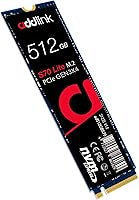
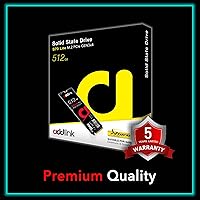
The Addlink S70 Lite 512GB M.2 NVMe SSD is a straightforward, no-frills Gen 3 storage upgrade aimed at everyday PC builders and laptop owners who want a real speed boost without spending a lot. Addlink is a Taiwanese storage brand that doesn't get the same spotlight as Samsung or Western Digital, but they've been making solid-state drives long enough to earn some credibility. The drive uses an M.2 2280 form factor, which fits the vast majority of modern desktops and laptops. One thing to be upfront about: the S70 Lite uses a DRAM-less architecture, relying on HMB technology rather than onboard memory. It won't compete with premium Gen 4 drives, but for the price tier it occupies, the expectations are set correctly from the start.

Features & Benefits

The S70 Lite hits sequential read speeds of up to 3000 MB/s, which in practice means Windows boots in seconds and games load noticeably faster than any SATA SSD could manage. It uses 3D TLC NAND paired with SLC caching to handle bursts of write activity well — though like most drives at this tier, sustained heavy writes will eventually exhaust that cache and slow things down. The DRAM-less design is worth understanding: instead of onboard memory, it borrows a slice of your system's RAM via Host Memory Buffer technology. This works fine for typical use but can lag behind full-DRAM drives in random access tasks. For laptop users, the notably low power draw is a genuine practical advantage that holds up in daily use.

Best For

This NVMe drive makes the most sense as an OS boot drive or primary storage for light gaming and everyday productivity. If you're coming from a spinning hard drive or an older SATA SSD, the jump in responsiveness will be immediately obvious. It also fits well as a secondary drive in a laptop that needs more capacity without adding much heat or battery penalty. Where it doesn't shine is in demanding workloads — large video exports, bulk file transfers, or anything pushing sustained writes for minutes at a time. And if your system has a PCIe Gen 4 slot available, putting a bit more toward a Gen 4 drive would be the smarter long-term investment for a future-ready build.

User Feedback

With a 4.7-star rating from close to 1,900 buyers and a top-250 rank in its category, this Addlink SSD is clearly moving well — and the feedback largely backs that up. Buyers frequently mention easy installation, noticeably faster boot times compared to their old drives, and the fact that it runs cool without needing a heatsink. The main criticism worth flagging is write speed throttling under prolonged heavy loads, which aligns with what you'd expect from SLC caching on a DRAM-less design — not a flaw unique to this drive, but worth knowing going in. A handful of reviewers admit hesitation about the brand upfront, but most report solid day-to-day performance. For casual upgraders, the consensus is straightforward: it delivers on what it promises.

Pros

  • Sequential read speeds up to 3000 MB/s make boot times and app launches noticeably snappy.
  • M.2 2280 form factor fits a wide range of laptops and desktops without compatibility headaches.
  • Low power draw is a genuine advantage for laptop users who care about battery life.
  • SLC caching helps the drive handle everyday burst writes smoothly and without hesitation.
  • 1.8 million hour MTBF rating offers reasonable confidence for home and office use.
  • Nearly 1,900 buyer ratings with a 4.7-star average is an unusually strong signal for a budget NVMe.
  • The S70 Lite runs cool enough in typical use that a heatsink is rarely needed.
  • Available in four capacity options, giving buyers flexibility based on their actual storage needs.
  • Broad platform support covers Intel Raptor Lake and AMD Ryzen 3000 through 7000 series chips.
  • Installation is straightforward — buyers with no prior SSD experience consistently report an easy setup.

Cons

  • Write speeds drop under sustained heavy workloads once the SLC cache is depleted.
  • No dedicated DRAM means random access performance trails behind full-DRAM drives in demanding tasks.
  • Addlink is not a well-recognized brand, which may raise reliability concerns for cautious buyers.
  • 512GB fills up faster than expected if you install several modern AAA games.
  • Not PS5 compatible, limiting its appeal for console-first users looking to expand storage.
  • HMB performance depends partly on system RAM availability, adding a variable outside the drive itself.
  • No included heatsink or thermal pad, which some competing drives offer at a similar price.
  • Long-term track record for this specific model is harder to verify given the brand's lower market visibility.
  • Not a wise upgrade for systems with PCIe Gen 4 slots, where a better-spec drive would be worth the small price difference.

Ratings

The scores below reflect an AI-driven analysis of verified global buyer reviews for the Addlink S70 Lite 512GB M.2 NVMe SSD, with automated filtering applied to remove incentivized, duplicate, and bot-generated submissions. Ratings are calibrated across real-world usage patterns — from first-time builders to everyday laptop upgraders — and both consistent praise and recurring frustrations are represented transparently in every category.

Value for Money
91%
Buyers consistently describe this NVMe drive as one of the most satisfying purchases at its price point, especially when comparing the jump from an HDD or SATA SSD. The performance-per-dollar ratio lands well for casual builders who don't want to overspend on storage they won't fully utilize.
A handful of reviewers noted that stepping up slightly in budget opens the door to full-DRAM drives with more consistent long-term performance, which makes the value argument feel less clear-cut for buyers who plan to keep a system for many years.
Read Performance
84%
Sequential read speeds in real use feel genuinely fast — Windows launches in under ten seconds on most systems, and game load times are noticeably shorter than on SATA drives. Users upgrading older machines frequently describe the difference as transformative for day-to-day responsiveness.
While peak sequential reads impress, some users running benchmark comparisons noted that random read performance — the kind that matters for multitasking and loading many small files — trails behind pricier full-DRAM alternatives in the same interface generation.
Write Performance
67%
33%
For typical tasks — saving documents, installing games, downloading files — write speeds feel plenty quick and users rarely encounter any lag. The SLC cache handles everyday burst writes smoothly, and most light users never push the drive hard enough to notice any drop-off.
When the SLC cache fills up during large sustained writes, like transferring a full game library or copying a batch of video files, speeds can fall sharply. Several buyers flagged this specifically after moving large folders, and it's a real limitation for anyone who regularly works with big files.
Thermal Management
82%
18%
The drive runs noticeably cool under everyday workloads, and multiple buyers reported that it stays well within safe temperature ranges even without a heatsink during normal desktop and laptop use. The low-power DRAM-less design is a genuine contributor to this thermal behavior.
Under sustained heavy workloads, some users observed temperature spikes that triggered thermal throttling, particularly in compact laptops with limited airflow. No heatsink or thermal pad is included in the package, which competing drives at a similar price sometimes offer.
Compatibility
88%
The M.2 2280 form factor is essentially universal for modern laptops and desktops, and buyers across a wide range of Intel and AMD systems report zero compatibility issues out of the box. The broad platform support — covering Intel 13th Gen and AMD Ryzen 3000 through 7000 — reduces pre-purchase research friction considerably.
PS5 users are completely excluded, as the drive lacks the PCIe Gen 4 interface required for console storage expansion. Buyers with very old systems using SATA-only M.2 slots will also find it incompatible, though that scenario is increasingly rare.
Installation Ease
93%
First-time builders overwhelmingly describe installation as painless — a single screw, a straightforward slot-in process, and immediate detection in BIOS. The drive requires no drivers, no proprietary software, and no cables, which removes several potential failure points that frustrate new builders.
A small number of users running older motherboards reported needing a BIOS update before the drive was detected correctly, which can be intimidating for newcomers. No installation guide or quick-start insert is included in the packaging.
Sustained Workload Stability
58%
42%
For the typical workload this drive is designed for — OS operations, light gaming, document-heavy productivity — performance is stable and consistent day after day. Users who stick within those boundaries rarely encounter the throttling issues flagged by more demanding users.
This is the clearest weak point in buyer feedback: users who push the drive with long write sessions, bulk data migrations, or continuous large-file operations report noticeable speed degradation once the SLC cache is depleted. It's not a defect — it's an architectural reality of DRAM-less drives — but it catches buyers off guard if they weren't warned.
Brand Confidence
72%
28%
After initial hesitation, the majority of buyers who took a chance on this Addlink SSD report solid satisfaction and no reliability issues in normal use. The strong sales rank and high volume of ratings over multiple years gives some confidence that the brand isn't disappearing overnight.
Addlink simply doesn't carry the brand recognition or the publicly documented long-term failure rate data that Samsung, WD, or Crucial can offer. For buyers who heavily weight brand trust in their purchasing decisions, that gap in visibility is a genuine sticking point.
Power Efficiency
86%
Laptop users specifically call out the low power draw as a real-world benefit, noting that battery life wasn't noticeably affected after swapping in this NVMe drive. The DRAM-less architecture, while a performance trade-off in other areas, genuinely pays dividends in energy consumption.
There's no independently published active and idle power consumption data from Addlink, making it harder to compare against competitors with documented TDP figures. Users with ultra-thin laptops that have aggressive thermal limits may still see the drive throttle under load despite its efficiency gains.
Build & Reliability
78%
22%
The 1.8 million hour MTBF rating aligns with what buyers experience in practice — the vast majority of long-term owners report no failures, dead-on-arrival units, or data integrity issues in typical use. The drive feels solid in hand and standard M.2 construction means there are no moving parts to wear out.
Without a documented total bytes written (TBW) endurance rating published by Addlink for this specific model, buyers have no clear benchmark for how long the NAND will last under heavy write use. That transparency gap is a legitimate concern for buyers planning long hardware lifecycles.
Packaging & Unboxing
69%
31%
The drive arrives well-protected and arrives without damage in the vast majority of reported cases. For buyers who just want the hardware without extras, the minimal packaging gets the job done without unnecessary waste.
Buyers used to premium SSD packaging — foam inserts, included mounting screws, or even a basic installation card — will find this packaging bare. No mounting screw is included, which is a small but recurring complaint from first-time builders who don't have a spare on hand.
Software & Ecosystem
53%
47%
The drive works cleanly with standard Windows and Linux disk management tools without requiring any proprietary software. For users who prefer a no-bloatware experience, the absence of bundled software is actually appreciated.
Addlink offers no companion application for health monitoring, firmware updates, or drive cloning — tools that competing brands include as standard. Users must rely entirely on third-party utilities, which is a meaningful gap for buyers who want an integrated experience and firmware support over time.
Capacity Adequacy
74%
26%
As a boot drive or single-game storage slot, 512GB works comfortably for most users who keep their libraries curated. Office and productivity users especially find the capacity more than sufficient for their workflows alongside cloud storage.
Modern AAA game installs routinely exceed 100GB each, meaning three or four titles can fill this drive quickly when used as a primary gaming partition. Buyers who want a one-drive solution for a full gaming library will find the 512GB variant forces regular juggling of installs.

Suitable for:

The Addlink S70 Lite 512GB M.2 NVMe SSD is a strong pick for anyone upgrading from a spinning hard drive or an older SATA SSD who wants a meaningful real-world speed boost without a steep price tag. First-time PC builders working with a tight budget will find it hits a comfortable sweet spot — fast enough for Windows to boot in seconds and games to load without the long waits that HDDs are infamous for. Laptop owners with an open M.2 2280 slot get an added bonus: the drive's low power draw means the upgrade is unlikely to hurt battery life, which matters more than most people realize when shopping storage. It also makes sense for anyone running an older system with PCIe Gen 3 lanes, where paying extra for a Gen 4 drive would deliver no tangible benefit since the interface would simply cap it anyway. Office users, students, and casual gamers who need reliable everyday storage at a fair price are exactly the audience this drive was designed for.

Not suitable for:

The Addlink S70 Lite 512GB M.2 NVMe SSD is not the right call for anyone regularly working with large files — think video editors exporting 4K footage, photographers batch-processing RAW libraries, or developers running heavy virtual machine workloads. Because this is a DRAM-less drive that relies on Host Memory Buffer and SLC caching rather than dedicated onboard memory, sustained write performance can drop noticeably once the cache is exhausted, which happens faster under demanding, continuous workloads. Content creators and prosumers who need consistent write throughput over long sessions should invest in a full-DRAM drive even if it costs more. The 512GB capacity is also a limitation for anyone planning to use this as their only drive for a modern game library, which can fill up quickly with today's large install sizes. PS5 users will need to look elsewhere entirely, as this drive is not compatible with Sony's console storage expansion slot.

Specifications

  • Capacity: This drive is available in a 512GB configuration, with the full product line spanning 256GB, 1TB, and 2TB options.
  • Interface: It connects via PCIe Gen 3.0 x4 using the NVMe 1.3 protocol, offering a substantial bandwidth advantage over older SATA-based SSDs.
  • Form Factor: The drive uses the M.2 2280 form factor, measuring 80mm in length, which is the most common size slot found in modern laptops and desktop motherboards.
  • Sequential Read: Rated sequential read speeds reach up to 3000 MB/s under optimal conditions, though real-world results will vary based on system configuration and workload.
  • Sequential Write: Rated sequential write speeds also reach up to 3000 MB/s, supported by SLC caching that sustains burst performance during shorter write tasks.
  • NAND Type: The drive uses 3D TLC (Triple-Level Cell) NAND flash memory, which balances storage density and cost at the expense of some write endurance compared to MLC designs.
  • Cache Design: There is no dedicated onboard DRAM; instead, the drive uses Host Memory Buffer (HMB) technology, borrowing a portion of the system's RAM to manage data mapping.
  • SLC Cache: An SLC (Single-Level Cell) cache layer is implemented to accelerate burst write performance, though throughput will taper once the cache capacity is saturated.
  • Reliability Rating: Addlink rates the drive at a mean time between failures (MTBF) of 1.8 million hours, which is adequate for typical home, office, and light gaming workloads.
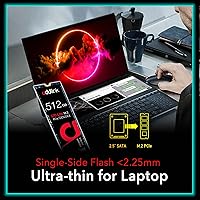
  • Dimensions: The drive measures 3.2 x 0.8 x 0.2 inches, consistent with the standard M.2 2280 footprint and compatible with slots that accommodate single-sided drives.
  • Weight: At 1.13 ounces, the drive adds negligible weight to a laptop or desktop build.
  • Compatibility: Officially compatible with Intel Raptor Lake (13th Gen Core i3/i5/i7/i9) and AMD Ryzen 3000, 5000, and 7000 series platforms.
  • PS5 Support: This drive is not compatible with the PlayStation 5 storage expansion slot and is intended exclusively for use in PCs and laptops.
  • Installation: The drive is designed for internal installation, requiring a Phillips-head screwdriver and a compatible M.2 slot — no external enclosure or adapter is included.
  • Power Draw: The DRAM-less, HMB-based architecture contributes to low idle and active power consumption, making it a practical choice for battery-powered laptops.
  • Manufacturer: Addlink Storage Co., Ltd. is a Taiwanese solid-state storage manufacturer that has been producing consumer and enterprise drives since 2016.
  • Release Date: This specific model was first made available in January 2022 and remains an active, non-discontinued product in Addlink's lineup.

Related Reviews
ORICO M.2 NVMe SSD 512GB with Heatsink
86%
89%
Performance
92%
Cooling Efficiency
85%
Installation Ease
90%
Read/Write Speeds
88%
Capacity for Gaming & Everyday Use
More
KingSpec NE-512 2242 512GB M.2 NVMe SSD
77%
88%
Value for Money
79%
Read Performance
71%
Write Performance
93%
Installation Ease
91%
Form Factor Compatibility
More
KingSpec NE 512GB M.2 NVMe SSD
74%
91%
Value for Money
83%
Read/Write Speed
94%
Installation Ease
88%
Compatibility
41%
NAND Transparency
More
Vansuny X15 512GB NVMe M.2 SSD
75%
88%
Value for Money
74%
Read/Write Performance
91%
Installation Ease
69%
Build Quality
62%
Long-Term Reliability
More
DATO DP800 Pro 512GB M.2 NVMe SSD
90%
94%
Performance
95%
Speed/Read-Write Performance
87%
Installation Ease
90%
Power Efficiency
88%
Durability (Shock Resistance)
More
Samsung PM9C1A 512GB M.2 2230 NVMe SSD
87%
94%
Performance
92%
Speed
89%
Value for Money
88%
Ease of Installation
90%
Compatibility
More
Kioxia BG4 512GB M.2 2230 NVMe SSD
87%
91%
Performance Speed
87%
Compatibility with Devices
88%
Build Quality & Durability
85%
Ease of Installation
93%
Size & Form Factor
More
DATO DP700Pro 512GB M.2 NVMe SSD
77%
83%
Read/Write Performance
91%
Value for Money
94%
Installation Ease
61%
Thermal Management
67%
Brand Trust & Reliability
More
Ediloca EN600 PRO 512GB NVMe M.2 SSD
85%
91%
Performance
88%
Speed for Gaming
83%
Thermal Management
65%
Compatibility with Older Systems
90%
Build Quality
More
KingSpec NX Series 512GB NVMe M.2 SSD
72%
83%
Read Speed Performance
47%
Write Speed Transparency
91%
Value for Money
72%
Build & Reliability
88%
Compatibility
More

FAQ

Yes, the S70 Lite is explicitly compatible with AMD Ryzen 3000, 5000, and 7000 series platforms. As long as your laptop has an available M.2 2280 slot with PCIe Gen 3 support, it should work without any additional drivers or configuration.

A traditional SSD has a small dedicated memory chip onboard that helps the drive track where all your data is stored — think of it as the drive's own address book. A DRAM-less drive like this one borrows a slice of your system RAM instead, using a technology called Host Memory Buffer. For most everyday tasks — booting Windows, loading games, opening documents — you likely won't notice a difference. Where it can fall short is during long, continuous write sessions, like copying hundreds of gigabytes of files at once, where a full-DRAM drive would maintain more consistent speed.

Absolutely. The S70 Lite handles OS duties well — Windows 11 installs cleanly, boots fast, and general system responsiveness feels sharp compared to a SATA SSD or HDD. It's one of the better use cases for a drive at this price tier.

It fits in both. The M.2 2280 form factor is the standard size used in the vast majority of modern laptops and desktop motherboards. Check your laptop's service manual or manufacturer specs page to confirm it has an M.2 slot — if it does, this drive almost certainly fits. The low power draw is a bonus for laptop use specifically.

No, it isn't. The PS5 requires an M.2 NVMe SSD with PCIe Gen 4 support, and this drive runs on Gen 3. You'll want to look at Gen 4 drives that are specifically listed as PS5-compatible for that use case.

That's a fair question. Addlink is a Taiwanese storage company that's been around since 2016 — they're not as well-known as Samsung or WD, but they're a legitimate manufacturer and not a fly-by-night operation. The fact that this particular model has accumulated nearly 1,900 ratings with a strong average score is a reasonable indicator that real buyers are getting what they expect. That said, the brand doesn't have the same long-term track record visibility as the major players, so it's worth keeping your expectations calibrated to its price tier.

Installation is pretty simple. You'll need a small Phillips-head screwdriver to remove the M.2 retaining screw on your motherboard or laptop. Slot the drive in at roughly a 30-degree angle, press it flat, and screw it down. No cables needed — it's all through the M.2 slot itself. After that, boot into your BIOS to confirm the drive is detected, then install your OS or format the drive depending on your plan.

Honestly, this NVMe drive isn't the ideal choice for that workload. It uses SLC caching to boost short burst writes, but once that cache fills up during a large transfer, write speeds drop to the drive's native TLC rate, which is significantly lower. For sustained, heavy write workloads like video editing pipelines, you'd be better served by a drive with dedicated DRAM and higher TLC endurance ratings — expect to spend more, but the consistency is worth it for professional use.

Addlink doesn't bundle proprietary drive management software with the S70 Lite. For health monitoring and diagnostics, free tools like CrystalDiskInfo work well with NVMe drives and will surface temperature, wear indicators, and SMART data. For cloning an existing drive, Macrium Reflect Free is a widely trusted option that handles NVMe drives without issue.

Not at all. A Gen 4 drive installed in a Gen 3 slot automatically drops to Gen 3 speeds, so you'd be paying a premium for performance your system can't actually use. The S70 Lite is a sensible fit for older Gen 3 systems — you get the full benefit of what the interface can offer without wasting money on headroom that doesn't exist in your build.