
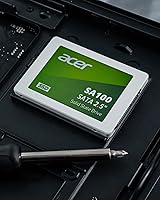
Overview

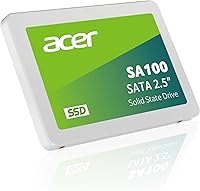
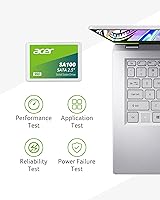
The Acer SA100 480GB Internal SSD is a no-frills, budget-friendly storage upgrade built around the familiar 2.5-inch SATA III form factor — the standard slot found in countless laptops and desktops manufactured over the past decade. Worth knowing upfront: it is made by Biwin, a well-established storage manufacturer that produces drives under several brand names, including Acer. That OEM arrangement is entirely normal in the industry and says nothing negative about quality. What matters is setting honest expectations — this is a SATA drive, which means its speed tops out around 560MB/s by design. If you are coming from a spinning hard drive, that difference is night and day. If you are comparing it to NVMe, that is a different race entirely.

Features & Benefits

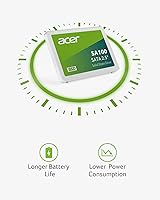
Where the SA100 SSD earns its keep is in the practical, day-to-day improvements it delivers. Read speeds reaching 560MB/s mean your operating system loads in seconds rather than the minute-long boot sequences that aging hard drives are notorious for. The 3D NAND flash inside contributes to better longevity compared to older storage technologies, which matters if you plan to use this as a primary drive for years. Power consumption is genuinely low — under 2 watts at peak — which translates into longer battery sessions on a laptop. At 480GB, there is room for a full OS install, core applications, and a solid library of files without constantly juggling storage. The bundled cloning software helps less confident users migrate their existing data without reinstalling everything from scratch.

Best For

This 2.5-inch SATA SSD is squarely aimed at one scenario: pulling an older machine back from the brink. If your laptop or desktop still runs a spinning disk, the performance jump after swapping in this drive is dramatic — faster startup, snappier application launches, and a noticeably quieter, cooler-running system. It is also a smart fit for secondary machines, media PCs, or netbooks that lack an M.2 slot altogether. Schools and small IT teams that need affordable, dependable storage across a fleet of machines will find the price-per-gigabyte hard to argue with. Just be honest about what it is not: if you are building a high-performance workstation or gaming rig where raw storage speed matters, an NVMe drive is the better path.

User Feedback

With a 4.5-star average across close to 2,000 buyer ratings, the SA100 SSD has clearly landed well with its target audience. The most consistent praise centers on how dramatically the drive improves machines previously stuck on hard disks — buyers regularly mention cutting boot times from over a minute down to under fifteen seconds. Installation gets high marks too; most users report the process as straightforward, and those who used the cloning software generally found it functional, if not particularly polished. On the critical side, some technically savvy buyers flag the Biwin manufacturing origin, though most agree it has not translated into reliability issues. A smaller number cite modest write speeds as a limiting factor for heavier workloads — expected for any SATA-class drive.

Pros

  • Boot times drop dramatically compared to a traditional spinning hard drive — often from over a minute to under fifteen seconds.
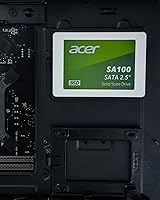
  • The 2.5-inch SATA form factor fits a huge range of laptops and desktops without any adapter needed.
  • 3D NAND flash offers better long-term durability and data retention than older storage technologies.
  • Power draw stays under two watts at peak, which meaningfully extends battery life on laptops.
  • The SA100 SSD ships with cloning software, making it easier to migrate an existing system without starting from scratch.
  • A three-year warranty provides solid coverage for the price tier — and is not something every budget drive includes.
  • Nearly 2,000 buyer ratings averaging 4.5 stars reflects consistent real-world satisfaction, not just launch buzz.
  • Installation is straightforward for most users — unscrew, swap, clone, and go.
  • Available in multiple capacity options, so buyers can size up if 480GB feels tight for their needs.
  • Running cooler and quieter than a mechanical drive is a practical, underrated benefit for everyday comfort.

Cons

  • SATA III tops out around 560MB/s read — NVMe drives at similar price points can be four to five times faster.
  • Write speeds are noticeably more modest than read speeds, which can slow down large file transfers.
  • The drive is manufactured by Biwin under the Acer brand name — buyers who research this may feel the branding is misleading.
  • No published TBW (terabytes written) endurance rating is readily available, making long-term durability harder to assess objectively.
  • The bundled cloning software is functional but not polished — less technical users may hit friction during setup.
  • 480GB fills up faster than expected once a full OS, applications, and media libraries are installed.
  • Not suitable for systems that only have an M.2 slot — physical compatibility needs to be confirmed before purchase.
  • This 2.5-inch SATA SSD offers no meaningful advantage over competing budget SATA drives in raw benchmark performance.

Ratings

Our AI rating engine analyzed thousands of verified global purchases of the Acer SA100 480GB Internal SSD, actively filtering out incentivized reviews, bot submissions, and outlier feedback to surface what real everyday buyers actually experienced. The scores below reflect both the genuine strengths that earned this drive a loyal following and the honest limitations that informed buyers should weigh before committing. Nothing is glossed over.

Value for Money
93%
Buyers consistently describe this as one of the most cost-effective ways to breathe new life into an aging machine. The combination of a recognized brand name, 480GB of usable storage, and included software utilities at this price tier is difficult to match without compromising on one element or another.
A small number of buyers who discovered the Biwin OEM origin felt the brand premium was not fully justified, since comparable anonymous-brand drives sometimes sell for even less. For cost-obsessed bulk buyers, the per-unit savings over competing white-label options may be marginal.
Real-World Speed
78%
22%
For users upgrading from a mechanical hard drive, the SA100 SSD delivers a transformation that feels dramatic — boot times shrink from over a minute to under fifteen seconds, and everyday apps snap open without hesitation. Web browsing, document editing, and media playback all feel genuinely smooth.
Users who benchmarked the drive noted that write speeds, while adequate, trail some competing SATA options in sustained workloads. Anyone already running an NVMe drive comparing side by side will find the SATA ceiling underwhelming — this is a limitation of the interface, not something a firmware update can fix.
Ease of Installation
91%
The physical swap is about as simple as internal storage upgrades get — unscrew the panel, slide the old drive out, seat the new one, and secure it. Most buyers with no prior hardware experience completed the process in under thirty minutes using nothing more than a small screwdriver.
A subset of users hit friction specifically with the bundled cloning software, reporting occasional compatibility issues with older Windows versions or confusion around the activation process. Without the cloning tool working smoothly, less technical users faced the more daunting prospect of a clean OS reinstall.
Long-Term Reliability
74%
26%
The majority of buyers who left feedback after extended use — six months to over a year — reported no failures or degradation in performance. The 3D NAND flash architecture is a meaningful step up from older planar designs and contributes to a more durable write cycle lifespan under normal daily use.
Without a publicly stated TBW (terabytes written) endurance rating, it is harder to assess how this drive holds up under heavier sustained write loads compared to competitors that publish that figure. A small but visible cluster of reviews mentioned early failures, though these represent a minority of the overall feedback pool.
Compatibility
88%
The 2.5-inch SATA form factor covers an enormous installed base of machines — older laptops, budget desktops, netbooks, and even some gaming consoles with accessible drive bays. Buyers appreciated that there were no surprises; if the machine has a standard SATA slot, this drive fits.
Compatibility becomes a non-starter for any machine that exclusively offers M.2 slots, which is increasingly common in laptops manufactured after 2018. A handful of buyers purchased without confirming their slot type first and found themselves with an incompatible drive.
Power Efficiency
86%
Laptop users specifically called out improved battery duration after swapping from a spinning drive, with some reporting an additional thirty to sixty minutes of use on a single charge. The sub-2W peak power draw is a genuinely low figure that translates into tangible real-world differences during light workloads.
The efficiency gains are most pronounced when replacing an older mechanical drive. Users upgrading from another SSD noticed little to no change in battery behavior, since modern SATA SSDs broadly operate in a similar power envelope.
Build Quality
71%
29%
The drive feels solid in hand and the casing shows no obvious flex or weak points during installation. At 1.44 ounces, it is light without feeling cheap, and the connector alignment fits standard SATA ports cleanly without forcing.
The white plastic casing divides opinion slightly — some buyers found it looked and felt less premium than all-metal alternatives at a similar price. Since the drive sits inside the machine and is never seen during use, this is largely cosmetic, but it does affect first impressions out of the box.
Boot Performance
89%
Faster startup was the single most frequently praised outcome across buyer reviews. Users running Windows 10 and Windows 11 consistently reported cold boot times of twelve to eighteen seconds after installation, a stark contrast to the sluggish start-up experience a mechanical drive produces.
Boot speed improvements are significant but plateau quickly — this drive does not outperform other mid-range SATA SSDs in startup benchmarks. If a machine has other bottlenecks like limited RAM or an older processor, the SSD alone will not fully eliminate startup lag.
Cloning Software
62%
38%
Buyers who got the cloning tool working smoothly appreciated not having to reinstall their operating system and applications from scratch. For non-technical users, having a guided migration path included in the box is a meaningful convenience that competing bare drives do not always offer.
The software attracted some of the most mixed feedback in the entire review set. Activation steps confused several buyers, and compatibility with certain system configurations caused cloning to fail or produce unbootable results. A number of users ended up abandoning it in favor of free third-party alternatives like Macrium Reflect.
Drive Monitoring Utility
67%
33%
Having a built-in health monitoring tool gives less experienced users a simple way to check that their drive is functioning normally without needing to research and install separate software. The basic status readout is clear enough for most everyday users to understand.
Experienced users found the monitoring utility thin on detail compared to free tools like CrystalDiskInfo, which surfaces more granular SMART data. The utility feels like a checkbox feature rather than a polished, full-featured diagnostic tool.
Noise and Heat
94%
One of the quieter but consistently appreciated upgrade benefits buyers mentioned was the complete elimination of mechanical drive noise — no more spinning platters, clicking heads, or vibration hum. The drive also runs cool under typical workloads, contributing to a quieter, more comfortable overall system.
There is little differentiation here between this drive and any other SSD — silence and low heat are universal properties of solid-state storage, not specific to this model. Buyers upgrading from SSDs will notice no change at all in this regard.
Warranty Support
73%
27%
A three-year coverage window is the standard expectation for this category, and the SA100 SSD meets it. Buyers reported that Acer's warranty claim process was functional, with replacement units issued without excessive friction in most documented cases.
Some buyers noted that navigating warranty service through an OEM-branded product — where the manufacturer is technically Biwin but the warranty is handled under the Acer name — added a layer of confusion to the support process. Response times for international warranty claims drew occasional criticism.
Capacity Usefulness
81%
19%
At 480GB, the drive hits a practical sweet spot for primary storage — comfortable for a full OS install, a suite of everyday applications, and a moderate collection of documents, photos, and media without constantly managing free space.
Power users who store large video projects, game libraries, or raw photo archives locally found 480GB fills up faster than expected. For those users, the 960GB variant makes more long-term sense, even if it stretches the budget somewhat.

Suitable for:

The Acer SA100 480GB Internal SSD is an ideal choice for anyone whose primary goal is rescuing an older machine from the crawling pace of a spinning hard drive. If your laptop takes several minutes to boot, stutters opening a browser, or sounds like a small turbine under load, swapping in this drive will feel like a genuine transformation — not an incremental improvement. It fits naturally into 2.5-inch bays found across a wide range of laptops and desktops produced over the last decade, making it one of the more universally compatible upgrade options at this price tier. Students, home office workers, and casual users who spend their time on documents, streaming, and light productivity tasks will find 480GB more than sufficient for years of daily use. IT teams or school administrators managing a fleet of aging machines on a constrained budget will also find the value proposition here hard to beat on a per-unit basis.

Not suitable for:

The Acer SA100 480GB Internal SSD is not the right call for users building or upgrading a performance-focused system where storage speed actually becomes a bottleneck. Video editors working with large raw files, software developers compiling sizeable codebases, or gamers running titles with aggressive asset-streaming requirements will quickly notice the ceiling that SATA III imposes — and an NVMe drive in the same budget range will serve those workloads considerably better. If your machine already has an M.2 slot available, it is almost always worth using it rather than settling for SATA speeds. Users who need more than 480GB for a single-drive setup may also find the capacity limiting over time, particularly as operating systems and applications continue to grow. Finally, anyone expecting enterprise-grade endurance ratings or the kind of write performance that matches premium consumer SSDs should look elsewhere — this drive is built for reliability at an everyday pace, not sustained heavy writes.

Specifications

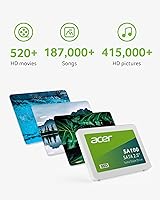
  • Storage Capacity: The drive offers 480GB of usable flash storage, suitable for a full operating system install, core applications, and a moderate media library.
  • Form Factor: It uses the standard 2.5-inch form factor, which fits the drive bays found in the vast majority of laptops and desktops built over the past decade.
  • Interface: Connectivity runs through a SATA III (6 Gb/s) interface, the most widely supported storage standard in non-NVMe consumer systems.
  • Read Speed: Sequential read throughput reaches up to 560MB/s, which enables fast boot times and responsive application loading on SATA-capable systems.
  • Write Speed: Sequential write throughput reaches up to 508MB/s under ideal conditions, adequate for everyday file operations and system tasks.
  • Flash Memory: The drive uses 3D NAND flash memory, which stacks memory cells vertically to improve density, endurance, and data retention compared to older planar designs.
  • Power Draw: Maximum power consumption is rated at 1.97W, which is lower than many competing SATA SSDs and contributes to reduced battery drain in laptops.
  • Dimensions: Physical measurements are 3.94 x 2.76 x 0.26 inches, conforming to the standard 2.5-inch SSD profile with a slim 7mm height.
  • Weight: The drive weighs 1.44 ounces, making it light enough to have no meaningful impact on laptop portability.
  • Manufacturer: The SA100 is produced by Biwin, a Chinese OEM storage manufacturer, and sold under the Acer brand name through a licensing arrangement.
  • Compatible Devices: The drive is compatible with desktops, laptops, and netbooks that feature a 2.5-inch SATA drive bay.
  • Warranty: Acer covers this drive with a 3-year limited manufacturer warranty against defects in materials and workmanship.
  • Bundled Software: The package includes access to downloadable drive cloning software and a monitoring utility for checking drive health and status.
  • Available Capacities: The SA100 family is available in four capacity options: 240GB, 480GB, 960GB, and 1920GB, allowing buyers to choose based on storage needs and budget.
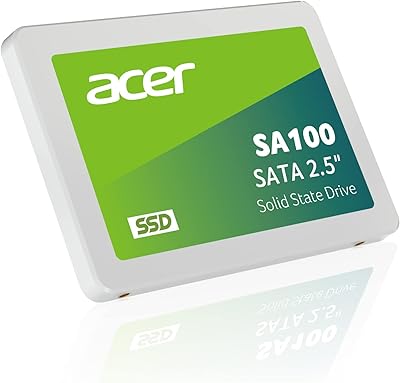
  • Color: The drive casing is finished in white, which is purely cosmetic since the unit is installed internally and not visible during normal use.

Related Reviews
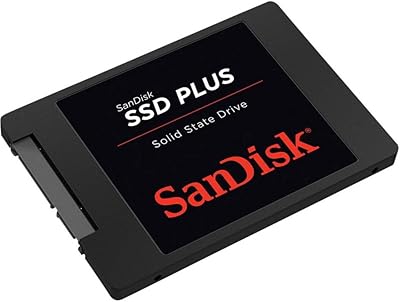
SanDisk SSD Plus 480GB Internal SSD
83%
91%
Value for Money
86%
Read Performance
67%
Write Performance
94%
Installation Ease
71%
Long-term Reliability
More
Acer SA100 960GB 2.5-inch SATA SSD
86%
91%
Value for Money
87%
Performance (Read Speed)
75%
Performance (Write Speed)
88%
Durability and Build Quality
90%
Compatibility
More
SanDisk SSD Plus 2TB Internal SSD
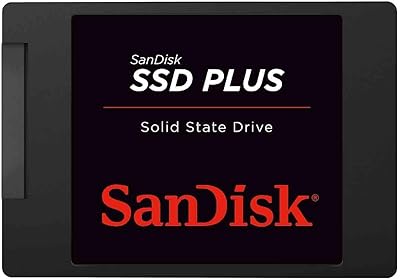
82%
88%
Read Speed Performance
74%
Write Speed Performance
94%
Installation & Compatibility
91%
Value for Money
86%
Long-Term Durability & Reliability
More
SanDisk SSD PLUS 240GB Internal SSD
87%
88%
Performance
92%
Speed Improvement vs HDD
90%
Durability / Shock Resistance
87%
Value for Money
94%
Ease of Installation
More
Kingston A400 480GB 2.5″ Internal SSD
84%
93%
Value for Money
78%
Read/Write Performance
91%
Installation Ease
82%
Build Quality
74%
Long-Term Reliability
More
Crucial BX500 480GB Internal SSD
82%
91%
Value for Money
83%
Read Speed Performance
67%
Write Speed Consistency
88%
Long-Term Reliability
93%
Installation Ease
More
Patriot P210 2TB Internal SSD
86%
86%
Performance
89%
Reliability
92%
Value for Money
88%
Ease of Installation
84%
Read Speed
More
Acer Predator GM7000 1TB SSD
90%
95%
Performance
93%
Speed (Read/Write)
89%
Thermal Management
87%
Power Efficiency
90%
Build Quality
More
Patriot P210 512GB Internal SSD
85%
90%
Value for Money
88%
Performance for Everyday Tasks
80%
Speed Consistency
85%
Gaming Performance
93%
Ease of Installation
More
Verbatim Vi550 4TB Internal SSD
87%
91%
Performance
89%
Installation Ease
92%
Read/Write Speeds
85%
Build Quality & Durability
88%
Compatibility
More

FAQ

Most laptops manufactured in the last ten to fifteen years use a 2.5-inch SATA drive bay, so the SA100 SSD will fit in the vast majority of them. Before buying, check your laptop model's specs or open the storage compartment to confirm you have a 2.5-inch SATA slot rather than an M.2 slot — the two are not interchangeable.

If you are coming from a traditional spinning hard drive, the difference is dramatic. Boot times that used to take a minute or more typically drop to under fifteen seconds. Applications open almost instantly, and the general sluggishness you associate with an older machine largely disappears. It is one of the highest-impact upgrades you can make to an aging PC.

Not directly. The drive is manufactured by Biwin, a well-established Chinese storage OEM, and sold under the Acer brand through a licensing agreement. This arrangement is common in the storage industry and does not inherently indicate lower quality — many reputable brands operate the same way. It is worth knowing, though, especially if brand origin matters to you.

For most laptops and desktops, you just need a small Phillips-head screwdriver to access the drive bay. The physical swap is simple. The slightly more involved part is migrating your existing data, but the bundled cloning software handles that process without requiring you to reinstall Windows or your applications from scratch.

NVMe drives are significantly faster — often four to five times faster in sequential read speeds. The SA100 SSD tops out at the SATA III speed ceiling, which is an inherent limitation of the interface, not the drive itself. For everyday tasks like web browsing, documents, and media, that gap is barely noticeable. For video editing, large file transfers, or fast game loading, NVMe has a clear edge.

For most people, yes. A Windows installation with typical software takes up roughly 50 to 80GB, leaving you with 400GB or more for files, photos, and applications. Where it gets tight is if you store large video libraries locally or install many large games. If you anticipate that, the 960GB version of this same drive might be worth considering.

It depends on your laptop manufacturer and the terms of your warranty. Many manufacturers explicitly allow storage upgrades without voiding coverage. Others are stricter. Check your laptop's documentation or contact the manufacturer directly before opening the machine if your warranty is still active and valuable to you.

The physical drive is compatible with any Mac that has a 2.5-inch SATA bay, but macOS installation adds complexity — you would need to format the drive correctly and reinstall macOS, which requires familiarity with Apple's recovery tools. Older MacBook Pros and Mac Minis with accessible SATA bays are the most common use case here.

The warranty covers manufacturing defects — essentially, if the drive fails under normal use conditions within three years, you can claim a replacement or repair through Acer's support channels. It does not cover data recovery, physical damage from mishandling, or failures caused by electrical surges. Keeping a backup of important data is still strongly recommended regardless of warranty coverage.

It is a useful extra, particularly for less experienced users who want visibility into their drive's health without hunting down third-party tools. The monitoring utility gives you a basic readout of drive status and wear indicators. That said, free alternatives like CrystalDiskInfo offer similar or more detailed functionality if you prefer not to install the bundled software.