Overview

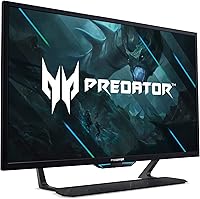
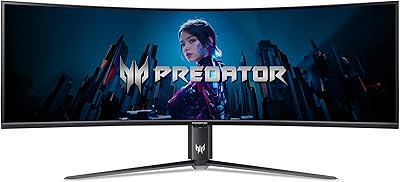
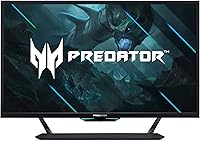
The Acer Predator CG437K 42.5″ 4K Gaming Monitor occupies an unusual niche — it's too large to feel like a conventional monitor, yet too close to your face to function like a TV. Built around a VA panel, it delivers the kind of inky blacks and punchy contrast ratios that IPS screens genuinely can't match, though you'll notice color shift if you're not sitting squarely in front of it. Launched in early 2022, it's aimed at dual-platform users who want one screen for both PC and console. At its price point, this is a deliberate, high-commitment purchase — and if your desk isn't at least 55 inches deep, the size alone may settle the decision for you.
Features & Benefits

Running 144Hz at native 4K on a VA panel is genuinely rare, and in practice it means fluid motion in fast-paced games without sacrificing resolution — though at this screen size, the gap between 144Hz and 165Hz is far less noticeable than the spec sheet implies. The DisplayHDR 1000 certification brings real local dimming and sustained peak brightness that cheaper HDR labels simply can't deliver, making HDR-enabled titles look properly dramatic. Two HDMI 2.1 ports let you connect a PS5 and an Xbox Series X simultaneously at 4K/120Hz — a genuinely useful dual-console setup. The USB-C port handles single-cable laptop connections, though its 30W power delivery will only trickle-charge most modern machines. G-SYNC Compatible performs reliably here, but it is not a full G-SYNC hardware module, and informed buyers should understand that distinction.

Best For

This large-format gaming monitor makes the most sense if you're consolidating a multi-device setup — one screen for your gaming PC, your PS5, and weekend movie watching. Sim racing and flight sim players will appreciate the sheer field-of-view advantage that 42.5 inches provides, where peripheral immersion matters far more than chasing 240Hz. If your priority is competitive, reaction-speed multiplayer, faster options exist at smaller sizes for less money. Practical reality: you need a deep desk and ideally a monitor arm, because the stock stand offers limited height and tilt range for a panel weighing 41 pounds. HDR enthusiasts looking to avoid OLED-level pricing while still getting a certified DisplayHDR 1000 experience will also find this a compelling landing spot.

User Feedback

The CG437K carries a 3.7-star average — notably low for a monitor at this price — and it's worth understanding what's driving that number rather than ignoring it. Owners who love it consistently highlight the immersive screen presence, punchy HDR performance in supported titles, and the convenience of having PS5 and PC connected simultaneously. The recurring complaints, however, are hard to dismiss: VA clouding appears during dark scenes, the stand feels underpowered for a panel this heavy, and some buyers have reported frustrating post-purchase support experiences. Backlight uniformity problems appear often enough in owner reviews to suggest inconsistent quality control. The divergence between controlled lab assessments and real-world ownership reports here is wider than average — factor that into your decision.

Pros

  • Dual HDMI 2.1 ports let you keep a PS5 and Xbox Series X connected at 4K/120Hz simultaneously.
  • The DisplayHDR 1000 panel delivers genuine local dimming and peak brightness that budget HDR screens simply cannot match.
  • Native 4K at 144Hz on a VA panel is a rare combination that few monitors at any price offer.
  • Deep, inky blacks from the VA panel make dark fantasy and space titles look genuinely cinematic.
  • At 42.5 inches, the field-of-view advantage in sim and strategy games is hard to replicate any other way.
  • Color accuracy rated at Delta E under 2 means out-of-box calibration is solid for most content types.
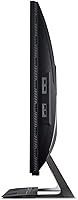
  • Five onboard USB ports and a USB-C input make cable management noticeably cleaner on a multi-device desk.
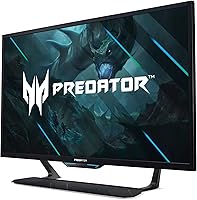
  • The zero-frame bezel gives the screen a clean, TV-like presence that suits a dedicated gaming room well.
  • Onboard 10-watt-per-channel speakers are functional enough that casual users can skip a separate soundbar entirely.

Cons

  • VA clouding appears during dark scenes and is a recurring, well-documented complaint among real-world owners.
  • Quality control inconsistencies — including backlight uniformity problems and occasional dead pixels — appear often enough to warrant concern.
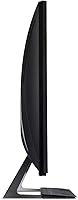
  • The stock stand offers very limited tilt and height adjustment, which is a real ergonomic shortfall at this panel size.
  • At 41 pounds, repositioning or solo-mounting this large-format gaming monitor is genuinely awkward and carries real risk of damage.
  • Customer support experiences documented by owners suggest inconsistent and sometimes frustrating after-sales service from Acer.
  • The glossy screen surface picks up ambient reflections easily, making room lighting a significant and often overlooked setup factor.
  • G-SYNC Compatible is not a full G-SYNC hardware module — variable refresh rate behavior can differ under demanding conditions.
  • At its price point, newer competitors have closed the gap with improved panel uniformity and stronger post-purchase support.
  • The 30W USB-C power delivery is too limited to charge most modern laptops during any intensive workload.

Ratings

Our AI rating system analyzed thousands of verified owner reviews for the Acer Predator CG437K 42.5″ 4K Gaming Monitor from buyers worldwide, actively filtering out bot submissions, incentivized feedback, and unverified one-time accounts to surface authentic long-term user experiences. Scores across each category reflect the full arc of real ownership — from unboxing through months of daily use — and both the strengths owners praise and the frustrations they document are transparently weighted into every number. Buyers at this price tier deserve an honest picture, and that is exactly what the ratings below deliver.
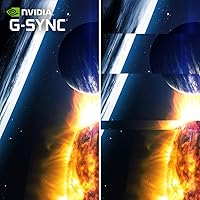
Image Quality
79%
21%
The VA panel's deep native contrast makes dark game environments and cinematic night scenes genuinely compelling — owners switching from IPS panels consistently describe the black depth as an immediate and obvious upgrade. DCI-P3 90% coverage adds richness to color-saturated titles, making open-world and fantasy environments look vivid without feeling artificially pushed.
Viewing angle limitations are a real issue at this screen size — brightness and color shift noticeably toward the panel's edges even from a straight-on seating position, which becomes apparent in widescreen content. Users who share the screen or sit slightly off-axis will encounter this wash-out effect regularly, and no OSD setting corrects for it.
HDR Performance
83%
The DisplayHDR 1000 certification delivers genuine peak brightness and local dimming — bright explosions, sunlit vistas, and neon-lit environments carry a depth and pop that lower-tier HDR panels simply cannot produce. Owners gaming in well-mastered HDR titles consistently rank this as the CG437K's single strongest attribute and a meaningful differentiator versus television alternatives.
HDR performance drops sharply when source content is not properly tone-mapped — users gaming in SDR or with misconfigured HDR modes report a washed-out look that requires manual OSD intervention to correct. Local dimming halos around bright objects against dark backgrounds are also visible in certain game scenarios, which can break immersion at critical cinematic moments.
Gaming Performance
81%
19%
At native 4K and 144Hz, motion in open-world and simulation titles is fluid in a way that owners describe as meaningfully better than their previous 27-inch or 32-inch setups. The 1ms VRB overdrive reduces trailing in fast lateral movement more than the VA panel type typically promises, and racing sim and strategy game players in particular highlight the screen real estate as transformative.
Competitive FPS players accustomed to 240Hz displays will notice the step down to 144Hz in reaction-speed-critical multiplayer scenarios, and at this screen size the advantage over 120Hz is less perceptible than on smaller panels. The G-SYNC Compatible implementation is functional under most conditions but lacks the frame-pacing precision of a dedicated hardware G-SYNC module at the edges of the supported refresh range.
Console Compatibility
88%
Owners with both a PS5 and an Xbox Series X describe the dual HDMI 2.1 setup as genuinely freeing — both consoles run at 4K/120Hz simultaneously with no switch box, no resolution downgrade, and fast input toggling between sessions. Console gamers frequently cite this as the primary reason they chose this large-format gaming monitor over a television at the same price.
A subset of owners reported intermittent handshake delays when switching inputs quickly between consoles, requiring a manual input toggle to restore the signal lock reliably. Activating VRR via the console's FreeSync implementation also required specific firmware settings that were not clearly documented, creating a frustrating trial-and-error setup process for less experienced users.
Build Quality
74%
26%
The chassis feels solid and well-assembled — the bezel surround shows minimal flex, and the VESA mount points are sturdy enough for owners transitioning immediately to a heavy-duty arm. The matte black finish with subtle Predator branding reads as premium in most gaming setups without being visually aggressive or cluttered.
The included stand feels underbuilt for a 41-pound panel — some owners noticed a perceptible wobble during typing or peripheral fan vibrations that a monitor at this price tier should not produce. The overall stand engineering falls short of what the chassis quality itself suggests, and the disparity between the two is noticeable from day one.
Ergonomics & Stand
41%
59%
Owners who replaced the stock stand with a heavy-duty third-party VESA arm reported dramatically improved positional flexibility and daily comfort. The base plate keeps the panel stable on flat surfaces, and VESA compatibility makes the transition to an aftermarket arm mechanically straightforward once the decision is made.
The complete absence of height adjustment is a serious daily frustration — most users need risers or a separate arm immediately to reach a comfortable eye-level position, adding unplanned cost from the first day of use. Tilt range is also narrow for a 42.5-inch panel, making it difficult to compensate for different chair heights or non-standard desk angles without additional hardware investment.
Connectivity
82%
18%
Two HDMI 2.1 ports, a DisplayPort 1.4, a USB-C input, and five onboard USB ports give owners enough connectivity to run a gaming PC, a console, and a laptop without an external dock. Users consolidating multi-device setups consistently highlight the port density as one of the monitor's most practical and underappreciated day-to-day advantages.
The USB-C port's 30W power delivery falls well short of what most modern laptops need to stay charged under real workloads, forcing users to keep a separate charger connected alongside the monitor cable. The absence of Thunderbolt support also limits the port's appeal for Mac users or those expecting higher-bandwidth data transfer from a USB-C connection.
Value for Money
56%
44%
For buyers who specifically need DisplayHDR 1000 certification with dual HDMI 2.1 for simultaneous console and PC use at this screen size, the feature combination is genuinely hard to replicate at a meaningfully lower price. Owners who received units with strong panel uniformity consistently feel the investment is justified given the HDR capability and screen real estate on offer.
A 3.7-star owner average at this price point is a difficult signal to overlook — quality control inconsistency means a real share of buyers receive a unit that underperforms relative to what the price implies. Newer competitors have also entered this size bracket with more reliable production consistency since the 2022 launch, meaningfully eroding the value argument for a new purchase today.
Screen Uniformity
53%
47%
Units on the stronger end of the panel distribution show commendably even backlighting across the full screen area, with no obvious hotspots during gaming or mixed productivity use. Owners who received well-performing panels praised uniformity in split-screen setups where bright and dark content are displayed side by side simultaneously.
VA clouding is the most frequently cited owner complaint — hazy, grayish patches appear in dark scene quadrants and cannot be corrected through calibration or any OSD adjustment. The volume and consistency of backlight uniformity reports across owner reviews point to a meaningful quality control variance at the panel level that buyers should treat as a genuine and calculable purchase risk.
Color Accuracy
84%
The Delta E under 2 factory rating holds up in practical use — owners doing light photo review or color-sensitive creative work alongside gaming found the panel reliable without needing third-party calibration tools. DCI-P3 90% coverage ensures HDR and wide-gamut content lands with the saturation and fidelity the source material intends.
The glossy panel surface compromises perceived accuracy in rooms with uncontrolled ambient light, where reflections visibly contaminate whites and mid-tones. Some owners also noted that default OSD color settings are not fully optimized out of the box and require manual fine-tuning to fully realize what the panel's factory calibration is actually capable of delivering.
Audio Quality
67%
33%
The dual 10-watt speakers are a genuine step above the bare-minimum audio found on most monitors — owners in dedicated gaming rooms found them adequate for background game audio and casual video watching without needing to route sound to external devices. Volume holds up in medium-sized rooms without audible distortion at higher settings.
Bass response is predictably thin, and in immersive titles where low-frequency sound design matters — racing sims, action games, cinematic cutscenes — the speakers fall noticeably short of even a modest soundbar. Most owners who take audio seriously transition to a headset or external speaker setup quickly, leaving the built-in audio as a secondary fallback rather than a primary solution.
Setup & Ease of Use
62%
38%
Day-to-day operation is straightforward once the monitor is properly positioned — the OSD covers all standard adjustments without burying key settings, and the proximity sensor that auto-dims and wakes the screen based on user presence is a small but consistently appreciated feature. The included cable kit covers most initial connection needs without requiring an additional accessories run.
Initial assembly is genuinely awkward for a single person — safely mounting a 41-pound panel onto the stand without risking the screen requires either a helper or a padded surface for support during attachment. Owners who bypassed the stock stand for a third-party arm also noted the full setup process takes considerably longer than equivalent panels at lighter weights.
After-Sales Support
44%
56%
Acer's warranty claim pathways are accessible for clear-cut defect scenarios, and owners with DOA units or obvious hardware failures did report receiving replacement units through standard contact channels. Phone, chat, and email support options exist and are reachable for initial claims without significant difficulty.
Negative support experiences appear with enough regularity across owner reviews to suggest systemic inconsistency rather than isolated incidents — slow response times, repair-versus-replace disputes, and difficulty escalating complaints are recurring themes. For a premium-priced monitor with documented panel variance, below-average after-sales support is a compounding risk that meaningfully raises the total cost of a bad unit.
Design & Aesthetics
77%
23%
The zero-frame bezel gives this 42.5-inch Acer Predator a clean, TV-adjacent presence that suits dedicated gaming rooms without looking aggressive or cluttered. The rear RGB strip doubles as a practical bias lighting source in low-light environments, actively reducing eye strain during extended dark-room sessions rather than serving a purely decorative function.
The glossy front panel accumulates fingerprints and dust more visibly than matte alternatives, requiring more frequent cleaning to maintain a presentable appearance — especially if others touch the screen edges. The angular Predator aesthetic and RGB elements will also feel out of place in minimalist or professional desk setups where a more understated monitor design is preferred.
OSD & Software
68%
32%
The on-screen display covers all expected categories — refresh rate confirmation, HDR mode selection, color presets, and input labeling — without burying frequently accessed settings in deep nested menus. The proximity and ambient light sensors that automatically adjust brightness based on room conditions work reliably and are positively mentioned by owners who use the monitor across varied lighting environments.
Switching between HDR modes or adjusting local dimming settings requires more button presses than the frequency of those adjustments warrants, which becomes a minor but persistent friction point. There is no companion desktop software for saving or loading display profiles, meaning all calibration work must be re-entered manually through the physical OSD controls every time a new mode is needed.

Suitable for:

The Acer Predator CG437K 42.5″ 4K Gaming Monitor is purpose-built for users who want a single large-format screen to handle multiple platforms without juggling inputs or sacrificing fidelity. If you own both a gaming PC and a current-gen console — a PS5 or Xbox Series X — the dual HDMI 2.1 ports mean both devices run at 4K/120Hz simultaneously, no switch box required. Sim racing enthusiasts, flight sim players, and strategy gamers will get the most out of the sheer field of view at this size, where peripheral immersion matters far more than chasing ultra-high refresh rates. The DisplayHDR 1000 certification makes it a credible pick for buyers who want real HDR performance in supported titles without committing to an OLED price point. It also functions well as a hybrid entertainment hub for someone with a dedicated gaming room who wants one screen to cover gaming, streaming, and casual movie watching.

Not suitable for:

Buyers expecting a stress-free, out-of-box experience should approach the Acer Predator CG437K 42.5″ 4K Gaming Monitor with grounded expectations — a 3.7-star owner rating on a premium product is a signal worth taking seriously, not explaining away. Competitive multiplayer gamers who prioritize ultra-low latency and raw frames-per-second above all else will find better-suited options at smaller sizes and, often, lower prices. Anyone working from a standard office desk will quickly run into spatial problems — 42.5 inches demands a room-scale setup, with an optimal viewing distance of roughly 3 to 4 feet that most desk configurations simply cannot accommodate. The stock stand's limited ergonomic range is a genuine frustration for a panel this heavy, and factoring in a quality monitor arm adds both cost and installation effort. Laptop users hoping to use this as a powered docking display should also know that 30W USB-C delivery falls short of keeping most modern laptops charged under any real workload.

Specifications

  • Panel Type: This monitor uses a VA (Vertical Alignment) panel, which produces strong native contrast ratios and deep blacks compared to IPS alternatives, though it exhibits color shift at wide viewing angles.
  • Screen Size: The display measures 42.5 inches diagonally, placing it firmly between a conventional desktop monitor and a small consumer television.
  • Resolution: The panel runs at a native resolution of 3840 x 2160 pixels (4K UHD), yielding approximately 104 pixels per inch at this screen size.
  • Refresh Rate: The maximum refresh rate is 144Hz at native 4K resolution, which is an uncommon combination for a VA panel at this size class.
  • Response Time: Acer rates the response time at 1ms using VRB (Visual Response Boost) overdrive, which reduces perceived motion blur rather than reflecting a true pixel transition time.
  • HDR Certification: The monitor carries a VESA DisplayHDR 1000 certification, which requires a minimum sustained peak brightness of 1000 nits and support for local dimming zones.
  • Adaptive Sync: Variable refresh rate is handled via G-SYNC Compatible (Adaptive Sync), confirming NVIDIA testing approval, though no dedicated G-SYNC hardware module is installed.
  • Color Gamut: The panel covers approximately 90% of the DCI-P3 color space, making it suitable for HDR content consumption and moderately color-sensitive creative tasks.
  • Color Accuracy: Factory color accuracy is rated at Delta E under 2, meaning deviation from reference colors is generally below the threshold of human perception under standard viewing conditions.
  • Connectivity: Input options include one DisplayPort 1.4, two HDMI 2.1 ports (each supporting 4K at 120Hz), and one USB-C port with DisplayPort Alt Mode support.
  • USB Hub: Five onboard USB ports function as an integrated hub, with one USB 3.1 Gen 1 Type-C port rated up to 5 Gbps for data transfer.
  • USB-C Power: The USB-C port delivers up to 30W of power, which can slow battery drain on smaller connected laptops but is insufficient to fully charge most modern 15-inch or larger machines under load.
  • Speakers: Two built-in speakers are rated at 10 watts per channel, providing onboard stereo audio without requiring a separate soundbar for casual everyday use.
  • Screen Surface: The panel has a glossy screen surface, which enhances color vibrancy and perceived contrast but increases susceptibility to reflections in brightly lit rooms.
  • Pixel Pitch: Each pixel measures 0.245mm, which at 42.5 inches keeps individual pixels indistinguishable at typical gaming viewing distances of 3 to 4 feet.
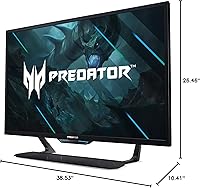
  • Dimensions: With stand attached, the monitor measures approximately 38.53 inches wide, 10.41 inches deep, and 26.46 inches tall.
  • Weight: The total assembled weight is approximately 41 pounds, requiring a sturdy desk surface and a heavy-duty VESA-rated arm if wall or arm mounting is planned.
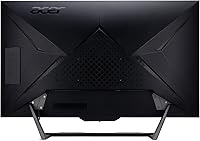
  • Design: The monitor features a zero-frame bezel, a rear RGB light strip, and built-in light and proximity sensors that allow automatic brightness adjustment based on ambient conditions and user presence.

Related Reviews

Acer Predator XB323QK 31.5″ 4K Gaming Monitor
73%
91%
Image Quality
88%
Color Accuracy
84%
Refresh Rate & Smoothness
76%
Response Time
52%
HDR Performance
More
Acer Predator X32 31.5-inch 4K UHD OLED Gaming Monitor
85%
94%
Display Quality
91%
Gaming Performance (Response Time & Refresh Rate)
93%
Color Accuracy & Vibrancy
88%
Ergonomics & Adjustability
89%
Build Quality
More
Acer Predator XB273K V5 27″ Gaming Monitor
80%
91%
Image Clarity
88%
Refresh Rate Flexibility
93%
Console Compatibility
86%
Motion Performance
52%
HDR Quality
More
Acer Predator X27U 27″ OLED Gaming Monitor
84%
94%
Image Quality
91%
Refresh Rate & Motion
89%
Color Accuracy
86%
Connectivity
82%
Ergonomics & Stand
More
Acer KB252Q G0bi 24.5″ IPS Monitor
73%
83%
Image Quality
86%
Color Accuracy
78%
Refresh Rate & Gaming
61%
Response Time
54%
Brightness
More
Acer SB322QK 31.5″ 4K UHD Monitor
75%
91%
Image Sharpness
83%
Contrast & Color Vibrancy
89%
Value for Money
44%
Ergonomics & Adjustability
62%
Gaming Performance
More
Acer Predator Z57 57-inch Curved Gaming Monitor
81%
94%
Display Quality
90%
Gaming Performance
92%
Color Accuracy
76%
Build Quality
88%
Ease of Setup
More
Acer Nitro KG251Q 24.5-inch Gaming Monitor
77%
93%
Refresh Rate Performance
91%
Value for Money
86%
Motion Clarity
82%
Image Contrast & Blacks
61%
Color Accuracy
More
Acer Nitro VG270K 27-inch 4K Gaming Monitor
76%
91%
Image Clarity
88%
Color Accuracy
86%
Motion Performance
83%
Refresh Rate Flexibility
61%
HDR Performance
More
Acer Predator X34 34-inch OLED Gaming Monitor
79%
94%
Image Quality
93%
Motion Performance
91%
Color Accuracy
88%
HDR Performance
87%
Ultrawide Immersion
More

FAQ

Yes — the two HDMI 2.1 ports both support 4K at 120Hz, so you can keep a PS5 and an Xbox Series X plugged in simultaneously without a switch box. Just make sure you enable the 4K/120Hz output mode in each console's display settings, since it does not always activate automatically after connection.

A standard office desk is almost certainly too small. At 42.5 inches, you need a desk wide enough to accommodate the panel and deep enough to sit roughly 3 to 4 feet away from the screen for comfortable viewing. A dedicated gaming desk, a large L-shaped desk, or a setup in a separate room is really the intended environment for this kind of display.

It is genuinely noticeable and owner reviews mention it consistently. VA clouding appears as hazy, grayish patches in darker areas of the image — most visible during night scenes in games, dark loading screens, or cinema content with letterbox bars. How much it bothers you depends on your content mix and room brightness, but it is not something you can simply ignore at this screen size.

G-SYNC Compatible means the monitor has passed NVIDIA validation for adaptive sync, but it does not include the dedicated G-SYNC hardware module found in premium certified monitors. For most users gaming within the supported frame rate range, the experience is smooth and the difference is minimal. Where you may notice a gap is at the very edges of the frame rate range, where a hardware module handles frame pacing more precisely.

You can — the USB-C port carries video signal via DisplayPort Alt Mode and delivers up to 30W of power through a single cable, which is convenient. The limitation is that 30W is only enough to slightly offset battery drain on larger laptops, not fully charge them under any real workload. For extended work sessions, you will still want your laptop's own charger connected separately.

In practical terms, yes. DisplayHDR 1000 mandates a minimum of 1000 nits peak brightness and true local dimming, which creates visible separation between bright highlights and dark shadow areas in supported content. Many televisions and cheaper monitors carry only DisplayHDR 400 or 600 badges and lack genuine local dimming, so the real-world difference in HDR scenes is tangible — though it still depends on the game or streaming service actually delivering proper HDR signal.

They are better than the token speakers you find on most monitors. Two 10-watt channels deliver enough volume and clarity for casual gaming, YouTube, and general video content in a medium-sized room. For competitive gaming, music listening, or any situation where audio matters, a dedicated headset or soundbar will be a clear upgrade — but as a fallback or secondary audio source, the built-in speakers hold up reasonably well.

The stand offers only a basic tilt range with no height adjustment, which is a real limitation for a panel this large. If you care about positioning the screen at proper eye level — which is important for comfort at 42.5 inches — a third-party VESA-compatible arm is worth adding to your budget. Make sure any arm you choose is rated for at least 45 pounds, as standard single-monitor arms are typically not built for this kind of load.

The Acer Predator CG437K 42.5″ 4K Gaming Monitor sits in an uncomfortable spot: buyers who receive units with strong panel uniformity and accurate calibration tend to rate it highly, while those who get panels with backlight clouding or uniformity inconsistencies are understandably frustrated given the price. The lower rating reflects quality control variance and, for some owners, difficulties getting satisfactory resolution from Acer support after the fact — not a universally flawed product design.
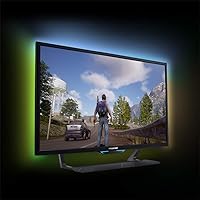
It handles both reasonably well in the right environment. The large screen, DisplayHDR 1000 performance in supported content, and adequate onboard speakers make it a practical media screen in a dedicated room. The glossy panel surface is the main watchout — it picks up reflections from lamps, windows, and overhead lights, so you will get the best results in a room where you can control ambient lighting. If your space doubles as a gaming room and a casual home theater, this large-format gaming monitor covers both uses without major compromise.

Where to Buy