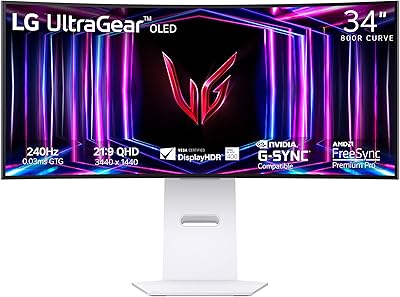
Overview

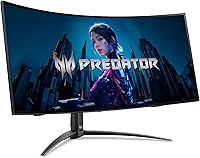
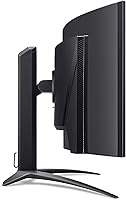
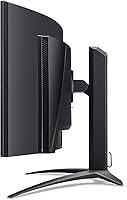
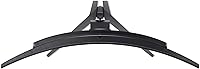
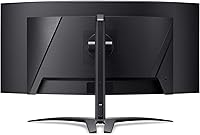
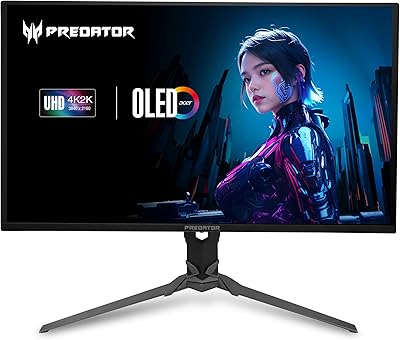
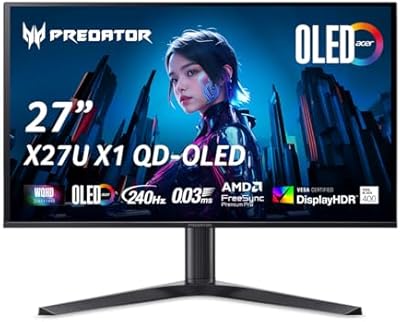
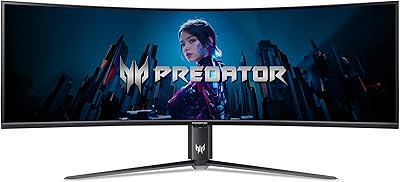
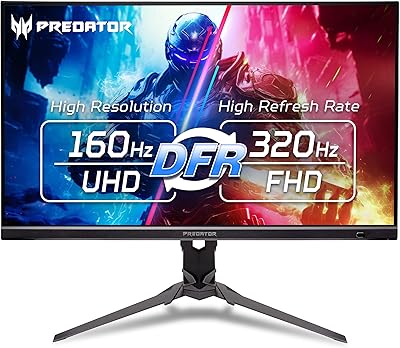
The Acer Predator X34 34-inch OLED Gaming Monitor sits firmly in the premium tier of the ultrawide market, built for gamers who refuse to compromise between raw speed and visual quality. The 800R curved panel wraps noticeably around your field of view — on a standard desk, it fills peripheral vision without feeling overwhelming. This isn't a budget pick or an all-around office display; it's a focused gaming panel that happens to look stunning doing it. Acer's Predator line has long carried credibility among enthusiasts, and the X34 ultrawide represents one of its more ambitious entries. If you're cross-shopping against cheaper IPS alternatives, the jump to QD-OLED blacks is what justifies the price premium.
Features & Benefits

What sets this Predator OLED monitor apart isn't the spec sheet alone — it's what those specs do in practice. In competitive FPS titles, 240Hz at 0.01ms means motion stays genuinely sharp; fast objects don't leave ghosting trails common on slower panels. QD-OLED contrast is a real step beyond IPS — dark scenes show actual black, not dark grey, which makes atmospheric games noticeably more immersive. Nvidia users should know the panel carries FreeSync Premium Pro but runs without tearing in most setups. On the burn-in front, Acer includes an image retention refresh cycle that runs automatically, which won't eliminate the risk entirely but does help manage it responsibly. The built-in KVM switch and USB-C 90W charging are genuinely useful for anyone running a laptop alongside a desktop.

Best For

The X34 ultrawide is most at home in two scenarios: the dedicated PC gamer who wants high-refresh competitive play without sacrificing color quality, and the dual-system user who needs one monitor to handle both a laptop and desktop cleanly. The DCI-P3 99% coverage also makes it workable for light color-grading or photo editing — not a professional colorist's monitor, but capable enough for creative work between sessions. Console gamers with a PS5 or Xbox Series X will appreciate the HDMI 2.1 support. That said, this isn't the right choice for everyone. Those who need portrait rotation, ultra-crisp text for all-day reading, or a compact footprint may find it impractical. Budget shoppers should look elsewhere — the price reflects what the panel genuinely delivers.

User Feedback

With 58 ratings and a 3.8-star average at the time of writing, the picture is promising but not yet definitive — this is still a relatively small sample. Early buyers consistently praise the color vibrancy and contrast, with several noting that dark-scene gaming looks unlike anything they experienced on a previous IPS or VA panel. The curve gets positive mentions for immersion. On the other side, a number of reviewers raise questions about stand rigidity and whether the initial setup process is as straightforward as expected. Burn-in anxiety is a recurring theme in comments, though most buyers who have used it for several months report no visible issues so far. Value satisfaction varies — those who knew what they were buying feel it is worth it; those expecting a bargain do not.

Pros

  • QD-OLED blacks are in a different category from IPS — dark scenes have real depth that budget panels cannot replicate.
  • 240Hz refresh rate keeps fast-paced FPS gameplay sharp and fluid with no visible ghosting.
  • The built-in KVM switch and USB-C 90W port make dual-workstation setups genuinely less painful to manage daily.
  • Two HDMI 2.1 ports give PS5 and Xbox Series X owners full next-gen bandwidth on a large ultrawide screen.
  • DCI-P3 99% color gamut makes this Predator OLED monitor a credible choice for photo editing alongside gaming.
  • AMD FreeSync Premium Pro delivers tear-free gameplay, with broadly good results for Nvidia GPU users as well.
  • The 800R curve wraps naturally around your field of view, adding real immersion in open-world and cinematic titles.
  • A matte screen surface keeps reflections under control in ways glossy OLED panels typically cannot manage.
  • Acer's automatic image retention refresh cycle provides a practical, hands-off layer of burn-in management.

Cons

  • OLED burn-in remains a genuine long-term risk; static HUD overlays in heavily played titles could cause permanent image retention.
  • With only 58 ratings at the time of writing, long-term reliability data is still too limited to draw confident conclusions.
  • At nearly 27 pounds and over 31 inches wide, this display demands a large and sturdy desk to sit safely.
  • The stand does not support portrait rotation, ruling it out for developers or writers who prefer a vertical layout.
  • 3440x1440 pixel density on a 34-inch panel looks noticeably softer for small text compared to 4K alternatives.
  • A number of early buyers flagged the stand as feeling less solid than a panel at this price point should warrant.
  • Setup and cable management complexity has drawn complaints from buyers who expected a more straightforward out-of-box experience.
  • G-Sync compatibility is not officially certified, which can introduce occasional refresh rate inconsistencies for some Nvidia GPU configurations.

Ratings

Scores for the Acer Predator X34 34-inch OLED Gaming Monitor were generated by our AI system after processing verified buyer reviews from multiple global markets, with bot-generated, incentivized, and spam submissions actively filtered out. The ratings transparently reflect both what genuinely impresses owners and the pain points that give some buyers pause. Strengths in visual performance and gaming immersion are clearly represented, but concerns around build quality, setup complexity, and long-term OLED longevity are honestly factored in.

Image Quality
94%
The QD-OLED panel delivers blacks that IPS monitors simply cannot replicate — in dark atmospheric games or cinematic cutscenes, shadow detail and contrast feel genuinely different from anything on a backlit display. Buyers who upgraded from IPS ultrawides consistently describe the visual shift as immediate and striking, particularly in games with high-contrast environments.
A number of users note that the matte coating, while useful for glare reduction, introduces very slight diffusion that takes some of the edge off the panel's peak vividness compared to glossy OLED alternatives. This is a minor trade-off for most, but buyers in bright rooms accustomed to glossy screens should be aware of the difference.
Motion Performance
93%
At 240Hz with a 0.01ms response rating, fast-paced FPS gameplay feels noticeably cleaner and more responsive than on 144Hz or 165Hz panels. Buyers who play titles where tracking fast-moving targets is critical — shooters, racing sims, fighting games — report that trailing and blur artifacts are virtually eliminated during normal gameplay.
Achieving the full 240Hz ceiling requires a GPU capable of consistently driving 3440x1440 at that frame rate, which is a demanding combination that many mid-range systems cannot sustain in modern titles without lowering settings. The advertised performance is real, but unlocking it fully depends on hardware that buyers may still need to upgrade toward.
Color Accuracy
91%
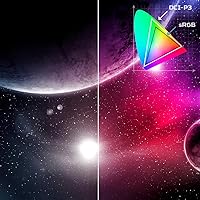
The 99% DCI-P3 coverage makes colors look vivid and richly saturated from the moment you power it on — warm tones, neon lighting, and natural foliage in games all appear richer than on standard-gamut panels. Buyers using it for light photo editing alongside gaming find the color reproduction credible enough for non-professional creative workflows.
Out-of-box calibration receives mixed feedback — some users report colors running slightly oversaturated by default, requiring manual OSD adjustment to reach neutral accuracy for color-sensitive tasks. Without a hardware calibrator, achieving truly precise results for professional creative work involves a time investment that more casual buyers may not want to make.
HDR Performance
88%
The VESA DisplayHDR True Black 400 certification with a minimum luminance floor near absolute black means HDR content in supported games looks genuinely layered — star fields, ember glow, and deep shadow areas retain detail that cheaper HDR certifications flatten or blow out. This is one of the more credible HDR implementations available at this screen class.
HDR support remains inconsistent on the software side — some titles implement tone mapping poorly, leading to washed-out highlights or crushed shadows even when the hardware can handle it. Buyers expecting universally great HDR across their entire library should temper expectations, since the monitor performs well but cannot compensate for poor in-game implementation.
Ultrawide Immersion
87%
The 34-inch 21:9 format combined with the 800R curvature creates a field of view that wraps naturally into peripheral vision, making open-world exploration and driving titles feel noticeably more encompassing than flat panels of similar diagonal size. Buyers who spend long sessions in immersive single-player titles consistently rate this as one of the display's most satisfying qualities.
Not all games support 21:9 natively, and some competitive multiplayer titles explicitly restrict the wider aspect ratio for fairness reasons. Console users face additional friction since PS5 and Xbox Series X output at 16:9 by default, resulting in black side bars for most titles until developers add explicit ultrawide support.
Gaming Performance
92%
For PC gaming specifically, this Predator OLED monitor hits an unusually high combination of specs — 240Hz, near-instant response, adaptive sync, and true blacks work together in a way that feels cohesive rather than a checklist of separate features. Buyers who alternate between competitive and immersive titles find it handles both convincingly without meaningful compromise.
The performance ceiling is genuinely high, but sustaining frame rates near 240fps at 3440x1440 in demanding modern titles requires a high-end GPU that many current rigs do not have. Buyers may find themselves running well below the refresh rate ceiling until they invest in a more powerful graphics card to match the display's capability.
OLED Longevity
58%
42%
Acer's automatic image retention refresh cycle runs in the background without requiring manual intervention, addressing the most common early-stage retention risks proactively. Buyers who have owned the monitor for several months at the time of writing report no visible burn-in so far, which is an encouraging early sign for varied gaming use across multiple titles.
Burn-in is a structural limitation of OLED technology that no refresh cycle fully eliminates, and gamers who spend thousands of hours in a single title with a persistent static HUD carry real long-term risk. The relatively short ownership window across existing reviews means long-term durability data is still thin, leaving early adopters with genuine uncertainty about multi-year performance.
Build Quality
72%
28%
The panel chassis itself feels solid and visually consistent with Acer's Predator design language — angular without being garish, with no obvious flex or creaking when the display is repositioned. Most buyers are satisfied with the physical quality of the panel housing once it is settled in its final desk position.
The stand draws the most pointed criticism relative to the panel's price tier — several early buyers describe it as feeling noticeably lighter and less rigid than expected for a monitor at this level. Minor wobble when reaching over the desk to adjust settings or accidentally bumping the surface is a recurring complaint that undercuts the premium positioning.
Stand & Ergonomics
66%
34%
Height, tilt, and swivel adjustments cover the basics and allow most users to find a comfortable viewing angle without immediately reaching for a third-party arm. For a heavy ultrawide, the stand does an adequate job maintaining stability during normal stationary use once dialed in.
Portrait rotation is entirely absent, which is a firm limitation for developers, writers, or anyone who relies on a vertical layout for part of their workflow. Several buyers also report that the height adjustment range feels narrower than competing monitors at this size, and the stand's rigidity under regular interaction receives mediocre feedback consistently.
Connectivity & Ports
84%
The port selection is well-rounded for a gaming monitor — two HDMI 2.1 ports, DisplayPort 1.4, and a USB-C with 90W charging cover PC, dual-console, and laptop connectivity without requiring additional adapters. Buyers with multi-device setups appreciate having all the inputs they need available from a single display.
USB-A hub ports are limited in number, which can become a bottleneck for users with several peripherals connected simultaneously. A few buyers also note that OSD input switching navigation feels less intuitive than expected, adding friction when rapidly toggling between multiple connected devices during a working session.
KVM Usability
82%
18%
The built-in KVM switch is a genuinely practical feature for users running a work laptop and gaming desktop side by side — one monitor, one keyboard, one mouse, and a button press to move between machines. Buyers who eliminated a separate KVM box or a two-monitor setup report it simplifies their desk considerably.
The KVM implementation is functional but not polished — some users report occasional lag or inconsistency when switching between connected systems, particularly with certain USB hub and peripheral combinations. It works reliably for most buyers, but those expecting enterprise-grade KVM precision may find the behavior less consistent than dedicated standalone hardware.
Console Compatibility
83%
Both a PS5 and an Xbox Series X can be connected simultaneously via the two HDMI 2.1 ports, running at up to 120Hz each without cable juggling or swapping. Buyers using the display as a shared PC and console hub find the dual-HDMI 2.1 layout particularly convenient compared to monitors that include only one such port.
The 21:9 format means most console games display with black side bars unless the developer added specific ultrawide support, which remains uncommon on current-generation console titles. Variable refresh rate activation from consoles also depends on individual title and firmware support, so the full VRR benefit is not consistently available across the whole library.
Value for Money
73%
27%
Buyers who specifically wanted QD-OLED performance at 240Hz in an ultrawide form factor find the price justified, since that particular combination remains rare and commands a premium across the entire market segment. Those who upgraded from a mid-range IPS ultrawide consistently describe the visual improvement as immediately noticeable and worth the cost difference.
At this price tier, buyers expect flawless build quality and a friction-free out-of-box experience — and the stand quality alongside setup complexity soften the overall value perception. With only 58 ratings currently available, the long-term value picture remains incomplete, and early adopters carry more uncertainty about multi-year durability than a larger review sample would allow.
Setup & Installation
63%
37%
The physical assembly is manageable — the stand attaches without tools and the port layout is clearly labeled, making single-PC connections via DisplayPort relatively quick to get running. Users who kept the configuration simple report a smooth initial experience with minimal driver or resolution configuration needed.
Multiple buyers flag the setup as more complicated than expected when combining the KVM switch, USB-C charging, and multiple input sources at once. OSD menu navigation is described as non-intuitive by several reviewers, and properly configuring HDR output for gaming adds a layer of calibration steps that casual users find tedious and poorly documented.
Productivity Use
61%
39%
The wide 21:9 canvas handles multi-window work reasonably well — running a code editor, browser, and chat tool side by side is genuinely usable without a second monitor. For creative work with wide timelines or canvas-heavy applications like video editors and DAWs, the format offers a real practical advantage.
Text rendering at 3440x1440 across 34 inches is noticeably softer than 4K displays at a comparable diagonal size, making extended document reading and dense UI text less comfortable over a full workday. Buyers migrating from a 4K panel primarily for office use will likely experience the pixel density as a step backward for text-heavy tasks.

Suitable for:

The Acer Predator X34 34-inch OLED Gaming Monitor is purpose-built for serious PC gamers who refuse to choose between raw speed and stunning visuals — and who have the desk space and budget to support that ambition. Competitive FPS players will notice what 240Hz actually does in fast-moving scenes, while RPG and open-world gamers will find the deep blacks and DCI-P3 99% color coverage genuinely transformative for atmospheric titles. It is also a strong fit for dual-system users: anyone running a laptop alongside a desktop will find the built-in KVM switch and USB-C 90W charging port meaningfully reduce cable clutter and switching friction. Console players with a PS5 or Xbox Series X benefit from two HDMI 2.1 ports, delivering full bandwidth for high-refresh gaming on an ultrawide that most competitors don't match at this spec level. Creative professionals who also game will find the color accuracy capable enough for photo editing and light color work between sessions.

Not suitable for:

The Acer Predator X34 34-inch OLED Gaming Monitor is not the right fit for buyers approaching it as a general-purpose or productivity-first display. Those who spend most of their screen time reading documents or working with dense text may find the 3440x1440 resolution less crisp than higher-pixel-density panels, and the 21:9 format can complicate standard productivity workflows. Anyone who needs portrait-mode rotation is out of luck — the stand does not support it. Burn-in remains a realistic long-term concern for OLED technology regardless of the built-in refresh cycles, which means static HUD elements in titles played for thousands of hours carry genuine risk. Budget-conscious shoppers should also reconsider carefully: the price is substantial, and more affordable IPS ultrawides handle everyday gaming and productivity without the OLED-specific trade-offs. Buyers with compact or shallow desks may also struggle — at nearly 31 inches wide and over 12 inches deep, Acer's curved gaming display commands significant real estate.

Specifications

  • Panel Type: Uses a QD-OLED (Quantum Dot OLED) panel, combining per-pixel OLED contrast with a quantum dot layer for enhanced color saturation and brightness.
  • Screen Size: 34-inch diagonal panel in an ultrawide 21:9 format, providing substantially more horizontal screen area than a comparable 16:9 display.
  • Resolution: Native resolution of 3440x1440 (UWQHD), yielding approximately 109 pixels per inch across the panel surface.
  • Aspect Ratio: 21:9 ultrawide aspect ratio, suited to cinematic gaming and wide multi-window productivity layouts.
  • Refresh Rate: Maximum native refresh rate of 240Hz, supported over both DisplayPort 1.4 and HDMI 2.1 connections.
  • Response Time: Rated at 0.01ms pixel response time (GtG), which minimizes motion blur and ghosting artifacts during fast-moving on-screen content.
  • Curvature: 800R curved panel geometry, calibrated to align with the approximate natural curvature of human peripheral vision at standard desktop viewing distances.
  • HDR Support: Certified to VESA DisplayHDR True Black 400, with a minimum black luminance of 0.0005 nits for deep, accurate shadow rendering.
  • Color Gamut: Covers 99% of the DCI-P3 color space, making it suitable for both gaming and color-sensitive creative workflows.
  • Adaptive Sync: AMD FreeSync Premium Pro certified, with variable refresh rate (VRR) support to eliminate screen tearing, stuttering, and flicker during gameplay.
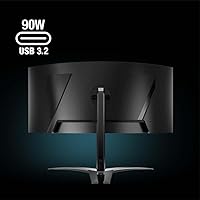
  • Connectivity: Port selection includes one USB-C (90W Power Delivery), one DisplayPort 1.4, and two HDMI 2.1 inputs for broad device compatibility.
  • KVM Switch: Built-in KVM switch allows one keyboard and mouse to control two connected computers through the monitor's integrated USB hub.
  • USB-C Charging: The USB-C port delivers up to 90W of Power Delivery, sufficient to charge most modern laptops while simultaneously handling display output.
  • Screen Surface: Matte anti-glare coating diffuses ambient light reflections, reducing eye strain in brighter room environments.
  • Burn-in Protection: Includes Acer's image retention refresh technology, which automatically runs pixel-refresh cycles to help mitigate OLED image retention over extended use.
  • Dimensions: Measures 30.94 x 19.5 x 12.02 inches (W x H x D) with the stand attached, requiring a deep and wide desk surface.
  • Weight: Total assembled weight is 27.4 pounds (approximately 12.4 kg) including the stand, which should be factored in when choosing a desk or monitor arm.

Related Reviews

Acer Predator X32 31.5-inch 4K UHD OLED Gaming Monitor
85%
94%
Display Quality
91%
Gaming Performance (Response Time & Refresh Rate)
93%
Color Accuracy & Vibrancy
88%
Ergonomics & Adjustability
89%
Build Quality
More
Acer Predator X27U 27″ OLED Gaming Monitor
84%
94%
Image Quality
91%
Refresh Rate & Motion
89%
Color Accuracy
86%
Connectivity
82%
Ergonomics & Stand
More
Acer Predator Z57 57-inch Curved Gaming Monitor
81%
94%
Display Quality
90%
Gaming Performance
92%
Color Accuracy
76%
Build Quality
88%
Ease of Setup
More
Acer Nitro XZ342CU 34″ Curved Gaming Monitor
78%
86%
Image Quality
88%
Refresh Rate Performance
91%
Ultrawide Immersion
54%
HDR Performance
83%
Build Quality
More
LG 34GS95QE 34-inch OLED Curved Gaming Monitor
81%
96%
Image Quality
94%
Motion Clarity
97%
Contrast & Black Levels
91%
Refresh Rate Performance
88%
Immersion & Curve
More
Acer Predator XB273K V5 27″ Gaming Monitor
80%
91%
Image Clarity
88%
Refresh Rate Flexibility
93%
Console Compatibility
86%
Motion Performance
52%
HDR Quality
More
LG 34GX90SA-W 34-inch OLED Curved Gaming Monitor
81%
94%
Picture Quality
91%
Gaming Performance
88%
Immersion & Curvature
83%
Smart Platform (webOS)
93%
Contrast & Black Levels
More
MSI MPG 341CQPX 34-inch Curved OLED Gaming Monitor
83%
94%
Display Quality
92%
Gaming Performance (240Hz)
89%
Color Accuracy
85%
Ease of Setup
80%
Software (Gaming Intelligence App)
More
Alienware AW3423DW 34-inch QD-OLED Gaming Monitor
83%
97%
Image Quality
94%
Motion Performance
96%
Contrast & Black Levels
89%
Color Accuracy
91%
Refresh Rate & Sync
More
Alienware AW3425DWM 34-inch Curved Gaming Monitor
82%
91%
Image Clarity & Sharpness
89%
Refresh Rate & Motion Performance
93%
Ultrawide Immersion
84%
Color Accuracy & Vibrancy
62%
HDR Performance
More

FAQ

It works fine with Nvidia GPUs. The panel carries AMD FreeSync Premium Pro certification rather than official G-Sync certification, but Nvidia's G-Sync Compatible mode via DisplayPort works for most users without significant issues. Performance can vary slightly by driver version, but the majority of Nvidia owners do not report major variable refresh rate problems in practice.

It is a legitimate concern worth taking seriously, not dismissing. QD-OLED panels are more vulnerable to image retention than IPS or VA displays, especially from static elements like health bars, minimaps, or persistent UI overlays that sit in the same screen position for thousands of hours. Acer includes an automatic pixel-refresh cycle to help manage this risk, but it does not eliminate it. For varied gaming across multiple titles, the risk is relatively low. For someone who plays one game heavily for years with a fixed HUD, the risk is real and worth factoring in before buying.

Yes, both consoles can run at up to 120Hz through the HDMI 2.1 ports, which provide the bandwidth needed without compromise. One thing to keep in mind: the PS5 and Xbox Series X output natively in 16:9, so you will see black bars on the left and right sides of the screen unless the specific game explicitly supports 21:9 ultrawide output, which relatively few console titles currently do.

The KVM switch lets you connect two computers to the monitor simultaneously and share one keyboard and mouse between them. You plug both machines into the monitor, connect your input peripherals to the monitor's USB hub, and switch control between the two systems using the monitor's input selector. In practice it is genuinely useful for anyone with a work laptop and a gaming desktop on the same desk — no need for a separate KVM box or the constant swapping of USB cables.

Standard OLED panels use white OLED subpixels filtered through color layers, which can limit peak brightness and color saturation. QD-OLED replaces those filters with a quantum dot layer that converts blue OLED light into highly saturated red and green, producing better color volume and higher brightness while retaining the true per-pixel blacks that make OLED contrast so striking. In plain terms, it looks more vibrant and punchy than a conventional OLED at comparable brightness levels.

It is a large monitor — nearly 31 inches wide and about 12 inches deep with the stand attached, and it weighs close to 28 pounds. A standard desk of 47 inches or wider should accommodate it, but shallower desks may force you to sit uncomfortably close. The 800R curve helps somewhat, since the panel wraps toward you rather than extending flat, which makes the viewing distance feel more natural than a flat ultrawide of the same diagonal size.

It can handle office tasks, but it is not optimized for them. The 3440x1440 resolution across 34 inches gives useful horizontal space for side-by-side windows, but text sharpness is noticeably lower than a 4K display of a similar size. Long reading sessions or work involving fine UI details may feel slightly soft compared to higher pixel-density alternatives. It is more comfortable for wide creative work — video editing timelines, expansive spreadsheets — than for dense text-heavy productivity.

The X34 ultrawide supports 240Hz over both DisplayPort 1.4 and HDMI 2.1, which is a direct benefit of the HDMI 2.1 spec over the older 2.0 standard. PC users on DisplayPort get full 240Hz without any compromise. Console users are limited by the hardware in their consoles — both the PS5 and Xbox Series X are currently capped at 120Hz regardless of what the monitor can accept.

Acer typically bundles a DisplayPort cable, a USB-C cable, and a power cable with this class of monitor, but an HDMI cable is not always included at this tier. It is worth confirming the exact contents with your retailer or on Acer's product page for your regional SKU before assuming all ports are covered out of the box. If you are connecting a console via HDMI 2.1, budget for a high-quality HDMI 2.1 cable separately just in case.

The Acer Predator X34 34-inch OLED Gaming Monitor includes a stand with height, tilt, and swivel adjustments, though portrait rotation is not supported. VESA mounting is available for users who prefer a monitor arm — consult Acer's official spec documentation for the exact VESA hole pattern before purchasing a third-party arm, as ultrawide displays at this weight can require a heavy-duty mount rated for the load.

Where to Buy

B&H Photo Video Audio
In stock $699.99
B&H Photo-Video-Audio
In stock $699.99