

Overview

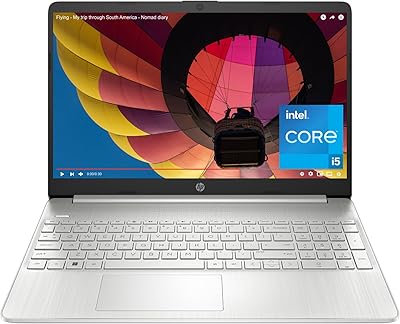
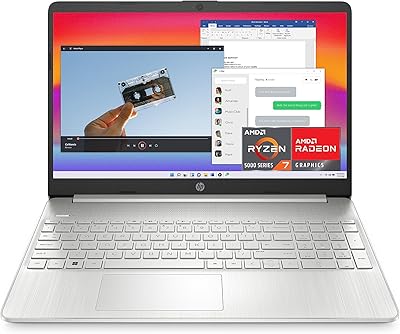
The HP 15-fd0012nr 15.6-Inch Laptop entered the market in spring 2024 as a sensible, no-frills everyday machine aimed squarely at students, remote workers, and households on a reasonable budget. The headline improvement over older HP budget models is the 13th Gen Core i5 processor — a chip that brings noticeably better responsiveness than the aging sixth- and eighth-gen options it competes against on store shelves. The 15.6-inch full HD display and silver chassis are mass-market staples, chosen for familiarity rather than distinction. Honest assessment: this is a capable daily driver, not a performance machine. That it has maintained a consistent mid-tier sales rank on Amazon since launch suggests it is meeting expectations for a large slice of everyday laptop buyers.

Features & Benefits

The i5-1334U's 10-core design means everyday multitasking — a video call, a browser with a dozen tabs, a spreadsheet open in the background — stays responsive in ways older budget chips simply can't match. The 512GB SSD is one of this HP 15 laptop's clearest wins: boot times are quick, apps launch without waiting, and it's a genuine improvement over the spinning hard drives still found in some competing machines. Where you'll want to manage expectations is the 8GB of RAM — it handles routine tasks well, but heavy multitaskers will feel the ceiling. Also worth noting: one Amazon listing mentions an NVIDIA GPU, but the actual graphics are Intel Iris Xe, which is integrated and suited for streaming and casual use, not gaming. The HP Fast Charge and seven-hour battery round out a solid everyday package.

Best For

This mid-range HP is a natural fit for college students who need a dependable machine for writing papers, attending virtual lectures, and staying connected — and it's light enough to carry between classes without complaint. Remote and hybrid workers who live in email, spreadsheets, and video conferencing will find it does exactly what they need, especially with the backlit keyboard and noise-reducing microphones doing quiet but real work on call quality. Families sharing a household device for browsing, streaming, and basic document work will appreciate the large screen and straightforward Windows 11 setup. That said, be honest with yourself: if you edit video, develop software, or play demanding games, this laptop's integrated graphics and RAM ceiling will frustrate you before long. It shines brightest as a reliable daily workhorse, not a versatile power tool.

User Feedback

Buyers generally come away satisfied with the fast startup and clean out-of-box experience — Windows 11 Home is well-configured and doesn't require much tinkering before the machine is ready to use. The keyboard draws consistent praise for feel and backlit convenience, and the physical camera shutter is often called out as a welcome touch that budget shoppers don't always expect. On the critical side, heavy multitaskers report the RAM showing its limits when too many apps are running simultaneously — a real consideration worth factoring in before buying. The display is fine indoors but can wash out in brighter environments. Speaker quality divides opinion: adequate for background listening, outclassed by even modest external speakers. The plastic chassis is sturdy enough for daily use, though it won't feel premium in hand.

Pros

  • The 13th Gen Core i5 handles everyday multitasking — browser tabs, Office apps, video calls — without breaking a sweat.
  • Boot times and app launches are noticeably quick thanks to the 512GB solid-state drive.
  • HP Fast Charge gets the battery to 50% in roughly 45 minutes, a genuine lifesaver on busy mornings.
  • The backlit keyboard is comfortable for long typing sessions and works well in dim or low-light environments.
  • A physical camera shutter gives privacy-conscious users a simple, reliable way to block the webcam entirely.
  • Dual-array microphones with noise reduction keep video calls clear without needing an external microphone.
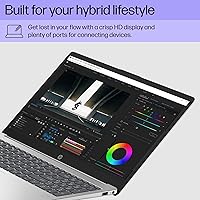
  • The large 15.6-inch full HD screen provides a comfortable viewing area for documents, streaming, and browsing.
  • Windows 11 Home arrives cleanly configured, requiring minimal setup before the machine is ready to use.
  • Weighing under five pounds, it is portable enough for daily commutes and campus carry without strain.
  • Consistent mid-tier sales performance since launch reflects steady real-world satisfaction among everyday users.

Cons

  • 8GB of RAM can feel restrictive when juggling many applications simultaneously, especially for heavier multitaskers.
  • The display tends to wash out in bright environments, making outdoor or sunlit-room use noticeably less comfortable.
  • Speaker output is thin and underwhelming — even modest external speakers or headphones make a significant difference.
  • The plastic chassis, while functional for daily use, lacks the rigidity and feel of more durable builds.
  • Intel Iris Xe integrated graphics rule out any meaningful gaming or GPU-accelerated creative workloads entirely.
  • Real-world battery life under moderate continuous load may fall short of the full seven-hour estimated figure.
  • The port selection is limited — two USB 2.0 and one USB 3.0 — and a hub will likely be necessary for most setups.
  • Wi-Fi 5 connectivity lags behind the Wi-Fi 6 standard now common on similarly priced competing models.
  • Some product listings inaccurately cite a discrete NVIDIA GPU, creating a misleading impression of graphics capability.
  • Color accuracy and peak brightness on the 1080p panel fall short of what photographers or designers typically require.

Ratings

Our AI-powered rating system analyzed verified buyer feedback for the HP 15-fd0012nr 15.6-Inch Laptop from reviewers across multiple markets worldwide, actively filtering out bot submissions, incentivized posts, and statistical outliers to isolate what real, everyday owners experience after extended use. Each category score is calibrated to reflect the full spectrum of opinion — not just the praise, but the recurring frustrations that surface once the novelty wears off. The result is a balanced, data-driven breakdown designed to help you honestly assess whether this machine fits your specific situation before committing.

Performance
77%
23%
The 13th Gen Core i5 handles the rhythm of a typical workday without friction — switching between a browser, a video call, and a spreadsheet happens quickly and without the hesitation common in older budget chips. Users frequently note that the machine stays responsive during back-to-back tasks, which is exactly what most buyers in this category need.
Where the processor shows its constraints is in anything demanding sustained heavy compute — video rendering, large file conversions, or running virtual machines will expose a real gap between this and higher-spec machines. Users attempting to use this as a creative workstation consistently report frustration, and a few note that intensive tasks cause noticeable throttling after extended sessions.
Memory & Multitasking
59%
41%
For buyers who use their laptop in a focused way — one or two applications open at a time, a modest number of browser tabs, basic document editing — 8GB of RAM proves entirely workable and the experience remains smooth. Students writing papers or joining a class video call will not typically push it to its limits.
The consistent theme in critical buyer feedback is that 8GB becomes a real bottleneck for anyone running multiple apps simultaneously — a browser with many tabs, a Zoom call, and a music player at once will cause visible slowdowns. There is no easy upgrade path for most users, making this a fixed limitation rather than one they can solve later.
Storage Speed
84%
Switching from a hard drive to this solid-state storage is one of the most dramatic improvements buyers from older machines will notice — boot times shrink dramatically, and applications launch with a snap. The 512GB capacity handles a full photo library, years of documents, and a handful of large software installs without running tight.
Some buyers who rely on external devices note that the port selection limits easy storage expansion — there is no Thunderbolt support, and the USB 2.0 ports transfer data slowly by modern standards. A portion of users also report that 512GB starts to feel snug as application installs and media libraries build up over time.
Display Quality
68%
32%
The 15.6-inch Full HD screen is well-suited for prolonged document work, video calls, and casual streaming — the image is sharp enough that text and video look clean rather than pixelated or muddy. Buyers who spend their day looking at spreadsheets or switching between browser windows appreciate the size, which gives them room to work without constant scrolling.
Recurring buyer frustration centers on brightness — in a sun-lit room or near a window, the panel washes out enough to make comfortable viewing difficult. Color accuracy also drew criticism from buyers doing any photo or design work, who noted that on-screen color rarely matched what appeared on calibrated displays or in print.
Battery Life
73%
27%
Most buyers doing moderate work — emails, documents, web browsing — report hitting five to six hours comfortably, which suits a typical campus or office day. The HP Fast Charge capability earns consistent praise: getting back to half charge in under an hour is a real convenience for people moving between meetings or classes.
Under heavier use — streaming at full brightness, running multiple apps, or extended video calls — battery drain accelerates noticeably, with some buyers reporting closer to four hours in those conditions. A handful of users also noted that the official seven-hour estimate felt optimistic against their real-world experience, which is a fair expectation to calibrate before buying.
Build Quality
66%
34%
For buyers coming from older, cheaper machines, this HP's chassis feels solid enough — hinges stay firm, the keyboard deck has minimal flex, and nothing rattles or creaks under normal use. Users consistently describe it as sturdy enough for daily commuting and bag transport, which is the baseline expectation for this category.
The plastic construction is the most common build complaint — users who have handled metal-chassis laptops describe it as feeling noticeably lighter and less premium in the hand, with lid flex being a particular point of criticism. A few buyers also reported that the silver finish shows fingerprints and light scratches more visibly than expected over time.
Keyboard & Typing
83%
The keyboard is one of the most consistently praised aspects of this mid-range HP — users working through long writing sessions, academic papers, or full workdays of document editing describe the key feel as comfortable and the layout as sensibly organized. The backlight is a practical addition that several buyers specifically called out for late-night or low-light use.
Key travel is on the shallower end, which drew mild criticism from buyers who prefer a more tactile, clicky response. A small number of users also noted that the trackpad, while functional, lacks the smoothness and precision of trackpads found on higher-end laptops, occasionally requiring more deliberate input than expected.
Webcam & Microphone
71%
29%
The dual-array microphone system is the standout feature here — buyers doing regular video calls for work or classes report voice clarity that consistently exceeds expectations, with background noise like keyboard clatter and ambient room sounds being noticeably reduced. The physical camera shutter is repeatedly singled out as a thoughtful privacy touch that budget shoppers rarely expect.
The webcam itself is the weaker half of this pairing — image quality in anything other than well-lit indoor conditions is mediocre, with video appearing soft and grainy in meetings. Buyers who depend on their camera for professional video presentations or regular content sharing found it fell noticeably short of what a basic external webcam can deliver.
Connectivity
61%
39%
Wi-Fi 5 coverage is reliable for everyday home and office use, and Bluetooth connectivity allows for pairing with wireless peripherals like mice, headphones, and speakers without issue. The memory card slot is a small but practical addition that photographers and students transferring files from cameras or portable recorders will appreciate.
The port count is the most consistent connectivity complaint — three USB ports total, with two being the older USB 2.0 standard, means most buyers end up needing a hub quickly. Wi-Fi 5 also lags behind the Wi-Fi 6 now standard on similarly positioned rivals, and the lack of Thunderbolt limits high-speed peripheral and display options.
Thermal Management
74%
26%
Under light to moderate loads — the conditions most buyers operate in daily — the machine runs quietly and stays comfortable to the touch on the palm rests and keyboard deck. Buyers who use it for writing, calls, and browsing through a typical workday report that heat is a non-issue most of the time.
When pushed harder — long video streaming sessions, sustained downloads, or extended multitasking — the bottom of the chassis and the area above the keyboard can get noticeably warm. Fan noise, while not extreme, becomes audible in quiet settings and a handful of buyers found it distracting during video calls or late-night work sessions.
Software Experience
82%
18%
Buyers consistently praise the out-of-box Windows 11 Home experience on this machine — it boots into a clean, well-configured state without the excessive third-party bloatware some budget laptops are notorious for. First-time Windows 11 users note the initial setup process is quick and requires no unexpected technical knowledge to complete.
Microsoft Office is not included, which catches some buyers off-guard — setting up a subscription or finding free alternatives is an extra step that budget-conscious first-time buyers do not always anticipate. A small number of users also reported encountering HP-specific utility software running in the background that was not immediately obvious how to manage.
Value for Money
78%
22%
For buyers whose needs sit squarely in the everyday-use lane — web, email, documents, streaming, and video calls — this HP 15 laptop delivers a capable package that competes well against others in its class. The 13th Gen processor and SSD storage stand out as differentiators that push daily performance noticeably ahead of older or HDD-equipped alternatives at a similar tier.
Value perception drops sharply among buyers who later discover the 8GB RAM ceiling or the lack of a dedicated GPU limits their use cases more than anticipated before purchasing. Some users also feel that competing brands offer better display brightness, more ports, or Wi-Fi 6 at the same market position, making the comparative value less clear-cut.
Portability
76%
24%
At just under five pounds and with a slim profile, this mid-range HP fits comfortably in a standard backpack or tote alongside books, notebooks, and other everyday carry items. Students and commuters consistently rate it as manageable for daily transport, with several noting it avoids the shoulder fatigue that heavier 15-inch machines can cause.
The 15.6-inch screen that makes it comfortable for desk work also makes it one of the larger form factors to carry daily — users wanting something more compact for travel or lectures may find it bulkier than expected in tight spaces. The power adapter adds further carry weight, and buyers preferring ultra-portable 13-inch machines will find the overall footprint a compromise.
Privacy Features
87%
The physical camera shutter is the most talked-about privacy feature in buyer feedback — remote workers, students in shared spaces, and privacy-conscious users specifically call it out as a detail they actively value. Unlike software-based camera controls, the mechanical shutter provides certainty that the camera cannot activate regardless of software state or background app behavior.
Beyond the camera shutter, privacy-focused buyers noted the absence of a fingerprint reader or facial recognition for biometric login — Windows Hello compatibility depends on hardware not present here. Users who want quick, secure sign-in beyond a standard PIN or password will need to look at higher-tier configurations to find those options.
Graphics
52%
48%
For the tasks this machine is built around — streaming HD video, managing photo libraries, and everyday visual computing — Intel Iris Xe integrated graphics perform without issues, and movies and online video content render smoothly at full HD resolution.
Any listing referencing a discrete NVIDIA GPU for this machine is inaccurate — the actual hardware is integrated Intel Iris Xe, which shares system memory and cannot handle gaming, 3D rendering, or GPU-accelerated creative work. Buyers misled by that listing error who expected dedicated graphics will find themselves significantly disappointed with real-world visual performance.

Suitable for:

The HP 15-fd0012nr 15.6-Inch Laptop is built for people whose computing needs are grounded in the everyday — students drafting essays, browsing research databases, and jumping on video calls between classes will find it more than capable. Remote and hybrid workers who spend their days in email clients, spreadsheets, and cloud-based collaboration tools will appreciate the responsive 13th Gen processor alongside practical additions like the backlit keyboard, noise-reducing microphones, and physical camera shutter. Families looking for a shared household machine — one that streams content in the living room, helps kids with homework, and handles the occasional video chat with relatives — will feel right at home with the large screen and straightforward Windows 11 setup. It is also an excellent first step for anyone upgrading from an old, sluggish laptop with a mechanical hard drive, as the switch to a solid-state drive alone delivers a dramatic improvement in day-to-day speed. If your workday revolves around a browser and a few productivity apps, this machine will quietly get out of your way and let you work.

Not suitable for:

The HP 15-fd0012nr 15.6-Inch Laptop draws a clear line at demanding workloads, and buyers who push past it will be disappointed. Video editors, graphic designers, and 3D artists need dedicated GPU horsepower — the integrated Intel Iris Xe graphics here simply are not built for rendering work, and any Amazon listing that references a discrete NVIDIA GPU is inaccurate and should not factor into your expectations. Gamers should also look elsewhere, as even moderately demanding titles will struggle on integrated graphics, and the 8GB of RAM offers little headroom for the memory-hungry engines behind modern games. Software developers running local servers, virtual machines, or multiple resource-intensive build processes will bump against both the RAM ceiling and processor limits faster than they would like. If you are expecting a premium display experience for color-accurate photo editing or professional content creation, the screen brightness and color fidelity fall short of what purpose-built creative machines deliver. This mid-range HP rewards buyers who know what they need and stay within those boundaries — it struggles noticeably when pushed beyond them.

Specifications

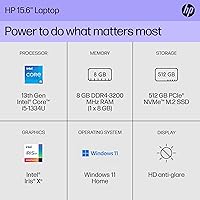
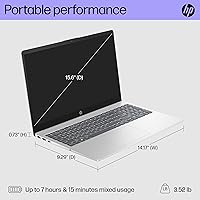
  • Processor: Powered by the Intel Core i5-1334U, a 13th Gen chip with 10 cores (2 performance and 8 efficiency) and a maximum boost speed of 4.6 GHz.
  • RAM: Includes 8GB of DDR4 system memory running at 3200 MHz, sufficient for everyday productivity and standard multitasking workloads.
  • Storage: Ships with a 512GB solid-state drive, offering significantly faster read and write speeds compared to traditional spinning hard drives.
  • Display: Features a 15.6-inch Full HD panel with a native resolution of 1920x1080 pixels for clear, detailed visuals across documents, video, and web content.
  • Graphics: Equipped with Intel Iris Xe integrated graphics, which draw from system memory and handle everyday video playback and light image tasks.
  • Operating System: Ships pre-installed with Windows 11 Home, providing a clean, up-to-date software environment without requiring additional operating system setup.
  • Battery Life: Rated for up to 7 hours of use per charge under moderate, everyday usage conditions.
  • Fast Charge: HP Fast Charge technology restores the battery from 0 to 50% capacity in approximately 45 minutes.
  • Wireless: Supports Wi-Fi 5 (802.11a/b/g/n/ac) and Bluetooth for wireless network access and peripheral device connectivity.
  • Ports: Includes 2 USB 2.0 ports, 1 USB 3.0 port, and a memory card slot for connecting peripherals and external storage.
  • Weight: Weighs 4.93 pounds, making it practical to carry between locations without excessive physical strain.
  • Dimensions: Measures 14.17 x 9.29 x 0.73 inches, a standard footprint that fits comfortably in most everyday laptop bags and backpacks.
  • Keyboard: Includes a backlit keyboard that enables comfortable, accurate typing in dimly lit environments without needing additional lighting.
  • Webcam Privacy: Features a physical camera shutter that mechanically covers the webcam lens, providing hardware-level privacy without relying on software controls.
  • Microphones: Equipped with a dual-array digital microphone system and integrated noise reduction software to improve voice clarity during calls.
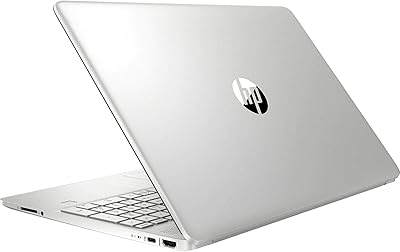
  • Chassis Color: Available in Silver, with a plastic construction typical of mainstream consumer laptops designed for everyday portability at this price tier.
  • Model Number: The official HP model identifier is 15-fd0012nr, with an internal part number of A18JKUA#ABA used for service and warranty reference.

Related Reviews

HP 15.6-inch Laptop 15-ef0021nr, Ryzen 3 3200U, 8GB RAM, 256GB SSD
82%
92%
Value for Money
85%
Performance
83%
Build Quality
89%
Portability
81%
Battery Life
More
HP 15-fc0502nr Ryzen 7 512GB Laptop
73%
83%
Everyday Performance
86%
Value for Money
74%
Build Quality
61%
Display Quality
88%
Storage Speed
More
HP 15.6-inch Laptop, AMD Ryzen 7 5700U, 8GB RAM, 256GB SSD
81%
89%
Value for Money
91%
Battery Life
88%
Portability
87%
Processor Performance
71%
Display Quality
More
HP 15 Core i5-1235U 15.6-inch Laptop
75%
88%
Value for Money
82%
Performance
74%
Display Quality
58%
Battery Life
69%
Build Quality
More
HP 15.6-inch Touch-Screen Laptop, 11th Gen Intel Core i7, 16GB RAM, 512GB SSD
85%
91%
Performance
87%
Value for Money
65%
Display Quality
80%
Battery Life
92%
Portability
More
HP 15 Intel N100 16GB/256GB
77%
88%
Value for Money
83%
Everyday Performance
91%
RAM & Multitasking
67%
Display Quality
72%
Build Quality & Portability
More
HP Laptop 15-fc0099nr
71%
83%
Value for Money
71%
Performance
88%
Battery Life
61%
Display Quality
84%
Touchscreen Responsiveness
More
HP 15-DY1031WM 256GB 15.6″ Refurbished Laptop

67%
83%
Value for Money
88%
SSD Performance
74%
Everyday Performance
41%
Battery Life
53%
Display Quality
More
HP 2020 15 15.6″ HD Touchscreen Laptop, Intel Core i5-1035G1, 16GB RAM, 512GB SSD
82%
89%
Performance
75%
Display Quality
90%
Portability
80%
Battery Life
85%
Build Quality
More
Dell Inspiron 3593 15.6-inch Laptop
68%
74%
Everyday Performance
81%
SSD Speed & Storage
52%
Display Quality
63%
Battery Life
57%
Build Quality
More

FAQ

For the tasks most people use a laptop for — browsing the web, working in Word or Google Docs, video calls, and streaming — 8GB handles things without issue. Where you will start to feel the ceiling is if you habitually keep a large number of browser tabs open simultaneously or run several demanding applications side by side. If your usage is mostly focused on one or two things at a time, the experience will be smooth; if you tend to pile programs on top of each other, expect occasional slowdowns.

Casual games, older titles, and lighter indie games will run acceptably on this machine. Anything modern and graphically demanding is a different story — the integrated Intel Iris Xe graphics are not built for that kind of workload, and you will hit performance walls quickly. If gaming is even a moderate priority, a laptop with a dedicated graphics card is a significantly better fit.

The HP 15-fd0012nr 15.6-Inch Laptop does not include a discrete NVIDIA GPU; that information appears to be a data error present in some Amazon listing specs. The actual graphics hardware is Intel Iris Xe, an integrated GPU built into the processor itself. It handles everyday tasks and video playback without trouble, but it is not a dedicated gaming or professional rendering card.

HP rates it at up to seven hours, and under moderate use — writing, light browsing, and occasional video calls at a reasonable screen brightness — that figure holds up reasonably well. Push the machine harder with high-brightness streaming or more intensive applications and you can expect closer to five or six hours. The HP Fast Charge feature is a genuine help; getting back to 50% in roughly 45 minutes means a short break can meaningfully extend your day.

For indoor viewing under typical lighting conditions, the 1920x1080 Full HD screen is genuinely comfortable — text is sharp, images look clear, and the 15.6-inch size gives you a roomy viewing area. The main limitation is brightness: in a well-lit room or near a window, the panel can look a bit washed out. If you mostly watch in the evening or in controlled lighting, you will have no complaints.

No, Microsoft Office is not bundled — you get Windows 11 Home, but Word, Excel, and PowerPoint require a separate Microsoft 365 subscription. That said, free web-based versions of Office apps are accessible through any browser, and many students can get Microsoft 365 through their school at no personal cost, so it is worth checking before buying a subscription.

The dual-array microphones with noise reduction do a solid job keeping your voice clear, filtering out a reasonable amount of ambient background noise without requiring an external mic. The webcam delivers standard HD quality — functional and decent for everyday conferencing, not exceptional by any measure. The physical camera shutter is a standout detail here: it mechanically blocks the lens entirely when you want privacy, rather than leaving you dependent on a software toggle.

It is one of the more sensible options in its class for students — the 13th Gen processor handles everything from research to essay writing to virtual lectures without issue, and the backlit keyboard is a real plus for late-night study sessions. Battery life is solid enough to carry through a typical class day, and it is light enough that daily commuting with it does not become a chore. The honest caveat: if your coursework involves video production, CAD software, or high-end programming environments, you will want something with a dedicated GPU and more RAM.

Upgradeability is not officially advertised for this model, and many laptops in this HP line use RAM that is soldered directly to the motherboard, making it difficult or impossible to expand without professional service. The SSD may be replaceable depending on the exact hardware revision, but that also requires disassembly. If future upgradability matters to your decision, it is worth contacting HP support directly or having a technician inspect the unit before committing.

The chassis is plastic, which is standard across this segment of the market, and it feels solid enough for regular daily use — bag to desk, desk to bag, campus to home. It is not going to absorb drops or rough handling the way a premium metal chassis might, but it does not feel flimsy either. Keeping it in a padded sleeve or a bag compartment designed for laptops goes a long way toward protecting it over time.