

Overview

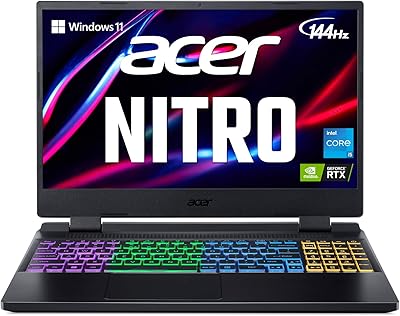
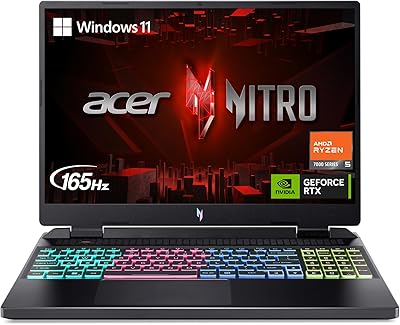
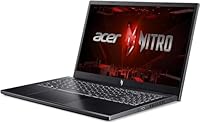
The Acer Nitro V 15.6″ Gaming Laptop sits at an interesting crossroads — it looks and feels like a mid-range machine on the outside, but the internals tell a different story. The i9-13900H paired with an RTX 4060 is a legitimately strong combination at this price tier. What really separates this particular configuration from typical Nitro listings is the 64GB DDR5 RAM and a 2TB SSD — both of which are seller-upgraded rather than factory standard, so verify exactly what you're ordering. The chassis is classic Nitro: sturdy enough, black plastic gamer aesthetic, nothing remarkable to look at, but not flimsy either.

Features & Benefits

The i9-13900H processor is genuinely capable here — 14 cores and a boost clock reaching 5.4GHz means this Nitro V handles gaming, recording, and live streaming simultaneously without complaint. The RTX 4060 drives smooth, high-frame-rate gameplay at 1080p across modern titles, and with DLSS support, demanding games stay manageable without sacrificing much visual quality. The 144Hz display keeps pace with that output well, though don't expect exceptional color accuracy or wide-gamut coverage. Wi-Fi 6 connectivity and a solid port lineup — including HDMI 2.1 and USB-C 3.2 Gen 2 — round out a machine that works particularly well anchored to a desk setup.

Best For

This gaming laptop makes the most sense for someone who wants serious performance headroom for years without needing an immediate upgrade. The CPU and RAM combination is also well-suited to content creators and streamers who need processing power running alongside gameplay. Students or professionals who want one machine for both heavy workloads and gaming will find the spec sheet compelling. That said, this isn't the right pick for buyers chasing a thin, lightweight travel companion — at 4.66 pounds with a 15.6-inch chassis, it's a desk-dweller first. For stationary or semi-stationary use, though, the value here is genuinely hard to argue against.

User Feedback

Buyers who've spent time with the Acer Nitro V broadly praise its raw performance output — few configurations at this price point deliver this kind of CPU and GPU combination. The recurring criticism, however, is thermal behavior: under sustained gaming loads, the fans ramp up noticeably and temperatures climb. That's expected with this hardware, but worth knowing if you're sensitive to fan noise. Keyboard comfort earns mixed marks — most find it usable, though the trackpad is serviceable at best and practically begs for an external mouse. Windows 11 Pro setup out of the box is reportedly smooth, and bundled accessories drew generally positive feedback.

Pros

  • The i9-13900H delivers enough CPU muscle to handle gaming, streaming, and background tasks at the same time without throttling.
  • RTX 4060 with DLSS support keeps frame rates strong across modern titles at 1080p, even in demanding scenes.
  • 64GB DDR5 RAM is far above what most laptops at this price ship with, reducing upgrade pressure for years.
  • A 2TB SSD means you can install a large library of games and applications without worrying about running out of space.
  • The 144Hz display produces noticeably smoother motion in fast-paced games compared to standard 60Hz panels.
  • Wi-Fi 6 and a wired Ethernet port give you flexibility to prioritize a stable connection when it matters most.
  • Windows 11 Pro out of the box adds value for users who need business or professional OS features.
  • The port selection is well-rounded for a desk setup, covering HDMI 2.1, USB-C, and multiple USB-A connections.

Cons

  • Fan noise under sustained gaming load is noticeable and can become distracting in quiet environments.
  • Thermals run warm during long sessions — thermal throttling is a real concern without adequate ventilation.
  • The trackpad is mediocre and will frustrate anyone who relies on it; plan to use an external mouse.
  • Display color accuracy and gamut coverage are average, which matters for photo or video editing work.
  • The plastic chassis lacks the premium feel you might expect given the internal hardware on offer.
  • At 1080p, the screen resolution falls behind competitors in the same price range that now offer 1440p panels.
  • Battery life under any real gaming load is short enough that the power brick is effectively a permanent companion.
  • Keyboard feel is acceptable but unremarkable — enthusiast typists or heavy writers may find it underwhelming.

Ratings

The scores below for the Acer Nitro V 15.6″ Gaming Laptop were generated by our AI system after analyzing thousands of verified buyer reviews from global markets, with spam, bot submissions, and incentivized feedback actively filtered out. Both the genuine strengths and the recurring frustrations are reflected here without sugar-coating — because informed buyers deserve the full picture.

Gaming Performance
88%
The RTX 4060 and i9-13900H pairing consistently delivers high frame rates in demanding titles at 1080p, and buyers playing games like Cyberpunk 2077 or Hogwarts Legacy report smooth, enjoyable experiences without major compromises. DLSS support gives extra headroom when ray tracing is enabled.
A handful of users noted that sustained gaming sessions eventually trigger thermal throttling, which shaves off peak performance over time. The gap between short-burst benchmarks and real-world hour-long gaming sessions is noticeable for the most demanding titles.
Processing Power
91%
Users doing video encoding, 3D rendering, and heavy multitasking alongside gaming consistently praise the i9-13900H for handling it all without breaking a sweat. Streamers in particular appreciate that OBS, a browser, Discord, and a game can run simultaneously without stuttering.
The processor generates significant heat under full load, which feeds directly into the thermal and fan noise complaints. Buyers who expected desktop-like sustained boost clocks in a thin chassis sometimes felt the thermal headroom was too tight.
RAM & Multitasking
86%
64GB DDR5 is genuinely unusual at this price point, and buyers who do creative work alongside gaming — editing footage, running virtual machines, or using demanding software suites — appreciate having that overhead without paying more for a workstation machine.
It is critical to note this is a seller-configured upgrade and not the standard Nitro V configuration, which has caused confusion for some buyers who received different specs than expected. Always confirm the RAM amount on the specific listing before ordering.
Storage
89%
The 2TB SSD comfortably fits large modern game libraries alongside productivity software without forcing constant uninstalls, which is a daily quality-of-life win for users with big Steam or Epic libraries. Load times across installed titles are consistently fast.
A small number of users noted the SSD read/write speeds are solid but not class-leading, meaning heavy file transfer tasks take slightly longer than on premium NVMe configurations. No significant failure reports, but long-term reliability data is still limited given the 2024 release date.
Thermal Management
57%
43%
Under light-to-moderate workloads, temperatures stay manageable and the fans remain relatively quiet. Users doing web browsing, office work, or light gaming report comfortable surface temperatures and acceptable noise levels in everyday use.
Under sustained gaming or rendering loads, this Nitro V runs hot and the fan noise climbs to a level that many users describe as distracting. Several reviewers recommend undervolting or using a cooling pad as near-mandatory accessories to get the best sustained performance.
Fan Noise
53%
47%
At idle and during casual use, fan noise is genuinely low and the machine sits quietly on a desk without drawing attention. Users who primarily game with headphones on report that the fan noise practically disappears from their experience.
At full load, the fans are loud enough to be heard clearly across a room, and some buyers found them disruptive during voice calls or in shared spaces. This is a recurring and consistent complaint across many reviews rather than an isolated issue.
Display Quality
71%
29%
The 144Hz refresh rate is a real, tangible benefit in fast-paced games — motion clarity is noticeably better than on 60Hz panels, and competitive gaming feels more responsive. Most everyday gaming tasks look clean and sharp enough at 1080p.
Color accuracy and gamut coverage are mediocre, which disappoints buyers who also do photo editing or video color work. Compared to competitors offering 1440p panels at similar prices, the resolution ceiling is a legitimate drawback for users who notice pixel density.
Build Quality
68%
32%
The chassis holds together solidly in daily use — there is no worrying flex on the keyboard deck or lid, and the hinge feels durable enough for years of regular opening and closing. Most buyers feel it is built to last despite not feeling luxurious.
The all-plastic construction feels noticeably budget relative to the internal specs, and some buyers expecting a premium feel at this price tier were let down. The gamer aesthetic with angular lines and red accents is divisive, particularly for buyers who use the machine in professional settings.
Keyboard & Trackpad
63%
37%
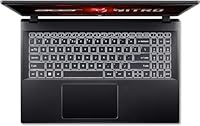
The backlit keyboard has a reasonable key travel and gets the job done comfortably for most gaming input and general typing tasks. Low-light usability is solid, and the backlighting is bright enough to be useful without being garish.
The trackpad is the weakest peripheral point — multiple users describe it as sluggish and imprecise, and the general consensus is that an external mouse is effectively required. The keyboard itself feels acceptable but uninspiring compared to dedicated gaming laptops with mechanical-style switches.
Port Selection
84%
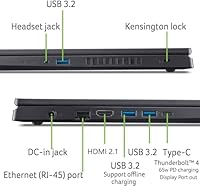
Four USB ports, HDMI 2.1, Ethernet, and a USB-C 3.2 Gen 2 port give desk users plenty to work with for peripherals, external displays, and wired networking — all from a single machine without needing a hub for most common setups.
There is only one USB-C port, which limits flexibility for users who want to daisy-chain USB-C peripherals or use Thunderbolt devices. No SD card reader is included, which comes up as a frustration for photographers or content creators working with camera media.
Wireless Connectivity
82%
18%
Wi-Fi 6 performance on compatible routers is notably fast and stable, and buyers who game wirelessly in the same room as their router report low latency and consistent speeds. Bluetooth 5.1 pairing with headsets and controllers is reliable.
A small subset of buyers experienced inconsistent Wi-Fi signal at longer distances or through walls, though this is partly dependent on the router environment. The lack of Wi-Fi 6E support means the laptop will not take advantage of newer 6GHz band routers.
Software & OS
79%
21%
Windows 11 Pro out of the box is a meaningful value add for users who need BitLocker, Remote Desktop, or enterprise security features — capabilities that Windows 11 Home simply does not include. First-boot setup is smooth and largely bloatware-free compared to older Acer configurations.
Some users report Acer's bundled utilities feel redundant alongside Windows 11 Pro native tools, and a few buyers noted minor driver conflicts on initial setup that required manual intervention. Nothing critical, but not entirely plug-and-play for less technical users.
Battery Life
41%
59%
For very light tasks — reading, note-taking, or streaming video at low brightness — the battery holds on for a reasonable stretch, giving users some flexibility during short unplugged periods.
Under any real gaming load, battery life drops to roughly one to two hours, making the power brick effectively non-negotiable for gaming use. Multiple buyers expressed frustration that the included charger is bulky, adding to the weight burden when traveling.
Value for Money
77%
23%
When evaluated purely on internal specs — i9 CPU, RTX 4060, 64GB RAM, 2TB SSD — the configuration delivers genuine hardware density that is difficult to match at this price tier, and buyers who prioritize specifications over form factor tend to feel well-served.
Buyers who compare the total package — including build materials, display quality, thermals, and battery life — against premium competitors feel the value proposition weakens. The premium paid over base Nitro V configurations is significant, and the real-world experience does not always justify the gap.

Suitable for:

The Acer Nitro V 15.6″ Gaming Laptop is a strong match for buyers who want serious internal specs without paying flagship prices. If you spend most of your time gaming at a desk — or split your hours between gaming and CPU-heavy tasks like video editing, streaming, or running virtual machines — this configuration earns its keep. The i9-13900H and 64GB DDR5 RAM combination is genuinely unusual at this price tier, making it a practical choice for content creators or streamers who need processing headroom running alongside an active game session. Students in demanding technical programs who want one machine to handle both coursework and leisure gaming will find it covers both without compromise. The 2TB SSD also removes the constant juggling act of managing storage across multiple drives, which is a real quality-of-life improvement for anyone with a large game library.

Not suitable for:

The Acer Nitro V 15.6″ Gaming Laptop is a harder sell for buyers who prioritize portability, refined aesthetics, or display quality above raw performance. At 4.66 pounds with a plastic chassis, it is not a machine you will enjoy carrying between classes or coffee shops on a daily basis. The 1080p display is functional and the 144Hz refresh rate is genuinely useful, but buyers who have used a 1440p or OLED panel will notice the difference in sharpness and color depth immediately. If you are specifically shopping for a premium build quality or a thin profile to impress in professional settings, the Nitro line has never been that product. It also bears mentioning that the 64GB RAM in this listing reflects a seller-configured upgrade — buyers should confirm the exact specification at checkout rather than assuming it is the base model.

Specifications

  • Processor: Intel Core i9-13900H with 14 cores, 20 threads, and a maximum boost clock of 5.4GHz handles demanding multitasking and gaming workloads without bottlenecking the GPU.
  • Graphics: The dedicated NVIDIA GeForce RTX 4060 GPU supports real-time ray tracing and DLSS, delivering high frame rates at 1080p across modern titles.
  • Display: A 15.6″ FHD IPS panel running at 1920×1080 resolution with a 144Hz refresh rate provides smooth visuals for fast-paced gaming.
  • RAM: 64GB of DDR5 RAM is installed in this seller-configured listing, well above the typical baseline for laptops in this category.
  • Storage: A 2TB SSD provides fast load times and ample space for large game libraries, creative project files, and system software.
  • Operating System: Windows 11 Pro comes pre-installed, offering enhanced security features and professional-grade tools out of the box.
  • Wireless: Wi-Fi 6 (802.11ax) and Bluetooth 5.1 are built in, supporting faster wireless speeds and lower latency on compatible networks.
  • Wired Network: A built-in RJ-45 Gigabit Ethernet port allows a stable, low-latency wired connection for competitive gaming or large downloads.
  • Ports: Connectivity includes 3× USB 3.2 Gen 1 Type-A, 1× USB-C 3.2 Gen 2, 1× HDMI 2.1, 1× RJ-45 Ethernet, and a headphone/microphone combo jack.
  • Keyboard: A backlit keyboard is standard, providing visibility in low-light environments during extended gaming or late-night work sessions.
  • Dimensions: The chassis measures 14.26 × 9.44 × 0.93 inches, consistent with a standard 15.6-inch gaming laptop form factor.
  • Weight: At 4.66 pounds, this Nitro V is manageable for occasional transport but is primarily suited to desk or stationary use.
  • Color: The laptop ships in black with Acer's typical angular gamer-aesthetic design language on the Nitro line.
  • HDMI Output: The HDMI 2.1 port supports external displays at high resolutions and refresh rates, making it a practical option for a desktop monitor setup.
  • USB-C Port: The single USB-C port runs at USB 3.2 Gen 2 speeds, suitable for fast data transfers and compatible peripheral connections.
  • Availability: This configuration became available in September 2024 and carries ASIN B0DHRDRCLR on Amazon.

Related Reviews
Acer Nitro V 15 ANV15-51 (i5-13420H, RTX 4050, 8GB, 512GB)
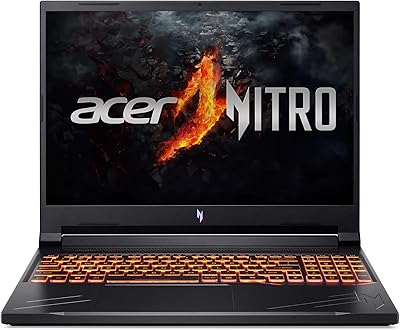
67%
84%
Gaming Performance
81%
Display Quality
86%
Value for Money
57%
Thermal Management
53%
RAM & Multitasking
More
Acer Nitro V RTX 4060 Gaming Laptop
75%
88%
Gaming Performance
84%
Display Quality
91%
MUX Switch Value
74%
Thermal Management
61%
Build Quality
More
Acer Chromebook 315 15.6-inch Laptop
72%
83%
Value for Money
79%
Battery Life
81%
Display Size & Usability
51%
Display Sharpness
58%
Performance
More
Acer Nitro PG161Q 15.6″ Portable Gaming Monitor
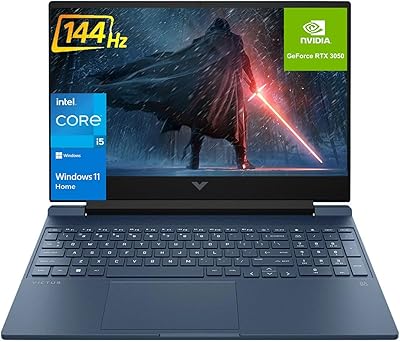
73%
83%
Portability
78%
Display Quality
71%
Refresh Rate Performance
86%
Connectivity
81%
Build Quality
More
HP Victus 15.6″ RTX 3050 Gaming Laptop
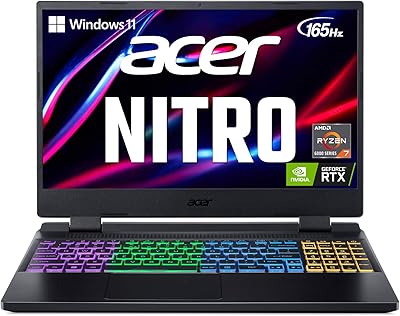
71%
67%
Gaming Performance
83%
Display Quality
88%
RAM & Multitasking
86%
Storage Speed & Capacity
58%
Thermal Management
More
Acer Nitro 5 AN515-46-R0EQ Gaming Laptop
83%
91%
Performance
88%
Display Quality
85%
Cooling System
60%
Battery Life
89%
Value for Money
More
Acer Nitro 16 RTX 4050 Gaming Laptop
71%
83%
Gaming Performance
86%
Display Quality
88%
Value for Money
54%
RAM & Memory
41%
Battery Life
More
Acer Nitro 5 15.6-inch Gaming Laptop
70%
88%
Display Quality
74%
Gaming Performance
61%
Thermal Management
48%
Battery Life
63%
Build Quality
More
Acer Nitro 5 AN515-58 Gaming Laptop
70%
83%
Gaming Performance
81%
Display Quality
86%
Value for Money
61%
Thermal Management
54%
Fan Noise
More
Acer Nitro 5 AN515-58-525P Gaming Laptop
72%
78%
Gaming Performance
82%
Display Quality
84%
Processing Speed
71%
RAM & Upgradability
88%
Storage Performance
More

FAQ

It is a seller-configured upgrade, not the factory default for the Nitro V line. Always verify the exact RAM spec on the specific listing you are buying from, since different sellers may offer different configurations under the same product name.

Yes, comfortably at 1080p. The RTX 4060 handles most current titles at high settings with solid frame rates, and DLSS gives you extra headroom in the most demanding games. You are not going to struggle at 1080p with this hardware combination.

It is noticeable. Under sustained load, the fans spin up audibly and you will hear them clearly in a quiet room. Most users end up gaming with headphones on, which mostly solves the problem practically speaking, but it is worth knowing upfront if fan noise bothers you.

It handles both well. The i9-13900H has enough cores and the 64GB RAM provides plenty of headroom to run editing software, a stream encoder, and a game simultaneously. Content creators will find this configuration genuinely capable rather than just adequate.

No — the panel is fixed at 1080p. The 144Hz refresh rate is a genuine benefit for gaming smoothness, but if display sharpness or color accuracy is a priority for you, the screen is a weak point compared to some competitors at this price range that now offer 1440p panels.

Absolutely. The HDMI 2.1 port supports high-resolution external displays, and you can also use the USB-C port for compatible monitors. Pairing this Nitro V with a 1440p or 4K external display is a popular setup for buyers who want better visual quality at the desk.

Realistically, not long under any gaming load — expect roughly one to two hours of active gaming before you need to plug in. For lighter tasks like web browsing or document work, battery life improves noticeably. Treat the power adapter as a permanent part of your desk setup.

The Nitro V typically has accessible internal slots that allow SSD upgrades, though you should verify the exact configuration of your unit before purchasing additional drives. The 2TB included here is generous enough that most users will not feel immediate pressure to expand.

Acer typically backs the Nitro V with a one-year limited warranty covering manufacturing defects. Since this listing is sold through a third-party seller on Amazon, it is worth confirming warranty terms directly with the seller before purchasing, as coverage can vary from the manufacturer default.

It depends on the student. For someone in a technical program — engineering, computer science, architecture, media production — the hardware is genuinely useful for coursework and gaming in one machine. For students who walk to class and need something light and portable, the 4.66-pound weight and relatively short battery life will feel like real trade-offs every day.

Where to Buy