






Overview

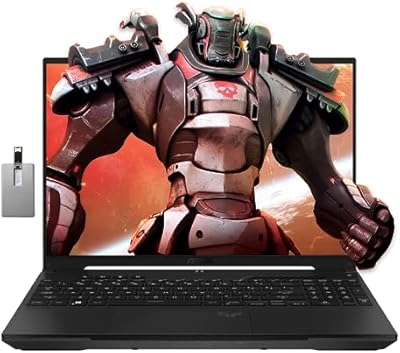
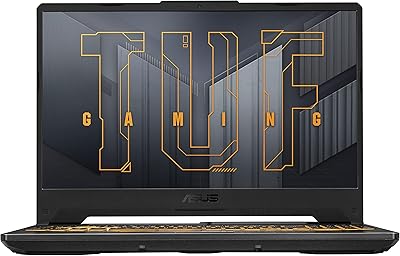
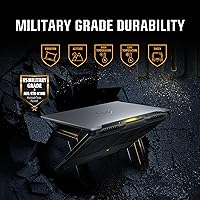
The ASUS TUF Gaming F16 (2024) sits in a genuinely useful middle ground — capable enough for real gaming, priced for people who aren't ready to spend flagship money. The 16:10 aspect ratio on that 16-inch screen gives you noticeably more vertical space than most gaming laptops, which matters whether you're mid-raid or juggling browser tabs. The MIL-STD-810H certification isn't just a sticker; it means the chassis has been tested against temperature extremes, humidity, and vibration — practical reassurance for anyone carrying it daily. That said, 8GB of RAM and 512GB of storage are honest limitations worth knowing upfront.

Features & Benefits

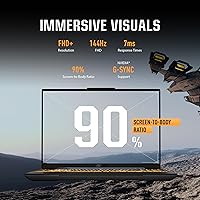
The RTX 4050 here runs at a 115W Max TGP, which is meaningfully higher than throttled implementations found in slimmer machines — that wattage gap translates directly to better frame rates in demanding titles. The FHD+ display hits 144Hz with full sRGB coverage and Adaptive-Sync, so motion clarity and color accuracy are both solid for the price tier. RAM is DDR5, and while 8GB feels tight today, the architecture leaves room to upgrade if needed. Cooling is handled by Arc Flow Fans, five heat pipes, and four exhaust vents — a setup that keeps sustained loads manageable without the chassis becoming unbearable to touch.

Best For

This TUF laptop makes the most sense for first-time PC gamers or college students who want genuine performance without overextending their budget. The durable build makes it a strong pick for anyone who travels regularly or doesn't baby their gear. At FHD resolution, the RTX 4050 handles esports titles effortlessly and manages mid-demand AAA games respectably. Light content creators also get something useful in the accurate display. If you're chasing 1440p gaming or need heavy multitasking headroom right out of the box, this gaming machine will leave you wanting more — but for focused FHD gaming, it delivers.

User Feedback

Buyers generally praise the keyboard feel and the cooling performance under sustained gaming loads, with most noting the fans stay controlled during casual use and ramp up predictably under pressure. The display gets consistent positive marks for clarity and smoothness. The recurring friction point, unsurprisingly, is the 8GB RAM — users running modern open-world titles or multitasking heavily report hitting the ceiling faster than expected. A handful of reviewers also flag that outdoor visibility is limited in bright conditions. On the positive side, several buyers highlight the upgrade-friendly internals as a reason they chose the F16 over sealed competitors at similar price points.

Pros

  • The RTX 4050 runs at its full 115W TGP, delivering real gaming output rather than a throttled mobile compromise.
  • The 16:10 FHD+ display with 144Hz and 100% sRGB is genuinely above average for this price tier.
  • MIL-STD-810H certification means real-world durability testing, not just marketing language on the spec sheet.
  • DDR5 memory architecture allows meaningful upgrades without replacing the entire platform.
  • The cooling system keeps temperatures stable during multi-hour gaming sessions without excessive throttling.
  • Wi-Fi 6 support gives competitive online players lower latency and more stable connections on modern routers.
  • The 16-inch 16:10 screen adds useful vertical space for both gaming and everyday productivity tasks.
  • PCIe Gen4 SSD speeds make boot times and game load screens noticeably fast compared to older storage tech.
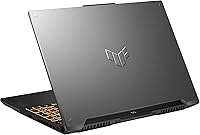
  • The understated Mecha Gray design works in professional and academic settings where flashy RGB would stand out badly.
  • Upgrade-friendly internals give buyers a clear path to extend the laptop's lifespan with a RAM or SSD upgrade.

Cons

  • Stock 8GB RAM fills up fast once Windows, games, and background apps compete for memory simultaneously.
  • 512GB storage requires buyers to plan for an additional drive purchase within weeks of unboxing.
  • Fan noise under full gaming load is loud enough to be genuinely distracting without headphones.
  • Outdoor and bright-room display visibility is limited — the panel struggles in direct sunlight.
  • Battery life under gaming conditions drops sharply, making the power brick a non-optional carry item.
  • The trackpad is functional but lacks the precision and feel that heavier productivity users expect.
  • Only two USB 3.0 ports creates immediate friction for users with multiple peripherals or storage devices.
  • The plastic chassis, while tough, picks up surface scratches and does not feel premium compared to metal-body rivals.
  • No Thunderbolt support limits external display and high-speed peripheral options for more demanding setups.
  • Speaker quality is underwhelming and essentially requires headphones for any serious gaming or media use.

Ratings

The ASUS TUF Gaming F16 (2024) earns a nuanced scorecard built from AI analysis of verified global user reviews, with spam, bot activity, and incentivized feedback actively filtered out before scoring. Across thousands of real buyer accounts, this mid-range gaming machine draws consistent praise for its build integrity and display quality, while honest frustrations around RAM and storage surface repeatedly. Both the strengths and the friction points are transparently reflected below.

Gaming Performance
81%
19%
At FHD resolution, the RTX 4050 running at its full 115W TGP handles esports titles and mid-demand AAA games with noticeable confidence. Users report smooth frame rates in titles like Valorant, Fortnite, and even Cyberpunk on balanced settings, without the throttling issues seen in slimmer RTX 4050 configurations.
Heavier open-world titles push the GPU noticeably when settings are cranked, and the 8GB VRAM ceiling on the RTX 4050 becomes a real constraint in more demanding 2024 releases. Users chasing high-fidelity 1080p on the latest AAA titles will find themselves managing settings more carefully than expected.
Display Quality
84%
The 16:10 FHD+ panel with 144Hz and 100% sRGB coverage is a genuine highlight at this price tier. Gamers appreciate the Adaptive-Sync reducing screen tear during fast-paced sessions, and creators mention that colors feel accurate enough for casual photo editing without needing external calibration.
Outdoor and bright-room visibility is a recurring complaint — the panel lacks the peak brightness needed to stay readable in direct sunlight. A handful of reviewers also note the IPS-Level designation means it is not a true IPS panel, and blacks can look slightly washed out in dark game environments.
Build Quality & Durability
88%
The MIL-STD-810H certification resonates strongly with buyers who travel frequently or use their laptop in less controlled environments. Students and commuters specifically call out the chassis rigidity, noting minimal flex on the keyboard deck and lid even after months of daily use in backpacks.
The plastic-dominant construction, while sturdy, does not feel premium to the touch compared to aluminum-chassis rivals. Some users note the bottom panel shows fine scratches fairly quickly, and the hinge mechanism, while functional, lacks the smooth premium feel found on higher-priced machines.
Thermal Management
79%
21%
Under sustained gaming loads, the F16 holds its CPU and GPU temperatures in a reasonable range thanks to the five heat pipes and four exhaust vents. Users gaming for two-plus hour sessions report the system stays stable without aggressive thermal throttling, which is a real advantage over ultra-thin competitors.
Fan noise under full load is the most consistent complaint in this category — reviewers describe the fans as loud enough to be distracting without headphones during extended sessions. The vents also kick warm air out the rear and sides, which can make certain desk setups uncomfortable in warmer rooms.
RAM & Multitasking
58%
42%
The DDR5 memory architecture is a forward-looking choice, and buyers who upgraded to 16GB after purchase report a meaningful performance improvement for both gaming and multitasking. The accessible upgrade path is frequently cited as a reason buyers chose the F16 over sealed-chassis competitors at similar prices.
At the stock 8GB configuration, modern titles and browser-heavy workflows compete for memory uncomfortably. Users report stuttering in games like Microsoft Flight Simulator and slowdowns when switching between a game and a Discord call with multiple browser tabs open — a real daily frustration.
Storage
61%
39%
The 512GB PCIe Gen4 SSD delivers fast read and write speeds that make Windows boot times and game load screens genuinely quick. Users transitioning from older SATA SSDs or HDDs consistently mention the speed difference as one of the first things they notice positively.
512GB fills up fast once Windows, a few AAA titles, and typical student software are installed. Several buyers report needing an external drive or immediate SSD upgrade within weeks of purchase, which adds friction and cost that buyers at this price point may not have anticipated.
Keyboard & Typing Experience
76%
24%
The backlit keyboard gets solid marks for key spacing and tactile feedback during both gaming and typing sessions. Students using the F16 for coursework alongside gaming sessions mention the keyboard holds up well for long writing sessions without fatigue.
The trackpad receives more mixed feedback, with some users finding it adequate but not exceptional for precision tasks. A few reviewers note the keyboard flex is perceptible under heavy typing pressure, and the lack of per-key RGB limits customization compared to competitors at a similar price.
Wi-Fi & Connectivity
82%
18%
Wi-Fi 6 support gives competitive online gamers noticeably lower latency on compatible routers, and users in congested network environments report fewer dropped packets and more stable connections. The inclusion of Wi-Fi 6 at this price tier is appreciated as a genuine practical upgrade.
Port selection is functional but not generous — two USB 3.0 ports is a limitation that buyers using multiple peripherals encounter quickly. There is no Thunderbolt support, and some users wish for an additional USB-C port with better throughput for external display or storage flexibility.
Battery Life
53%
47%
In light use modes — web browsing, note-taking, streaming — the F16 can get through a standard class schedule or workday with some charge to spare. NVIDIA Advanced Optimus helps by switching off the discrete GPU when it is not needed, extending runtime meaningfully during non-gaming tasks.
Under any real gaming load, battery life drops sharply and most users report needing the power brick within 90 minutes. The laptop is also noticeably heavier to carry with its charger, making it a less ideal untethered machine for all-day campus or travel use.
Value for Money
83%
Relative to competitors offering similar GPU wattage and a comparable display quality, the F16 positions itself well. Buyers consistently highlight that getting a full 115W RTX 4050, a 16:10 144Hz display, and MIL-grade durability at this price feels like a reasonable trade-off even with the RAM limitation.
The 8GB RAM and 512GB storage at this price point remain a sticking point for value-conscious buyers who feel the savings were made in the wrong places. Competitors occasionally offer 16GB configurations for marginally more, making the stock F16 config feel like it requires an immediate investment to reach its potential.
Portability
67%
33%
At 0.88 inches thin, the F16 manages to pack a serious cooling system without becoming a thick slab. Users who prioritize a balance between gaming capability and not drawing attention in a coffee shop or lecture hall appreciate the relatively restrained profile.
At 7 pounds, this gaming machine is not light by modern standards, and carrying it alongside a charger adds to the daily load. Buyers who compared it to ultrabook-class machines before purchasing occasionally express surprise at how heavy it feels in a bag over a full day.
Software & Out-of-Box Experience
71%
29%
Windows 11 Home comes pre-installed and the initial setup is relatively clean compared to some OEM laptops. The ASUS Armoury Crate software gives users straightforward control over performance modes and fan profiles, which experienced users find genuinely useful for tuning the laptop to specific tasks.
Armoury Crate generates complaints from buyers who find it bloated and occasionally intrusive, and some users report it consuming background resources they would rather allocate elsewhere. A small number of reviewers mention minor driver instability in the first weeks before updates resolved the issues.
Audio Quality
62%
38%
For a gaming laptop at this tier, the speakers are adequate for casual use and occasional YouTube or Netflix sessions. Users in quiet rooms report the audio is clear enough at mid-volume without obvious distortion.
Serious gamers and media consumers consistently recommend headphones, as the speakers lack bass response and can sound thin at higher volumes. Compared to competing laptops that have invested more in their audio hardware, the F16 is average at best in this category.

Suitable for:

The ASUS TUF Gaming F16 (2024) is a strong fit for college students and first-time PC gamers who want genuine gaming capability without stretching into flagship territory. If your primary games are esports titles — Valorant, Apex Legends, CS2 — or mid-demand AAA games at FHD resolution, the RTX 4050 at full 115W TGP will handle them comfortably and the 144Hz display will let you actually feel that performance. The MIL-STD-810H certification makes it a practical choice for anyone carrying their laptop daily in a backpack, commuting between classes, or working in environments where a little roughness is unavoidable. The 16:10 display aspect ratio also makes it more versatile than typical gaming laptops for people who split their time between gaming and productivity work like document editing, coding, or casual photo work. Light content creators who need reasonably color-accurate output without buying a dedicated creative laptop will find the 100% sRGB panel more than adequate for their needs.

Not suitable for:

Buyers who need serious multitasking headroom right out of the box should think carefully before committing to the stock configuration of the F16, since 8GB of RAM in 2024 is a genuine constraint when juggling modern games alongside Discord, a browser, and background apps. Power users running simulation titles, large creative projects, or anything that pushes GPU VRAM hard will bump into the RTX 4050 ceiling sooner than they expect. Anyone prioritizing all-day untethered use will find this gaming machine frustrating — battery life under gaming load is short, and carrying the charger adds noticeable weight to an already 7-pound laptop. Buyers who care deeply about premium feel and silent operation will likely be disappointed by the plastic-forward construction and the fan noise levels under sustained load. If portability and whisper-quiet operation are non-negotiable, a thinner ultrabook-class machine serves those priorities far better than this one does.

Specifications

  • Display Size: The screen measures 16 inches diagonally with a 16:10 aspect ratio, delivering more vertical screen real estate than standard 16:9 gaming laptops.
  • Resolution: Native resolution is 1920x1200 pixels (FHD+), providing sharper detail than standard 1080p thanks to the taller panel format.
  • Refresh Rate: The IPS-Level panel runs at 144Hz with Adaptive-Sync support, reducing screen tearing and stuttering during fast-paced gameplay.
  • Color Coverage: The display covers 100% of the sRGB color gamut, making it suitable for color-sensitive tasks like photo editing alongside gaming use.
  • Processor: Powered by the Intel Core 5 210H, a hybrid-architecture CPU with a boost clock up to 4.8GHz across its 8-core configuration.
  • Graphics Card: The NVIDIA GeForce RTX 4050 laptop GPU operates at a Max TGP of 115W with NVIDIA Advanced Optimus for dynamic GPU switching.
  • GPU VRAM: The RTX 4050 is equipped with 6GB of dedicated GDDR6 VRAM for handling gaming textures and light creative workloads.
  • System RAM: Comes with 8GB of DDR5 RAM in its stock configuration, with available slots supporting user upgrades to higher capacities.
  • Storage: A 512GB PCIe Gen4 SSD handles system and game storage, offering fast sequential read and write speeds over older Gen3 drives.
  • Operating System: Ships with Windows 11 Home pre-installed, providing access to the latest DirectX features and Microsoft ecosystem out of the box.
  • Cooling System: Thermal management is handled by Arc Flow Fans, 5 dedicated heat pipes, 4 exhaust vents, and an anti-dust filter to maintain sustained performance.
  • Wireless: Wi-Fi 6 (802.11ax) is built in, offering improved throughput and lower latency on compatible routers compared to Wi-Fi 5 implementations.
  • Durability: The chassis has been tested to MIL-STD-810H military-grade standards, covering resistance to temperature extremes, humidity, vibration, and shock.
  • Dimensions: The laptop measures 13.94 x 9.88 x 0.88 inches (LxWxH), maintaining a relatively slim profile despite its robust internal cooling architecture.
  • Weight: The unit weighs 7 pounds, which is typical for a 16-inch gaming laptop with a full thermal system but worth noting for daily carry.
  • USB Ports: Two USB 3.0 Type-A ports are included for peripheral and storage device connectivity at SuperSpeed data transfer rates.
  • Keyboard: The full-size backlit keyboard provides illuminated key visibility in dim environments, with a layout designed for both gaming and productivity use.
  • Color: Available in Mecha Gray, a subdued finish with a subtle embossed logo that avoids the loud aesthetic typical of gaming-focused designs.

Related Reviews
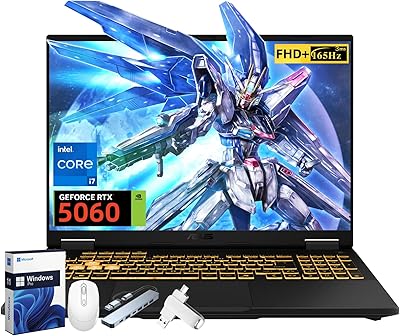
ASUS TUF F16 Gaming Laptop, Intel i7-14650HX, 32GB RAM, 2TB SSD, RTX 5060
84%
94%
Performance
91%
Gaming Experience
89%
Display Quality
88%
Build Quality and Durability
86%
Cooling and Thermals
More
ASUS TUF F16 Gaming Laptop, Intel Core i7-14650HX, NVIDIA GeForce RTX 5060, 64GB RAM, 4TB SSD
83%
93%
Gaming Performance
88%
Multitasking Performance
90%
Display Quality
75%
Battery Life
85%
Build Quality/Durability
More
ASUS TUF Gaming WiFi 6 Router (TUF-AX4200)
86%
94%
Gaming Performance
88%
WiFi Speed and Coverage
85%
Setup and Installation
92%
Build Quality and Durability
91%
Security Features
More
ASUS TUF FX505DT Gaming Laptop
82%
85%
Gaming Performance
90%
Build Quality & Durability
88%
Display Quality
72%
Thermal Management
93%
Value for Money
More
ASUS TUF Gaming VG328H1B 32″
86%
95%
Refresh Rate Performance
92%
Motion Clarity
88%
Color Accuracy
85%
Screen Curvature Experience
90%
Adaptive-sync Effectiveness
More
ASUS TUF A16 Gaming Laptop
86%
91%
Gaming Performance
88%
Display Quality
89%
Build Quality
92%
Cooling System
75%
Portability
More
ASUS TUF Gaming VG27VQM1B 27″
89%
97%
Refresh Rate Performance
95%
Response Time Accuracy
88%
Image Clarity
85%
Color Accuracy
91%
Screen Curvature Comfort
More
ASUS TUF Gaming 550W Bronze PSU
86%
89%
Energy Efficiency
92%
Noise Levels
88%
Build Quality
85%
Cooling Performance
81%
Ease of Installation
More
ASUS TUF Gaming Capture Box CU4K30
89%
96%
Build Quality
94%
Ease of Setup
91%
Console Compatibility
74%
Recording Frame Rates
88%
Audio Integration
More
ASUS TUF Gaming A15 FA506NC-ES51
74%
88%
Build Quality & Durability
72%
Gaming Performance
83%
Display Quality
58%
RAM & Multitasking
74%
Thermal Management & Cooling
More

FAQ

Good news — the F16 has accessible RAM slots, so upgrading beyond the stock 8GB is very much possible. Most buyers who push the machine for modern AAA gaming or heavy multitasking upgrade to 16GB or 32GB of DDR5, and the improvement is noticeable. Just make sure to match the DDR5 spec when purchasing replacement or additional sticks.

Under sustained gaming load, the fans are genuinely loud — loud enough that most users reach for headphones. During light tasks like web browsing or video streaming, the system stays quiet or nearly silent. If you plan to game in a shared or quiet environment without headphones, this is worth factoring into your decision.

It depends on your library, but 512GB fills up faster than most buyers expect. Once Windows takes its share and you install a few AAA titles — which routinely run 50 to 100GB each — you will feel the squeeze quickly. An M.2 SSD expansion is worth budgeting for if you plan to keep more than a handful of large games installed simultaneously.

It means the chassis has passed a series of standardized tests covering things like temperature cycling, humidity exposure, vibration, and drop shock — not a guarantee against everything, but a real indicator of durability beyond typical consumer laptops. For students or commuters who carry their laptop daily in a bag, it provides meaningful peace of mind. It does not mean the laptop is waterproof or indestructible.

For esports titles and less memory-intensive games, 8GB is workable. Where you will feel the limitation is in open-world games like Microsoft Flight Simulator or Hogwarts Legacy, especially if you have Discord, a browser, or streaming software running alongside. Upgrading to 16GB shortly after purchase is a practical step for anyone planning to use this as their primary gaming machine.

The 100% sRGB coverage and the 16:10 aspect ratio make it more capable for creative work than most gaming laptops in this tier. It handles casual photo editing, graphic design, and video review tasks reasonably well. It is not a DCI-P3 display, so professional color grading workflows will still benefit from an external calibrated monitor, but for everyday creative use it performs above expectations.

In light use — browsing, note-taking, video playback — you can get through a standard workday or class schedule on a charge. Under gaming load, expect closer to 90 minutes before the battery is depleted. NVIDIA Advanced Optimus helps by switching off the discrete GPU when it is not needed, but this gaming machine is best treated as a plugged-in device for serious gaming sessions.

It is one of the more sensible entry points available at this price tier, offering a full-power RTX 4050, a quality display, and a durable chassis that will hold up over years of use. The main caveat for first-time buyers is the 8GB RAM — plan to upgrade it within the first few months to get the most out of the hardware. The upgrade path being open makes that a manageable investment rather than a dealbreaker.

The difference is more noticeable than most people expect before they try it. The extra vertical height means you see more of a webpage, document, or game environment without scrolling. In games with a lot of vertical action or UI elements, it genuinely adds to immersion. For productivity work alongside gaming, the taller canvas feels less cramped than a typical 16:9 screen.

Two USB 3.0 ports is tight if you are running a full desk setup. You can manage with a mouse and a headset plugged directly in, but adding an external drive or extra peripheral typically requires a USB hub. There is also a USB-C port on the machine, but it does not support Thunderbolt, so high-bandwidth docking station setups are not an option here. A compact USB hub is a worthwhile accessory purchase alongside this laptop.