



Overview

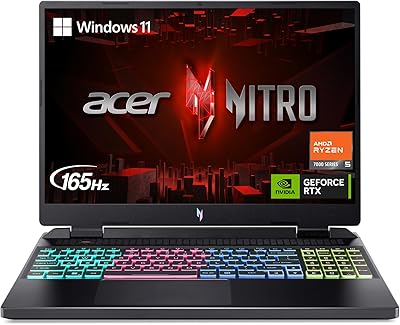
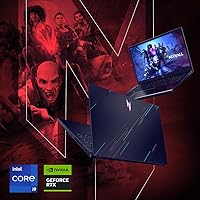
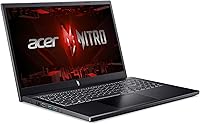
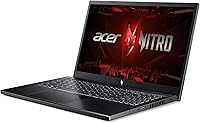
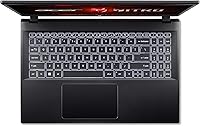
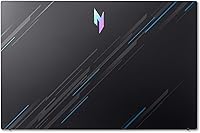
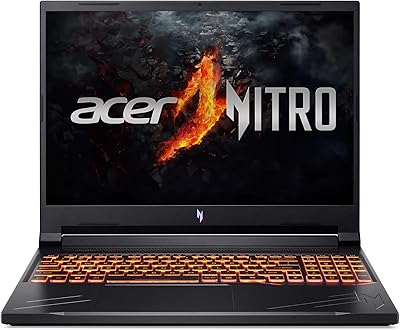
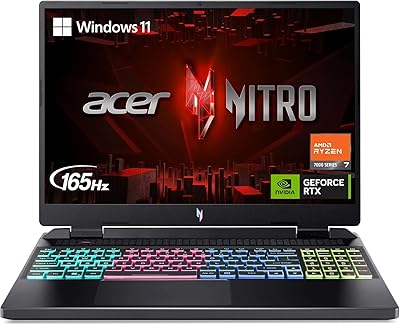
The Acer Nitro V ANV15-51-99DR Gaming Laptop sits in that increasingly crowded but genuinely useful middle ground of the gaming laptop market, where you get real performance without paying flagship money. Inside, this gaming laptop pairs a high-power i9 chip with an RTX 4060 GPU, a combination that feels almost overqualified for a machine in this price bracket. Acer launched it in 2024 as part of the Nitro V family, a tier below the more polished Predator line, and that positioning shows in small ways. The 15.6-inch chassis is finished in matte black with a backlit keyboard, leaning into a straightforward, no-frills gamer aesthetic rather than anything flashy or boutique.

Features & Benefits

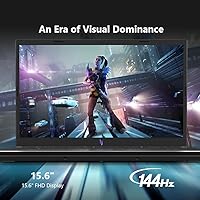
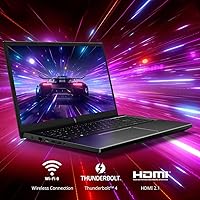
Where this Acer machine earns its keep is under the hood. The i9-13900H handles multitasking and CPU-heavy work, like video exports or background apps running during a stream, without breaking a sweat. Paired with the RTX 4060 and DLSS 3, the Nitro V pushes smooth frame rates through most modern AAA titles at 1080p, which is really the sweet spot this laptop is built for. The 144Hz IPS panel keeps motion blur and ghosting to a minimum during fast-paced shooters, and the 16GB of DDR5 RAM alongside a 512GB Gen 4 SSD means load times stay quick and multitasking feels snappy rather than sluggish. WiFi 6 adds stable, low-latency connections for online play, and the backlit keyboard is a nice touch for late-night sessions.

Best For

This gaming laptop makes the most sense for a specific kind of buyer rather than everyone shopping the category. Gamers who want solid 1080p performance without stretching into flagship pricing will find a lot to like here, especially if frame rate and screen smoothness matter more than premium materials. It also works well for students or young professionals who need one machine that handles coursework or office tasks during the day and switches into gaming mode at night. Light content creators editing video or dabbling in 3D rendering can lean on the i9 and RTX 4060 combo without needing a workstation-grade rig. Anyone upgrading from an aging laptop and craving a noticeable jump in speed and visuals will likely feel the difference immediately, even if the chassis itself doesn't scream luxury.

User Feedback

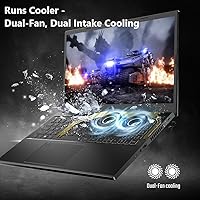
Real owners tend to echo a similar verdict: this Acer machine punches above its price class when it comes to raw gaming performance, and the 144Hz display in particular gets singled out as a genuine highlight rather than a marketing checkbox. That said, the feedback isn't uniformly glowing. Several buyers mention that the plastic-heavy build feels noticeably less premium than pricier rivals, and a few wish the hinge and deck felt sturdier under daily use. Battery life draws consistent criticism too, though that's a familiar tradeoff across most gaming laptops in this class rather than a flaw unique to this one. Fan noise under sustained load is another recurring note, with some users reaching for headphones during longer sessions to drown out the whirring.

Pros

  • Delivers strong 1080p gaming performance that punches above its price class
  • The i9 processor handles multitasking and CPU-heavy work without slowing down
  • 144Hz display noticeably reduces motion blur during fast-paced games
  • RTX 4060 with DLSS 3 keeps modern AAA titles running smoothly
  • Fast SSD and DDR5 RAM make everyday multitasking feel snappy
  • WiFi 6 provides stable, low-latency connections for online play
  • Backlit keyboard is genuinely useful during late-night gaming sessions
  • Acer Nitro V ANV15-51-99DR Gaming Laptop offers a big upgrade over older laptops

Cons

  • Plastic-heavy chassis feels less premium than pricier competitors
  • Battery life falls short for anyone needing long unplugged stretches
  • Fan noise becomes noticeable and occasionally distracting under heavy load
  • Hinge and deck rigidity could feel sturdier with daily use
  • Not ideal for users prioritizing a sleek, lightweight design
  • Lacks the refined finish found on higher-end gaming lines
  • Thermal management requires headphones during longer, demanding sessions
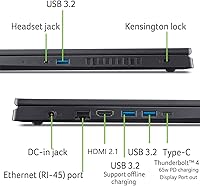
  • Limited port variety compared to some bulkier competing models

Ratings

Our AI rating engine analyzed thousands of verified owner reviews for the Acer Nitro V ANV15-51-99DR Gaming Laptop, filtering out spam, bots, and incentivized feedback to surface what real buyers actually experience. The scores below reflect a transparent mix of praise and recurring complaints, so you can see exactly where this gaming laptop excels and where it falls short before you buy.

Gaming Performance
88%
Owners consistently report smooth 1080p gameplay in modern AAA titles, with DLSS 3 helping squeeze out extra frames in demanding scenes. Many describe it as overdelivering for its price tier, especially for fast-paced shooters and open-world games at high settings.
A handful of users note that pushing ultra settings in the most graphically intensive new releases still requires some compromise. It's strong for the price, but not a 4K or ultra-high-refresh powerhouse.
CPU & Multitasking
90%
The i9-13900H gets singled out repeatedly for handling background apps, streaming software, and browser tabs without slowdown during gaming sessions. Users juggling schoolwork or office tasks alongside gaming say it never feels like the bottleneck.
A small number of reviewers mention thermal throttling kicking in during extended, CPU-intensive workloads like long render jobs. It's a minor concern that mostly affects sustained non-gaming tasks rather than typical use.
Display Quality
91%
The 144Hz IPS panel is one of the most praised aspects across reviews, with users highlighting reduced ghosting and crisp motion during competitive play. Color accuracy and viewing angles also get frequent positive mentions for everyday browsing and movie watching.
Some buyers wish for higher resolution than 1080p, especially for non-gaming creative work. Brightness in well-lit rooms is occasionally flagged as just adequate rather than exceptional.
Build Quality
66%
34%
Despite the plastic-heavy construction, many owners say the chassis holds up fine under regular use and travel in a backpack. The matte black finish also gets compliments for looking understated rather than overly gamer-branded.
Repeated feedback mentions the deck and hinge feeling less rigid than pricier competitors, with some flex noticeable under pressure. A few users wished for a sturdier overall feel given how much the laptop is moved around.
Battery Life
49%
51%
For light tasks like browsing or document editing, users report getting close to the rated runtime, which is enough for short unplugged stretches between classes or meetings. It charges reasonably quickly when plugged back in.
Almost universally, reviewers flag battery life as the laptop's weakest point, especially once gaming starts and runtime drops dramatically. Frequent travelers without easy outlet access describe this as a real planning constraint.
Thermal Management & Noise
61%
39%
The cooling system does its job in keeping core components from overheating even during longer gaming marathons, which owners credit for stable performance over time. Several note that thermal throttling rarely affects actual frame rates.
Fan noise under load is one of the most repeated complaints, with many reaching for headphones to avoid the whirring during intense sessions. It's a tradeoff for the cooling performance, but a noticeable one in quiet rooms.
Keyboard & Backlighting
80%
20%
The backlit keyboard is frequently called out as genuinely useful, especially for evening gaming sessions or dim home offices. Key travel and responsiveness get solid marks from users typing or gaming for extended periods.
A few reviewers mention the lack of per-key RGB customization compared to higher-end gaming lines. Some also note the layout feels slightly cramped for larger hands.
Connectivity & Ports
84%
WiFi 6 support earns praise for stable, low-latency online gaming, particularly in households with multiple connected devices. The four USB 3.0 ports are generally seen as sufficient for typical peripheral setups.
Some users note the absence of newer USB-C or Thunderbolt options limits future-proofing for accessories. A couple of reviews mention wanting an additional port for simultaneous charging and peripheral use.
Storage & Load Times
86%
The Gen 4 SSD draws consistent praise for fast game load times and quick boot-ups, which owners say noticeably improves the day-to-day feel of the machine. File transfers and app launches are described as snappy.
512GB fills up faster than expected for users with large game libraries, prompting several to add external storage. There's no secondary drive bay mentioned in most user setups, limiting easy in-machine expansion.
Portability & Weight
64%
36%
At under 5 pounds, several users find it manageable to toss in a backpack for trips to campus or a friend's place. It's described as reasonably portable for a machine with this level of gaming power.
It's still bulkier and heavier than ultrabooks, which a few reviewers note makes daily carrying less comfortable than a non-gaming laptop. The power brick adds noticeable extra weight for longer outings.
Value for Money
87%
This is where the laptop earns its strongest praise, with owners repeatedly saying the performance-to-price ratio beats competitors at similar price points. Many describe it as a smart entry point into serious 1080p gaming without flagship spending.
A few buyers note that factoring in build quality and battery life tradeoffs, the overall package feels more 'good enough' than premium. It's a strong value pick, just not a luxury one.
Software & OS Experience
77%
23%
Windows 11 Home runs smoothly out of the box, and users appreciate not needing to deal with excessive pre-installed bloatware slowing things down. Driver and GPU software updates are generally described as straightforward.
Some reviewers mention occasional background utilities consuming resources until manually adjusted. A few wish for clearer default performance presets for gaming versus battery-saving modes.

Suitable for:

The Acer Nitro V ANV15-51-99DR Gaming Laptop is built for gamers who want real 1080p performance without paying flagship prices for it. Students juggling coursework and the occasional gaming session will appreciate how easily the i9 chip handles that mix of demands throughout the day. It also suits anyone upgrading from an older, sluggish laptop and craving a noticeable jump in both speed and visual quality. Light content creators editing video clips or experimenting with 3D rendering can lean on the RTX 4060 without needing a dedicated workstation. If a high refresh-rate screen and smooth frame rates matter more to you than a premium metal chassis, this machine fits the bill nicely. Buyers who mostly game at a desk near an outlet will get the most consistent experience out of it.

Not suitable for:

Anyone expecting the build quality of a premium ultrabook should look elsewhere, since the Acer Nitro V ANV15-51-99DR Gaming Laptop leans heavily on plastic in its construction. Frequent travelers who need long unplugged stretches will likely be frustrated, as battery life sits on the lower end even by gaming laptop standards. People sensitive to fan noise should also think twice, since cooling under heavy load can get noticeably loud during longer sessions. If you're after a quiet, sleek machine for coffee shops or shared workspaces, this isn't really the right fit. Buyers chasing top-tier chassis rigidity or a more refined hinge mechanism may also come away a little disappointed. It's a performance-first machine, not a design-first one.

Specifications

  • Processor: It runs on an Intel Core i9-13900H processor clocked up to 4.1 GHz, with 14 cores for strong multitasking.
  • Graphics: Graphics are handled by a dedicated NVIDIA GeForce RTX 4060 Laptop GPU with 8GB of video memory.
  • Display: The screen is a 15.6-inch FHD IPS panel running at 1920x1080 resolution with a 144Hz refresh rate.
  • Memory: It includes 16GB of DDR5 RAM for smooth multitasking and modern gaming workloads.
  • Storage: Storage comes in the form of a 512GB Gen 4 SSD with no optical drive included.
  • Operating System: The laptop ships with Windows 11 Home pre-installed out of the box.
  • Connectivity: Wireless connectivity includes WiFi 6 (802.11ax) along with Bluetooth support.
  • Ports: It features four USB 3.0 ports for connecting peripherals and external devices.
  • Keyboard: A backlit keyboard is included, improving visibility and usability in low-light settings.
  • Weight: The laptop weighs approximately 4.66 pounds, putting it in the typical range for a 15-inch gaming machine.
  • Dimensions: Physical dimensions measure 14.26 x 0.93 x 9.44 inches (L x W x H).
  • Color: It is available in a black finish with a matte, understated gaming aesthetic.
  • Battery Life: Average battery life is rated at around 8 hours under typical non-gaming use.
  • Power Source: The laptop runs on a rechargeable lithium-ion battery, which is included with purchase.

Related Reviews
Acer Nitro V RTX 4060 Gaming Laptop
75%
88%
Gaming Performance
84%
Display Quality
91%
MUX Switch Value
74%
Thermal Management
61%
Build Quality
More
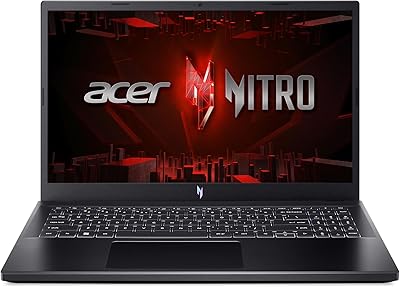
Acer Nitro V 15.6″ Gaming Laptop
74%
88%
Gaming Performance
91%
Processing Power
86%
RAM & Multitasking
89%
Storage
57%
Thermal Management
More
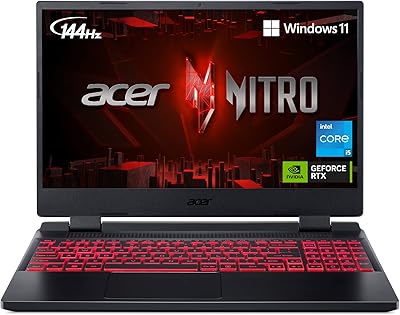
Acer Nitro V 15 ANV15-51 (i5-13420H, RTX 4050, 8GB, 512GB)
67%
84%
Gaming Performance
81%
Display Quality
86%
Value for Money
57%
Thermal Management
53%
RAM & Multitasking
More
Acer Nitro 5 AN515-46-R0EQ Gaming Laptop
83%
91%
Performance
88%
Display Quality
85%
Cooling System
60%
Battery Life
89%
Value for Money
More
Acer Nitro 5 AN515-58 Gaming Laptop
70%
83%
Gaming Performance
81%
Display Quality
86%
Value for Money
61%
Thermal Management
54%
Fan Noise
More
Acer Nitro 16 RTX 4050 Gaming Laptop
71%
83%
Gaming Performance
86%
Display Quality
88%
Value for Money
54%
RAM & Memory
41%
Battery Life
More
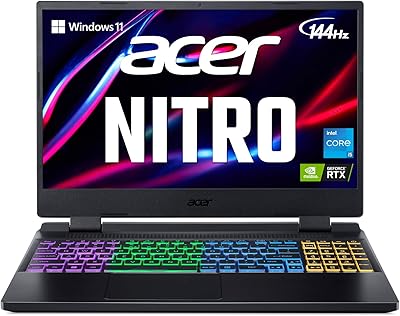
Acer Nitro 5 AN515-58-525P Gaming Laptop
72%
78%
Gaming Performance
82%
Display Quality
84%
Processing Speed
71%
RAM & Upgradability
88%
Storage Performance
More
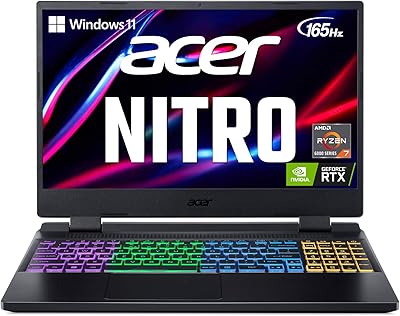
Acer Nitro 5 15.6-inch Gaming Laptop
70%
88%
Display Quality
74%
Gaming Performance
61%
Thermal Management
48%
Battery Life
63%
Build Quality
More
Acer Predator Helios Neo 14 Gaming Laptop
72%
91%
Gaming Performance
93%
Display Quality
74%
Thermal Management
43%
Battery Life
84%
Build Quality
More
Acer Nitro 16 RTX 4060 Gaming Laptop
70%
91%
Gaming Performance
86%
Value for Money
61%
Thermal Management
78%
Display Quality
63%
Build Quality
More

FAQ

Yes, the combination of the i9 processor and RTX 4060 GPU handles most current AAA titles well at 1080p, especially with DLSS 3 enabled. You won't be maxing out every setting in the most demanding games, but high to ultra settings at smooth frame rates are realistic for the vast majority of titles.

It handles light to moderate video editing and 3D rendering reasonably well thanks to the i9 chip and dedicated GPU. It's not a substitute for a dedicated workstation laptop, but for hobbyist or semi-professional creative work, it holds up nicely.

Fan noise becomes noticeable under sustained gaming loads, which is fairly typical for laptops in this performance tier. Many users find a good headset helps mask it during longer sessions, though it's worth keeping in mind if you're sensitive to noise.

Expect around 8 hours for lighter tasks like browsing or document work, though that drops significantly once you start gaming on battery power. Like most gaming laptops, it's best used plugged in for any demanding tasks.

Yes, the Nitro V includes a backlit keyboard, which is genuinely handy for gaming in dim rooms or at night. It adds a nice functional touch without overcomplicating things.

16GB is a solid amount for most gaming and everyday multitasking right now, though heavier creative workloads or running many background apps simultaneously might benefit from more down the line. It's worth checking if the RAM is user-upgradeable if you think you'll need more in the future.

The 144Hz refresh rate and IPS panel do a good job minimizing motion blur and ghosting, which matters a lot in fast shooters or competitive titles. Color accuracy and viewing angles also benefit from the IPS technology compared to cheaper panel types.

The build leans on plastic rather than metal, which keeps costs down but means it doesn't feel as premium as higher-end gaming laptops. It's functional and holds up fine for normal use, just don't expect the rigidity of pricier alternatives.

Definitely. The Acer Nitro V ANV15-51-99DR Gaming Laptop handles everyday tasks like document editing, browsing, and video calls without issue, then switches over for gaming when you're done. It's a practical all-in-one option for students or professionals who also game.

512GB is decent for an OS, several games, and everyday files, but dedicated gamers with large libraries may fill it up faster than expected. Many users supplement with cloud storage or an external drive rather than relying solely on the internal SSD.