
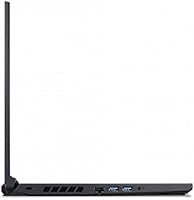
Overview

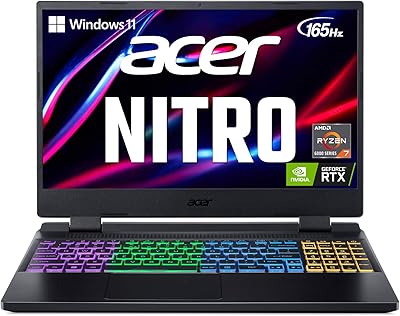
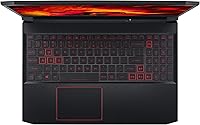
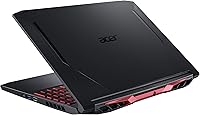
The Acer Nitro 5 15.6-inch Gaming Laptop sits squarely in the budget-to-mid-range camp — this is not Acer's showpiece machine, and it never pretends to be. What grabs you immediately is the 144Hz IPS panel, which is genuinely rare at this price point and makes motion look noticeably crisper than the 60Hz screens found on many competing laptops. Under the hood, the i5-10300H and GTX 1650 Ti form a competent duo for 1080p gaming, though keeping settings at medium-to-high rather than maxing everything out is the realistic expectation here. The chassis is plastic, the aesthetic is gamer-forward with angular lines, and it feels like exactly what it is: a practical entry point for someone ready to make the jump to PC gaming.

Features & Benefits

The 144Hz refresh rate is the headline spec, and it earns its place — playing Valorant or CS2 at high framerates on this panel feels genuinely responsive in a way a standard 60Hz screen simply cannot match. The GTX 1650 Ti handles esports and older AAA titles without much fuss, though it will show its limits on newer open-world games even at 1080p. Network connectivity is a real strength: Wi-Fi 6 and Killer Gigabit Ethernet keep online play stable whether you're wired or not. The dual M.2 slots plus an open hard drive bay give this machine an upgrade path that many competitors at the same price skip entirely. CoolBoost twin-fan cooling keeps temperatures manageable under sustained load — though not quietly.

Best For

This Nitro 5 makes the most sense for someone crossing over from console gaming who wants a capable 1080p machine without spending flagship money. It also works well for college students who need one device to pull double duty — handling assignments during the day and gaming sessions at night. Esports-focused players in particular will get real value from the smooth display, since titles like Valorant and CS2 sit comfortably within the GPU's wheelhouse at high framerates. If you're willing to add RAM or swap in a larger SSD yourself down the road, this 144Hz gaming machine rewards that kind of hands-on ownership. Buyers expecting everything maxed out at purchase should look elsewhere.

User Feedback

Owners of Acer's mid-range gaming laptop tend to agree on a few things. The display earns consistent praise — people regularly report it looks sharper and smoother than they anticipated. The backlit keyboard also draws positive comments for feel and low-light usability. On the downside, fan noise is a common and legitimate frustration; under gaming loads the fans get loud enough to cut through a headset, and that does not improve over time. The 8GB of RAM and 256GB SSD leave many users wishing they had planned for upgrades sooner. Real-world battery life typically lands around four to five hours rather than the nine-hour claim. Long-term owners report the build holds up well enough, though some note the hinge loses rigidity after extended use.

Pros

  • The 144Hz IPS display is a genuine standout at this price tier, making fast-paced games feel noticeably smoother.
  • Wi-Fi 6 and Killer Gigabit Ethernet provide reliable, low-latency connections for competitive online play.
  • The i5-10300H delivers strong single-core performance that keeps esports titles running at consistently high framerates.
  • An open M.2 slot and a free HDD bay make storage upgrades accessible without major technical hurdles.
  • The GTX 1650 Ti handles esports titles and older AAA games at 1080p without breaking a sweat.
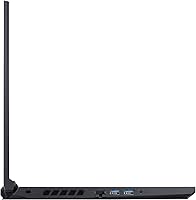
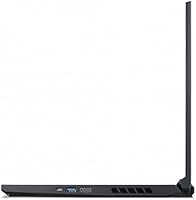
  • Four USB 3.0 ports offer more connectivity than many competitors at the same price point.
  • The backlit keyboard is well-regarded by owners for both feel and low-light visibility.
  • CoolBoost dual-fan cooling keeps the system from throttling during extended gaming sessions.
  • At roughly 2.64 pounds, this 144Hz gaming machine is portable enough to move between a desk and a bag regularly.

Cons

  • Fan noise under gaming loads is loud enough to be intrusive, even with headphones on at moderate volumes.
  • The 256GB NVMe SSD fills up fast — a single modern game install can consume a significant portion of that space.
  • Real-world battery life typically lands between four and five hours, well below the nine-hour figure Acer advertises.
  • 8GB of RAM starts to feel limiting when gaming and multitasking simultaneously, pushing users toward an early upgrade.
  • The plastic chassis, while serviceable, does not inspire confidence compared to metal-bodied competitors in a similar range.
  • Some long-term owners report the hinge loses rigidity after extended daily use, which is worth factoring in for longevity.
  • The GTX 1650 Ti shows clear limitations with newer open-world and graphically demanding titles, even at 1080p medium settings.
  • No optical drive and no Thunderbolt port limit connectivity options for users who rely on those interfaces.

Ratings

The scores below reflect an AI-driven analysis of thousands of verified global user reviews for the Acer Nitro 5 15.6-inch Gaming Laptop, with spam, bot activity, and incentivized feedback actively filtered out to ensure accuracy. Every category captures what real owners experienced day-to-day — not what the spec sheet promises — so both the genuine strengths and the recurring frustrations are represented without softening either side.

Display Quality
88%
The 144Hz IPS panel consistently draws praise as the machine's most pleasant surprise, especially from buyers upgrading from budget 60Hz laptops. Fast-paced games like CS2 and Valorant look noticeably smoother, and colors are accurate enough for casual media consumption without any obvious washout.
A small but vocal portion of owners note that peak brightness is underwhelming in well-lit rooms, making outdoor or bright-window use uncomfortable. Some also wish the panel covered a wider color gamut for anything beyond gaming or basic streaming.
Gaming Performance
74%
26%
For esports titles and games released before 2021, this Nitro 5 delivers a genuinely enjoyable 1080p experience without significant frame drops. Players regularly report stable framerates above 100fps in Fortnite and Valorant at high settings, which the 144Hz display is well-positioned to take advantage of.
Newer open-world and graphically demanding titles expose the GTX 1650 Ti's ceiling quickly, often requiring a drop to low or medium settings just to hit 60fps. Buyers expecting to run the latest AAA releases at high detail will need to recalibrate expectations or look at a higher-tier GPU.
Thermal Management
61%
39%
The CoolBoost dual-fan system does its job in terms of keeping the CPU and GPU from throttling during extended gaming sessions, which is a meaningful achievement at this price point. Temperatures under load generally stay within acceptable limits, and the NitroSense software gives users direct control over fan curves.
The trade-off is noise — under sustained gaming the fans are genuinely loud, often reaching levels that cut through moderate background sound even with headphones resting around the neck. Users in shared spaces, libraries, or quiet rooms report this as a persistent and non-trivial annoyance.
Battery Life
48%
52%
For very light tasks like reading documents or watching a single video stream at reduced brightness, the battery can stretch to around five hours, which is passable for short commutes or a couple of back-to-back classes.
The advertised nine-hour figure bears almost no resemblance to what owners experience in practice. Under any real gaming load the laptop lasts one to two hours unplugged at best, and even mixed daily use — browsing, note-taking, occasional video — drains the battery in four to five hours, making the charger effectively mandatory for full-day use.
Build Quality
63%
37%
The overall structural rigidity is adequate for daily transport in a padded bag, and the base of the chassis feels solid enough that flex during typing is not a real complaint among most owners. The angular gamer aesthetic, while not subtle, is consistent and deliberate rather than cheap-looking.
The all-plastic construction becomes a point of frustration for long-term owners, particularly around the hinge, which a notable number of users report losing firmness after a year or more of regular opening and closing. The lid also picks up fingerprints and light scratches easily, which wears on the machine's appearance over time.
Keyboard & Typing Experience
81%
19%
The backlit keyboard earns consistent praise for its key travel and tactile feedback, which feels more deliberate than the mushy keyboards found on many budget laptops. The backlighting is bright and even across the keys, making late-night gaming or typing in dim environments genuinely comfortable.
A portion of owners wish the keyboard offered per-key RGB rather than single-zone backlighting, which limits personalization compared to higher-end gaming laptops. A few users also note that the numpad layout feels slightly cramped, though this is a common trade-off on 15.6-inch machines.
RAM & Multitasking
57%
43%
For single-application gaming with minimal background processes, 8GB of DDR4 at 2933MHz keeps things running without noticeable hitching. Users who treat this strictly as a gaming machine and close unneeded apps report a fine experience in titles that do not have high memory requirements.
The moment a game is open alongside a browser with a handful of tabs, a Discord voice call, and a music app, the system starts to feel the squeeze. Long-term owners almost unanimously recommend upgrading to 16GB within the first few months, and those who did not report regretting it.
Storage Capacity
52%
48%
The NVMe SSD provides fast load times and a snappy Windows experience right out of the box, which is a meaningful quality-of-life advantage over older HDD-based laptops. The drive's read and write speeds are solid for daily use and game loading.
256GB is simply not enough for most active gamers in 2024 — a single modern AAA game can consume 80 to 100GB, leaving little room for the operating system, applications, and a second title. The open M.2 slot and HDD bay make expansion possible, but that is an added cost and effort many buyers did not anticipate needing immediately.
Connectivity & Networking
87%
Wi-Fi 6 support combined with the Killer Gigabit Ethernet port puts this machine ahead of many competitors at a similar price in terms of network reliability. Owners who play competitive multiplayer online report noticeably stable connections, especially when wired, with minimal packet loss during peak usage hours.
The absence of a Thunderbolt port is a limitation for users who want to connect an eGPU or use high-speed external storage down the line. There is also no SD card reader, which is a minor but recurring frustration for users who work with cameras or content from memory cards.
CPU Performance
83%
The i5-10300H punches reliably within its class, offering strong single-core speeds that keep gaming framerates stable and responsive without obvious bottlenecking the GTX 1650 Ti in typical esports scenarios. It also handles productivity workloads like spreadsheets, video calls, and light coding without complaint.
In CPU-heavy tasks like video rendering or large compilation jobs, the processor falls behind newer-generation chips from both Intel and AMD, which have made significant efficiency and performance gains since this chip launched. For pure gaming this is rarely an issue, but for heavier creative workflows it is a noticeable gap.
Portability
71%
29%
At 2.64 pounds, this 144Hz gaming machine is lighter than many full-size gaming laptops in its category, and its dimensions fit comfortably into most standard 15-inch laptop backpacks without excessive bulk. Students carrying it between classes report it being manageable for daily transport.
The charger is large and adds meaningful weight to a daily bag, and given the limited battery life, carrying it is not optional — it is a necessity. The combined weight of the laptop and power brick makes the overall carry heavier than the laptop spec suggests.
Value for Money
78%
22%
When assessed as an entry point to PC gaming with a 144Hz display, the overall package represents fair value for a first-time buyer who understands what they are getting. The display quality alone is a differentiator that many similarly priced machines cannot match.
Buyers who factor in the near-mandatory RAM and storage upgrades quickly find that the effective total cost of ownership rises noticeably above the sticker price. At full price without upgrades, the base configuration feels underspecced relative to where the broader market has moved.
Audio Quality
66%
34%
DTS:X Ultra processing does a reasonable job of improving spatial audio through headphones, and gaming with a decent headset connected is a genuinely good experience on this machine. For voice chat and streaming audio, the output is clean and reliable.
The built-in speakers are underwhelming — thin and lacking bass, they are passable for system sounds and video calls but fall short for immersive gaming or enjoying music without headphones. Most owners default to external audio within the first week of ownership.
Software & Out-of-Box Setup
72%
28%
NitroSense, Acer's proprietary monitoring and fan control utility, is one of the more useful pieces of pre-installed software on any gaming laptop in this class, giving owners real-time temperature data and manual fan override without needing third-party tools.
Beyond NitroSense, the laptop ships with a cluster of trial software, third-party apps, and manufacturer promotions that most owners strip out immediately. The initial setup experience feels cluttered, and Windows 10 Home also prompts several update cycles before the machine feels fully ready to use.

Suitable for:

The Acer Nitro 5 15.6-inch Gaming Laptop is a strong match for anyone making their first serious move into PC gaming, particularly those coming from a console background who want a capable 1080p experience without a flagship price tag. Esports players — anyone spending serious hours in Valorant, CS2, Fortnite, or similar titles — will get genuine value from the 144Hz display, which makes fast-paced gameplay feel noticeably more responsive than what most laptops at this tier offer. College students who need one machine to cover both coursework and gaming will find the balance of performance and portability practical and sensible. It also works well for budget-conscious buyers who are comfortable doing a RAM or storage upgrade themselves later, since the open M.2 slot and HDD bay make that process far less painful than on many competing machines. If your gaming diet leans toward older AAA titles or competitive multiplayer rather than the latest graphically demanding releases, this Nitro 5 covers that ground reliably.

Not suitable for:

Buyers expecting to run recent, graphically intensive games — think Cyberpunk 2077, Alan Wake 2, or similar titles — at high settings will find the GTX 1650 Ti comes up short; this is not a machine built for that kind of workload. The Acer Nitro 5 15.6-inch Gaming Laptop also struggles to justify itself for power users or content creators who need more than 8GB of RAM out of the box, since multitasking across a browser, a game, and a few background apps can start to feel cramped quickly. Anyone sensitive to fan noise should think carefully here — under sustained gaming loads, the cooling system gets loud enough to be genuinely distracting, especially in quiet environments. If you need all-day untethered battery life for classes or travel, the real-world endurance of roughly four to five hours means you will be hunting for an outlet more often than the spec sheet implies. Finally, buyers who prefer a premium or understated build aesthetic over a plastic gamer-forward design will likely find the look and feel of this machine a poor fit.

Specifications

  • Processor: Powered by a 10th Gen Intel Core i5-10300H quad-core processor with a boost clock of up to 4.5GHz, suited for gaming and everyday multitasking workloads.
  • Graphics: Equipped with an NVIDIA GeForce GTX 1650 Ti GPU featuring 4GB of dedicated GDDR6 VRAM, capable of smooth 1080p performance in esports and older AAA titles.
  • Display: Features a 15.6″ Full HD IPS panel with a 1920x1080 resolution and a 144Hz refresh rate, delivering noticeably fluid motion compared to standard 60Hz laptop screens.
  • RAM: Comes with 8GB of DDR4 RAM running at 2933MHz, which covers typical gaming and light multitasking needs but may feel limiting for heavier workloads.
  • Storage: Ships with a 256GB NVMe SSD as the primary drive, with one additional open M.2 slot and one available HDD bay for user-installed storage expansions.
  • Wireless: Includes an Intel Wi-Fi 6 AX201 (802.11ax) adapter for fast and stable wireless connectivity, with support for modern routers operating on both 2.4GHz and 5GHz bands.
  • Wired Network: Outfitted with a Killer Ethernet E2600 Gigabit LAN port (10/100/1000Mbps) for low-latency wired connections preferred by competitive online gamers.
  • USB Ports: Provides four USB 3.0 ports, offering ample connectivity for peripherals such as a gaming mouse, external drives, headsets, and controllers simultaneously.
  • Cooling System: Uses Acer CoolBoost technology with dual fans and quad exhaust ports to manage thermal output during extended gaming sessions and prevent performance throttling.
  • Keyboard: Includes a backlit keyboard with a gamer-oriented layout, providing improved key visibility in low-light environments such as dark rooms or night gaming setups.
  • Battery: Houses a built-in Lithium Polymer battery with a manufacturer-claimed runtime of up to 9 hours, though real-world use under gaming loads typically yields considerably less.
  • Operating System: Ships with Windows 10 Home pre-installed, offering out-of-the-box compatibility with the majority of PC games and productivity software available today.
  • Dimensions: Measures 14.31 x 10.04 x 0.94 inches, making it a standard-footprint 15.6″ laptop that fits most backpacks and laptop bags designed for that screen size.
  • Weight: Weighs approximately 2.64 pounds, which is reasonably portable for a gaming laptop in this class, though it is heavier than ultrabook-class machines.
  • Chassis Material: Built with a plastic chassis finished in black with angular, gamer-oriented styling that prioritizes affordability and heat dissipation over premium materials.
  • Audio: Supports DTS:X Ultra audio processing, which enhances spatial sound for gaming and media playback through headphones or the built-in speakers.

Related Reviews
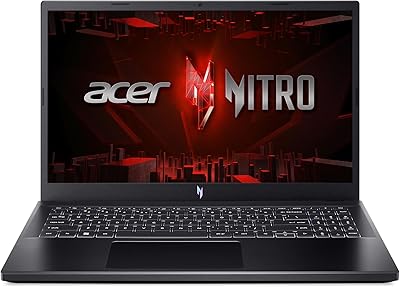
Acer Nitro V 15 ANV15-51 (i5-13420H, RTX 4050, 8GB, 512GB)
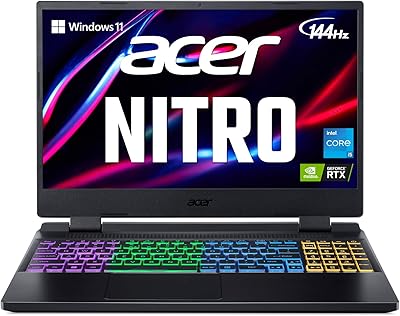
67%
84%
Gaming Performance
81%
Display Quality
86%
Value for Money
57%
Thermal Management
53%
RAM & Multitasking
More
Acer Nitro KG251Q 24.5-inch Gaming Monitor
77%
93%
Refresh Rate Performance
91%
Value for Money
86%
Motion Clarity
82%
Image Contrast & Blacks
61%
Color Accuracy
More
Acer Nitro 5 AN515-58 Gaming Laptop
70%
83%
Gaming Performance
81%
Display Quality
86%
Value for Money
61%
Thermal Management
54%
Fan Noise
More
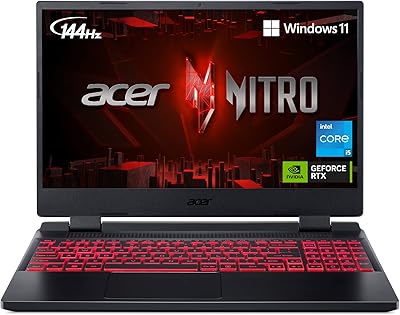
Acer Nitro 5 AN515-46-R0EQ Gaming Laptop
83%
91%
Performance
88%
Display Quality
85%
Cooling System
60%
Battery Life
89%
Value for Money
More
Acer Nitro 5 AN515-58-525P Gaming Laptop

72%
78%
Gaming Performance
82%
Display Quality
84%
Processing Speed
71%
RAM & Upgradability
88%
Storage Performance
More
Acer Nitro EDA323QU 31.5-inch Curved Gaming Monitor
74%
89%
Value for Money
87%
Image Sharpness
84%
Refresh Rate Performance
82%
AMD FreeSync
41%
Stand Ergonomics
More
Acer Nitro EDA320Q 31.5″ Curved Gaming Monitor
71%
91%
Value for Money
74%
Image Quality
78%
Gaming Performance
84%
Curvature & Immersion
43%
Ergonomics & Adjustability
More
Acer Aspire 3 Laptop | AMD Ryzen 5 7430U | 64GB RAM | 1TB SSD | 15.6″ FHD
84%
89%
Performance
91%
Display Quality
87%
Multitasking Capability
78%
Build Quality
82%
Keyboard Comfort
More
HP Victus 15 32GB 1TB Gaming Laptop
70%
63%
Gaming Performance
81%
Display Quality
89%
RAM & Memory
86%
Storage Performance
78%
CPU Performance
More
NIAKUN LAITMIN 15.6-inch Gaming Laptop
65%
74%
Value for Money
41%
Gaming Performance
78%
Productivity Performance
67%
Display Quality
53%
Build Quality
More

FAQ

It depends on the game. Esports titles like Valorant, CS2, and Fortnite run very well at 1080p high settings, often pushing well above 60fps and taking full advantage of the 144Hz display. For newer, graphically demanding games like Hogwarts Legacy or Cyberpunk 2077, you will need to dial settings down to low-to-medium to get a playable framerate. Think of the GTX 1650 Ti as a capable but not high-end GPU — it has a clear ceiling, and setting realistic expectations upfront will save you frustration.

For gaming alone on most titles, 8GB will get the job done in the short term. The problem shows up when you have a game open alongside a browser with several tabs, Discord, and Spotify — that combination can start to feel sluggish. If you multitask heavily or plan to keep this machine for more than a year or two, upgrading to 16GB is a worthwhile investment and not a complicated process on this model.

Honestly, it gets loud. Under sustained gaming loads the fans ramp up noticeably and can reach a level that is distracting in a quiet room. Using headphones helps significantly, but if you share a space and fan noise is a concern for those around you, that is worth knowing going in. Acer's CoolBoost software does let you manually adjust fan speed, but there is no noiseless option when the system is working hard.

The 9-hour figure on the spec sheet is based on light usage conditions that do not reflect typical daily use. In practice, expect somewhere between four and five hours of mixed use — browsing, note-taking, and light media. The moment you start gaming without the charger plugged in, that drops to roughly one to two hours. For college use, plan to bring the charger to longer days on campus.

Yes, and it is one of the better aspects of this machine from an upgrade standpoint. There is one open M.2 slot alongside the existing SSD, plus an available 2.5-inch HDD bay. Adding a second SSD or a large hard drive is a straightforward process if you are comfortable with basic laptop disassembly — removing the bottom panel and slotting in a drive. Given that 256GB fills up fast with modern games, most owners end up expanding storage within the first year.

It is a solid choice for that dual-purpose use case. The processor handles everyday productivity tasks — document editing, research, video calls — without any issues, and the 144Hz display makes gaming sessions genuinely enjoyable. The main thing to manage is battery life; you will want to keep the charger accessible during longer study sessions. The weight is manageable for commuting, though it is not as light as a dedicated ultrabook.

Yes, it includes an Intel AX201 Wi-Fi 6 adapter. Whether it makes a practical difference depends on your router — if your router also supports Wi-Fi 6, you will get noticeably lower latency and more stable throughput on a crowded network. If your router is older, you will still connect normally at Wi-Fi 5 speeds. For competitive online gaming where connection consistency matters, the Wi-Fi 6 support combined with the Killer Gigabit Ethernet port is a genuine advantage over many competing laptops in this price range.

The IPS panel looks good for everyday work and media consumption. Colors are accurate enough for general use, viewing angles are wide, and the 144Hz refresh rate makes even scrolling through web pages feel smoother than usual. It is not a color-calibrated display suited for photo or video editing work, but for someone using it primarily to game, study, and stream, the screen quality is well above what you might expect at this price.

The all-plastic chassis is functional but not premium. It will handle the normal wear of daily commuting in a padded laptop bag or backpack without major issues. The area that draws the most concern from long-term owners is the hinge, which some report feeling less firm after a year or more of heavy use. It is not a fragile machine by any means, but it does not have the rigidity of an aluminum-bodied laptop. Using a sleeve or a bag with padding is a good habit regardless.

Like most consumer laptops, this Nitro 5 ships with some pre-installed software from Acer, including their NitroSense utility for monitoring temperatures and fan speeds — which is actually useful. There will also be some trial software and third-party apps that most users remove immediately. The Windows 10 Home setup process is standard, and getting into games and applications does not require any special configuration steps beyond the usual Windows first-run experience.

Where to Buy