

Overview

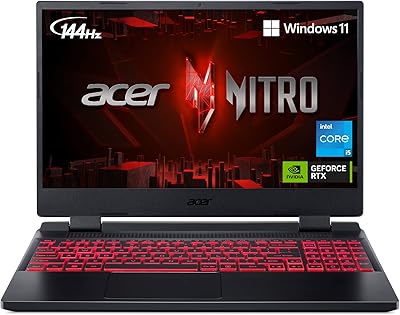
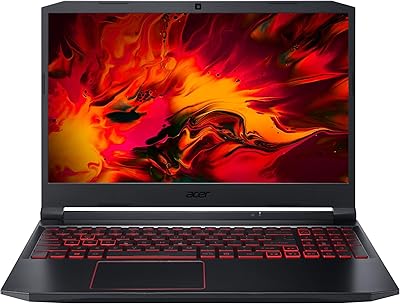
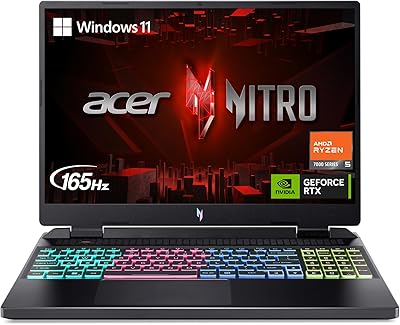
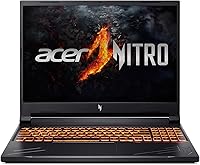
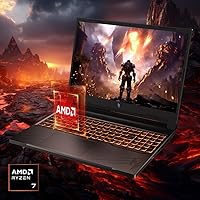
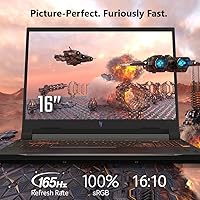
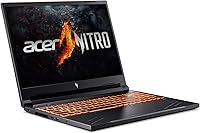
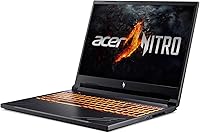
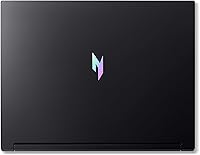
The Acer Nitro V RTX 4060 Gaming Laptop sits in an interesting spot — capable enough to handle modern titles without the sticker shock of a flagship machine. It belongs to Acer's mid-tier gaming lineup, sitting above the general-purpose Aspire series and well below the premium Predator range. Powering it is the AMD Ryzen 7 8845HS, a strong octa-core processor that pairs well with the RTX 4060 without creating a bottleneck. The display is worth noting too: a 16-inch 165Hz panel running at 1920x1200 rather than standard 1080p, giving you a bit more vertical space. Just be clear-eyed — this is a solid 1080p/1200p performer, not a 4K workstation.

Features & Benefits

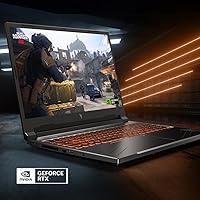
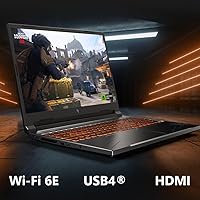
The RTX 4060 GPU is the real draw here — DLSS 3.5 support means you can push frame rates noticeably higher in supported titles, which makes the 165Hz panel actually earn its keep. One underappreciated detail is the 16:10 screen ratio; that 1920x1200 resolution adds visible vertical space over a standard 1080p panel, which matters during both gaming and everyday browsing. A MUX Switch is genuinely uncommon at this price tier, letting you route output directly from the GPU and bypass the integrated graphics layer — a real, measurable fps improvement in practice. The USB4 Type-C port and Gigabit Ethernet round out a port selection that covers both legacy and modern connection needs without compromise.

Best For

This mid-range gaming laptop makes the most sense for college students or anyone putting together their first dedicated gaming setup on a realistic budget. If you care more about smooth, high-refresh gameplay at 1080p or 1200p than chasing 4K resolutions, the hardware here is well-matched to that goal. It also holds up as a day-to-day productivity machine — writing, browsing, video calls — so you are not carrying two devices. The dual DDR5 memory slots and two M.2 SSD bays mean future upgrade headroom is genuinely available. At just over 5.5 pounds, it is also portable enough to move between home and campus without much hassle.

User Feedback

Buyers consistently highlight strong gaming value for the price — display quality, port variety, and GPU output all receive frequent praise. The MUX Switch comes up repeatedly as a welcome surprise, since many competing machines in this bracket skip it entirely. On the downside, fan noise under heavy gaming loads is real; not alarming, but noticeable in a quiet room. Keyboard flex draws occasional complaints, and the all-plastic chassis, while sturdy enough for daily use, does not inspire confidence the way a metal-lidded build might. Battery life is the other honest caveat — the seven-hour estimate applies to light tasks only, and you should expect considerably shorter sessions during active gaming.

Pros

  • The RTX 4060 GPU handles modern titles at 1080p and 1200p with headroom to spare.
  • A MUX Switch is a rare find at this price tier and delivers a real, measurable fps boost.
  • The 16:10 WUXGA display offers more vertical screen space than standard 1080p competitors.
  • 165Hz refresh rate keeps gameplay visually smooth in fast-paced and competitive games.
  • DLSS 3.5 support means frame rates can climb significantly in supported titles.
  • Dual DDR5 slots and two M.2 bays make future upgrades straightforward and affordable.
  • USB4 Type-C with DisplayPort support is a genuinely useful modern port to have onboard.
  • Wi-Fi 6E and Gigabit Ethernet together cover every realistic connectivity scenario.
  • The Ryzen 7 8845HS keeps up with the GPU without creating a processing bottleneck.
  • Competitive pricing for the hardware configuration makes this strong value in its tier.

Cons

  • Fan noise under gaming load is noticeable and can be distracting in quiet environments.
  • The plastic chassis lacks the premium feel that some buyers expect at this price point.
  • Keyboard flex under firm typing pressure is a recurring complaint among everyday users.
  • Battery runtime during active gaming drops well below the seven-hour light-use estimate.
  • The display, while fast, is not suited for color-critical creative or professional work.
  • At 5.51 pounds with a charging brick, daily bag carry adds up quickly.
  • No optical drive and limited audio output options may require additional accessories.
  • Thermals are managed adequately, but the fan ramp-up can be sudden and aggressive.
  • The 16GB base RAM is workable today but may feel constrained in two to three years.
  • Webcam quality is basic and unlikely to satisfy anyone doing regular video conferencing.

Ratings

The scores below for the Acer Nitro V RTX 4060 Gaming Laptop were generated by our AI after analyzing thousands of verified purchase reviews from global buyers, with spam, bot submissions, and incentivized feedback actively filtered out. Each category reflects the honest distribution of real user experiences — strengths are credited where earned, and recurring frustrations are not softened.

Gaming Performance
88%
Users consistently report that the Nitro V 16 handles popular titles like Cyberpunk 2077, Fortnite, and Elden Ring at high settings with smooth, playable frame rates at the native resolution. The RTX 4060 paired with DLSS 3.5 gets called out repeatedly as a genuine fps multiplier rather than a gimmick, especially in ray-traced titles.
Buyers attempting to push the GPU at 1440p on an external monitor note that demanding AAA titles require significant settings compromises to maintain fluid gameplay. A small but vocal group of users expected more headroom for future-proofing as game requirements continue to climb.
Display Quality
84%
The 165Hz refresh rate earns consistent praise from competitive gamers who notice an immediate difference coming from 60Hz screens. Multiple users specifically highlight the 16:10 aspect ratio as a productivity bonus — having that extra vertical space for code editors, spreadsheets, and browser tabs makes a real daily difference.
Color accuracy outside the sRGB range is a noted limitation; users doing any light photo editing remark that colors look slightly oversaturated or shifted compared to calibrated monitors. Outdoor or brightly lit room usage also draws complaints about reflections and insufficient peak brightness.
MUX Switch Value
91%
The MUX Switch is one of the most praised features relative to its price tier, with users frequently noting it as an unexpected bonus that meaningfully lifted frame rates once they discovered and enabled it. Reviewers coming from laptops without a MUX Switch specifically mention the fps improvement as immediately noticeable in GPU-bound scenarios.
A recurring frustration is that the MUX Switch is buried in the NitroSense software and not prominently communicated at setup — several buyers only discovered it weeks or months after purchase. Toggling it requires a reboot, which minor but adds friction compared to competitors with more seamless implementations.
Thermal Management
74%
26%
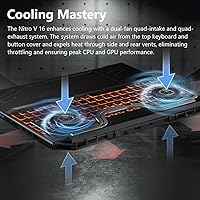
Users generally report that the Nitro V 16 keeps CPU and GPU temperatures within safe and stable operating ranges even during extended gaming sessions, which points to the quad-exhaust cooling system doing its job. Throttling under sustained load is reported as minimal, which is a meaningful real-world win for marathon gaming.
The price of those controlled temperatures is audible fan noise that numerous buyers describe as aggressive and intrusive during intense gaming. Some users also note that the bottom and keyboard area become noticeably warm during long sessions, which can be uncomfortable when gaming on a lap.
Build Quality
61%
39%
For daily practical use — carrying in a backpack, sliding in and out of a bag, sitting on a desk — users generally find the chassis sturdy enough to handle normal wear without issue. The hinge mechanism in particular draws few complaints, which is a common failure point on budget gaming laptops.
The all-plastic construction is the most consistent complaint across reviews, with buyers noting it feels noticeably less premium than competitors using metal lids. Keyboard flex under firm typing is a specific and frequently repeated gripe, particularly from users who type heavily during productivity work.
Battery Life
49%
51%
Users doing genuinely light tasks — reading, note-taking, video streaming at moderate brightness — can stretch the battery into the five-to-seven-hour window, which is workable for a half-day of class or meetings. The USB4 Type-C charging support means users can top up with a compatible laptop charger in a pinch.
Gaming battery life is where expectations collapse — most users report the battery depleting in under two hours of active gaming, with some heavy titles draining it faster. Buyers who purchased this expecting meaningful untethered gaming portability are consistently disappointed, and this category generates some of the most frustrated feedback.
Keyboard & Trackpad
67%
33%
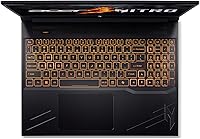
The backlit keyboard receives solid marks for key spacing and layout during gaming, and the numpad inclusion is appreciated by users who also use this machine for data entry or spreadsheet work. Key travel feels adequate for gaming inputs according to the majority of feedback.
The flex under firm typing pressure is a recurring complaint, particularly from writers and coders who spend hours on the keyboard for non-gaming tasks. The trackpad is described as functional but unexceptional — it gets the job done for navigation but most users quickly reach for an external mouse.
Connectivity & Ports
86%
The port selection earns strong praise as one of the better-equipped laptops in this price tier — users specifically call out the USB4 Type-C, HDMI 2.1, and built-in Ethernet port as covering all their desk setup needs without a hub. Wi-Fi 6E performance is described as fast and stable across multiple reviews from users on compatible routers.
The absence of a card reader or Thunderbolt branding (despite USB4 speeds) is noted by a subset of users expecting full Thunderbolt 4 compatibility. A few buyers also flagged the port placement on the sides as occasionally inconvenient when cords cluster near the mouse hand.
Value for Money
83%
This mid-range gaming laptop frequently appears in user comparisons as one of the stronger hardware-per-dollar options in the RTX 4060 laptop segment, particularly given the inclusion of the MUX Switch and 16:10 display. Buyers who researched the competition before purchasing tend to leave the most satisfied feedback, feeling their money was well spent.
Users who bought without researching and later discovered the build quality limitations or battery realities feel the gap between price paid and premium feel is wider than expected. A handful of reviewers also note that competitor models occasionally appear at similar or lower prices with metal builds, which undercuts the value perception.
CPU Performance
87%
The Ryzen 7 8845HS draws steady praise for keeping up with the GPU in gaming without creating bottlenecks, and users running productivity workloads alongside gaming note that multitasking feels genuinely responsive. Compile times, video exports, and background application handling all receive positive mentions in reviews from technically minded buyers.
Under extended stress loads combining both CPU and GPU simultaneously, thermal headroom can get tight, with some users noting the fans hit maximum speed and stay there. A small number of buyers report occasional stutters in heavily CPU-threaded games, though this appears to be the exception rather than the rule.
Upgrade Potential
82%
18%
Users who enjoy tinkering with hardware appreciate that both RAM slots are accessible and the second M.2 slot is genuinely empty and usable — a detail some competing laptops skip entirely. Reviews from buyers who upgraded RAM to 32GB note a tangible improvement in heavily memory-dependent workflows.
GPU upgradeability is not possible given the soldered chip design, which is a hard ceiling some longer-term buyers bump into as games grow more demanding. A few users also note that accessing the internals requires removing the bottom panel carefully, which can be intimidating for less experienced users.
Software & Bloatware
63%
37%
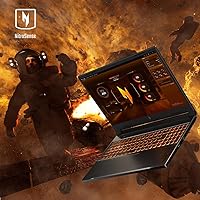
NitroSense, Acer's companion software, receives moderate praise for housing fan controls and the MUX Switch toggle in one accessible place. Users who take time to set up performance profiles find the software useful for switching between quiet productivity mode and full gaming performance.
Pre-installed bloatware is a commonly flagged frustration, with multiple buyers noting the first task after setup was uninstalling unwanted trial software and Acer-branded apps. NitroSense itself draws criticism for an interface that some users find cluttered and unintuitive, particularly compared to competitors like Armoury Crate or Lenovo Vantage.
Portability
71%
29%
At 5.51 pounds the Nitro V 16 sits in an acceptable range for a 16-inch gaming machine, and users who commute to campus or move between rooms report it is manageable in a padded laptop sleeve inside a regular backpack. The relatively slim 0.97-inch profile helps it fit in bags without dominating the available space.
When you add the included power brick — which is bulky by necessity given the GPU power requirements — the total carry weight climbs noticeably. Users traveling for a full day note that carrying the charger is essentially mandatory given the battery life, which makes the overall portable experience heavier than the laptop weight alone suggests.
Audio Quality
58%
42%
For a gaming laptop in this tier, the built-in speakers are described as passable for casual YouTube watching or background music, and the audio output through the 3.5mm jack to headphones or a headset is reported as clean and free of noticeable interference. Most users treat the onboard speakers as a fallback rather than a primary audio solution.
The speaker output volume and bass depth draw consistent criticism — users accustomed to MacBook-level laptop audio or a dedicated soundbar find the experience noticeably thin and flat. High-volume sessions also produce minor distortion at the top end, which several audiophile-leaning reviewers flag explicitly.

Suitable for:

The Acer Nitro V RTX 4060 Gaming Laptop is purpose-built for buyers who want genuine gaming performance without paying flagship prices — and that sweet spot covers a surprisingly wide audience. College students are an obvious fit: the 16-inch form factor is portable enough for campus life, the hardware handles modern titles at high frame rates, and the dual memory and storage slots mean you can expand it over time rather than buying new. Casual-to-serious gamers who care about smooth, responsive gameplay at 1080p or 1200p will find the 165Hz display and MUX Switch combination genuinely satisfying in practice. It also works well as a dual-purpose machine — handling spreadsheets, video calls, and light creative work during the day, then switching into gaming mode in the evening. Anyone who values having a real Gigabit Ethernet port and a USB4 connection available will appreciate that the connectivity options here are more complete than most competitors in this tier.

Not suitable for:

If your priority is premium build quality or a laptop that feels as good in your hands as it performs, the Acer Nitro V RTX 4060 Gaming Laptop is likely to disappoint. The all-plastic chassis is functional but not confidence-inspiring, and the keyboard has some flex that may bother touch-typists during long sessions. Battery life is the other honest dealbreaker for certain buyers — while light productivity use might get you through a half-day unplugged, anyone expecting to game away from an outlet for more than an hour or two will find themselves tethered to a charger. Content creators or professionals who need accurate color reproduction beyond sRGB for photo or video work should look elsewhere, as this display is tuned for gaming brightness and refresh rather than color-critical output. Buyers chasing 1440p or 4K gaming will also hit the ceiling of what the RTX 4060 can do comfortably at those resolutions, particularly in demanding modern titles.

Specifications

  • Processor: AMD Ryzen 7 8845HS octa-core processor with a 3.8 GHz base clock, built on a modern architecture with integrated AI processing capabilities.
  • Graphics: NVIDIA GeForce RTX 4060 dedicated GPU with 8GB of VRAM, supporting DLSS 3.5, ray tracing, and direct output via MUX Switch.
  • Display: 16-inch IPS panel running at 1920x1200 (WUXGA) resolution with a 165Hz refresh rate and 100% sRGB color coverage in a 16:10 aspect ratio.
  • Memory: 16GB DDR5 RAM at 5600MHz across two slots, with a maximum supported capacity of 32GB for future upgrades.
  • Storage: 1TB PCIe Gen 4 NVMe SSD installed, with a second M.2 slot available for additional storage expansion.
  • Battery: Built-in lithium-ion battery rated for approximately 7 hours of estimated runtime under light productivity workloads; expect significantly less during gaming.
  • Wireless: Wi-Fi 6E (802.11ax) with Bluetooth support for fast, low-latency wireless connectivity on modern network infrastructure.
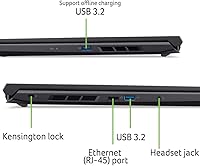
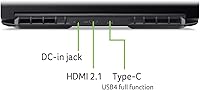
  • Ports: One USB4 Type-C (up to 40 Gbps, DisplayPort, charging), two USB 3.2 Gen 2 Type-A, one HDMI 2.1, one RJ-45 Ethernet, one 3.5mm audio jack, and a Kensington Lock slot.
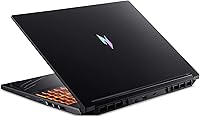
  • Cooling System: Dual-fan configuration with four air intake points and four exhaust vents, drawing cool air through the keyboard deck and expelling heat via side and rear vents.
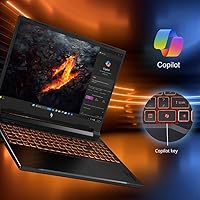
  • Operating System: Windows 11 Home is pre-installed, with a dedicated Copilot key on the keyboard for quick AI assistant access.
  • Dimensions: The chassis measures 14.22 x 10.96 x 0.97 inches (LxWxH), keeping the 16-inch form factor relatively slim for a dedicated gaming machine.
  • Weight: The laptop weighs 5.51 pounds without the power adapter, making it portable for daily transport though not ultrabook-light.
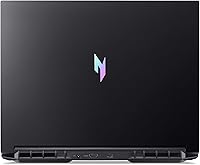
  • Build & Color: The chassis is constructed primarily from plastic in a matte black finish, prioritizing thermal management and cost efficiency over premium materials.
  • Keyboard: Full-size backlit keyboard with a dedicated Copilot key; the layout includes a numpad and the backlighting supports comfortable use in low-light conditions.
  • MUX Switch: A hardware MUX Switch allows the display to receive output directly from the dedicated GPU, bypassing the integrated graphics and improving in-game frame rates.
  • Ethernet: A standard RJ-45 Gigabit Ethernet port is included, enabling wired network connections for low-latency online gaming without relying on a USB adapter.
  • Display Output: External displays can be connected via the HDMI 2.1 port or the USB4 Type-C port with DisplayPort support, enabling up to multi-monitor setups.
  • Audio: A single 3.5mm combo headphone and speaker jack is provided for wired audio accessories; no dedicated microphone-in port is included.

Related Reviews
Acer Nitro V 15.6″ Gaming Laptop
74%
88%
Gaming Performance
91%
Processing Power
86%
RAM & Multitasking
89%
Storage
57%
Thermal Management
More
Acer Nitro 16 RTX 4060 Gaming Laptop
70%
91%
Gaming Performance
86%
Value for Money
61%
Thermal Management
78%
Display Quality
63%
Build Quality
More
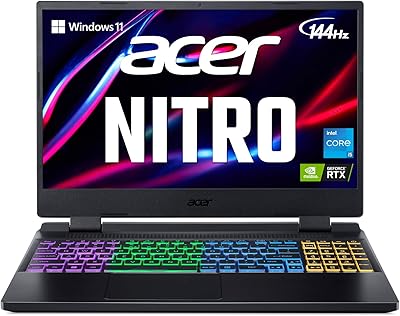
Acer Nitro V 15 ANV15-51 (i5-13420H, RTX 4050, 8GB, 512GB)
67%
84%
Gaming Performance
81%
Display Quality
86%
Value for Money
57%
Thermal Management
53%
RAM & Multitasking
More
Acer Nitro 16 RTX 4050 Gaming Laptop
71%
83%
Gaming Performance
86%
Display Quality
88%
Value for Money
54%
RAM & Memory
41%
Battery Life
More
Acer Nitro 5 15.6-inch Gaming Laptop
70%
88%
Display Quality
74%
Gaming Performance
61%
Thermal Management
48%
Battery Life
63%
Build Quality
More
Acer Nitro 5 AN515-58 Gaming Laptop
70%
83%
Gaming Performance
81%
Display Quality
86%
Value for Money
61%
Thermal Management
54%
Fan Noise
More
Acer Nitro 5 AN515-46-R0EQ Gaming Laptop
83%
91%
Performance
88%
Display Quality
85%
Cooling System
60%
Battery Life
89%
Value for Money
More
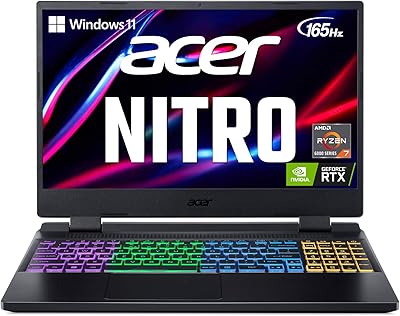
Acer Nitro 5 AN515-58-525P Gaming Laptop
72%
78%
Gaming Performance
82%
Display Quality
84%
Processing Speed
71%
RAM & Upgradability
88%
Storage Performance
More
ASUS ROG Strix G16 Gaming Laptop
74%
91%
Gaming Performance
93%
Display Quality
88%
Thermal Management
53%
Fan Noise
47%
Battery Life
More
Acer Predator Helios 300 15.6″ Gaming Laptop
70%
88%
Gaming Performance
84%
Display Quality
86%
CPU Performance
76%
Thermal Management
91%
Port & Connectivity
More

FAQ

Yes, and it is one of the better aspects of this machine. There are two DDR5 RAM slots, so you can expand from the stock 16GB up to 32GB by adding a second stick. Storage is equally flexible — a second M.2 slot sits empty and ready for an additional SSD whenever you need more space.

Noticeably loud. Under sustained gaming load, the fans ramp up quickly and stay there. It is not an unusual level of noise for a gaming laptop in this class, but if you are in a quiet room or a shared space, you will want headphones on. Temperatures themselves stay within safe ranges — the noise is the cooling system doing its job, not a warning sign.

The MUX Switch lets your display receive its signal directly from the RTX 4060 GPU rather than routing it through the integrated graphics chip first. In practice, enabling it can add a meaningful number of frames per second in games — sometimes 10 to 15 percent depending on the title. You do not have to use it, but if you are gaming, it is worth turning on in the settings.

In a practical sense, yes. The 1920x1200 resolution in a 16:10 ratio gives you extra vertical pixels compared to a standard 1920x1080 panel. That means more content on screen at once — more lines of code, a taller webpage, or slightly more battlefield visibility depending on the game. It is a subtle difference but one that becomes noticeable once you get used to it.

The seven-hour figure is for light productivity tasks like browsing and document editing with the display brightness turned down. During gaming, expect somewhere in the range of one to two hours at best before you need to plug in. For any serious gaming session, plan to be near an outlet.

It can handle general video editing in apps like DaVinci Resolve or Premiere, especially for 1080p timelines, since the CPU and GPU are both capable. However, the display covers sRGB well but is not calibrated for professional color work, so color grading accuracy may be off compared to a panel-focused creator laptop. For casual editing alongside gaming, it works fine.

There is a built-in webcam, but like most gaming laptops in this price range, it is a basic unit — adequate for occasional calls but not something you would want to rely on for professional video meetings or streaming. An external USB webcam would be a straightforward upgrade if video quality matters to you.

It can output to an external 1440p monitor, and the RTX 4060 will handle many titles at that resolution on medium-to-high settings — especially with DLSS enabled. However, pushing demanding AAA games at 1440p on maximum settings will stretch the GPU. For 1080p and the native 1200p screen, performance is much more comfortable across a wider range of titles.

The port selection is genuinely solid for this class of laptop. You get a USB4 Type-C, two USB 3.2 Type-A ports, HDMI 2.1, Gigabit Ethernet, and a headphone jack. Most users with standard gaming peripherals — mouse, keyboard, headset, and an external monitor — can connect everything directly without a hub. Only if you need multiple additional devices simultaneously would a hub become useful.

The chassis is all plastic, which is standard at this price point. It does not flex dramatically or feel flimsy, but it does not inspire the same confidence as a machine with a metal lid or reinforced hinges. For daily use in a bag with a sleeve, it holds up fine. Just treat it with normal care — it is not particularly fragile, but it is also not built to be rough-handled.

Where to Buy