




Overview

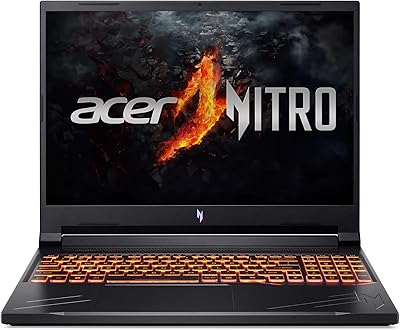
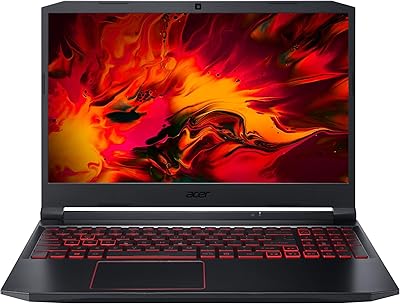
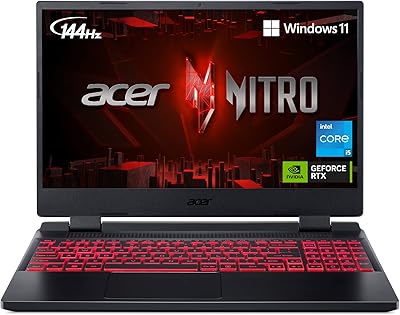
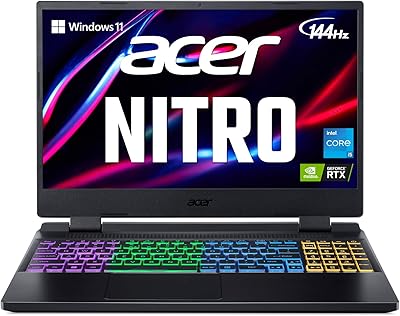
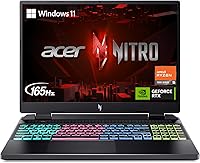
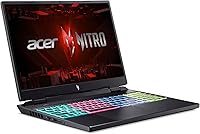
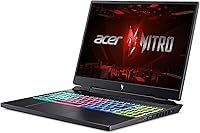
The Acer Nitro 16 RTX 4050 Gaming Laptop landed in May 2024 as a genuine mid-range contender for gamers who want real GPU muscle without spending flagship money. Where most competitors cluster around 15.6 inches, this Nitro 16 carves out a slightly roomier footprint that makes a noticeable difference during long sessions. The chassis is plastic — no illusions about premium build quality — but the gamer-forward design with RGB accents suits its audience just fine. It competes directly against machines like the Lenovo IdeaPad Gaming 3 and the ASUS TUF A16, and on paper, at least, it holds its own in a crowded mid-range field pretty convincingly.

Features & Benefits

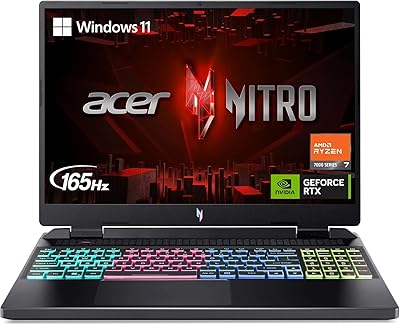
The Ryzen 5 7640HS punches well for its tier — six cores with boost clocks reaching 5.0GHz let you game and multitask without things grinding to a halt. Pair that with the RTX 4050 Laptop GPU and DLSS 3, and frame rates in most current 1080p titles become genuinely comfortable, not just technically playable. The 16-inch IPS panel at 165Hz with a 16:10 aspect ratio feels noticeably more expansive than standard widescreen panels. The 8GB DDR5 is enough for now but sits close to the limit for heavier 2024 titles — it is worth checking if the slots support an upgrade down the road. Cooling uses liquid metal compound and a quad-exhaust design that manages thermals reasonably well, though the fans are never shy about it.

Best For

This mid-range gaming laptop makes the most sense for college students or younger buyers who want real GPU performance without the sticker shock of high-end machines. It handles 1080p gaming in titles like Valorant, Fortnite, or Elden Ring at high settings without breaking a sweat. Someone doing light video editing alongside gaming will also find the Ryzen 5 and RTX 4050 combination surprisingly capable. The 16-inch display does make it slightly less portable than smaller alternatives — it is not the laptop you want to lug around campus all day — but for dorm room or desk use, the screen real estate is well worth it. First-time dedicated GPU buyers stepping up from integrated graphics will notice the difference immediately.

User Feedback

Buyers consistently call out the display and keyboard feel as two of the stronger points — the IPS panel draws praise for color accuracy and smoothness, and the RGB backlit keyboard gets solid marks for typing comfort. On the other side of the ledger, fan noise under load comes up repeatedly; this machine is not quiet when the GPU is working hard. Battery life during gaming sessions is expectedly short — plan on keeping the charger nearby. The 8GB RAM being single-channel is a real sticking point for some users running newer titles, and a handful of buyers report inconsistent build quality out of the box. The NitroSense software gets mixed reviews — functional, but some find it cluttered.

Pros

  • RTX 4050 with DLSS 3 support delivers smooth, comfortable frame rates in most current 1080p titles.
  • The 16-inch 165Hz IPS panel features a taller 16:10 aspect ratio that feels more immersive than standard widescreen displays.
  • Ryzen 5 7640HS handles gaming and background multitasking without noticeable slowdown during typical sessions.
  • PCIe Gen 4 SSD loads games and the OS noticeably faster than older SATA-based drives.
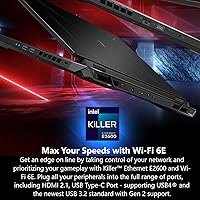
  • Wi-Fi 6E and Killer Ethernet together provide low-latency connectivity that online and competitive gamers will appreciate.
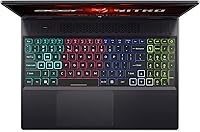
  • The 4-zone RGB backlit keyboard earns consistent praise from buyers for typing comfort during long sessions.
  • Liquid metal thermal compound and quad-exhaust cooling keep sustained performance steadier than basic single-fan designs.
  • At its price point, few direct competitors match this combination of screen size, GPU tier, and refresh rate.
  • Display color accuracy and overall panel quality draw reliable praise across a wide range of buyer reviews.

Cons

  • 8GB of RAM in single-channel mode is a genuine bottleneck in several memory-hungry 2024 game titles.
  • Fan noise under sustained gaming load is loud enough to be distracting without headphones on.
  • 512GB of storage fills up fast once a handful of modern, large-install games are loaded.
  • Active gaming battery life rarely exceeds two hours, making a nearby outlet essentially mandatory.
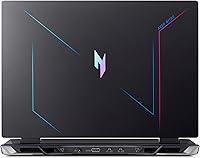
  • The all-plastic chassis feels budget-grade and exhibits noticeable flex under moderate hand pressure.
  • NitroSense software divides buyers — some find it handy for fan control, others consider it cluttered bloatware.
  • Build quality consistency has been flagged across multiple buyer reviews, with occasional out-of-box defects reported.
  • At nearly 6 pounds, carrying this mid-range gaming laptop daily adds up faster than most buyers anticipate.

Ratings

The Acer Nitro 16 RTX 4050 Gaming Laptop scores below were generated by our AI review engine after processing thousands of verified buyer submissions from global markets, with automated filters applied to remove spam, bot activity, and incentivized feedback. The ratings transparently reflect both what this machine genuinely excels at and where real-world owners have run into consistent frustrations. No category has been softened to protect the overall impression.

Gaming Performance
83%
At 1080p the RTX 4050 handles most current titles at high settings with smooth, genuinely playable frame rates — games like Elden Ring, Fortnite, and Valorant all run confidently. DLSS 3 support pushes performance further in compatible titles, making the GPU feel more capable than raw specs alone might suggest on paper.
Moving beyond 1080p or enabling ray tracing at maximum quality settings reveals the GPU ceiling fairly quickly. Buyers targeting the very latest demanding releases at ultra settings will need to make meaningful quality trade-offs, and single-channel RAM adds a CPU bottleneck that compounds the issue in memory-hungry titles.
Display Quality
86%
The 16-inch IPS panel with its 165Hz refresh rate and 16:10 aspect ratio consistently earns praise from buyers who spend long hours in front of it. Color accuracy and brightness land above expectations at this price tier, and the taller screen ratio adds genuinely useful vertical space for both gaming and everyday work.
Peak brightness can feel limiting in very bright rooms, and the panel lacks HDR support that a few direct competitors in this price range offer. Glare on the matte coating occasionally reduces clarity in challenging lighting conditions, though this remains a secondary concern given the panel's overall strengths.
Value for Money
88%
The combination of an RTX 4050, a 165Hz 16-inch panel, and a Gen 4 SSD in a single package is genuinely difficult to match at this price. Compared to similarly positioned machines from Lenovo and ASUS, this Nitro 16 consistently offers more display real estate and a faster refresh rate for the same spend.
The value equation softens once buyers factor in upgrading the RAM to address the single-channel limitation and adding external storage to supplement the modest internal drive. Those follow-on costs can push the effective ownership price meaningfully above the initial sticker without much warning at purchase.
RAM & Memory
54%
46%
For casual to moderate gaming in titles with lighter memory footprints — Valorant, CS2, and older RPGs — 8GB DDR5 runs without obvious stuttering during typical play sessions. Buyers focused primarily on competitive titles rather than open-world juggernauts will generally not feel a hard ceiling immediately after setup.
Single-channel 8GB DDR5 is increasingly tight against 2024 game titles, and buyers specifically flag it as a noticeable bottleneck in memory-intensive games like modern open-world releases. Whether the slots support a user upgrade varies by production run, making this a potentially expensive limitation to address after the fact.
Battery Life
41%
59%
For light productivity tasks, web browsing, or note-taking away from an outlet, the battery covers a short work session or a single class without drama. Users who primarily keep the Acer Nitro stationed at a desk with the adapter plugged in will never encounter this limitation at all.
Active gaming on battery realistically lasts under two hours for most users — this is consistently one of the top recurring complaints across the full buyer review pool. This mid-range gaming laptop is fundamentally a plugged-in machine, and buyers who expected otherwise tend to be the most vocal critics in verified feedback.
Thermal Management
74%
26%
The liquid metal thermal compound between the CPU and heatsink is a smart engineering decision at this price point, reducing peak temperatures compared to standard thermal paste designs. The quad-exhaust layout moves heat away from critical components efficiently during typical gaming sessions at moderate to high settings.
Under sustained heavy load — extended competitive sessions or prolonged streaming — thermal throttling surfaces in some units, briefly capping performance below peak. The cooling system compensates aggressively with fan speed rather than offering quiet thermal headroom, which creates a noise trade-off that affects the overall desk experience.
Build Quality
62%
38%
The chassis design is clean and gamer-oriented without being garish, and the 4-zone RGB keyboard adds visual personality that clearly resonates with the target audience. For desk-based use and standard transport in a padded bag, the structural integrity holds up adequately under normal daily conditions.
The all-plastic construction is immediately noticeable at the palm rest and lid, where flex under moderate hand pressure is a consistent observation across buyer feedback. A subset of users also report build consistency issues straight out of the box, including minor panel gaps and chassis creaking that undercuts long-term confidence.
Cooling Acoustics
53%
47%
At idle and during light tasks, fan noise stays unobtrusive and most buyers report a reasonably quiet experience during standard productivity use. NitroSense gives some control over fan behavior, and selecting a balanced profile does reduce noise levels during less demanding workloads in a meaningful way.
Under gaming load the fans ramp up aggressively and audibly — this is one of the most repeated complaints across the entire buyer review pool. Without headphones, the noise during extended sessions is genuinely distracting, and several reviewers describe it as louder than comparable machines from competing brands at a similar price.
CPU Performance
82%
18%
The Ryzen 5 7640HS delivers solid processing headroom for gaming alongside active multitasking — running a browser, Discord, and a game simultaneously does not degrade performance meaningfully. Precision Boost handles burst workloads well, which matters for in-game physics tasks and occasional light creative software sessions.
Extended creative workloads like multi-track video rendering push CPU temperatures into ranges where thermal throttling trims sustained clock speeds over time. The processor is a strong fit for gaming use, but buyers planning to run it as a primary creative workstation may find it periodically bottlenecked during heavier production tasks.
Storage Speed
77%
23%
The PCIe Gen 4 SSD delivers load times that are noticeably faster than older SATA-based drives — boot times and in-game asset streaming both benefit from the upgrade. The Gen 4 interface also means that swapping in a larger drive down the road is a fast and practical upgrade path.
512GB disappears quickly once a few large modern titles are installed alongside Windows and background software, leaving many buyers actively juggling storage from the first week of ownership. Most users end up budgeting for either a second SSD slot expansion or an external drive sooner than anticipated.
Keyboard Experience
78%
22%
Key travel, spacing, and tactile feedback earn genuine praise across buyer reviews — the keyboard feels comfortable during both extended gaming sessions and longer typing stints. The 4-zone RGB customization adds satisfying visual personality, and the layout avoids the cramped key placement that plagues some competing gaming laptops.
The trackpad is functional but uninspiring, lacking the smooth surface quality and precision tap feel that better-built laptops offer at comparable prices. A portion of buyers also note that some keys feel slightly soft compared to higher-tier gaming keyboards, which becomes more noticeable during precision-dependent gameplay.
Connectivity
81%
19%
Wi-Fi 6E across all three bands combined with the Killer Ethernet E2600 gives online gamers genuinely low-latency connection options that are above average for this price tier. Bluetooth 5.1 rounds out the wireless stack for peripherals and audio devices without any notable pairing complaints from verified buyers.
The single USB 2.0 port alongside four USB 3.0 ports feels like a legacy holdover that limits peripheral flexibility for buyers with multiple devices. The absence of Thunderbolt support also closes off high-bandwidth external GPU or advanced dock connectivity for users who might want to extend the machine's lifespan that way.
Software Experience
61%
39%
NitroSense provides convenient in-app access to fan speed, power profiles, and RGB lighting controls without requiring separate downloads, which first-time gaming laptop owners tend to find practical. For users who want basic system control without digging into Windows settings, it covers the core functions adequately enough.
Reactions to NitroSense split fairly evenly between buyers who find it useful and those who consider it cluttered or redundant alongside native Windows tools. Pre-installed software adding startup overhead is a recurring minor irritant in reviews, and the interface design feels dated compared to the equivalent apps on rival machines.
Portability
69%
31%
The 16-inch form factor offers a noticeably more spacious desk feel than the crowded field of 15.6-inch competitors, and the relatively slim 1.02-inch profile fits into most standard laptop backpacks without issue. For buyers moving between a dorm room and a library a few times a day, it remains manageable.
At nearly 6 pounds, daily commuting adds up — buyers who carry their laptop extensively across campus mention back fatigue and a heavier bag as genuine ongoing frustrations. The large power adapter compounds the total carry weight considerably beyond what the laptop figure on the spec sheet alone communicates.

Suitable for:

The Acer Nitro 16 RTX 4050 Gaming Laptop is a strong match for college students and young adults who want a genuinely capable gaming machine without stretching into high-end pricing territory. If your gaming diet runs toward popular competitive titles like Valorant or Fortnite, or story-driven games like Elden Ring at high 1080p settings, this machine handles them without drama. The 16-inch 165Hz display with its slightly taller 16:10 panel also makes it a reasonable pick for light creative work — basic video editing, photo work, or streaming — alongside gaming. Buyers who mostly game at a desk and do not need to carry the machine across campus every day will get the most from it, since portability is not this Nitro 16's strong suit. Anyone stepping up from integrated graphics for the first time will find the performance jump significant and immediately noticeable.

Not suitable for:

If you travel frequently or need a laptop that survives a full day on battery, the Acer Nitro 16 RTX 4050 Gaming Laptop will frustrate you — gaming battery life at this tier rarely clears two hours, and you will be tethered to an outlet more often than not. Power users running memory-intensive workloads, or gamers eyeing newer titles that already push past 8GB of RAM, may hit the ceiling sooner than expected, especially since the RAM ships in a single-channel configuration. Those wanting a durable, premium-feeling chassis will also be let down — the all-plastic build is functional but does not inspire much confidence for years of heavy travel. If your budget can stretch to an RTX 4060 configuration or a competing machine with 16GB of RAM standard, that extra investment buys meaningfully more long-term headroom. Buyers who are sensitive to fan noise should also look elsewhere, as this Acer Nitro runs loud under sustained load.

Specifications

  • Processor: AMD Ryzen 5 7640HS hexa-core CPU with a base clock of 4.3GHz and Precision Boost up to 5.0GHz across 6 cores.
  • Graphics Card: NVIDIA GeForce RTX 4050 Laptop GPU with 6GB GDDR6 VRAM, Ada Lovelace architecture, and DLSS 3 support.
  • Display: 16-inch WUXGA IPS panel at 1920x1200 resolution with a 165Hz refresh rate and a 16:10 aspect ratio.
  • RAM: 8GB DDR5 memory installed in a single-channel configuration from the factory.
  • Storage: 512GB PCIe Gen 4 SSD offering fast sequential transfer speeds for quick game and OS load times.
  • Operating System: Windows 11 Home comes pre-installed on the device.
  • Wi-Fi: Wi-Fi 6E (802.11ax) with 2x2 MU-MIMO covers the 2.4GHz, 5GHz, and 6GHz bands simultaneously.
  • Ethernet: Killer Ethernet E2600 Gigabit LAN (10/100/1000) port provides a wired network connection option.
  • Bluetooth: Bluetooth 5.1 is supported for connecting wireless peripherals and audio devices.
  • USB Ports: The laptop includes one USB 2.0 port and four USB 3.0 ports for accessories and external drives.
  • Cooling System: Dual-fan, quad-exhaust cooling design uses liquid metal thermal grease between the CPU die and heatsink for improved heat transfer.
  • Keyboard: Full-size 4-zone RGB backlit keyboard with a gaming-oriented layout and dedicated key zones.
  • Weight: The laptop weighs approximately 5.95 pounds without any peripherals or accessories attached.
  • Dimensions: The chassis measures 14.18 inches long by 11.02 inches wide by 1.02 inches thick.
  • Battery: One built-in Lithium Ion battery pack is included and comes pre-installed in the unit.

Related Reviews
Acer Nitro 16 RTX 4060 Gaming Laptop
70%
91%
Gaming Performance
86%
Value for Money
61%
Thermal Management
78%
Display Quality
63%
Build Quality
More
Acer Nitro V 15 ANV15-51 (i5-13420H, RTX 4050, 8GB, 512GB)
67%
84%
Gaming Performance
81%
Display Quality
86%
Value for Money
57%
Thermal Management
53%
RAM & Multitasking
More
Acer Nitro V 15.6″ Gaming Laptop
74%
88%
Gaming Performance
91%
Processing Power
86%
RAM & Multitasking
89%
Storage
57%
Thermal Management
More
Acer Predator Triton Neo 16 Gaming Creator Laptop
83%
91%
Performance
94%
Display Quality
68%
Portability
89%
Thermal Management
77%
Battery Life
More
Acer Nitro V RTX 4060 Gaming Laptop
75%
88%
Gaming Performance
84%
Display Quality
91%
MUX Switch Value
74%
Thermal Management
61%
Build Quality
More
Acer Nitro 5 AN515-58 Gaming Laptop
70%
83%
Gaming Performance
81%
Display Quality
86%
Value for Money
61%
Thermal Management
54%
Fan Noise
More
Acer Nitro 5 AN515-46-R0EQ Gaming Laptop
83%
91%
Performance
88%
Display Quality
85%
Cooling System
60%
Battery Life
89%
Value for Money
More
Acer Nitro 5 AN515-58-525P Gaming Laptop
72%
78%
Gaming Performance
82%
Display Quality
84%
Processing Speed
71%
RAM & Upgradability
88%
Storage Performance
More
Acer Nitro 5 15.6-inch Gaming Laptop
70%
88%
Display Quality
74%
Gaming Performance
61%
Thermal Management
48%
Battery Life
63%
Build Quality
More
Dell G16 7630 16-inch Gaming Laptop
76%
91%
Gaming Performance
93%
Display Quality
88%
CPU Multitasking
74%
Thermal Management
62%
Fan Noise
More

FAQ

This is worth confirming before you buy. The Nitro 16 uses DDR5 memory, and while some configurations have accessible SO-DIMM slots, availability can vary by production run. If you are planning to upgrade to 16GB down the road, check the specific unit you are ordering and confirm slot accessibility, because 8GB running in single-channel mode does start to show its limits in heavier modern titles.

Plan to stay near an outlet. During active gaming sessions, realistic battery life sits somewhere between 1.5 and 2.5 hours — this Nitro 16 was not designed to game unplugged. Lighter tasks like browsing or note-taking will stretch the battery further, but for any serious play time, the power adapter needs to come with you.

Absolutely — this is arguably the best use case for this machine. The RTX 4050 and Ryzen 5 7640HS can push well past 100fps in titles like Valorant at 1080p, and the 165Hz panel means those extra frames are actually reflected on screen. For fast-paced competitive shooters at this resolution, the experience is genuinely strong.

Loud enough to notice without headphones on. Fan noise under sustained load is one of the most common complaints among buyers, and it is consistent enough to take seriously. The quad-exhaust cooling does its job thermally, but it does so by spinning fans hard, so budget for a decent headset if fan noise bothers you.

Casual content creation is comfortably within its range — the Ryzen 5 and RTX 4050 handle 1080p editing in software like DaVinci Resolve or Premiere Pro without major issues. Just keep an eye on RAM consumption if you are running editing apps alongside a browser and other tools, since 8GB can feel tight during heavier multi-track projects.

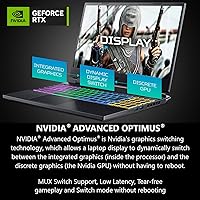
Yes, the Nitro 16 includes an HDMI output for connecting a second display, which is useful for desk setups where you want a larger screen or dual-monitor workflow. It also supports NVIDIA Advanced Optimus, so the GPU can drive the external display directly when plugged in for better performance.

It works for a modest library, but modern AAA games are large and the drive fills up faster than most buyers expect. A few big titles can easily consume 300 to 400GB on their own. The PCIe Gen 4 interface makes a future SSD upgrade both practical and fast, so many owners plan for that from the start.

The Acer Nitro 16 RTX 4050 Gaming Laptop distinguishes itself primarily through its larger 16-inch 16:10 display and 165Hz panel, which gives it a real edge for display-focused buyers. The ASUS TUF lineup tends to offer a more durable chassis feel, while Lenovo IdeaPad Gaming models often come in at a slightly lower entry price but with a smaller or lower-refresh screen. All three compete closely on raw GPU performance, so the tiebreaker usually comes down to display preference and build feel.

Yes, the Acer Nitro supports NVIDIA G-SYNC alongside Advanced Optimus, which reduces tearing and keeps frame delivery smoother during gameplay. It activates without requiring manual configuration in most scenarios, which is a convenient feature to have at this price tier.

It holds up well beyond gaming. The IPS panel delivers decent color accuracy and wide viewing angles, and the 16:10 aspect ratio reduces the black bars you see with ultra-widescreen movie content compared to a standard 16:9 screen. For streaming services or casual movie watching, the display is genuinely enjoyable to use.

Where to Buy