Acer Nitro PG161Q 15.6″ Portable Gaming Monitor


Overview
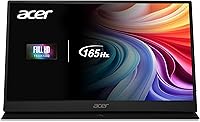
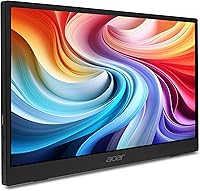
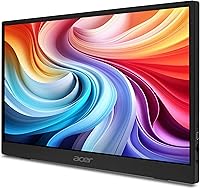
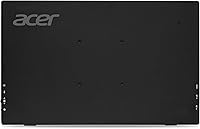
The Acer Nitro PG161Q 15.6″ Portable Gaming Monitor sits in an interesting spot: it carries Acer's gaming-oriented Nitro badge, yet it's clearly built for people who need a capable display they can actually carry somewhere. At 0.42 inches thin and roughly 15.6 inches across, it matches the footprint of most laptops, which makes pairing them intuitive. This is not a desktop replacement — think of it as a solid secondary screen that punches above its price tier with a few genuinely useful specs. Buyers expecting a primary workstation monitor may want to look elsewhere, but for travel and on-the-go use, the value proposition is real.
Features & Benefits
The 165Hz refresh rate is the headline spec, and paired with AMD FreeSync, it genuinely reduces screen tearing when connected to a compatible GPU — though you'll need a source capable of pushing those frames to appreciate it. The IPS panel produces decent color accuracy across a wide viewing angle, and the matte coating handles ambient light better than glossy alternatives at this size. Connectivity is where this travel-friendly display earns real points: two USB-C ports mean you can run power and video from a single cable, while the Mini HDMI port opens up compatibility with cameras and compact consoles. A headphone jack rounds things out.
Best For
This portable gaming monitor makes the most sense for a fairly specific type of buyer. Frequent travelers — business or otherwise — who want a second screen in a hotel room will appreciate how flat it packs alongside a laptop. Students who need an external display that fits a backpack without adding significant bulk will find it practical. Remote workers dropping into co-working spaces or client offices get a dual-monitor setup without lugging extra hardware. It also works reasonably well as a larger screen for a Nintendo Switch or similar portable console. If you sit at a fixed desk every day, it's probably the wrong tool entirely.
User Feedback
Sitting at a 4.0-star average across nearly 240 ratings, the Nitro PG161Q lands in genuinely positive territory — but the feedback is nuanced. Most buyers praise the plug-and-play USB-C experience and the slim build, noting it looks more expensive than it costs. On the critical side, a number of reviewers raise questions about the listed weight: Acer's own product pages show two different figures, and some buyers found the monitor heavier than advertised. A few users noted that out-of-box calibration needed adjustment to look its best. Compatibility with certain USB-C power delivery setups also comes up, so verifying your laptop's output specs before buying is wise.
Pros
- Single-cable USB-C setup genuinely works — power and video in one connection with compatible laptops.
- The 165Hz refresh rate combined with AMD FreeSync noticeably reduces tearing during fast-paced gaming.
- At 0.42 inches thin, this travel-friendly display slides flat alongside a laptop in most bags.
- The matte IPS panel handles reflections better than glossy portable screens in its class.
- Dual USB-C ports plus Mini HDMI give you real flexibility across different source devices.
- The 15.6-inch footprint mirrors most laptops, making it feel like a natural screen extension rather than an add-on.
- A headphone jack means you are not forced to use your laptop's audio output or go wireless.
- Build quality draws consistent praise from buyers, with many noting it feels more premium than the price suggests.
- Plug-and-play setup requires no driver installation on most modern operating systems.
Cons
- Acer lists two conflicting weights across its own product pages — buyers should verify before assuming ultra-light portability.
- Peak brightness is modest, making this a poor choice for use near bright windows or in sun-filled rooms.
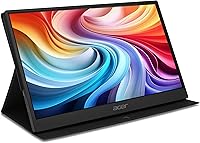
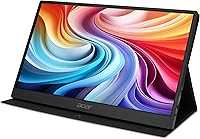
- The included stand is functional but not sturdy — do not expect the stability of a desktop monitor base.
- Out-of-box color calibration may need manual adjustment to look accurate, which is an extra step most buyers would prefer to skip.
- Reaching 165Hz requires a source device capable of outputting at that rate, which many laptops and all Nintendo Switch units cannot do.
- USB-C power delivery compatibility is inconsistent across devices, and some buyers have run into connection issues.
- No built-in speakers, so audio entirely depends on your source device or a separate headphone connection.
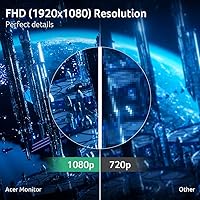
- At 15.6 inches and 1080p, pixel density is sufficient but not sharp enough to satisfy detail-oriented photo or video editors.
Ratings
Our AI-generated scores for the Acer Nitro PG161Q 15.6″ Portable Gaming Monitor were produced by analyzing verified global user reviews, with spam, bot-submitted, and incentivized feedback actively filtered out before scoring. The ratings reflect a balanced picture of what real buyers consistently praised and where they ran into genuine frustrations. Both the highlights and the pain points are represented transparently so you can make an informed call.
Portability
Display Quality
Refresh Rate Performance
Connectivity
Build Quality
Setup Experience
Color Accuracy
Value for Money
Stand & Ergonomics
Gaming Experience
Audio Output
Compatibility Range
Brightness
Packaging & Accessories
Suitable for:
The Acer Nitro PG161Q 15.6″ Portable Gaming Monitor is a strong fit for anyone whose work or play regularly takes them away from a fixed desk. Frequent travelers — whether for business or leisure — will appreciate having a full-size secondary screen that slides into a laptop bag without adding uncomfortable bulk. Remote professionals who hot-desk across co-working spaces, client offices, or cafes get a genuinely practical dual-monitor setup with nothing more than a single USB-C cable. Students on a budget who want an external display that actually fits a backpack alongside textbooks will find the size and price combination hard to beat. It also serves casual gamers well as a larger screen for a Nintendo Switch or similar portable console, especially in hotel rooms where the only TV option might be wall-mounted and awkward to use.
Not suitable for:
Buyers looking for a primary desktop display should look elsewhere — the Nitro PG161Q is designed around portability, and that involves real compromises. IPS panels at this size and price point tend to deliver moderate peak brightness, which can be limiting in brightly lit environments or for HDR content. Competitive esports players who genuinely need every frame and the lowest possible input lag would be better served by a dedicated desktop gaming monitor with more tuning options and a sturdier stand. There is also an unresolved discrepancy in Acer's own published weight figures — the marketing copy states 2.73 lbs while the product spec sheet lists 4.2 lbs — which is a real concern for buyers whose entire case for this display rests on its portability. Anyone relying heavily on USB-C from a MacBook or older laptop should verify their device's power delivery output before purchasing, as compatibility issues have been reported.
Specifications
- Screen Size: The display measures 15.6 inches diagonally, matching the footprint of most full-size laptops.
- Panel Type: An IPS panel is used, providing consistent color accuracy and wide viewing angles compared to TN alternatives.
- Resolution: Native resolution is 1920x1080 Full HD, delivering clear text and detailed imagery in a 16:9 aspect ratio.
- Refresh Rate: The panel supports up to 165Hz, reducing motion blur during fast-moving content when the source device can match that output.
- Adaptive Sync: AMD FreeSync is supported, synchronizing the monitor's refresh rate with a compatible GPU to minimize screen tearing.
- Surface Finish: The screen uses a matte coating that diffuses reflections and reduces glare in mixed-lighting environments.
- Thickness: The chassis is 0.42 inches thin, allowing it to sit flat alongside a laptop inside most standard bags.
- Dimensions: Overall dimensions are 13.98 x 8.74 x 0.42 inches, closely mirroring the profile of a 15-inch laptop.
- Listed Weight: Acer's marketing copy states 2.73 lbs, though the product spec sheet separately lists 4.2 lbs — buyers should verify before purchase.
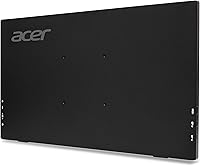
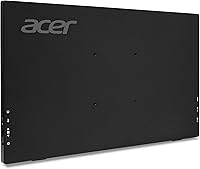
- Connectivity: The monitor includes two USB-C ports, one Mini HDMI port, and one 3.5mm audio output jack.
- USB-C Function: Either USB-C port supports simultaneous video input and power delivery from a compatible single-cable source.
- Mini HDMI: The Mini HDMI port allows connection to cameras, compact consoles, and other devices that lack a full-size HDMI output.
- Audio Output: A 3.5mm headphone jack is included, enabling wired audio output independent of the source device's own ports.
- Built-in Speakers: No built-in speakers are present; all audio must be routed through the headphone jack or the source device.
- Color: The monitor is available in black with a matte-finish housing that resists fingerprints reasonably well during handling.
- Model Number: The official model number is PG161Q Pbmiuux, part of Acer's Nitro PG1 portable display series.
- Power Source: The monitor is bus-powered through USB-C, requiring no separate power adapter when connected to a host with sufficient power delivery output.
- Stand Design: A built-in foldable stand is included, though it provides limited angle adjustment and less stability than a dedicated desktop monitor base.
- Compatibility: The monitor works with Windows, macOS, Android, and other platforms that support USB-C DisplayPort Alt Mode or HDMI output.
- First Available: This model was first listed for sale in May 2025, making it a relatively recent addition to Acer's portable monitor lineup.
Related Reviews
Acer PM161Q 15.6-inch Portable Monitor
DEPGI 15.6″ Portable Gaming Monitor
FMC 15.6-Inch 4K Portable Gaming Monitor
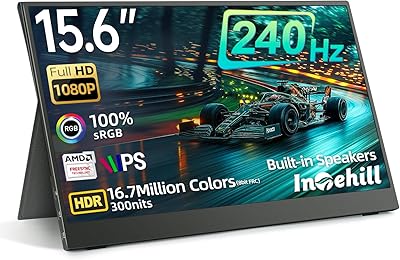
Intehill F15ND 15.6-inch 240Hz Portable Gaming Monitor
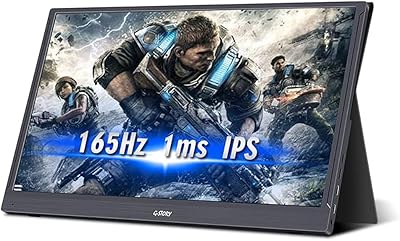
G-STORY GST56 15.6″ Portable Gaming Monitor
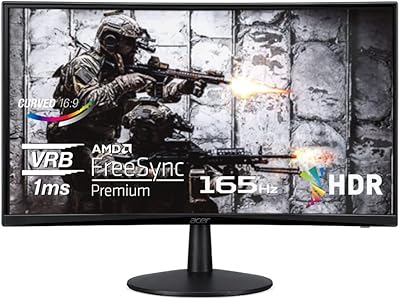
Acer Nitro ED240Q Sbiip 23.6″ Curved Gaming Monitor
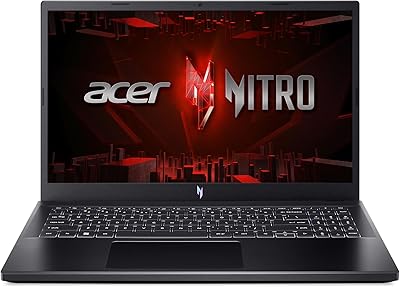
Acer Nitro V 15 ANV15-51 (i5-13420H, RTX 4050, 8GB, 512GB)

Topmonitor P15.6/2.5K 15.6-inch Portable Monitor
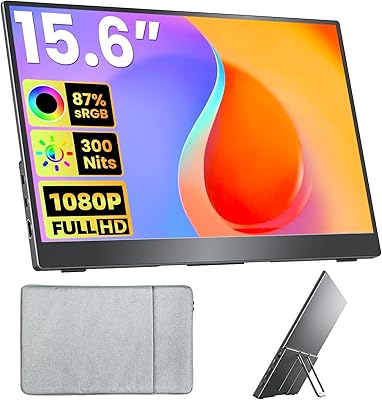
Upperizon U156LH 15.6″ Portable Monitor
