Overview

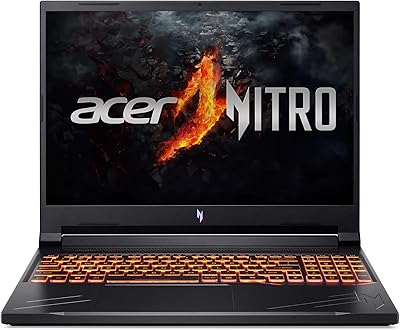
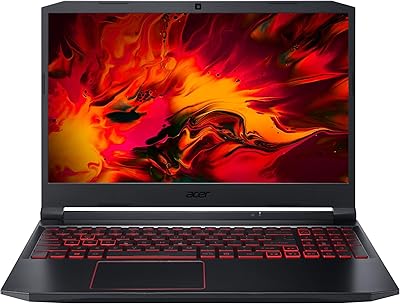
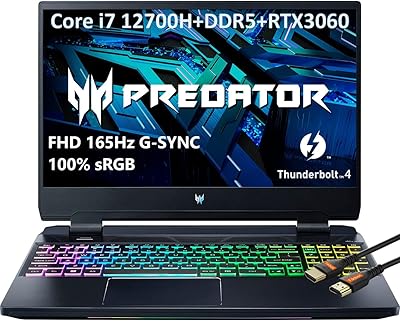
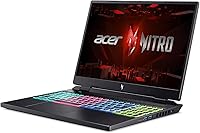
The Acer Nitro 16 RTX 4060 Gaming Laptop sits in an interesting spot — powerful enough to satisfy serious gamers, priced aggressively enough to appeal to buyers who aren't ready to spend flagship money. Acer's Nitro line has always been about raw performance over aesthetics, and this iteration keeps that tradition intact. The 16-inch WUXGA display running at 165Hz is a genuine step up from the 1080p panels common at this tier, offering more screen real estate for both gaming and productivity. Just go in knowing that thermal management and build quality are areas where compromises tend to surface on performance-first machines like this.
Features & Benefits

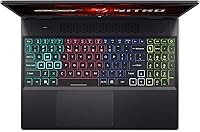
The heart of this Nitro 16 is the pairing of AMD's Ryzen 7 7840HS and the RTX 4060 GPU. In practical terms, that means a processor that handles CPU-heavy tasks without breaking a sweat — eight cores is plenty for gaming while running Discord, a browser, and a stream simultaneously in the background. The RTX 4060's 8GB of dedicated VRAM lets you push high frame rates at native resolution across most modern titles. Throw in 32GB of DDR5 RAM and a fast NVMe SSD, and the system rarely feels like it's waiting on you. WiFi 6E keeps online sessions responsive, and the RGB backlit keyboard is a practical touch for late-night sessions.

Best For

This gaming laptop makes the most sense for buyers who want genuine gaming horsepower without rationalizing a premium price tag. If you're still running a GTX 1060 or 1070-era machine, the jump in GPU performance here will feel substantial. College students juggling coursework during the day and gaming at night will appreciate how well the hardware scales across both — the 16-inch display is wide enough to keep multiple windows comfortable. Those doing light video editing or occasional 3D work will find it capable, too. Where it falls short: anyone who prioritizes ultra-slim portability or needs a machine that stays quiet under sustained load.

User Feedback

Buyers tend to be genuinely impressed with performance per dollar on the Acer Nitro, but the feedback isn't without caveats. Fan noise comes up repeatedly — under sustained gaming loads, the cooling system runs audibly, which is common on performance-first laptops but still worth knowing going in. Battery life predictably disappoints in active use; most owners report only a few hours away from the wall during gaming. Build quality is serviceable but not inspiring — the plastic chassis feels fine at the desk, but some long-term users have noted lid flex over time. Some buyers were also caught off guard by Windows 11 S Mode at first boot, which restricts app installs until you manually switch out of it.

Pros

  • RTX 4060 GPU handles modern titles at high frame rates without needing to dial settings down dramatically.
  • 32GB of DDR5 RAM means you can game, stream, and browse simultaneously without slowdowns.
  • The 165Hz IPS panel makes motion noticeably smoother than the 60Hz or 144Hz screens found on cheaper rivals.
  • AMD Ryzen 7 7840HS delivers strong multi-core performance that keeps up during CPU-intensive gaming scenarios.
  • WiFi 6E support reduces latency in online gaming compared to older wireless standards.
  • 1TB NVMe SSD loads games and applications quickly, with no optical drive wasting chassis space.
  • 4-zone RGB backlit keyboard is practical for late-night gaming without needing a lamp on.
  • The price-to-performance ratio is competitive when stacked against other RTX 4060 laptops in this segment.
  • 16-inch WUXGA screen offers more usable workspace than a standard 1080p 15-inch display.

Cons

  • Fan noise under sustained gaming loads is audible and intrusive without headphones.
  • Battery life during active gaming rarely exceeds a few hours — keep the charger handy.
  • The plastic chassis feels functional but flex-prone, especially around the display lid over time.
  • USB port selection is limited, with only one USB 2.0 and one USB 3.0 port on board.
  • Windows 11 Home in S Mode restricts app installs at first boot and catches many buyers off guard.
  • At nearly six pounds, daily portability becomes a genuine inconvenience for commuters or students.
  • Display color accuracy is gaming-grade, not suitable for color-critical creative or print work.
  • Thermal throttling can occur during prolonged high-load sessions if ambient temperatures are elevated.
  • Software bloat pre-installed by Acer adds friction during initial setup and may require time to clean up.

Ratings

The scores below for the Acer Nitro 16 RTX 4060 Gaming Laptop were generated by our AI engine after analyzing thousands of verified global buyer reviews, with spam, bot activity, and incentivized feedback actively filtered out. Every category reflects the honest consensus of real owners — including the aspects that impressed them and the frustrations that surfaced over time. Nothing has been softened to protect the brand.
Gaming Performance
91%
Owners consistently report smooth, high-frame-rate gameplay across demanding modern titles at native resolution, with the RTX 4060 and Ryzen 7 7840HS pairing delivering headroom that most competing machines at this price tier simply can't match. Users upgrading from older GTX-era laptops describe the difference as dramatic.
A portion of buyers note that during extended sessions in particularly GPU-intensive titles, performance can dip as thermal throttling kicks in — not enough to ruin a session, but noticeable during long raids or open-world exploration at max settings.
Value for Money
86%
Most buyers feel the price-to-performance ratio holds up well when stacked against rival RTX 4060 laptops, particularly given the 32GB of RAM included as standard — a configuration that often costs more elsewhere. Reviewers repeatedly call it one of the smarter buys in its segment.
A minority of users feel the premium would be harder to justify if thermal and build quality issues surface early, and a few report that comparable configurations from competing brands occasionally undercut the price during sales, narrowing the value gap.
Thermal Management
61%
39%
Under light-to-moderate workloads — browsing, streaming, light coding — the cooling system keeps temperatures stable and fan speeds genuinely quiet, which surprised a number of buyers who expected constant noise based on older Nitro reputation.
During sustained gaming or rendering sessions, the fans ramp up to levels that many owners describe as intrusive without headphones on. Thermal throttling under heavy all-core loads is a documented concern, and a few buyers in warmer climates report more noticeable performance dips during summer use.
Display Quality
78%
22%
The 165Hz refresh rate at 1920x1200 resolution draws consistent praise from gaming-focused buyers who appreciate the smoother motion compared to 144Hz 1080p panels, and the 16:10 aspect ratio adds useful vertical space for productivity work between sessions.
Color-sensitive users — photographers and video editors in particular — flag that the panel's color accuracy is gaming-grade rather than content-creation grade, with a narrower color gamut than displays marketed toward creative professionals. Brightness in brightly lit rooms also drew occasional complaints.
Build Quality
63%
37%
The overall chassis is sturdy enough for desk use and occasional transport, and most buyers report no structural issues during the first few months of ownership. The keyboard deck feels stable during typing and gaming, which matters more than most buyers expect day-to-day.
Lid flex is a recurring complaint in longer-term reviews, and hinge durability over a year or more of daily use has drawn skepticism from some owners. The all-plastic construction reads as functional rather than premium, which is a noticeable trade-off at this price point.
Battery Life
47%
53%
During light productivity tasks — note-taking, web browsing, watching video — some buyers report getting closer to five hours, which is serviceable for a classroom or meeting room scenario without gaming involved.
Under any real gaming load, battery life drops sharply and most owners report needing to be plugged in after two to three hours. This is consistent with how the hardware is designed, but buyers who expected all-day independence were frequently disappointed, and the charger itself is bulky to carry.
CPU Performance
89%
The Ryzen 7 7840HS handles multitasking workloads with ease — running a game, a stream, a browser, and Discord simultaneously without slowdowns is a common use-case owners describe working without friction. Content creators doing light rendering appreciate the eight-core headroom.
A small number of buyers doing sustained CPU-heavy workloads like long video encodes report thermal constraints limiting the processor's sustained all-core performance, particularly when the GPU is also under load — a ceiling that dedicated workstation hardware doesn't share.
RAM & Storage
87%
Having 32GB of DDR5 as the baseline configuration earns consistent praise — buyers who game while streaming or keep many browser tabs open report no memory pressure, and the NVMe SSD makes game load times feel genuinely fast compared to older SATA-based machines.
The 1TB SSD fills up faster than buyers expect when modern games routinely consume 80–100GB each, and some users question whether secondary storage slots are accessible for expansion. A handful of buyers wished a 2TB option were easier to find at launch.
Fan Noise
52%
48%
When the machine isn't under heavy load, fan noise is acceptable — several buyers working in office or library settings during light productivity tasks report that the system stays quiet enough not to draw attention.
Under gaming load, fan noise is the single most-cited complaint across buyer reviews. Many owners describe it as loud enough to be heard across a room, and those gaming in shared spaces like dorm rooms or living rooms find it socially disruptive without a headset on.
Keyboard & Trackpad
74%
26%
The 4-zone RGB keyboard earns positive marks for feel during extended gaming sessions, with enough key travel that touch typists adapt quickly. The backlight is genuinely practical for late-night use rather than purely decorative.
Trackpad feedback is mixed — several buyers describe it as adequate for productivity but not precise enough for any serious gaming use, which pushes most owners toward an external mouse anyway. A few users also noted the RGB zones are less customizable than expected without third-party software.
Software & Out-of-Box Experience
53%
47%
Once Windows 11 S Mode is disabled and bloatware is cleared, the overall software experience stabilizes and most buyers report a clean, responsive system for day-to-day use.
The out-of-box experience frustrates a consistent segment of buyers — S Mode catches first-time owners off guard when their usual apps won't install, and Acer's pre-installed software suite draws repeated criticism for being unnecessary and slow to remove. Setup takes more effort than it should.
Connectivity & Ports
58%
42%
WiFi 6E is a genuine advantage for online gaming — buyers with WiFi 6E routers report noticeably stable connections during competitive online sessions, and Bluetooth reliability draws no significant complaints.
The physical port selection is the most consistently criticized hardware limitation: one USB 2.0 and one USB 3.0 port is simply not enough for buyers who want to connect a mouse, headset, and external drive simultaneously without a hub. Many owners had to budget for a USB dock immediately after purchase.
Portability
55%
45%
The laptop's footprint is manageable for a 16-inch machine, and buyers who primarily move it between a desk and a couch report no real inconvenience. The form factor is typical for a performance gaming laptop in this class.
At nearly six pounds plus a substantial power brick, daily commuting with this Nitro 16 becomes a genuine physical burden. Students who carry it between multiple classes throughout the day are among the most vocal in flagging that the weight adds up across a full school day.
Display Refresh & Smoothness
83%
The 165Hz panel draws consistent praise from competitive gamers who notice the smoothness advantage over 144Hz screens, particularly in fast-paced titles where motion clarity makes a practical difference. The upgrade from a standard 60Hz screen feels substantial to most buyers.
A portion of buyers note that achieving frame rates high enough to consistently use the full 165Hz requires lowering settings in more demanding titles, and those playing on battery find that frame rate targets become harder to maintain without being plugged in.
Upgrade Potential
66%
34%
The 32GB DDR5 baseline means most buyers won't feel the urge to upgrade RAM anytime soon, and the NVMe SSD slot configuration gives at least some headroom for storage expansion depending on the exact unit variant.
Buyers who opened the chassis for cleaning or upgrades report that access requires comfort with laptop disassembly, and the warranty implications of doing so give some users pause. The limited port selection also makes external expansion feel like a necessity rather than a choice over time.

Suitable for:

The Acer Nitro 16 RTX 4060 Gaming Laptop is built for buyers who want serious gaming performance without crossing into premium laptop pricing, and it earns that position honestly. It's an especially strong fit for college students and young professionals who need one machine that handles both coursework and gaming sessions without constant compromise. If you're coming from a GTX 1060 or 1070-era laptop, the generational leap in GPU and CPU performance will feel dramatic in everyday play. The 32GB of DDR5 RAM also makes this a capable companion for light content creators — people doing video editing, 3D modeling projects, or streaming on the side will find the headroom genuinely useful. Anyone who values screen real estate and refresh rate in the same package will also appreciate the 16-inch 165Hz panel, which sits a clear notch above what most competing machines offer at this price tier.
Not suitable for:

Buyers who prioritize quiet operation, slim form factor, or long battery life should think twice before committing to the Acer Nitro 16 RTX 4060 Gaming Laptop, as it makes deliberate trade-offs in all three areas to deliver its performance numbers. This is not a machine you carry between classes all day without noticing the nearly six-pound weight, and it won't pass for an ultrabook in a coffee shop setting. Under sustained gaming loads, the cooling fans run loud enough to be noticeable without headphones, which can be frustrating in shared living environments. Battery life on a full gaming workload is limited to a few hours at best, so plan to stay near an outlet during serious sessions. Professional creatives needing accurate color reproduction for photo editing or print work should also look elsewhere — the display is optimized for gaming, not color-critical workflows. Finally, buyers who aren't comfortable navigating Windows 11 S Mode at first setup may find the out-of-box software experience unexpectedly restrictive until they switch to the standard mode.

Specifications

  • Processor: The AMD Ryzen 7 7840HS is an 8-core, 16-thread Zen 4 architecture chip that boosts up to 5.1GHz, making it well-suited for both gaming and parallel workloads.
  • Graphics Card: NVIDIA GeForce RTX 4060 with 8GB of dedicated GDDR6 VRAM handles high-frame-rate gaming at native resolution across a wide range of modern titles.
  • Display: 16-inch IPS panel with a 1920x1200 WUXGA resolution and a 165Hz refresh rate, delivering a wider 16:10 aspect ratio compared to standard 1080p gaming screens.
  • RAM: 32GB of DDR5 system memory provides fast data throughput for gaming, multitasking, and light creative workloads without bottlenecking the CPU or GPU.
  • Storage: 1TB NVMe SSD offers quick boot times and fast game load speeds, with no secondary drive bay confirmed from available specs.
  • Operating System: Ships with Windows 11 Home, initially configured in S Mode, which restricts app installation to the Microsoft Store until manually switched to standard mode.
  • Wireless: WiFi 6E (802.11ax) with Bluetooth provides low-latency wireless connectivity and future-proofed network performance for online gaming and peripherals.
  • Keyboard: 4-zone RGB backlit keyboard spans the full deck and offers practical illumination for low-light gaming or late-night work sessions.
  • USB Ports: Connectivity includes one USB 2.0 port and one USB 3.0 port, which is a limited selection for users with multiple peripherals.
  • Dimensions: The chassis measures 14.18 x 11.02 x 1.1 inches, reflecting a standard mid-tower gaming laptop footprint with moderate thickness.
  • Weight: At 5.95 pounds, this Nitro 16 is portable enough to move between rooms but noticeable during daily commutes or all-day carry in a backpack.
  • Optical Drive: No optical drive is included, which is standard for modern gaming laptops at this form factor.
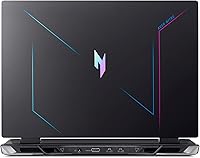
  • Color: Available in a single Black colorway with angular gaming-oriented styling consistent with the Nitro product line aesthetic.
  • Warranty: Backed by a 1-year limited hardware warranty from Acer, covering manufacturer defects under standard use conditions.
  • Processor Architecture: Built on AMD's Zen 4 microarchitecture, the Ryzen 7 7840HS delivers improved IPC and power efficiency over the previous Zen 3 generation.
  • GPU VRAM: The RTX 4060 carries 8GB of dedicated graphics memory, sufficient for high-texture gaming at 1200p and handling VRAM-intensive rendering tasks.
  • Screen Aspect Ratio: The 16:10 aspect ratio of the display provides additional vertical screen space compared to the 16:9 panels common on competing gaming laptops.
  • Bluetooth: Integrated Bluetooth is included alongside WiFi 6E, supporting wireless peripherals such as headsets, mice, and controllers without a separate adapter.

Related Reviews
Acer Nitro V 15.6″ Gaming Laptop
74%
88%
Gaming Performance
91%
Processing Power
86%
RAM & Multitasking
89%
Storage
57%
Thermal Management
More
Acer Nitro 16 RTX 4050 Gaming Laptop
71%
83%
Gaming Performance
86%
Display Quality
88%
Value for Money
54%
RAM & Memory
41%
Battery Life
More
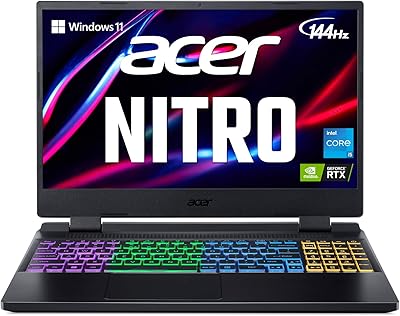
Acer Nitro V 15 ANV15-51 (i5-13420H, RTX 4050, 8GB, 512GB)
67%
84%
Gaming Performance
81%
Display Quality
86%
Value for Money
57%
Thermal Management
53%
RAM & Multitasking
More
Acer Nitro 5 AN515-46-R0EQ Gaming Laptop
83%
91%
Performance
88%
Display Quality
85%
Cooling System
60%
Battery Life
89%
Value for Money
More
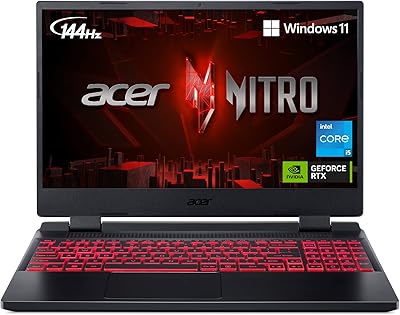
Acer Nitro V RTX 4060 Gaming Laptop
75%
88%
Gaming Performance
84%
Display Quality
91%
MUX Switch Value
74%
Thermal Management
61%
Build Quality
More
Acer Nitro 5 AN515-58 Gaming Laptop
70%
83%
Gaming Performance
81%
Display Quality
86%
Value for Money
61%
Thermal Management
54%
Fan Noise
More
Acer Nitro 5 15.6-inch Gaming Laptop
70%
88%
Display Quality
74%
Gaming Performance
61%
Thermal Management
48%
Battery Life
63%
Build Quality
More
Acer Predator Triton Neo 16 Gaming Creator Laptop
83%
91%
Performance
94%
Display Quality
68%
Portability
89%
Thermal Management
77%
Battery Life
More
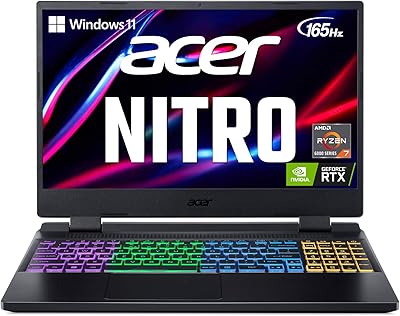
Acer Nitro 5 AN515-58-525P Gaming Laptop
72%
78%
Gaming Performance
82%
Display Quality
84%
Processing Speed
71%
RAM & Upgradability
88%
Storage Performance
More
ASUS ROG Strix G16 Gaming Laptop
74%
91%
Gaming Performance
93%
Display Quality
88%
Thermal Management
53%
Fan Noise
47%
Battery Life
More

FAQ

Yes, it ships with Windows 11 Home in S Mode enabled by default. In practical terms, S Mode limits you to installing apps only from the Microsoft Store, which means most third-party software — including popular gaming tools and browsers — won't install until you switch out of it. The good news is switching is free and takes about two minutes through Windows Settings, but it's something you should do before anything else when setting it up.

Fairly loud under sustained load, honestly. The Nitro line has always prioritized cooling performance over noise levels, and this generation is no different. During intensive gaming, you'll hear the fans clearly, so a headset is effectively non-optional for immersive play. During lighter tasks like browsing or streaming video, it quiets down considerably.

Based on the available specs, the machine uses DDR5 memory, though whether the slots are accessible for upgrades depends on the specific variant and Acer's internal design. It's worth checking teardown videos for this exact model before buying if upgradeability is a priority. The 1TB NVMe SSD should be sufficient for most users, but heavy game libraries can fill that up faster than expected.

Noticeably better than under gaming load, but still not in ultrabook territory. For light productivity tasks — documents, web browsing, video calls — you can expect somewhere in the range of four to six hours depending on screen brightness and background processes. If you need all-day battery without a charger nearby, this laptop will frustrate you. Pack the power brick.

For light to moderate creative work, yes — the combination of the Ryzen 7 7840HS, RTX 4060, and 32GB of RAM gives you a capable workstation-lite setup. Software like DaVinci Resolve and Blender will run well at reasonable project scales. Where it starts to strain is sustained, multi-hour rendering sessions, where thermal throttling under prolonged load can reduce effective performance compared to desktop workstations.

Not ideally. The 165Hz IPS panel is optimized for gaming — it prioritizes refresh rate and response time over color accuracy and coverage. While it looks great for games and general use, professionals doing color-graded photo or video work for print or broadcast should look for a display with verified sRGB or DCI-P3 coverage specs. This screen won't embarrass you, but it isn't a color-accurate monitor.

The port selection is on the lean side — you get one USB 2.0 and one USB 3.0, which fills up fast if you're connecting a mouse, external drive, and headset simultaneously. You'll likely want a USB hub or dock if this is your main workstation setup. Most buyers adapt without issue, but it's worth knowing upfront so you're not caught off guard at the desk.

Very well, actually. Both of those titles are CPU and GPU-efficient by design, and at native 1920x1200 resolution with a 165Hz panel, you'll be seeing frame rates that genuinely take advantage of the display. WiFi 6E also helps keep latency consistent in online matches. Competitive gaming is arguably where this Nitro 16 shows its best side.

It's functional but not what you'd call rugged. The plastic chassis is sturdy enough for desk use and occasional transport, but the lid can flex if you apply pressure, and the hinge durability over a year or more of daily open-close cycles is a common concern in long-term owner reviews. A quality sleeve or padded bag is strongly recommended if this is going in and out of a backpack regularly.

Yes, you can connect an external monitor via the available display output ports. Running a dual-display setup — using the built-in 165Hz screen alongside an external monitor — works well for productivity workflows. Just keep in mind that the GPU is sharing resources across both displays during gaming, so frame rates on the primary screen may be slightly impacted compared to single-display use.