





Overview

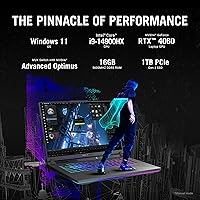
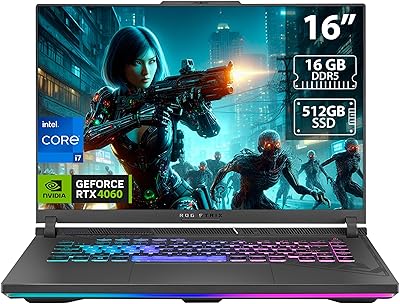
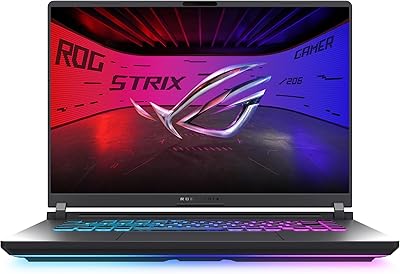
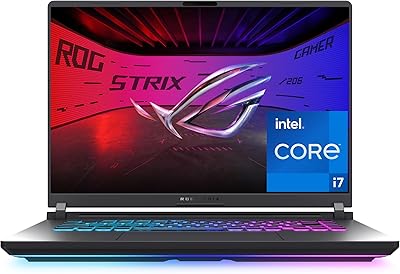
The ASUS ROG Strix G16 Gaming Laptop sits in a crowded but clearly defined segment — machines powerful enough to handle demanding titles without crossing into workstation pricing. Pairing Intel's Core i9-14900HX with an RTX 4060 makes for a capable generational combo, one that handles modern AAA games without constant compromise. The Eclipse Gray chassis looks understated for a gaming laptop, and at 5.5 pounds across a 16-inch footprint, it's portable enough to move around but not something you'll forget is in your bag. Go in knowing that battery life is modest and the fans get vocal under load — this is a performance machine first.

Features & Benefits

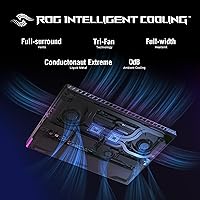
The Nebula Display is a genuine standout — QHD at 240Hz with a 3ms response time, full DCI-P3 coverage, and Pantone Validation means colors are accurate enough for photo editing, not just eye-catching during cutscenes. On the thermal side, ASUS uses Thermal Grizzly's liquid metal compound on the CPU alongside a third intake fan, which keeps sustained clock speeds realistic rather than theoretical. The MUX Switch routes frames directly from the dedicated GPU, translating to a real 5–10% performance lift in games, and Advanced Optimus handles the switch automatically when you're just browsing. The RTX 4060 running at 140W Max TGP is worth noting; many competing laptops ship the same GPU at lower wattage, quietly capping performance.

Best For

This gaming laptop is a natural fit for competitive gamers who care deeply about display responsiveness — 240Hz at QHD is a combination that's still rare at this price point. It also appeals to players who push GPU-intensive titles at 1080p or 1440p and want the thermal headroom to sustain frame rates over long sessions. Dual-purpose users — the ones running Lightroom or Premiere between gaming sessions — will appreciate the color accuracy without needing a separate monitor. It's equally relevant for college students or working professionals who want one capable machine rather than juggling a work laptop and a dedicated gaming rig. Those prioritizing all-day battery or near-silent operation should look elsewhere.

User Feedback

Buyers consistently praise the Strix G16's display — most say it's the first thing they notice and the reason they keep coming back to it over competitors. GPU performance holding steady under extended load also draws positive mentions. On the other side, fan noise is a recurring complaint; at full load the system gets loud enough to warrant headphones. The keyboard gets mixed marks — comfortable for most, but some users find the key travel shallow for long typing sessions. Build quality is generally regarded as solid, though a handful of reports mention minor chassis flex near the keyboard deck. Against similarly priced Lenovo Legion and MSI machines, most buyers consider the display and cooling a worthwhile trade-off for the added noise.

Pros

  • The QHD 240Hz display with full DCI-P3 coverage is genuinely impressive and outperforms most panels in this price range.
  • Running the RTX 4060 at 140W Max TGP means real-world gaming performance, not the throttled output common in thinner rivals.
  • Liquid metal thermal compound and a triple-fan cooling setup keep CPU performance stable over long gaming sessions.
  • The MUX Switch delivers a measurable 5–10% frame rate improvement in games with a simple toggle.
  • DDR5-5600MHz memory and a PCIe Gen 4 SSD make load times and multitasking feel noticeably snappier than older DDR4 systems.
  • Wi-Fi 6E support reduces latency in online play for anyone with a compatible router.
  • Advanced Optimus handles GPU switching automatically, extending battery life during lighter tasks without manual intervention.
  • The Eclipse Gray design is understated enough to pass in professional settings, unlike more aggressively styled gaming laptops.
  • Pantone Validation makes the display useful for color-sensitive creative work, not just gaming.

Cons

  • Fan noise under load is loud enough to be disruptive in quiet environments — headphones become mandatory during intense sessions.
  • Battery life of around six hours is below average for a 16-inch laptop at this price tier.
  • Only two USB 3.0 ports is a real limitation for users who need to connect multiple peripherals without a hub.
  • At 5.5 pounds with a large charger, daily commuting with this gaming laptop gets tiring quickly.
  • The keyboard receives mixed reviews — key travel feels shallow to some users, especially those coming from mechanical keyboards.
  • Some buyers report minor chassis flex near the keyboard area under moderate pressure.
  • Armoury Crate software, while functional, adds background processes and can feel cluttered for users who prefer minimal software installs.
  • The 16GB RAM, while fast, may feel limiting for users who run memory-heavy creative applications alongside games.
  • QHD at 240Hz is demanding on the RTX 4060 in the most graphically intensive titles, sometimes requiring quality settings adjustments.

Ratings

Our AI rating engine analyzed thousands of verified global user reviews for the ASUS ROG Strix G16 Gaming Laptop, actively filtering out incentivized submissions, bot patterns, and low-signal feedback to surface what real buyers actually experience. The scores below reflect an honest cross-section of owner sentiment — where this gaming laptop genuinely impresses and where it falls short in day-to-day use. Both the standout strengths and the recurring frustrations are weighted transparently into every category score.

Gaming Performance
91%
Owners consistently report that the Strix G16 handles demanding titles at QHD with headroom to spare, and the 140W TGP means the RTX 4060 is not artificially capped the way it is in slimmer competitors. Games that punish lesser laptops — open-world titles, high-fidelity shooters — run with notable frame rate consistency across long sessions.
At the highest graphical settings in the most demanding current releases, the RTX 4060 does start to show its ceiling, and some users note that QHD resolution pushes the GPU harder than 1080p configs would. Buyers expecting desktop RTX 4060 parity will find a small but real gap remains.
Display Quality
93%
The 240Hz QHD Nebula panel is the feature buyers mention most enthusiastically — motion clarity in fast-paced competitive games is noticeably better than the 144Hz or 165Hz panels found on most rivals at this price. The 100% DCI-P3 coverage also means photos and video look genuinely accurate, not just vivid.
A small number of users report mild backlight bleed in dark-room gaming, which is not unusual for IPS-level panels but can be distracting during cinematic sequences. The high refresh rate also accelerates battery drain if the panel is not throttled during lighter tasks.
Thermal Management
88%
The liquid metal compound paired with the triple-fan layout does a credible job keeping the CPU from throttling during back-to-back gaming sessions, which owners moving from budget gaming laptops notice immediately. Sustained clock speeds hold up well over hour-long stress tests compared to competing designs relying on conventional thermal paste.
Surface temperatures on the upper keyboard deck climb into uncomfortable territory during extended workloads, making palm positioning awkward for some users. The cooling solution works, but it does so by moving a lot of air quickly, which feeds directly into the fan noise complaints.
Fan Noise
53%
47%
When the machine is idling or handling light productivity tasks, fan noise stays at an acceptable background level that most users do not find disruptive. Armoury Crate does give owners manual control over fan curves, so quieter profiles are accessible for non-gaming use cases.
Under any serious gaming load, the fans ramp to levels that most reviewers describe as genuinely loud — audible across a room and intrusive enough to require headphones in shared spaces. This is the single most frequently cited complaint across owner reviews, and it is a real consideration for anyone in a noise-sensitive environment.
Battery Life
47%
53%
Advanced Optimus does help extend battery life during productivity tasks by offloading rendering to the integrated GPU, and some users report getting close to the rated six hours under light browsing and document work at reduced brightness.
During gaming, battery life collapses to between one and two and a half hours in typical use, which effectively tethers the machine to an outlet for any real session. Users who expected this to function as an untethered laptop for even moderate daily use regularly express disappointment in reviews.
Build Quality
76%
24%
The overall chassis feels solid for a gaming laptop at this tier — the lid has good resistance to racking, and the hinge mechanism opens smoothly without wobble during typical use. Most owners describe it as premium-feeling compared to plasticky budget alternatives.
A recurring minority of users report detectable flex in the keyboard deck area when applying moderate downward pressure, which raises durability questions over time. The bottom panel, while functional, feels slightly less premium than the lid and display surround.
Keyboard & Typing Experience
67%
33%
The keyboard layout is sensibly organized with a numpad, and the per-key RGB backlighting is well-implemented and customizable through Armoury Crate for users who care about aesthetics. Casual gaming sessions and shorter typing tasks feel comfortable for most hand sizes.
Users who type extensively — students writing long documents, professionals working through emails — frequently flag the shallow key travel as fatiguing over longer sessions. The feedback is noticeably softer than mechanical keyboards, and a segment of owners who came from ThinkPad or older laptops found the adjustment period frustrating.
Software & Bloatware
61%
39%
Armoury Crate provides genuinely useful hardware control — fan profiles, MUX Switch toggling, and performance mode switching are all accessible from one dashboard, which experienced users find practical rather than redundant.
Fresh out of the box, the system ships with several pre-installed applications that add to startup time and background resource usage, and the Armoury Crate interface itself feels cluttered to users who prefer minimal software environments. Some owners report needing to do a clean Windows install to get the experience feeling optimized.
Port Selection
58%
42%
The available ports cover the basics for most gaming setups, and the inclusion of USB 3.0 handles standard peripherals like mice, headsets, and external drives without issue.
With only two USB 3.0 Type-A ports, buyers who run a full desk setup — mechanical keyboard, wired mouse, external drive, and a headset dongle — immediately run out of ports and need a hub. Reviewers comparing against the Lenovo Legion 5 Pro frequently flag this as a meaningful gap in connectivity.
Portability
62%
38%
At 5.5 pounds the Strix G16 is not unreasonably heavy for a 16-inch gaming laptop, and the relatively slim 0.89-inch profile means it slides into a backpack without the bulk of older gaming machines.
Once you factor in the large power brick — which is not lightweight — daily commuting with this setup becomes noticeably cumbersome. Users who shuttle between campus, office, and home report that the total carry weight adds up quickly, and the six-hour battery ceiling means the adapter rarely gets left behind.
Value for Money
79%
21%
Given the 140W RTX 4060, the Nebula display, and the liquid metal cooling system, most owners feel the price reflects genuine engineering rather than just a badge premium. Users upgrading from three or four-year-old mid-range gaming laptops report a substantial perceived generational leap.
A subset of buyers feel the 16GB RAM at this price point should have been 32GB, and the limited port selection makes it feel like corners were cut on the peripheral experience. Competing machines from Lenovo occasionally offer similar GPU configs with more RAM or ports at comparable pricing, which feeds the value debate.
Wi-Fi & Connectivity
83%
Wi-Fi 6E performance is a noticeable upgrade for users with compatible routers, delivering lower ping variance during online multiplayer sessions compared to older Wi-Fi 5 implementations. The wireless connection holds stable even in environments with many competing networks.
The benefit of Wi-Fi 6E is entirely router-dependent, and users on older network infrastructure see no advantage over a standard Wi-Fi 6 connection. A small number of users report occasional driver-level connectivity hiccups requiring an update or reinstall to resolve.
Display Color Accuracy
89%
Pantone Validation and factory-calibrated DCI-P3 coverage mean that photographers and video editors who use the Strix G16 as a dual-purpose machine report colors that hold up well against external reference monitors in casual creative work. The out-of-box calibration requires little to no manual adjustment for most users.
The display skews toward vivid rather than clinically neutral by default, which some color-critical professionals find needs adjustment in display settings before trusting it for serious output work. It remains a gaming panel first, and specialists requiring surgical accuracy will still want a dedicated external display.
Storage Speed
87%
The PCIe Gen 4x4 SSD delivers load times that most owners describe as genuinely fast — games that took 30-plus seconds on older SATA drives open in a fraction of that time, and Windows boot is snappy from day one.
The 1TB capacity fills faster than many users anticipate once a modern game library builds up, with several titles now pushing 100GB or more individually. There is no secondary drive included, and while the M.2 slot is expandable, the upfront storage ceiling is a planning consideration.

Suitable for:

The ASUS ROG Strix G16 Gaming Laptop is built for buyers who want serious gaming performance without stepping into workstation pricing, and who are willing to trade some portability comfort for sustained power. Competitive gamers running titles at high refresh rates will get immediate value from the QHD 240Hz display — it is a spec combination that genuinely changes how fast-paced games feel to play. The 140W RTX 4060 puts this machine ahead of many laptops sharing the same GPU name but running at lower wattage, which matters when frame rates start dropping under extended load. Students or working professionals who game heavily in the evenings will also find the Strix G16 a capable single-device solution, covering productivity workloads during the day and demanding gaming sessions at night. Creators who need color-accurate output — photographers, video editors, casual colorists — will appreciate the Pantone-validated display without needing a separate calibrated monitor.

Not suitable for:

The ASUS ROG Strix G16 Gaming Laptop is a harder sell for anyone who spends most of their day working away from a power outlet. The roughly six-hour battery average is workable for light tasks, but under any real workload that number drops noticeably, and the machine's size and weight mean you are always carrying the charger. Buyers who work in quiet environments — libraries, open-plan offices, shared apartments — should know the fans get genuinely loud under load; this is not a laptop you can push hard without everyone nearby noticing. If your gaming needs are more casual and you are primarily after a light, quiet machine for everyday use, the value proposition here does not hold up as well compared to thinner, more battery-efficient alternatives. Those who need a robust port selection beyond the two USB 3.0 ports may also find the connectivity limiting without a hub.

Specifications

  • Processor: Intel Core i9-14900HX with 24 cores (8 Performance + 16 Efficient) clocking up to 4GHz, built for handling both gaming workloads and demanding multitasking without bottlenecking the GPU.
  • Graphics Card: NVIDIA GeForce RTX 4060 Laptop GPU running at 140W Max Total Graphics Power, which places it at the higher end of what this GPU can deliver in a laptop form factor.
  • Display: 16-inch IPS-level QHD panel running at 240Hz with a 3ms response time, 100% DCI-P3 color coverage, and Pantone Validation for color accuracy across gaming and creative use.
  • Resolution: 2560 x 1600 pixels at a 16:10 aspect ratio, giving slightly more vertical screen space than the standard 16:9 format for both productivity and immersive gaming.
  • RAM: 16GB of DDR5 memory running at 5600MHz, providing fast bandwidth for modern game engines and responsive multitasking between applications.
  • Storage: 1TB PCIe Gen 4x4 NVMe SSD delivering high sequential read and write speeds that reduce game load times and large file transfers noticeably compared to older PCIe 3 drives.
  • Cooling System: Thermal Grizzly Conductonaut Extreme liquid metal compound applied to the CPU, combined with a third dedicated intake fan, to sustain higher clock speeds over long gaming sessions.
  • MUX Switch: Hardware MUX Switch paired with Advanced Optimus allows users to route frames directly from the discrete GPU to the display, improving in-game frame rates by approximately 5 to 10 percent.
  • Wireless: Wi-Fi 6E (802.11ax) for reduced latency and higher throughput on compatible 6GHz band routers, beneficial for online multiplayer gaming and large file transfers.
  • Battery: Integrated lithium-ion battery rated for approximately 6 hours of mixed use under light workloads, with real-world gaming sessions reducing that figure significantly.
  • Operating System: Windows 11 Home comes pre-installed, with ASUS Armoury Crate software for fan control, RGB customization, and performance profile switching.
  • Dimensions: The chassis measures 13.94 x 10.39 x 0.89 inches, keeping the 16-inch footprint relatively slim while accommodating the triple-fan cooling layout internally.
  • Weight: The laptop weighs 5.5 pounds without the power adapter, which adds meaningful bulk to daily carry given the size of the included charger.
  • USB Ports: Two USB 3.0 Type-A ports are available for peripheral connections, which may require a hub for users who run multiple wired devices simultaneously.
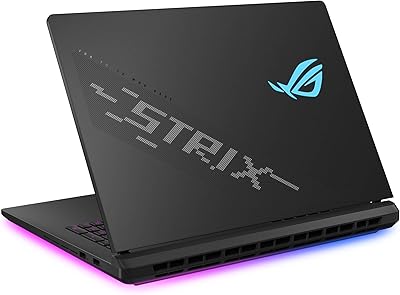
  • Color & Finish: Available in Eclipse Gray, a muted dark finish that presents a more understated look compared to many gaming laptops with aggressive styling.
  • GPU Memory: The RTX 4060 includes 8GB of dedicated GDDR6 VRAM, sufficient for QHD gaming at high settings in most current titles.
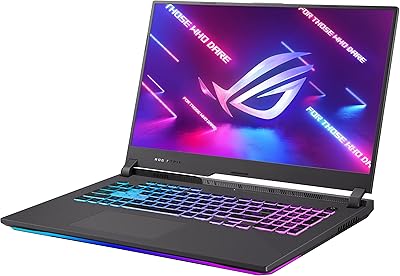
  • Keyboard: Backlit keyboard with per-key RGB lighting controllable through Armoury Crate, laid out in a standard configuration with a numpad column on the right side.

Related Reviews
ASUS ROG Strix G16 2023 Gaming Laptop
72%
93%
Gaming Performance
91%
Thermal Management
88%
Display Quality
84%
Build Quality
81%
Keyboard & Trackpad
More
ASUS ROG Strix G16 (2025) RTX 5070 i9 32GB
78%
93%
Gaming Performance
86%
Thermal Management
88%
Display Quality
91%
CPU Performance
84%
Build Quality
More
ASUS ROG Strix G16 (2025) G615JMR-AS74 1TB
80%
92%
Raw Gaming Performance
88%
Thermal Management
91%
Display Quality
54%
Portability
42%
Battery Life
More
ASUS ROG Strix G17 (2021) Gaming Laptop
84%
91%
Performance
89%
Cooling Efficiency
88%
Display Quality
70%
Battery Life
85%
Portability
More
ASUS ROG Strix SCAR 18 Gaming Laptop
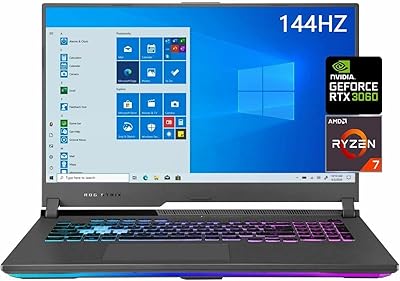
76%
97%
Gaming Performance
94%
Display Quality
92%
CPU & Multitasking
83%
Thermal Management
61%
Fan Noise
More
ASUS ROG Strix G17 17.3″ Gaming Laptop
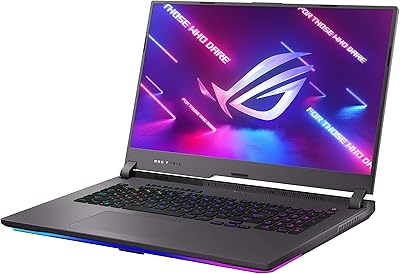
74%
88%
Gaming Performance
84%
Display Quality
82%
Build Quality
76%
Thermal Management
58%
Fan Noise
More
ASUS ROG Strix G17 2021 Gaming Laptop
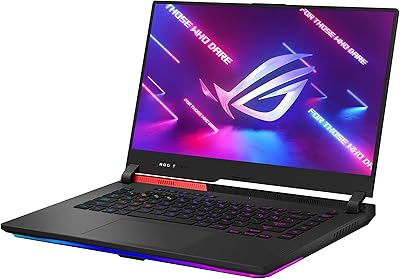
72%
93%
Gaming Performance
89%
Display Quality
88%
Thermal Management
58%
Fan Noise
41%
Battery Life
More
ASUS ROG Strix G15 2021 Gaming Laptop
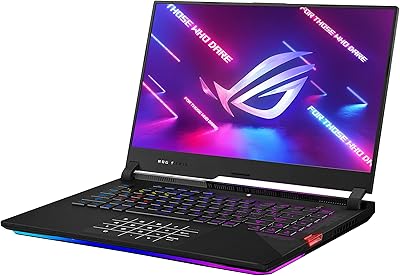
74%
93%
Gaming Performance
89%
Display Quality
88%
Thermal Management
84%
Build Quality
91%
CPU Performance
More
ASUS ROG Strix G18 Gaming Laptop
74%
94%
Gaming Performance
91%
Display Quality
88%
Thermal Management
61%
Fan Noise
38%
Battery Life
More
ASUS ROG Strix G15 2022 Gaming Laptop
71%
74%
Gaming Performance
81%
Display Quality
83%
Build Quality
78%
Thermal Management
41%
Battery Life
More

FAQ

Yes, the Strix G16 uses SO-DIMM DDR5 slots rather than soldered memory, so upgrading beyond the stock 16GB is possible. Most users find two accessible slots under the bottom panel, which can accommodate up to 64GB depending on the module configuration. If you plan to run memory-heavy creative applications alongside games, upgrading to 32GB is a practical option down the line.

Under a sustained gaming load, the fans on this gaming laptop get noticeably loud — most users describe it as a consistent high-pitched whir rather than an aggressive roar. It is audible enough that you will likely want headphones during serious sessions, especially in shared spaces. ASUS provides fan control profiles in Armoury Crate, so you can dial things back for lighter tasks at the cost of some thermal headroom.

It is better than most gaming laptop panels for creative work. The 100% DCI-P3 coverage and Pantone Validation mean colors are calibrated and reliable out of the box, which is a genuine advantage if you edit photos or work with video alongside gaming. It is not a replacement for a professional editing monitor, but for a portable dual-purpose setup it holds up well.

The MUX Switch bypasses the integrated GPU and sends frames directly from the dedicated RTX 4060 to the display, cutting out a processing step that normally costs you some performance. In practice it delivers around 5 to 10 percent more frames per second in games. The trade-off is battery drain, so it makes sense to leave it enabled when you are plugged in and gaming, and let Advanced Optimus handle switching automatically when you are on battery.

Not all RTX 4060 laptops are equal — the difference comes down to Total Graphics Power (TGP). The ASUS ROG Strix G16 Gaming Laptop runs the RTX 4060 at 140W Max TGP, which is toward the upper limit for this GPU in a laptop. Some competing machines ship the same GPU at 80W or 100W to hit thinner profiles or lower price points, and that directly limits frame rate output. Higher TGP means the GPU can run closer to its actual ceiling.

Yes, the 1TB PCIe Gen 4 M.2 SSD is not soldered and can be swapped out or supplemented if the laptop has a second M.2 slot available. Checking the service manual or teardown guides for your specific revision before purchasing an upgrade module is worth doing, as slot availability can vary between configurations.

Under light use — browsing, documents, streaming at moderate brightness — around 6 hours is achievable. Once you start gaming, that number drops significantly, often to 1.5 to 2.5 hours depending on the workload and display brightness. This is fairly typical for a high-performance gaming laptop, but it does mean you should treat the power adapter as a daily essential rather than an occasional accessory.

ASUS has done meaningful work here with the liquid metal compound and triple-fan layout. Under sustained load the thermals are managed well enough to keep the CPU from throttling significantly, which is not always the case with gaming laptops at this size. Surface temperatures on the keyboard deck do get warm during extended sessions, particularly near the top center, but not uncomfortably so under normal use conditions.

The Strix G16 generally trades blows with the Lenovo Legion 5 Pro and MSI Katana in this segment. Where the ROG Strix typically edges ahead is display quality — the Nebula panel is better calibrated than what you find on most Lenovo or base MSI models at similar pricing. The Lenovo machines often offer slightly better battery life and quieter fans, while MSI sometimes includes more port variety. The right choice depends on whether the display and cooling approach matter more to you than quieter operation or connectivity.

If your router supports the 6GHz band, Wi-Fi 6E provides lower congestion and reduced latency compared to the crowded 5GHz band — a practical benefit in apartments or homes with many connected devices. If your current router only supports Wi-Fi 5 or 6, the 6E capability will not unlock until you upgrade the router as well. It is a forward-looking inclusion more than an immediate necessity for most buyers.

Where to Buy