Overview

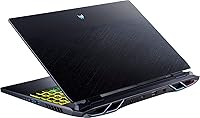
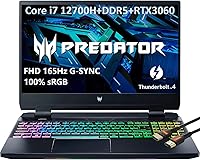
The Acer Predator Helios 300 15.6″ Gaming Laptop occupies a well-defined position in the market: powerful enough for serious gaming, yet priced below the tier where you start paying for diminishing returns. Its core appeal is the pairing of a 12th Gen i7-12700H with an RTX 3060 — a combination that handles demanding modern titles without asking you to spend flagship money. The 165Hz IPS panel is a real differentiator for anyone who games competitively, where frame smoothness consistently matters more than resolution. Build quality feels solid, though the chassis is unmistakably thick. This Acer gaming laptop tips the scales at over 12 pounds, and that is not a number to overlook — it is a performance-first machine, full stop.
Features & Benefits

The 14-core hybrid processor — six performance cores paired with eight efficiency cores — manages demanding game engines and productivity workloads without obvious strain, particularly when boost frequencies climb toward 4.7GHz under sustained pressure. Where this machine genuinely separates itself from cheaper alternatives is the RTX 3060 running at a full 140W TGP; many competing laptops sell the same GPU name at 80 or 100 watts, which meaningfully cuts real-world output. The 165Hz IPS display delivers clean, fluid motion and better color fidelity than budget TN panels. Connectivity is a strength: Thunderbolt 4, HDMI 2.1, Mini DisplayPort, and three USB-A ports handle a complete desk setup without adapters. The 16GB of DDR5 and a PCIe SSD keep game load times short, and both are upgradeable if needed.

Best For

The Helios 300 is a natural fit for college-age gamers who want one machine that handles AAA titles, coursework, and occasional video editing without compromise. If frame rate consistency in competitive games matters more to you than chasing 4K or OLED visuals, the 165Hz panel lands exactly where you need it. The HDMI 2.1 output also makes it a capable desktop replacement — connect it to a larger screen and it holds up well. What it is not, however, is a travel companion. The 12-pound weight becomes a genuine frustration for anyone commuting regularly, and on-battery gaming life is short enough that you will want a wall outlet within reach. Slim-and-light priorities simply do not align with what this machine was built to do.

User Feedback

Owners of this Predator Helios 300 consistently highlight gaming performance and port selection as standout strengths, with many noting the display holds up well across both competitive and story-driven titles. The frustrations that surface repeatedly, though, are worth taking seriously. Fan noise under load is the most common complaint — it gets loud, and there is no getting around that during intensive sessions. Weight draws consistent criticism from buyers who underestimated how much 12-plus pounds would affect daily use. Keyboard feel earns mixed reactions; some appreciate the tactile response, others find it average for the price. Preinstalled software bloat is a recurring annoyance, though easily addressed after setup. Long-term durability reports are mostly positive, but driver update consistency appears to vary depending on region and configuration.

Pros

  • The RTX 3060 runs at a full 140W TGP, delivering meaningfully more performance than lower-wattage variants sold under the same GPU name.
  • The i7-12700H handles demanding game engines and multitasking workloads without obvious strain, even under sustained pressure.
  • A 165Hz IPS panel provides smooth, fluid motion for competitive gaming without the washed-out look of cheaper TN screens.
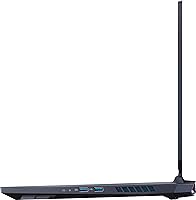
  • Port selection is exceptional: Thunderbolt 4, HDMI 2.1, three USB-A ports, and Ethernet cover virtually every desk setup without adapters.
  • Liquid metal thermal grease and the AeroBlade fan system keep the hardware under control during long gaming sessions.
  • 16GB of DDR5 and a fast PCIe SSD translate to short load times across both games and everyday applications.
  • Both RAM and storage are upgradeable, giving owners a practical path to extend the machine well beyond its stock configuration.
  • Build quality feels solid throughout, with no obvious chassis flex or cheap plastics in high-contact areas.

Cons

  • At over 12 pounds, this Acer gaming laptop is one of the heavier options in its price tier and wears on you during daily commutes.
  • Fan noise under sustained load is loud enough to be disruptive in quiet shared spaces like libraries or open offices.
  • On-battery gaming life is short; plan to stay near an outlet for any meaningful play session.
  • Preinstalled software bloat is a recurring complaint, and most owners immediately run a cleanup before settling in.
  • The 512GB SSD fills up quickly for users with large game libraries, making an early storage upgrade a practical necessity.
  • Driver update consistency has been flagged by long-term owners as unreliable, particularly across different regional configurations.
  • Keyboard feel is unremarkable for the price point — functional, but nothing that stands out beyond the RGB lighting.
  • The 1080p resolution, while sharp at 15.6 inches, will feel limiting for buyers who also use their laptop for high-resolution media or photo editing.

Ratings

The scores below were generated by AI after analyzing thousands of verified owner reviews for the Acer Predator Helios 300 15.6″ Gaming Laptop across global marketplaces, with spam, incentivized feedback, and bot activity actively filtered throughout. The ratings reflect the honest distribution of buyer sentiment — where the Helios 300 genuinely impresses and where it consistently lets people down — without smoothing over the real frustrations that surface across long-term ownership.

Gaming Performance
88%
The RTX 3060 running at its full 140W TGP is the core reason buyers consistently praise this machine — it delivers frame rates that hold up across demanding AAA titles without constant throttling. Paired with the i7-12700H, owners report smooth performance in titles from Cyberpunk 2077 to Elden Ring at high settings without needing to drop to medium presets.
Buyers who push the machine to absolute limits — maximum settings with ray tracing enabled — do report occasional frame rate instability during extended sessions. A subset of users notes GPU power can fluctuate during thermal peaks, though this is less frequent than on lower-TGP configurations from competing brands.
Display Quality
84%
Competitive players consistently highlight the 165Hz refresh rate as a meaningful upgrade over the 60Hz or 144Hz panels found on cheaper machines — fast-paced games like Valorant and CS2 look noticeably smoother, with cleaner motion during rapid camera movements. The IPS panel earns praise for its viewing angles and color fidelity compared to budget TN alternatives in the same price tier.
The 1080p resolution is the most frequently cited disappointment, particularly from buyers who also use the laptop for media consumption or photo work. A consistent group of reviewers notes the display brightness could be higher for comfortable outdoor or well-lit room use, where glare becomes a recurring issue.
CPU Performance
86%
The i7-12700H hybrid core design shines in mixed workloads — owners who split time between gaming and tasks like video editing or coding report the processor handles context-switching without strain. Background application performance stays stable even with multiple tabs, game launchers, and communication apps running simultaneously.
Under heavy sustained load — particularly long rendering jobs or prolonged gaming at high settings — a subset of owners reports occasional thermal-related clock speed dips, though they resolve quickly once load eases. The processor performance gap between this and current 13th or 14th Gen chips is increasingly visible for buyers comparing options today.
Thermal Management
76%
24%
Owners who run the Helios 300 in Turbo mode via PredatorSense generally report the cooling system handles gaming loads without severe throttling — the liquid metal compound and dual-fan setup do meaningful work keeping temperatures from climbing into dangerous territory. Sustained gaming sessions typically remain stable rather than degrading sharply over time.
The keyboard deck and palm rest get noticeably warm during extended gaming, which some users find uncomfortable during long sessions. A portion of reviewers reports more significant thermal throttling under combined CPU and GPU stress, particularly in warm ambient environments or when the vents are even slightly obstructed by soft surfaces.
Port & Connectivity
91%
Few gaming laptops in this price range offer a port layout this complete — Thunderbolt 4, HDMI 2.1, Mini DisplayPort, Gigabit Ethernet, and three USB-A ports means users can build a full desk setup without a single adapter. Owners setting up dual-monitor configurations or connecting to high-refresh external displays consistently praise this as one of the Helios 300's strongest practical advantages.
A small number of users report occasional USB-C charging compatibility issues with third-party power banks, making the barrel connector the most reliable charging method in practice. The absence of an SD card slot is a recurring frustration for content creators who work with camera footage and prefer a direct card reader.
Build Quality
79%
21%
The chassis feels dense and purposeful rather than hollow or toy-like — owners report minimal flex in the lid and keyboard deck compared to cheaper gaming laptops in the same tier. The hinge mechanism receives consistent positive feedback for staying firm at any angle without requiring two hands to open the lid.
The plastic construction on the bottom panel and around the port area feels less premium than the price point might suggest, and surface scratches begin appearing with regular use fairly quickly. A few long-term owners mention the rubber feet wearing down over time, causing the machine to slide on smooth desk surfaces.
Fan Noise
47%
53%
In balanced and silent power modes via PredatorSense, the fans stay at an acceptable level for light productivity tasks like web browsing, document editing, or video streaming. Some users who exclusively game with closed-back over-ear headphones report that fan noise effectively becomes a non-issue in their daily workflow.
Under gaming or sustained CPU load, the fans reach a volume that most reviewers describe as genuinely disruptive — loud enough to be heard across a room and intrusive in library or shared office environments. This is the single most consistent complaint across owner reviews, and it shows no meaningful improvement across firmware updates.
Battery Life
38%
62%
On light tasks — basic browsing, note-taking, or streaming low-demand video — owners report getting four to five hours of usable unplugged time, which is adequate for a short lecture or a brief work session. The dual charging options via barrel connector and USB-C provide some flexibility in how and where you top up.
During active gaming, battery life collapses to two hours or less — a reality that makes the power adapter a non-negotiable daily carry for any serious use. Multiple owners mention being caught off guard at LAN events or shared study spaces without enough outlets, and several note that battery capacity degrades noticeably after roughly a year of heavy use.
Portability
42%
58%
The dimensions are not extreme for a 15.6-inch gaming laptop — it fits in standard large-format bags and backpacks designed for gaming use, and the chassis does not feel unwieldy to handle on a desk. Moving it between rooms or setting it up at a friend's place for a gaming session is not a logistical challenge.
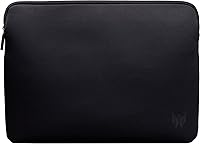
At 12.38 lbs, this machine is objectively heavy even by gaming laptop standards, and daily commuters consistently report back, shoulder, and wrist fatigue from carrying it to class or the office over time. The power adapter adds significant bulk on top of the chassis weight, and no carrying case or sleeve is included in the box.
RAM & Storage
73%
27%
The DDR5 memory keeps multitasking fluid — owners report smooth transitions between games, browser tabs, and productivity apps without meaningful slowdown. PCIe SSD load times are noticeably faster than SATA-based alternatives, and the fact that both storage and RAM slots are user-accessible makes future upgrades a realistic and cost-effective option.
The 512GB base SSD fills up quickly for anyone maintaining even a modest library of modern games — a single large title can consume 10 to 15 percent of total capacity. Some buyers expected a larger base drive given the overall price point, and the DDR5 memory speed of 2400MHz runs slightly below what some competing platforms offer at this tier.
Keyboard Feel
67%
33%
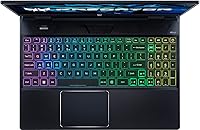
The RGB backlighting is bright, customizable through PredatorSense, and holds up well across various lighting conditions — something that gaming-focused buyers consistently note as a positive for late-night sessions. Key travel is adequate and the layout is sensible for both gaming and typing, with no awkward key placement to adjust to.
Typing feel draws mixed reactions — owners coming from mechanical keyboards frequently describe the experience as underwhelming, citing shallow actuation with limited tactile feedback. The trackpad receives even more consistent criticism for being small relative to the chassis size and imprecise during desktop navigation, pushing most users toward an external mouse immediately after setup.
Software Experience
58%
42%
PredatorSense is the one preinstalled application that most owners find genuinely useful — it provides straightforward fan curve control, performance profile switching, and RGB management without requiring third-party tools. Users who spend time configuring it report a noticeably smoother and quieter experience during everyday non-gaming tasks.
Beyond PredatorSense, the out-of-box Windows setup is cluttered with Acer-branded utilities and third-party trial software that the majority of owners remove immediately. Driver update reliability is inconsistently rated — some users report smooth automatic updates, while others describe hunting for patches manually after encountering post-update instability or connectivity regressions.
Value for Money
83%
For buyers who understand the spec sheet — a full-wattage RTX 3060, a 165Hz IPS panel, and a strong hybrid processor from a reputable brand — the overall value proposition is genuinely competitive at its price tier. Owners consistently note that finding a comparable configuration from a trustworthy manufacturer without making meaningful compromises is harder than it looks.
The base 512GB SSD and the practical need for an additional power adapter when traveling can push real ownership costs higher than the sticker price suggests. Buyers who quickly realize they need a larger SSD and a RAM upgrade report that the total spend drifts further from initial expectations than they anticipated.
Wireless Performance
81%
19%
The Intel Killer AX1675i adapter is a meaningful step above the generic Wi-Fi 6 chips found in many competing laptops — owners who game online report consistently low ping and stable connections even in environments with several competing networks nearby. The Killer software also lets users prioritize gaming traffic over background downloads with minimal setup.
A subset of users reports inconsistent Wi-Fi behavior following Windows updates — specifically, the Killer adapter occasionally requires a full driver reinstall to restore stable performance after a system update cycle. Bluetooth connectivity earns fewer complaints overall, but a handful of reviewers note intermittent pairing failures with certain headsets after the system wakes from sleep.
Audio Quality
63%
37%
With headphones connected, the DTS:X Ultra processing adds useful spatial positioning that benefits both competitive gaming and movie watching — owners using quality wired headsets report a noticeably richer audio experience compared to laptops without dedicated audio processing. The 3.5mm jack output is clean with no audible interference or ground noise.
The built-in speakers are the most frequently cited audio disappointment — they sound thin, lack bass almost entirely, and are adequate for system alerts and casual browsing but unconvincing for gaming immersion or music. Most owners default to headphones or external speakers within the first few days, treating the built-in speakers as a last resort.

Suitable for:

The Acer Predator Helios 300 15.6″ Gaming Laptop is built for buyers who want genuine gaming performance without crossing into flagship pricing, and it delivers on that promise most convincingly for college students and young adults who need one machine to cover competitive multiplayer, coursework, and occasional creative work. If your priority is high frame rates over a 4K or OLED display, the 165Hz IPS panel hits exactly the right target — players in fast-paced titles like Valorant, CS2, or Apex Legends will feel the difference during quick engagements. The RTX 3060 running at a full 140W TGP matters here more than it might sound; this is a properly powered GPU, not a throttled variant hiding behind a familiar name. The Helios 300 also works well as a desktop replacement, with HDMI 2.1, Thunderbolt 4, and three USB-A ports making it straightforward to build a capable desk setup around it. Buyers who want a reputable brand with a proven thermal system and real upgrade potential will find the overall value proposition here hard to argue with.

Not suitable for:

The Acer Predator Helios 300 15.6″ Gaming Laptop is a poor match for anyone who values portability, and that point deserves serious weight before purchase. At over 12 pounds, it is heavier than many full-size gaming laptops in its class, and carrying it daily in a bag will become a genuine physical burden over time. Battery life under gaming load is short enough that you will need a power outlet within reach during any real play session — unplugged use is effectively limited to light tasks. If you are looking for a slim chassis, OLED-level contrast, or a display with higher than 1080p resolution for media consumption, this machine will not satisfy those expectations. Users who work or study in shared quiet spaces should also know that the fans ramp up loudly under sustained load, and there is no effective way to silence them when the hardware is being pushed.
Specifications

  • Processor: Intel Core i7-12700H with 14 cores (6 performance, 8 efficiency), 20 threads, 24MB Smart Cache, and a maximum boost frequency of 4.7GHz.
  • Graphics Card: NVIDIA GeForce RTX 3060 with 6GB GDDR6 dedicated memory, operating at a full 140W Total Graphics Power (TGP).
  • Display: 15.6″ Full HD IPS panel with 1920x1080 resolution and a 165Hz refresh rate for smooth, fluid motion during fast-paced gameplay.
  • RAM: 16GB DDR5 SDRAM running at 2400MHz, installed at the time of purchase with upgrade potential via accessible SO-DIMM slots.
  • Storage: 512GB PCIe NVMe SSD with a PCIe x4 interface, delivering fast read and write speeds for reduced game and application load times.
  • Cooling System: 5th Gen AeroBlade 3D fan technology paired with liquid metal thermal grease to manage heat dissipation under sustained performance loads.
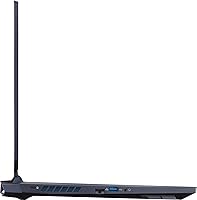
  • Wired Ports: Includes Thunderbolt 4, one USB-C 3.2, three USB-A 3.2 ports (one with power-off charging), HDMI 2.1, Mini DisplayPort 1.4, and RJ45 Gigabit Ethernet.
  • Wireless: Intel Killer AX1675i Wi-Fi adapter with Bluetooth 5.2 for low-latency wireless gaming and peripheral connectivity.
  • Operating System: Windows 11 Home comes pre-installed, with Acer PredatorSense software included for fan control and performance profile management.
  • Keyboard: Full-size RGB backlit keyboard with per-key illumination, customizable through PredatorSense software.
  • Audio: DTS:X Ultra spatial audio processing delivers positional sound, most effective when used with compatible headsets or external speakers.
  • Weight: 12.38 lbs (approximately 5.6 kg), making this one of the heavier options in the mid-range gaming laptop segment.
  • Dimensions: 14.1 x 10.9 x 1.02 inches (LxWxH), with a chassis profile that prioritizes thermal headroom over slim design.
  • Battery: Lithium Polymer battery, chargeable via the included barrel connector or through the USB-C port at 20V/100W (DC-in capable).

Related Reviews
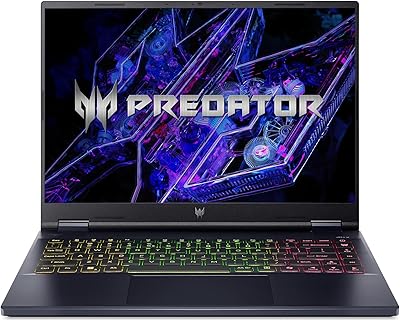
Acer Predator Helios Neo 14 Gaming Laptop
72%
91%
Gaming Performance
93%
Display Quality
74%
Thermal Management
43%
Battery Life
84%
Build Quality
More
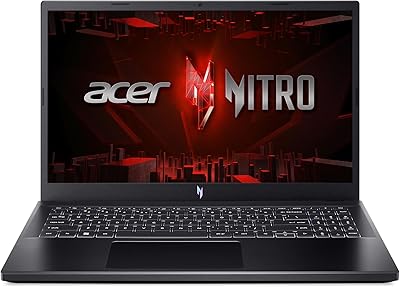
Acer Nitro V 15 ANV15-51 (i5-13420H, RTX 4050, 8GB, 512GB)

67%
84%
Gaming Performance
81%
Display Quality
86%
Value for Money
57%
Thermal Management
53%
RAM & Multitasking
More
Acer Chromebook 315 15.6-inch Laptop
72%
83%
Value for Money
79%
Battery Life
81%
Display Size & Usability
51%
Display Sharpness
58%
Performance
More
HP Victus 15.6″ RTX 3050 Gaming Laptop
71%
67%
Gaming Performance
83%
Display Quality
88%
RAM & Multitasking
86%
Storage Speed & Capacity
58%
Thermal Management
More
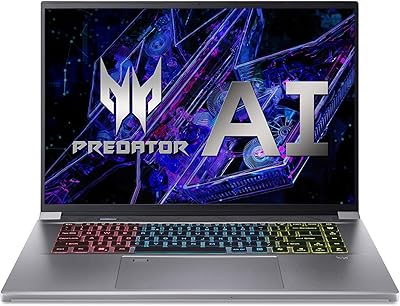
Acer Predator Triton Neo 16 Gaming Creator Laptop
83%
91%
Performance
94%
Display Quality
68%
Portability
89%
Thermal Management
77%
Battery Life
More
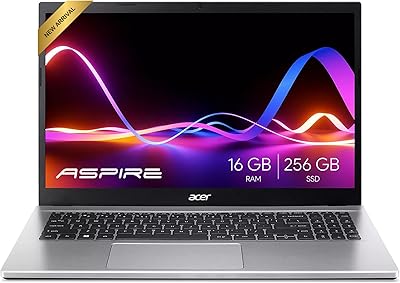
Acer Aspire 3 Ryzen 3 7330U 15.6″ 256GB
69%
88%
Value for Money
76%
Performance for Daily Tasks
83%
Display Quality
86%
RAM & Multitasking
51%
Storage Capacity
More
Acer Aspire 3 A315-24PT-R0UX 15.6″ Laptop 16GB 512GB SSD
86%
91%
Performance
87%
Battery Life
88%
Display Quality
93%
Portability
82%
Build Quality
More
HP Pavilion Gaming 15.6″ Laptop
62%
62%
Gaming Performance
81%
Display Quality
38%
Storage Speed
73%
Value for Money
74%
Build Quality
More
NIMO N155L 32GB/1TB
NIMO N155L 32GB/1TB
72%
88%
Processing Performance
91%
RAM & Memory Experience
87%
Storage Speed & Capacity
58%
Gaming Capability
66%
Display Quality
More
Acer Aspire 1 15.6-inch Laptop

70%
83%
Value for Money
78%
Display Quality
54%
Processing Performance
61%
Battery Life
63%
Build Quality
More

FAQ

The RTX 3060 here runs at 140W TGP, which is on the higher end of what gaming laptops deliver with this GPU. Many competing machines sell the same GPU name at 80W or 100W, which meaningfully cuts real-world output. At 140W, the Helios 300 gets considerably closer to what the RTX 3060 is genuinely capable of delivering.

Loud enough to be distracting if you are in a quiet room or a shared space. Under sustained gaming loads, the fans ramp up noticeably, and no silent mode keeps performance fully intact. If you game with headphones on, it becomes far more manageable — but if noise is a firm dealbreaker, this machine will test your patience.

Yes, both are user-accessible. The Helios 300 has SO-DIMM slots for RAM expansion and supports an additional M.2 SSD slot, so you are not permanently locked into the stock 16GB and 512GB configuration. It is a realistic and cost-effective way to extend the machine over time.

It fills up faster than most buyers expect. Modern AAA titles routinely run 50–100GB or more each, so keeping more than a handful of large games installed simultaneously will push you to the limit. A second M.2 drive is worth budgeting for if your library is sizeable.

During active gaming, two to three hours is a realistic ceiling before you need to plug in. Light tasks like browsing, streaming, or document work will stretch that further, but this is fundamentally a plugged-in machine. Keep the power adapter close whenever you intend to game.

It handles creative workloads comfortably. The i7-12700H has enough core count and clock headroom for video rendering and photo editing, and 16GB of DDR5 prevents the constant stuttering you get with underpowered systems. It is not a dedicated creative workstation, but for students or part-time creators it performs well above its weight class.

Yes, and this is actually one of the stronger selling points of this Acer gaming laptop. The HDMI 2.1 port handles high-bandwidth output to modern displays, and you have Thunderbolt 4 and Mini DisplayPort 1.4 as additional output options. It makes for a capable desktop replacement setup when docked.

Yes, there is a fair amount of Acer and third-party software preinstalled. Most owners spend their first session cleaning it up. The PredatorSense utility is worth keeping for fan curve and performance profile control, but much of the remaining preinstalled software can be safely removed.

Technically possible, but physically tiring over time. At 12.38 lbs, it is heavier than most full-size gaming laptops, and the power adapter adds meaningful bulk on top of that. It fits in a large laptop backpack, but daily commuters will feel the weight by the end of the week.

It holds up well for general use. The 165Hz IPS panel has noticeably better color and viewing angles than the budget TN screens found on cheaper gaming laptops, so streaming video and casual photo viewing both look decent. It is not a color-calibrated professional display, but for everyday tasks alongside gaming it is more than adequate.