
Overview
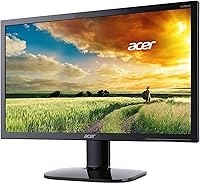
The Acer KA220HQ 21.5-inch Full HD Monitor sits firmly in the entry-level segment, designed for everyday desktop users who need a reliable display without stretching their budget. Built around a 1920x1080 TN panel, it covers the basics competently — sharp enough for spreadsheets, emails, and casual browsing. The dual HDMI and VGA inputs give it broad compatibility, and the included VGA cable is a small but welcome touch that saves an extra trip to the store. Set expectations accordingly: this Acer monitor is a dependable workday companion, not a tool built for color-critical creative work or serious gaming sessions.
Features & Benefits
At its core, the KA220HQ delivers a 1080p image that handles text and general content cleanly at a normal desk distance. The 5ms response time is quick enough to keep video playback and casual gaming looking smooth, though this is not a panel tuned for competitive play. What genuinely helps in daily use is the dual-input setup — HDMI and VGA — letting you connect a modern laptop and an older desktop tower without buying extra adapters. The glossy screen surface punches up contrast nicely in dim or controlled lighting, though it will catch reflections in brighter rooms.
Best For
This 21.5-inch display is a natural fit for home office setups where you just need a clear, functional screen that gets out of the way. Students building their first desktop workstation will find its price-to-performance ratio hard to argue with — it does the job without unnecessary extras. Small businesses outfitting several desks at once will appreciate the low per-unit cost and plug-in simplicity. It also slots in well as a secondary monitor alongside a larger main display. Coming from an old low-resolution screen, the jump to 1080p will feel like a genuinely noticeable upgrade.
User Feedback
With over 1,000 ratings and a 4.5-star average, buyer satisfaction here is notably consistent for a budget display. Most owners highlight how simple setup is — unbox, connect, done — and note the image looks clean for what it costs. Where honest buyers push back is on viewing angles: TN panels cannot match IPS screens when you shift off-center, and colors drift noticeably at wider angles. A handful of reviewers doing photography or graphic work found the color accuracy underwhelming. But for the average person handling everyday tasks — documents, email, streaming — this monitor quietly earns its rating.
Pros
- Clean 1080p image quality that easily handles everyday tasks like documents, browsing, and video streaming.
- Dual HDMI and VGA inputs make the KA220HQ compatible with a wide range of older and newer devices.
- Setup is genuinely plug-and-play — most users are up and running within a few minutes of unboxing.
- The included VGA cable saves you from an immediate extra purchase right out of the box.
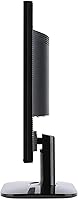
- Compact footprint fits comfortably on smaller desks or in tight workspaces without dominating the surface.
- A 5ms response time keeps casual video and light gaming looking smooth without distracting blur.
- Strong 4.5-star average across more than 1,000 buyers signals reliable, consistent performance at this price tier.
- The slim profile makes this 21.5-inch display an easy choice for secondary monitor setups.
- Represents a clear, visible upgrade for anyone still using an older or lower-resolution screen.
Cons
- TN panel viewing angles are noticeably narrow — colors and contrast shift when you move off-center.
- Color accuracy is mediocre by modern standards, falling short of even budget IPS panels in this category.
- Glossy screen coating creates distracting reflections in rooms with windows or overhead lighting.
- Locked at 60Hz, so users wanting smoother motion for gaming or fast video will need to look elsewhere.
- No height, swivel, or tilt adjustment beyond basic tilt means ergonomic flexibility is quite limited.
- Lacks USB ports or built-in speakers, requiring extra peripherals for a fully functional workstation setup.
- The stand feels less sturdy than expected and can wobble slightly on uneven desk surfaces.
- No VESA mount compatibility information is prominently listed, which may frustrate wall-mount or arm users.
Ratings
The scores below reflect our AI-driven analysis of verified global buyer reviews for the Acer KA220HQ 21.5-inch Full HD Monitor, with spam, bot activity, and incentivized feedback actively filtered out before any scoring was applied. Every category captures what real users consistently praised and where frustrations surfaced — nothing is smoothed over to make the product look better than it is. Both the strengths that make this monitor worth considering and the trade-offs that may be dealbreakers for certain buyers are represented transparently.
Value for Money
Image Clarity
Viewing Angles
Setup & Ease of Use
Color Accuracy
Build Quality
Connectivity
Glare & Reflections
Ergonomics & Adjustability
Response Time & Motion
Brightness & Contrast
Packaging & Unboxing
Long-Term Reliability
Suitable for:
The Acer KA220HQ 21.5-inch Full HD Monitor is a strong match for anyone who needs a dependable, no-frills display for daily tasks without spending a lot. Home office workers who spend their days in spreadsheets, documents, and video calls will find it more than capable — the 1080p image is clean, the setup takes minutes, and the dual HDMI and VGA inputs mean it plays nicely with virtually any computer you throw at it. Students furnishing a first desk on a tight budget get a genuinely solid screen that won't embarrass itself next to pricier alternatives. Small businesses looking to equip multiple workstations affordably will appreciate the consistent build quality and low per-unit cost. It also works well as a secondary display for users who already have a main monitor and just need a clean, functional second screen without a big outlay.
Not suitable for:
The Acer KA220HQ 21.5-inch Full HD Monitor is not the right tool for buyers whose work demands accurate, consistent color reproduction. Photographers, video editors, and graphic designers will run into the inherent limitations of TN panel technology — colors shift noticeably when viewed from anything other than straight-on, and the color gamut simply does not hold up against IPS alternatives at a similar price point. Competitive gamers chasing high refresh rates will also want to look elsewhere, since this display tops out at a standard 60Hz, making it unsuitable for fast-paced titles where smooth motion matters. Anyone who works in bright, window-lit rooms should know the glossy screen surface will catch reflections and cause glare, which can become genuinely fatiguing over a long workday. If your needs go beyond everyday productivity and media consumption, this monitor is likely to feel limiting sooner rather than later.
Specifications
- Screen Size: The viewable display area measures 21.5 inches diagonally, offering a comfortable working surface for everyday desktop use.
- Panel Type: This monitor uses a TN (Twisted Nematic) panel, which delivers fast pixel response but narrower viewing angles compared to IPS technology.
- Resolution: Native resolution is 1920x1080 Full HD, providing clear, sharp imagery suitable for standard productivity tasks and media consumption.
- Aspect Ratio: The display uses a 16:9 widescreen aspect ratio, which is the standard format for modern content, video, and web browsing.
- Response Time: Pixel response time is rated at 5ms, which is adequate for reducing motion blur during casual video playback and light gaming.
- Pixel Pitch: The pixel pitch measures 0.248mm, resulting in reasonably crisp text and image rendering at typical arm-length viewing distances.
- Screen Surface: The panel features a glossy screen coating, which boosts perceived contrast but can produce reflections in brightly lit rooms.
- Video Inputs: Connectivity includes one HDMI port and one VGA port, supporting both modern and legacy devices without requiring additional adapters.
- Included Accessories: A VGA cable is included in the box, allowing users to connect compatible devices immediately without a separate cable purchase.
- Dimensions: The monitor measures 20 x 6.46 x 15.84 inches (L x W x H), giving it a compact footprint that suits smaller desk setups.
- Weight: The unit weighs 6.42 pounds, making it lightweight enough to reposition or mount without significant effort.
- Voltage: The monitor operates at 240 volts, and users should verify local power compatibility or use an appropriate adapter where necessary.
- Stand Adjustment: The stand supports basic tilt adjustment only, with no built-in height, swivel, or pivot functionality included.
- Refresh Rate: The display runs at a standard 60Hz refresh rate, which is appropriate for general use but not suited for high-frame-rate gaming.
- Color Standard: As a TN panel, color reproduction is functional for everyday tasks but does not cover wide color gamuts needed for professional creative work.
- Brand & Model: Manufactured by Acer, this unit carries the model designation KA220HQ bi and was first made available in January 2018.
- User Rating: The monitor holds a 4.5-star average rating based on over 1,072 verified Amazon customer reviews at the time of evaluation.
Related Reviews
Acer SB220Q 21.5-inch IPS Monitor
Lenovo L22e-40 21.5-inch Monitor
LG 22MK430H 22-inch FHD IPS Monitor
Acer EZ321Q wi 31.5″ IPS Monitor
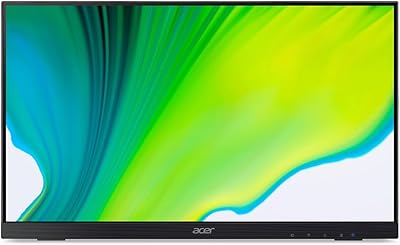
Acer UT222Q 21.5″ Touch Monitor
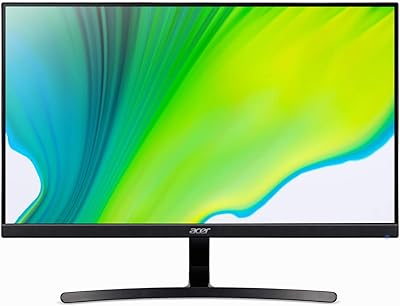
Acer K243Y 24-inch Full HD IPS Monitor
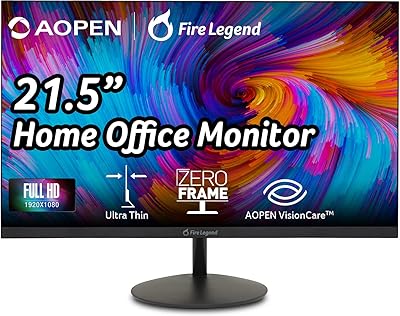
AOPEN 22SA2Q 21.5″ Full HD Monitor
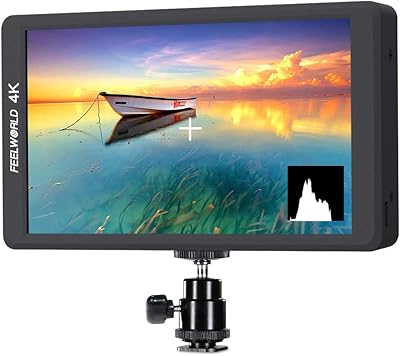
FEELWORLD F570 5.7″ Field Monitor
ArcticPro AD22ZFA 22-inch FHD Monitor