Overview
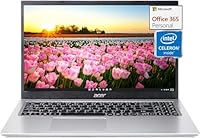
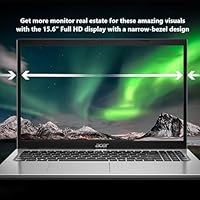
The Acer Aspire 1 15.6-inch Laptop is a thin, lightweight daily driver built squarely for students and light office users who need dependable basics without a steep price tag. At under four pounds with a slim profile, it slips into a backpack without complaint. The full HD display is genuinely impressive at this price — sharp, wide enough to work comfortably, and framed by slim bezels that make the screen feel bigger than you might expect. Bundled with a Microsoft 365 Personal subscription and Windows 11 Home, it arrives ready to work on day one. Just go in knowing this is an entry-level machine, not a speed demon.
Features & Benefits
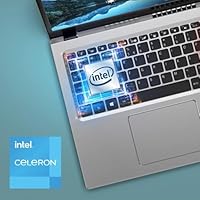
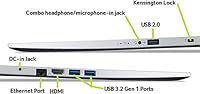
Under the hood, the Intel Celeron N4500 handles web browsing, writing assignments, spreadsheets, and Zoom calls without breaking a sweat — but ask it to run several demanding apps at once and you will feel the ceiling. What softens that limitation is the surprisingly generous 16GB of RAM, which keeps tab-switching fluid and prevents the sluggishness you often encounter on budget machines with half that amount. Storage is a dual setup: a 512GB SSD handles the heavy lifting with quick load times, while 128GB of eMMC sits in reserve. The webcam is clear enough for daily video calls, and the port selection — two USB 3.0 and one USB 2.0 — covers the basics without fuss.
Best For
This student laptop hits its stride with a specific type of buyer: the college student who needs Office apps ready to go, reliable Wi-Fi performance, and a screen large enough to actually work on — all without burning through a semester's budget. Remote workers who live in a browser, handle email, and join the occasional video call will find it equally capable. Parents, take note: Windows 11 in S mode keeps software installs restricted to the Microsoft Store, which makes it a safer, more controlled environment for younger users. That said, if you plan to edit video, run design software, or game, look elsewhere. This budget laptop is built for endurance on light tasks, not heavy lifting.
User Feedback
Buyers who pick this up for its intended purpose tend to come away satisfied. The display earns consistent praise for its sharpness, and the keyboard gets positive mentions for comfortable typing during long study sessions. Where frustrations surface, they follow a predictable pattern. The Celeron processor draws the most criticism — users pushing it beyond documents and browsing notice the slowdown quickly. S mode restrictions catch many people off guard; if you want to install apps like Chrome or VLC from outside the Microsoft Store, you need to switch out of S mode first — a free, permanent change, but one buyers should know about upfront. Battery life is mixed: expect real-world numbers closer to five or six hours under active use. The build feels solid enough for daily carry, though it reads plastic rather than premium.
Pros
- The 15.6-inch full HD display is genuinely impressive for a laptop at this price point.
- 16GB of RAM keeps everyday multitasking smooth — well above what most budget competitors offer.
- Microsoft 365 Personal is included, saving buyers the cost of a separate subscription.
- At under four pounds with a slim build, this budget laptop travels comfortably in any bag.
- The 512GB SSD delivers quick boot times and fast file access for daily tasks.
- The HD webcam with dual-array microphones handles video calls clearly in average lighting.
- Windows 11 S mode provides a safer, more controlled environment — ideal for younger users.
- The slim bezel design maximizes the screen area without bloating the overall footprint.
- USB 3.0 ports and Bluetooth connectivity cover the connectivity needs of most everyday users.
- A one-year hardware warranty adds peace of mind for a first or backup laptop purchase.
Cons
- The Celeron N4500 processor struggles noticeably when more than a few demanding apps run at once.
- Battery life in active real-world use often falls short of the figures suggested in marketing materials.
- Windows 11 S mode blocks third-party app installs by default, catching many buyers off guard.
- The chassis looks premium in photos but feels like lightweight plastic under your hands.
- Fan noise becomes audible under sustained workloads, which can be distracting in quiet settings.
- The 128GB eMMC secondary storage is slower than the SSD and less intuitive to manage for average users.
- Only one USB 2.0 port alongside the two USB 3.0 ports limits simultaneous device connections.
- Integrated graphics make this student laptop completely unsuitable for any graphically intensive work.
- There is no USB-C port, which is increasingly inconvenient as peripherals and chargers shift to that standard.
- Users who need to install browsers or tools from outside the Microsoft Store must switch out of S mode first.
Ratings
Our AI rating engine analyzed thousands of verified global purchases of the Acer Aspire 1 15.6-inch Laptop, actively filtering out incentivized reviews, duplicate submissions, and bot-generated feedback to surface what real buyers genuinely experienced. The scores below reflect an honest, balanced picture — crediting what this student laptop does well while transparently flagging the friction points that matter most at this price tier.
Value for Money
Display Quality
Processing Performance
Battery Life
Build Quality
Keyboard & Trackpad
RAM & Multitasking
Storage & Speed
Webcam & Microphone
Software & OS Experience
Connectivity & Ports
Portability
Thermal Management
Setup & Out-of-Box Experience
Suitable for:
The Acer Aspire 1 15.6-inch Laptop was built with a clear audience in mind, and it genuinely delivers for that group. College students who spend their days writing papers, attending virtual lectures, and jumping between browser tabs will find it more than capable — especially with Microsoft 365 Personal already included on day one. Remote workers whose job revolves around email, light spreadsheet work, and video conferencing will appreciate the sharp full HD display and the webcam that holds up in average lighting conditions. Parents shopping for a first laptop for a middle or high schooler will find the Windows 11 S mode setup reassuring, since it limits app installs to the Microsoft Store and keeps the environment controlled and secure. Anyone who prioritizes a large, comfortable screen and genuine portability over raw speed will feel well-served by this student laptop.
Not suitable for:
The Acer Aspire 1 15.6-inch Laptop has real limitations that make it a poor fit for certain buyers, and it is worth being direct about them. The Intel Celeron N4500 processor is a dual-core chip designed for efficiency, not performance — anyone planning to edit video, run design applications, or work with large datasets will hit a frustrating ceiling fast. Gamers should look elsewhere entirely; integrated Intel UHD graphics cannot handle anything beyond the lightest casual titles. The S mode operating system, while useful for security, blocks installation of software from outside the Microsoft Store unless you switch out of it — a step that surprises many buyers who expect a standard Windows experience out of the box. Users who rely on battery life through a full day of heavy use will likely find themselves reaching for the charger earlier than expected, as real-world performance rarely matches optimistic advertised figures.
Specifications
- Processor: Intel Celeron N4500 dual-core processor, designed for light everyday computing tasks such as browsing, documents, and video calls.
- RAM: 16GB of DDR4 SDRAM provides enough headroom for smooth multitasking across multiple browser tabs and standard office applications.
- Primary Storage: 512GB SSD delivers faster boot times and quicker file access compared to traditional hard drives at this price tier.
- Secondary Storage: 128GB eMMC serves as supplemental onboard storage, best used for secondary files or overflow rather than primary app installation.
- Display: 15.6-inch full HD IPS-level panel with a 1920x1080 pixel resolution and micro-edge slim bezels for a wider effective viewing area.
- Graphics: Intel UHD integrated graphics handle everyday visual tasks and HD video playback but are not suited for gaming or GPU-intensive applications.
- Operating System: Windows 11 Home in S mode ships preinstalled, restricting app installs to the Microsoft Store unless the user permanently switches out of S mode.
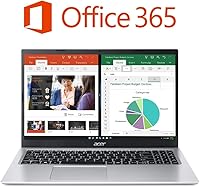
- Bundled Software: A one-year Microsoft 365 Personal subscription is included, covering Word, Excel, PowerPoint, and 1TB of OneDrive cloud storage.
- Webcam: Built-in HD webcam is paired with dual-array digital microphones to support clearer voice pickup during video calls in typical indoor lighting.
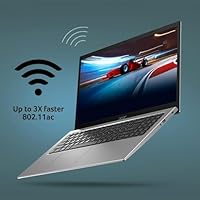
- Connectivity: Wi-Fi and Bluetooth combo module provides wireless internet access and peripheral pairing without the need for additional adapters.
- Ports: Port selection includes two USB 3.0 ports and one USB 2.0 port; there is no USB-C or HDMI port listed in the official specifications.
- Weight: The laptop weighs 3.64 pounds, making it light enough for daily backpack carry without adding significant bulk.
- Dimensions: Physical footprint measures 14.31 x 9.39 x 0.78 inches, giving it a slim profile that fits comfortably on standard desks and tray tables.
- Color: Available in Silver, with a plastic chassis finished to resemble a brushed aluminum aesthetic.
- Warranty: Covered by Acer’s one-year limited hardware warranty from the date of purchase.
- Processor Cores: The Celeron N4500 is a dual-core chip, which is sufficient for single-threaded tasks but can show strain under sustained parallel workloads.
- Memory Type: DDR4 SDRAM is the installed memory standard, offering reliable performance for the class of tasks this machine is designed to handle.
- Display Bezel: Micro-edge bezel design reduces the border around the screen, increasing the display-to-body ratio and improving the overall viewing experience.
Related Reviews
Acer Aspire 3 A315-24PT-R0UX 15.6″ Laptop 16GB 512GB SSD
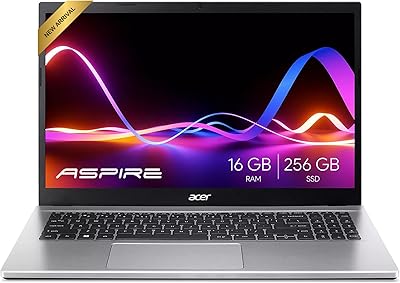
Acer Aspire 3 Ryzen 3 7330U 15.6″ 256GB
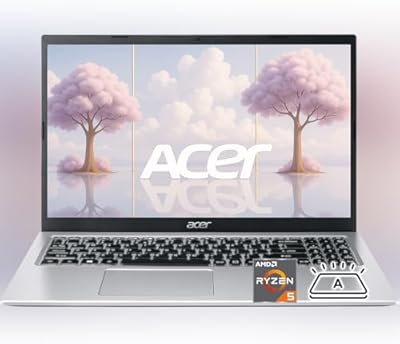
Acer Aspire 3 Laptop | AMD Ryzen 5 7430U | 64GB RAM | 1TB SSD | 15.6″ FHD
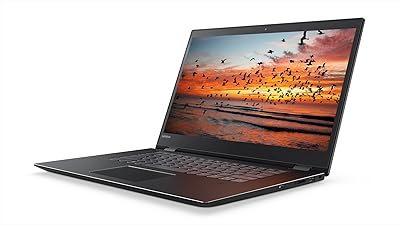
Lenovo Flex 5 15.6-inch 2-in-1 Laptop

HP 15.6-inch Laptop 15-ef0021nr, Ryzen 3 3200U, 8GB RAM, 256GB SSD

Dell Inspiron 3593 15.6-inch Laptop

Acer Chromebook 315 15.6-inch Laptop
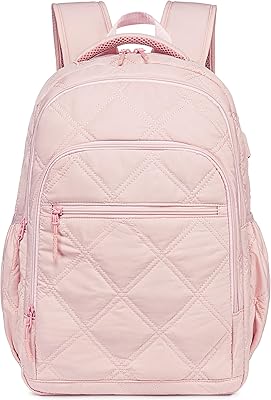
Bluboon 15.6-inch Women's Laptop Backpack
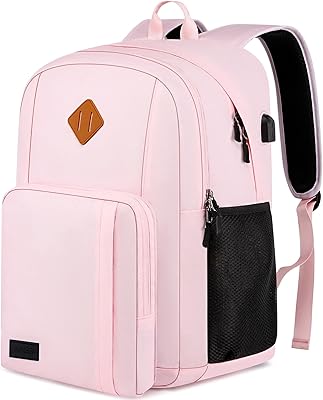
Liokesa 15.6-Inch Laptop Backpack