Overview

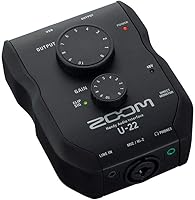
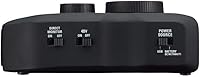
The Zoom U-22 USB Audio Interface is a compact two-channel recording device that has quietly held its ground since 2016 — a decent run for any entry-level piece of gear. At just 8 ounces, this little interface slips into any bag without fuss, which matters more than you'd expect when you're shuttling between a home desk and a friend's studio. What separates it from similarly priced competitors like the Focusrite Scarlett Solo is its AA battery operation — a practical fallback that most desktop interfaces skip entirely. It's aimed squarely at solo creators and beginners who want something reliable and portable without a steep learning curve or a heavy upfront commitment.

Features & Benefits

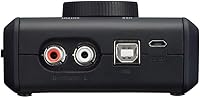
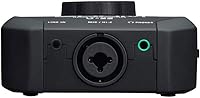
The U-22 packs an XLR/TRS combo jack that handles both microphones and instruments through a single input, with up to 43dB of gain and switchable +48V phantom power for condenser mics. Plug a guitar straight in using Hi-Z mode — the 484kOhm input impedance is correctly matched so you're not losing tone — and you can skip the DI box entirely. A stereo mini-jack on the side accepts line-level sources like a phone or small mixer. On Mac it's fully class-compliant, so setup takes under a minute. The preamp is clean and quiet for this price tier, though it won't outperform dedicated studio interfaces at two or three times the cost.

Best For

This Zoom recorder interface is a natural fit for podcasters who need phantom power support but don't want to carry a bulky unit around. Home-recording beginners pairing a single condenser mic with a laptop will find everything they need here and nothing they don't. Travel-minded musicians will genuinely appreciate the battery backup option — if you're doing field interviews or recording somewhere without a reliable USB power source, having two AA cells as a fallback is useful rather than a marketing footnote. It's less suited to anyone who needs to record multiple inputs simultaneously or those using quieter dynamic microphones that demand generous clean gain headroom.

User Feedback

Owners consistently praise the build quality and how compact the unit is relative to its cost — that combination seems to genuinely surprise people. The preamp noise floor draws positive comments too, with most users reporting clean results for voice and acoustic instruments. The battery mode earns warm mentions from mobile users who treat it as a legitimate feature rather than a novelty. On the critical side, the single combo jack means you cannot record two separate sources at once, which is a real limitation worth knowing upfront. Windows users have flagged driver installation as occasionally requiring manual steps. A handful of reviewers also note the gain tops out just barely for quieter dynamic mics.

Pros

  • Compact and genuinely pocketable at just 8 ounces — easy to carry anywhere without a dedicated bag
  • AA battery operation gives the U-22 real off-grid capability that most rival interfaces lack entirely
  • Plug-and-play on Mac with no driver installation required — just connect and start recording
  • Phantom power is reliable and consistently praised by owners using condenser microphones
  • Hi-Z mode lets guitarists and bassists plug in directly without needing a separate DI box
  • Clean, low-noise preamp floor for vocals and acoustic instruments at this price tier
  • Stereo mini-jack line input adds useful flexibility for phones, mixers, or secondary audio sources
  • Solid build quality that feels more durable than its price tag suggests
  • Works with Pro Tools First, giving beginners access to a professional DAW environment at no extra cost
  • Correctly matched input impedances on both mic and Hi-Z modes mean you're not sacrificing tone

Cons

  • Only one combo input jack means you cannot record two independent sources at the same time
  • Windows driver setup has caused real frustration for a meaningful number of buyers — not always plug-and-play
  • Gain headroom is tight when using quieter dynamic microphones that demand more clean amplification
  • No dedicated headphone volume knob on the unit, which limits real-time monitoring control
  • A single product tier means you will likely outgrow it quickly if your recording ambitions expand
  • No direct hardware monitoring mix control for latency-free tracking alongside playback
  • Not suited to multi-instrument sessions or any setup requiring more than one XLR or TRS input simultaneously
  • Battery operation requires two AA cells that are not included, adding a small but real ongoing cost

Ratings

Our AI rating system analyzed verified owner reviews for the Zoom U-22 USB Audio Interface from buyers worldwide, actively filtering out incentivized, duplicate, and bot-generated feedback to surface what real users actually experience. The scores below reflect an honest composite of both the strengths that keep this little interface competitive years after its release and the friction points that genuinely frustrate a portion of its owners. Nothing has been smoothed over — if a category underperforms, the score says so.

Portability
93%
Owners who travel for work or shuttle between locations consistently call out the compact footprint and 8-ounce weight as standout advantages. It genuinely fits in a jacket pocket, and several field recorders note it slips into a camera bag alongside other gear without taking up meaningful space.
The small chassis means fewer physical controls, and some users who record at a fixed desk find the compact layout slightly fiddly compared to larger interfaces with more spaced-out knobs. It is a trade-off inherent to the design rather than a defect.
Build Quality
81%
19%
For a device at this price tier, owners are frequently surprised by how solid the U-22 feels in hand. The chassis does not flex or creak, and several reviewers who have used it daily for years report no signs of wear on the input jacks or switches.
It is plastic construction throughout, so it lacks the premium feel of metal-bodied interfaces from brands like Focusrite or Universal Audio. A small number of buyers report that the combo jack feels slightly loose after extended use, which is worth monitoring over time.
Preamp Quality
71%
29%
The preamp delivers a clean, low-noise signal for vocals, acoustic guitar, and spoken-word recordings — which is the primary use case for most buyers at this price point. Podcast recordings and voiceover work come through with a quiet noise floor that holds up well for online publishing.
It is not a studio-grade preamp, and experienced recordists will notice the ceiling fairly quickly. Condenser mics with moderate sensitivity are well served, but the 43dB gain ceiling leaves dynamic microphones with low output — like broadcast-style mics — operating closer to the limit than is comfortable.
Phantom Power
88%
Phantom power is consistently flagged as reliable across hundreds of owner reviews, with condenser microphones powering up cleanly and without audible noise artifacts. Podcasters pairing a budget large-diaphragm condenser with a laptop report the +48V implementation as one of the U-22s most dependable features.
There is no gradual phantom power ramp-up, so users need to remember to connect their mic before switching phantom on to avoid potential transients. A small number of owners note the switch itself is easy to accidentally toggle when handling the unit in tight setups.
Battery Operation
91%
The ability to run on two AA batteries is a genuinely rare feature among USB interfaces at this price, and owners who do field work treat it as a decisive reason to choose the U-22 over alternatives. Journalists, location recorders, and outdoor content creators specifically praise this flexibility in their reviews.
Batteries are not included in the box, which catches some buyers off guard on first use. Battery life under continuous recording has not been uniformly documented, and a handful of users report uncertainty about when the batteries are running low since there is no charge indicator on the unit.
Input Versatility
74%
26%
Having a combo XLR/TRS jack, Hi-Z instrument mode, and a stereo mini-jack line input on one compact device covers a useful range of sources for a solo creator. Guitarists, vocalists, and podcasters can all get a workable signal without adding extra hardware to their chain.
The single combo input is a hard ceiling — you cannot record two microphone-level sources simultaneously under any circumstances. Users who started with solo recording and later wanted to bring in a collaborator or add a second mic consistently cite this as the moment they needed to upgrade.
Mac Compatibility
92%
On Mac, the U-22 is plug-and-play in the truest sense — no driver download, no system preferences digging, no restart. GarageBand, Logic, and Pro Tools First all recognize it immediately, which is a genuine time-saver for beginners who just want to start recording.
Class-compliance on Mac is not unique to this device, so it is not a differentiator so much as a baseline expectation. A small number of M-series Mac users report needing to verify audio settings manually after connection, though this is a minor step rather than a real obstacle.
Windows Compatibility
58%
42%
Windows users who install the correct Zoom drivers and follow the setup documentation report stable operation with minimal latency issues once the system is configured. For users on well-maintained Windows 10 setups, the process is manageable.
This is the category with the most friction in owner reviews. A meaningful portion of Windows users report that the device is not recognized without manual driver installation, and some note driver conflicts on Windows 11 machines. It adds a layer of setup friction that Mac users never encounter.
Gain Headroom
62%
38%
For condenser microphones and most instrument direct inputs, the 43dB gain range is adequate and keeps the signal clean throughout its usable range. Users recording acoustic instruments or condenser-miked vocals in reasonably quiet rooms report no issues hitting good recording levels.
Low-output dynamic microphones expose the gain ceiling quickly. Users running an SM7B or similar broadcast mic through the U-22 often find themselves maxing the gain knob and still wishing for more clean headroom, which can introduce subtle noise when the preamp is pushed hard.
Value for Money
84%
Relative to what it offers — phantom power, Hi-Z input, battery operation, and a compact build — the U-22 delivers strong overall value for a beginner or occasional recorder. Buyers frequently note it outperforms similarly priced alternatives in terms of features per dollar.
As recording ambitions grow, the single-input limitation and modest gain headroom mean buyers often replace it within a year or two. If you anticipate needing more channels quickly, stretching the budget to a two-input interface from the start could be more cost-effective in the long run.
Setup Ease
79%
21%
On Mac, setup is genuinely instant and requires no technical knowledge. The physical controls are minimal and clearly labeled, which means beginners are not overwhelmed before their first recording session — a meaningful advantage for first-time interface buyers.
Windows setup introduces meaningful friction for a subset of buyers who are not comfortable with manual driver installation. The documentation included in the box is basic, and some users report needing to search Zoom's support site for guidance that should have been included upfront.
Size & Weight
94%
At 4.5 x 3.5 x 1.25 inches and 8 ounces, this is one of the most compact full-featured interfaces available at this price. Owners who record on the go — in hotel rooms, at live events, or in the field — treat the form factor as a primary reason they chose it.
The compact size is a genuine advantage for portability but a minor inconvenience for desktop use, where the light chassis can slide around unless paired with a non-slip surface or kept in a fixed spot in a cable-managed setup.
DAW Compatibility
77%
23%
As a class-compliant USB device it works with virtually every major DAW, including GarageBand, Audacity, Reaper, Logic, and Ableton. The official Pro Tools First bundling gives beginners a recognized industry-adjacent software option without additional cost.
Pro Tools First carries its own limitations — track counts, plugin restrictions, and cloud save requirements — which frustrate some users who assumed the bundled software was the full version. This is a Pro Tools First issue rather than a hardware one, but it generates complaints that land on the interface in reviews.

Suitable for:

The Zoom U-22 USB Audio Interface is a strong pick for anyone just starting out in home recording who wants a no-fuss setup that actually works out of the box. Podcasters who need reliable phantom power for a condenser mic — without buying a larger, more expensive unit — will find the U-22 hits a practical sweet spot. Singer-songwriters recording demos at home with a single mic or a guitar plugged straight in via Hi-Z will have everything they need and won't be paying for channels they'll never use. The battery-powered operation makes it genuinely useful for journalists, field recorders, or mobile creators who can't always count on a USB power source — that kind of flexibility is rare at this price point. Mac users in particular will appreciate the plug-and-play class-compliant setup, which means no driver installation headaches before a single note is tracked.

Not suitable for:

If your workflow involves recording two or more sources at the same time — say, a vocalist and a guitarist simultaneously — the Zoom U-22 USB Audio Interface simply cannot do that, and no workaround changes that hardware limit. Anyone using quieter dynamic microphones, like a Shure SM7B or similar broadcast-style mic, may find the gain ceiling just barely sufficient, which can introduce frustration when pushing the preamp harder than it's designed to go. Windows users should know upfront that driver installation has caused real headaches for a portion of buyers, so it's worth researching compatibility with your specific OS version before committing. Producers or hobbyists who expect to grow their setup quickly — adding synths, drum machines, or multiple mics — will outgrow the U-22 fast and might be better served by a four-input interface from the start. The preamp quality, while clean for this tier, is not in the same league as interfaces aimed at professional recording environments, so those chasing pristine studio-grade results should budget accordingly.

Specifications

  • Input Connector: Features a single XLR/TRS combo jack that accepts both balanced microphone cables and instrument cables in one port.
  • Mic Gain Range: Microphone input gain is adjustable from 0 to 43dB, covering most condenser and dynamic microphone scenarios at this tier.
  • Mic Impedance: Microphone input impedance is 2.6kOhms, correctly matched for standard dynamic and condenser microphone operation.
  • Hi-Z Impedance: Instrument input impedance in Hi-Z mode is 484kOhms, suitable for direct connection of electric guitars and basses without a DI box.
  • Max Input Level: Maximum input level is -0.8dBu in microphone mode and +8.7dBu in Hi-Z instrument mode.
  • Phantom Power: Switchable +48V phantom power is available on the XLR input, supporting standard condenser microphones that require external power.
  • Line Input: A stereo 3.5mm mini-jack line input accepts phones, mixers, or other line-level sources at an impedance of 22kOhms.
  • Channels: The unit provides two input channels total, with one combo XLR/TRS input and one stereo mini-jack line input.
  • Power Options: Operates via USB bus power from a connected computer or independently using two AA batteries, which are not included.
  • Connectivity: Connects to a host computer via USB, functioning as a class-compliant audio device without requiring proprietary drivers on Mac.
  • OS Compatibility: Works plug-and-play on Mac as a class-compliant device; Windows users may need to install drivers manually depending on OS version.
  • Supported Software: Officially compatible with Pro Tools First, Avid's entry-level DAW, though it will function with most major recording software.
  • Dimensions: The unit measures 4.5 x 3.5 x 1.25 inches, making it genuinely compact enough to fit in a coat pocket or small bag.
  • Weight: At 8 ounces, the U-22 is one of the lightest interfaces in its class, adding minimal burden to any carry setup.
  • Manufacturer: Made by Zoom, a Japanese audio brand known for portable recorders and compact audio tools aimed at field and home recordists.
  • Release Date: The product was first made available in August 2016 and remains actively manufactured and sold as of the current date.
  • Color: Available in black only, with no other official color variants listed by the manufacturer.
  • Model Number: Official manufacturer model number is U-22, part of Zoom's U-series line of USB audio interfaces.

Related Reviews
Behringer UM2 USB Audio Interface
73%
88%
Value for Money
51%
Build Quality
92%
Ease of Setup
73%
Preamp Quality
47%
Input Versatility
More
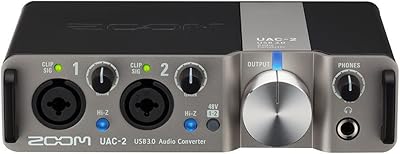
Zoom UAC-2 USB 3.0 Audio Interface

80%
91%
Latency Performance
74%
Preamp Quality
88%
Phantom Power Flexibility
63%
Driver Stability
83%
MIDI Integration
More
M-Audio M-Track Duo
M-Audio M-Track Duo
83%
88%
Preamp Clarity
93%
Value for Money
62%
Build Quality
91%
Ease of Installation
87%
Portability
More
Black Lion Audio Revolution 2x2 Audio Interface
75%
88%
Preamp Quality
91%
Audio Transparency
86%
Clocking Performance
87%
Build Quality
73%
Value for Money
More
M-Audio M-Track 2X2 USB Audio Interface

76%
84%
Build Quality
76%
Preamp Performance
82%
Ease of Setup
58%
Driver Stability
79%
Value for Money
More
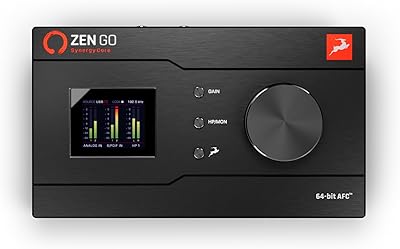
Antelope Audio Zen Go Synergy Core Interface
76%
93%
Preamp Quality
88%
Onboard Effects
54%
Software Experience
57%
Windows Stability
91%
Portability
More
MOTU 8pre USB Audio Interface
80%
86%
Preamp Quality
91%
Build Quality
88%
Channel Count & I/O
79%
Value for Money
61%
CueMix DSP Software
More
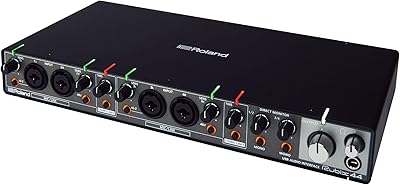
Roland Rubix44 4-In/4-Out USB Audio Interface
80%
91%
Preamp Quality
94%
Build Quality
88%
Noise Performance
58%
Windows Driver Experience
74%
Value for Money
More
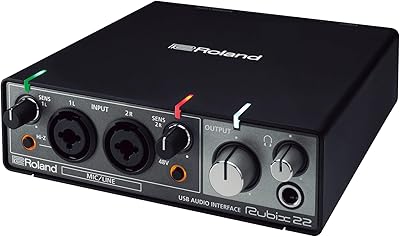
Roland Rubix22 USB Audio Interface

81%
93%
Build Quality
84%
Preamp Performance
81%
Noise Floor
88%
MIDI Functionality
91%
Ease of Setup
More
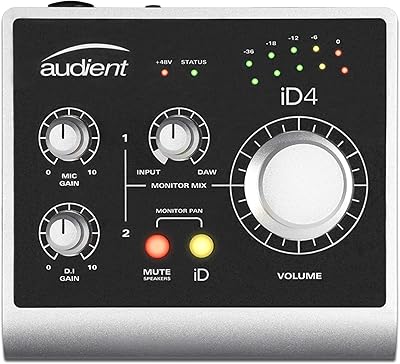
Audient iD4 USB Audio Interface
80%
93%
Preamp Quality
88%
Build Quality
71%
Value for Money
91%
Ease of Setup
84%
Headphone Performance
More

FAQ

Yes, on Mac it is fully class-compliant, meaning you just plug it in via USB and your computer recognizes it immediately. No driver download needed, no restart required. It is one of the easier setups you will encounter at this price point.

It depends on your version of Windows. Some users report it works without issues, while others — particularly on newer Windows builds — have needed to download and install Zoom's drivers manually from their support site. It is worth checking Zoom's driver page before your first recording session so you are not caught off guard.

Yes, and this is one of its more practical features. Switch the input to Hi-Z mode and the impedance jumps to 484kOhms, which is correctly matched for passive guitar and bass pickups. You will get a clean, tonally accurate signal without needing any extra hardware between your instrument and the interface.

Yes, the U-22 provides switchable +48V phantom power on the XLR input, which covers the vast majority of condenser microphones on the market. Just make sure phantom power is toggled on before you connect the mic, and verify your specific mic's requirements in its manual.

No, and this is an important limitation to understand before buying. There is only one combo XLR/TRS input, so you can only record a single microphone or instrument source at a time through that channel. The second input is a stereo line-in via 3.5mm, not a second mic preamp.

When you flip to battery mode, the U-22 draws power from two AA cells instead of the USB connection, allowing it to function without a computer or power bank providing bus power. This is genuinely useful if you are doing field interviews, recording outdoors, or working in a location where you cannot guarantee a stable USB power source. It is a rare feature at this price tier and one owners mention regularly as a practical benefit.

It is clean and quiet for its price category, which is a real compliment rather than a hedge. Vocals, acoustic guitar, and voiceover work all come through without obvious noise issues. That said, it is not in the same league as higher-end preamps from dedicated audio companies — if you are aiming for commercial-release production quality, you will eventually want to upgrade.

Yes, because it behaves as a standard USB audio device, it works with virtually any DAW or recording application that can select an audio input — including GarageBand, Audacity, Reaper, Logic, and more. It officially bundles compatibility with Pro Tools First, but that is just Avid's entry-level version and not the only software option by any means.

The gain tops out at 43dB on the microphone input, which may leave some users pushing it close to its limit with low-output dynamic mics like the Shure SM7B or Electro-Voice RE20. Those mics are notoriously hungry for clean gain. The U-22 will technically work, but you might notice the preamp working harder than ideal. A dedicated in-line preamp booster can help if that is your use case.

Owners are consistently surprised by how sturdy this little interface feels for what it costs. It is not made of metal like some higher-end units, but the chassis feels well put together and resistant to the bumps of everyday transport. It is the kind of device you can toss into a bag without worrying too much about it.

Where to Buy