Overview

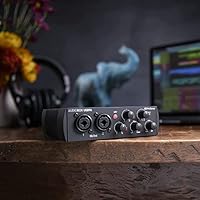
The PreSonus AudioBox USB 96 Audio Interface has been quietly earning its place in home studios since 2017, and its staying power says a lot about what it consistently gets right. This is a compact, bus-powered unit built for bedroom producers and traveling musicians who need reliable recording without hauling extra gear. The blue and silver chassis feels sturdy for its size — knobs have a satisfying resistance, and the front panel layout keeps everything within reach. What genuinely sets this AudioBox interface apart from similarly priced competitors is the included software bundle: a full DAW and a plug-in suite that let you start recording on day one.
Features & Benefits

The USB 96 packs a surprising amount of recording capability into a small footprint. Its two Class-A mic preamps handle both dynamic and condenser microphones cleanly, delivering more headroom and clarity than you typically expect at this tier. Recording at 24-bit/96 kHz means your audio captures fine detail — the difference is audible when you compare it to lower-resolution recordings, especially on acoustic instruments. Guitarists and bassists can plug straight into the instrument inputs without a separate DI box, which is a practical convenience that beginners often overlook. The MIDI I/O is a quiet highlight too, useful for keyboard players or anyone running a hardware controller. And the zero-latency monitor knob lets you hear yourself while recording without the disorienting delay that software monitoring often introduces.

Best For

PreSonus's compact recorder is an ideal starting point for singer-songwriters, podcasters, and audio students who want to record at home without overcomplicating their setup. If you're a guitarist or bassist, the direct instrument inputs mean you can capture a clean signal and shape your tone later in software — no additional hardware required. Travelers and gigging musicians will appreciate that it draws power directly from a laptop's USB port, so there's nothing extra to charge or forget at home. It's also a strong pick for anyone who wants a ready-to-record bundle out of the box — the included Studio One Artist and Ableton Live Lite are legitimate, full-featured tools, not stripped-down demos. Where it starts to feel limiting is for producers needing more than two simultaneous inputs.

User Feedback

Across more than 2,500 ratings, this AudioBox interface holds a 4.5-star average — a score that reflects genuine satisfaction rather than hype. Most buyers highlight the preamp quality as the standout surprise, noting that the clean signal and low noise floor punch above what they expected for the price. Setup also earns consistent praise; the plug-and-play experience on both Mac and Windows tends to work without much fuss for most users. That said, a recurring complaint involves driver compatibility issues on certain Windows versions, which can require troubleshooting that catches newcomers off guard. Some longer-term owners also note that the two-channel limit eventually becomes a constraint as their setups grow. On balance, buyers who stick with it tend to stay loyal, and the software bundle gets called out as a genuine bonus rather than throwaway filler.

Pros

  • Preamp quality consistently surprises buyers — cleaner and quieter than most expect at this price tier.
  • Bus-powered via USB 2.0, so there is no separate power supply to carry or forget.
  • The included DAW and plug-in bundle lets you start recording real projects immediately after unboxing.
  • Compact and light enough at just over two pounds to fit in a laptop bag without a second thought.
  • MIDI I/O is a genuine bonus — keyboard players and controller users rarely find this on competing entry-level units.
  • Zero-latency hardware monitoring eliminates the delay that makes live vocal or instrument tracking feel disorienting.
  • Solid build quality for the price — the chassis and knobs feel like they can handle regular travel use.
  • Works with both Windows and macOS without requiring a third-party driver on Mac.
  • High-headroom instrument inputs let guitarists and bassists record direct without additional gear.
  • Seven-plus years on the market with a sustained high rating signals dependable long-term support and community resources.

Cons

  • Limited to two simultaneous inputs, which becomes a real constraint as recording setups grow more complex.
  • Some Windows users report driver compatibility headaches that require extra troubleshooting to resolve.
  • The headphone amplifier output lacks the power needed to drive high-impedance headphones at satisfying volumes.
  • No standalone iOS or iPad compatibility, limiting use with mobile recording setups outside a laptop.
  • Phantom power applies to both XLR inputs simultaneously, so you cannot power one condenser while using a dynamic mic safely on the other channel.
  • The monitor mix knob is a simple blend control — there is no per-channel monitoring or routing flexibility built in.
  • USB 2.0 connectivity, while reliable, means the unit may feel dated as newer USB-C-only laptops become more common.
  • No onboard DSP effects or built-in compressor, so monitoring a polished-sounding signal requires software or external gear.

Ratings

The scores below for the PreSonus AudioBox USB 96 Audio Interface were generated by our AI engine after analyzing thousands of verified global user reviews, actively filtering out incentivized, bot-generated, and duplicate feedback to surface only authentic buyer experiences. Every category reflects what real users consistently praised or struggled with — nothing is softened, and no weakness has been glossed over. Whether this unit earns a place in your setup or not, you will find an honest picture of both its genuine strengths and its real-world limitations right here.
Preamp Quality
86%
For a bus-powered interface at this price tier, the Class-A preamps consistently impressed first-time buyers and experienced hobbyists alike. Users recording vocals with entry-level condensers and dynamic mics frequently noted a clean, low-noise signal that held up well during quiet acoustic sessions.
While the preamps outperform expectations relative to price, they do not compete with purpose-built, higher-end units on gain headroom — passive ribbon microphones and low-output dynamics can reveal the ceiling. A handful of users noted a faint noise floor when pushing gain beyond two-thirds.
Ease of Setup
83%
Mac users almost universally reported a plug-and-play experience — no driver installation, no configuration, just immediate recognition by the OS and their DAW. For a beginner opening their first audio interface, this kind of frictionless start makes a meaningful difference in early confidence.
The Windows experience is less consistent. A recurring complaint across user reviews involves driver installation friction on certain Windows 10 and 11 configurations, requiring users to visit the PreSonus support page for updated drivers before the unit behaves reliably with low-latency ASIO performance.
Build Quality
78%
22%
The blue and silver metal chassis feels reassuringly solid for a compact unit, and the front-panel knobs have a firm, well-damped feel that does not wobble or feel cheap under regular use. Several traveling musicians specifically mentioned trusting it inside a packed laptop bag without a protective case.
The unit is not without weak points — a few long-term users noted that the input combo jacks can loosen slightly over time with frequent cable swapping. It is built well enough for a home studio, but it is not a road-hardened device designed for the abuse of touring.
Value for Money
91%
When you factor in the bundled software — Studio One Artist, Ableton Live Lite, and the Studio Magic Plug-in Suite — the total value proposition is genuinely hard to match at this price point. Buyers who needed a DAW anyway found the software bundle alone justified a significant portion of the purchase.
For users who already own a DAW and do not need the bundled software, the value calculation shifts slightly, and competing interfaces at a similar price occasionally offer USB-C connectivity or a more polished driver experience that makes the USB 96 feel a generation behind in infrastructure.
Recording Resolution
84%
Recording at 24-bit/96 kHz gives this AudioBox interface a resolution ceiling that is more than sufficient for professional-quality home recordings and content creation. Users producing music for streaming platforms, YouTube, and podcasting found the audio quality indistinguishable from recordings made on pricier rigs in side-by-side comparisons.
The resolution headroom is rarely the limiting factor — the preamps and converter implementation are competent but not exceptional, meaning the theoretical quality ceiling of 96 kHz is not always fully realized, particularly in noisier recording environments where ambient interference can color the signal.
Portability
89%
Weighing just over two pounds and drawing power entirely from USB, this unit is genuinely travel-ready in a way that larger interfaces simply are not. Musicians who record from hotel rooms, rehearsal spaces, or coffee shops repeatedly highlighted the freedom of needing nothing more than a laptop and a USB cable.
The USB 2.0 Type-B connection is increasingly inconvenient as newer laptops ship with USB-C ports only, requiring an adapter that adds a potential failure point on the road. It is a minor friction for most, but worth factoring in if your laptop has already moved to USB-C exclusively.
Zero-Latency Monitoring
81%
19%
The hardware monitor blend knob is one of those features that becomes essential once you have experienced recording without it. Vocalists and guitarists tracking live performances praised the ability to hear themselves in real time, which makes staying in pitch and in the groove dramatically easier.
The monitoring control is a single blend knob with no per-channel or stereo-field control, which means nuanced headphone mix customization is not possible without routing through software. Users who wanted to pan or independently level each input during monitoring found this simplicity limiting.
MIDI Functionality
76%
24%
Having dedicated 5-pin DIN MIDI I/O is a genuine differentiator at this price point — most competing entry-level interfaces skip it entirely. Keyboard players and producers with older synthesizers or hardware drum machines appreciated not needing a separate MIDI interface cluttering their desk.
The MIDI implementation is purely pass-through with no onboard processing, so users expecting any intelligent MIDI routing or clock generation from the hardware itself will be disappointed. It works exactly as a basic MIDI port should, nothing more, and more advanced MIDI workflows still demand dedicated hardware.
Software Bundle
88%
Studio One Artist is a fully functional DAW, not a crippled trial, and users who committed to learning it found it capable enough to take projects from scratch to a finished mix. Ableton Live Lite gave producers a foothold into loop-based production that many then upgraded from, validating the bundle as a real learning pathway.
Registering and downloading the bundled software requires creating a PreSonus account and navigating their licensing portal, which some buyers found unnecessarily complicated for what should be a simple activation. The Studio Magic plug-ins are useful but lean heavily toward PreSonus-ecosystem tools, with limited flexibility outside their own platform.
Instrument Input Performance
79%
21%
Guitarists and bassists recording direct consistently noted that the high-impedance instrument inputs captured a clean, full-bodied DI signal without the thinness or harshness that cheaper interfaces sometimes introduce. For pairing with amp simulation plugins in a DAW, the signal the USB 96 delivers holds up well.
Active pickups and high-output instruments can occasionally push the input stage harder than ideal, requiring careful gain management to avoid clipping. The inputs are functional and good for most use cases, but they are not a substitute for a dedicated re-amp setup if professional direct recording quality is the priority.
Headphone Output
63%
37%
The front-panel headphone output with its dedicated volume knob covers basic monitoring needs well enough for most users, and at typical impedance levels it delivers a clear, usable signal. Casual users and beginners recording at home will find it perfectly adequate for tracking and basic mix checking.
Users with high-impedance or studio-grade headphones noticed the output struggles to drive them to a satisfying volume without the signal compressing or losing low-end body. This is a meaningful limitation for anyone relying on the headphone output as their primary monitoring solution in a more serious setup.
Driver Stability
61%
39%
When the drivers are correctly installed and configured, the USB 96 performs reliably over extended sessions with consistent low-latency performance under ASIO. Mac users in particular report a stable, problem-free experience across macOS versions with no manual intervention needed after the initial connection.
The Windows driver situation is genuinely the most common source of frustration in user reviews. Intermittent dropouts, failure to initialize at startup, and latency spikes on certain motherboard USB controllers appear regularly enough across the review base to suggest this is a systemic issue rather than isolated incidents.
Channel Count Flexibility
47%
53%
For solo performers, podcasters recording one-on-one conversations, or producers who track instruments one at a time, two channels covers the full scope of daily recording needs without ever feeling like a compromise. Many users in this category never bump against the two-channel ceiling at all.
The two-input ceiling is a hard architectural limit with no expansion path — there is no way to daisy-chain or add channels within the USB 96 ecosystem. Users who evolve beyond solo recording into band tracking, drum recording, or multi-mic setups will find themselves outgrowing the hardware sooner than they might anticipate.
Long-Term Durability
74%
26%
PreSonus has maintained this product line since 2017, and a notable share of reviewers mention owning their unit for several years without hardware failure. The metal chassis construction appears to contribute to longevity beyond what similarly priced plastic-bodied competitors typically offer.
Reports of connector wear — particularly around the combo XLR/TRS jacks — surface more frequently from users who swap cables daily or use the unit in mobile setups. PreSonus customer support responsiveness receives mixed reviews, with some buyers reporting slow resolution times when hardware issues did eventually arise.

Suitable for:

The PreSonus AudioBox USB 96 Audio Interface is a strong match for anyone taking their first serious step into home recording without wanting to spend a lot of money figuring out if it sticks. Singer-songwriters who need to capture vocals and an instrument simultaneously will find the two-input setup covers most of their day-to-day needs without any fuss. Audio and music production students benefit especially from the bundled software — Studio One Artist and Ableton Live Lite are tools they can actually learn on, not watered-down demos that hit a wall after an hour. Guitarists and bassists who want to record direct without buying a separate DI box will appreciate the high-headroom instrument inputs that handle that job cleanly. Traveling musicians who record from hotel rooms or rehearsal spaces will find the bus-powered, laptop-friendly design genuinely practical — no power brick, no adapter, just a USB cable.
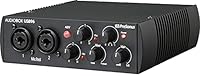
Not suitable for:

The PreSonus AudioBox USB 96 Audio Interface is not the right tool for producers who regularly record live bands, drum kits, or any session that demands more than two simultaneous inputs — the hardware ceiling is simply two channels, and there is no expansion path within this unit. Podcasters running roundtable shows with three or more guests will hit that same wall quickly. Users on certain Windows configurations have reported driver friction, so anyone who needs a completely plug-and-play Windows experience without any troubleshooting patience should research their specific OS version before buying. Professional studios or advanced home producers who need low-noise preamps at a higher tier will find the USB 96 adequate but not aspirational — it performs well for its class, yet it is not a substitute for purpose-built, higher-end interfaces. If your workflow depends heavily on monitoring through headphones with precise volume control, note that the headphone output, while functional, is not the most powerful on the market.

Specifications

  • Model: The unit is officially designated as the AudioBox USB 96, part of PreSonus's AudioBox family of compact recording interfaces.
  • Connectivity: It connects to a host computer via USB 2.0, which also supplies all the power the unit needs to operate.
  • Mic Inputs: Two combo XLR/TRS inputs on the front panel accept both balanced microphone and line-level signals simultaneously.
  • Preamps: Both input channels are equipped with Class-A mic preamps designed to deliver low noise and clean gain across a wide headroom range.
  • Instrument Inputs: Two high-impedance instrument inputs allow direct connection of guitars, basses, and other line-level sources without an external DI box.
  • MIDI I/O: A dedicated 5-pin DIN MIDI input and output on the rear panel enable connection of keyboards, synthesizers, and MIDI controllers.
  • Sample Rate: The onboard converters support recording and playback at resolutions up to 24-bit/96 kHz for detailed, high-fidelity audio capture.
  • Monitoring: A front-panel mixer knob blends direct hardware input monitoring with DAW playback, allowing zero-latency monitoring during live recording.
  • OS Support: The interface is compatible with both Windows and macOS operating systems, with class-compliant driver support on macOS.
  • Power Source: The unit is entirely USB bus-powered, drawing all required power directly from the connected computer with no external adapter needed.
  • Dimensions: The chassis measures 1.75 x 5.5 x 5.5 inches, making it compact enough to fit in most laptop bags alongside other gear.
  • Weight: At 2.01 pounds, the unit is light enough for regular travel use without adding meaningful bulk to a mobile setup.
  • Color & Finish: The body features a blue and silver finish with a metal chassis construction that contributes to its durability during transport.
  • Channels: The interface supports two simultaneous input channels, covering the core recording needs of solo artists and small recording setups.
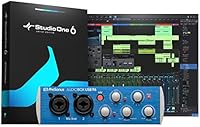
  • Included DAW: Studio One Artist by PreSonus is included, providing a fully featured digital audio workstation ready to use immediately after registration.
  • Bundled Software: Ableton Live Lite and the Studio Magic Plug-in Suite are also bundled in, adding additional production tools and effects at no extra cost.
  • Headphone Output: A front-panel headphone jack with a dedicated volume knob allows for direct monitoring without routing through external speakers.
  • Output Connections: Two balanced main outputs on the rear panel connect to studio monitors or powered speakers for playback.

Related Reviews
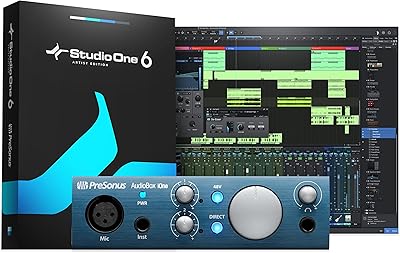
PreSonus AudioBox iOne
75%
88%
Preamp Quality
83%
Build Quality
91%
Ease of Setup
61%
Direct Monitoring
86%
iPad Compatibility
More
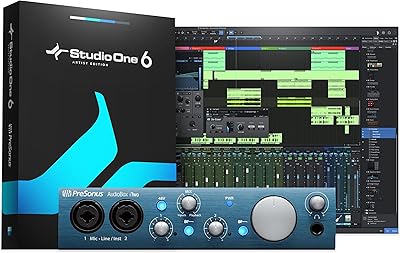
PreSonus AudioBox iTwo 2x2 USB/iPad Audio Interface
86%
92%
Value for Money
89%
Portability & Design
91%
Software & Ease of Use
88%
Sound Quality
85%
Build Quality
More
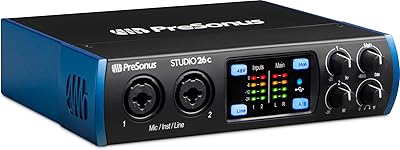
PreSonus Studio 26c USB Audio Interface
86%
92%
Sound Quality
89%
Ease of Use
94%
Value for Money
85%
Software Bundle
88%
Build Quality
More
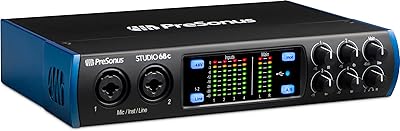
PreSonus Studio 68c USB Audio Interface
80%
88%
Preamp Quality
86%
Audio Clarity
91%
Input/Output Flexibility
67%
Driver Stability
83%
Software Bundle Value
More
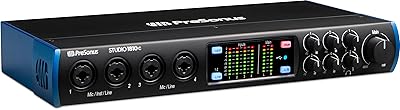
PreSonus Studio 1810c USB Audio Interface
79%
83%
Preamp Quality
86%
Build Quality
87%
Audio Fidelity
89%
I/O Versatility
61%
Driver Stability
More
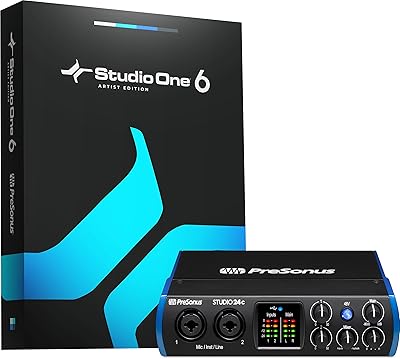
PreSonus Studio 24c
PreSonus Studio 24c
84%
92%
Build Quality & Durability
88%
Sound Quality & Resolution
86%
Preamp Performance (XMAX-L)
94%
Software Bundle Value
89%
Portability & Form Factor
More
PreSonus ioStation 24c
84%
88%
Build Quality & Ergonomics
91%
Fader Responsiveness
89%
Preamp Audio Quality
94%
Native DAW Integration
68%
Third-Party DAW Compatibility
More
PreSonus Studio 192 USB 3.0 Audio Interface

71%
84%
Preamp Quality
51%
Driver Stability
81%
I/O Count & Routing
62%
UC Surface Software
77%
Build & Hardware Quality
More
Black Lion Audio Revolution 2x2 Audio Interface

75%
88%
Preamp Quality
91%
Audio Transparency
86%
Clocking Performance
87%
Build Quality
73%
Value for Money
More
M-Audio M-Track 2X2 USB Audio Interface
76%
84%
Build Quality
76%
Preamp Performance
82%
Ease of Setup
58%
Driver Stability
79%
Value for Money
More

FAQ

No, you do not. The USB 96 is class-compliant on macOS, which means your Mac will recognize it automatically as soon as you plug it in. No driver download is required, and it works across recent macOS versions without any extra setup steps.

For most Windows users it is straightforward, but a small number of people running specific Windows versions have reported needing to install and occasionally troubleshoot the dedicated ASIO driver from PreSonus. It is worth downloading the latest driver from the PreSonus website before your first session rather than relying on a generic Windows driver, especially if you plan to use it with a DAW at low latency.

Yes, and it works well. The PreSonus AudioBox USB 96 Audio Interface supplies 48V phantom power through its XLR inputs, which is what condenser microphones require. Just make sure phantom power is engaged before connecting your mic, and note that it applies to both channels at once — you cannot enable it on one channel only.

It is a solid fit for a two-person podcast setup. Each guest gets their own mic input and dedicated preamp, and you can monitor the combined mix in real time through headphones. If you plan to record more than two guests simultaneously, you will need a different interface since this AudioBox only handles two inputs at once.

The bundle includes Studio One Artist, Ableton Live Lite, and the Studio Magic Plug-in Suite. Studio One Artist in particular is a genuinely capable DAW — not a stripped-down trial — and many users continue to use it long after they have outgrown the hardware. Ableton Live Lite is also a legitimate version of Ableton, useful for loop-based production and live performance. The bundle alone represents a real saving for anyone who would have otherwise purchased recording software separately.

Absolutely. Because it is class-compliant on macOS, this AudioBox interface works with GarageBand, Logic Pro, and virtually any other DAW that accepts Core Audio input. There are no compatibility hoops to jump through.

It runs entirely off USB bus power, so your laptop's USB port handles everything. There is no power adapter included or needed, which makes it a genuinely travel-friendly option for recording on the road.

Yes, the front-panel instrument inputs are designed for exactly this. They handle the high impedance of a guitar or bass signal directly, so you can record a clean DI track and apply amp simulation in your DAW. No DI box or additional hardware is required.

The 5-pin DIN MIDI ports on the rear of the unit let you connect keyboards, synthesizers, drum machines, and MIDI controllers that use traditional MIDI cables — not USB. This is a feature that competing interfaces in this price range often skip entirely, so it is genuinely useful if you have older MIDI gear or prefer hardware controllers without USB MIDI output.

When you record through a computer, there is usually a tiny delay — called latency — between the moment you sing or play and the moment you hear yourself through headphones. The USB 96 lets you blend your live input signal directly with your DAW playback using a front-panel knob, bypassing the computer entirely for monitoring. This means you hear yourself in real time, with no delay, which makes it much easier to perform naturally while recording.

Where to Buy